MIDI Layers
Intelligent MIDI Splitter
Entwickelt für iPhone, iPad, iPod touch
14,99 €
- Altersfreigabe4+
- KategorieMusik
- Entwickler4Pockets.com
- SprachenEnglisch
- Größe15,3 MB
Verlinkt auf die offizielle App Store-Seite
Download.org hostet keine Datei von MIDI Layers. Die Schaltfläche öffnet die App-Seite bei App Store, wo 4Pockets.com die App veröffentlicht. Eintrag zuletzt geprüft am 14.11.2026.
Screenshots


Info
Der Entwickler hat diesen Text nicht in Ihrer Sprache bereitgestellt.
MIDI Layers is an AUv3 MIDI plugin designed to allow sophisticated routing of MIDI data in hosts such as AUM or Cubasis.
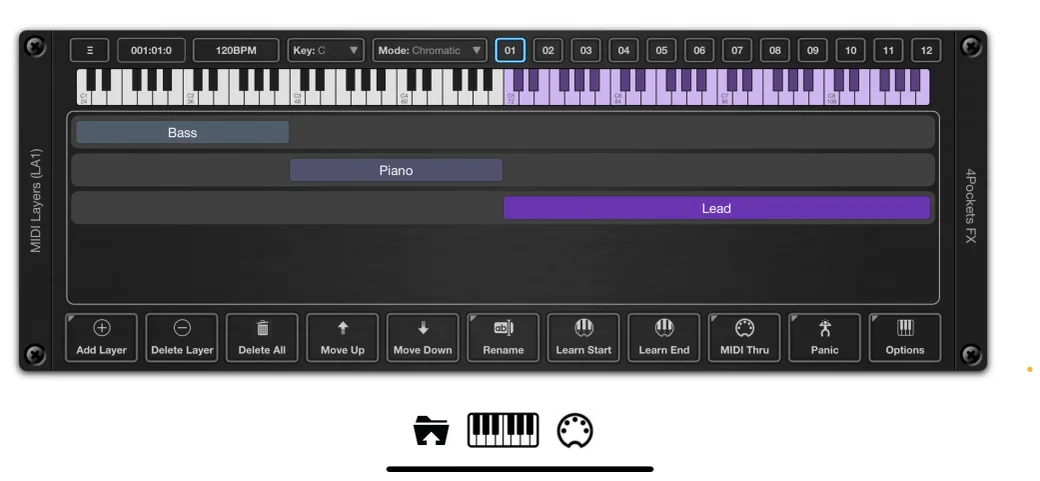
Have you ever wanted to play multiple instruments from a single master keyboard during a live performance? Would you like to be able to set up keyboard splits, crossfade layers or create an ensemble of layered instruments? If you answered yes to either of those questions, then MIDI Layers may be your solution.
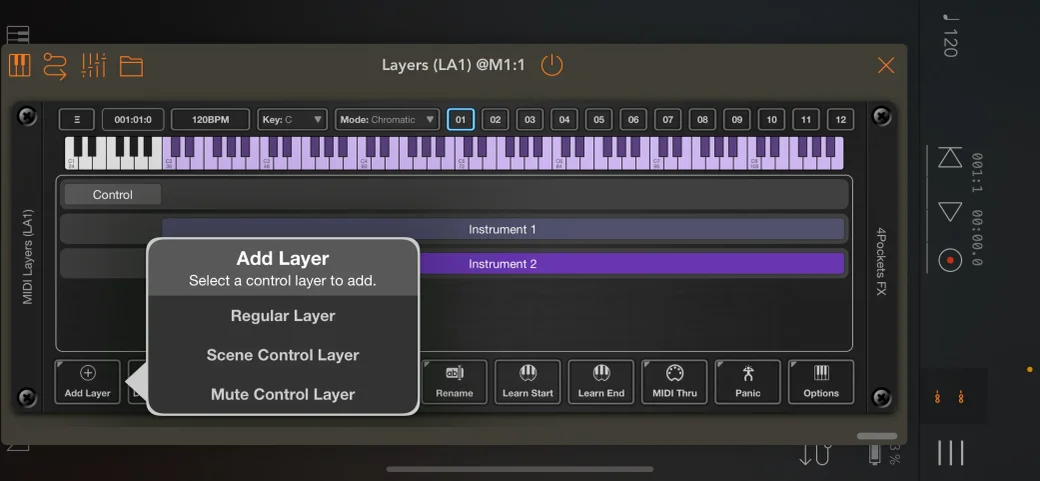
Layers allows you to create up to 12 scenes, each with up to 127 layers, spanning your entire master keyboard. These scenes allow you to seamlessly switch between various layer mappings at any time during a performance.
Each layer controls the MIDI output, which can be routed to one of MIDI Layers 16 output ports and 16 channels. So if you have 5 layers in your scene, each layer is able to divert MIDI key input to 5 destinations, allowing you to control 5 instruments from one master keyboard.
Layers can overlap, meaning you can create an ensemble of two or more instruments. Layers can also have cross fades so that you can fade from one instrument to another across a specified range. You can also control the velocity curves of a layer if you need to emphasize note velocity at a certain set of octaves.
Each layer can also be remapped so that you can target a different key range on the destination instrument. This allows you to have several single note layers that can target specific drum machine samples for instance.
You can assign a song per scene, or have several scenes containing parts of the same song. Switching scenes is simple, using the on screen scene buttons, via AU parameters, or you can even add a special control layer to a scene which can then be triggered via your master keyboard.
It is also possible to assign a Program Changes to a layer. When you switch scenes, each layer can fire off its own program change to your destination instruments.
Each scene can be assigned its own scale, which enables you to play using only the white notes so say goodbye to wrong notes.
Finally, layers can be assigned to mute groups, allowing you to quickly turn on/off groups of layers with a single key or button press.
Features:
○ Up to 127 layers per scene.
○ 12 scenes per preset.
○ Supports 16 output ports and 16 channels.
○ Remote switching of scenes using MIDI or AU.
○ Supports layer mutes and mute groups.
○ Named scenes with large scene selection mode.
○ Supports scales per scene which can be played using white notes only.
○ Each layer can define a Program Change that is sent when scenes are switched.
○ Supports per layer velocity curve.
○ Supports per layer remapping of notes on output.
○ Each layer can have a cross fade settings assigned.
○ Definable Master Keyboard size (6, 7, 8 or 10 octave).
○ Scene and mute control layers.
○ Provides default custom layouts.
Please Note: This product will not work with GarageBand since it cannot load AUv3 MIDI plugins.
Neue Funktionen
Version 1.09 · 09.12.2025
1.09 B75
Fixes a small UI issue on iOS26.1/2
App-Datenschutz
Was 4Pockets.com im App Store zum Umgang dieser App mit Daten angibt.
-
Keine Daten erfasst
Der Entwickler erfasst keine Daten von dieser App.
Die Datenschutzpraktiken können variieren, zum Beispiel je nach den von Ihnen verwendeten Funktionen oder Ihrem Alter.
Informationen
- Anbieter
- Limelight Software
- Kategorie
- Musik
- Version
- 1.09
- Aktualisiert
- 09.12.2025
- Veröffentlicht
- 26.08.2022
- Größe
- 15,3 MB
- Erfordert
- iOS 13 oder neuer
- Altersfreigabe
- 4+
- Preis
- 14,99 €
- Sprachen
- Englisch
- Copyright
- © Copyright (c) 2022 - 4pockets