Mini Keyboard: Remote Typing
Type any script on your Mac
Entwickelt für iPhone
Kostenlos · In-App-Käufe
- Altersfreigabe4+
- KategorieDienstprogramme
- EntwicklerMoaath Othman
- SprachenEnglisch
- Größe4,8 MB
Verlinkt auf die offizielle App Store-Seite
Download.org hostet keine Datei von Mini Keyboard: Remote Typing. Die Schaltfläche öffnet die App-Seite bei App Store, wo Moaath Othman die App veröffentlicht. Eintrag zuletzt geprüft am 16.11.2026.
Screenshots
Info
Der Entwickler hat diesen Text nicht in Ihrer Sprache bereitgestellt.
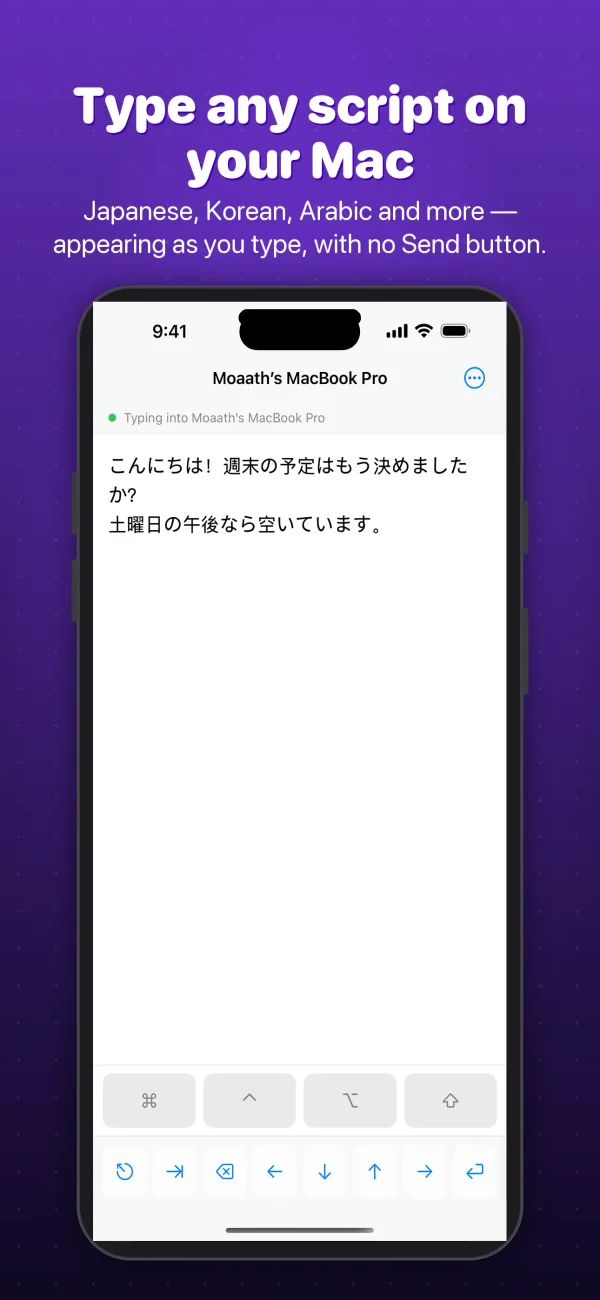
Your Mac has no printed keys for Japanese, Korean, Arabic, Russian or Hindi. Your iPhone does — and you already type on it all day. Mini Keyboard lets your Mac borrow it.
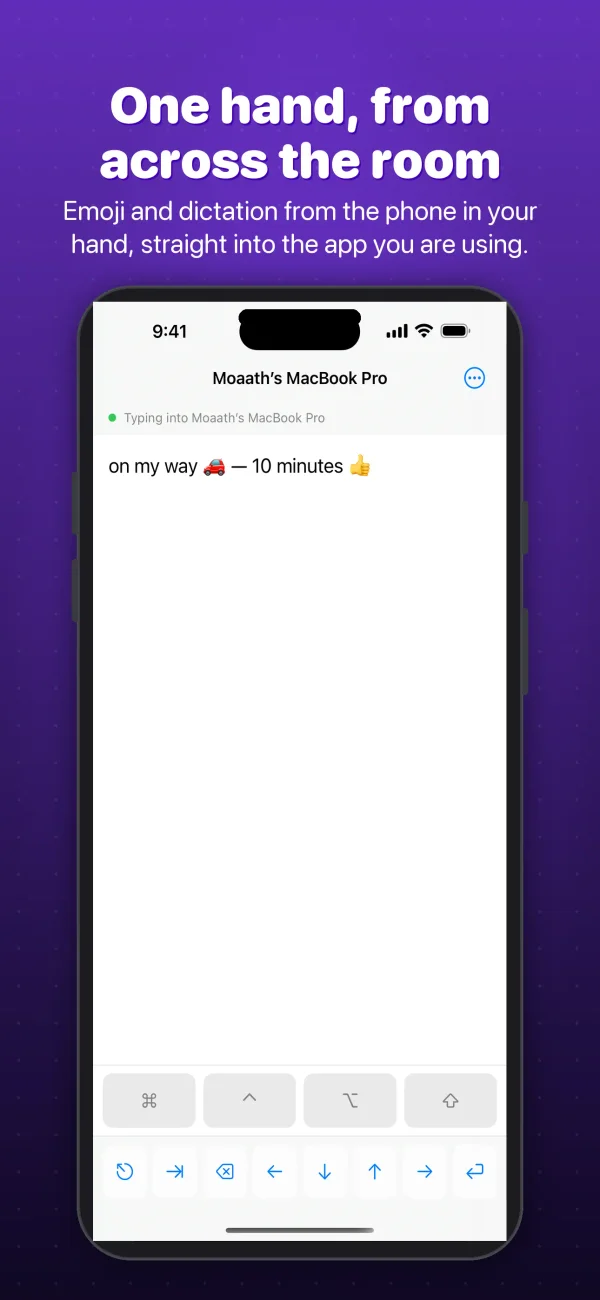
Type on your phone and the characters appear on your Mac as you type them. Not when you press Enter. Not after a Send button. Switch scripts mid-sentence the way you already do on your phone, and whatever your iPhone keyboard can produce, your Mac receives.
TYPING, IN ANY SCRIPT
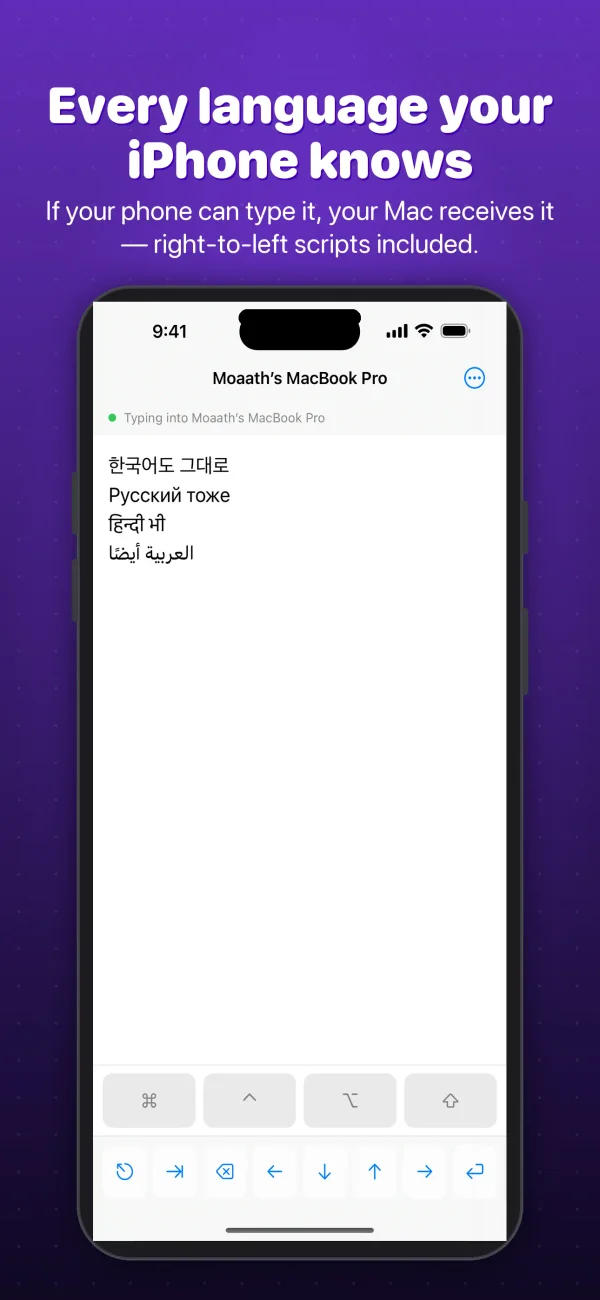
• Characters travel as text rather than as key codes, so scripts that need an input method — Japanese, Chinese, Korean — arrive composed and correct, as you type them.
• Right-to-left scripts behave the way they do on your phone.
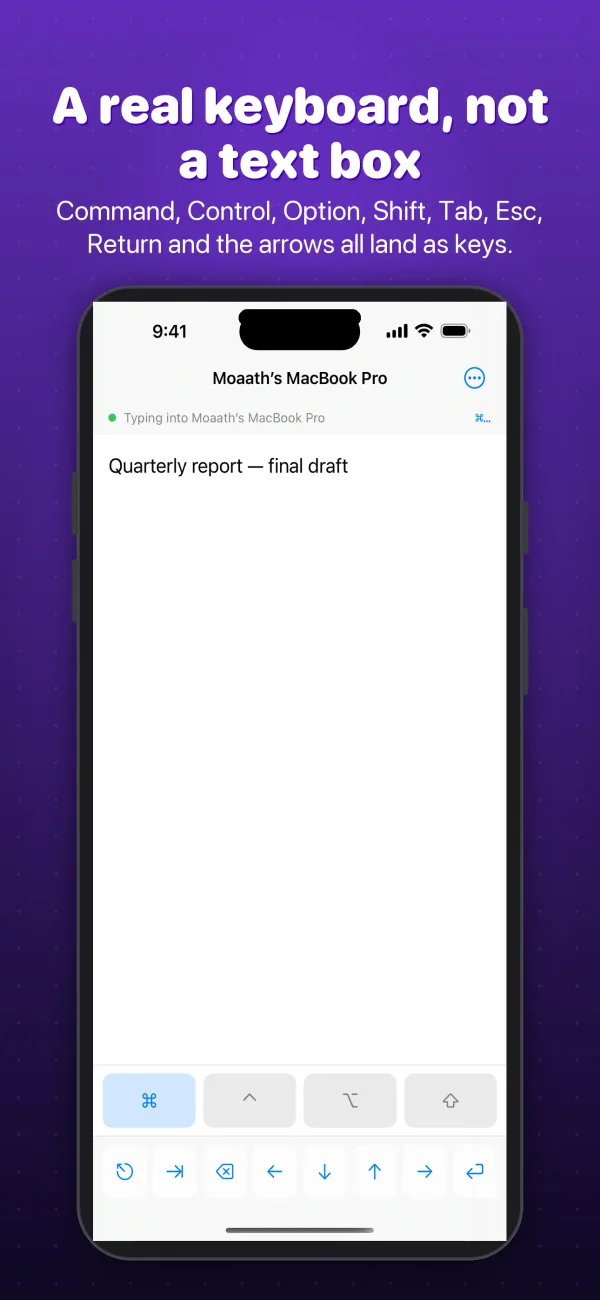
• Command, Control, Option and Shift chords, plus Tab, Esc, Return, Delete and the arrow keys. Shortcuts land as real shortcuts, resolved through the keyboard layout your Mac is actually set to, so Command-Q is where your layout puts it rather than where a US layout would.
• Emoji and dictation go across too. If your iPhone keyboard can produce it, your Mac receives it.
AND A TRACKPAD, RIGHT WHERE THE KEYS ARE
Pull it up over the keyboard when you need to put the caret somewhere before you can start typing. The trackpad is free, like the typing.
• Tap to click, with left and right buttons always on screen for when you would rather not tap.
• Two-finger scroll, and a two-finger tap for right-click.
• Tap-and-a-half to drag, plus a drag-lock toggle so a long drag does not have to be one stroke.
• A full-screen mode that turns the whole phone into travel.
It is there so the typing works without reaching over to the Mac. There are no volume or playback keys and nothing is mirrored to the phone — this is a keyboard, not a media remote.
YOUR OWN KEYS, ABOVE THE KEYBOARD (MINI KEYBOARD PRO)
A row of keys you define, sitting above the keyboard on your phone. Each one sends a keystroke or a piece of text to your Mac — nothing else, because that is all a key can do.
• Chords as a single tap: ⌘⇧4 for a screenshot, ⌘⌥Esc to force quit, ⌘⇥ to switch apps.
• Snippets you type often — an address, a sign-off, a shell command — in any script, multi-line.
• Presets for a numpad and for navigation keys, and pages, so a coding deck and a writing deck can both exist.
Six keys on one page are free. Mini Keyboard Pro removes the limits — unlimited keys and pages — and adds the presets. It is a single one-time purchase ($4.99 in the US store), never a subscription.
PAIRING TAKES ABOUT TEN SECONDS
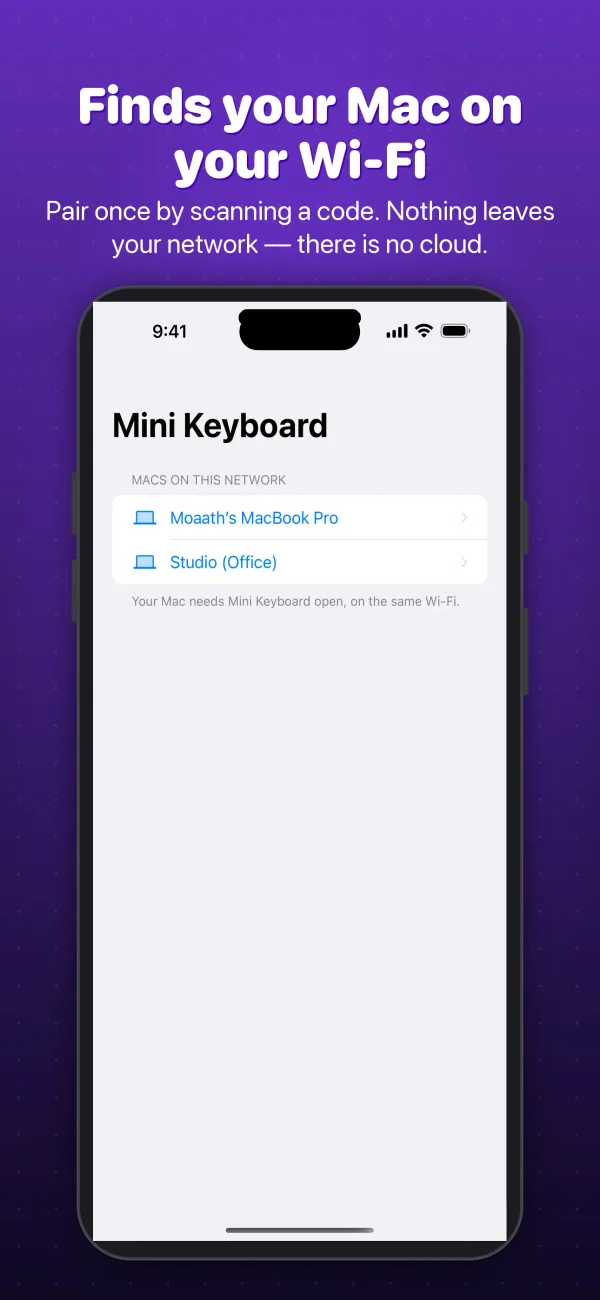
Open the Mac app, point your phone at the QR code in its menu-bar popover, and you are paired. The code carries a 160-bit secret, the connection is encrypted, and the pairing is bound to that one Mac, so a code scanned on your machine cannot be replayed against someone else's. If you would rather not point a camera at your own screen, the same code can be typed instead.
WHERE YOUR TYPING GOES
Everything you type stays on your local Wi-Fi — no account, no sign-up, and nothing you type is stored, logged, or sent anywhere except the Mac you paired with. The app counts anonymous usage, never what you type; switch it off on the first screen. No ads, no subscription, no tracking. Typing and the trackpad are free forever; the only thing for sale is Mini Keyboard Pro, once.
TWO THINGS TO KNOW FIRST
1. You need the Mac half. Mini Keyboard for Mac is a separate free download on the Mac App Store. This app cannot type into a Mac without it.
2. Both devices have to be on the same Wi-Fi network. It does not work over the internet or over cellular — nothing is relayed through a server, because there is no server.
The Mac app needs one permission: macOS files "send key presses" under Privacy & Security › Accessibility, a confusing place to find a keyboard. It asks for it, explains it plainly on first launch, and uses it for nothing else. It does not read your screen and does not record what you type.
Mini Keyboard first shipped in 2014.
Neue Funktionen
Version 2.3 · 10.11.2026
Pairing is more forgiving, and tells you what to do when it isn't.
• Fixed: if your Mac's name was already taken on the network, macOS quietly renamed it and pairing dead-ended with "that code belongs to a different Mac" — your own Mac. It now recognises the renamed service, and the typed-code fallback works in that case too.
• Every pairing problem now has a code (MK-01 … MK-08), the fix written next to it, and a button that performs the fix where the phone can.
• A new "If pairing won't work" screen lists all of them, reachable before anything goes wrong.
ABOUT USAGE DATA — THIS IS A CHANGE
Every version before this one measured nothing. Mini Keyboard now counts which steps you reach — paired, typed, opened the deck, saw the purchase screen — so we can find what is broken without waiting for someone to report it. It also reports failures that aren't crashes.
It never includes anything you type, and it isn't linked to you. The app tells you about this the first time you open it, and you can switch it off at the bottom of the first screen. The Mac app still counts nothing and has no connection to us at all.
App-Datenschutz
Was Moaath Othman im App Store zum Umgang dieser App mit Daten angibt.
-
Nicht mit Ihnen verknüpfte Daten
Können erfasst werden, sind aber nicht mit Ihrer Identität verknüpft.
- Kennungen
- Nutzungsdaten
- Diagnose
Die Datenschutzpraktiken können variieren, zum Beispiel je nach den von Ihnen verwendeten Funktionen oder Ihrem Alter.
Informationen
- Anbieter
- Moaath Othman
- Kategorie
- Dienstprogramme
- Version
- 2.3
- Aktualisiert
- 10.11.2026
- Veröffentlicht
- 21.08.2014
- Größe
- 4,8 MB
- Erfordert
- iOS 17.0 oder neuer
- Altersfreigabe
- 4+
- Preis
- Kostenlos
- In-App-Käufe
- Ja
- Sprachen
- Englisch
- Copyright
- © 2026 Moath Othman
Das könnte Ihnen auch gefallen
-
 Boomerang One-Hand KeyboardDienstprogramme
-
 TypesFastDienstprogramme
-
 Watchman Door LockDienstprogramme
-
 MCS BLEUpdaterDienstprogramme
-
 Iris ConfiguratorDienstprogramme
-
 HK Mixed KeyboardDienstprogramme
-
 Mak Commander-Input ControllerDienstprogramme
-
 Mein Gaspreis: GasverbrauchZählerstand & Gasrechnung
-
 Server Status Checker & UptimeDienstprogramme
-
 RSL FOTADienstprogramme