
MixaFrame
Smart Photo Collage Maker
Entwickelt für iPhone, iPad, Mac
Kostenlos · In-App-Käufe
- Altersfreigabe4+
- KategorieFoto und Video
- EntwicklerJIMMY HU
- SprachenEnglisch
- Größe5,9 MB
Verlinkt auf die offizielle App Store-Seite
Download.org hostet keine Datei von MixaFrame. Die Schaltfläche öffnet die App-Seite bei App Store, wo JIMMY HU die App veröffentlicht. Eintrag zuletzt geprüft am 13.11.2026.
Screenshots




Info
Der Entwickler hat diesen Text nicht in Ihrer Sprache bereitgestellt.
Turn your photos into thoughtful, polished collages with MixaFrame.
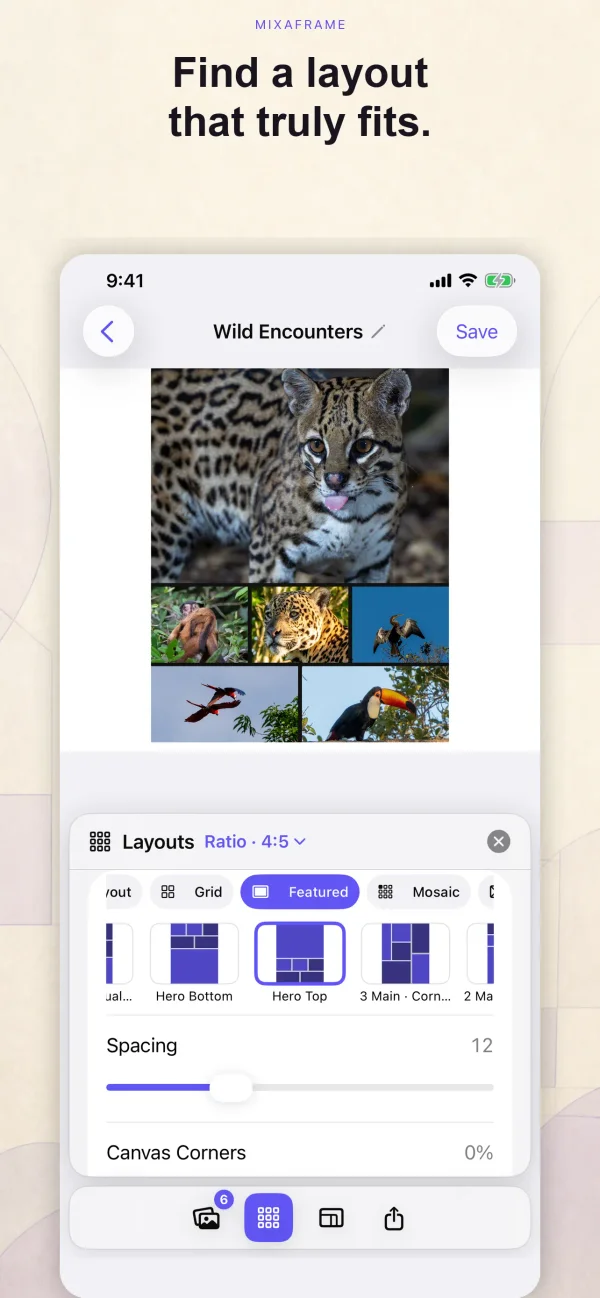
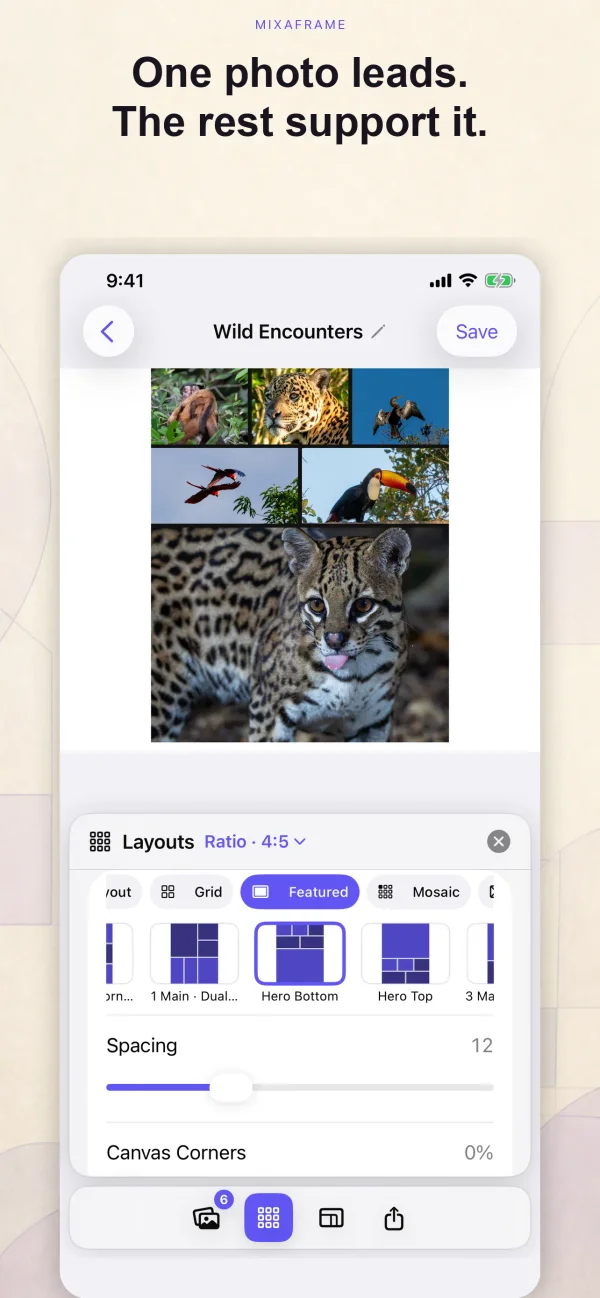
MixaFrame analyzes your selected photos on-device, identifies important subjects, and recommends layouts that fit your images. Start with a smart suggestion, then customize every detail with direct, responsive controls.
SMART COLLAGE CREATION
• Combine 1–12 photos in a single collage
• Explore layouts chosen to fit your photos
• Keep important subjects visible with on-device detection
• Feature one, two, or three photos in expressive compositions
• Reorder photos whenever you want
PRECISE PHOTO CONTROL
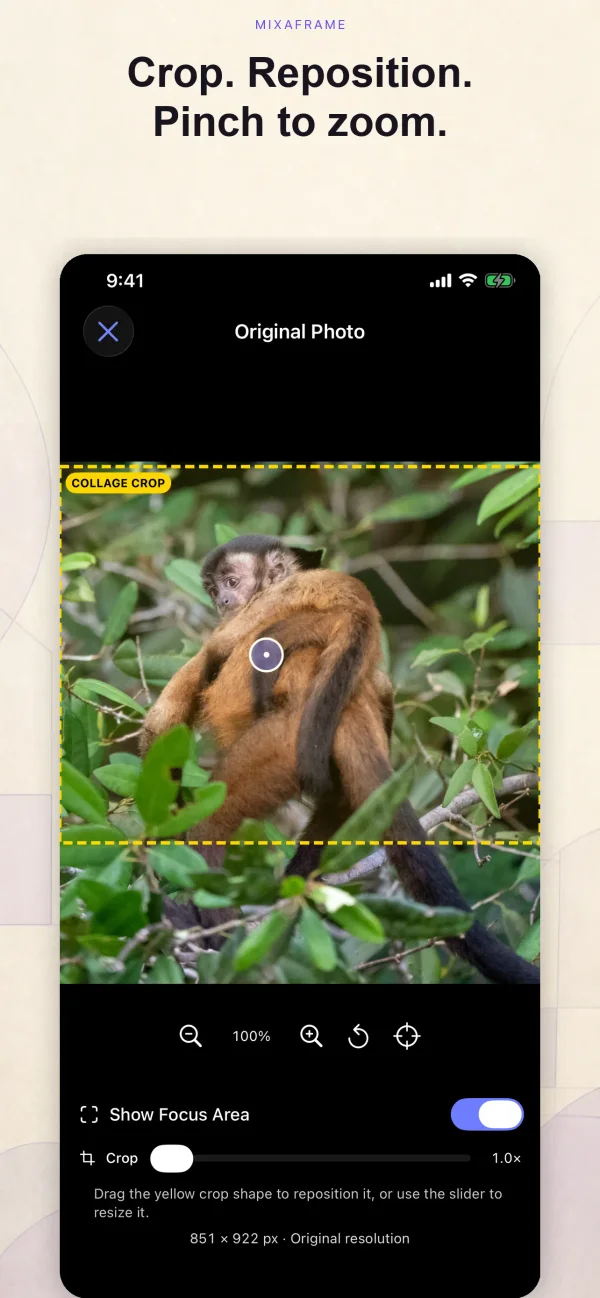
• Adjust the crop and focus of every photo
• Inspect the original image while refining its placement
• Control spacing, dividers, canvas corners, and background appearance
• Preview every change directly on the collage
EDITABLE PROJECTS
Your collages remain editable after you close the app. MixaFrame saves your photos, layout, ordering, crops, divider positions, canvas style, export format, quality, and resolution inside organized projects.
HIGH-QUALITY EXPORTS
• Preview the finished collage before saving
• Zoom and inspect fine details
• Export with a longest edge of up to 8192 pixels
• Choose JPEG, PNG, or WebP
• Select Space Saver, Balanced, or Best Quality
• Save to Photos or share through iOS
PRIVATE BY DESIGN
Subject detection runs on your device. Your selected photos and projects are stored locally, and MixaFrame does not upload your photos to its own servers.
MIXAFRAME PREMIUM
Every collage-editing feature is available without a subscription. Free exports include a MixaFrame watermark. An optional annual MixaFrame Premium subscription removes the watermark from saved and shared collages. Eligible new subscribers may receive a 7-day free trial.
Create a collage that preserves the whole story—with every important subject thoughtfully framed.
Product website: [https://apps.infiz.com/mixaframe/](https://apps.infiz.com/mixaframe/)
Terms of Use:
[https://www.apple.com/legal/internet-services/itunes/dev/stdeula/](https://www.apple.com/legal/internet-services/itunes/dev/stdeula/)
Neue Funktionen
Version 1.0.2 · 10.10.2026
What’s New in Version 1.0.2
- Added iPhone Duo support with layouts that adapt smoothly as you fold, unfold, and rotate.
- Improved readability and controls at larger text sizes.
- Refined editing, photo zoom, and export previews.
- Added project import and export to move editable collages between devices.
- Improved Mac photo imports, window reopening, and canvas editing.
- Made draft recovery, saving, and thumbnail updates more reliable.
App-Datenschutz
Was JIMMY HU im App Store zum Umgang dieser App mit Daten angibt.
-
Keine Daten erfasst
Der Entwickler erfasst keine Daten von dieser App.
Die Datenschutzpraktiken können variieren, zum Beispiel je nach den von Ihnen verwendeten Funktionen oder Ihrem Alter.
Informationen
- Anbieter
- JIMMY HU
- Kategorie
- Foto und Video
- Version
- 1.0.2
- Aktualisiert
- 10.10.2026
- Veröffentlicht
- 09.09.2026
- Größe
- 5,9 MB
- Erfordert
- iOS 17.6 oder neuer
- Altersfreigabe
- 4+
- Preis
- Kostenlos
- In-App-Käufe
- Ja
- Sprachen
- Englisch
- Copyright
- © 2026 Jimmy Hu
Das könnte Ihnen auch gefallen
-
 PicStack: Photo Collage MakerFoto und Video
-
 Go Viral Video-Ideen: creaficoVirale TikTok-Hooks & Skripte
-
 Fotocollage: SasCollageFotos zusammenfügen mit Text
-
 Foto Grid CollageEinfache Fotocollage
-
 GridlaiFoto und Video
-
 BlurBrush · Daten schwärzenVerbirgt IBAN, Ausweis & Karte
-
 Big Grid - Foto-CollageFoto-Raster & Mosaik-Maker
-
 Photo Grid: Foto Collagen HDVideo Editor & Bildbearbeitung
-
 Montra: Photo & Video CollageFoto und Video
-
 Text Verpixeln: ScreenshotPDF Schwärzen, Blur & Zensur