MLA: Mental Load Assistant
Family schedule, tasks & meals
Entwickelt für iPhone, iPad, iPod touch
Kostenlos · In-App-Käufe
- Altersfreigabe4+
- KategorieProduktivität
- EntwicklerJeffrey Kiyomura
- SprachenEnglisch
- Größe36,0 MB
Verlinkt auf die offizielle App Store-Seite
Download.org hostet keine Datei von MLA: Mental Load Assistant. Die Schaltfläche öffnet die App-Seite bei App Store, wo Jeffrey Kiyomura die App veröffentlicht. Eintrag zuletzt geprüft am 18.11.2026.
Screenshots
Info
Der Entwickler hat diesen Text nicht in Ihrer Sprache bereitgestellt.
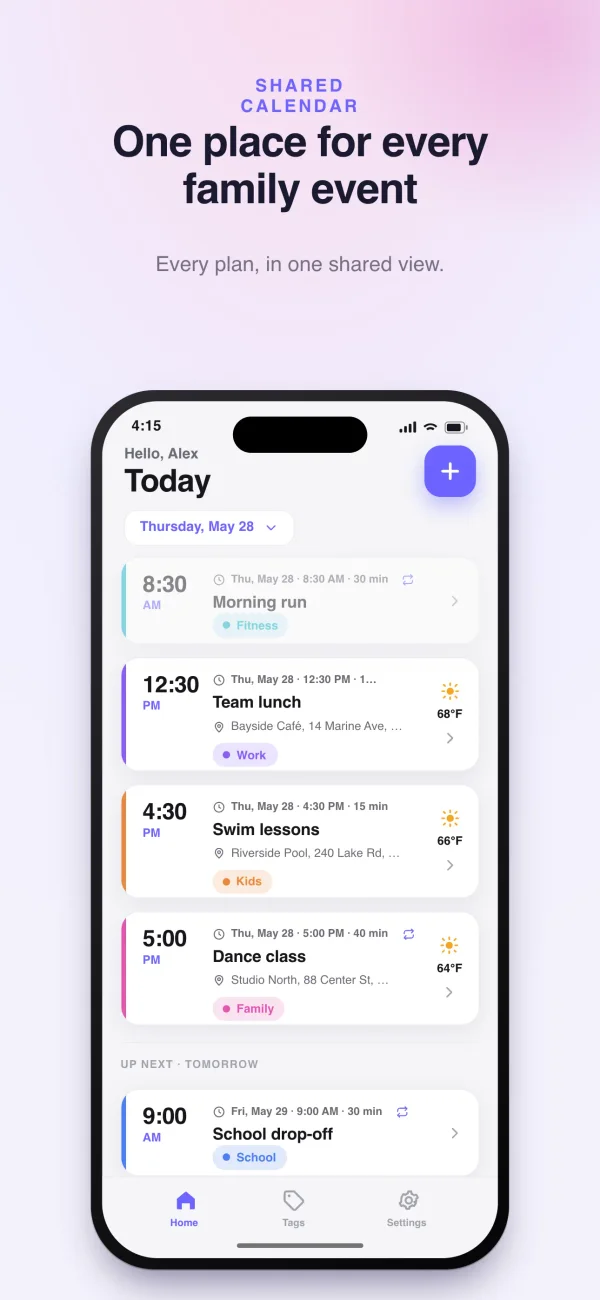
Stop texting each other about what's on the calendar, or what's for dinner. Mental Load Assistant is a smart shared planner built around the way people actually share their lives. Instead of handing someone your entire calendar, you organize events with color-coded tags, then share exactly the tags that matter with exactly the people who need them.
■■■ TELL MLA: SAY IT ONCE ■■■
Type, or hold the mic and talk: "Dentist Tuesday at 3, soccer every Thursday, buy milk and eggs." MLA turns it into events, tasks and shopping items, and you check them before anything is added. Plans changed? "Move today's dinner to 7" or "Tag Dance with Chloe" updates the event you already have, and "Cancel today's soccer" marks it cancelled (everyone is told, reminders stop), for just that day or the whole series. Ask "What do I have after 12?" or "When is Colin's wedding?" and tap any event to see it. It all runs on your iPhone with Apple Intelligence; nothing you say is sent anywhere.
■■■ YOUR DAY, IN PLAIN ENGLISH ■■■
The top of Today tells you what's on and when the day picks up again, with what's due and what's left to buy. After your last event it moves on to tomorrow. Get it as a morning and evening notification too. Week Ahead opens with one line: a light, medium or busy week, your free days, and how the weekend looks.
■■■ CREATE EVENTS THAT FIT YOUR LIFE ■■■
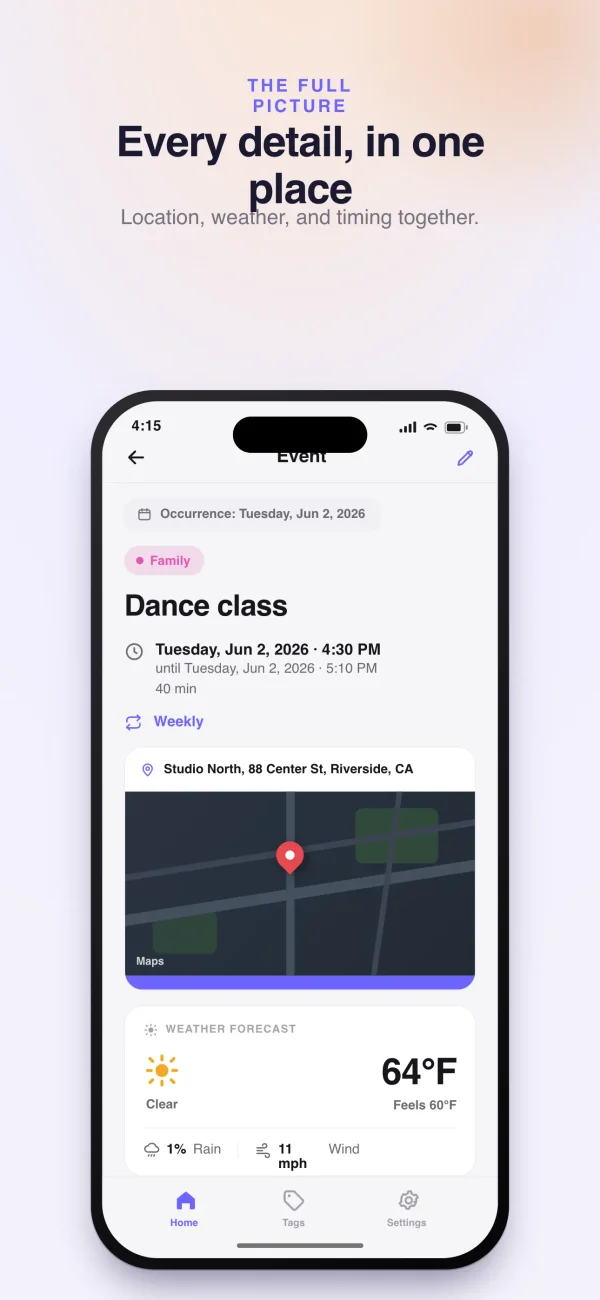
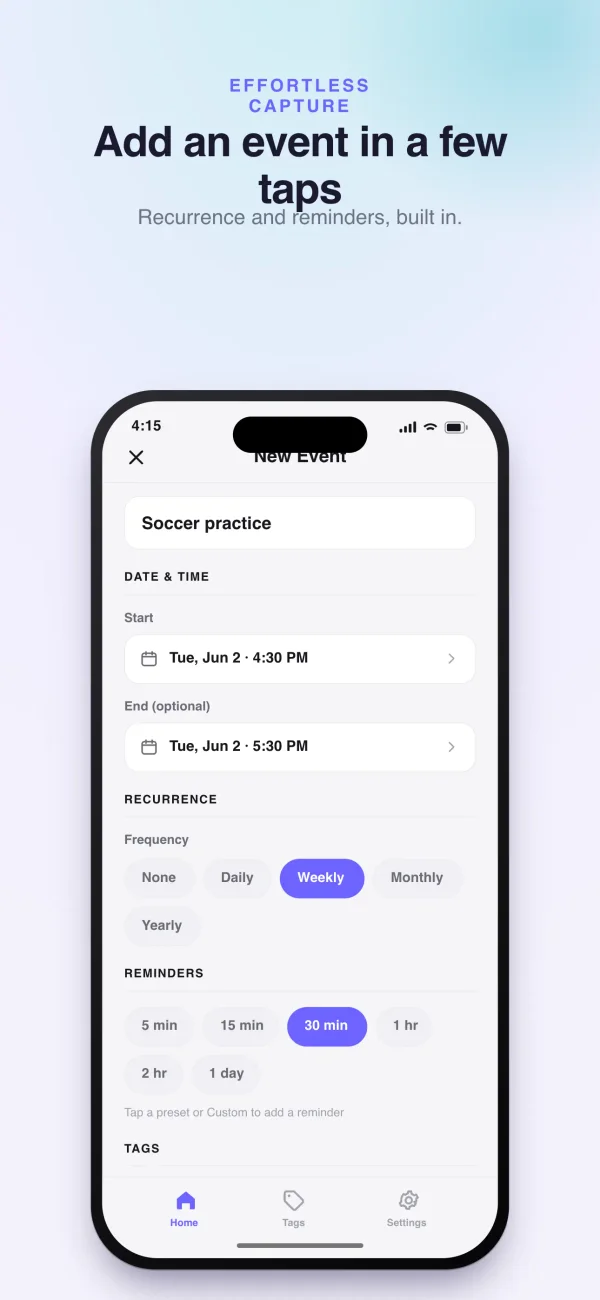
Full recurrence support: daily, weekly, monthly or yearly, or patterns like "the first Saturday of the month." Add a location, notes, reminders and tags, make it all day, and pick dates from a calendar with the time wheel right below it.
■■■ TAG-BASED SHARING ■■■
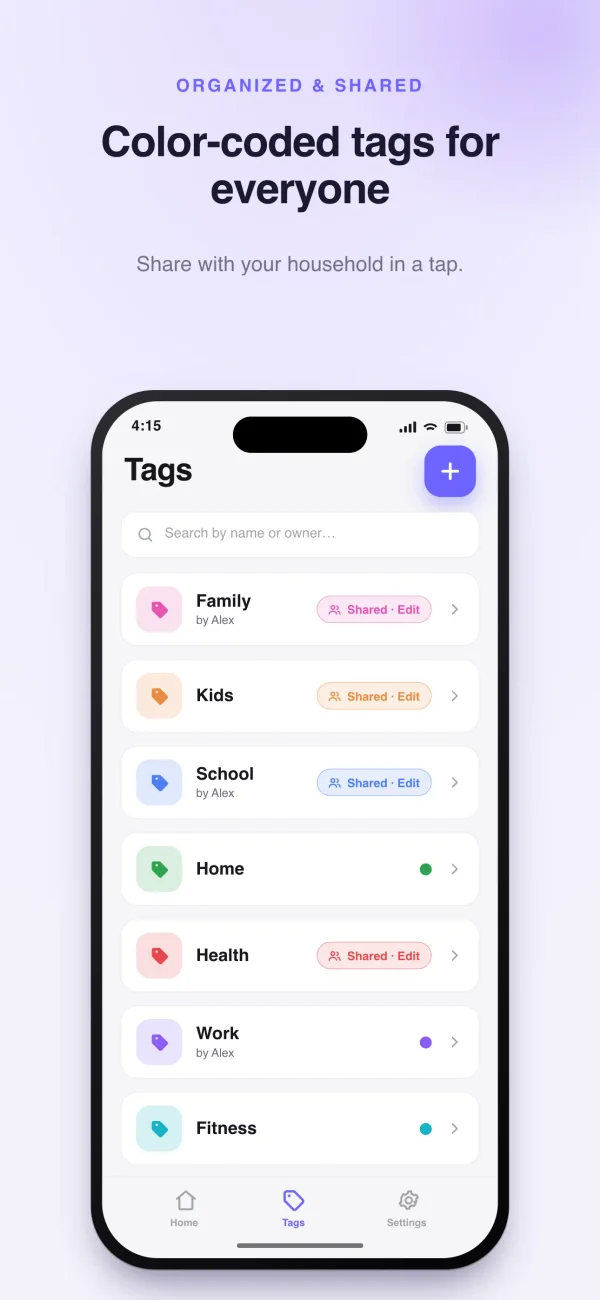
Create color-coded tags like "Family," "Work" or "Date Night." Share a tag with read-only access to stay informed or write access to collaborate. Revoke access instantly. No over-sharing.
■■■ TASK LISTS THAT KEEP UP ■■■
Shared to-do lists with due dates and repeating tasks. Give a list a place and get reminded when you arrive, so the hardware store list shows up at the hardware store.
■■■ HEADS-UPS: WHAT'S DUE ■■■
Bills, renewals, permission slips, library books: anything with a day it's due, without cluttering your calendar. It shows on Today when it's coming up, on the day, and every day it's late until it's done. Share it with a tag, and complete it with a drag (never by accident), Siri or Tell MLA.
■■■ PLAN MEALS & SHOP SMARTER ■■■
Save recipes with ingredients, steps, cook time and a photo, or snap a cookbook page or pick a PDF and MLA fills in the recipe for you. Drag recipes onto a weekly meal plan and turn it into a shopping list that combines duplicates and converts units. Items land under the store you bought them at last time.
■■■ HANDS-FREE WITH SIRI (iOS 27) ■■■
"Add an event in Mental Load Assistant." "What's on next week in Mental Load Assistant?" Siri adds events, tasks and shopping items, tells you what's coming up, and lets you undo with one tap.
■■■ BUILT FOR TWO (OR MORE) ■■■
Partners, co-parents, households or a small team: everyone stays on the same page without one person remembering everything.
■■■ SMART, SECURE & NATIVE ■■■
• Face ID / Touch ID
• Push notifications and event reminders
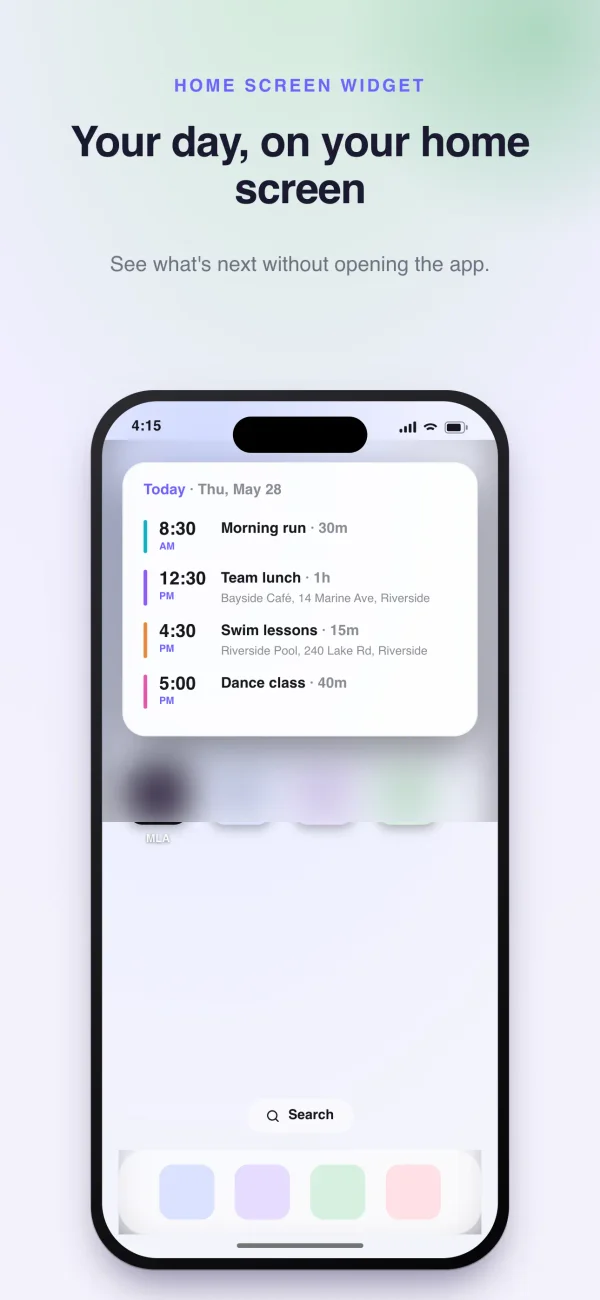
• Home-screen widget showing what's next
• Quick Action: create a new event from your home screen
• Dark and light mode
• Optimized for iPhone and iPad
■■■ GO PRO ■■■
The free plan covers the basics, including the weekly summary and store-sorted shopping. Pro removes every limit on events, tags, lists, recipes and heads-ups, and adds Tell MLA, the daily summary, recipe import and weather on every event with a location.
■■■■■■■■■■■■■■■■■■■■■■■■■■■■■■■■■■■■■■■■
Mental Load Assistant is free to download. Set up your first event before you sign up; an account is needed to save and share. Tell MLA and recipe import need an iPhone with Apple Intelligence.
Neue Funktionen
Version 1.2.9 · 11.11.2026
New: Heads-Ups
• Bills, renewals, permission slips, library books: anything with a day it's due, kept off your calendar. Add a due time if it has one.
• It shows on Home on its reminder days, on its due day, and every day it's late, so nothing slips by.
• Complete one by dragging it across (never by accident), or slide to complete on its own page. A repeating one moves to its next date.
• Share them with a tag, just like events: everyone sees them, gets the reminders, and can complete them.
• Reminders come through Focus, so the important ones get seen.
• Ask Siri or Tell MLA: "The water bill is due on the 24th," "What's due this week?", "The rent is paid."
• The Today widget shows a heads-up banner when something is due.
• Free plan: 3 at a time. Pro removes the limit.
New: All-day events
• Tick All day when you pick the start, and no time is needed. All-day events sit at the top of Today and the widget, and their reminders come at 9 AM.
Faster, and up to date
• Everything opens straight away from your iPhone, then catches up in the background. A small "Syncing" label shows while it checks for changes.
• Changes from the people you share with usually arrive within seconds, now including shopping lists, recipes, meal plans and task lists.
Fixes
• The Today widget shows every event again: repeating events on all their days, days you moved or changed, and new events on a busy calendar. It matches Home and works offline.
• Tapping an event on the widget goes straight to it, on the day you tapped, without flashing the sign-in screen.
• Picking a date is quicker, especially in month view.
App-Datenschutz
Was Jeffrey Kiyomura im App Store zum Umgang dieser App mit Daten angibt.
-
Nicht mit Ihnen verknüpfte Daten
Können erfasst werden, sind aber nicht mit Ihrer Identität verknüpft.
- Standort
- Kontaktinformationen
- Benutzerinhalte
- Kennungen
Die Datenschutzpraktiken können variieren, zum Beispiel je nach den von Ihnen verwendeten Funktionen oder Ihrem Alter.
Informationen
- Anbieter
- Jeffrey Kiyomura
- Kategorie
- Produktivität
- Version
- 1.2.9
- Aktualisiert
- 11.11.2026
- Veröffentlicht
- 08.06.2026
- Größe
- 36,0 MB
- Erfordert
- iOS 15.1 oder neuer
- Altersfreigabe
- 4+
- Preis
- Kostenlos
- In-App-Käufe
- Ja
- Sprachen
- Englisch
- Copyright
- © 2026 Mental Load Assistant
Das könnte Ihnen auch gefallen
-
 Passing Thoughts: Voice NotesProduktivität
-
 Jot: Quick Notes & InboxProduktivität
-
 DevDeckProduktivität
-
 PoptMerken und teilen, ganz privat
-
 ADHS Planer & Mentale LastTägliche Aufgaben und Fokus
-
 Skift: Mental LoadProduktivität
-
 PortaCue for ObsidianSprachnotizen & Aufgaben im Nu
-
 issho: ADHD Share Mental LoadProduktivität
-
 Tickbase: To-Do-Liste & PlanerAlle Aufgaben & Erinnerungen
-
 Hustla To-Do List Task PlannerProduktivität