
MLX Workbench
Private on-device AI chat
Entwickelt für iPhone, iPad, Mac
Kostenlos · In-App-Käufe
- Altersfreigabe4+
- KategorieProduktivität
- EntwicklerCostantino Pistagna
- SprachenEnglisch+ 1 weitere
- Größe31,0 MB
Verlinkt auf die offizielle App Store-Seite
Download.org hostet keine Datei von MLX Workbench. Die Schaltfläche öffnet die App-Seite bei App Store, wo Costantino Pistagna die App veröffentlicht. Eintrag zuletzt geprüft am 23.11.2026.
Screenshots



Info
Der Entwickler hat diesen Text nicht in Ihrer Sprache bereitgestellt.
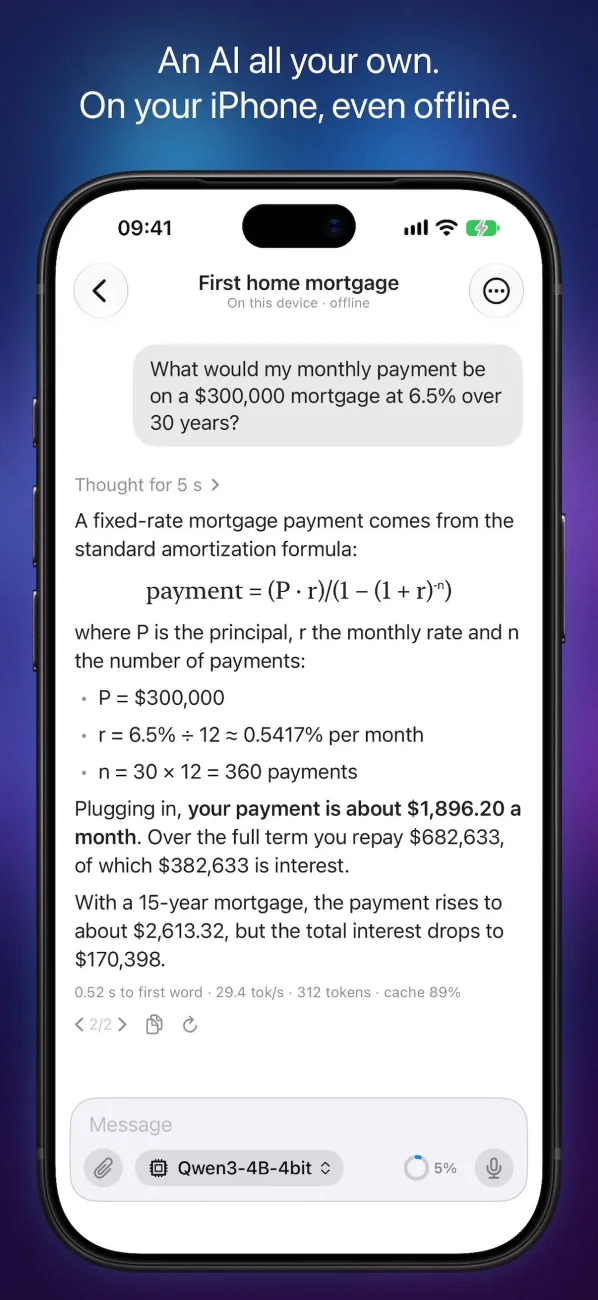
MLX Workbench is a private AI chat that runs on your own devices, with open models and Apple's open-source MLX framework. Your conversations stay yours and never go through a server: no cloud AI, no account, no subscription.
CHAT, PRIVATELY
• Open models such as Qwen, Llama, Gemma, Mistral and Phi, or Apple's on-device model on devices with Apple Intelligence
• Works offline once a model is on your device
• Thinking models show their reasoning, then the answer; math formulas are shown cleanly
• Edit your messages, regenerate replies, compare versions, stop a reply and continue it
• Long conversations can be summarized to free up the model's memory
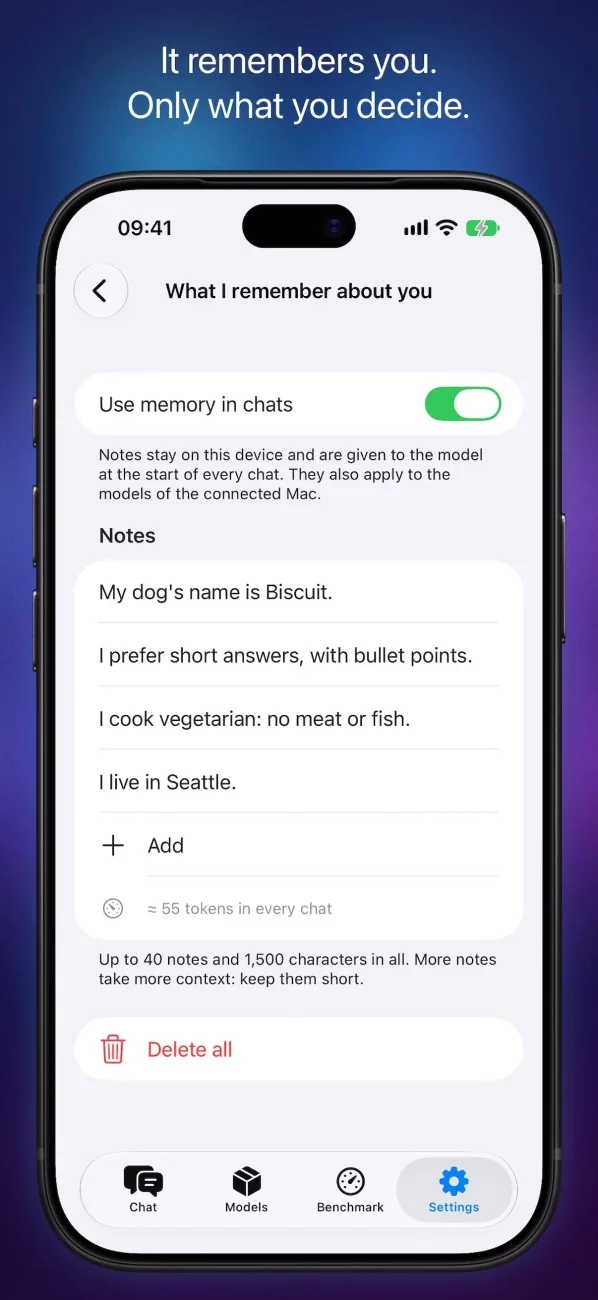
• Memory: notes about you that every chat starts from, which you can review and edit
• Your own instructions and creativity for each chat
• Search inside your chats; export a chat as Markdown, JSON or a ChatGPT-style archive
YOUR MAC'S MODELS ON IPHONE AND IPAD
• Use the models on your Mac, even those too big for your iPhone, at home and away
• Pair once with a QR code: the chat travels straight between your devices, encrypted, with no server in between
• Download models to your Mac from your iPhone and follow the progress
• On the Mac, the app can wait in the menu bar while it serves your devices
DOCUMENTS, PHOTOS, LINKS AND VOICE
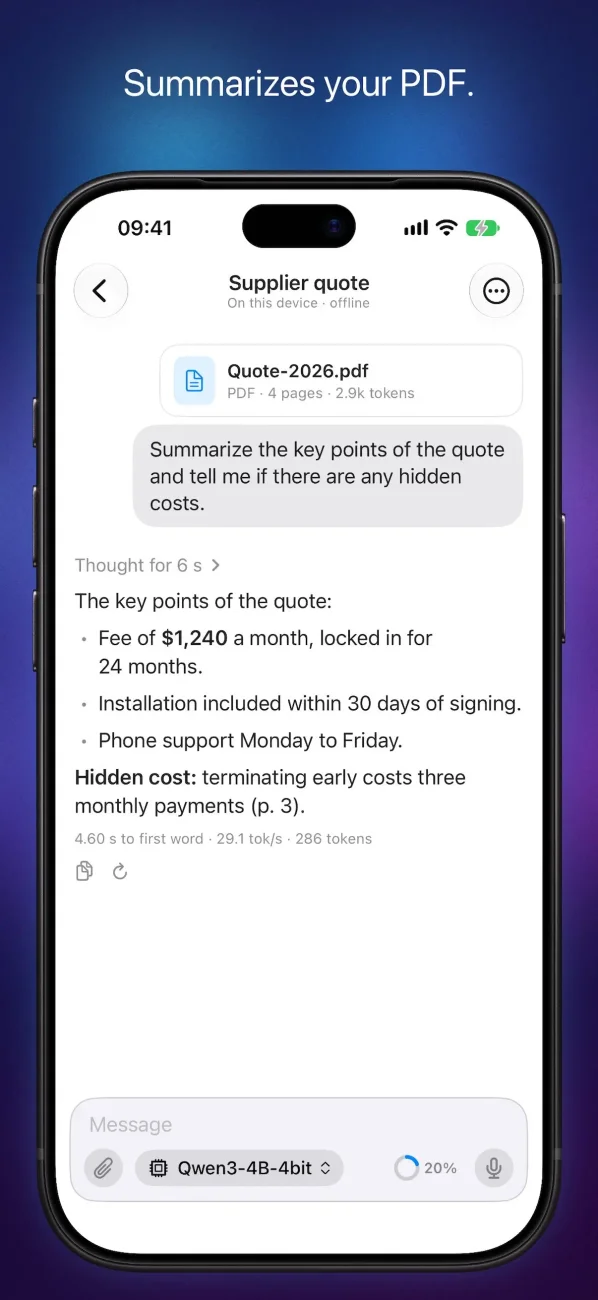
• Attach PDFs and text files; scanned pages are recognized on the device
• Ask about a photo, the camera or an image in the clipboard, with a model that reads images
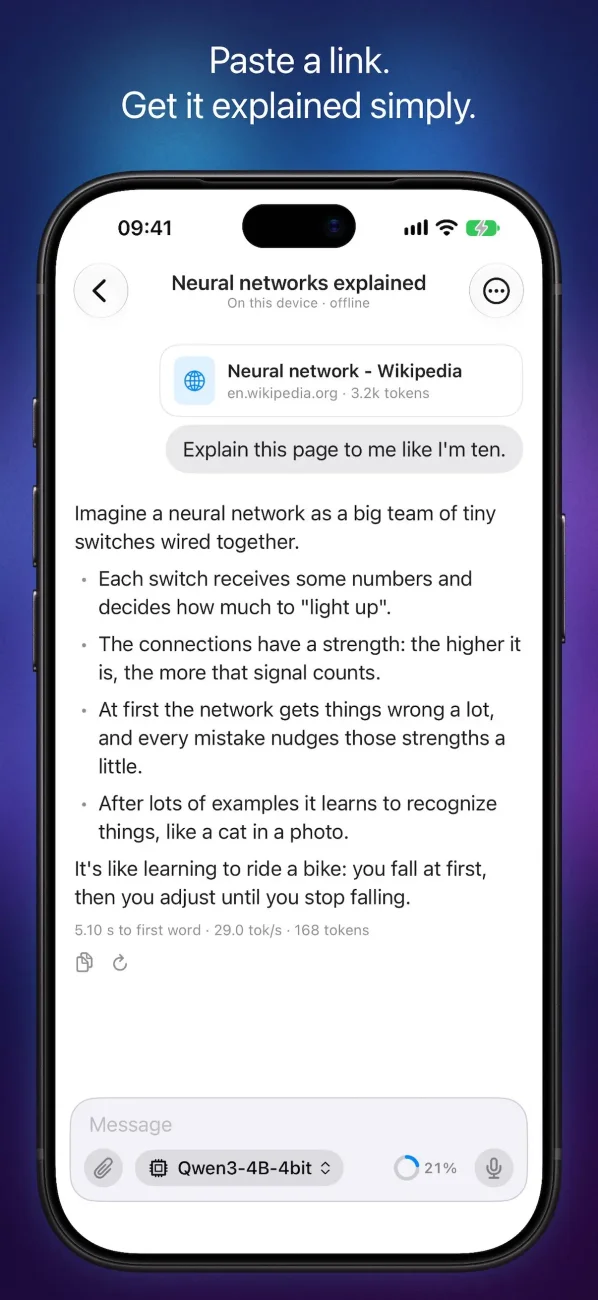
• Paste a link: the page is downloaded and its article is read into the chat
• Dictate instead of typing, with on-device speech recognition
THE RIGHT MODEL FOR YOUR DEVICE
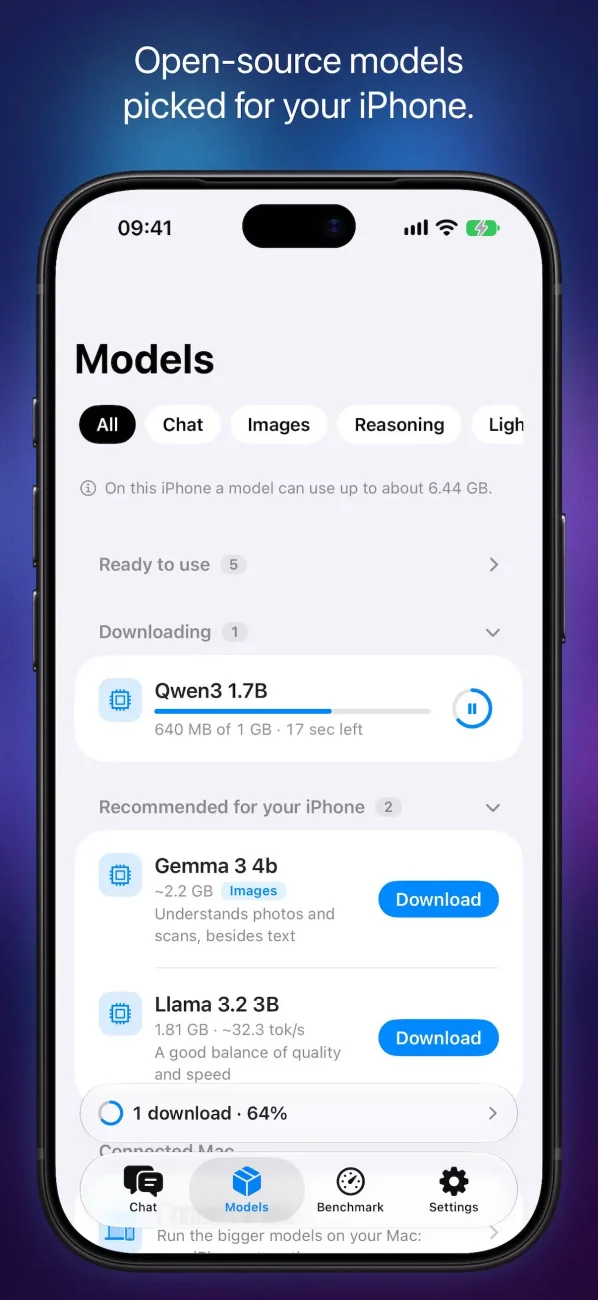
• See what is ready, what is downloading and what fits your device's memory
• Downloads continue in the background, with pause and resume
• The expected speed of each model on your device, from the community results
STATS FOR EVERY REPLY
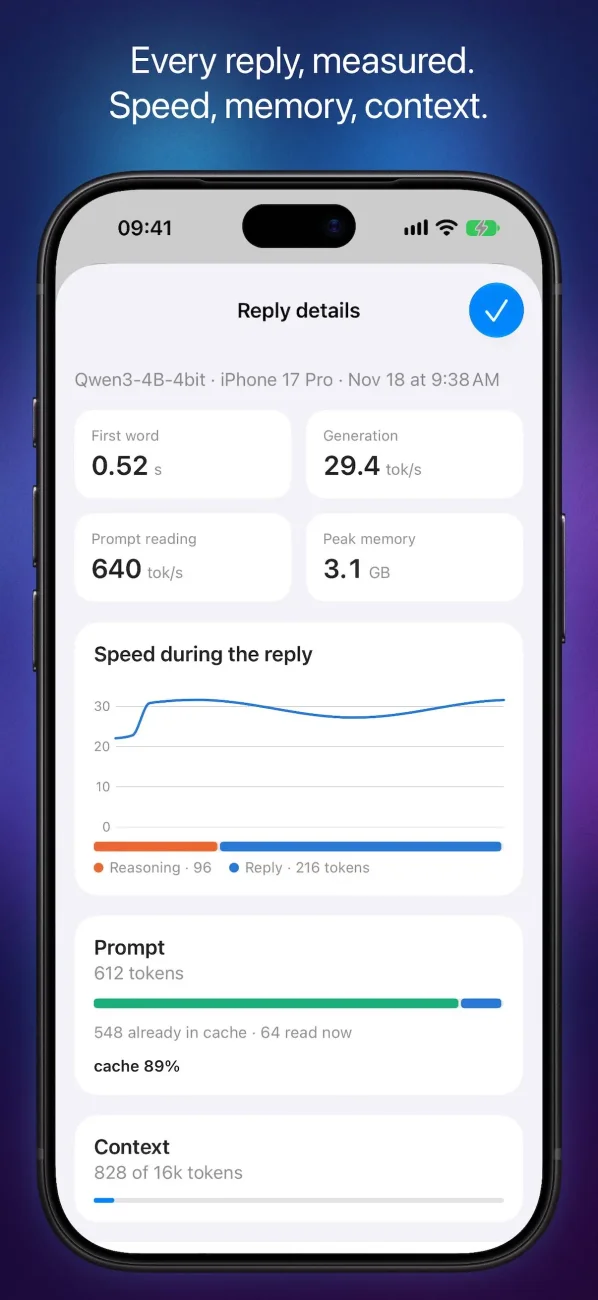
Time to first token, generation and prefill speed, how much of the conversation came from the cache, peak memory and thermal state, live while the reply is written.
BENCHMARK AND COMMUNITY (FREE)
Every device runs the same standard test: a fixed 512-token prompt, then exactly 128 tokens with greedy decoding, three measured runs, medians reported. Compare your device with everyone else's, model by model, including Apple's on-device model, and see how fast each model runs in real chats as the conversation grows.
MLX WORKBENCH PRO
The chat is part of MLX Workbench PRO: a one-time purchase, no subscription, shareable with Family Sharing. 30 free replies to get started, shared by your devices and the connection to your Mac. Benchmark, Community and the Models tab are free for everyone.
PRIVACY
No account, no tracking, no ads. Models run on your devices and your conversations stay there. With a connected Mac, the chat goes straight to your Mac, encrypted; iCloud only keeps your Mac's address and your free-reply count, never your conversations. When you paste a link, the page is downloaded from its website. While "Share results with the community" is on, the app shares anonymous standard benchmark results and, once a week, the median chat speed per model: numbers only, never the text of your conversations.
Built for iPhone, iPad and iPhone Duo. The connected Mac needs MLX Workbench on a Mac with Apple silicon.
Neue Funktionen
Version 1.2.1 · 21.11.2026
Minor fixes and improvements.
App-Datenschutz
Was Costantino Pistagna im App Store zum Umgang dieser App mit Daten angibt.
-
Keine Daten erfasst
Der Entwickler erfasst keine Daten von dieser App.
Die Datenschutzpraktiken können variieren, zum Beispiel je nach den von Ihnen verwendeten Funktionen oder Ihrem Alter.
Informationen
- Anbieter
- Costantino Pistagna
- Kategorie
- Produktivität
- Version
- 1.2.1
- Aktualisiert
- 21.11.2026
- Veröffentlicht
- 27.11.2025
- Größe
- 31,0 MB
- Erfordert
- iOS 18.6 oder neuer
- Altersfreigabe
- 4+
- Preis
- Kostenlos
- In-App-Käufe
- Ja
- Sprachen
- Englisch, Italienisch
- Copyright
- © 2026 - Sofapps - All rights reserved.
Das könnte Ihnen auch gefallen
-
 GPUScore: In Vitro 2Dienstprogramme
-
 Breaking LimitDienstprogramme
-
 Benchmark Pro: GerätetestHardware- & Leistungs-Audit
-
 GravityMark GPU BenchmarkDienstprogramme
-
 Nexus LLMDienstprogramme
-
 LocalMind: Ollama & LM StudioPrivate KI, lokal und vernetzt
-
 LLM Local ClientDienstprogramme
-
 Geekbench AIDienstprogramme
-
 Comfy PortalDienstprogramme
-
 Liquid ApolloDienstprogramme