Monster Remote
Remote control for Gym Monster
Entwickelt für iPhone, iPad
Kostenlos · In-App-Käufe
- Altersfreigabe4+
- KategorieDienstprogramme
- EntwicklerJan Sallads
- SprachenEnglisch+ 1 weitere
- Größe22,3 MB
Verlinkt auf die offizielle App Store-Seite
Download.org hostet keine Datei von Monster Remote. Die Schaltfläche öffnet die App-Seite bei App Store, wo Jan Sallads die App veröffentlicht. Eintrag zuletzt geprüft am 22.11.2026.
Screenshots
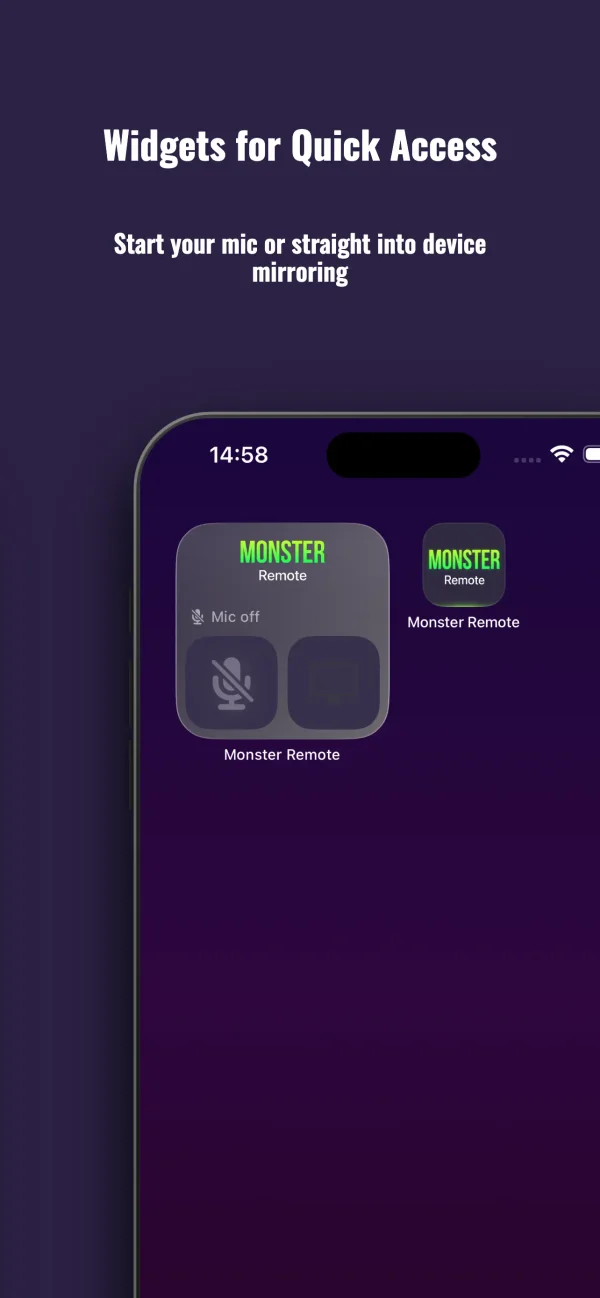
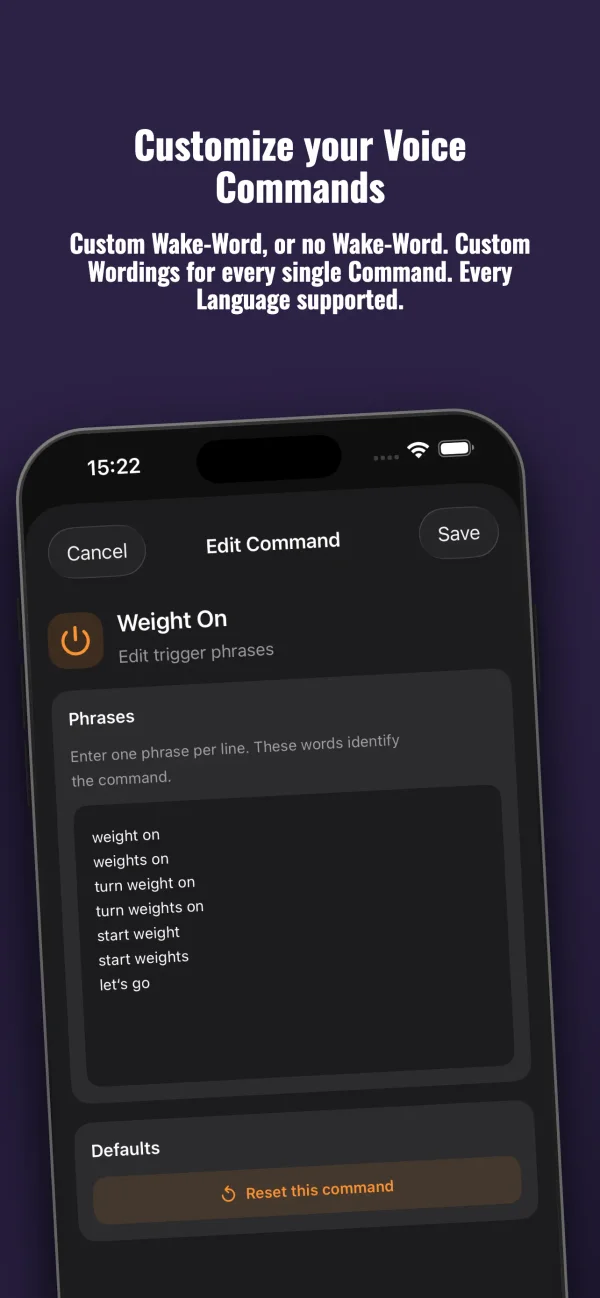
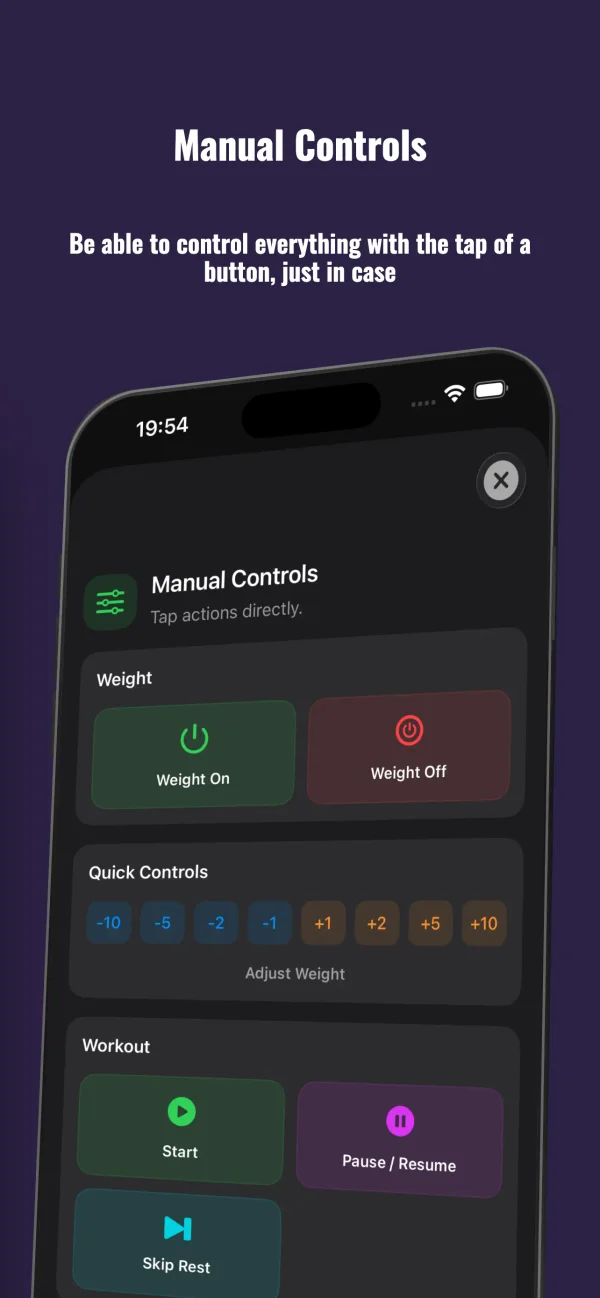
Info
Der Entwickler hat diesen Text nicht in Ihrer Sprache bereitgestellt.
Monster Remote is a wireless remote-control app for compatible home gym machines like the Speediance Gym Monster 1 & 2.
Use your iPhone or iPad to control weight, open a live screen mirror, tap and swipe on the mirrored display, configure workout overlays, launch videos or websites on the machine screen, and trigger supported actions with Hot Mic voice commands, Siri Shortcuts, Alexa, and smart home integrations.
Main features:
• Quick weight control
Turn weight on or off and increase or decrease the load in configurable steps.
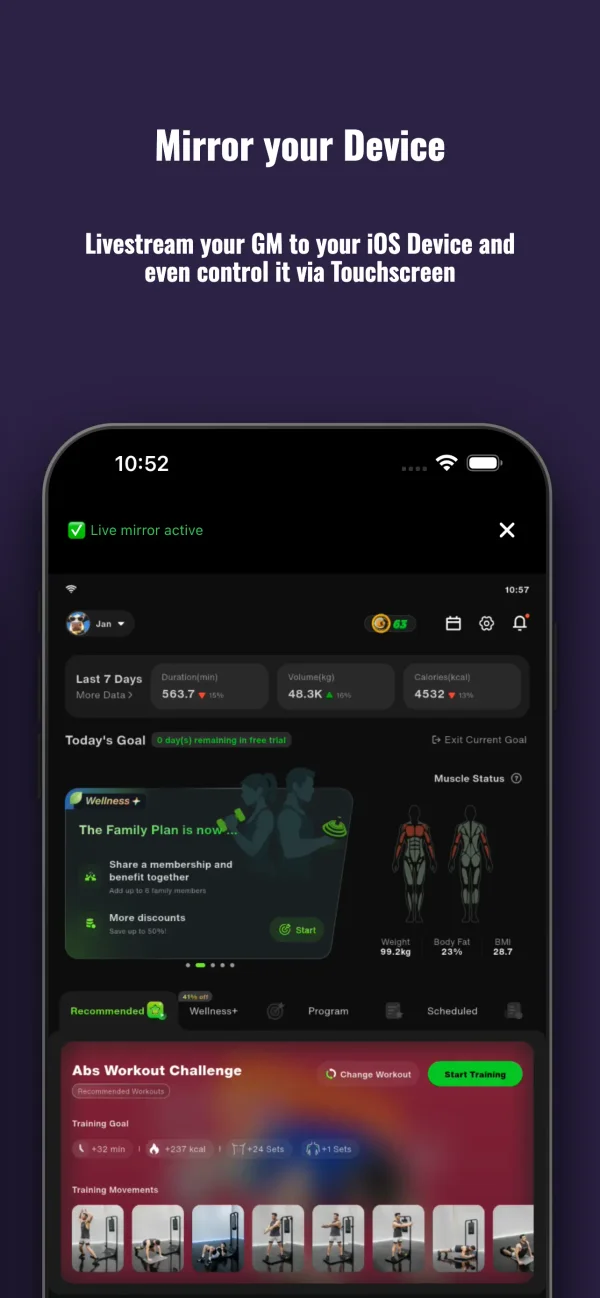
• Live Remote Mirror
View the machine screen directly on your iPhone or iPad.
• Tap and swipe control
Use the mirrored screen like a remote touch display. Tap buttons, swipe through screens, and control supported areas from your device.
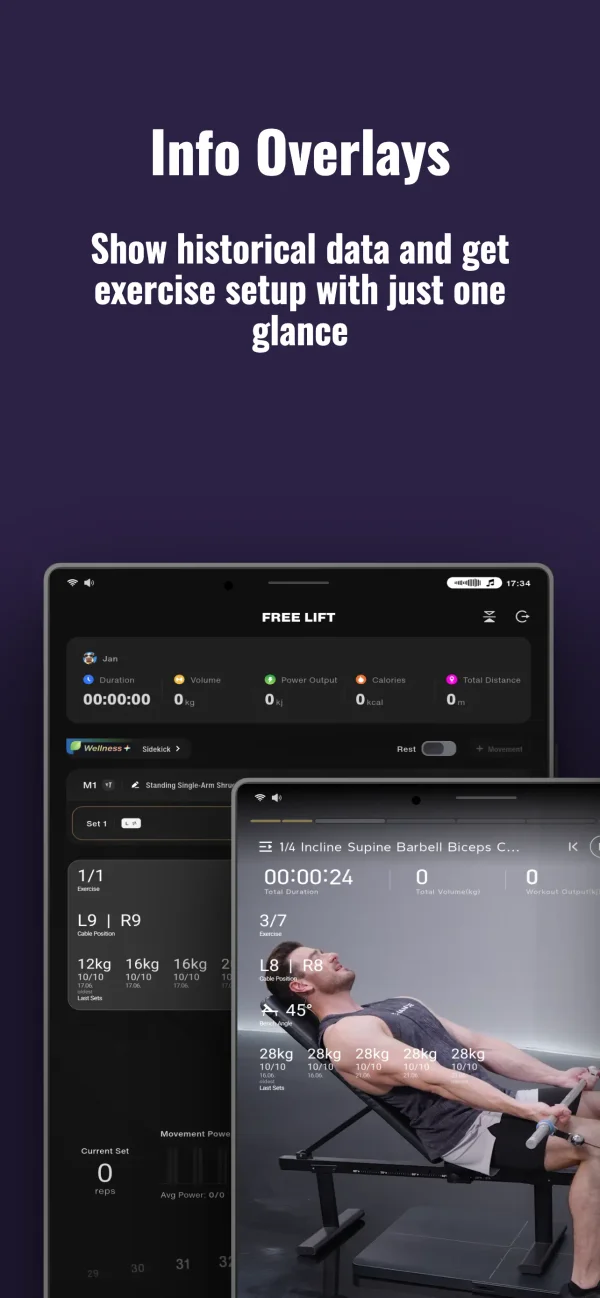
• Workout overlays
Show useful training information directly on the machine screen, including current exercise progress, cable position, bench angle, accessories, and recent set history.
• Customizable overlay display
Choose which overlay elements should be visible and adjust the overlay background, border, and transparency to match your workout view. (workout number, cable setting, bench angle, historical weight + reps for each exercise)
• Recent set history
Display previous set values for the current exercise so you can quickly compare your latest training performance without leaving the workout screen.
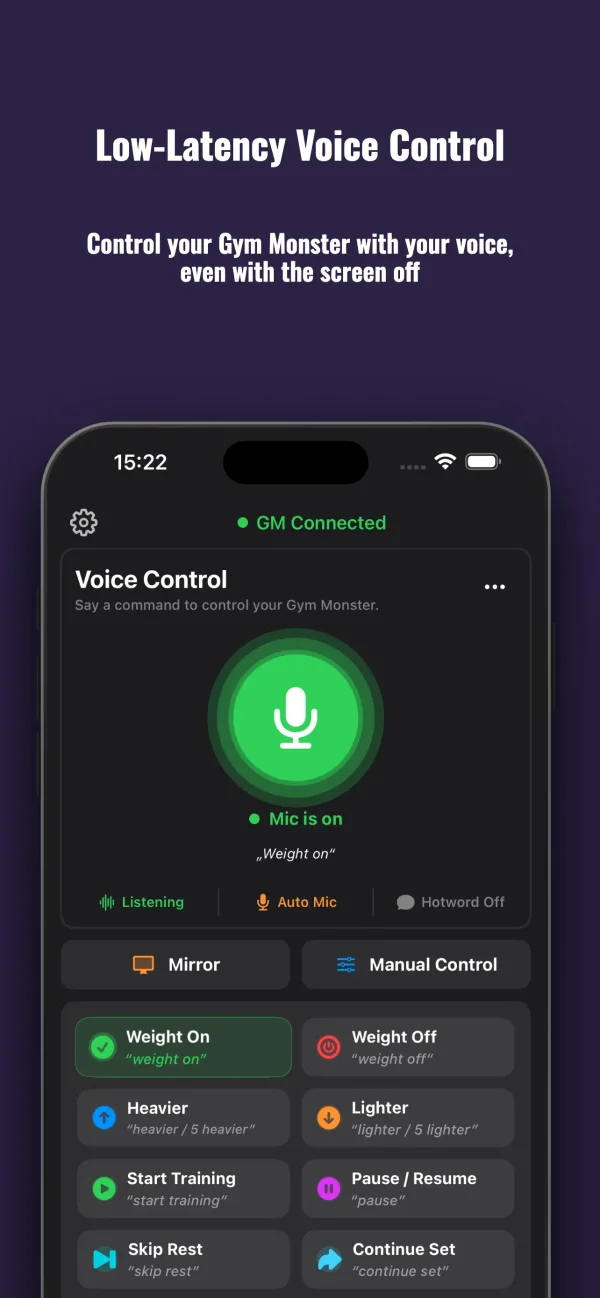
• Hot Mic voice commands
Control supported workout actions by voice without reaching for the machine screen. Use commands like weight on, weight off, heavier, lighter, weight to, start training, pause, skip rest, continue set, new set, new movement, spotter controls, training mode changes, accessory changes, and screen flip.
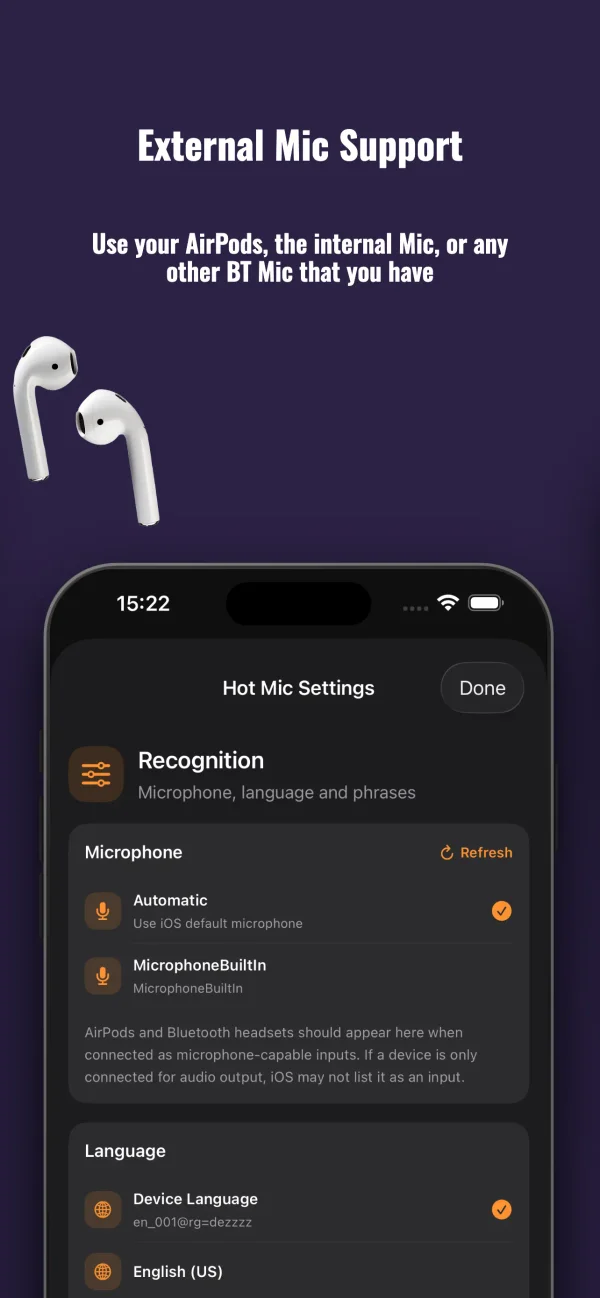
• Bluetooth microphone support
Use the built-in microphone, AirPods, or other compatible Bluetooth microphones and headsets for voice control.
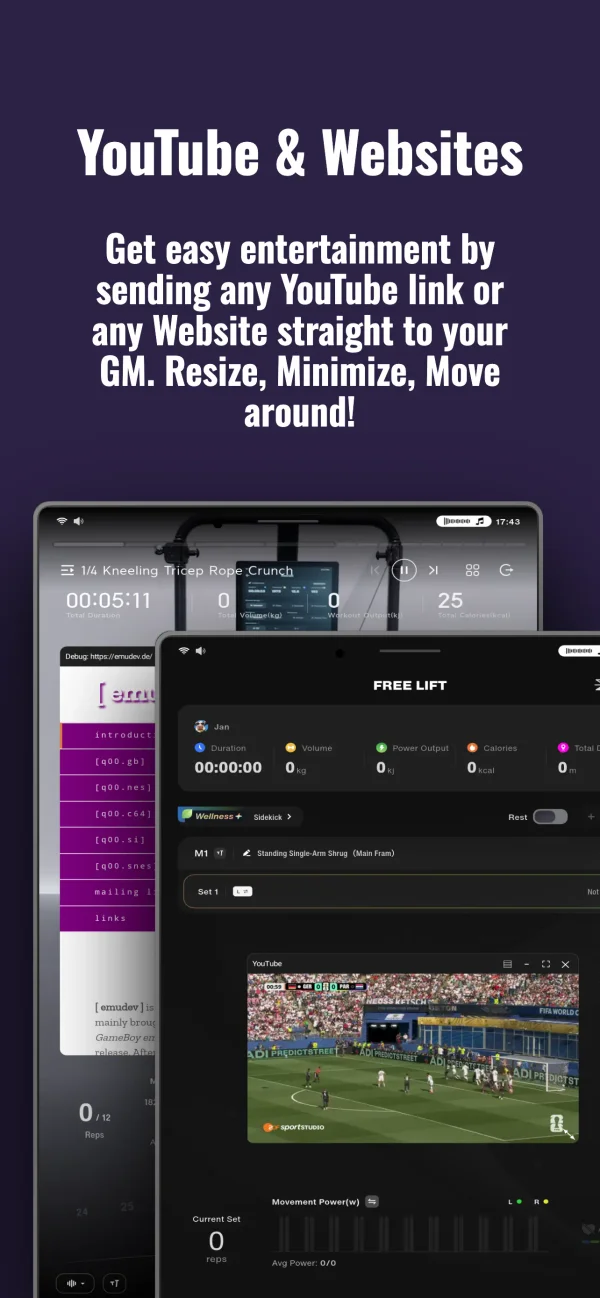
• YouTube on the machine screen
Open YouTube videos on the GM display for workouts, tutorials, coaching content, or entertainment during training.
• Websites on the machine screen
Send websites to the machine display for training programs, timers, notes, instructions, or anything else you want available while working out.
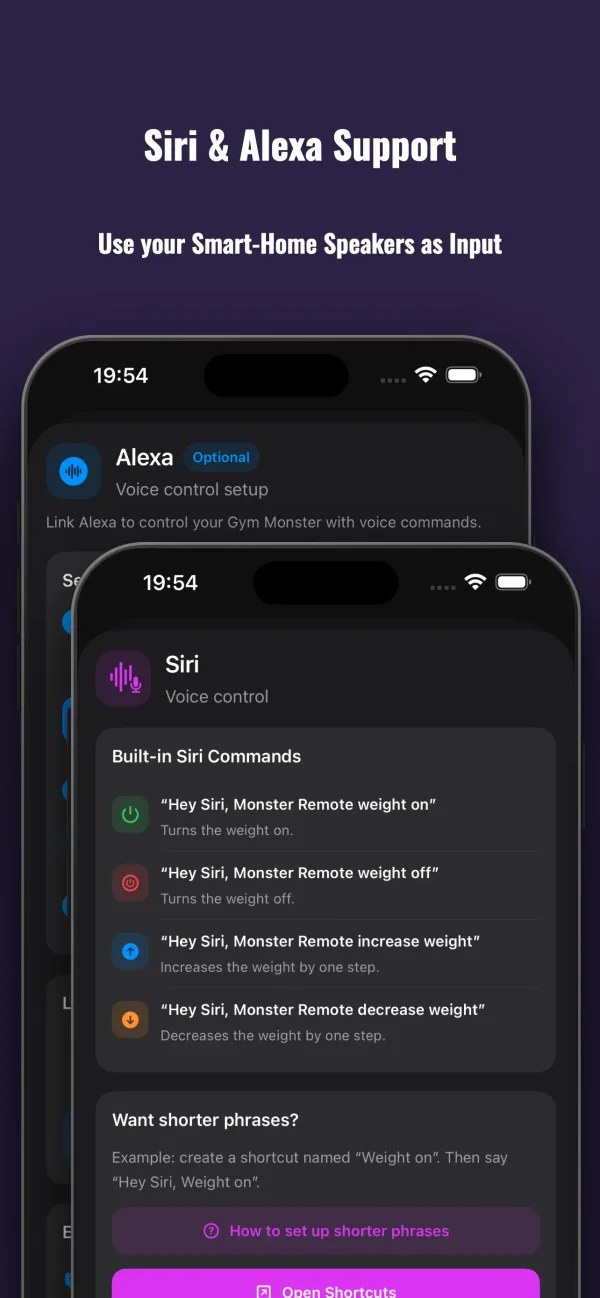
• Siri Shortcuts
Trigger supported actions through Siri Shortcuts and personal automations.
• Alexa support
Control supported actions through Alexa voice routines and compatible automation setups.
• Smart home integration
Connect Monster Remote with your personal smart home workflows and automation scenes.
• No extra hardware required
Monster Remote works over your local network. No additional remote, bridge, hub, or dedicated hardware is required.
• Wireless setup
Connect to your supported machine over the local network after setup.
• Clean workout-focused design
Fast access to the controls you need without unnecessary clutter.
Monster Remote is designed for users who want easier access to their training controls, especially during workouts where reaching the machine screen is inconvenient.
Important:
Monster Remote requires a compatible machine, local network access, and a completed wireless setup. Some features depend on the machine software version, screen state, voice setup, network quality, and device configuration.
Network note:
Monster Remote communicates with your machine over your local Wi-Fi network. For the best experience, use a stable connection and keep your iPhone or iPad on the same local network as your machine.
Disclaimer:
Monster Remote is an unofficial app. It is not affiliated with, endorsed by, sponsored by, or connected to Speediance. Speediance and Gym Monster are trademarks or product names of their respective owners. Use at your own risk.
Neue Funktionen
Version 2.11.1 · 25.10.2026
Bugfixes, Legacy Spotter reimplemented, compatibility up to 3.13.00
App-Datenschutz
Was Jan Sallads im App Store zum Umgang dieser App mit Daten angibt.
-
Nicht mit Ihnen verknüpfte Daten
Können erfasst werden, sind aber nicht mit Ihrer Identität verknüpft.
- Kennungen
Die Datenschutzpraktiken können variieren, zum Beispiel je nach den von Ihnen verwendeten Funktionen oder Ihrem Alter.
Informationen
- Anbieter
- Jan Sallads
- Kategorie
- Dienstprogramme
- Version
- 2.11.1
- Aktualisiert
- 25.10.2026
- Veröffentlicht
- 17.06.2026
- Größe
- 22,3 MB
- Erfordert
- iOS 18.6 oder neuer
- Altersfreigabe
- 4+
- Preis
- Kostenlos
- In-App-Käufe
- Ja
- Sprachen
- Englisch, Deutsch
- Copyright
- © 2026 Jan Sallads. All rights reserved.
Das könnte Ihnen auch gefallen
-
 GMVoiceVoice Control for Gym Monster
-
 SpaceWalker by VITUREDienstprogramme
-
 RayNeo XRDienstprogramme
-
 Guardian Firewall + VPNDienstprogramme
-
 ThermoWorksDienstprogramme
-
 Comet - AI Browser & AssistantBrowser and AI assistant
-
 MOVAhomeDienstprogramme
-
 Anker NebulaFrüher Nebula Connect
-
 EGO ConnectDienstprogramme
-
 X-Sense Home SecurityDienstprogramme