MoveLens: Dance, Mirror & Loop
Slow motion video vs. live cam
Entwickelt für iPhone, iPad
In-App-Käufe
- Altersfreigabe4+
- KategorieFoto und Video
- EntwicklerLiang Shao
- SprachenEnglisch+ 4 weitere
- Größe5,9 MB
MoveLens: Dance, Mirror & Loop ist bei App Store derzeit möglicherweise nicht verfügbar
Bei unserer letzten Prüfung war der Store-Eintrag nicht erreichbar. Der Link führt weiterhin zur offiziellen App Store-Seite.
Screenshots

Info
Der Entwickler hat diesen Text nicht in Ihrer Sprache bereitgestellt.
Some moves are too fast to copy. MoveLens slows them down until you can see exactly what is happening — then lets you practice right beside them, on video or live on camera.
Built first for dancers picking choreography apart from video, and just as useful to anyone who learns by watching a body move: martial artists, gymnasts, climbers, skaters, swimmers, golfers, coaches, and anyone working through a physical therapy routine at home.
SLOW IT DOWN
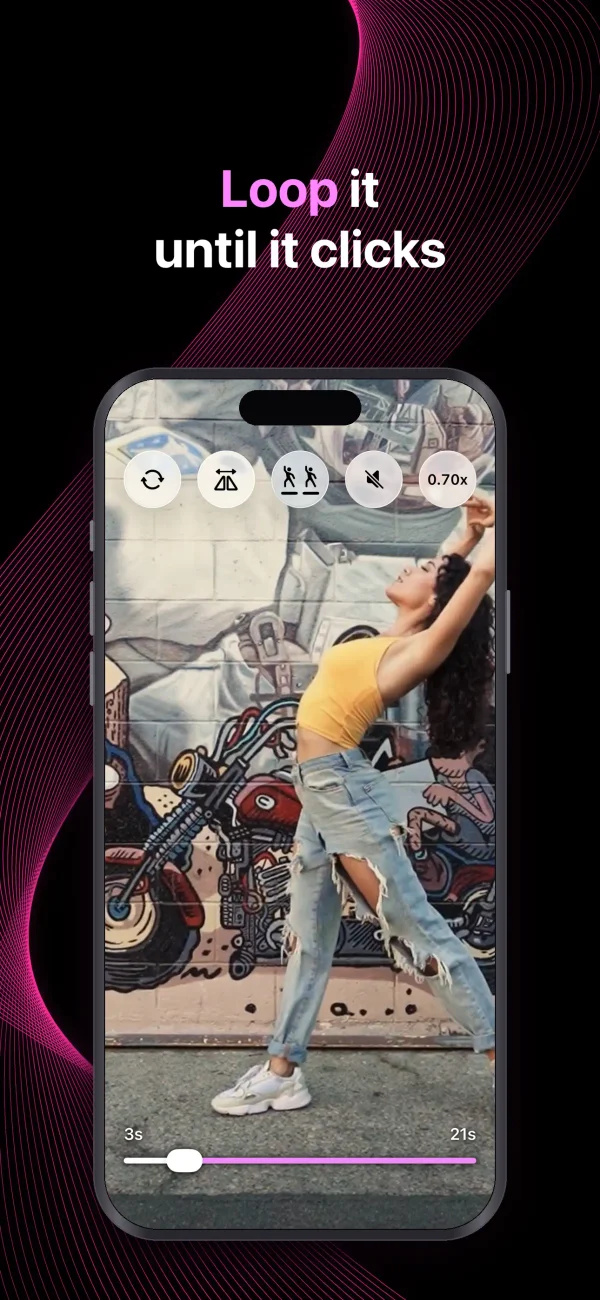
Play a video anywhere from full speed down to 1/10 of it, on a slider that settles wherever you want it — 0.35x, 0.70x, whatever the passage needs. Scrub to the exact count and it stays there. Every video loops on its own, so a two-second phrase repeats until you have it.
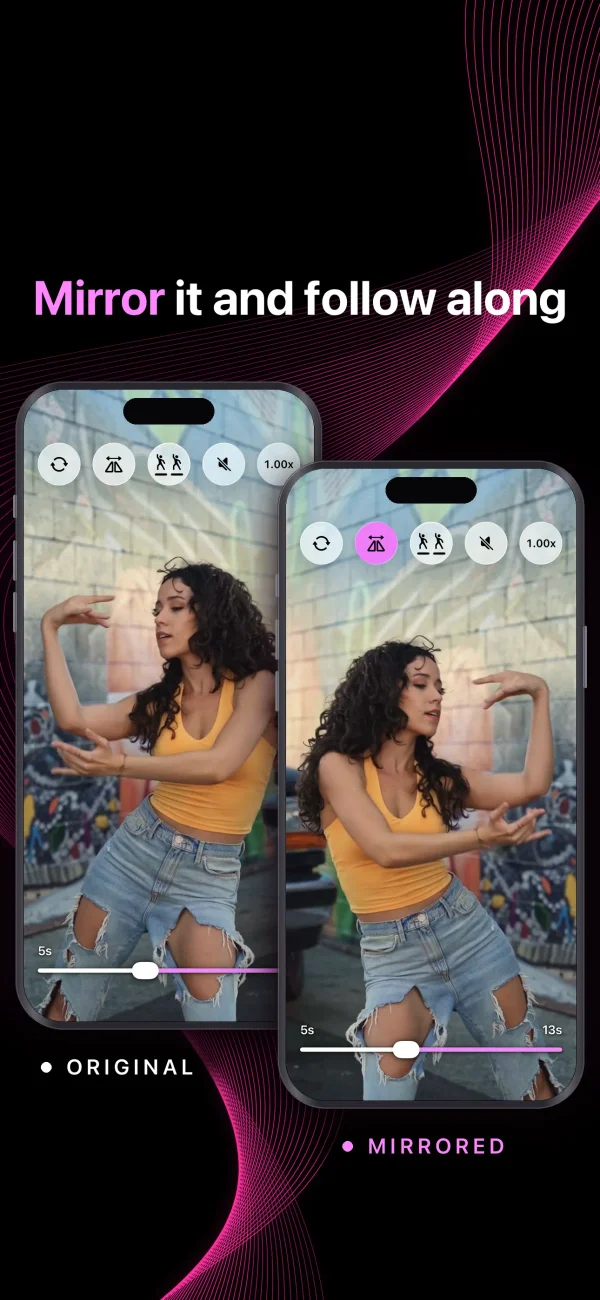
MIRROR IT
A tutorial filmed facing you puts their left on your right, and the translation is where the learning leaks away. One tap flips the video, so their left becomes your left and you can simply follow.
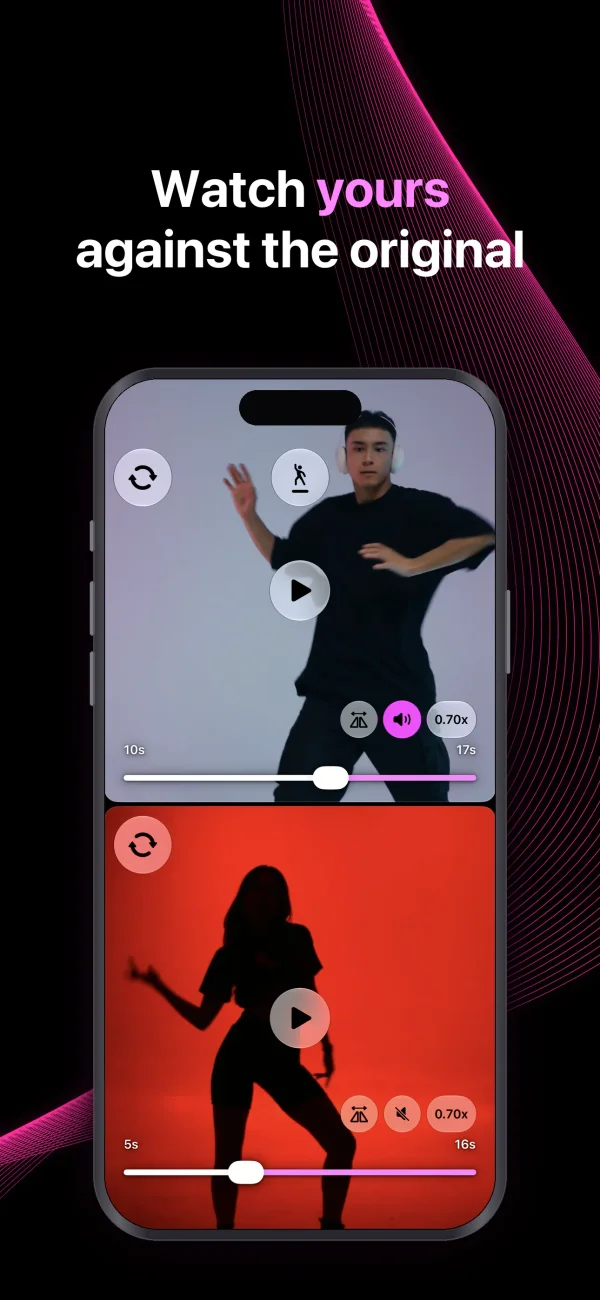
COMPARE TWO VIDEOS
Put your run beside the original and play them together — or each at its own speed, since your version is rarely the tempo theirs is. Swap either side out for a different video without leaving the split. It is the quickest way to see a difference you cannot feel.
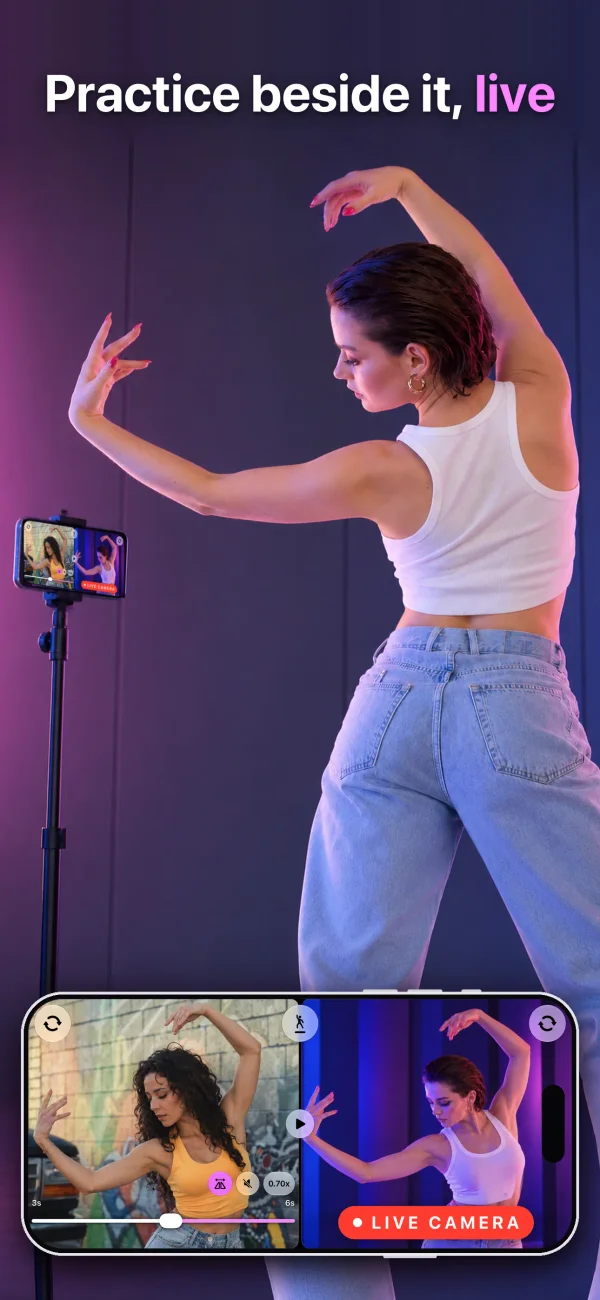
PRACTICE BESIDE IT, LIVE
Or skip the recording and put your front camera on the second side. The original plays on one half, slowed and looped however you set it, while you watch yourself on the other, mirrored the way a studio mirror shows you. Tap either side to start or stop the video, and the screen stays awake for as long as the camera is on.
FILL THE FRAME
Pinch out and the video fills the screen; pinch in and the whole frame fits. Worth having when the footage is portrait and the detail you are after is small.
A LIBRARY THAT KEEPS UP
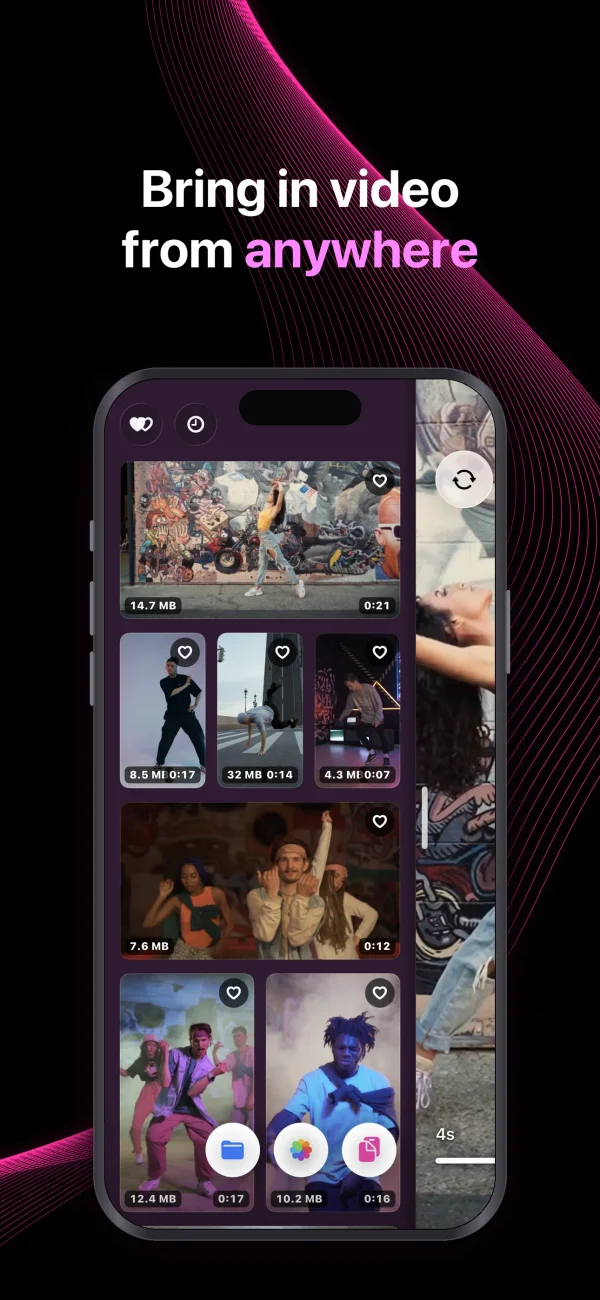
Bring videos in from Files, from Photos, or by pasting one straight from the clipboard — useful when a friend sends one, or you copied it on your Mac. Everything you import is saved automatically, newest first, each cell showing a thumbnail and how long it runs.
• Favorite the ones you keep returning to, and filter the library down to just those
• Add a short note to any video: the counts, the correction, the class it came from
• Share a video back out to whoever needs it
• Sort by size once the library grows, so you can see what is actually taking the room
• Swipe a video sideways to reach all of it
YOUR VIDEOS STAY YOURS
Nothing is uploaded. Imports are copied byte for byte with no re-encoding, so the footage you study is exactly the footage you shot, at full quality. Saved videos are kept out of your iCloud backup, which means a large library will not eat your iCloud storage. The live camera is a picture on your screen and nothing more: it is never recorded, saved or sent anywhere. No account, no sign-in.
iPhone and iPad, with VoiceOver support throughout. Available in English, Spanish, French, Russian and Simplified Chinese.
MoveLens is free, with no ads. Slow motion, looping, mirroring and the library stay free. Compare mode, with a second video or the live camera, is free on the first three days you use it; after that a one-time in-app purchase unlocks it for good, and it carries across to your other devices.
Neue Funktionen
Version 1.2 · 13.10.2026
New: a live camera in compare mode.
Put your front camera beside a video and watch yourself next to the original as you move — mirrored the way a studio mirror shows you, with the video slowed and looped however you set it. Tap either side to start or stop the video.
It is a live picture only. Nothing the camera sees is recorded, saved or sent anywhere.
No more ads.
The banner is gone, for everyone.
App-Datenschutz
Was Liang Shao im App Store zum Umgang dieser App mit Daten angibt.
-
Nicht mit Ihnen verknüpfte Daten
Können erfasst werden, sind aber nicht mit Ihrer Identität verknüpft.
- Kennungen
- Nutzungsdaten
- Diagnose
Die Datenschutzpraktiken können variieren, zum Beispiel je nach den von Ihnen verwendeten Funktionen oder Ihrem Alter.
Informationen
- Anbieter
- Liang Shao
- Kategorie
- Foto und Video
- Version
- 1.2
- Aktualisiert
- 13.10.2026
- Veröffentlicht
- 02.09.2026
- Größe
- 5,9 MB
- Erfordert
- iOS 26.0 oder neuer
- Altersfreigabe
- 4+
- In-App-Käufe
- Ja
- Sprachen
- Englisch, Französisch, Russisch, Vereinf. Chinesisch, Spanisch
- Copyright
- © 2026 Liang Shao
Das könnte Ihnen auch gefallen
-
 Video rückwärts abspielenClips samt Ton umkehren
-
 FuriCopi: Mirror Video PlayerFoto und Video
-
 Trendly: KI Foto & VideoKI Kunst & Avatar Generator
-
 Screen Live: Live-WallpaperVideos als Live-Hintergrund
-
 UltraCam+Foto und Video
-
 Bild für Bild: Zeitlupe VideoTanz üben & Bewegungsanalyse
-
 Vivid: Video Player für NASMKV, ISO, Untertitel, Jellyfin
-
 AiCutO Editor – Reverse VideoFoto und Video
-
 Videoplayer - FOCALoop, Offline & Mediaplayer
-
 Dance.io|Mirror & Loop & SlowFoto und Video