- Altersfreigabe4+
- KategorieMusik
- EntwicklerSkeflect
- SprachenEnglisch
- Größe6,9 MB
Verlinkt auf die offizielle App Store-Seite
Download.org hostet keine Datei von mTonal. Die Schaltfläche öffnet die App-Seite bei App Store, wo Skeflect die App veröffentlicht. Eintrag zuletzt geprüft am 18.11.2026.
Screenshots



Info
Der Entwickler hat diesen Text nicht in Ihrer Sprache bereitgestellt.
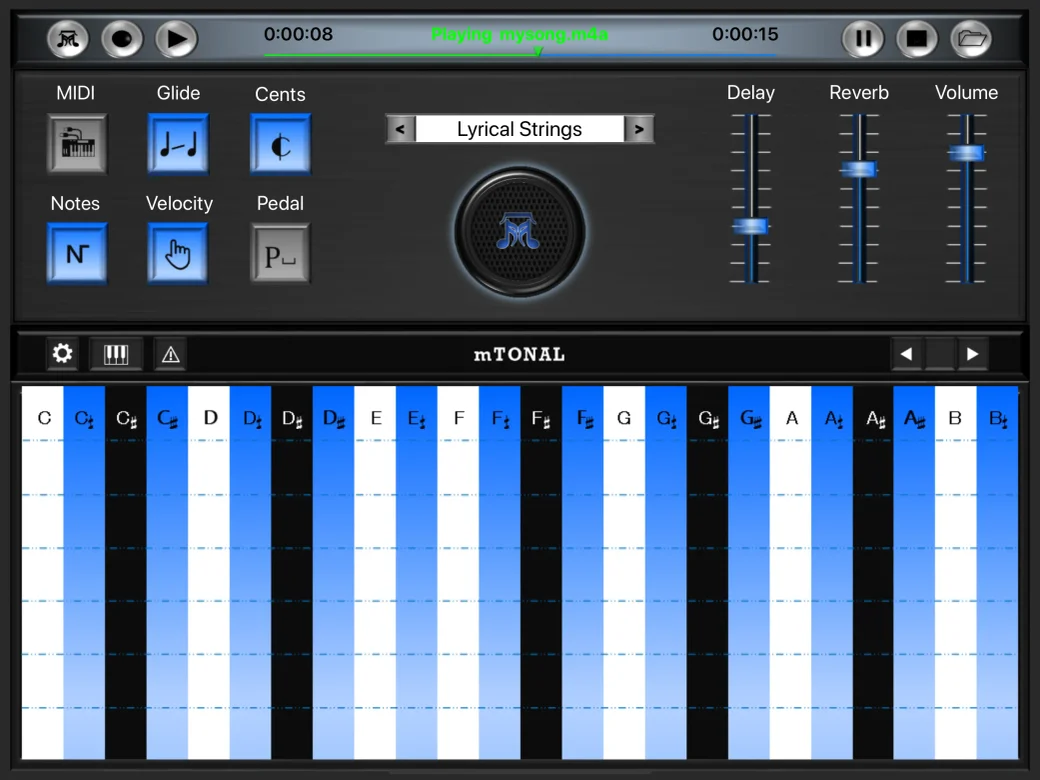
mTonal is an expressive 24-tone keyboard synth that can be used to smoothly glide across the frequency spectrum, something which is not possible with a regular MIDI keyboard controller. It can send MIDI information to digital audio workstations (DAWs) that support MIDI Polyphonic Expression (MPE), making this app extremely versatile for recording and processing microtonal MIDI data. Record audio files using the synth presets of the app and share them across other apps, email, or social media.
BASICS
Explore the world of quarter-tone music using this 24-tone keyboard. Blue keys between the white and black keys mark the quarter-tones. Switch between octaves using the octave controls on the upper-right corner of the keyboard. Choose between three keyboard layouts: one octave, two octaves, and seven octaves. The seven-octave layout gives you a wide range of tonal possibilities without taking the size of a grand piano. Use the warning button to clear any unreleased touches in the synth.
MIDI FUNCTIONALITY
Send MIDI information to various DAWs and software synthesizers that support MPE (MIDI Polyphonic Expression) like Logic Pro, Cubase, and Max/MSP. You have the option of using a wired, Wi-Fi, or Bluetooth MIDI connection, and you can change the connection anytime using the settings button on the upper-left corner of the keyboard.
FEATURES
Turn on gliding to smoothly transition between two notes and create a microtonal soundscape. Use the cents button to display the note's cents value for precise control over the pitch. Familiarize yourself with the keyboard’s layout using the notes button, which displays the note names on top of the keyboard. For more expressiveness in playing, activate the velocity feature to control note velocity based on the touch size. Hold notes for an extended period of time even after they have been released using the pedal.
EFFECTS
Apply delay and reverb to customize the sound. These effects only apply to the app's synth presets and will not be sent through MIDI out.
RECORD, PLAY, SHARE
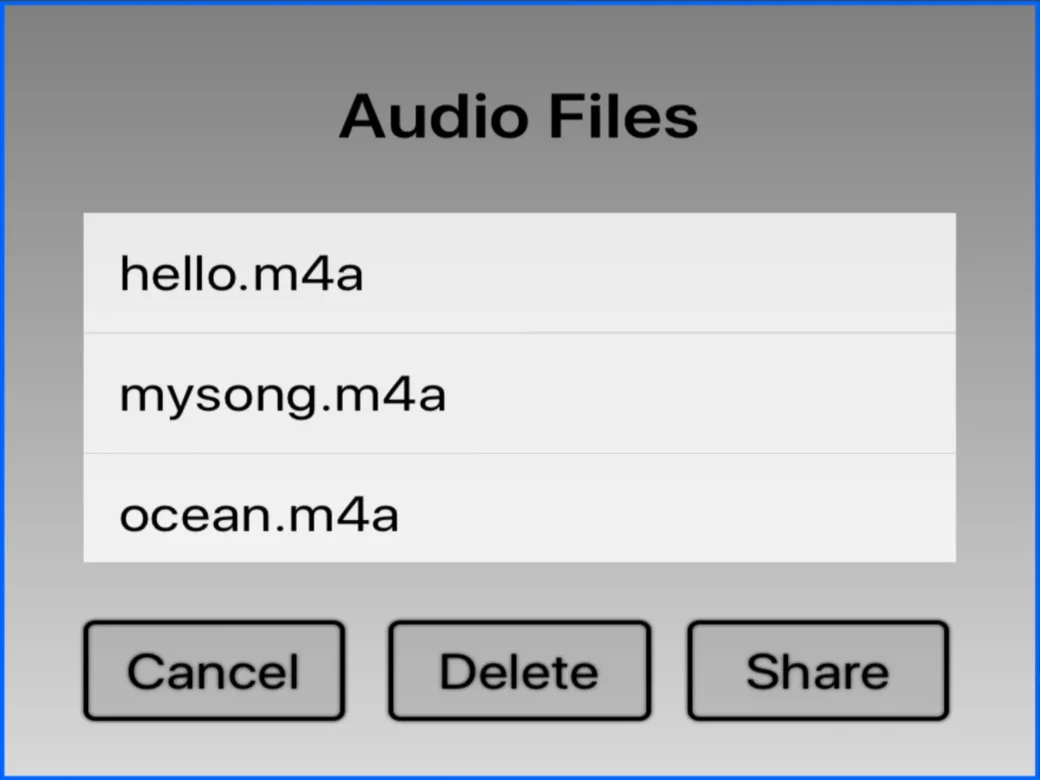
Record and save your favorite tunes to the iPad. The files are saved in .m4a format. Once recorded, the audio files can be played back in the app. The files can be shared through email, social media, or between other apps. You can also organize your audio files and delete unwanted ones from the iPad to free up space.
Neue Funktionen
Version 1.1 · 09.01.2025
Compatible with iPadOS 18
Updated audio internals
Minor bug fixes
MIDI connection has been updated to transmit MIDI data over Bluetooth as an option
App-Datenschutz
Was Skeflect im App Store zum Umgang dieser App mit Daten angibt.
-
Keine Daten erfasst
Der Entwickler erfasst keine Daten von dieser App.
Die Datenschutzpraktiken können variieren, zum Beispiel je nach den von Ihnen verwendeten Funktionen oder Ihrem Alter.
Informationen
- Anbieter
- Skeflect LLC
- Kategorie
- Musik
- Version
- 1.1
- Aktualisiert
- 09.01.2025
- Veröffentlicht
- 24.08.2018
- Größe
- 6,9 MB
- Erfordert
- iOS 13.0 oder neuer
- Altersfreigabe
- 4+
- Preis
- 5,99 €
- Sprachen
- Englisch
- Copyright
- © 2018 - 2025 Skeflect. All rights reserved.