Multi Angle Meter
All Angle on one screen
Entwickelt für iPhone, iPad, iPod touch
Kostenlos
- Altersfreigabe4+
- KategorieDienstprogramme
- EntwicklerHideo Nose
- SprachenEnglisch+ 1 weitere
- Größe2,4 MB
Verlinkt auf die offizielle App Store-Seite
Download.org hostet keine Datei von Multi Angle Meter. Die Schaltfläche öffnet die App-Seite bei App Store, wo Hideo Nose die App veröffentlicht. Eintrag zuletzt geprüft am 12.11.2026.
Screenshots


Info
Der Entwickler hat diesen Text nicht in Ihrer Sprache bereitgestellt.
INSTRUCTIONS
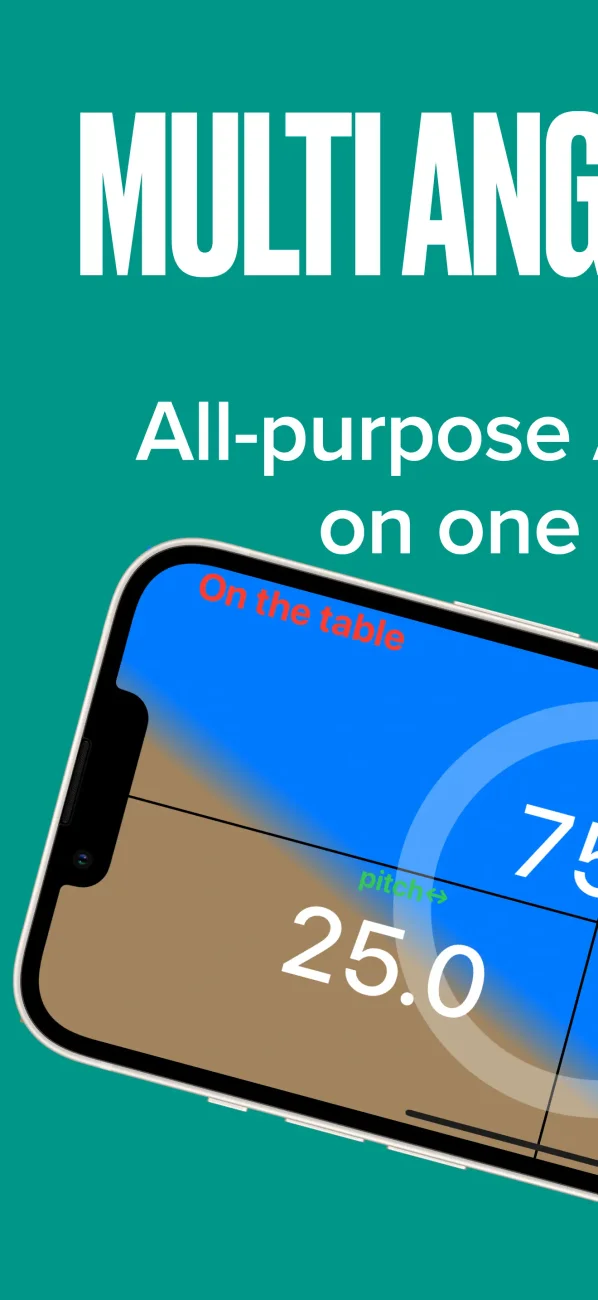
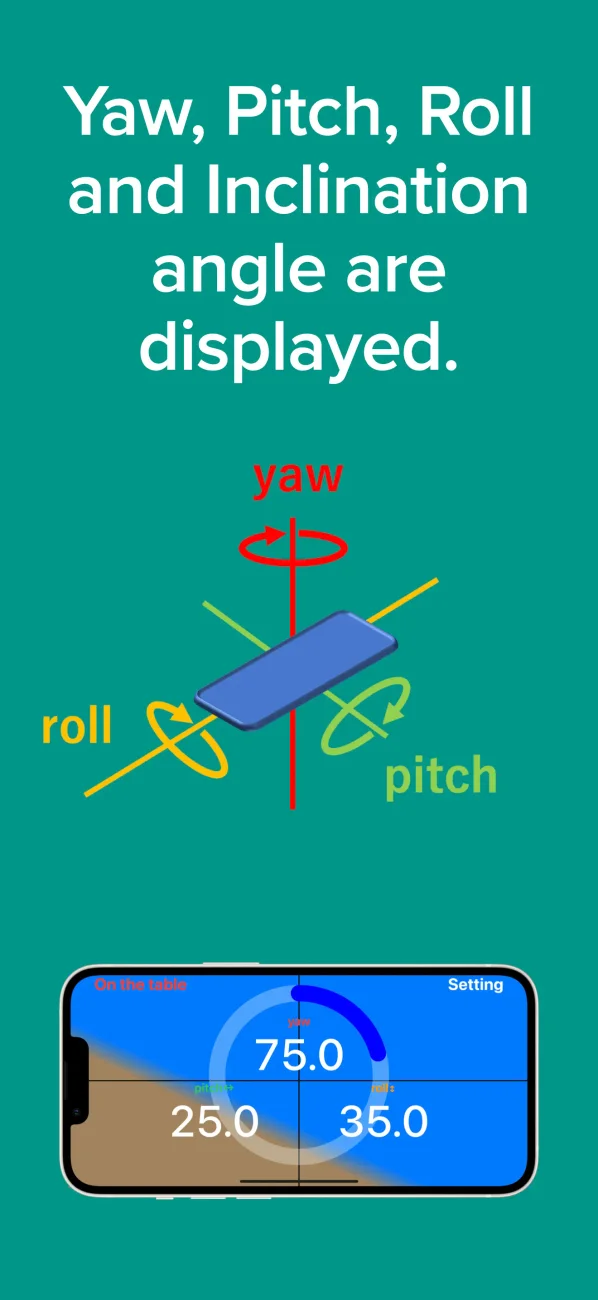
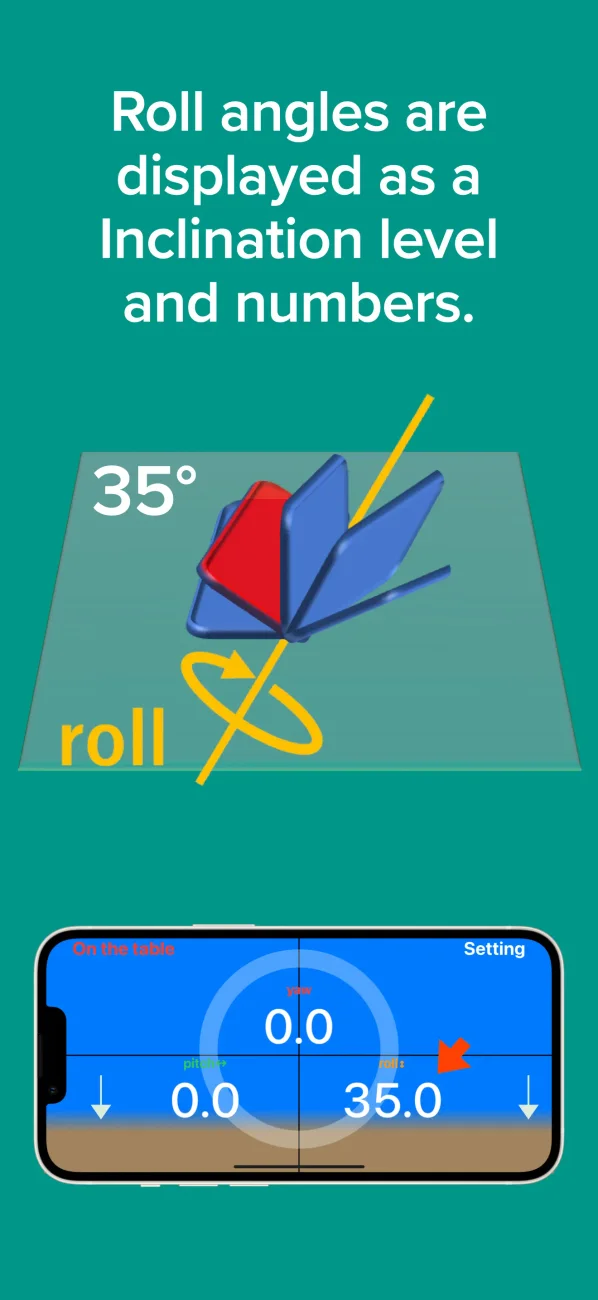
When the iphone is tilted, the tilt angle is displayed in the three axes of yaw, pitch, and roll.
Long-tap the number of an angle degree on the screen: The angle is set "On the ground" is displayed in the upper left corner of the screen.
Double-tap the number of an angle degree on the screen: The angle is reset and "On the table" is displayed in the upper left corner of the screen. Each time you double-tap, the angle is reset.
Long press the number of an angle degree on the screen to initialize the angle. The angle based on the ground is displayed. "On the ground" is displayed in the upper left corner of the screen.
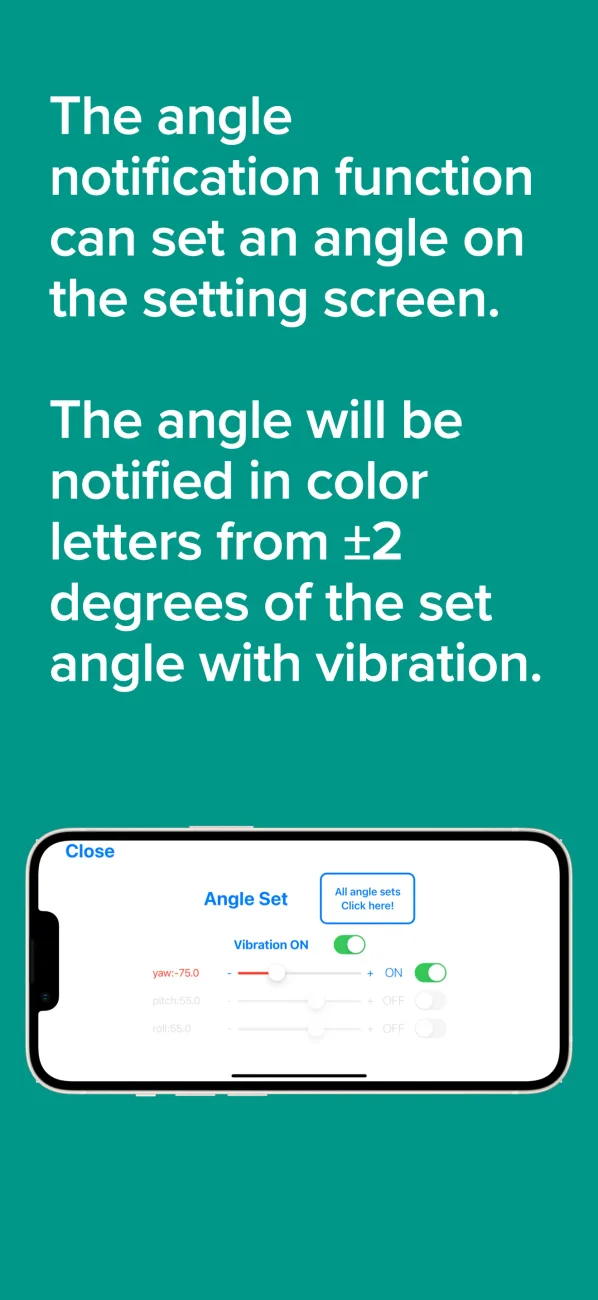
Setting: You can set the angle notification function.
*Screen Description
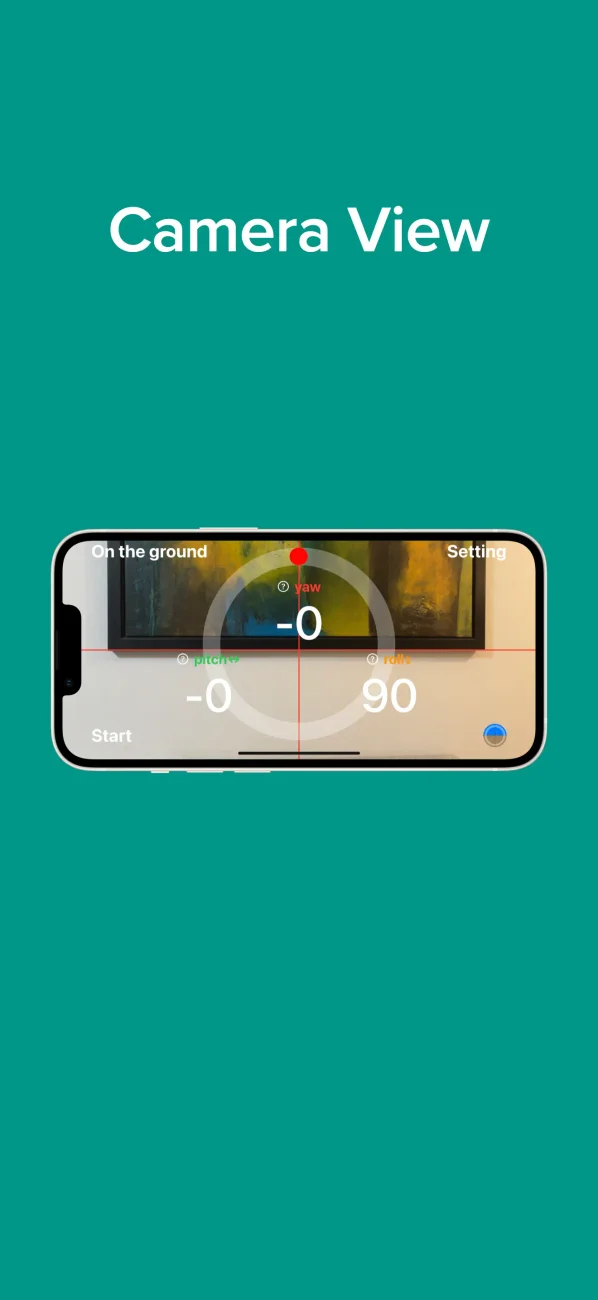
On the ground: Default value. Displays the angle to the ground.
On the table: Displayed when the angle is reset.
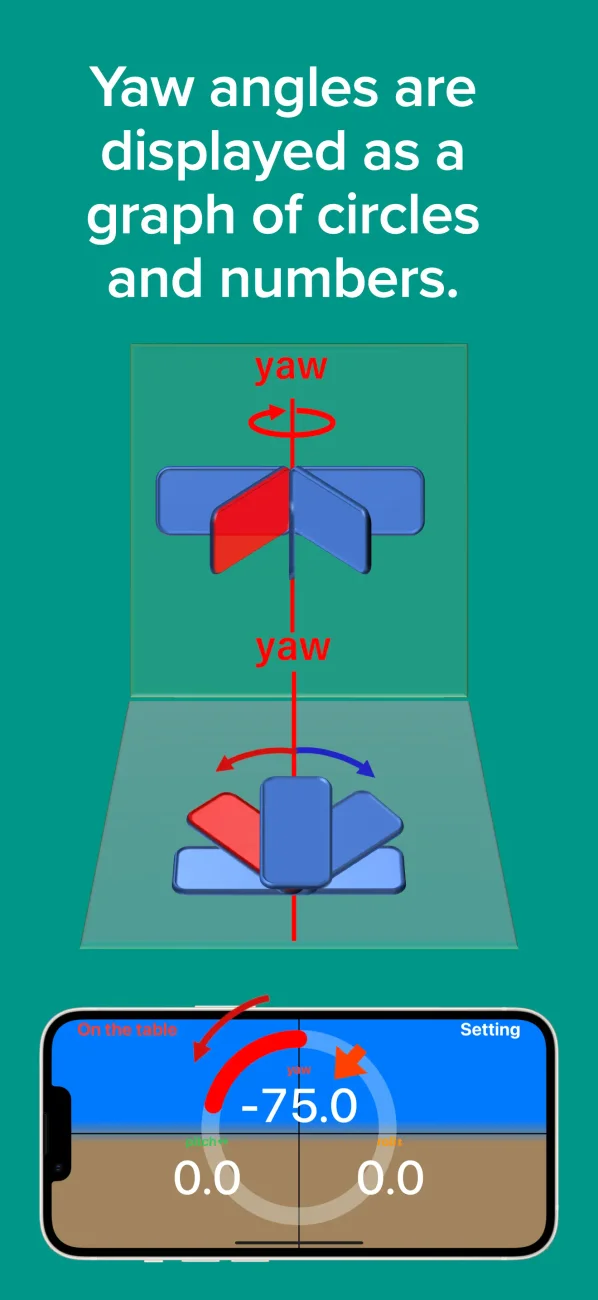
Yaw: Rotation angle of the horizontal plane with the vertical axis. If the Angle Notification function is set to On, the angle will be displayed in red from ±2 degrees of the set angle. If Vibration is set to On, The angle is displayed in red letters with vibration.
Roll: Angle of rotation on the front-back axis. If the Angle Notification function is set to On, the angle will be notified in orange from ±2 degrees of the set angle. (If Vibration is turned on, The angle is displayed in orange letters with vibration.
Pitch: Angle of rotation on the left/right axis. If the Angle Notification function is set to On, the angle will be notified in green from ±2 degrees of the set angle. (If Vibration is turned on, The angle is displayed in green letters with vibration.
Tap the Stop button to stop the measurement; tap the Start button to resume measurement.
Tap the camera button on the screen to activate the camera for the live view screen.
Tap the screen while the camera is paused to display angle guides (protractor lines). You can add up to five.
Setting: Displays the angle set by the angle notification function on the Setting screen.When the toggle button is turned on, the color of the numbers changes from +/- 2 degrees of the set angle.If you turn on the Vibration and Sound buttons, you will be notified with vibration and sound .You can choose to display the angle as an integer or a decimal.
Note: The angle displayed is the angle detected by the gyro sensor of this iphone. To measure the angle accurately, use a calibrated angle meter or inclinometer instead of this application.
Neue Funktionen
Version 3.0.1 · 27.06.2026
*You can now display angle guides (protractor lines) by tapping the screen while the camera is paused, with up to five guides available.
Use them to measure angles directly on the screen.
*Added an option to show or hide the on-screen crosshair (vertical and horizontal guide lines).
You can change this setting in the Settings screen.
App-Datenschutz
Was Hideo Nose im App Store zum Umgang dieser App mit Daten angibt.
-
Keine Daten erfasst
Der Entwickler erfasst keine Daten von dieser App.
Die Datenschutzpraktiken können variieren, zum Beispiel je nach den von Ihnen verwendeten Funktionen oder Ihrem Alter.
Informationen
- Anbieter
- Hideo Nose
- Kategorie
- Dienstprogramme
- Version
- 3.0.1
- Aktualisiert
- 27.06.2026
- Veröffentlicht
- 04.10.2022
- Größe
- 2,4 MB
- Erfordert
- iOS 15.5 oder neuer
- Altersfreigabe
- 4+
- Preis
- Kostenlos
- Sprachen
- Englisch, Japanisch
- Copyright
- © 2024 Hideo Nose
Das könnte Ihnen auch gefallen
-
 Angle MeterDienstprogramme
-
 Winkelmesser & WasserwaageNeigung, Gefälle & Grad
-
 iDegresDienstprogramme
-
 Winkelmesser: WasserwaageNeigung, Winkel in Grad Messen
-
 Offline InclinometerDienstprogramme
-
 Winkelmesser - GeodreieckWinkel messen in Foto & Kamera
-
 Digitaler WinkelmesserWinkelmesser & 3D-Winkelmesser
-
 Protractor Angle Finder CameraDienstprogramme
-
 Angle Level - Precise MeasureDienstprogramme
-
 Inclinometer: Angle MeterDienstprogramme