MultiEdit: Batch Photo Editor
Batch Editing & AI Photo Edits
Entwickelt für iPhone
In-App-Käufe
- Altersfreigabe4+
- KategorieFoto und Video
- EntwicklerSK Corp.
- SprachenEnglisch+ 10 weitere
- Größe156,0 MB
MultiEdit: Batch Photo Editor ist bei App Store derzeit möglicherweise nicht verfügbar
Bei unserer letzten Prüfung war der Store-Eintrag nicht erreichbar. Der Link führt weiterhin zur offiziellen App Store-Seite.
Screenshots
Info
Der Entwickler hat diesen Text nicht in Ihrer Sprache bereitgestellt.
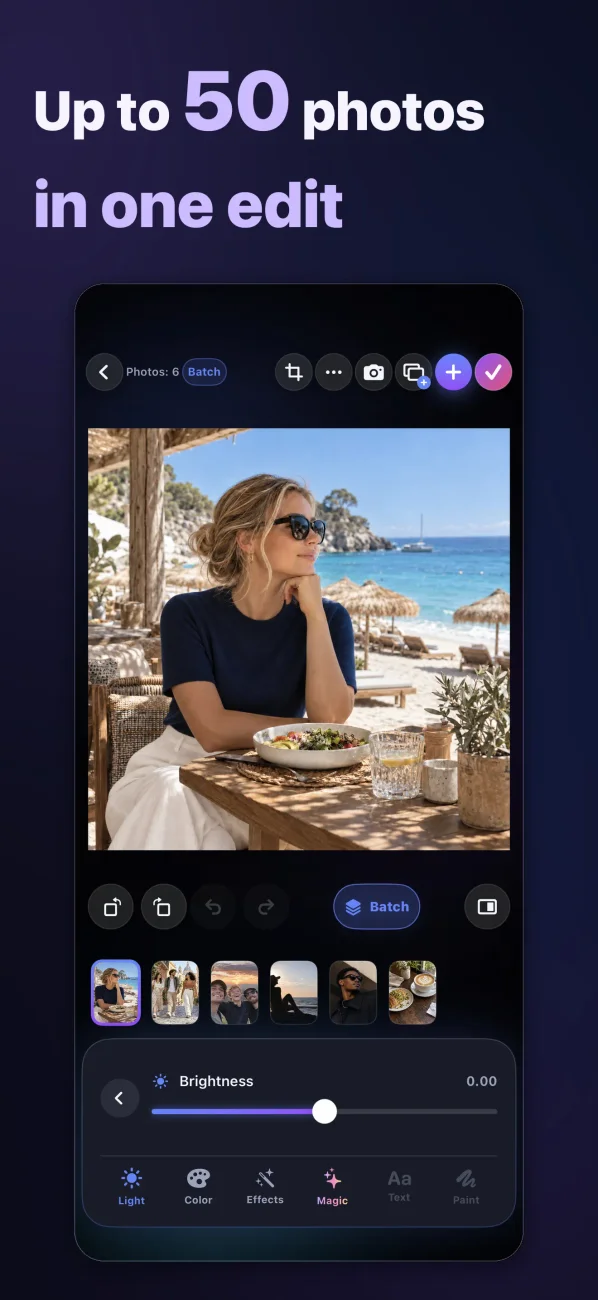
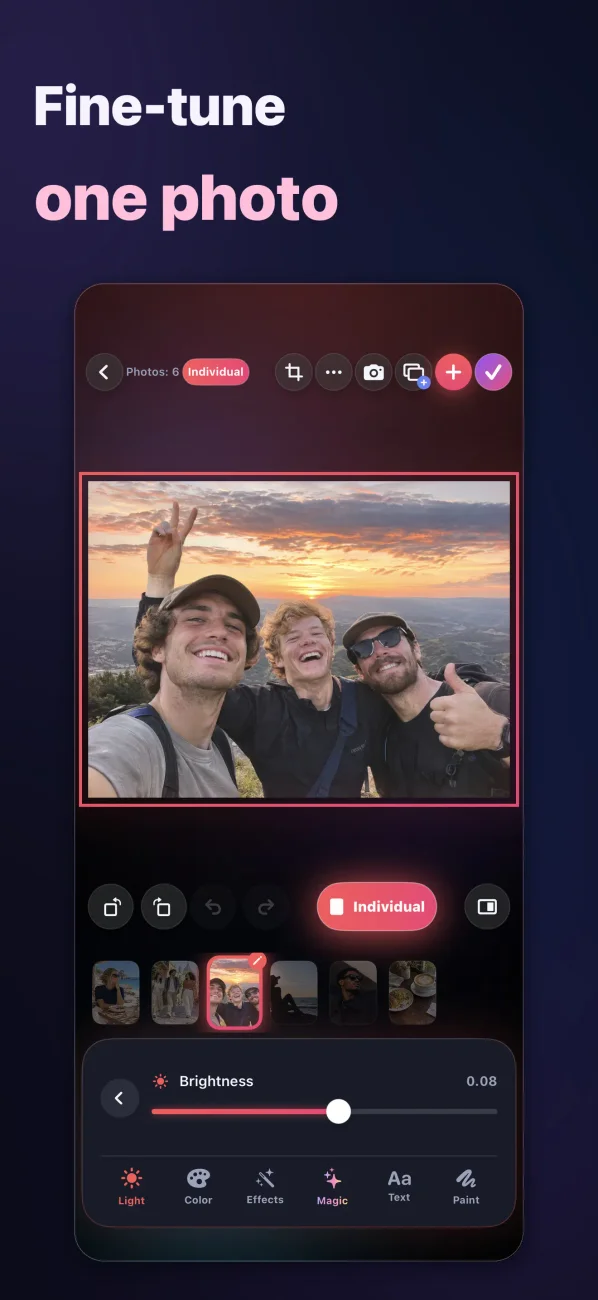
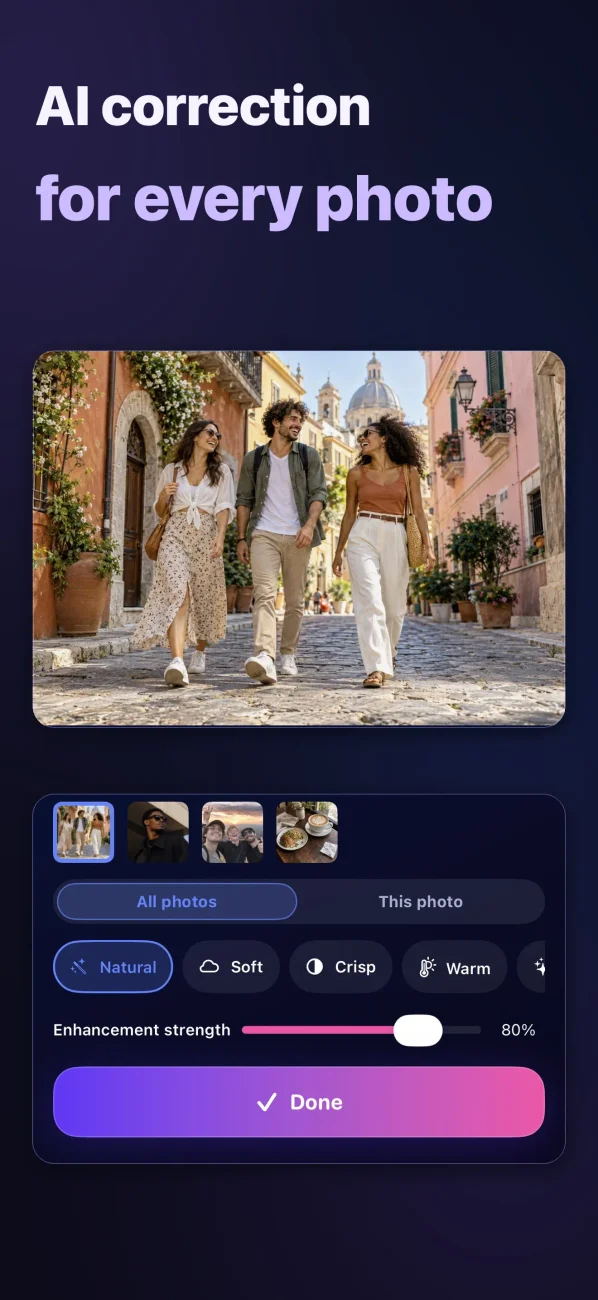
Edit up to 50 photos at once. AI adjusts light and color for each shot. Choose a look for the whole set, then fine-tune individual photos.
Make a pattern for your photo borders. Describe a color or motif in Borders & Polaroid and apply the same pattern to the selected photos. Pattern generation requires an iPhone with Apple Intelligence and Image Playground available.
COLOR & FILTERS
• Batch & single photo edits: Adjust brightness, contrast, saturation, and warmth. Compare with the original.
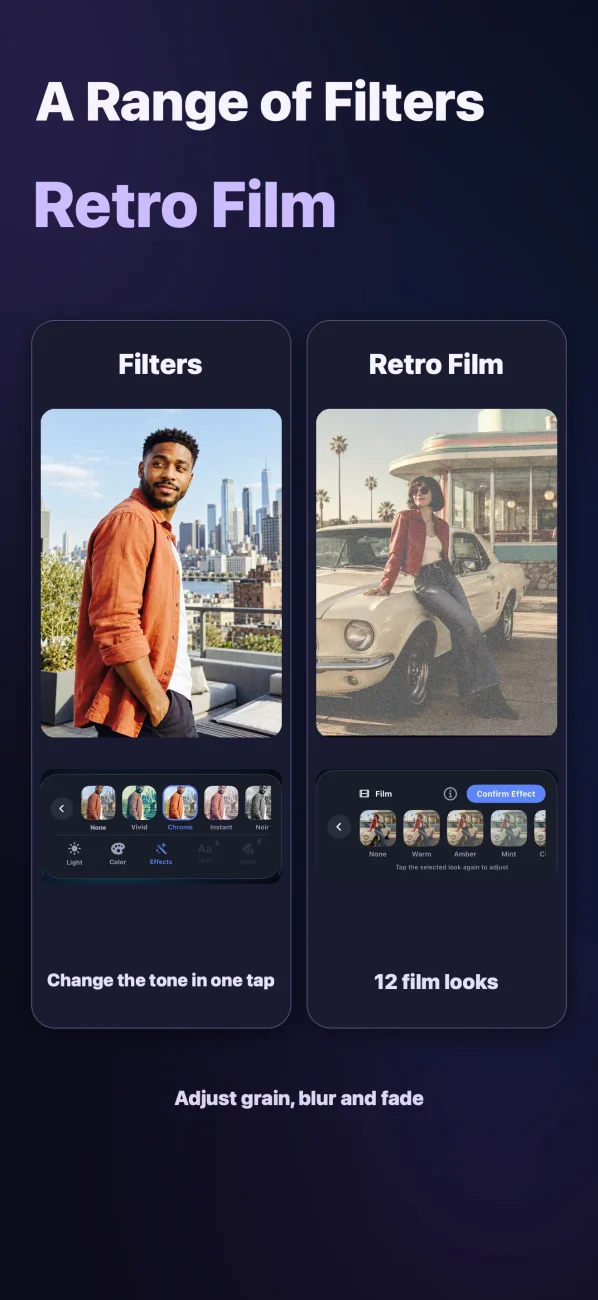
• Retro film: Choose from 12 film looks and apply one to the whole set. Adjust grain, motion blur, and fade.
• Filters: Change color and mood.
• Blur & pixelate: Cover a whole photo or brush over an area.
MAGIC: BACKGROUNDS & FACES
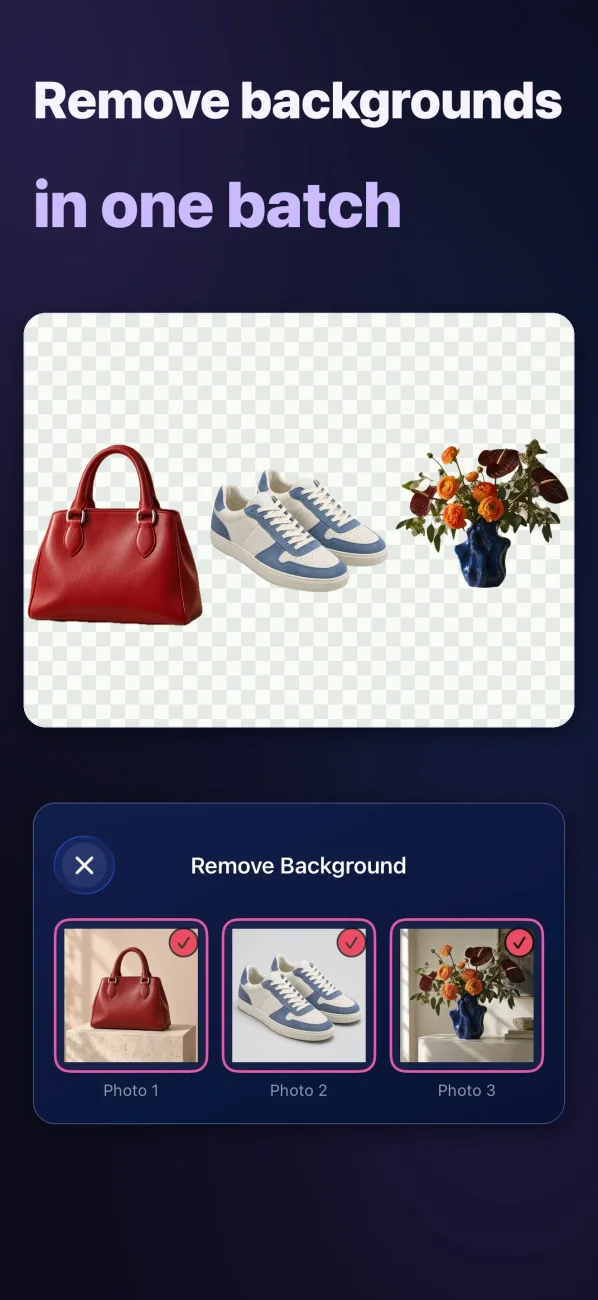
• Batch Background Removal: Give product photos a white background, choose another color, or save a transparent PNG. Clean up edges with the eraser.
• Batch Background Blur: Adjust background blur while keeping subjects sharp.
• Batch Face Blur: Hide faces in group photos before you share them. Adjust coverage, strength, and edge softness.
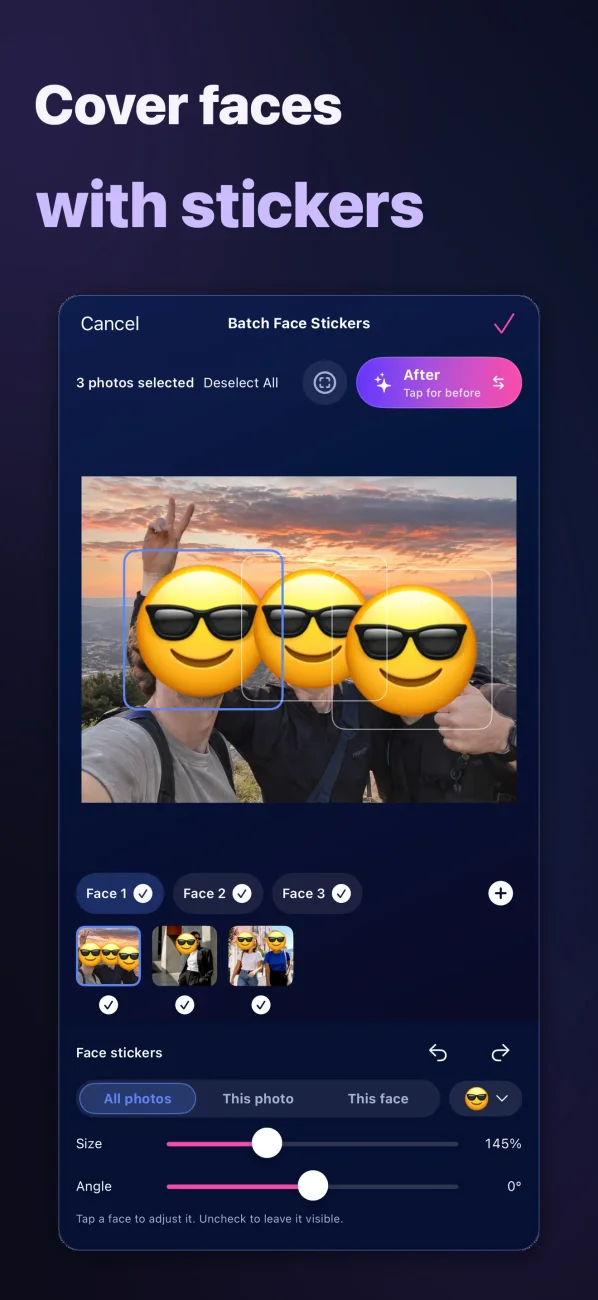
• Batch Face Stickers: Place an emoji over each face you want to cover. Adjust size, position, and angle.
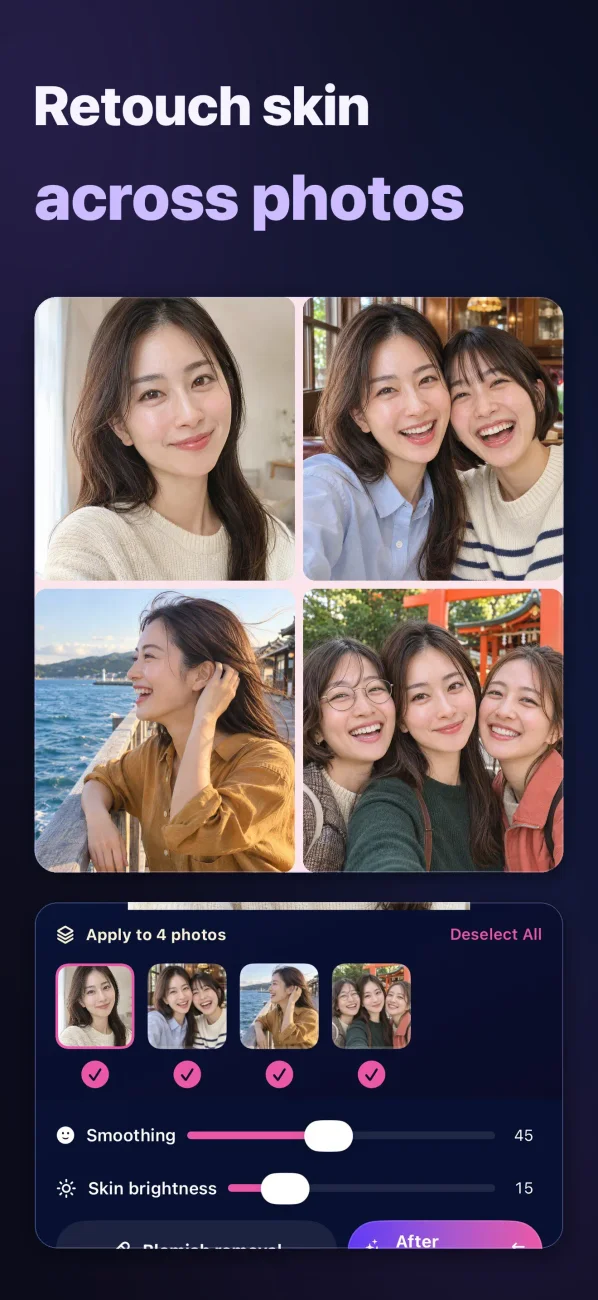
• Batch Skin Retouch: Smooth and brighten skin, or brush over individual blemishes.
• Magic Eraser: Brush over and remove unwanted objects.
Adjust face blur and stickers across all photos, one photo, or one face.
MAGIC: WATERMARKS, CROP & FRAMES
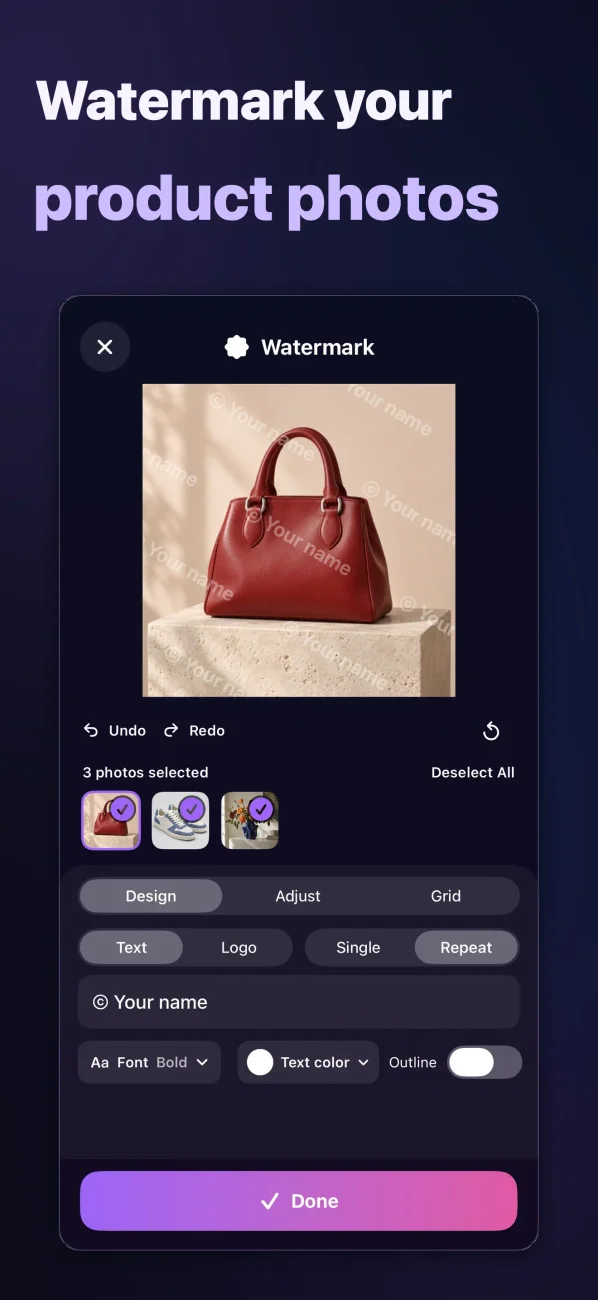
• Watermark: Add your logo or a text watermark to multiple photos at once. Set font, color, size, angle, opacity, repeats, and grid.
• Batch Crop: Use one aspect ratio and fine-tune each crop.
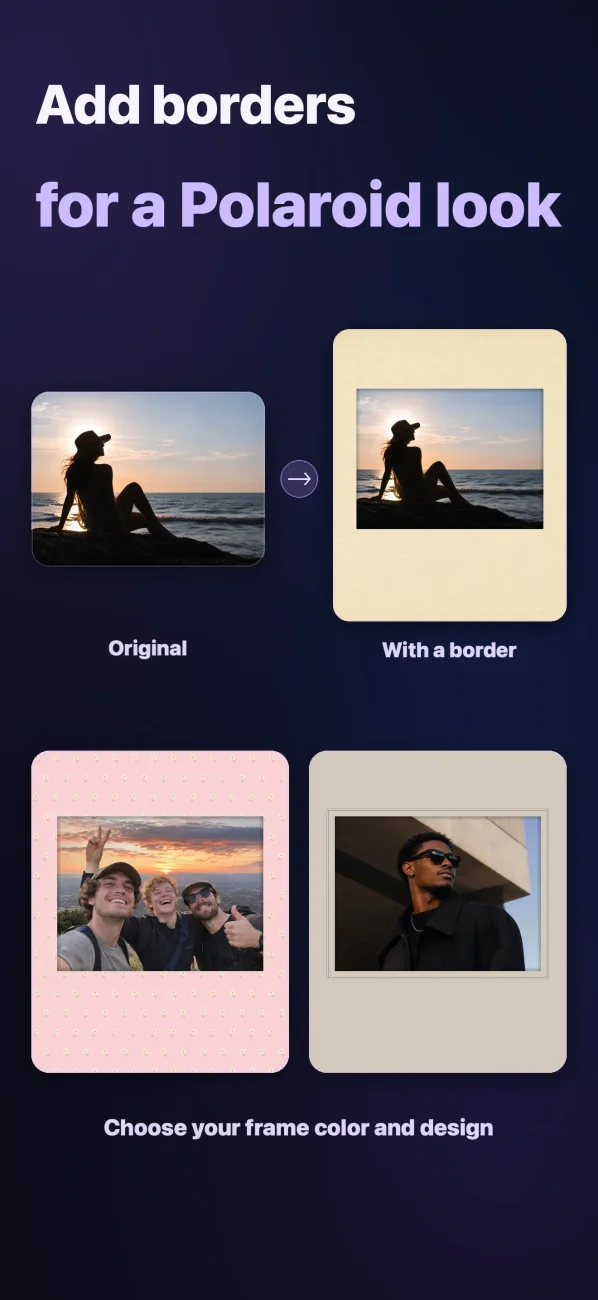
• Borders & Polaroid: Make photos square without cropping by adding borders to the whole set. Choose a background color, a vintage paper or film frame, and an inner shadow. Position and scale each photo.
• Match Reference: Match colors across a set of photos by choosing one shot as your reference for color and brightness.
TEXT, DRAWING & COLLAGE
• Text: Add multiple text elements with separate fonts, colors, sizes, and positions.
• Drawing: Adjust brush size and opacity. Erase strokes as needed.
• Collage: Overlay photos or layer a transparent PNG on top of a photo. Move, scale, or rotate overlays.
• Crop & rotate: Adjust framing and orientation per photo.
IMPORT, RESIZE & SAVE
• Photos share menu: Open selected photos in MultiEdit from Apple Photos.
• Capture: Take several shots in a row and edit them together.
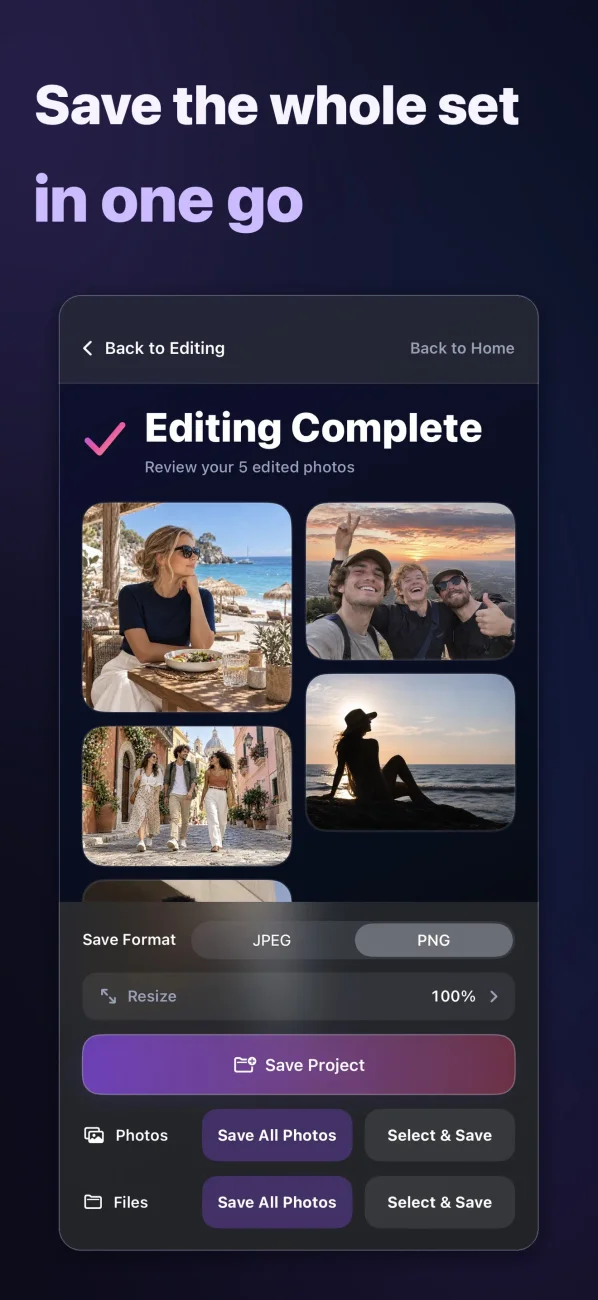
• Batch resize & export: Scale from 10% to 200% with a pixel preview. Save JPEG or PNG. PNG is selected automatically for transparent images.
• Batch save: Preview and save all or selected photos to Photos or Files.
• Projects: Save edits to resume later or restore interrupted work from backup.
An in-app guide covers the basics. Photo edits run on your device.
FREE & MULTIEDIT PRO
Standard editing and 5 projects are free. All Magic tools share 1 free use per day, reset at local midnight. A batch counts as one use. Free background removal supports up to 50 photos per use.
Pro removes ads and includes unlimited Magic and up to 50 saved projects. Monthly and annual plans are available. Eligible annual subscribers get a 3-day free trial. See prices and terms at checkout.
Cancel in App Store account settings at least 24 hours before auto-renewal. Earlier one-time ad removal purchases stay valid.
Terms of Use: https://www.apple.com/legal/internet-services/itunes/dev/stdeula/
Privacy Policy: https://skcp.net/privacy
Neue Funktionen
Version 1.1.20 · 27.11.2026
MultiEdit is now available in French. A smaller Magic Eraser model reduces the size of the app. With Pro, turn your own photos into frames, adjust the scale and position of the pattern, and save your frames for later.
App-Datenschutz
Was SK Corp. im App Store zum Umgang dieser App mit Daten angibt.
-
Daten, die zum Tracking Ihrer Person verwendet werden
Können verwendet werden, um Sie über Apps und Websites anderer Unternehmen hinweg zu verfolgen.
- Standort
- Kennungen
- Nutzungsdaten
- Diagnose
-
Mit Ihnen verknüpfte Daten
Können erfasst und mit Ihrer Identität verknüpft werden.
- Standort
- Kennungen
- Nutzungsdaten
- Diagnose
-
Nicht mit Ihnen verknüpfte Daten
Können erfasst werden, sind aber nicht mit Ihrer Identität verknüpft.
- Benutzerinhalte
- Diagnose
Die Datenschutzpraktiken können variieren, zum Beispiel je nach den von Ihnen verwendeten Funktionen oder Ihrem Alter.
Informationen
- Anbieter
- SKcorporation Co.,Ltd.
- Kategorie
- Foto und Video
- Version
- 1.1.20
- Aktualisiert
- 27.11.2026
- Veröffentlicht
- 17.09.2026
- Größe
- 156,0 MB
- Erfordert
- iOS 17.0 oder neuer
- Altersfreigabe
- 4+
- In-App-Käufe
- Ja
- Sprachen
- Englisch, Arabisch, Französisch, Indonesisch, Japanisch, Koreanisch, Portugiesisch, Vereinf. Chinesisch, Spanisch, Tradit. Chinesisch, Vietnamesisch
- Copyright
- © 2026 SKcorporation Co.,Ltd.