- Altersfreigabe4+
- KategorieMusik
- EntwicklerManabu Sasamoto
- SprachenJapanisch+ 1 weitere
- Größe29,7 MB
Needledrop Music Player ist bei App Store derzeit möglicherweise nicht verfügbar
Bei unserer letzten Prüfung war der Store-Eintrag nicht erreichbar. Der Link führt weiterhin zur offiziellen App Store-Seite.
Screenshots



Info
Der Entwickler hat diesen Text nicht in Ihrer Sprache bereitgestellt.
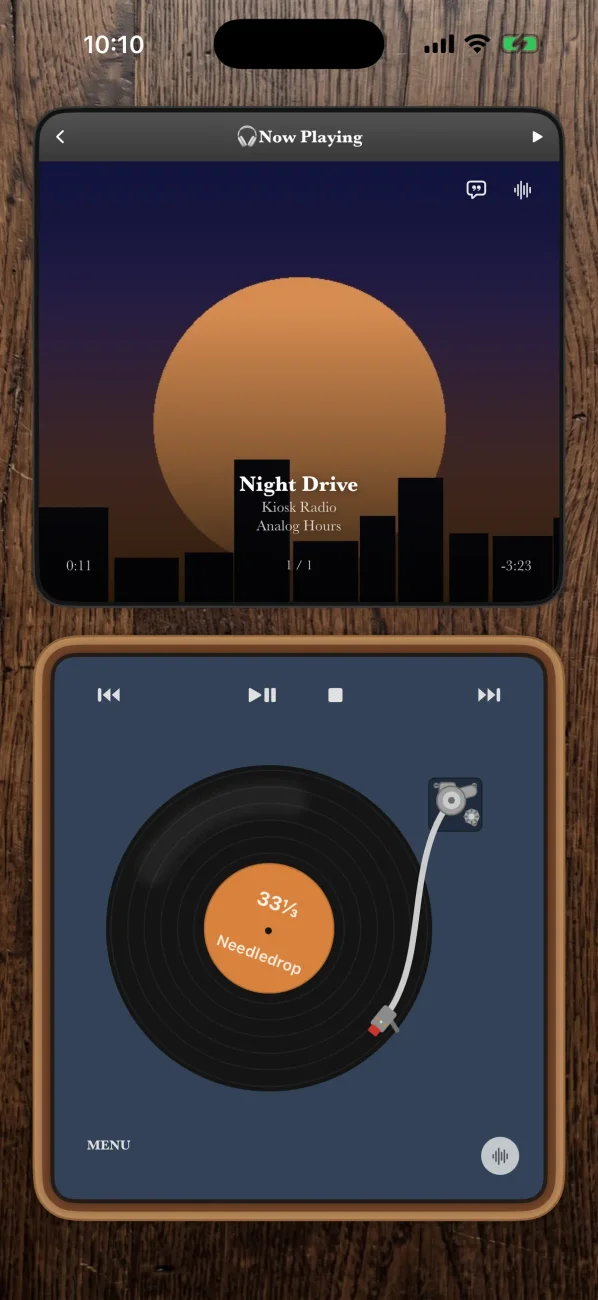
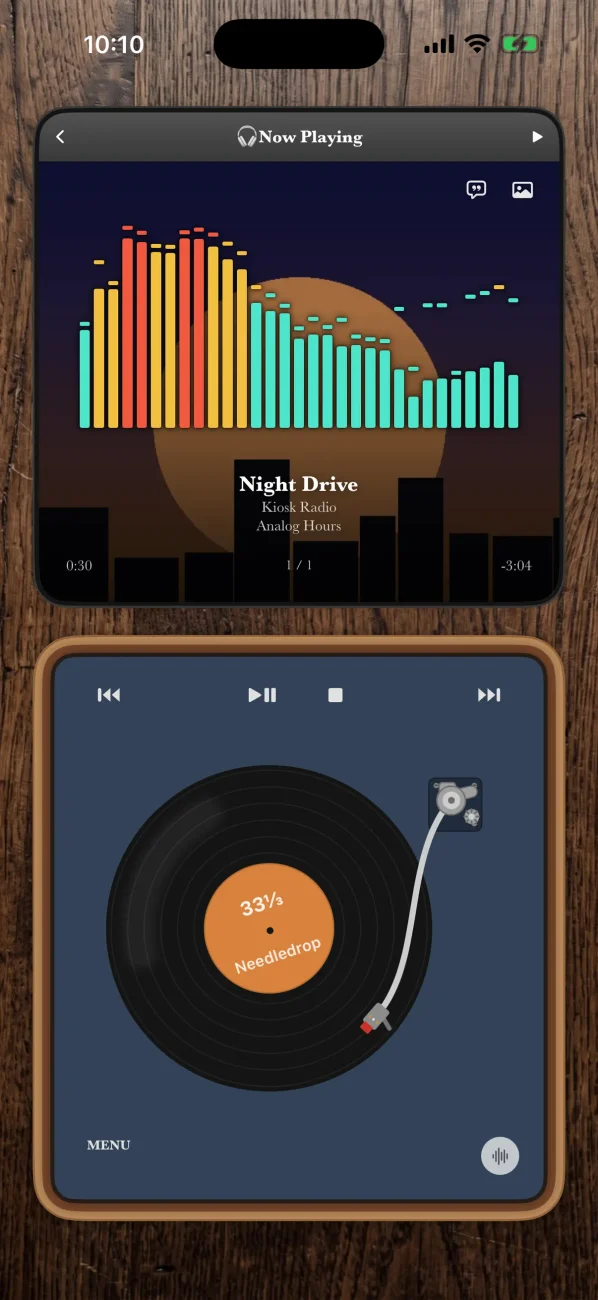
Needledrop is a music player you control by turning a record on the screen.
TURN TO CHOOSE
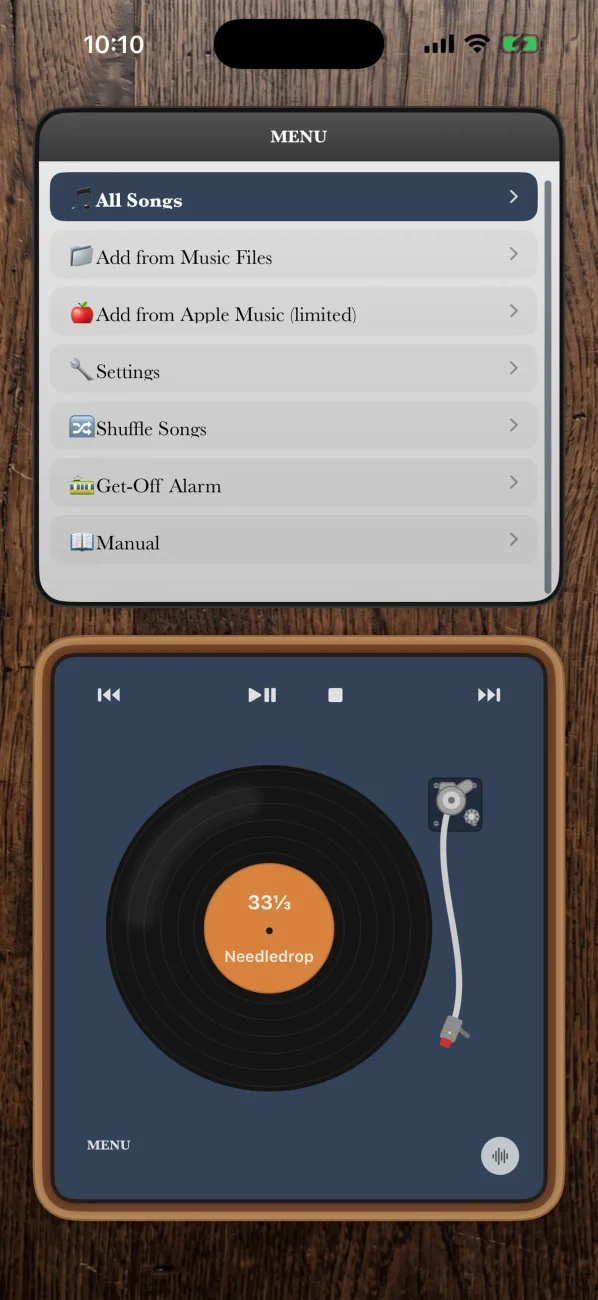
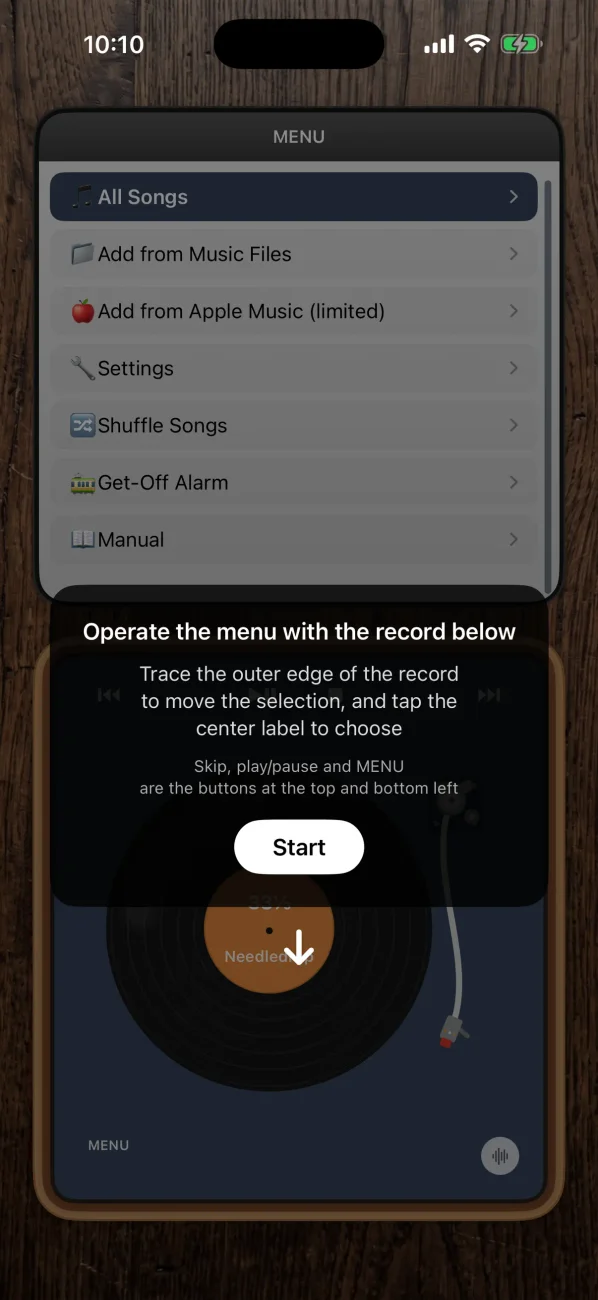
Trace the outer edge of the record with your finger and the menu selection moves. Tap the center label to choose. A short hint explains this the first time you open the app.
THE TONEARM IS THE PROGRESS BAR
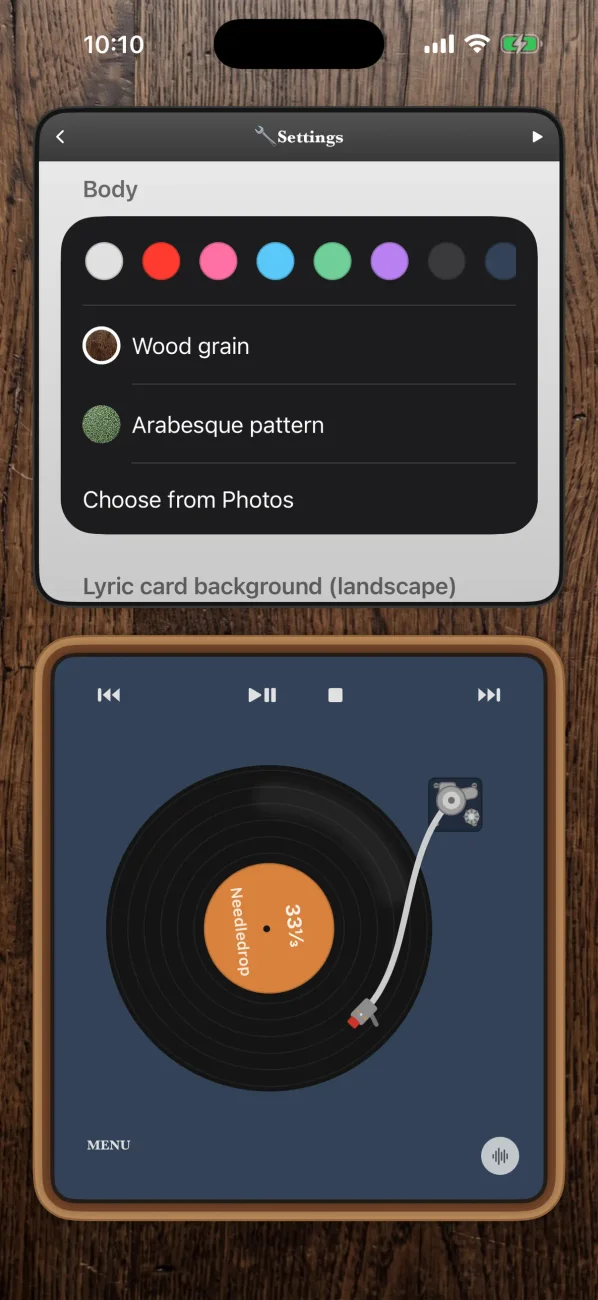
As the song plays, the tonearm moves slowly from the edge toward the center, and the record turns. Turn on Record Mode to add needle and surface noise like a real record.
ADD YOUR MUSIC
- "Add from music files": import m4a, mp3 and other audio files directly. If a .lrc lyrics file with the same name is in the same folder, the lyrics come along.
- "Add from Apple Music": pick songs from your Music library on this device.
Spectrum, lyrics and Volume Leveling work for songs imported from music files (not for songs added from Apple Music).
LYRICS
Songs with lyrics show the current line on the Now Playing screen. Turn the device sideways and the lyrics open like the lyric sheet of an LP, with the jacket and an obi band on the left page and the whole lyrics on the right. Choose wood, a photo or a plain color for the card background. Optionally, translate the lyrics with Apple's on-device translation (iOS 18 or later); translation happens entirely on your device.
SPECTRUM ANALYZER AND METERS
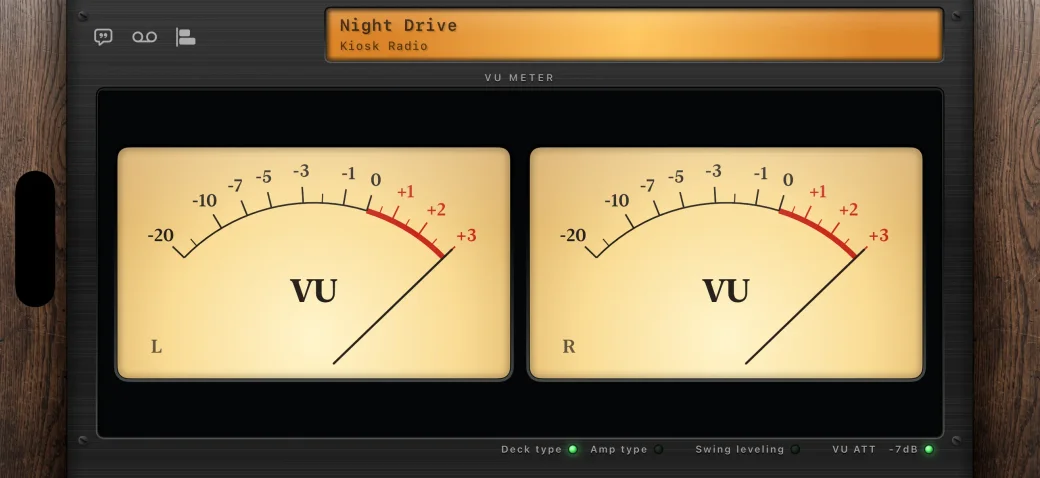
A 31-band, one-third-octave spectrum analyzer with falling peak dots. In landscape you can switch between the spectrum, analog VU meters, LED peak meters and combinations of them, shown on a panel like the front of audio equipment, with a loudness (LUFS) readout. Choose the panel color and the wooden side panels.
CASSETTE MODE
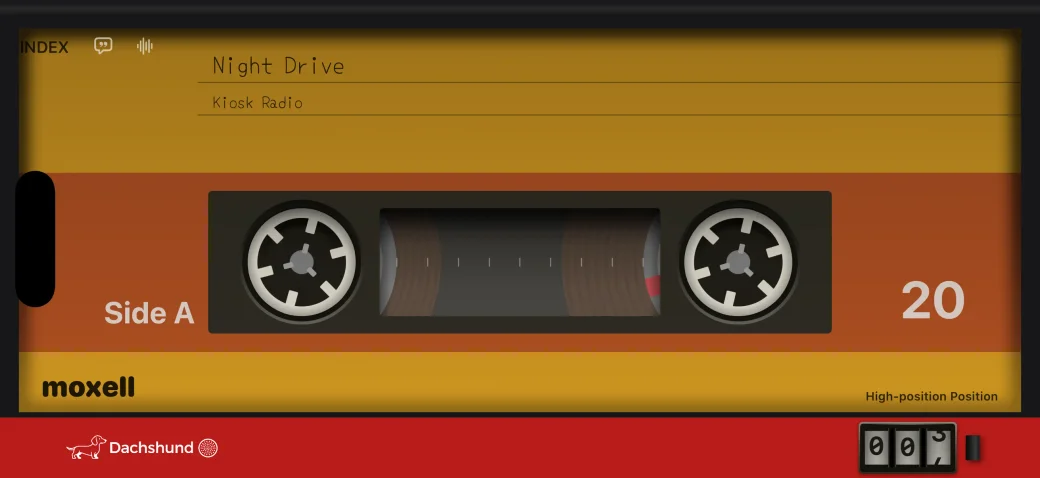
In landscape, switch to a cassette-deck view. The reels turn with the tape, a mechanical-style counter counts along, and holding a reel hub fast-forwards or rewinds the real song.
FAVORITES AND SHUFFLE
Double-tap the Now Playing screen to give a song a heart, and find your favorites in the music menu. Shuffle remembers the songs it already played, so nothing repeats until the whole list has been heard. Songs can be listed alphabetically by title or by artist.
VOLUME LEVELING
Evens out the volume differences between songs (loud songs are turned down). Choose weak, medium or strong.
GET-OFF ALARM
Enter the name of your stop and the arrival time, and the app turns the music down and announces it by voice a few minutes before you arrive, or sends a notification when the app is not playing. It uses the schedule you enter, not your location. The announcement follows the app's language.
APPLE WATCH
A small record on your wrist works as a remote control for the iPhone (the Watch app does not play music by itself): turn it for volume, tap the center to switch between volume and seek, and use the buttons for previous, next and play/pause. The Digital Crown works too.
MAKE IT YOURS
- Body background: wood grain, arabesque pattern, solid color, or your own photo
- Accent color for the cursor and bars
- Five click sounds for turning the record, with a live preview
- A classic typeface option
- English and Japanese
PRIVACY
No account is needed. The app collects no personal information or usage data and contains no ads or analytics. The songs and lyrics you import stay on your device.
Neue Funktionen
Version 1.4.1 · 22.11.2026
- Added English. Needledrop now shows in English when your iPhone is set to English. You can also choose the language in Settings > Needledrop > Language.
- Song lists can be sorted alphabetically by title or by artist, with a button to switch.
- Artist, album and genre lists now have a "Shuffle Play" row.
- The cassette counter now follows fast-forward and rewind.
- The Apple Watch remote responds faster, and raising or lowering your arm no longer changes the volume.
App-Datenschutz
Was Manabu Sasamoto im App Store zum Umgang dieser App mit Daten angibt.
-
Keine Daten erfasst
Der Entwickler erfasst keine Daten von dieser App.
Die Datenschutzpraktiken können variieren, zum Beispiel je nach den von Ihnen verwendeten Funktionen oder Ihrem Alter.
Informationen
- Anbieter
- Manabu Sasamoto
- Kategorie
- Musik
- Version
- 1.4.1
- Aktualisiert
- 22.11.2026
- Veröffentlicht
- 13.09.2026
- Größe
- 29,7 MB
- Erfordert
- iOS 17.0 oder neuer
- Altersfreigabe
- 4+
- Sprachen
- Japanisch, Englisch
- Copyright
- © 2026 bambook