
- Altersfreigabe4+
- KategorieDienstprogramme
- EntwicklerIlia Rogatkin
- SprachenEnglisch
- Größe1,3 MB
Verlinkt auf die offizielle App Store-Seite
Download.org hostet keine Datei von NeonLock. Die Schaltfläche öffnet die App-Seite bei App Store, wo Ilia Rogatkin die App veröffentlicht. Eintrag zuletzt geprüft am 20.11.2026.
Screenshots
Info
Der Entwickler hat diesen Text nicht in Ihrer Sprache bereitgestellt.
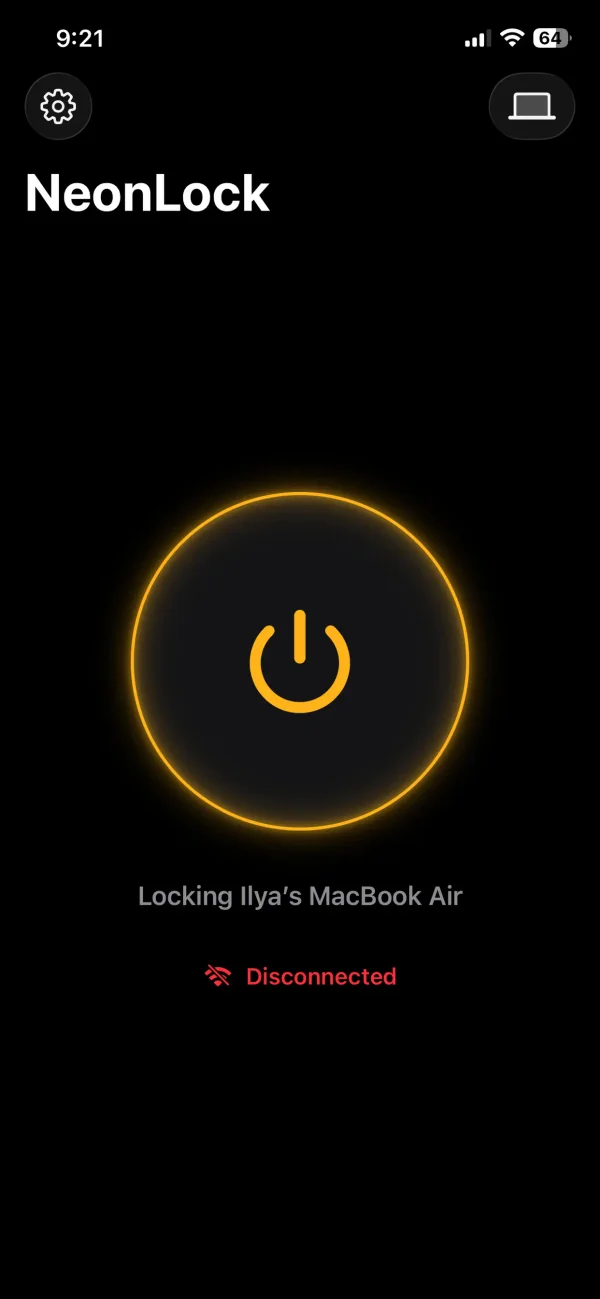
NeonLock turns your iPhone into an instant lock button for your Mac. Tap once and your Mac locks over Bluetooth — or set a distance and let it lock itself the moment you walk away. No passwords to fumble, no menus to dig through, and nothing in the cloud.
HOW IT WORKS
NeonLock comes in two parts: this iPhone app, and NeonLockMac — a small, free companion that runs in your Mac's menu bar and does the actual locking. Install the Mac helper once (a quick, free download; link inside the app), pair over Bluetooth, and you're set. No account, no sign-in.
TWO WAYS TO LOCK
• Tap to Lock — Press the button and your Mac locks instantly, whether it's across the room or in your bag.
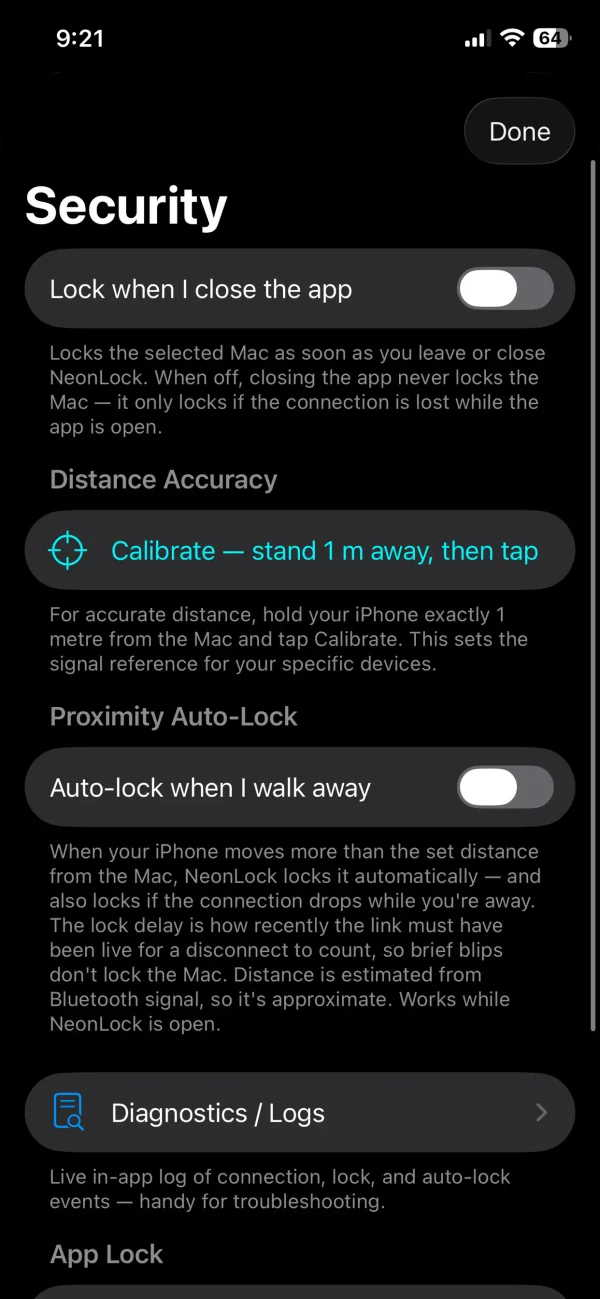
• Walk Away to Lock — Choose a distance; when your iPhone moves out of range, NeonLock locks your Mac for you. If the Bluetooth link drops while you're away, it still locks. (Auto-lock runs while NeonLock is open.)
BUILT FOR REAL LIFE
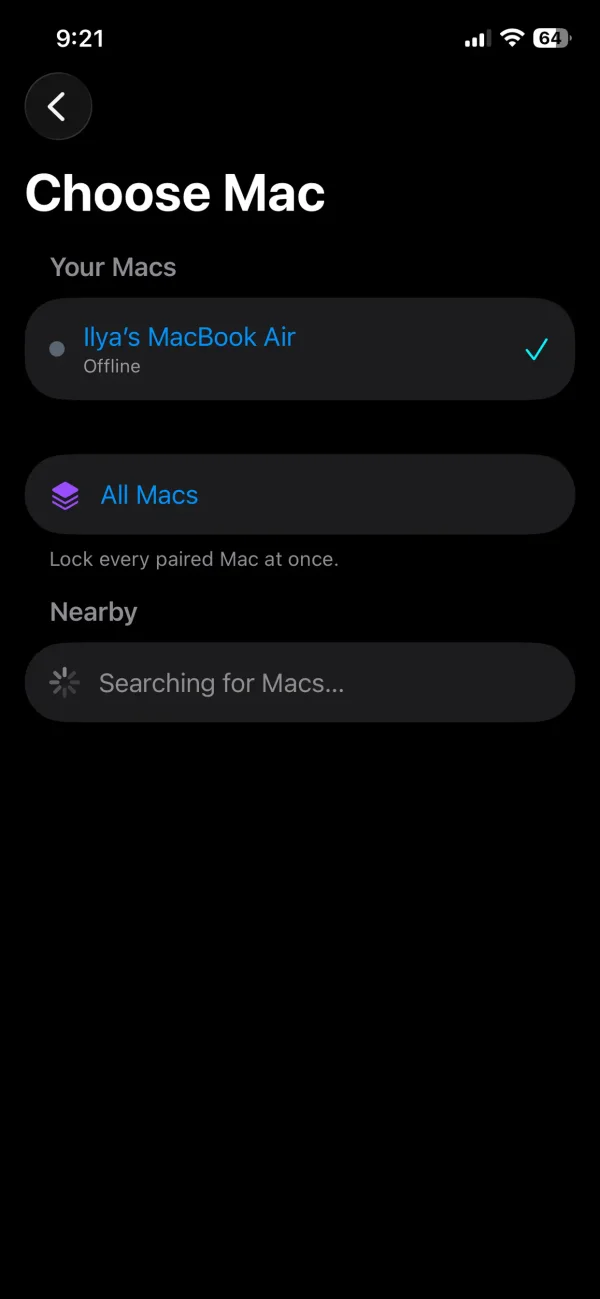
• Multiple Macs — Pair as many as you like, switch the active one, or lock them all at once.
• Fast access — A Control Center and Lock Screen control puts a lock one tap away.
• Always ready — NeonLock reconnects to your Macs on its own, so it's there when you need it.
• Protect the app — Optional Face ID, with a PIN fallback, keeps NeonLock itself private.
PRIVATE BY DESIGN
NeonLock talks to your Mac directly over Bluetooth. Your data never leaves your devices and never touches a server — no accounts, no analytics, no tracking.
PERFECT FOR
• Coffee shops, coworking spaces, and open offices where you step away often
• Anyone who wants their Mac locked the second they leave it
• People tired of reaching for the keyboard just to secure the screen
Setup takes under a minute: install the free NeonLockMac app, pair it with your iPhone, choose your locking mode, and you're protected.
Download NeonLock and never leave your Mac unlocked again.
REQUIREMENTS
• iPhone on iOS 16 or later
• A Mac on macOS 26 (Tahoe) or later running the free NeonLockMac app
• Bluetooth enabled on both devices
Neue Funktionen
Version 1.1 · 14.08.2026
Auto-lock now works with your iPhone locked.
Until now, walk-away auto-lock only ran while NeonLock was open on screen.
Turn on "Also when iPhone is locked" and you can leave your phone in your
pocket — step away from your desk and your Mac locks itself.
Also in this update:
• Much more accurate distance. A two-step calibration learns how the
Bluetooth signal fades in your space, so auto-lock triggers at the
distance you actually set instead of several metres past it.
• See when your Mac is locked. The button now reflects the real state of
your Mac, so a glance tells you whether it's locked.
• Unpair a Mac. Swipe left on any Mac in your list, or press and hold, to
remove it. It now disconnects properly instead of quietly reconnecting
in the background.
• Macs that paired as "Unknown Mac" now correct their own name as soon as
the real one is available.
Reminder: NeonLock needs the free NeonLockMac companion app running on
your Mac. Get it at https://sparksss.github.io/neonlock-site/
App-Datenschutz
Was Ilia Rogatkin im App Store zum Umgang dieser App mit Daten angibt.
-
Keine Daten erfasst
Der Entwickler erfasst keine Daten von dieser App.
Die Datenschutzpraktiken können variieren, zum Beispiel je nach den von Ihnen verwendeten Funktionen oder Ihrem Alter.
Informationen
- Anbieter
- Ilia Rogatkin
- Kategorie
- Dienstprogramme
- Version
- 1.1
- Aktualisiert
- 14.08.2026
- Veröffentlicht
- 06.08.2026
- Größe
- 1,3 MB
- Erfordert
- iOS 16.0 oder neuer
- Altersfreigabe
- 4+
- Preis
- Kostenlos
- Sprachen
- Englisch
- Copyright
- © 2026 Ilia Rogatkin
Das könnte Ihnen auch gefallen
-
 Text to Audio AppAI Audio & PDF Voice Reader
-
 Drivevo - AI Car AssistantDienstprogramme
-
 Cricket DLS Score CalculatorDienstprogramme
-
 NFC UNLockDienstprogramme
-
 BatteryShare: Remote SyncDienstprogramme
-
 RPI SSH Pro - for Linux/DebianDienstprogramme
-
 QR Scanner - Code ReaderDienstprogramme
-
 Photo Resizer - Resize ImagesDienstprogramme
-
 MeowDisplayDienstprogramme
-
 Countdown Widget - Track daysDienstprogramme