
NetSamurai: Network Scanner
WiFi Security & Device Checks
Entwickelt für iPhone, iPad
Kostenlos · In-App-Käufe
- Altersfreigabe4+
- KategorieDienstprogramme
- EntwicklerStefan Dasic
- SprachenEnglisch
- Größe11,6 MB
Verlinkt auf die offizielle App Store-Seite
Download.org hostet keine Datei von NetSamurai: Network Scanner. Die Schaltfläche öffnet die App-Seite bei App Store, wo Stefan Dasic die App veröffentlicht. Eintrag zuletzt geprüft am 23.11.2026.
Screenshots
Info
Der Entwickler hat diesen Text nicht in Ihrer Sprache bereitgestellt.
See what is on your WiFi. Find exposed services, investigate unfamiliar devices, and understand security weaknesses with NetSamurai.
Your network connects more than your phone. Routers, cameras, TVs, printers and storage devices can offer services you did not expect. NetSamurai helps you discover responding devices, check what they expose, and decide what to investigate next.
DISCOVER YOUR DEVICES
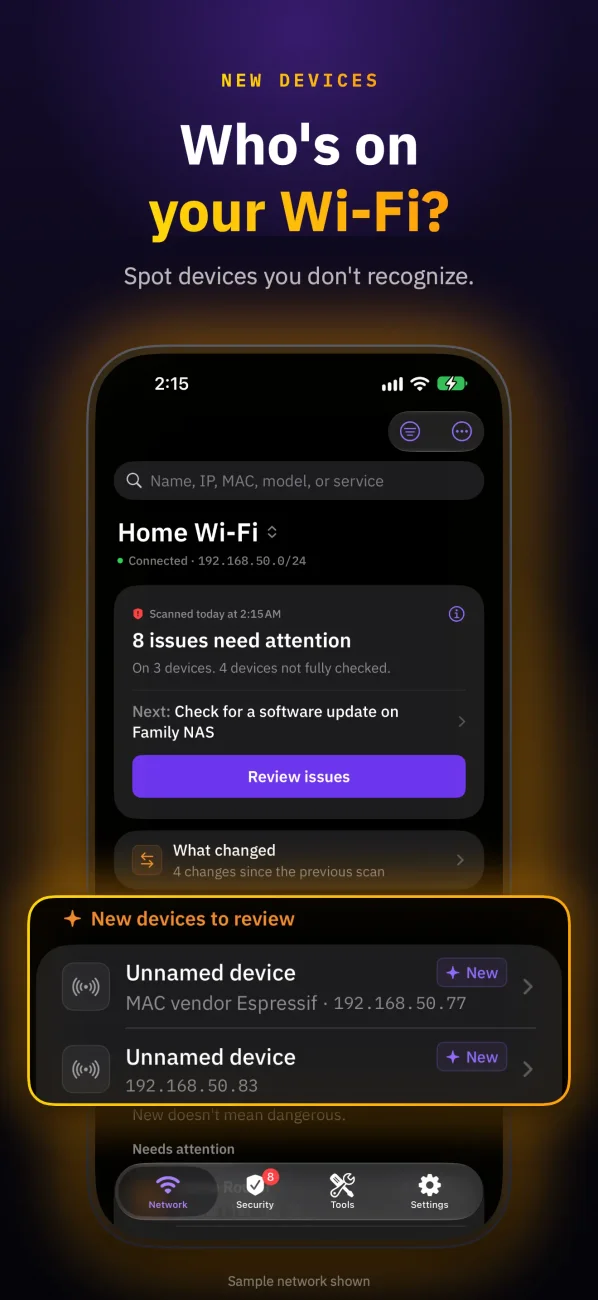
Scan your connected local network and build a readable device list. Explore available names, addresses and service evidence. Name devices you recognize so unfamiliar entries are easier to investigate.
CHECK FOR SECURITY WEAKNESSES
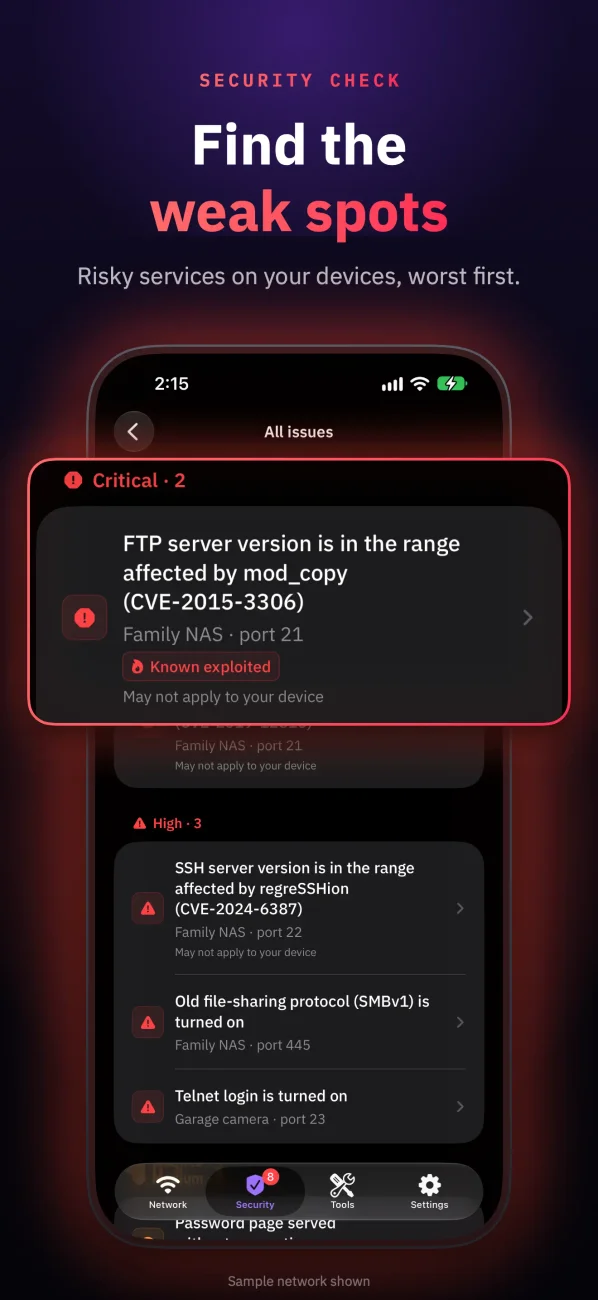
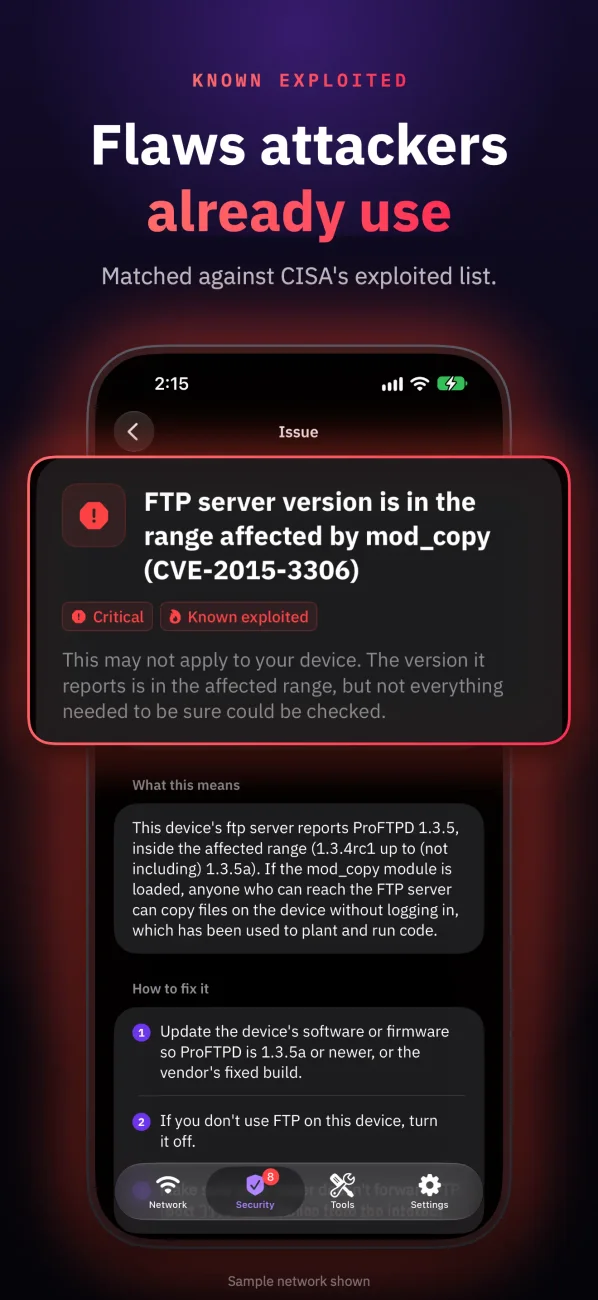
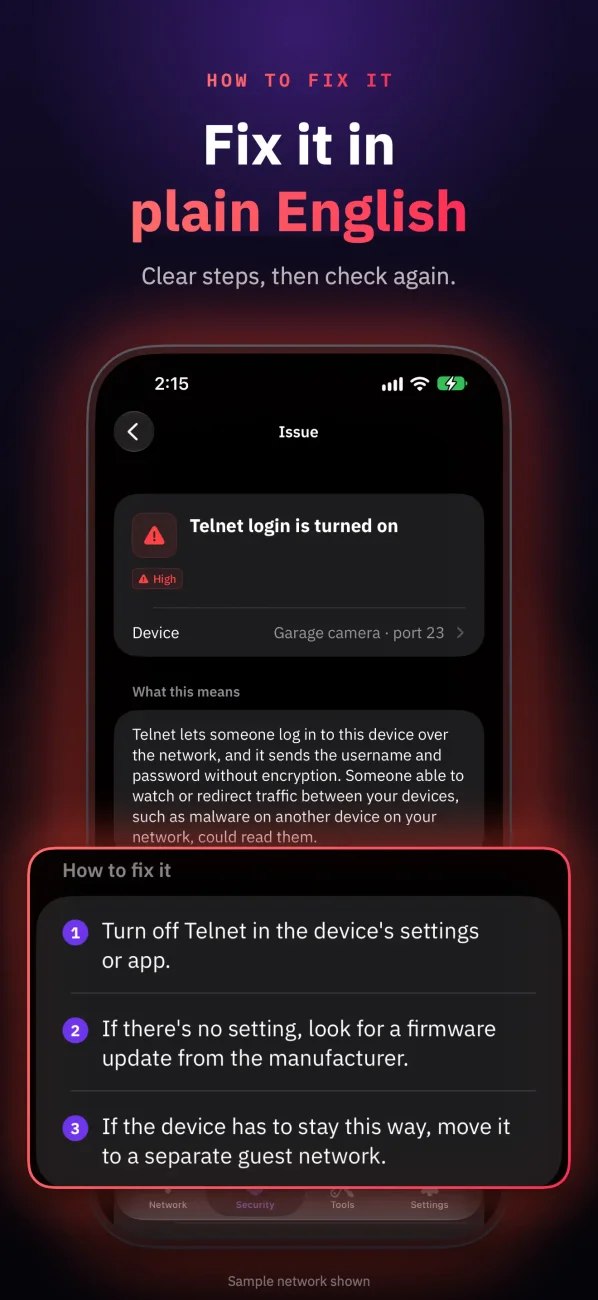
Run a Quick check on an individual device to inspect common ports and supported services. Look for findings such as Telnet, SMBv1 and password pages served without encryption. See applicable certificate observations and supported vulnerability matches, with clear explanations of what the evidence does and does not prove.
INVESTIGATE THE UNFAMILIAR
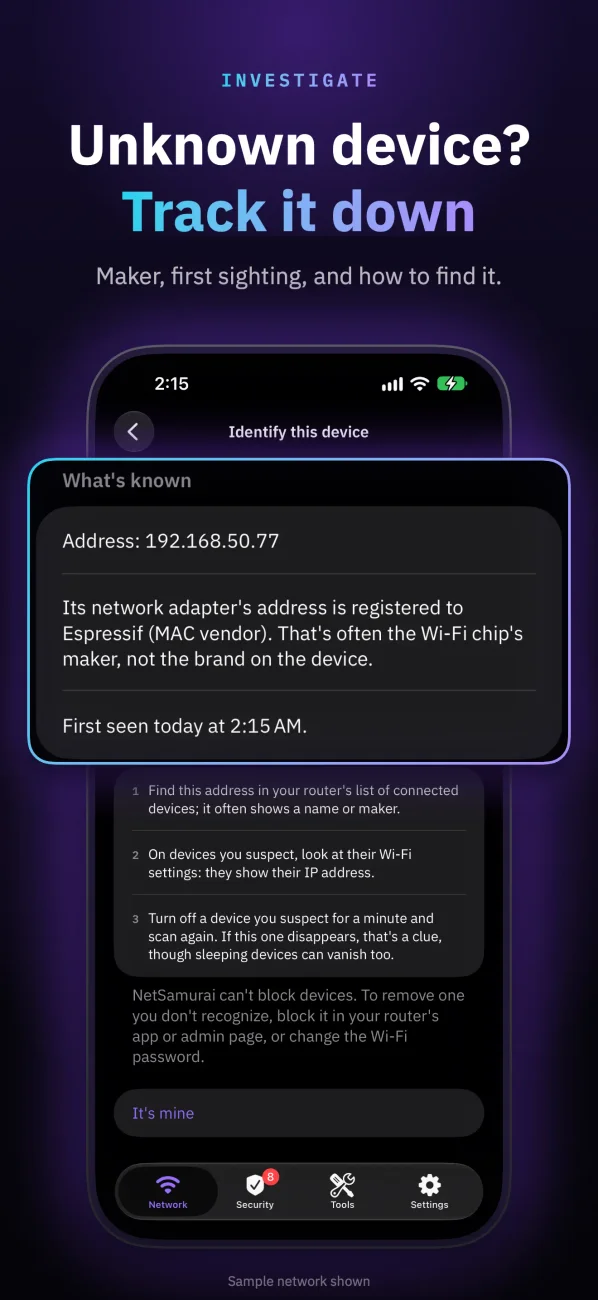
Review devices you do not recognize. Use identity clues, first-seen information and practical identification steps to compare them with your router's device list. A new device deserves a closer look, but new does not automatically mean malicious.
FOLLOW THE EVIDENCE
Read what was observed, why it matters, what remains unknown, and suggested next steps. Inspect technical evidence when you need it. After changing a device's settings, check it again to help verify the result.
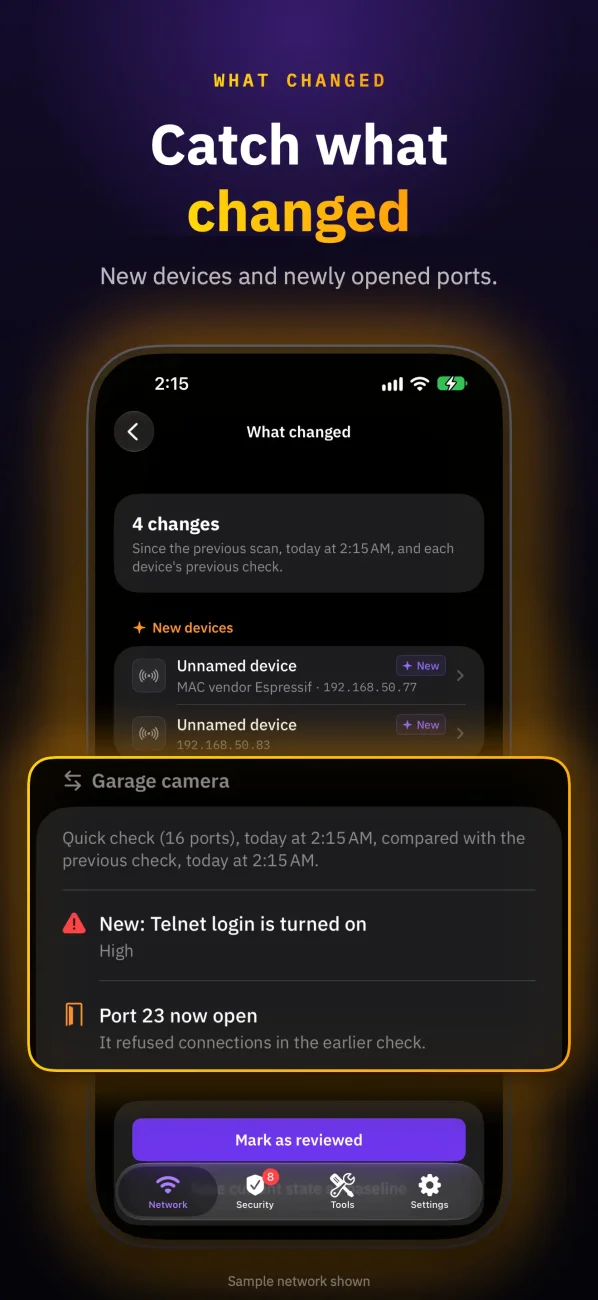
SEE WHAT CHANGED
Compare saved scans and device checks. Review newly discovered and returning devices, observed service changes and security findings. Pro adds saved baselines and longer history for future comparisons. Comparisons explain when different scopes or incomplete results limit what can be concluded.
TOOLS WHEN YOU NEED THEM
Use ping, DNS lookup and single-port checks to investigate connectivity and reachable services. With Pro, preview and share reports when you need to discuss your results with someone else.
START FREE. UNLOCK PRO ONCE.
Discover devices, name the ones you recognize, and run individual Quick checks for free. Pro adds batch checks, extended and custom port checks, saved profiles, local scan-range selection, access to other saved networks, baselines, longer history, owner and room tags, and PDF, CSV and JSON exports. Pro is a one-time in-app purchase with no subscription. Reading a finding, its remediation and manually rechecking a device remain free.
YOUR RESULTS, ON YOUR PHONE
No NetSamurai account or advertising tracking. Inventories and assessments are processed and stored on your iPhone. You choose when to share reports. Device backups may include saved data. DNS tools and optional advisory downloads can contact external services; those services receive normal connection metadata.
KNOW THE LIMITS
Scan only networks you own or have permission to assess. Local Network access and a supported IPv4 WiFi network are required for local scans. Sleeping, isolated or silent devices may be missed. Current CVE matching covers OpenSSH CVE-2024-6387; other products and vulnerabilities may not be assessed. A version match can be potential rather than confirmed.
NetSamurai does not identify malicious people, detect malware or attacks in network traffic, block devices, or guarantee that a network is secure. No issues found means no issues found within the checks performed.
Questions or feedback? support@netsamuraiapp.com
Terms of Use: https://herflowapp.com/terms.html
Privacy Policy: https://herflowapp.com/privacy.html
Neue Funktionen
Version 1.1.0 · 15.11.2026
• Finds more cameras. NetSamurai now sends one discovery request to your whole network that security cameras and video recorders answer (ONVIF). Cameras show up and are labeled even when they keep all their ports closed, often with their name and model.
• Better at spotting computers, printers and smart TVs. Discovery requests are sent network-wide, so more devices answer and describe themselves.
• Wake-on-LAN is back in Advanced tools: wake a sleeping computer on your Wi-Fi from its hardware address. Addresses NetSamurai has already seen are offered so you don't need to type them.
• Smaller fixes and improvements.
App-Datenschutz
Was Stefan Dasic im App Store zum Umgang dieser App mit Daten angibt.
-
Keine Daten erfasst
Der Entwickler erfasst keine Daten von dieser App.
Die Datenschutzpraktiken können variieren, zum Beispiel je nach den von Ihnen verwendeten Funktionen oder Ihrem Alter.
Informationen
- Anbieter
- Stefan Dasic
- Kategorie
- Dienstprogramme
- Version
- 1.1.0
- Aktualisiert
- 15.11.2026
- Veröffentlicht
- 09.11.2026
- Größe
- 11,6 MB
- Erfordert
- iOS 17.0 oder neuer
- Altersfreigabe
- 4+
- Preis
- Kostenlos
- In-App-Käufe
- Ja
- Sprachen
- Englisch
- Copyright
- © Stefan Dasic 2026
Das könnte Ihnen auch gefallen
-
 WiFi Sonar: Netzwerk-ScannerGeräte finden & Speedtest
-
 NetProbeX - Network ScannerDienstprogramme
-
 KVT Therapie CoachPsychologie Stresshilfe
-
 Network Intrusion DetectionDienstprogramme
-
 Magiesta CloudDienstprogramme
-
 Network Scanner & IP,PORT,WİFİDienstprogramme
-
 SMS Code - SMS empfangenVirtuelle Rufnummer für OTP
-
 Network Analyzer - Speed TestDienstprogramme
-
 NetDiag+ Netzwerk-ToolkitWLAN-Diebe finden & Lag fixen
-
 iCafeAppDienstprogramme