Network Analyzer - NetChat AI
WiFi Tools & Speed Test
Entwickelt für iPhone, iPad
Kostenlos · In-App-Käufe
- Altersfreigabe4+
- KategorieEntwickler-Tools
- EntwicklerStefan Koncz
- SprachenEnglisch
- Größe65,4 MB
Verlinkt auf die offizielle App Store-Seite
Download.org hostet keine Datei von Network Analyzer - NetChat AI. Die Schaltfläche öffnet die App-Seite bei App Store, wo Stefan Koncz die App veröffentlicht. Eintrag zuletzt geprüft am 14.11.2026.
Screenshots
Info
Der Entwickler hat diesen Text nicht in Ihrer Sprache bereitgestellt.
Network Analyzer is an all-in-one network analyzer, Wi-Fi analyzer, and internet diagnosis toolkit.
Whether your Wi-Fi feels slow, a website is down, DNS is failing, latency is high, or you need a full suite of network tools on mobile.
Network Analyzer puts practical diagnostics and guided analysis in your pocket.
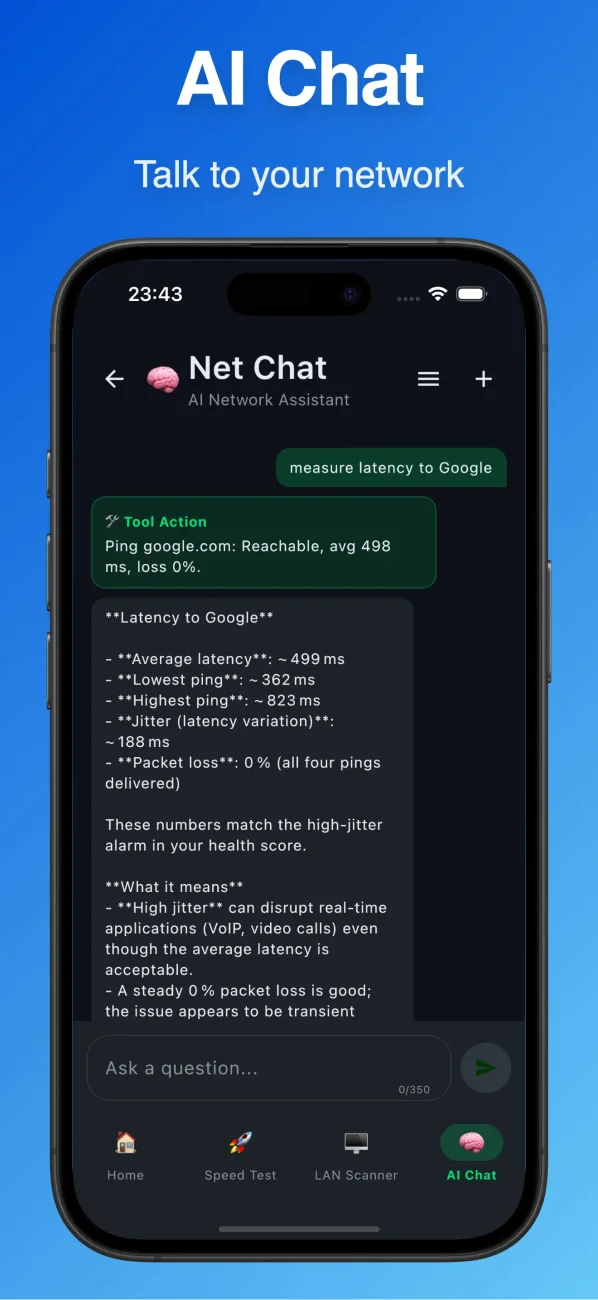
Built-in AI NetChat assistant can use basic network tools and give you answers based of facts instead of guessing.
Why users install Network Analyzer:
- Run fast internet and network diagnosis checks
- Ask the built-in AI chat for help with networking questions
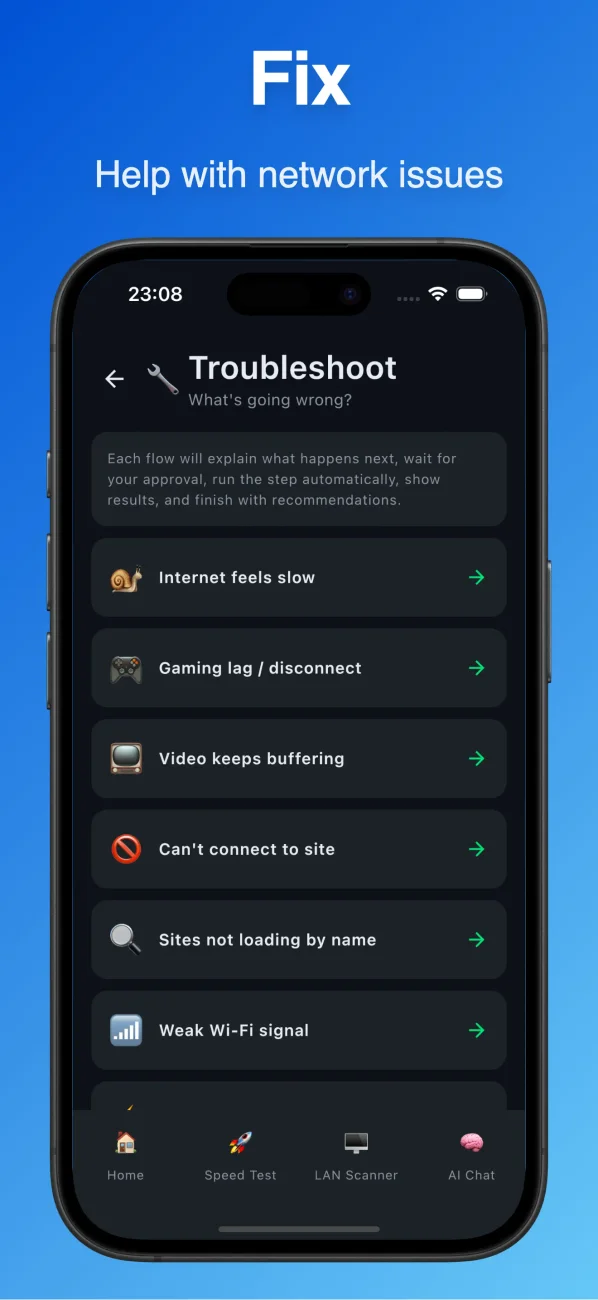
- Troubleshoot slow Wi-Fi, packet loss, DNS errors, and routing issues
- Inspect connection details, local IP, public IP, and DNS servers
- Scan devices on your local network
- Monitor websites and review saved test history over time
Core network tools:
=> Health Check — multi-step internet diagnosis with plain-English verdict and next steps
=> Current Network Info — local IP, public IP, gateway, subnet mask, DNS servers, and Wi-Fi SSID
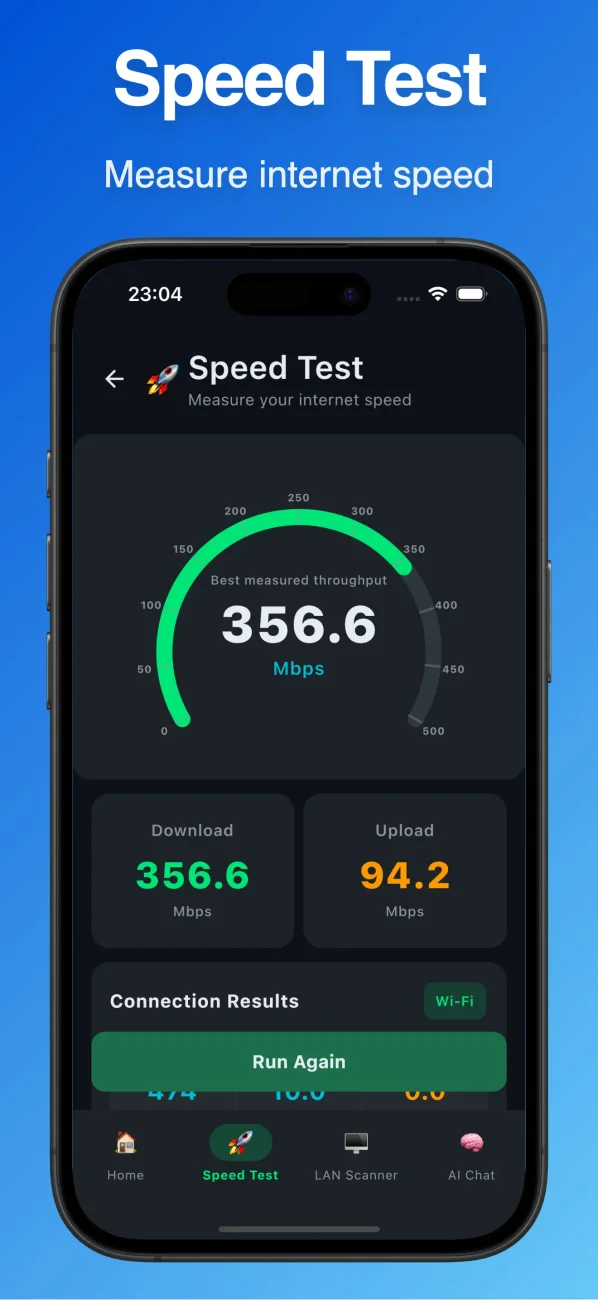
=> Speed Test — measure download speed, upload speed, and latency
=> Ping — test reachability, latency, and packet loss for any host
=> DNS Lookup — query A, AAAA, MX, TXT, and CNAME records
=> LAN Scanner — discover all devices connected to your local network
=> Subnet Calculator — compute CIDR ranges, subnet masks, and usable hosts
Premium advanced network diagnostic tools:
=> AI Chat — describe symptoms and get troubleshooting help instantly
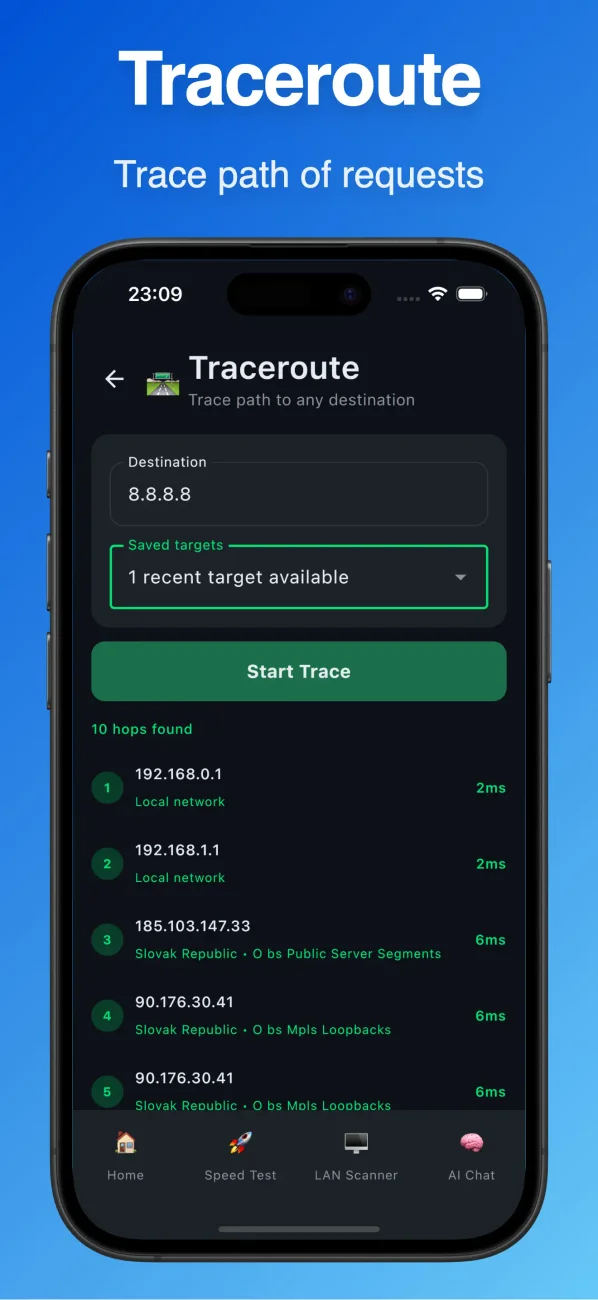
=> Traceroute — trace network hops to find where latency begins
=> Port Scanner — check whether TCP ports are open, closed, or filtered
=> HTTP Tester — inspect responses, redirects, headers, and timing
=> SSL Inspector — review TLS certificate issuer, validity, and expiration
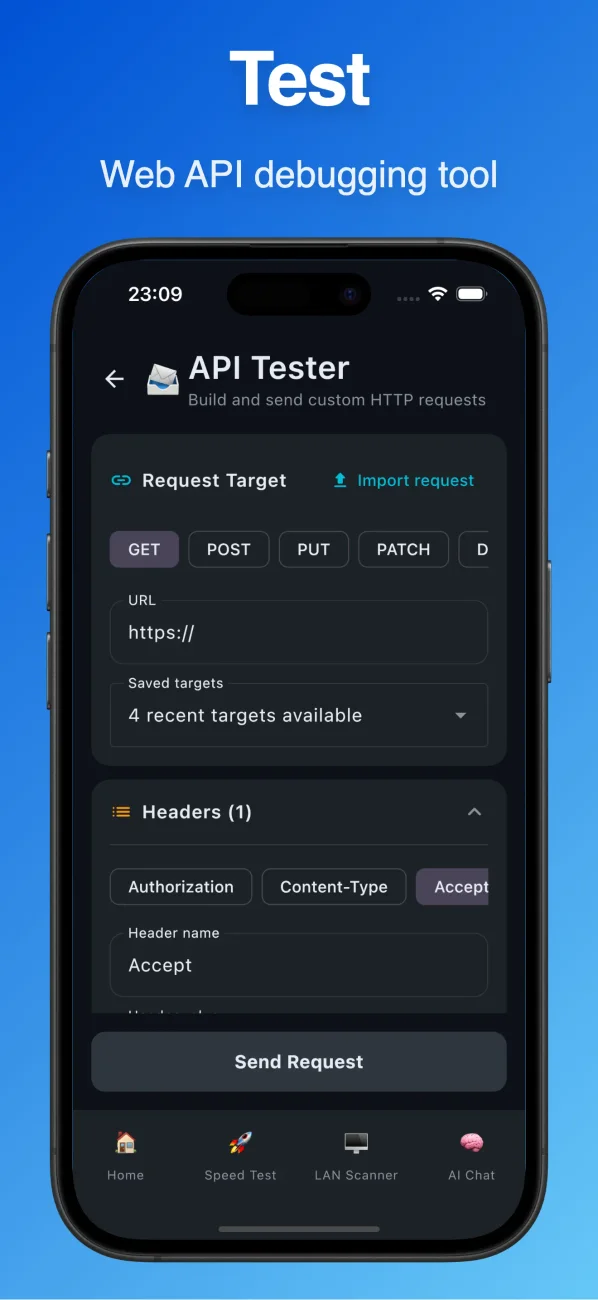
=> API Tester — send custom HTTP requests for REST and webhook debugging
=> IP / NAT Diagnostics — analyze public IP, CGNAT, NAT type, and IPv6 availability
=> DNS Privacy — detect encrypted DNS posture and plain-DNS leakage
=> DNS Benchmark — compare DNS resolver speed and responsiveness
=> Captive Portal Check — detect login-gated Wi-Fi on hotel and airport networks
=> Whois — look up domain and IP registration data
=> Service Discovery — detect local services via mDNS, Bonjour, SSDP, and UPnP
=> Wake-on-LAN — send a magic packet to wake compatible devices
Monitoring and productivity:
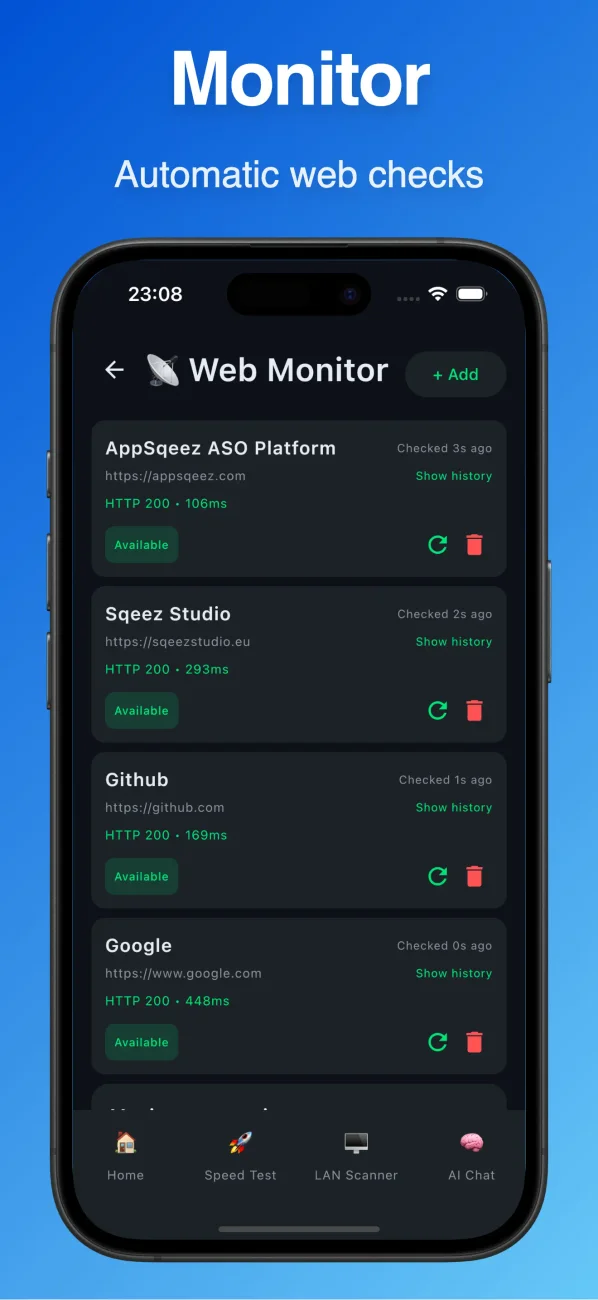
=> Web Monitor — track website availability, status codes, and uptime history
=> History — review saved test results and compare outcomes over time
=> Quality Trends — visualize historical latency and stability metrics
=> Favorites, recents, and home search for quick access to your most-used tools
Network Analyzer answers questions like:
=> Why is my internet slow?
=> Is my device really online?
=> Which DNS servers am I using?
=> Is this host reachable?
=> Are there other devices on my network?
Who it's built for
Useful at home, at work, while traveling, or anytime you need to diagnose connection problems on the go. Built for casual users, IT support, developers, and network enthusiasts who want one unified toolkit instead of switching between multiple apps.
Some features require permissions to access device and network information. iOS may require location permission for certain Wi-Fi details such as SSID and nearby network data, in line with platform requirements.
Terms of Use: https://www.sqeezstudio.eu/network_analyzer_app_terms.html
Privacy Policy: https://www.sqeezstudio.eu/network_analyzer_app_privacy.html
App-Datenschutz
Was Stefan Koncz im App Store zum Umgang dieser App mit Daten angibt.
-
Mit Ihnen verknüpfte Daten
Können erfasst und mit Ihrer Identität verknüpft werden.
- Käufe
- Standort
- Kennungen
- Nutzungsdaten
-
Nicht mit Ihnen verknüpfte Daten
Können erfasst werden, sind aber nicht mit Ihrer Identität verknüpft.
- Diagnose
Die Datenschutzpraktiken können variieren, zum Beispiel je nach den von Ihnen verwendeten Funktionen oder Ihrem Alter.
Informationen
- Anbieter
- Stefan Koncz
- Kategorie
- Entwickler-Tools
- Version
- 1.1
- Aktualisiert
- 19.05.2026
- Veröffentlicht
- 19.05.2026
- Größe
- 65,4 MB
- Erfordert
- iOS 18.2 oder neuer
- Altersfreigabe
- 4+
- Preis
- Kostenlos
- In-App-Käufe
- Ja
- Sprachen
- Englisch
- Copyright
- © 2026 Stefan Koncz
Das könnte Ihnen auch gefallen
-
 NetOps: Network ToolkitEntwickler-Tools
-
 NetProbe: Network ToolsEntwickler-Tools
-
 PingSenseEntwickler-Tools
-
 HTTP Client: GeturlEntwickler-Tools
-
 Hash Rechner: MD5 SHA CRC32Prüfsumme prüfen, Datei-Digest
-
 DevToolkit - SSH & FTPSFTP, DNS, Ping, HTTP, Browser
-
 Tracer - inspect https trafficEntwickler-Tools
-
 Container ExpressEntwickler-Tools
-
 Pulse – Network LoggerEntwickler-Tools
-
 NetScanner - HTTP CatcherHTTP Sniffer,Capture,Debug