NextClass – Teacher Timetable
Teacher Timetable & Reminders
Entwickelt für iPhone
- Altersfreigabe4+
- KategorieBildung
- EntwicklerJiangtao Sui
- SprachenJapanisch+ 4 weitere
- Größe17,8 MB
NextClass – Teacher Timetable ist bei App Store derzeit möglicherweise nicht verfügbar
Bei unserer letzten Prüfung war der Store-Eintrag nicht erreichbar. Der Link führt weiterhin zur offiziellen App Store-Seite.
Screenshots

Info
Der Entwickler hat diesen Text nicht in Ihrer Sprache bereitgestellt.
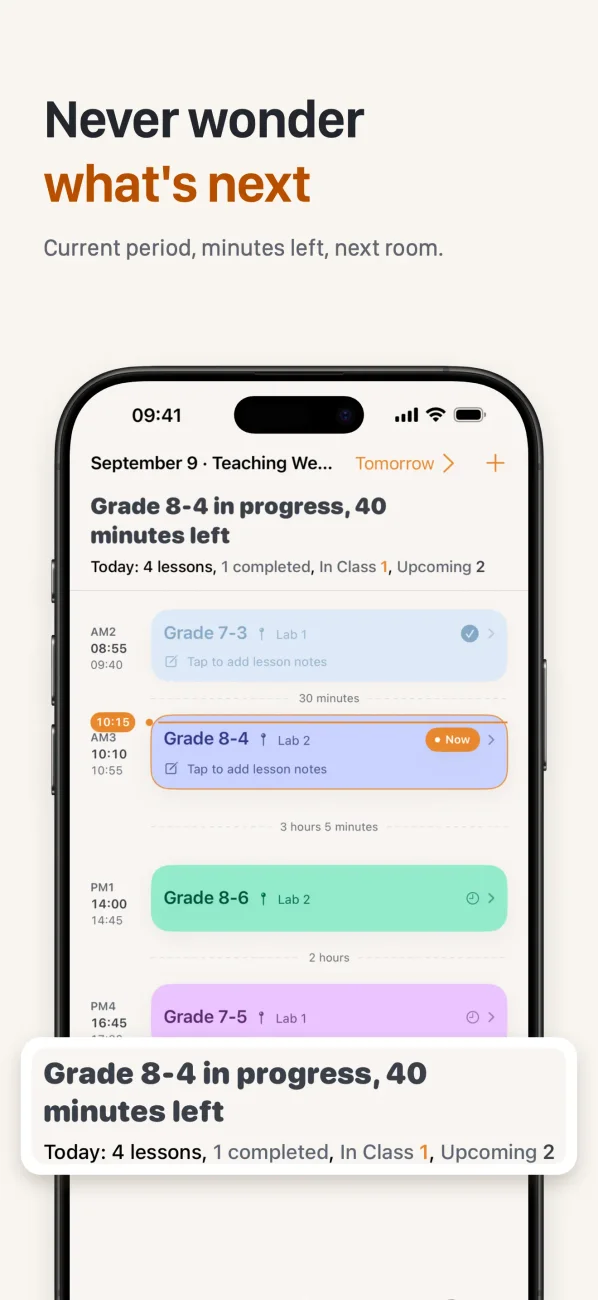
Which period are you in? Which room is next?
NextClass ties your bell schedule, semester and weekly timetable together, and answers both the moment you open it.
Two subjects, two school levels, meetings and duties on top — they all fit on one timetable, and it keeps up when the school changes.
TODAY VIEW
Real-time status for every period: done, in progress, or upcoming. The timeline follows your bell schedule automatically. Jot down a quick note after each class to track your teaching progress. Tap Tomorrow to see the next teaching day — on a Friday evening it shows Monday.
WEEK VIEW
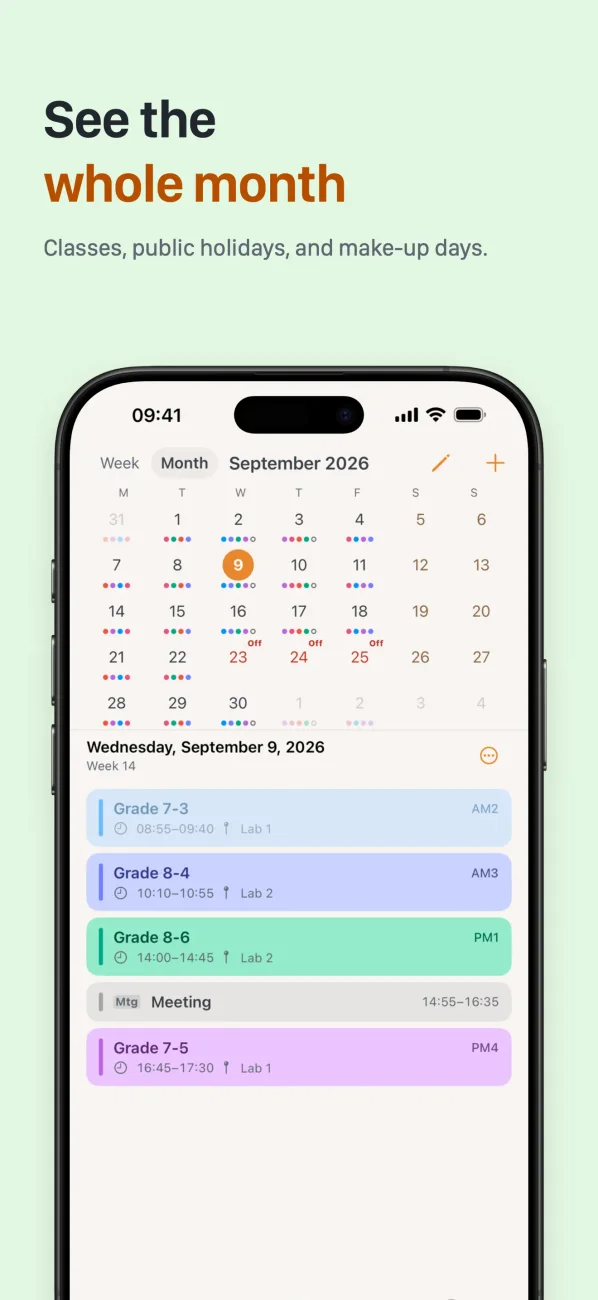
See your whole week on one screen — double periods, meetings and duties included — and edit it in place. A monthly calendar shows lesson distribution at a glance; tap any date to jump there.
FULL WEEK SCHEDULE
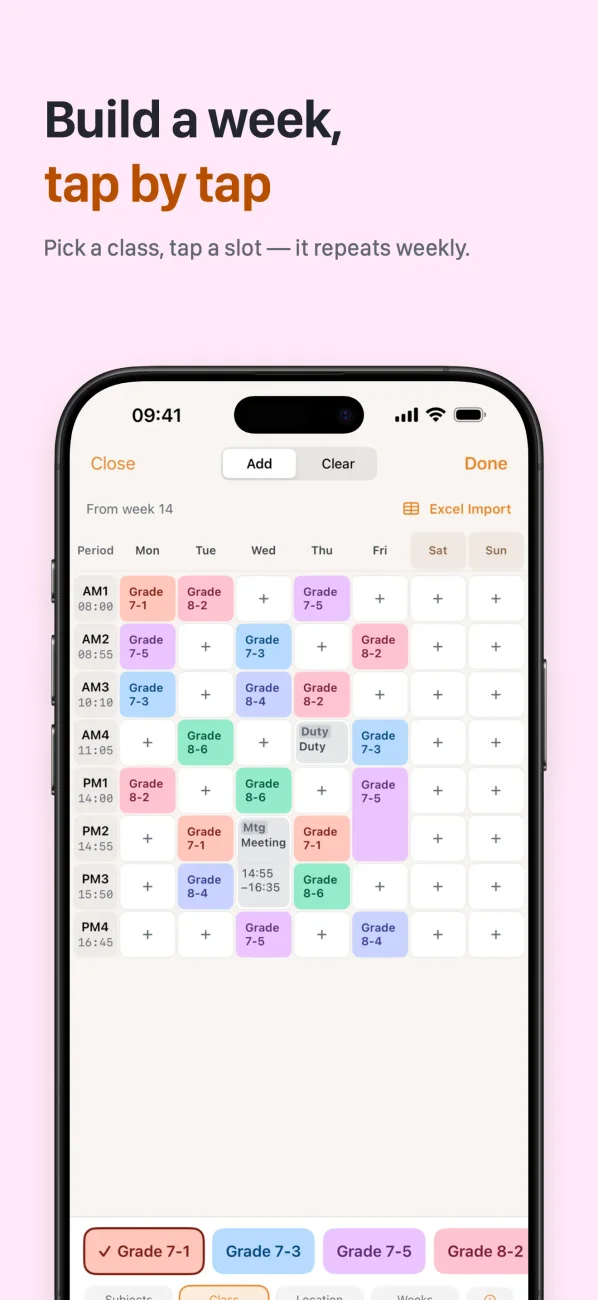
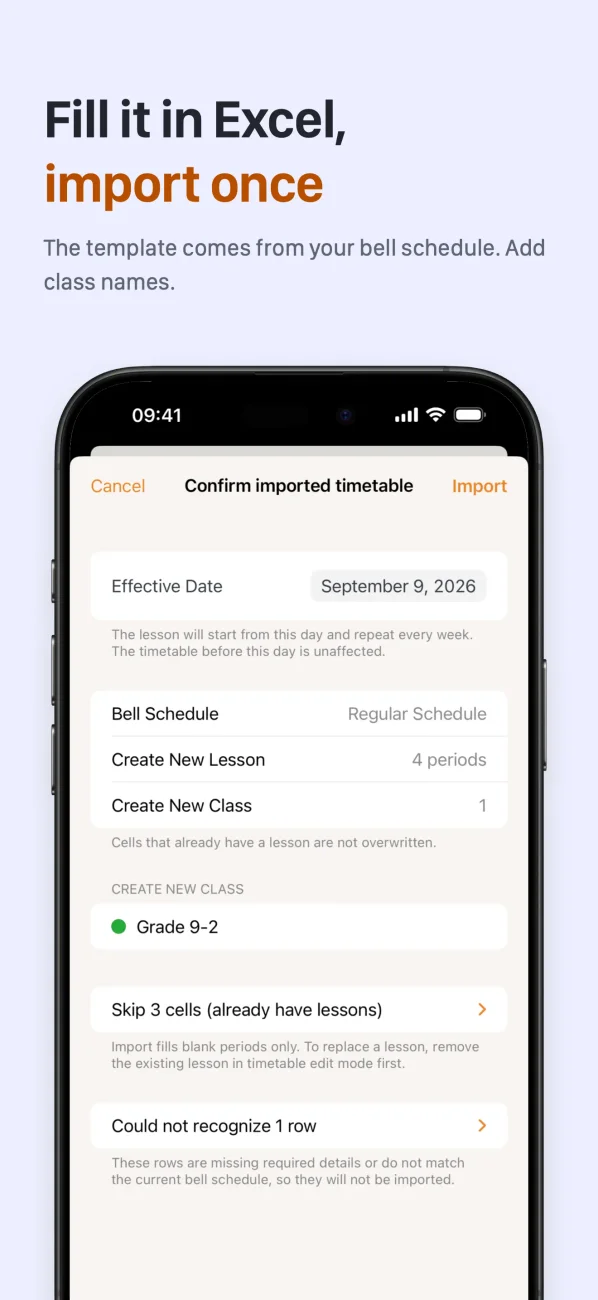
Pick a subject, class and room, then tap cells to fill in a week that repeats automatically. Press and drag down on an empty cell for a double period. Placed one by mistake? Switch to Clear to remove it, with Undo. Or use the Excel template: the app generates it from your bell schedule, you pick classes from drop-down lists, and the import matches every period.
SUBJECTS AND SCHOOL LEVELS
Teach one class two subjects and still tell them apart — choose the subject when placing a lesson. Teaching both middle and high school? Add up to three school levels, each with its own bell schedule. Each class remembers its room, so the location fills in for you.
MEETINGS AND DUTIES
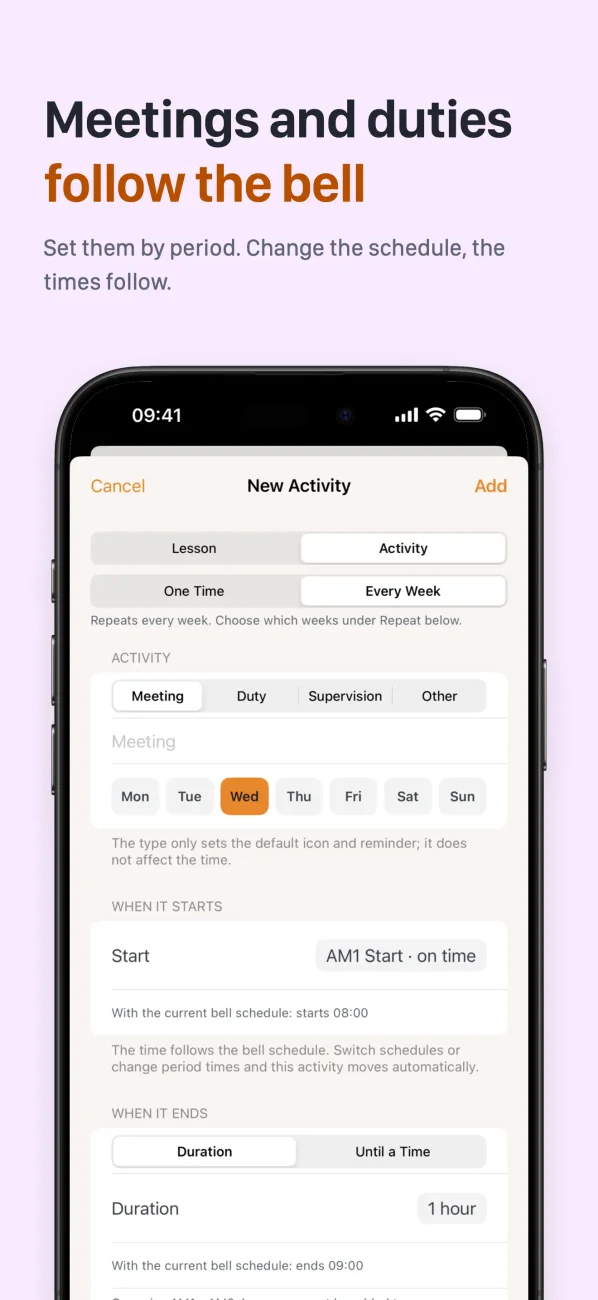
Put meetings, duty and supervision on the timetable. Set them by period: when the bell schedule changes, their times follow. They can remind you when they start.
FLEXIBLE WEEKS
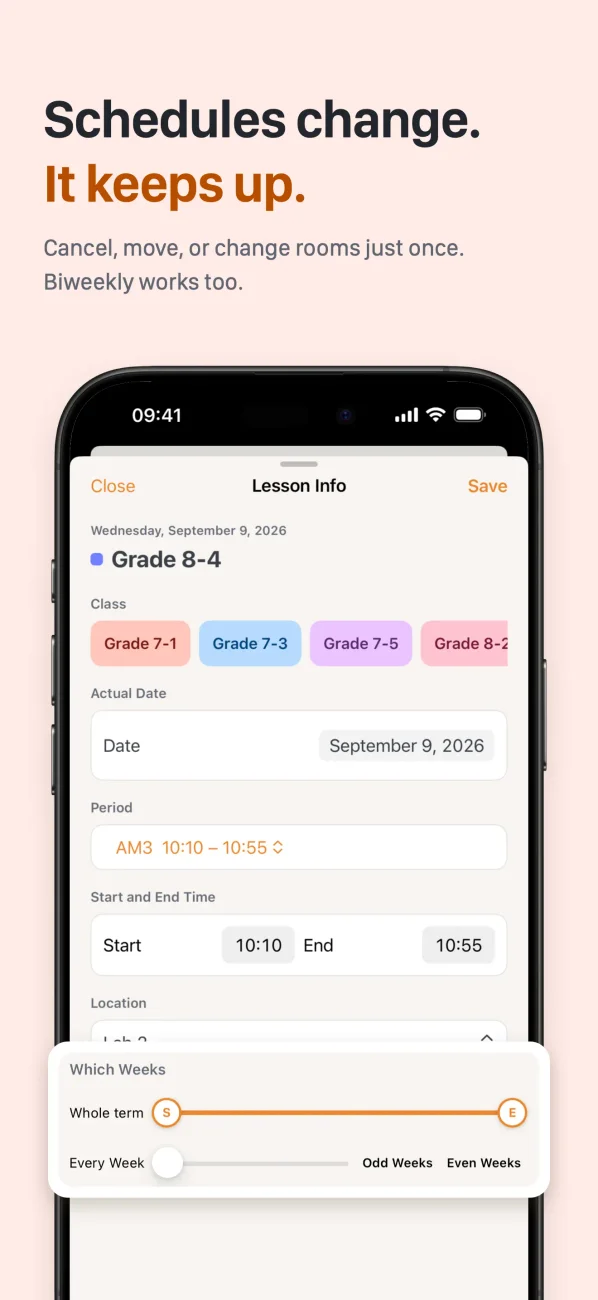
Every week, odd or even weeks, or every few weeks — from any week to any week. Designate rest days for odd and even weeks separately within a semester.
BELL SCHEDULE MANAGEMENT
Multiple bell schedules take effect by date, and any weekday can have its own. Schedules are grouped by date range, so when your school changes times, the usual and weekday schedules switch together. Create one by hand or pre-fill it from a Word document, reviewing each row before applying.
FLEXIBLE ADJUSTMENTS
Cancel a class, change the room, or reschedule a one-off — single-day changes never affect your weekly template.
CLASS REMINDERS
Automatic local notifications before each class. Canceled classes are silently removed from the notification queue. Tap a notification to jump straight to the lesson.
PRIVACY
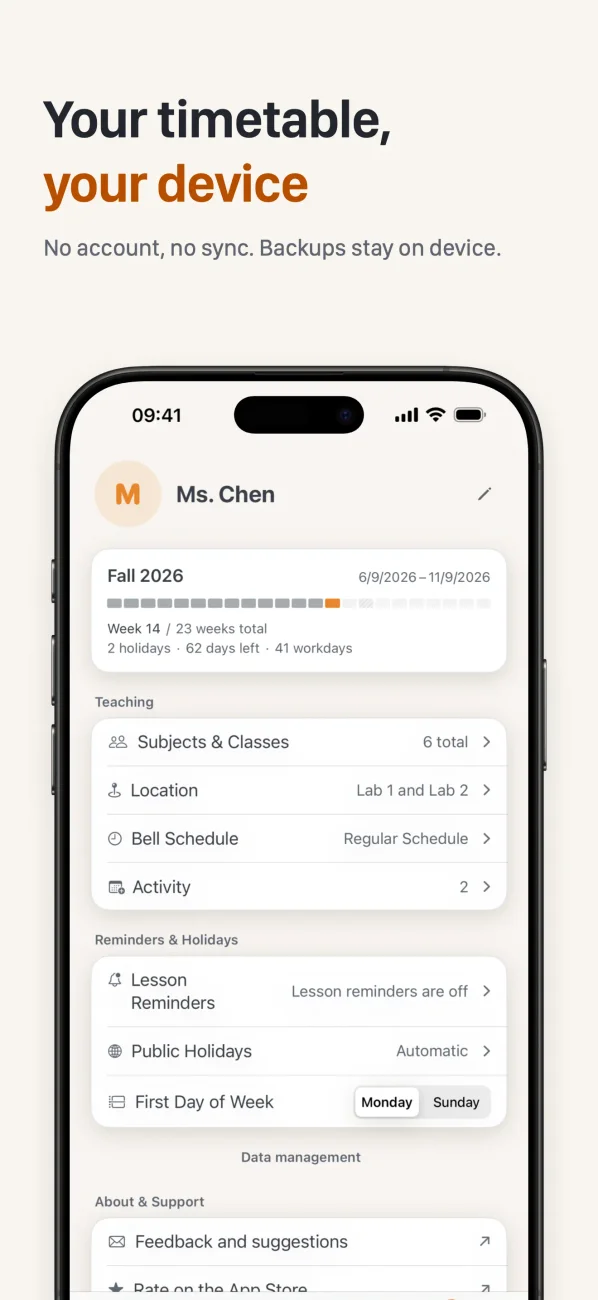
All your data stays on your device. No uploads, no cloud sync, no account required. Create up to 5 local backups, or export a snapshot to the Files app for safekeeping.
WIDGETS
Large widgets show your whole week, and the circular Lock Screen widget shows the countdown.
PUBLIC HOLIDAYS
Built-in holiday data for mainland China, Japan, South Korea, and Taiwan. When a holiday falls on a school day, the app lists affected classes for your confirmation before canceling anything.
Neue Funktionen
Version 1.1 · 11.10.2026
NextClass 1.1 adds many of the features teachers have been asking for.
• Multiple subjects: teach one class two subjects and still tell them apart — pick the subject when placing a lesson
• Week view and Full Week Schedule: the timetable now opens on a whole week (replacing the 3-day view). Tap the pencil at the top right to fill in a week cell by cell; switch to Clear to remove lessons, with Undo
• Double periods and week ranges: press and drag down on an empty cell for a double period; set every how many weeks, and from which week to which
• Meetings and duties: put meetings, duty and supervision on the timetable. Their times follow the bell schedule, and they can remind you when they start
• Bell schedules by weekday: give a weekday its own bell schedule. The bell schedule page is grouped by date range, and a whole group can be switched at once when your school changes times
• Multiple school levels: teaching both middle and high school? Add up to three levels, each with its own bell schedule
• Class rooms: each class remembers its room, so the location fills in when you schedule a lesson
• Look ahead: tap Tomorrow on Today to see the next teaching day — on a Friday evening it shows Monday
• Week widgets: large widgets show your whole week, and the circular Lock Screen widget shows the countdown
• Public holidays: with automatic holidays on, weekly lessons and activities are skipped on public holidays, with no reminders. Choose "Teach on holiday" when needed; your original schedule is kept
• The Excel timetable template now has drop-down lists
Plus many display and stability fixes.
App-Datenschutz
Was Jiangtao Sui im App Store zum Umgang dieser App mit Daten angibt.
-
Keine Daten erfasst
Der Entwickler erfasst keine Daten von dieser App.
Die Datenschutzpraktiken können variieren, zum Beispiel je nach den von Ihnen verwendeten Funktionen oder Ihrem Alter.
Informationen
- Anbieter
- 江涛 隋
- Kategorie
- Bildung
- Version
- 1.1
- Aktualisiert
- 11.10.2026
- Veröffentlicht
- 08.09.2026
- Größe
- 17,8 MB
- Erfordert
- iOS 18.0 oder neuer
- Altersfreigabe
- 4+
- Sprachen
- Japanisch, Vereinf. Chinesisch, Tradit. Chinesisch, Englisch, Koreanisch
- Copyright
- © 2026 CatCubed Studio