
Nightbeam
SFTP Media Streaming
Entwickelt für iPhone, iPad
Kostenlos · In-App-Käufe
- Altersfreigabe4+
- KategorieUnterhaltung
- EntwicklerNicholas Holmes
- SprachenEnglisch
- Größe58,1 MB
Verlinkt auf die offizielle App Store-Seite
Download.org hostet keine Datei von Nightbeam. Die Schaltfläche öffnet die App-Seite bei App Store, wo Nicholas Holmes die App veröffentlicht. Eintrag zuletzt geprüft am 06.11.2026.
Screenshots


Info
Der Entwickler hat diesen Text nicht in Ihrer Sprache bereitgestellt.
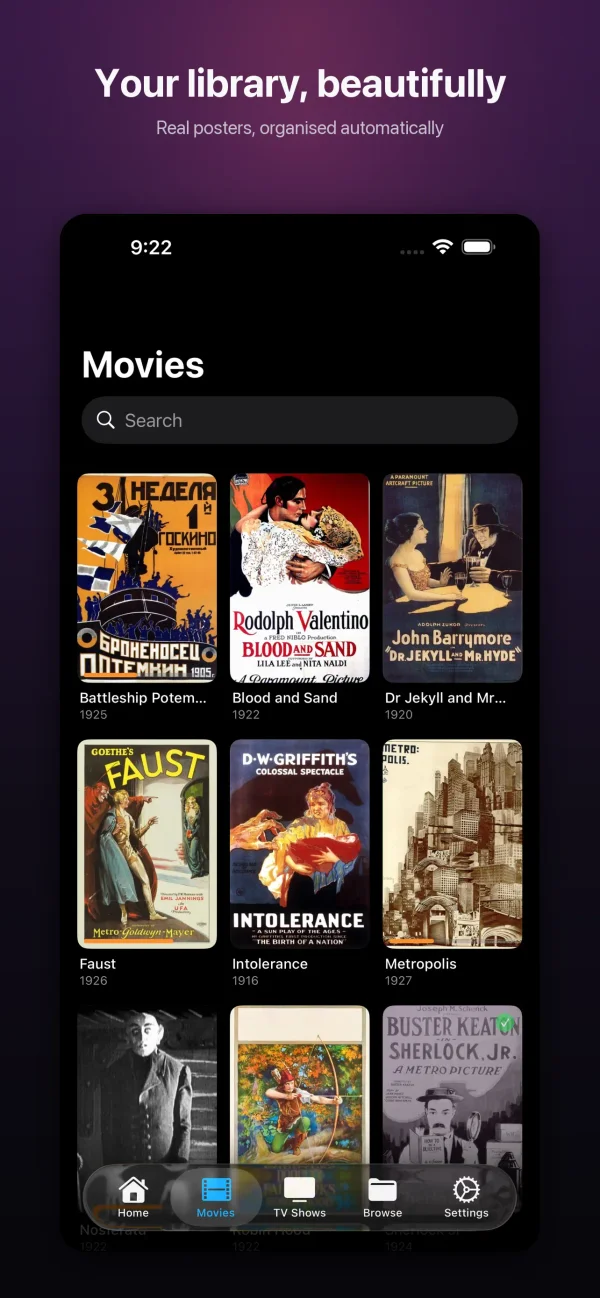
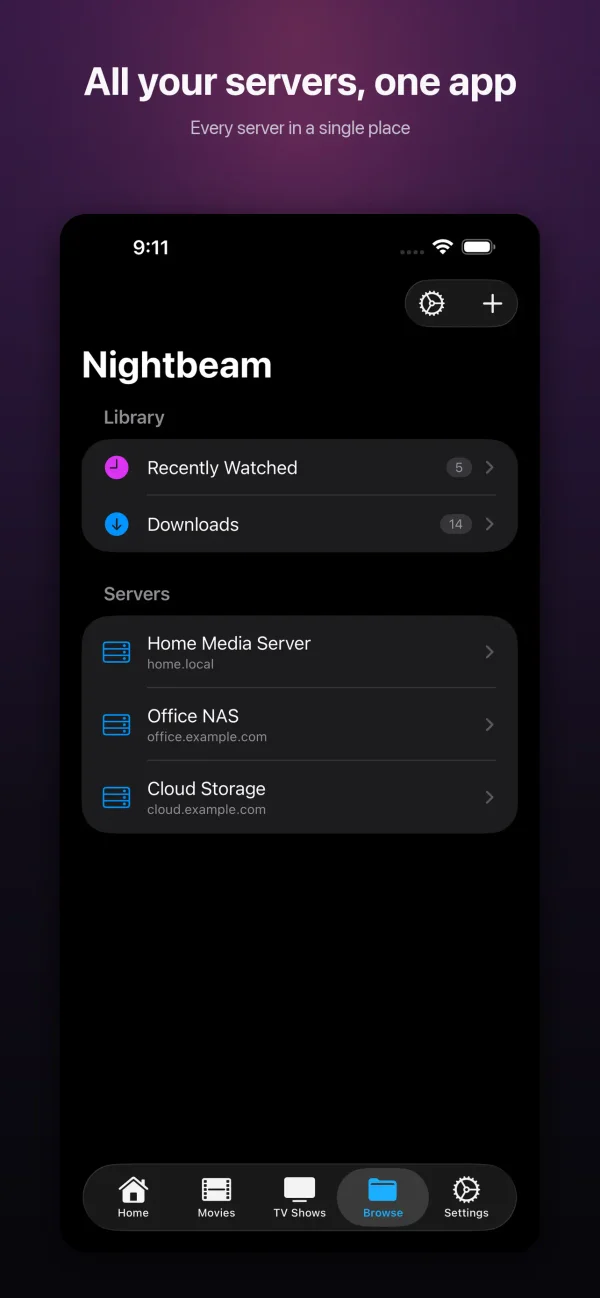
Nightbeam plays the movies and shows on your own SFTP or WebDAV server - streamed straight to your iPhone and iPad in full quality, with no cloud in the middle and no re-encoding. Point it at your home NAS or personal server and your folders become a real media library.
A real library, not a file list
• Home, Movies, and TV Shows tabs, built automatically from your folders
• Posters, seasons, and episodes - artwork pulled from images already sitting next to your videos
• Continue Watching picks up any file exactly where you left off
• Recently Added surfaces what landed this week
Streaming that just plays
• Progressive playback - video starts as the first bytes arrive, not after a full download
• Tuned for remote servers: connections stay warm between episodes for fast starts
• Resume opens right at your position, with an honest loading indicator that only spins when it's actually waiting on data
• Powered by VLC - plays virtually any format, with subtitle and audio-track selection
Two kinds of server
• SFTP (SSH) and WebDAV/HTTPS, side by side
• Browse, search, and sort your folders
On the big screen
• Background audio, Picture in Picture, and full Now Playing / lock-screen controls
• Cast to Chromecast
• Play on an external display or AR glasses - keeps going with the device locked
Private by design
• Your files never touch our servers - Nightbeam talks only to the server you choose
• No ads, no tracking, no account
Free & Pro
Nightbeam is free to use with one server and one library folder, at full streaming quality - no ads, no time limits.
Nightbeam Pro unlocks everything as a one-time purchase (no subscription):
• Unlimited servers and library folders
• Downloads for offline viewing, including whole folders in parallel
• Chromecast
• External display / AR-glasses output
• Auto-play the next episode
You'll need your own server
Nightbeam is a player. It includes no content and no sample server. Connect it to your own SFTP or WebDAV server (a home NAS, personal server, or similar).
---
Personal Server Access Only
Nightbeam is a personal SFTP client for accessing your own servers, NAS devices, and authorized file systems. This app does not provide, host, or facilitate access to any third-party content. Users are solely responsible for ensuring they have proper authorization to access any server they connect to and for complying with all applicable laws regarding the content they access. Nightbeam does not endorse or encourage the downloading of copyrighted material without permission.
Neue Funktionen
Version 3.0 · 14.09.2026
Nightbeam 3.0 is a ground-up rebuild of how your library works.
Your library, organised
• New Home, Movies, and TV Shows tabs turn your server's folders into a real media library
• Continue Watching picks up any file exactly where you left off
• Recently Added surfaces what landed on your server this week
• Artwork is pulled from poster images already sitting next to your videos
Faster, smoother playback
• Tap-to-picture is dramatically quicker on remote servers and connections stay warm between episodes instead of being rebuilt every time
• Resuming a long file now opens straight at your position instead of seeking after the fact
• Smarter buffering with an honest loading indicator
WebDAV servers
• Add HTTPS/WebDAV servers alongside SFTP, with browsing, downloads, and streaming
Bigger screens
• Play on an external display or AR glasses (video keeps going with the device locked!)
• Cast to Chromecast from the player
• Auto-play the next episode
Also new
• Background audio, Picture in Picture, and full Now Playing controls
• Exportable diagnostics for troubleshooting a stubborn server
App-Datenschutz
Was Nicholas Holmes im App Store zum Umgang dieser App mit Daten angibt.
-
Keine Daten erfasst
Der Entwickler erfasst keine Daten von dieser App.
Die Datenschutzpraktiken können variieren, zum Beispiel je nach den von Ihnen verwendeten Funktionen oder Ihrem Alter.
Informationen
- Anbieter
- Nicholas Holmes
- Kategorie
- Unterhaltung
- Version
- 3.0
- Aktualisiert
- 14.09.2026
- Veröffentlicht
- 20.01.2026
- Größe
- 58,1 MB
- Erfordert
- iOS 18 oder neuer
- Altersfreigabe
- 4+
- Preis
- Kostenlos
- In-App-Käufe
- Ja
- Sprachen
- Englisch
- Copyright
- © 2026