
Note.md: Markdown, HTML Viewer
iCloud editor & read aloud
Entwickelt für iPhone, iPad
In-App-Käufe
- Altersfreigabe4+
- KategorieProduktivität
- EntwicklerHAYATO KUBO
- SprachenEnglisch+ 1 weitere
- Größe12,4 MB
Note.md: Markdown, HTML Viewer ist bei App Store derzeit möglicherweise nicht verfügbar
Bei unserer letzten Prüfung war der Store-Eintrag nicht erreichbar. Der Link führt weiterhin zur offiziellen App Store-Seite.
Screenshots

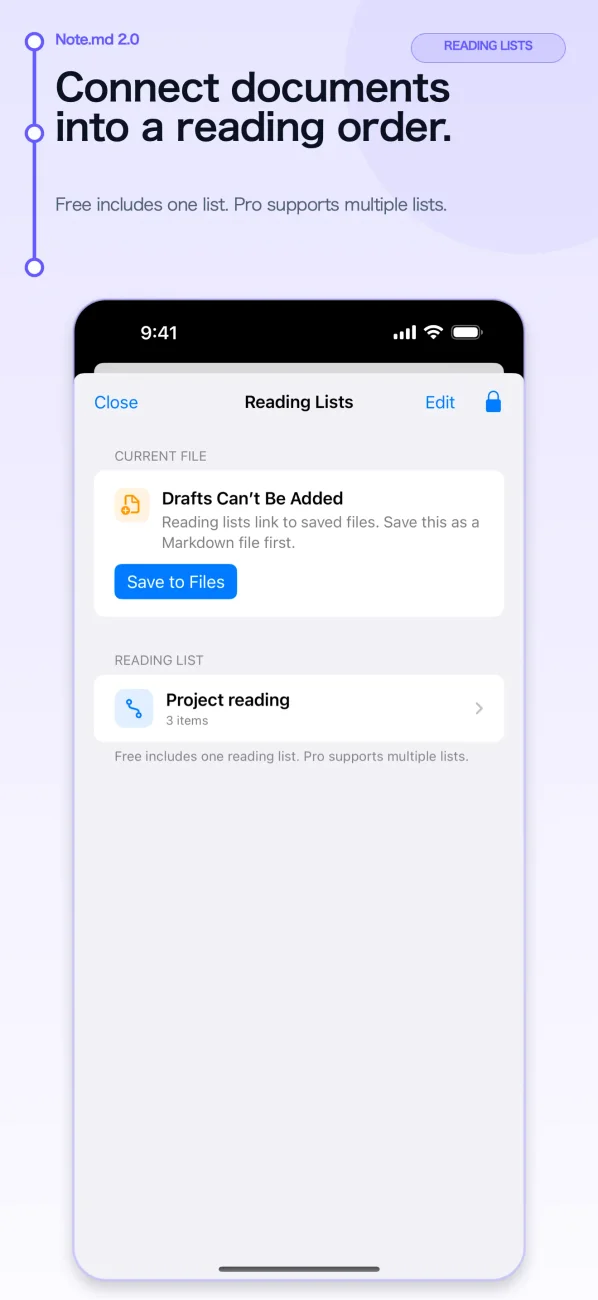
Info
Der Entwickler hat diesen Text nicht in Ihrer Sprache bereitgestellt.
Read Markdown from iCloud and explore saved HTML with interactive charts and sliders.
Note.md helps you revisit explanations, change conditions, and study your files on iPhone and iPad.
Keep your learning notes, AI-created explanations, and work documents useful long after you save them.
INTERACTIVE HTML — PRO
Open an HTML lesson and use its sliders and buttons to see how a chart or result changes.
Supports self-contained .html and .htm files with HTML, CSS, JavaScript, and all required data embedded in one file.
READ AND EDIT MARKDOWN — FREE
Preview headings, tables, and code. Edit your notes and save changes to the original Markdown file.
Use the outline and document search to find the section you need.
KEEP NOTES AND LESSONS TOGETHER
Open .md and .html files from Files or iCloud Drive without moving them into an app-specific library.
Follow relative links in Markdown to related HTML lessons. Viewing and interacting with HTML requires Pro.
LISTEN TO YOUR NOTES
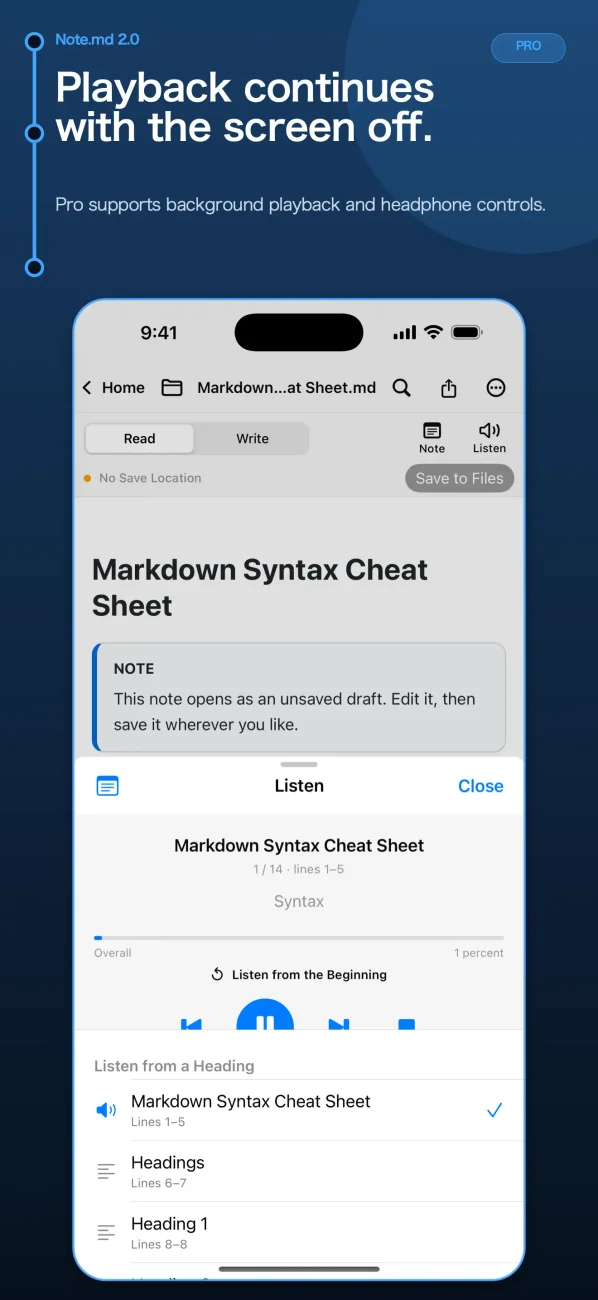
Read Markdown aloud while the app is in the foreground for free.
Pro adds background playback, including playback while your screen is locked.
KEEP YOUR THOUGHTS WITH THE DOCUMENT
Record questions and ideas in document memos without changing the original text. Memos for up to 3 documents are free; Pro removes the limit.
Pro also lets you export Markdown as PDF or HTML to share your notes.
USING HTML
Create and save a self-contained HTML file in another tool, then open it in Note.md. Note.md does not generate HTML with AI.
HTML that needs external network requests, a CDN, or separate files is not supported. Downloaded self-contained HTML can be used offline.
HTML is view-only. HTML source editing and persistent saving of interactive values are not supported. Values reset when you reopen the file.
NOTE.MD PRO
Choose monthly, annual, or lifetime access. Eligible Apple Accounts can try all Pro features, including HTML, free for the first 2 weeks on a monthly or annual subscription.
After the free trial, your subscription automatically renews at the price of the selected plan. Cancel in your Apple Account subscription settings at least 24 hours before the end of the current period to prevent renewal.
Lifetime access has no free trial or automatic renewal. See the purchase screen for prices and eligibility.
Your original files are not deleted when Pro access ends. Reading, editing, and saving Markdown remain free.
Terms of Use: https://saio-o.github.io/Note-md/terms.html
Privacy Policy: https://saio-o.github.io/Note-md/privacy.html
Neue Funktionen
Version 4.0 · 14.10.2026
Explore the explanations you save.
• Added viewing and interaction for self-contained HTML files with Pro.
• Open HTML lessons from your file list or links in Markdown.
• Redesigned the Pro screen to make features and plans easier to explore.
• Eligible customers can try all Pro features free for the first 2 weeks on monthly or annual subscriptions.
Reading, editing, and saving Markdown remain free.
App-Datenschutz
Was HAYATO KUBO im App Store zum Umgang dieser App mit Daten angibt.
-
Keine Daten erfasst
Der Entwickler erfasst keine Daten von dieser App.
Die Datenschutzpraktiken können variieren, zum Beispiel je nach den von Ihnen verwendeten Funktionen oder Ihrem Alter.
Informationen
- Anbieter
- HAYATO KUBO
- Kategorie
- Produktivität
- Version
- 4.0
- Aktualisiert
- 14.10.2026
- Veröffentlicht
- 20.02.2026
- Größe
- 12,4 MB
- Erfordert
- iOS 17.6 oder neuer
- Altersfreigabe
- 4+
- In-App-Käufe
- Ja
- Sprachen
- Englisch, Japanisch
- Copyright
- © 2026 HAYATO KUBO
Das könnte Ihnen auch gefallen
-
 MDWriter - Simple Text EditorProduktivität
-
 MD ShareProduktivität
-
 Markdown Reader & Editor - MDMermaid Diagramme, PDF Export
-
 Markdown.md - Notes & PreviewProduktivität
-
 Arg0Produktivität
-
 MarkyProduktivität
-
 Petalance:Habit TrackerProduktivität
-
 MathDown - Markdown LaTeX DocsProduktivität
-
 MDer: Markdown ReaderProduktivität
-
 SuiRead: HTML ReaderProduktivität