
Notebook - Journal & Planner
Handwritten notes–no clutter.
Entwickelt für iPad
Kostenlos · In-App-Käufe
- Altersfreigabe4+
- KategorieProduktivität
- EntwicklerFive and Two
- Größe4,4 MB
Verlinkt auf die offizielle App Store-Seite
Download.org hostet keine Datei von Notebook - Journal & Planner. Die Schaltfläche öffnet die App-Seite bei App Store, wo Five and Two die App veröffentlicht. Eintrag zuletzt geprüft am 18.11.2026.
Screenshots

Info
Der Entwickler hat diesen Text nicht in Ihrer Sprache bereitgestellt.
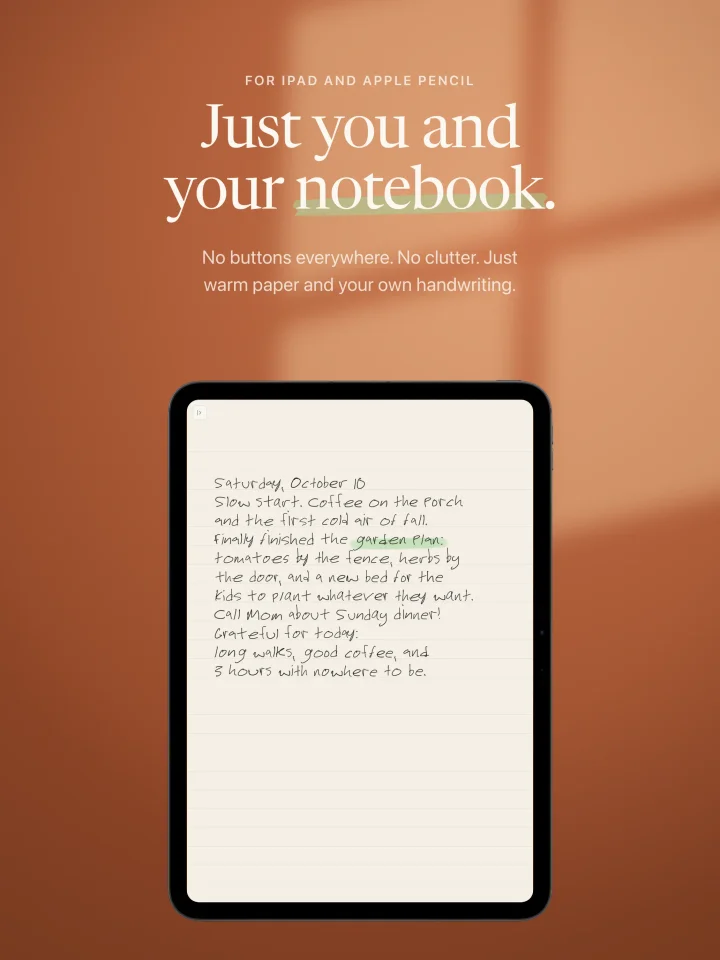
Just you and your notebook.
Most note apps fill the screen with buttons, menus and icons. Notebook gets out of the way. Open a notebook and there's nothing but warm paper and your own handwriting: a journal, planner and notebook on the iPad you already own, with everything digital does best.
PAPER FIRST
• Pages drawn to fit your exact iPad, edge to edge
• Dotted, lined, grid, Cornell and more
• Swipe to turn the page, or swipe past the last one for a fresh sheet
• Classic, leather and linen covers for every notebook
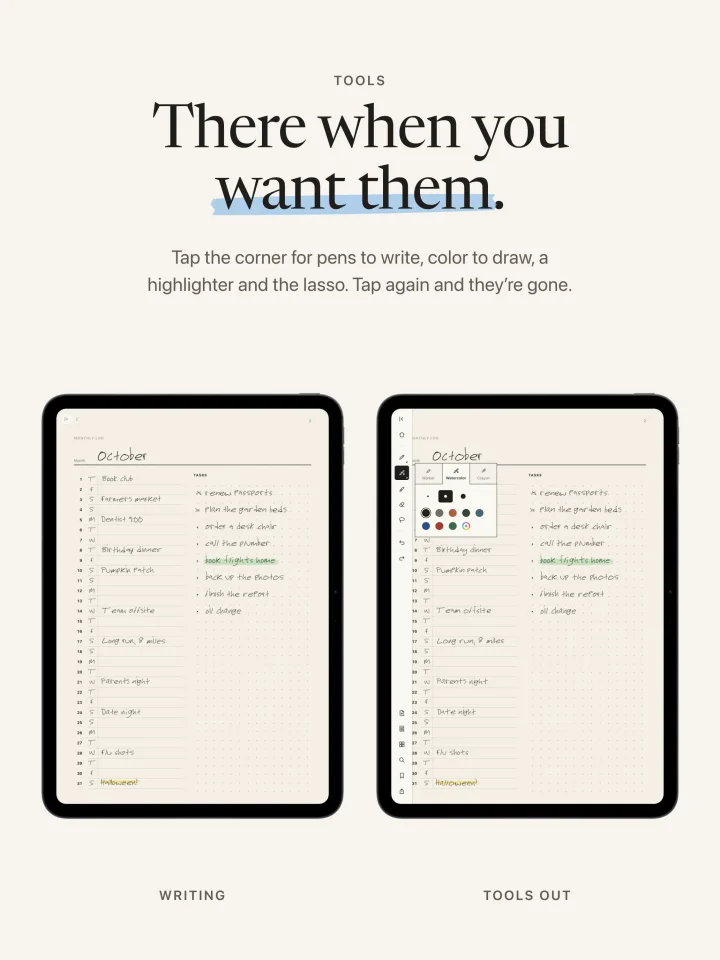
TOOLS WHEN YOU WANT THEM
• Tap the corner tab for your tools. Tap again and they're gone.
• Write: fineliner, fountain pen and pencil
• Draw: marker, watercolor and crayon
• Highlighter, eraser and lasso, plus any ink color you like
• Double-tap Apple Pencil to switch to the eraser and back
• Squeeze Apple Pencil Pro to show or hide the toolbar
• Tap with two fingers to undo, three to redo
STICKERS, TAPE AND PICTURES
• Sticker sheets and washi tape to decorate any page
• Drag across a page to lay a strip of tape
• Make a sticker from any photo
• Add pictures from your library, then move, resize and turn them with your fingers
• New sticker packs arrive all year
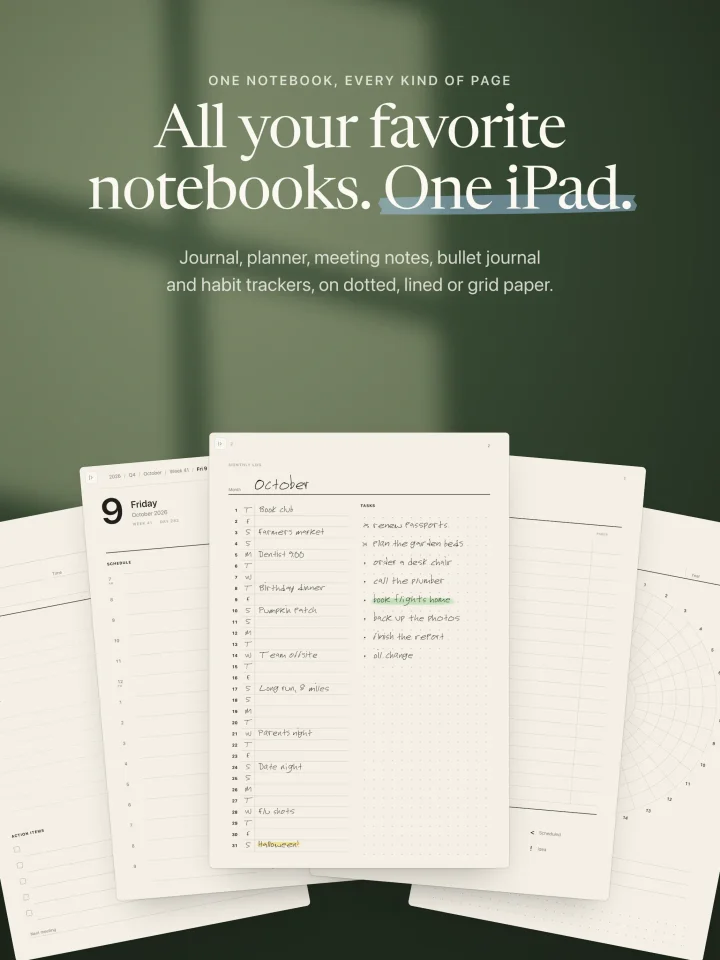
ALL YOUR NOTEBOOKS, ON ONE IPAD
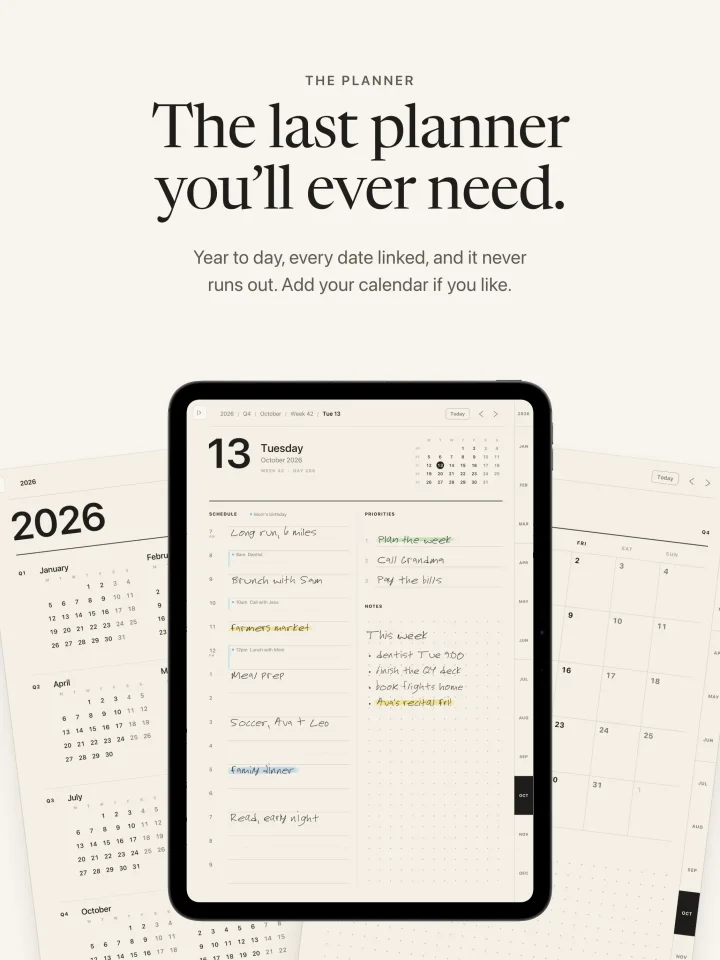
• Planner: year, quarter, month, week and day pages, all linked and endless. Tap any date to go there.
• Your calendar, if you want it: events from iCloud, Google or Outlook print lightly on your planner's days and weeks
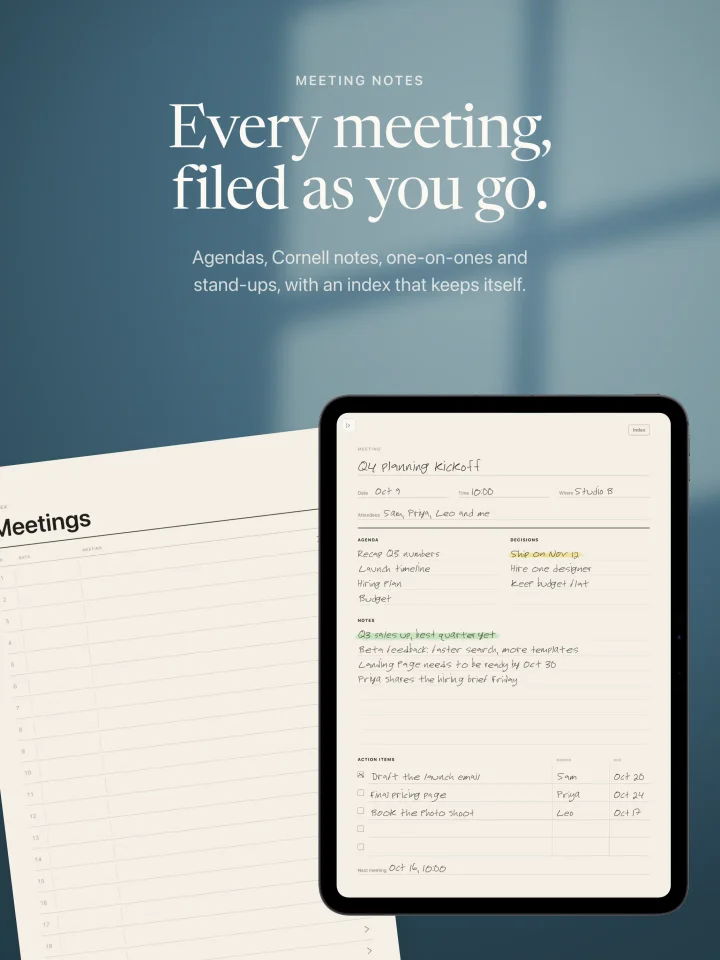
• Meeting notes: agenda, Cornell, one-on-one and stand-up pages, with an index that keeps itself
• Bullet journal: index, future log, monthly and daily pages
• Habit trackers: a monthly grid, a week, a wheel and a year in pixels
• Daily reflection: a Bible verse for every day of the year (WEB or KJV), with space to reflect, give thanks and pray
• More templates, like a reading log and a gratitude page, with new ones added all year
PRIVATE BY DESIGN
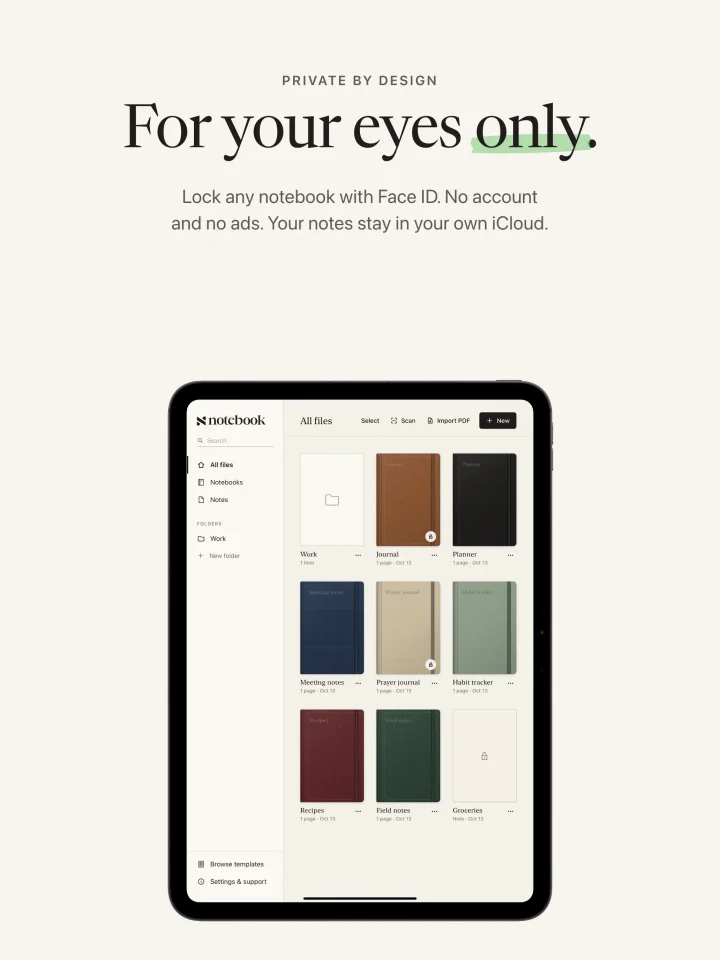
• Lock any notebook or note with Face ID
• Locked pages stay covered in search and tags until you unlock them
• No account to create and no ads
• Your handwriting is read on your iPad and never sent anywhere
FIND ANYTHING
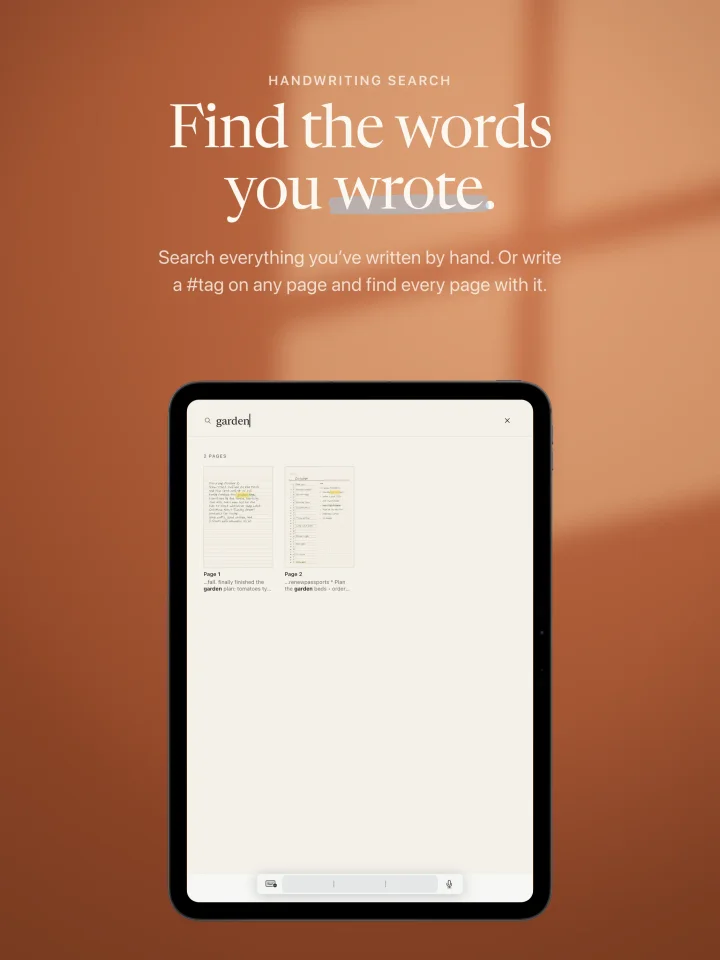
• Search your handwriting across every notebook, or inside one
• Write #gratitude or #ideas on any page, and Tags gathers every page with it
• Write "see p. 12" and it becomes a link to page 12
• Bookmarks hang a ribbon on the page and take you straight back
• Turn a page or a lasso selection into typed text, and share it as a Word document for Google Docs, Word or Pages
BRING YOUR OWN PAPER
• Scan your paper notes and keep only your writing, not the paper or its lines. Erase, move and search it like ink.
• Import PDFs and write right on them. Their links keep working while you write.
• Turn any PDF into paper for every notebook, including one page, or a whole set, that repeats fresh each time you add a page
• Scan handouts, receipts and whiteboards with the camera
• Export any notebook as a PDF that opens anywhere
AND THE SMALL THINGS
• Home Screen widgets: a new note, today's page, or the verse of the day
• iCloud sync across your iPads
• No AI, no clutter. Just your page.
Terms of Use: https://getnotebook.app/terms
Privacy Policy: https://getnotebook.app/privacy
Neue Funktionen
Version 1.1.1 · 15.11.2026
This update makes writing faster and fixes a few bugs:
• Writing on planner pages is smooth again, even when the page is full.
• Long pages are faster to write on, on every paper.
• Events you add in the Calendar app now show up in your planner right away.
• The "…" button in All pages now opens the page menu every time.
App-Datenschutz
Was Five and Two im App Store zum Umgang dieser App mit Daten angibt.
-
Mit Ihnen verknüpfte Daten
Können erfasst und mit Ihrer Identität verknüpft werden.
- Kontaktinformationen
Die Datenschutzpraktiken können variieren, zum Beispiel je nach den von Ihnen verwendeten Funktionen oder Ihrem Alter.
Informationen
- Anbieter
- Five and Two Ministries Inc.
- Kategorie
- Produktivität
- Version
- 1.1.1
- Aktualisiert
- 15.11.2026
- Veröffentlicht
- 09.11.2026
- Größe
- 4,4 MB
- Erfordert
- iOS 17.0 oder neuer
- Altersfreigabe
- 4+
- Preis
- Kostenlos
- In-App-Käufe
- Ja
- Copyright
- © 2026 Five and Two Ministries Inc.
Das könnte Ihnen auch gefallen
-
 dots: moodboard plannerProduktivität
-
 Rhizo: Freeform Mind MapProduktivität
-
 Infinity - Nested CanvasProduktivität
-
 Better Notes: PDF NotebooksProduktivität
-
 Bitslips – fast note takingProduktivität
-
 Papyr: Journaling AppProduktivität
-
 Dax PlannerProduktivität
-
 My Notes & CardsProduktivität
-
 NoteFolio: Digital NotebookProduktivität
-
 Jotable - Simple NotesProduktivität