
Noting: Smart Voice To-Do List
Talk to plan, focus on top 3
Entwickelt für iPhone, iPad, Mac
Kostenlos · In-App-Käufe
- Altersfreigabe4+
- KategorieProduktivität
- Entwickler永宁 许
- SprachenEnglisch+ 1 weitere
- Größe12,8 MB
Verlinkt auf die offizielle App Store-Seite
Download.org hostet keine Datei von Noting: Smart Voice To-Do List. Die Schaltfläche öffnet die App-Seite bei App Store, wo 永宁 许 die App veröffentlicht. Eintrag zuletzt geprüft am 23.11.2026.
Screenshots

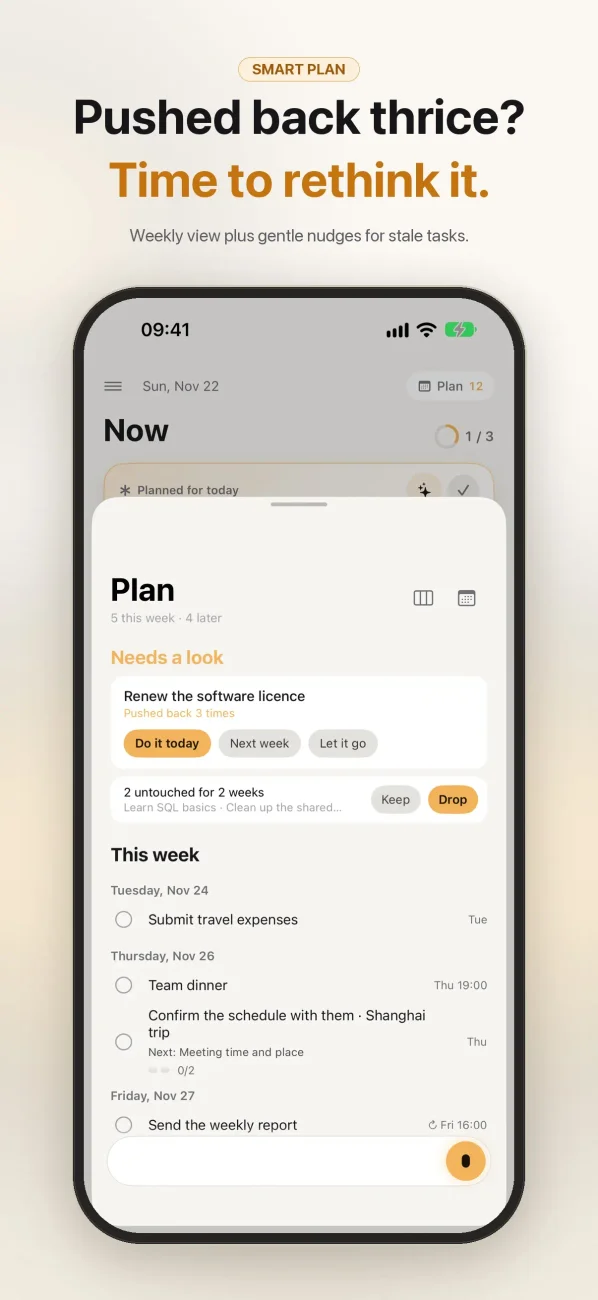
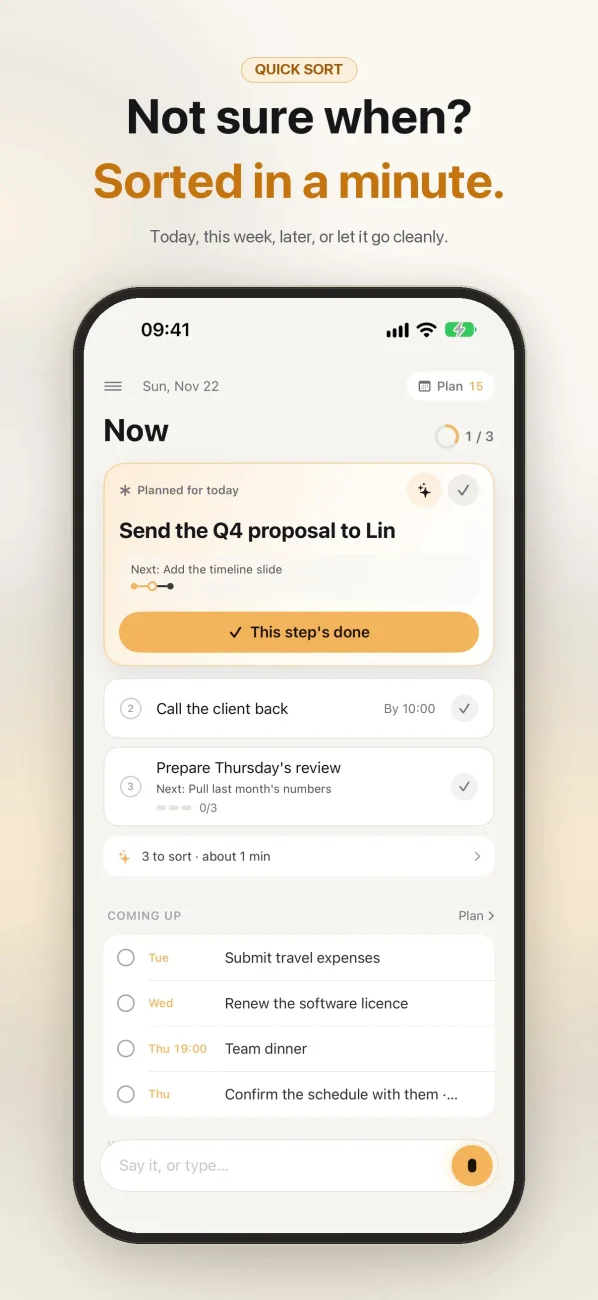
Info
Der Entwickler hat diesen Text nicht in Ihrer Sprache bereitgestellt.
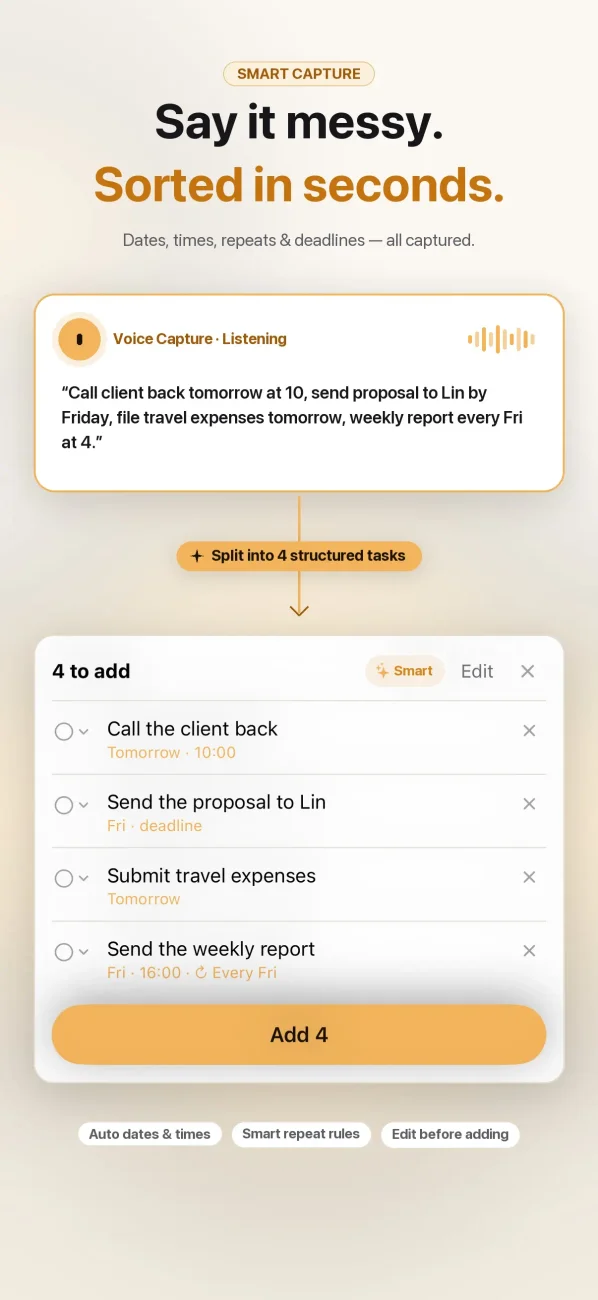
Tired of typing tasks, picking dates, and setting reminders one by one? Just say it.
Between meetings, on the commute, or before bed, brain-dump everything on your mind in one breath:
"Call the client tomorrow at 10, send the Q4 proposal by Friday, weekly report every Friday at 4, and buy cat food."
Noting streams your words live and turns them into dated tasks with repeats and reminders in seconds.
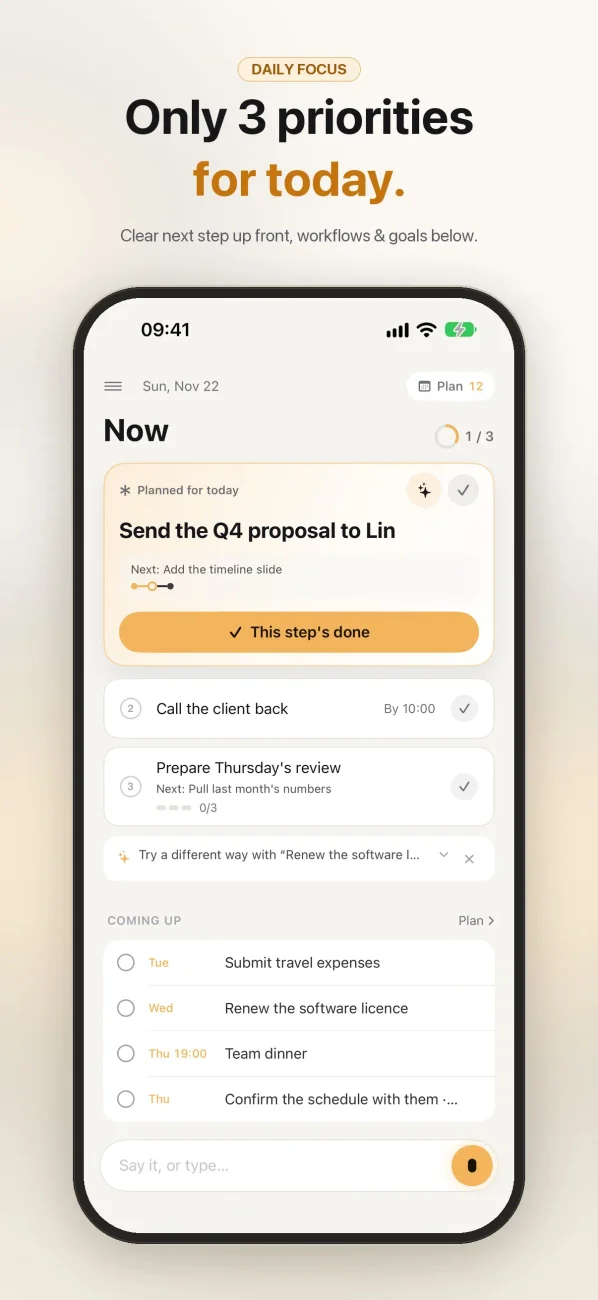
1. FOCUS ON JUST 3 THINGS A DAY
• Now surfaces only today's top 3 priorities so you never freeze in front of an endless list.
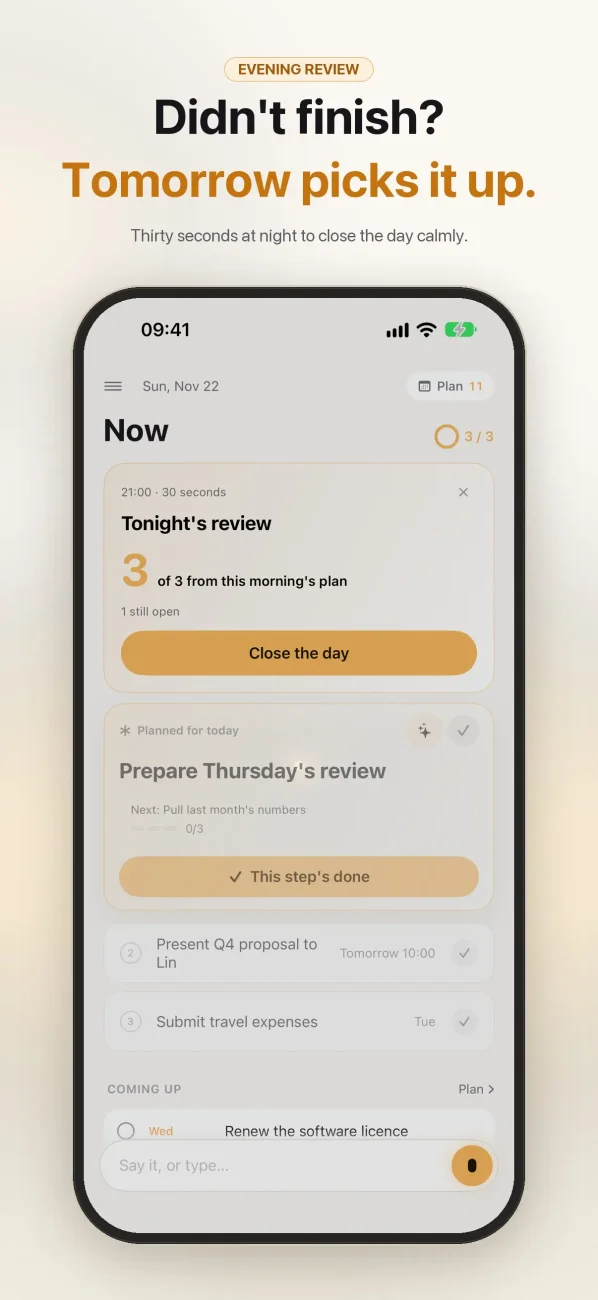
• Close your day in 30 seconds each night — unfinished tasks roll smoothly into tomorrow.
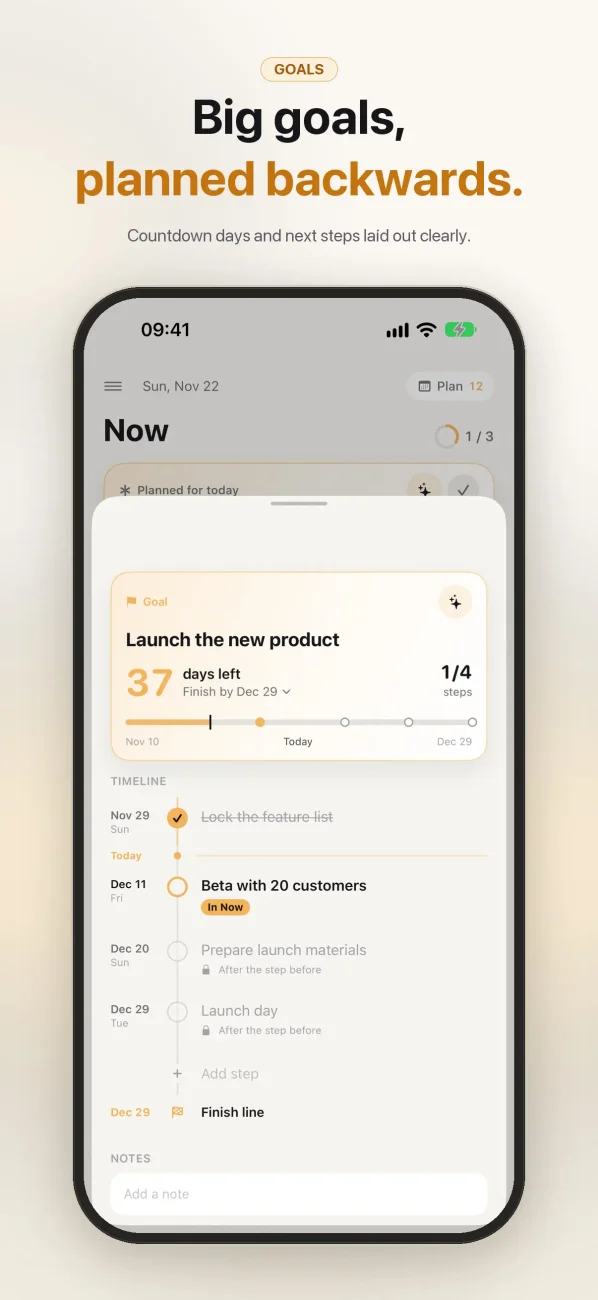
2. BREAK BIG TASKS INTO STEPS
• Stuck on a big task or long-term goal? Let the smart assistant break it into clear, bite-sized steps and surface only the next move.
• Ask the smart assistant right inside any task to brainstorm, refine your plan, or draft a message.
3. PLAN WHOLE ROUTINES IN ONE SENTENCE
• Save recurring routines (trips, launches, meetings, study prep) as reusable Workflows — or draft one in one sentence.
• Say "Shanghai trip next Wednesday" and every step lands on its exact day with a matching checklist. Change the date once and all remaining steps shift automatically.
4. CAPTURE ANYWHERE, SYNC EVERYWHERE
• Learns your habits and preferences (with full user control) and sends a weekly review every Sunday.
• Widgets, Lock Screen, Siri, Apple Watch, and a full Mac app with global quick-capture. Syncs seamlessly via iCloud with bilingual English & Chinese voice recognition.
NOTING PRO
• Core to-dos, lists, steps, repeats, reminders, widgets, and daily free smart organizing allowances are free.
• Start a 7-day free trial for unlimited smart organizing & step breakdowns, unlimited goals & workflows, smart workflow drafting, and full smart weekly reviews. We send a reminder 2 days before your trial ends; cancel anytime in Apple ID Settings.
Terms of Use: https://www.apple.com/legal/internet-services/itunes/dev/stdeula/
Privacy Policy: https://ishincassir.github.io/noting-legal/privacy-en.html
Neue Funktionen
Version 1.3.3 · 22.11.2026
Refreshed light-mode experience matching system appearance, plus smoother onboarding and Pro free trial flow.
App-Datenschutz
Was 永宁 许 im App Store zum Umgang dieser App mit Daten angibt.
-
Nicht mit Ihnen verknüpfte Daten
Können erfasst werden, sind aber nicht mit Ihrer Identität verknüpft.
- Benutzerinhalte
- Kennungen
Die Datenschutzpraktiken können variieren, zum Beispiel je nach den von Ihnen verwendeten Funktionen oder Ihrem Alter.
Informationen
- Anbieter
- 永宁 许
- Kategorie
- Produktivität
- Version
- 1.3.3
- Aktualisiert
- 22.11.2026
- Veröffentlicht
- 02.11.2026
- Größe
- 12,8 MB
- Erfordert
- iOS 26.0 oder neuer
- Altersfreigabe
- 4+
- Preis
- Kostenlos
- In-App-Käufe
- Ja
- Sprachen
- Englisch, Vereinf. Chinesisch
- Copyright
- © 2026 Noting