Occasions: Event Planner
Guests, seating, budget, RSVP
Entwickelt für iPhone, iPad
Kostenlos · In-App-Käufe
- Altersfreigabe4+
- KategorieLifestyle
- EntwicklerCreateful Ltd
- SprachenEnglisch
- Größe46,2 MB
Verlinkt auf die offizielle App Store-Seite
Download.org hostet keine Datei von Occasions: Event Planner. Die Schaltfläche öffnet die App-Seite bei App Store, wo Createful Ltd die App veröffentlicht. Eintrag zuletzt geprüft am 16.11.2026.
Screenshots
Info
Der Entwickler hat diesen Text nicht in Ihrer Sprache bereitgestellt.
Birthdays, anniversaries, christenings, retirement dos, work parties, fundraisers, reunions. Everything you need to run them, on your iPhone and iPad.
ONE APP, NOT FIFTEEN TEMPLATES
Nothing here assumes what kind of event you are running. You define its parts: a drinks reception and a dinner, a ceremony and a lunch, or one long afternoon. Guests, suppliers and schedules attach to a part rather than the whole event. A fiftieth birthday and a company away-day are not the same event, and neither has to pretend to be a wedding.
THE OVERVIEW
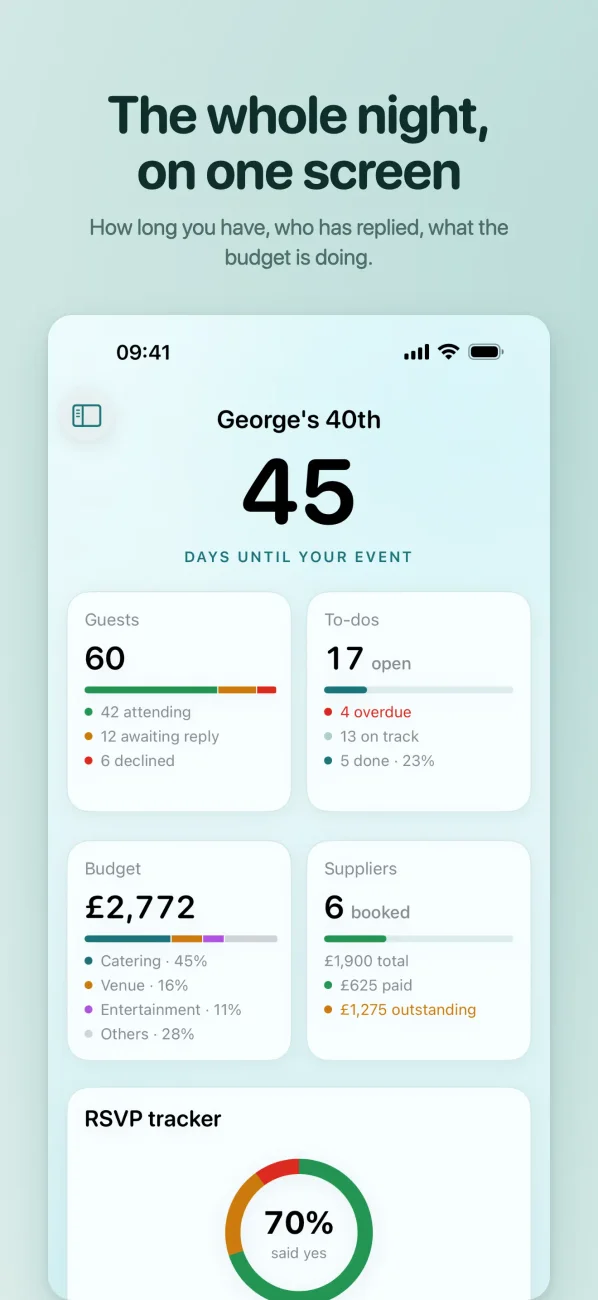
Open the app and the event is there. How long you have, how many have replied, what the budget is doing, which suppliers are still owed. Every number comes from the plan, and anything overdue rises to the top on its own.
THE GUEST LIST
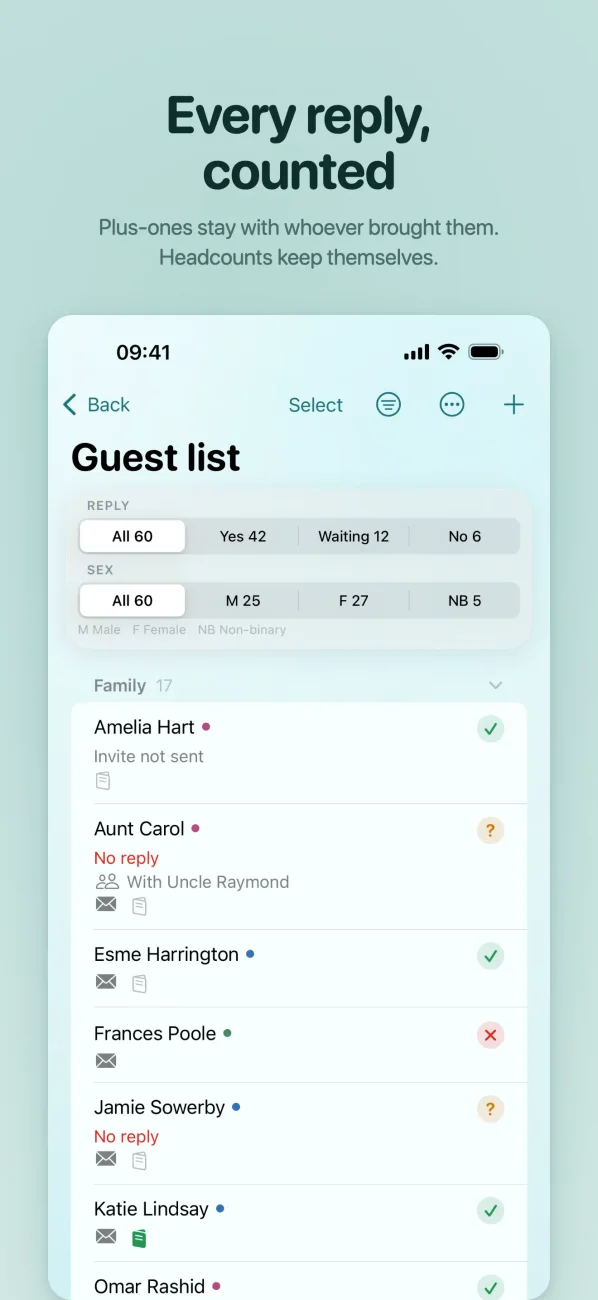
Invite people to the whole event or one part of it, track who has replied, and keep plus-ones attached to whoever brought them. Headcounts update as replies come in, so the number you give the venue is the number you have. Dietary and access needs sit on the guest, not in a note somewhere else.
SEATING
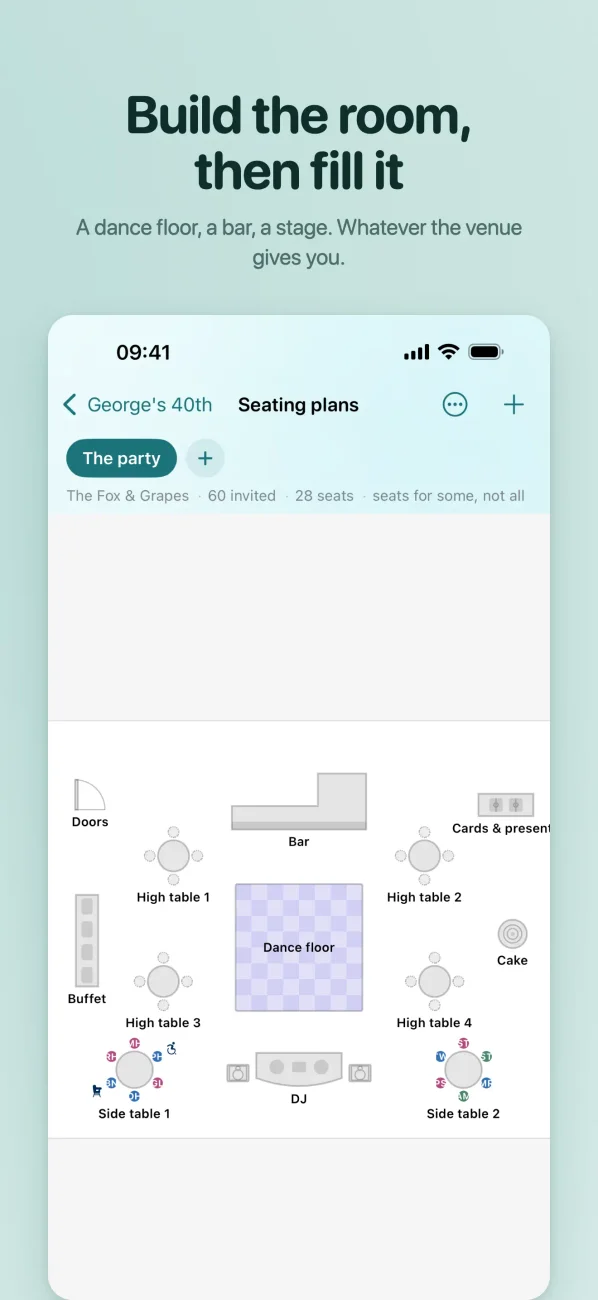
Build the room from what the venue gives you: round tables, long tables, a bar, a stage, a dance floor. Put people in seats while the app counts who is still standing, and it flags a seat held by somebody who dropped out. Print it or send a PDF when the venue asks.
MONEY
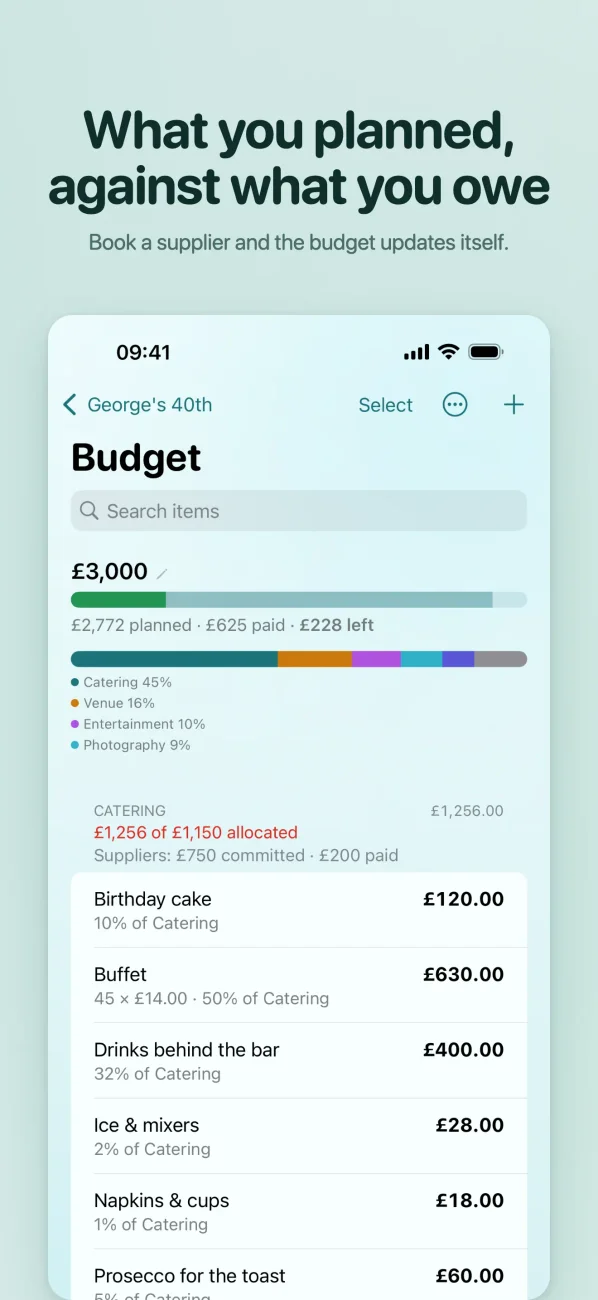
Set what you expect to spend by category, and the app fills in what you have committed from the suppliers you have booked. Categories cannot out-promise the budget, and going over is reported rather than rewritten.
THE RUNNING ORDER
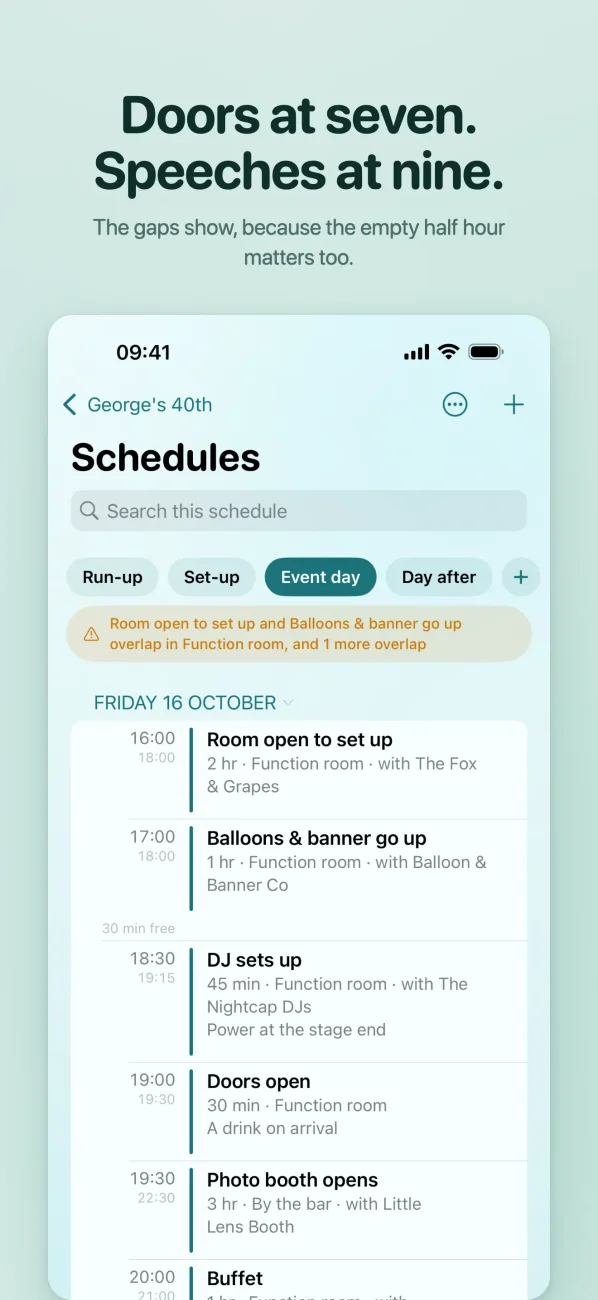
Doors at seven, speeches after the main course, band on at nine. Build the running order for the event, and separate ones for the set-up and the clear-down. The gaps show between the entries, because the empty half hour matters as much as the things either side.
SUPPLIERS
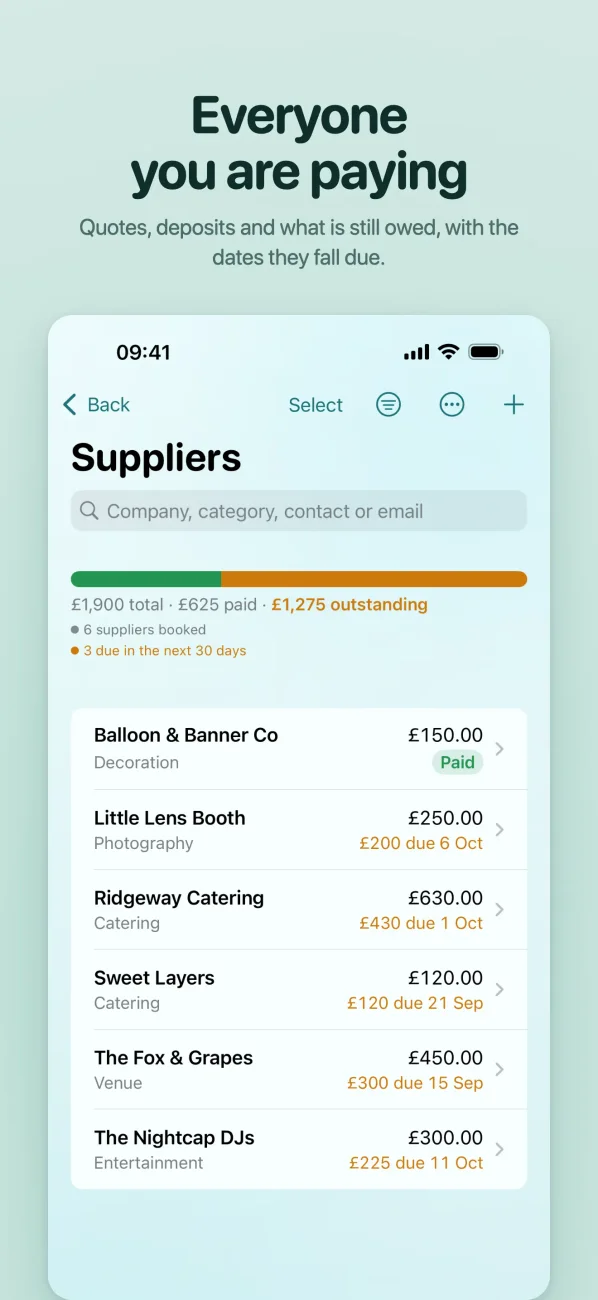
The venue, the caterer, the band, the hire company. Contacts, quotes, what is agreed and what is still owed. Each supplier is filed under a budget category, so booking one updates the budget without you telling it twice. Deposits carry dates, so money due next month is visible this month.
TO-DOS
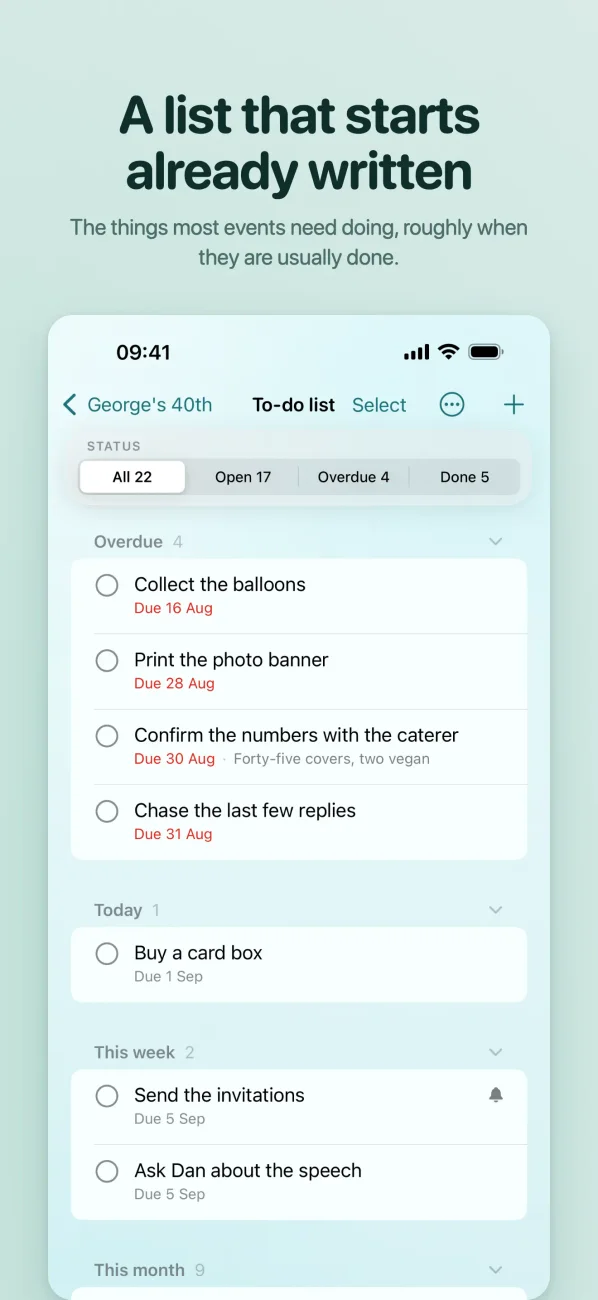
A new plan arrives with a checklist in it: the things most events need doing, roughly when they are usually done. Take what is useful, ignore the rest, and share the tasks out.
SCRAPBOOK
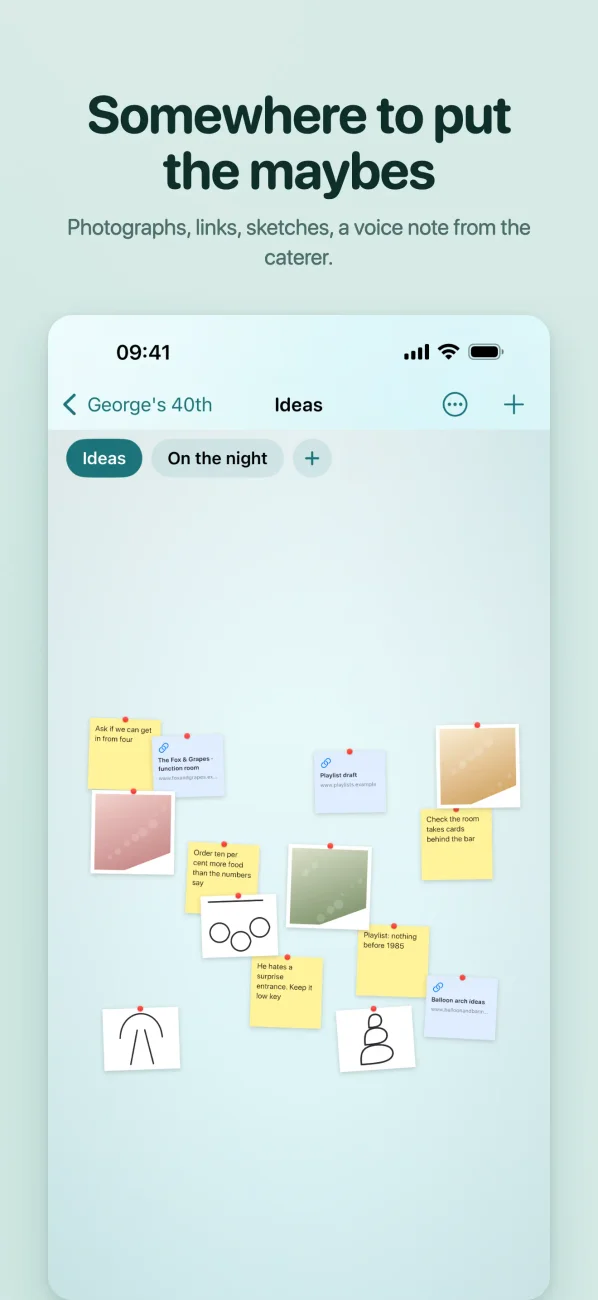
A wall you pin things to: photographs, links, sketches, a voice note from the caterer. Keep several boards, one per undecided thing.
ON THE HOME SCREEN
Three widgets in every size, plus Lock Screen countdowns and Control Centre buttons. Tick a task off from the Home Screen and it is done in the app. On the night a Live Activity holds the running order on the Lock Screen, with a button to move things on when one runs late.
ALSO IN THERE
Catering by course. Colour palettes lifted from a photograph. Thank-you tracking. Spreadsheet import and PDF export. Fifteen accent themes and six app icons. A finished event is archived in full rather than deleted.
SYNC AND SHARING
With a subscription your event syncs through your own iCloud, so every device shows the same guest list and balance owing. Then share it with whoever is running it with you: a partner, a co-organiser, whoever books the venue. They open it on their own Apple Account and are in the same event, not a copy. They do not need a subscription of their own. It all goes through Apple: no account to create with us, and no copy of your guest list on a server we control.
WHAT IT COSTS
Free to use for one event, with up to twenty-five items in each list. A subscription lifts the limits, adds sync and sharing, and covers Occasion Plans: Weddings too.
Personal covers one event, Planner up to ten, and Unlimited as many as you need. Each is sold monthly or yearly and starts with one month free. Personal Forever is a single payment for one event and does not renew.
Terms of Use: https://www.occasionplans.com/terms
Privacy Policy: https://www.occasionplans.com/privacy
Neue Funktionen
Version 2.1.0 · 25.10.2026
Ready for iPhone Duo. On the cover display, the seating plan and schedule tabs stay clear of the status bar. On the inner display, editors and the share sheet use its full width rather than rising from the bottom like a phone sheet.
App-Datenschutz
Was Createful Ltd im App Store zum Umgang dieser App mit Daten angibt.
-
Keine Daten erfasst
Der Entwickler erfasst keine Daten von dieser App.
Die Datenschutzpraktiken können variieren, zum Beispiel je nach den von Ihnen verwendeten Funktionen oder Ihrem Alter.
Informationen
- Anbieter
- Createful Ltd
- Kategorie
- Lifestyle
- Version
- 2.1.0
- Aktualisiert
- 25.10.2026
- Veröffentlicht
- 28.04.2013
- Größe
- 46,2 MB
- Erfordert
- iOS 18.0 oder neuer
- Altersfreigabe
- 4+
- Preis
- Kostenlos
- In-App-Käufe
- Ja
- Sprachen
- Englisch
- Copyright
- © Createful Ltd 2026
Das könnte Ihnen auch gefallen
-
 ShereIQ: Event-PlanerHochzeit, Party & Budget
-
 PartyplanerGäste, Aufgaben & Budget
-
 RushDay: Party & Event PlannerLifestyle
-
 Abiturfeier Planer - CapGaeste, Essen, Fotos, Geschenk
-
 Pro Party PlanerProfessioneller Party Planer
-
 Event Stories - PartyplanerGästeliste, Sitzplan & JGA
-
 Trip & Trail for TeslaLifestyle
-
 My Insights: Balance WheelLifestyle
-
 Guest-lyLifestyle
-
 Quinceanera Photo PlannerLifestyle