
OCR Subtitle
Any Subtitles, Readable
Entwickelt für iPhone, iPad, Mac
Kostenlos · In-App-Käufe
- Altersfreigabe4+
- KategorieDienstprogramme
- Entwickler韩 明洁
- SprachenEnglisch+ 2 weitere
- Größe26,6 MB
Verlinkt auf die offizielle App Store-Seite
Download.org hostet keine Datei von OCR Subtitle. Die Schaltfläche öffnet die App-Seite bei App Store, wo 韩 明洁 die App veröffentlicht. Eintrag zuletzt geprüft am 17.11.2026.
Screenshots


Info
Der Entwickler hat diesen Text nicht in Ihrer Sprache bereitgestellt.
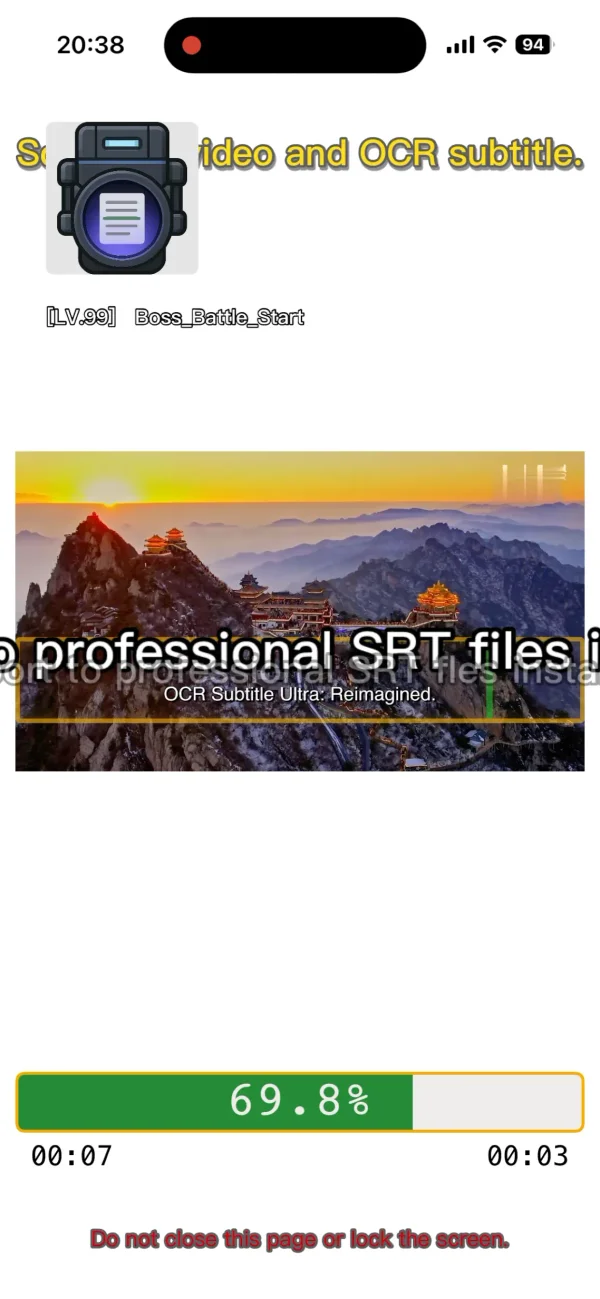
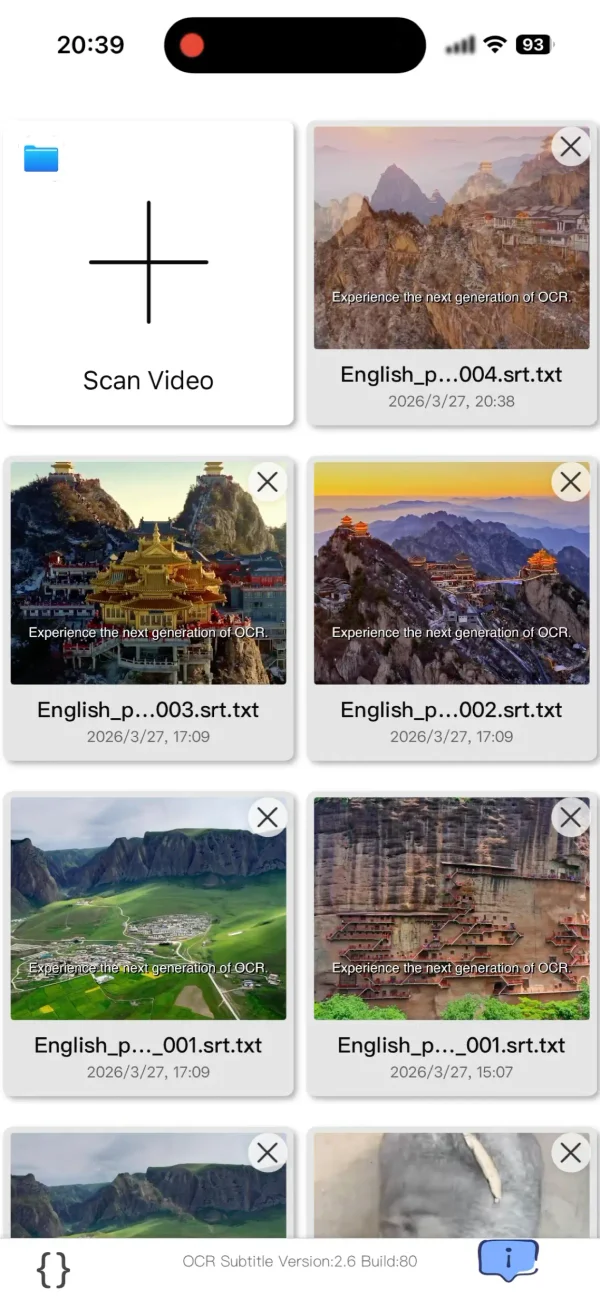
OCR Subtitle is a practical utility designed to extract hard-coded subtitles from videos using Optical Character Recognition (OCR). It automatically converts on-screen text into standard SRT files, saving hours of manual transcription for editors, educators, and content creators.
Driven by an optimized layout-parsing architecture and a high-performance multimedia backend, version 3.0 introduces intelligent auto-detection workflows while retaining full manual precision controls for professional creators.
(Note: Recognition accuracy is subject to video resolution, font styles, and background contrast.)
【What is New in v3.0: Automation & AI Workflows】
Intelligent Auto-Detection with Manual Controls
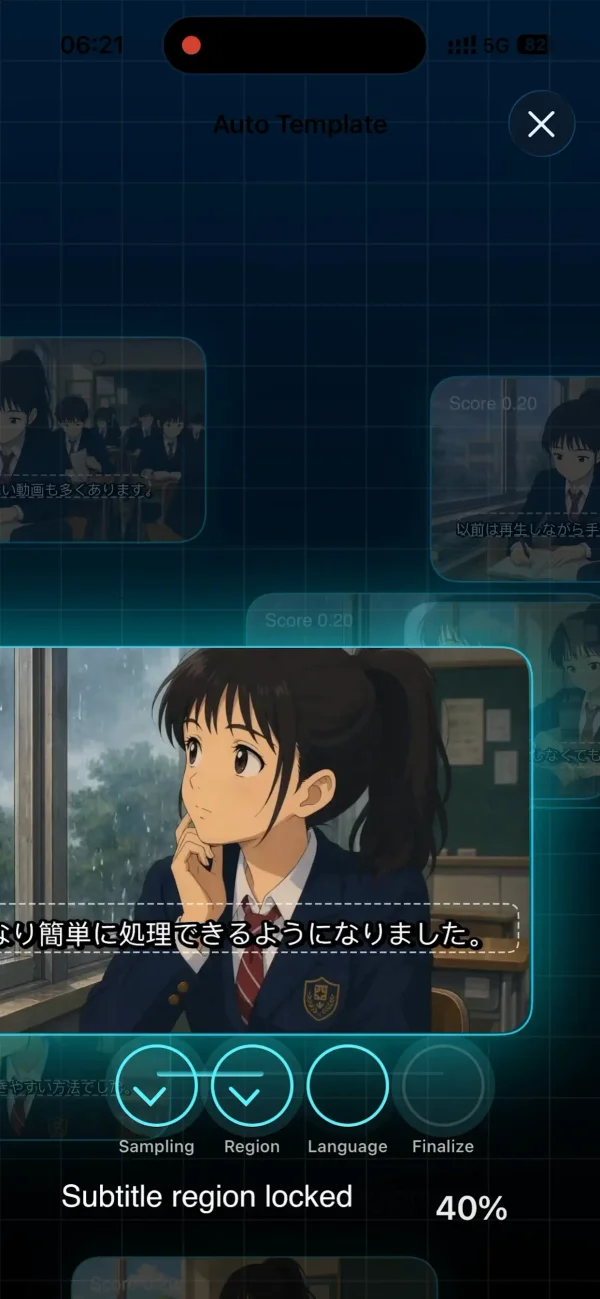
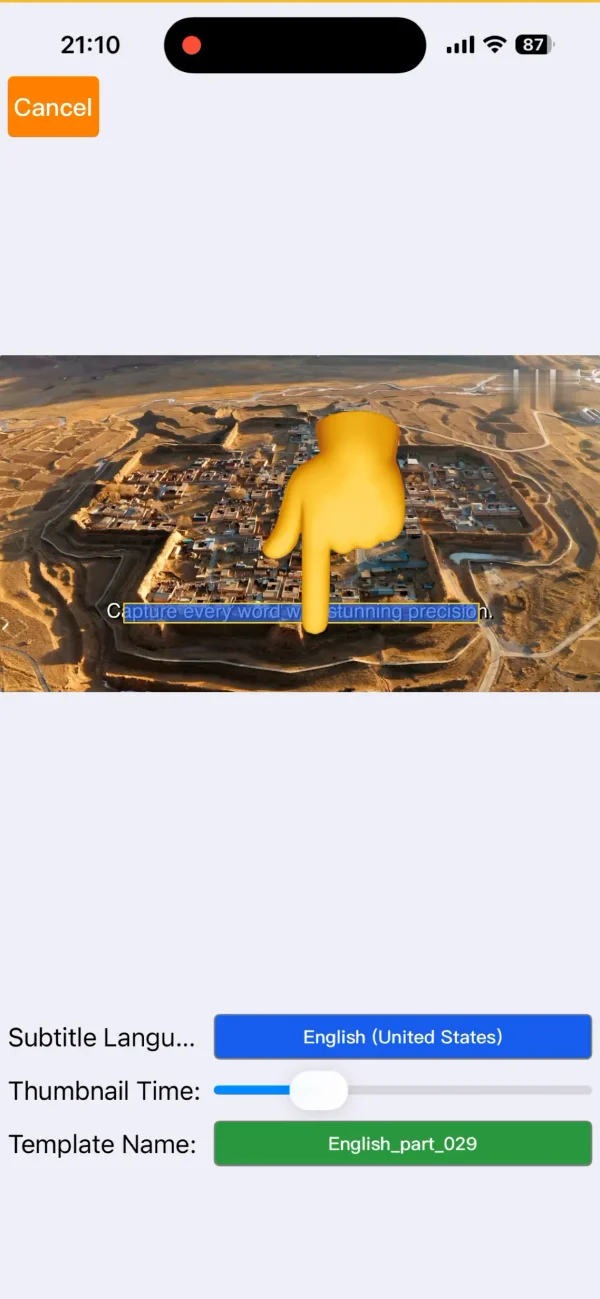
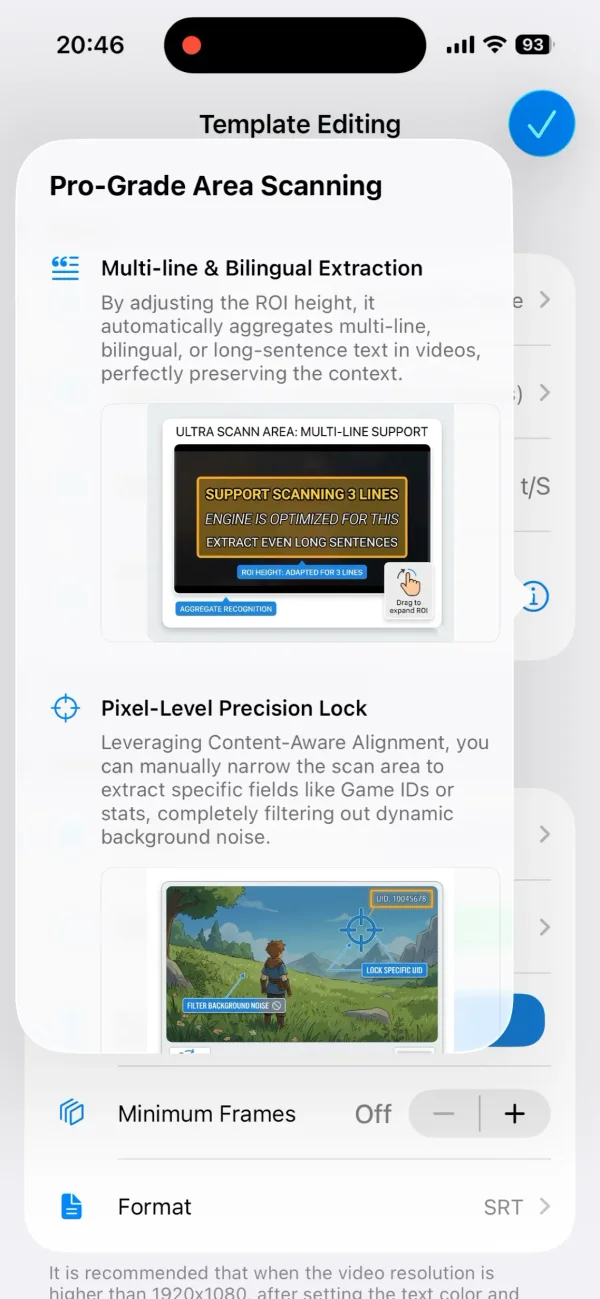
The smarter layout engine automatically detects the subtitle region (ROI), locks text bounding boxes, and auto-identifies the video's spoken language upon import for a zero-configuration experience. Users can seamlessly switch to manual mode to custom-adjust the scanning area or specify languages for highly complex, non-standard video layouts.
Seamless AI Subtitle Translation Workflow
The app intelligently packages your extracted SRT text with tailored translation prompts. On iOS, leverage the native Share Sheet to route text directly to preferred AI assistants. On macOS, the app formats text into your system clipboard for a frictionless paste-and-go experience into any web assistant.
AI Video Copilot (Instant Video Q&A)
Utilize built-in high-frequency AI prompt templates to instantly bundle your transcript and send it to an AI to perform advanced tasks:
Fact-Checking: Verify claims or detect clickbait within the video content.
Instant Summary: Condense long-duration footage into structured bullet points.
Copywriting & Titles: Generate high-CTR titles, video descriptions, and marketing hooks.
Thumbnail Inspiration: Brainstorm detailed visual prompts to design compelling video cover art.
Integrated Standard Format Video Previewer
Natively supports system-compatible standard formats (MP4, MOV, M4V), allowing you to play media with the newly created subtitle track overlaid right inside the app. (Note: Advanced formats like AV1 are fully supported for OCR layout scanning, but localized in-app video playback may be restricted by native system framework limitations.)
【Free Evaluation Tier & Weekly Ultra Subscription】
This application is free to download and offers a baseline evaluation tier:
Free Version Limitation: Access core OCR scanning and AI workflows for free, capped at extracting the first 60 seconds of any single video file.
Weekly Ultra Subscription: To remove all duration caps and process full-length footage or high-volume batches, users can unlock unrestricted, unlimited access via an in-app subscription to Weekly Ultra.
【Core Performance & Privacy Security】
Strict Sandbox Framework: Operating strictly within the Apple Sandbox, the application processes video files on-the-fly in active memory. It never duplicates, caches, or stores your video files in local containers or remote servers.
Temporary Access Lifecycle: Transient, read-only media access is securely requested via system-secured tokens (Security-Scoped URLs) in memory. Once the security token expires, the resource is automatically revoked.
Robust Codec Support: Delivers ultra-stable decoding for modern codecs including H.265 (HEVC), AV1, VP9, and more. Advanced memory management prevents crashes, ensuring flawless processing for 4K Ultra-HD footage and long films.
Workflow Integration: Exported standard SRT files are fully editable and 100% compatible with YouTube, VLC, Final Cut Pro, Adobe Premiere, and DaVinci Resolve.
【Support & Feedback】
Email: hanmingjie@gmail.com
Web: www.hanmingjie.com
Terms of Use:
https://www.apple.com/legal/internet-services/itunes/dev/stdeula/
Neue Funktionen
Version 3.1 · 06.08.2026
1. New Whisper Voice Recognition Mode
Integrated the Whisper speech-to-text framework. When videos lack on-screen text or have highly cluttered backgrounds, users can select this mode to directly transcribe audio tracks into time-coded standard SRT files. Supports automatic audio language detection.
2. Refactored Functional Modes (Four Independent Options)
To better accommodate varied post-production workflows, core features are now structured into four distinct, mutually exclusive modes:
Manual ROI Mode: Users manually define the Region of Interest (ROI) for targeted visual OCR scanning.
Auto ROI Mode: The system automatically detects and locks the subtitle area for visual OCR scanning.
Voice Recognition Mode: A new mode that bypasses visual scanning entirely, performing voice-to-text transcription directly on the audio stream.
Playback Only Mode: A new mode that invokes neither OCR nor voice recognition engines. It functions strictly as a standard video player, allowing users to preview media or overlay existing subtitle tracks.
3. Core Workflow Integration
Subtitles generated via either OCR scanning or the new voice recognition mode integrate seamlessly with the pre-existing Seamless AI Translation Workflow and AI Video Copilot prompt templates.
4. Free Tier Limits & Weekly Ultra
The baseline evaluation cap applies uniformly across both OCR and voice recognition engines. Free access is limited to transcribing or scanning the first 60 seconds of any single video file. Subscribing to Weekly Ultra fully removes all duration caps and enables unlimited batch processing.
5. Sandbox Privacy & Performance Optimization
Strictly operates within the Apple Sandbox framework. Both audio and video streams are processed on-the-fly inside active memory with zero local copying, caching, or remote server exposure. Optimized dynamic memory release logic to improve stability when handling long-duration footage.
App-Datenschutz
Was 韩 明洁 im App Store zum Umgang dieser App mit Daten angibt.
-
Keine Daten erfasst
Der Entwickler erfasst keine Daten von dieser App.
Die Datenschutzpraktiken können variieren, zum Beispiel je nach den von Ihnen verwendeten Funktionen oder Ihrem Alter.
Informationen
- Anbieter
- 韩 明洁
- Kategorie
- Dienstprogramme
- Version
- 3.1
- Aktualisiert
- 06.08.2026
- Veröffentlicht
- 18.04.2026
- Größe
- 26,6 MB
- Erfordert
- iOS 17.6 oder neuer
- Altersfreigabe
- 4+
- Preis
- Kostenlos
- In-App-Käufe
- Ja
- Sprachen
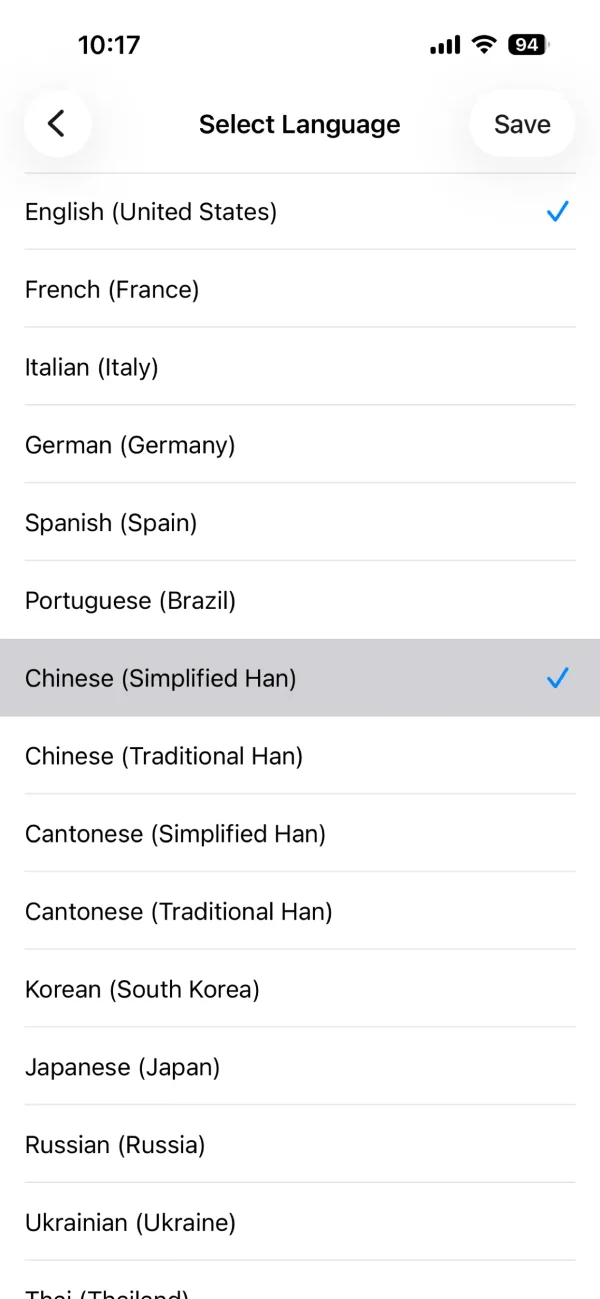
- Englisch, Vereinf. Chinesisch, Tradit. Chinesisch
- Copyright
- © Mingle Han
Das könnte Ihnen auch gefallen
-
 Video To TextDienstprogramme
-
 SubMaker: AI Captions OfflineDienstprogramme
-
 SubAI - Video Subtitle HelperDienstprogramme
-
 雨伞视频转文字-视频字幕提取、文案提取、视频转文字稿工具Dienstprogramme
-
 快字幕 - 一键AI自动生成双语字幕Dienstprogramme
-
 Whisper - Speech to TextDienstprogramme
-
 Sekunden+: Sekundenuhr-WidgetSekunden im Sperrbildschirm
-
 Light Translation CloudDienstprogramme
-
 aMule RemoteDienstprogramme
-
 AudioLineAudio player with subtitles