Offhand: Voice To Do & Notes
Private AI: tasks & reminders
Entwickelt für iPhone
Kostenlos · In-App-Käufe
- Altersfreigabe4+
- KategorieProduktivität
- EntwicklerBunnyHop, LLC
- SprachenEnglisch+ 2 weitere
- Größe11,8 MB
Verlinkt auf die offizielle App Store-Seite
Download.org hostet keine Datei von Offhand: Voice To Do & Notes. Die Schaltfläche öffnet die App-Seite bei App Store, wo BunnyHop, LLC die App veröffentlicht. Eintrag zuletzt geprüft am 12.11.2026.
Screenshots


Info
Der Entwickler hat diesen Text nicht in Ihrer Sprache bereitgestellt.
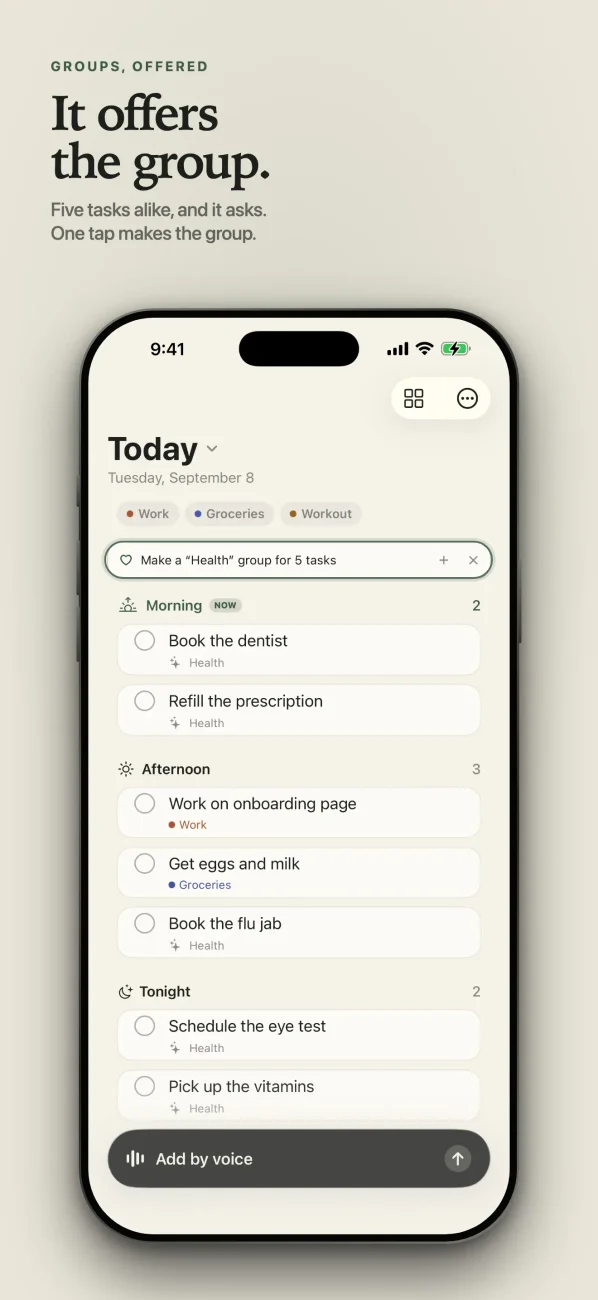
Say it Offhand. Press the Action Button, say what you have to do, tap Save. A model on your iPhone reads the note and files each task under Morning, Afternoon, Tonight or Anytime. If you named an hour, the task gets it.
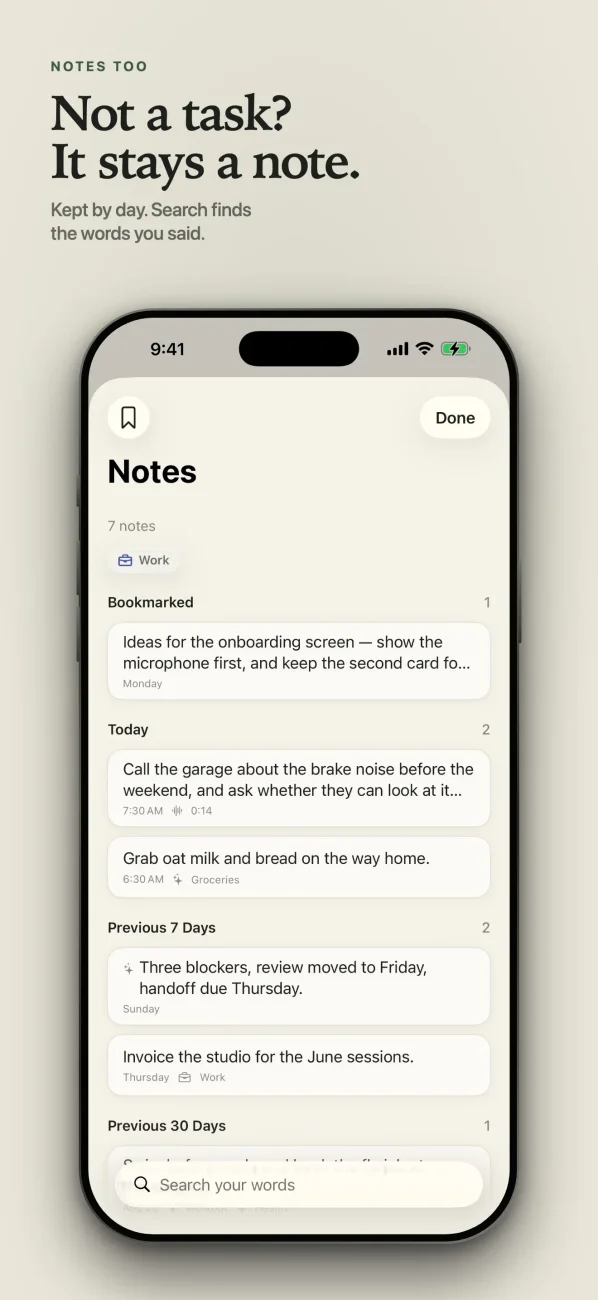
Not everything you say is a task. A thought with nothing to do stays a note. Notes are kept by day, and search finds them by the words you said.
BEFORE YOU BUY: IT NEEDS AN iPHONE 15 PRO OR NEWER
Offhand runs on Apple Intelligence. That needs an A17 Pro chip or newer. It is a separate requirement from iOS 26, and it is the one that matters. On an iPhone 14 or an iPhone 15, Offhand still records and transcribes, and files each note as one task with the time it named. It does not split a note into several tasks, mark what they are about, or offer groups.
WHAT IT DOES
• One note becomes separate tasks. "Call the dentist first thing, then pick up the dry cleaning this afternoon" is two tasks in two parts of the day.
• A task that names a clock time alerts you at that time. A task that names only a day waits quietly on that day.
• It marks what each task is about, like Groceries or Work. When five tasks of one kind pile up, it offers to make a group. Nothing moves until you tap.
• Drag a card to another part of the day, or to another day.
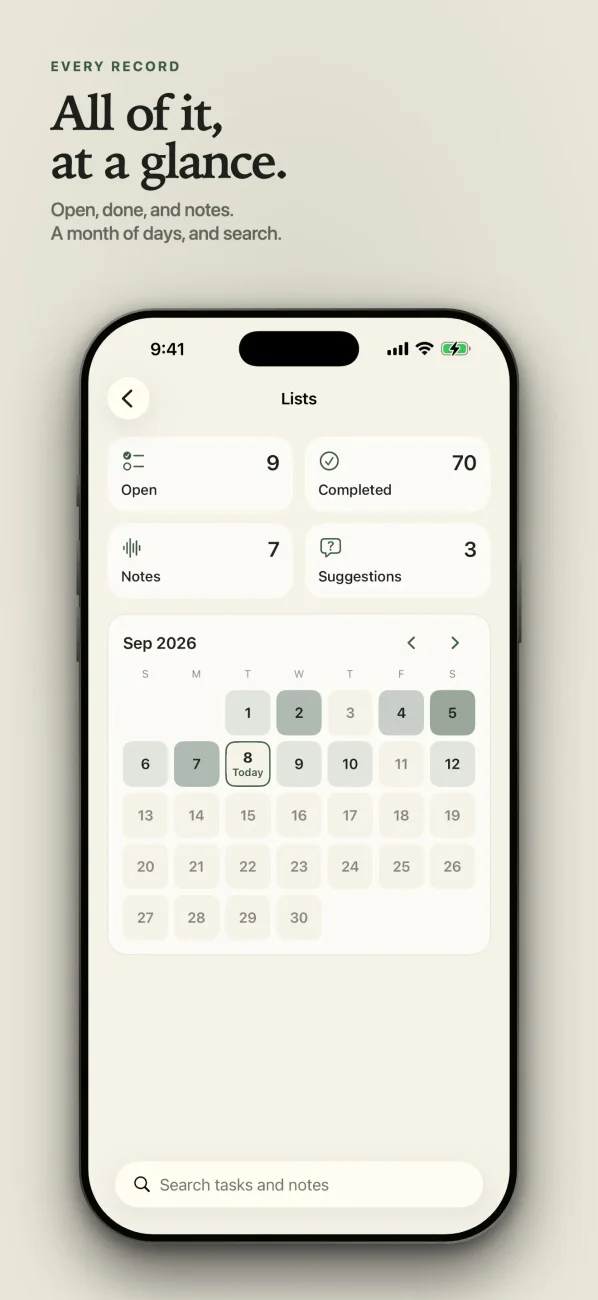
• Lists shows everything in one place: open tasks, completed tasks, notes, and a month of days. Search reads the whole note, not just the title.
• After each capture, a receipt shows the words it heard. When it cannot find a task in what you said, it saves the note and says so. It does not invent one.
NOTHING LEAVES THE PHONE, EXCEPT TWO SWITCHES YOU CAN TURN ON
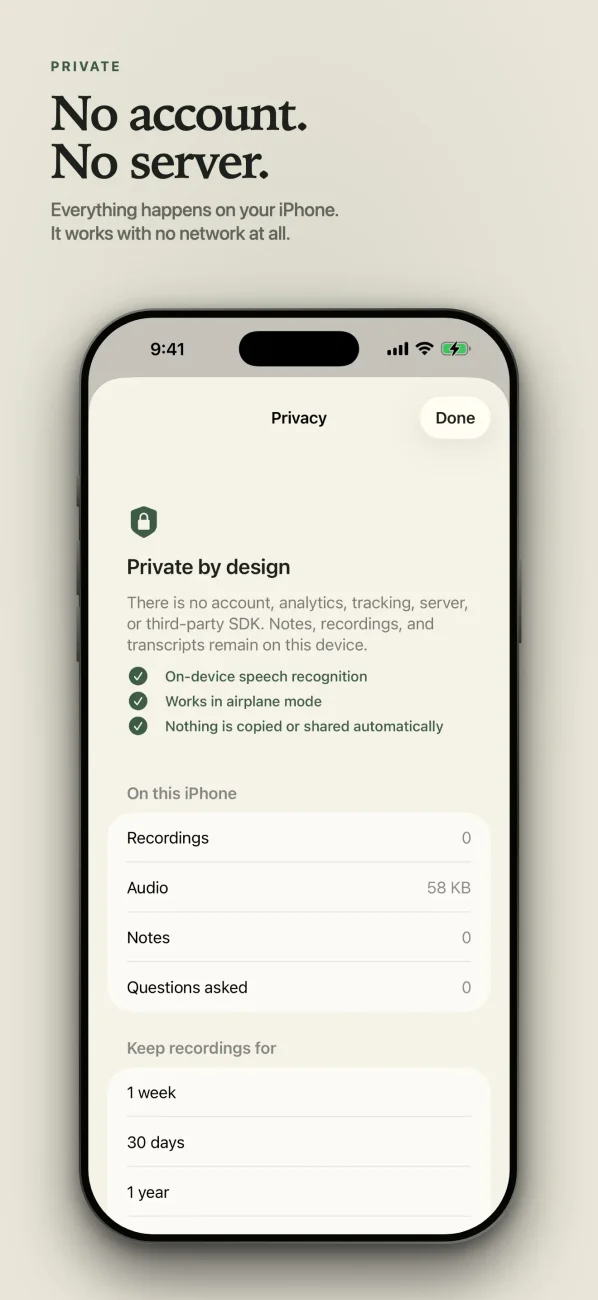
No account. No sign-in. No analytics, no third-party SDKs, no advertising. Offhand makes no network request of its own. Speech recognition, the model, your recordings, your transcripts and your list all stay on this device. The app works with the network off.
Two optional switches, both off until you turn them on, hand data to Apple's own apps rather than to us:
• Show in Calendar puts scheduled task titles into an "Offhand" calendar. If your iPhone syncs calendars to iCloud, those titles go where your calendar already goes.
• iCloud Sync mirrors your list into your own private iCloud database. Your Apple account, nobody else's servers, no third party. Recordings have a second switch of their own, also off by default.
Both switches are part of Pro. We do not run a server that could receive your data.
THREE LANGUAGES, ONE AT A TIME
Offhand listens in English, Spanish or Brazilian Portuguese. You pick one in Settings. It does not work out which language you are speaking, and it does not hear two at once. The app's own interface is translated into all three.
PRO
Offhand is free to download. Speaking, the Action Button, your list, notes and search stay free. Pro is an optional subscription, Monthly or Yearly, and it unlocks:
• The Home Screen widget, the Lock Screen button and the Control Center control. Each shows or starts a note without opening the app.
• Show in Calendar and iCloud Sync, the two switches above.
• A second pass over each recording. Measured on a Mac over 620 recordings in Offhand's own format, it made about 12% fewer mistakes.
The upgrade page names the price before anything is charged.
Terms of Use: https://www.apple.com/legal/internet-services/itunes/dev/stdeula/
Privacy Policy: https://offhandapp.com/privacy
YOUR RECORDINGS
Audio stays on this iPhone and is kept until you delete it. If you prefer, set it to be deleted after a week, 30 days or a year. The transcript is kept either way. Deleting an entry removes the note and its audio from the phone, and that cannot be undone.
Neue Funktionen
Version 1.1.4 · 06.10.2026
You can now assign a task to an agent. Its card shows where the work stands, and its page has Assignee and Status. With Offhand Pro, the Home Screen widget shows it too.
Share a task to an agent's app, and it is assigned to that agent and marked In progress. Change the status yourself when it's done.
Deleting a task from Open or Completed now offers Undo for five seconds, as on Today.
A long title stops at three lines on its card. The task's page shows all of it.
App-Datenschutz
Was BunnyHop, LLC im App Store zum Umgang dieser App mit Daten angibt.
-
Keine Daten erfasst
Der Entwickler erfasst keine Daten von dieser App.
Die Datenschutzpraktiken können variieren, zum Beispiel je nach den von Ihnen verwendeten Funktionen oder Ihrem Alter.
Informationen
- Anbieter
- BunnyHop, LLC
- Kategorie
- Produktivität
- Version
- 1.1.4
- Aktualisiert
- 06.10.2026
- Veröffentlicht
- 02.09.2026
- Größe
- 11,8 MB
- Erfordert
- iOS 26.0 oder neuer
- Altersfreigabe
- 4+
- Preis
- Kostenlos
- In-App-Käufe
- Ja
- Sprachen
- Englisch, Spanisch, Portugiesisch
- Copyright
- © 2026 BunnyHop, LLC
Das könnte Ihnen auch gefallen
-
 Walnut MeetingProduktivität
-
 MDDockProduktivität
-
 Brainspill: Aufgaben sprechenNächste Aufgabe am Lock Screen
-
 Slovo: Sprache zu TextPrivate KI auf dem Gerät
-
 Wubb: Kalender & KI-TerminplanAufgaben & Notizen per Sprache
-
 notez - Notizen & AufgabenErinnerung für jedes Datum
-
 Go Ghost Lock In Habit TrackerProduktivität
-
 ThinkLess: Mood Diary, JournalProduktivität
-
 iterate RemoteProduktivität
-
 Recapp - KI Meeting RecorderBesprechung offline aufnehmen