
Offline Streak
Block apps, keep your streak
Entwickelt für iPhone
Kostenlos · In-App-Käufe
- Altersfreigabe4+
- KategorieProduktivität
- EntwicklerTimothy Hess
- SprachenEnglisch
- Größe39,0 MB
Verlinkt auf die offizielle App Store-Seite
Download.org hostet keine Datei von Offline Streak. Die Schaltfläche öffnet die App-Seite bei App Store, wo Timothy Hess die App veröffentlicht. Eintrag zuletzt geprüft am 18.11.2026.
Screenshots




Info
Der Entwickler hat diesen Text nicht in Ihrer Sprache bereitgestellt.
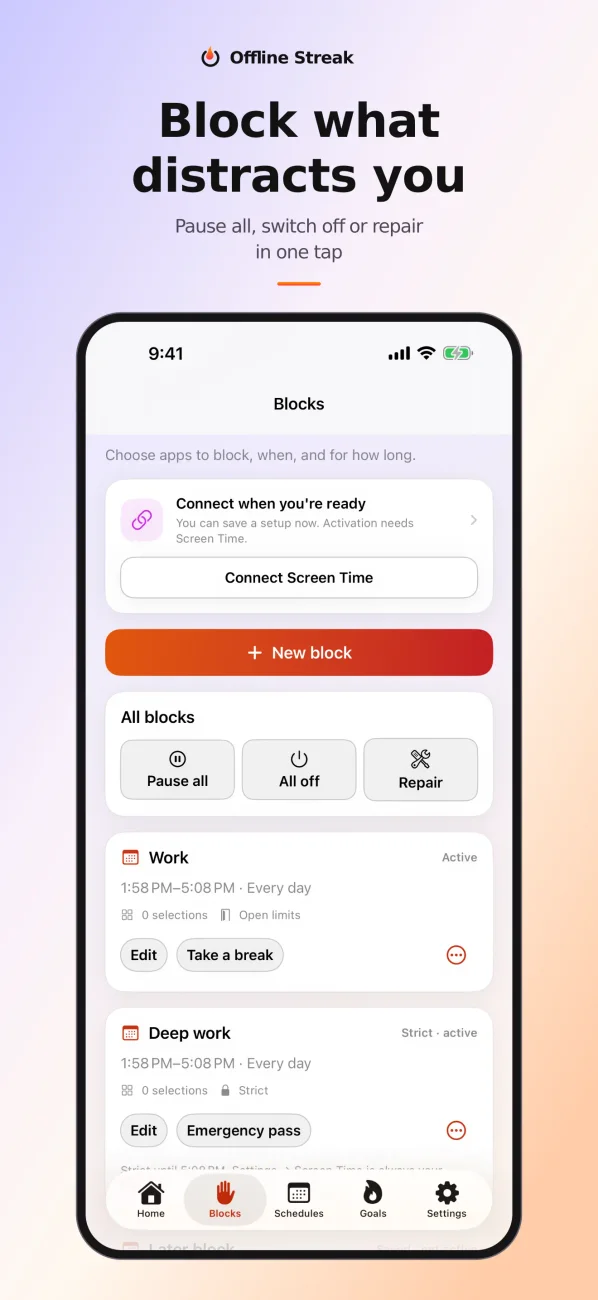
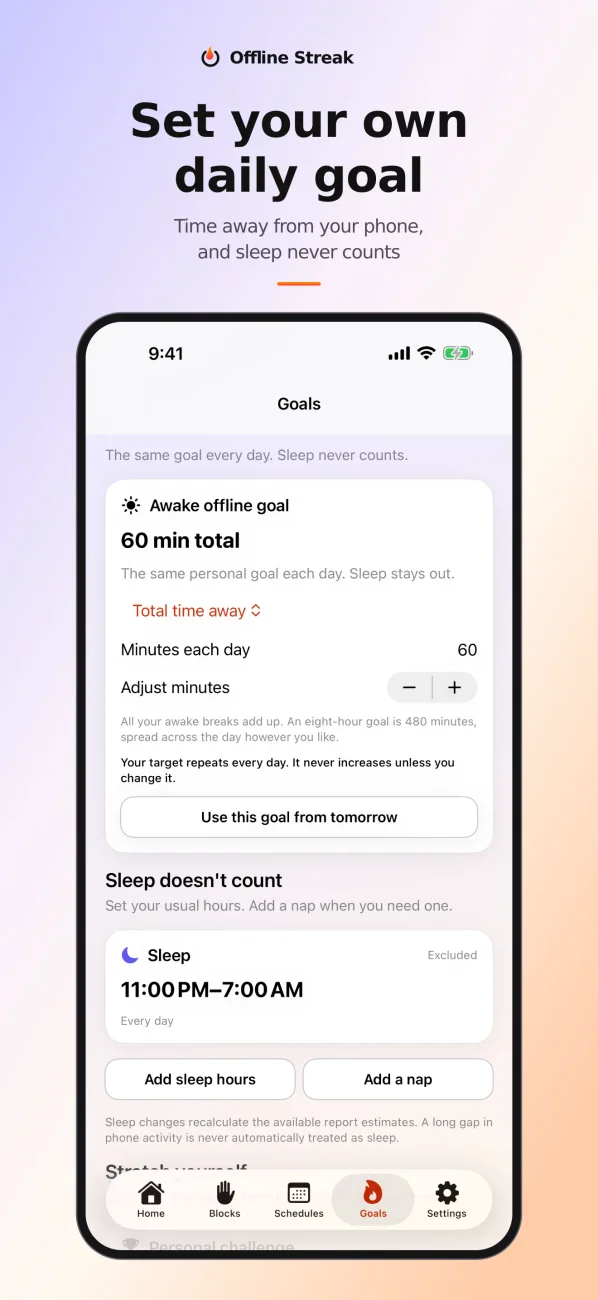
Offline Streak helps you spend less time on your phone. It uses Apple's Screen Time to pause the apps you choose, when you choose, and turns the days you meet your goal into a streak. All features free. No account needed.
BLOCK WHAT DISTRACTS YOU
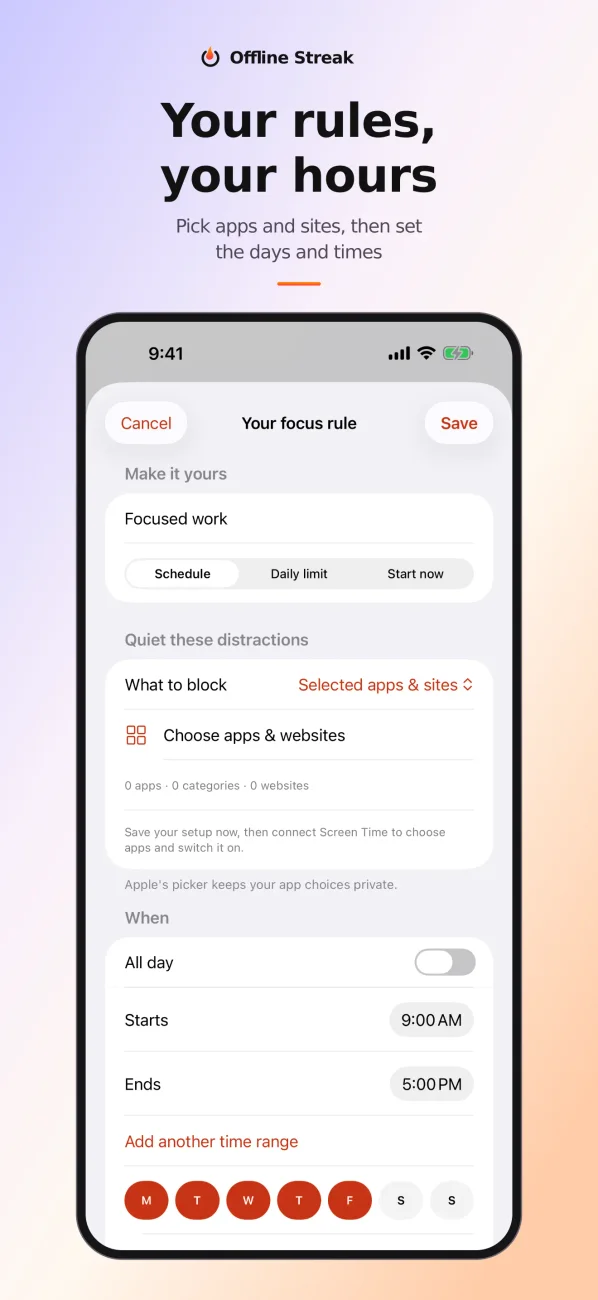
• Blocks for the apps, categories and websites you pick with Apple's Screen Time picker
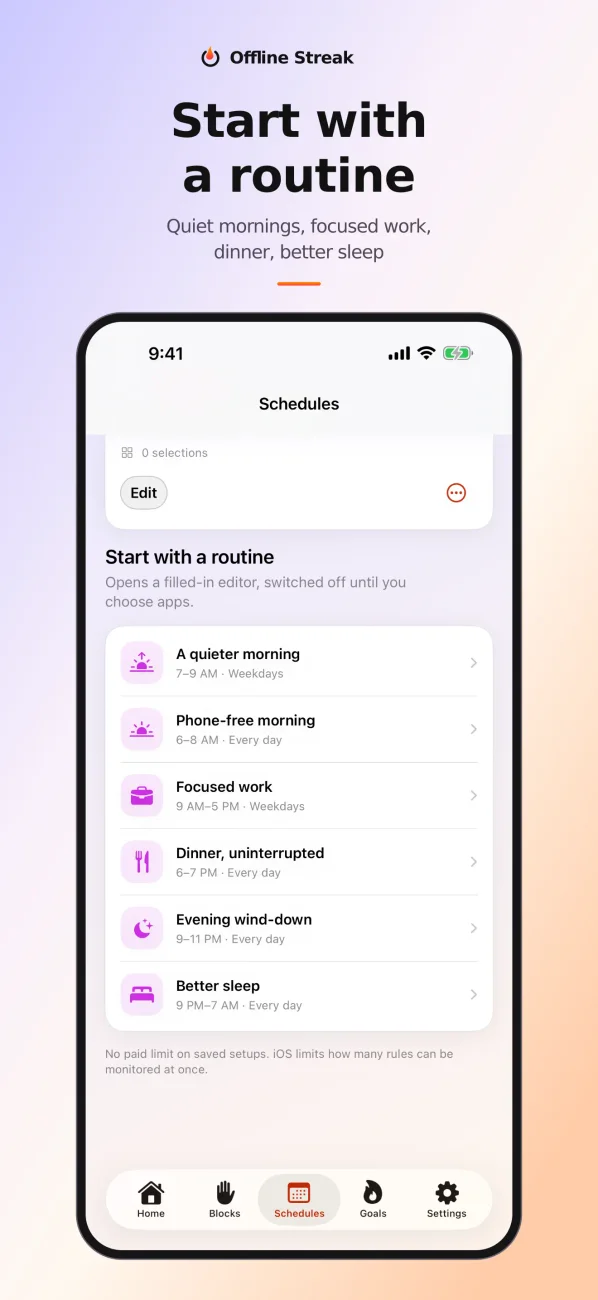
• Schedules with several time ranges, all-day schedules and ready-made routines such as quiet mornings, focused work, dinner and better sleep
• Start a block now, for a set time or until a time you choose
• Daily limits for groups of apps, on the days you choose, with a heads-up 5 minutes before
• Pause a rule for 1 to 30 days, or pause everything at once
• Optional adult-website filter, and blocking of app installs and in-app purchases
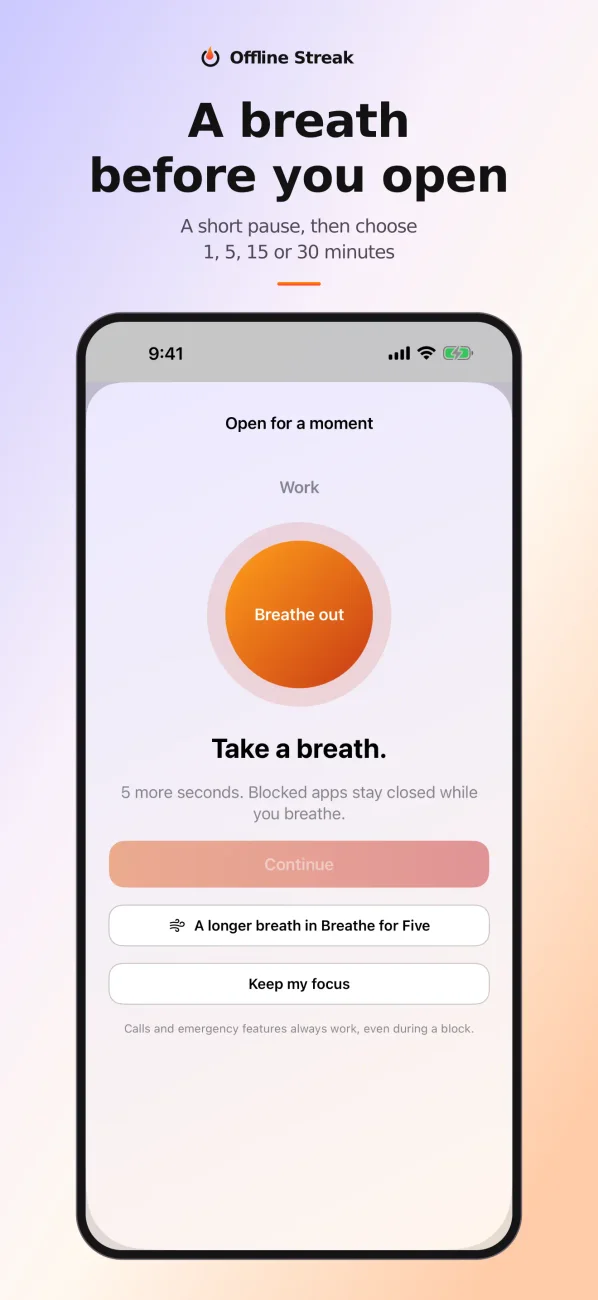
A BREATH BEFORE YOU OPEN
• The block screen shows when the block ends and how many opens you have left
• "Open for a moment" asks for a short breath, then 1, 5, 15 or 30 minutes, and the block comes back by itself
• Optional opens per day, a wait between opens and a "What for?" question
• Strict mode (optional): no early opens, edits or deletes while a block is on, with emergency passes
YOUR STREAK AND STATS
• A daily goal for time away from your phone; your sleep hours never count
• Your streak uses the Screen Time history already on your iPhone, so it can start today
• Today: an hour-by-hour chart, pickups, notifications, the longest quiet stretch and your most-used apps
• Week and month: change against last week, a calendar, your current and best streak, and milestones
• Phone-free hours this week, last week and in your best week
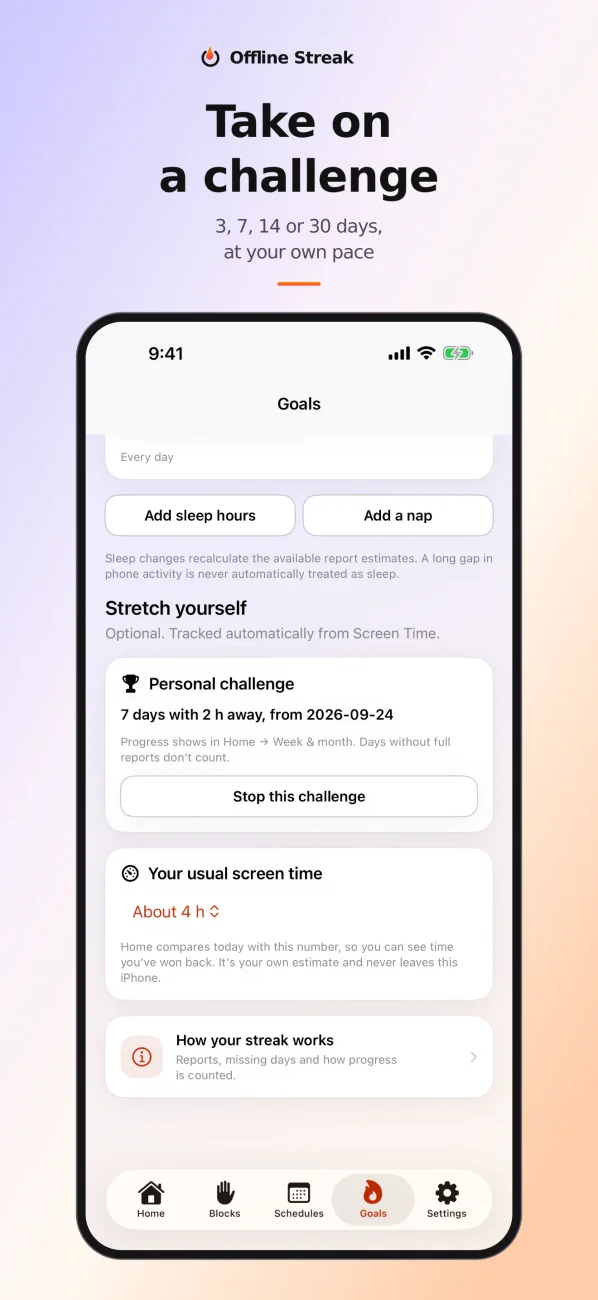
• Personal challenges of 3, 7, 14 or 30 days
FOCUS AND REST
• A focus timer: countdown, Pomodoro or open-ended, with labels and a history
• 20-20-20 eye-break reminders
• Reminders you choose: block start and end, limit heads-ups, a Sunday summary and an evening goal nudge
• Home Screen and Lock Screen widgets with the active block and time left
PRIVATE BY DESIGN
The apps you choose are private Screen Time tokens: we can't see which apps or websites you pick, and your usage stays on your iPhone. An optional account (18+) can back up your setup; app choices and Screen Time data are never included.
FREE, WITH AN OPTIONAL AD-FREE PLAN
All features are free. The free version shows occasional, dismissible promotions for our own apps only, with no third-party ads. An optional subscription (weekly, monthly or yearly) removes all ads in all our apps on this iPhone. It unlocks no extra features. Payment is charged to your Apple Account. Subscriptions renew automatically unless cancelled at least 24 hours before the end of the current period; manage or cancel them in your Apple Account settings. Deleting the app doesn't cancel a subscription.
IMPORTANT
Offline Streak is a self-help tool built on Apple's Screen Time. Blocking can be turned off by the person using the phone, so treat it as a helpful nudge rather than a guarantee. Screen Time totals come from iOS and can be delayed or differ from Apple's own report. It isn't a parental-control tool. Phone calls, emergency calls and Emergency SOS always keep working.
Needs Screen Time access on iOS.
Terms of Use: https://offlinestreak.com/terms/
Privacy Policy: https://offlinestreak.com/privacy/
Neue Funktionen
Version 1.1.0 · 16.10.2026
Clearer permission screens: every step now says Continue, and you can always skip.
The rule, group, baseline, sleep and nap editors and the How it works page now match the rest of the app.
Bug fixes and polish.
App-Datenschutz
Was Timothy Hess im App Store zum Umgang dieser App mit Daten angibt.
-
Mit Ihnen verknüpfte Daten
Können erfasst und mit Ihrer Identität verknüpft werden.
- Käufe
- Kontaktinformationen
- Benutzerinhalte
- Kennungen
Die Datenschutzpraktiken können variieren, zum Beispiel je nach den von Ihnen verwendeten Funktionen oder Ihrem Alter.
Informationen
- Anbieter
- Timothy Hess
- Kategorie
- Produktivität
- Version
- 1.1.0
- Aktualisiert
- 16.10.2026
- Veröffentlicht
- 01.10.2026
- Größe
- 39,0 MB
- Erfordert
- iOS 17.4 oder neuer
- Altersfreigabe
- 4+
- Preis
- Kostenlos
- In-App-Käufe
- Ja
- Sprachen
- Englisch
- Copyright
- © 2026 Timothy Hess
Das könnte Ihnen auch gefallen
-
 My Folio Voice: Notes to TextProduktivität
-
 LastTime — Life RemindersProduktivität
-
 Timestamp Camera: EverStampProduktivität
-
 Orivo: Day Planner & CalendarProduktivität
-
 Simple Habit Tracker (SHT)Produktivität
-
 Neon SwimProduktivität
-
 EG Maintenance Field ServiceSmart asset control on the go
-
 ThisDay: Planer & ErinnerungAufgaben, Gewohnheiten, mehr
-
 Titanova: Ziele & GewohnheitenAufgaben, Planer & Fokus-Timer
-
 Sift: Screenshot SorterProduktivität