
OpenVox Reader
Natural Voices, Fully Offline
Entwickelt für iPhone, iPad
Kostenlos · In-App-Käufe
- Altersfreigabe4+
- KategorieProduktivität
- EntwicklerNitesh Kumar Sharma
- SprachenEnglisch
- Größe177,3 MB
Verlinkt auf die offizielle App Store-Seite
Download.org hostet keine Datei von OpenVox Reader. Die Schaltfläche öffnet die App-Seite bei App Store, wo Nitesh Kumar Sharma die App veröffentlicht. Eintrag zuletzt geprüft am 22.11.2026.
Screenshots

Info
Der Entwickler hat diesen Text nicht in Ihrer Sprache bereitgestellt.
Turn Reading Time into Listening Time
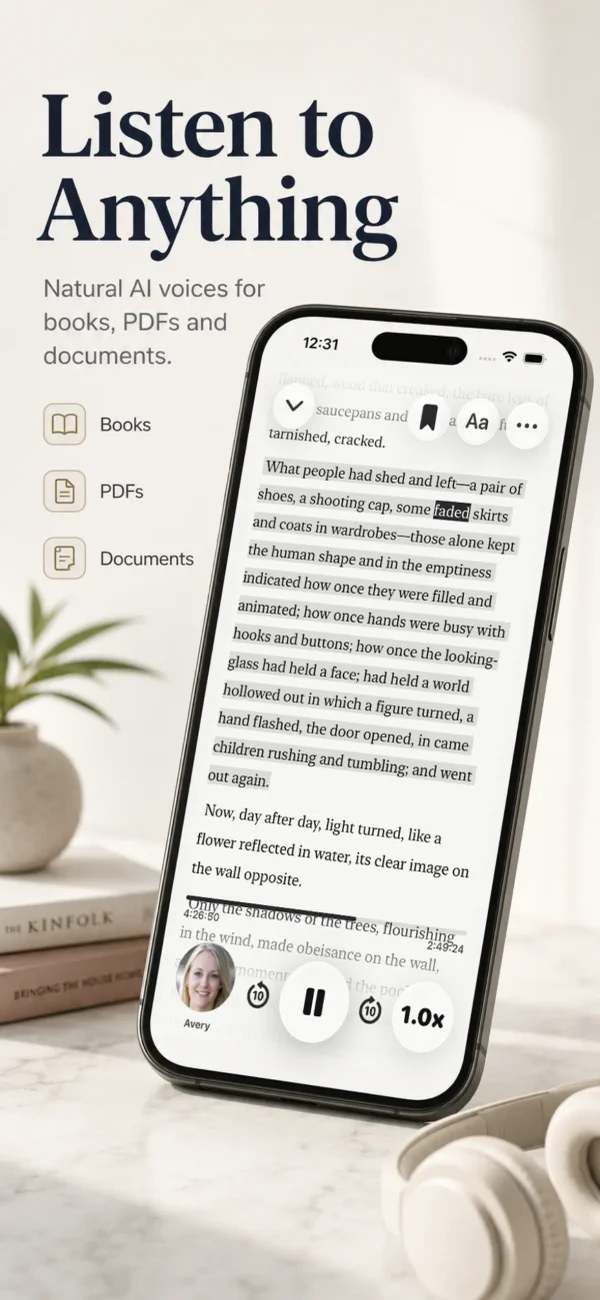
OpenVox Reader transforms books, PDFs, documents, web links and text into natural-sounding audio, so you can keep reading while commuting, walking, exercising, resting or working.
Import your content, choose from hundreds of voices, create your own custom voice, and listen at your preferred speed without sending your private documents to an online speech service.
Listen to Almost Anything
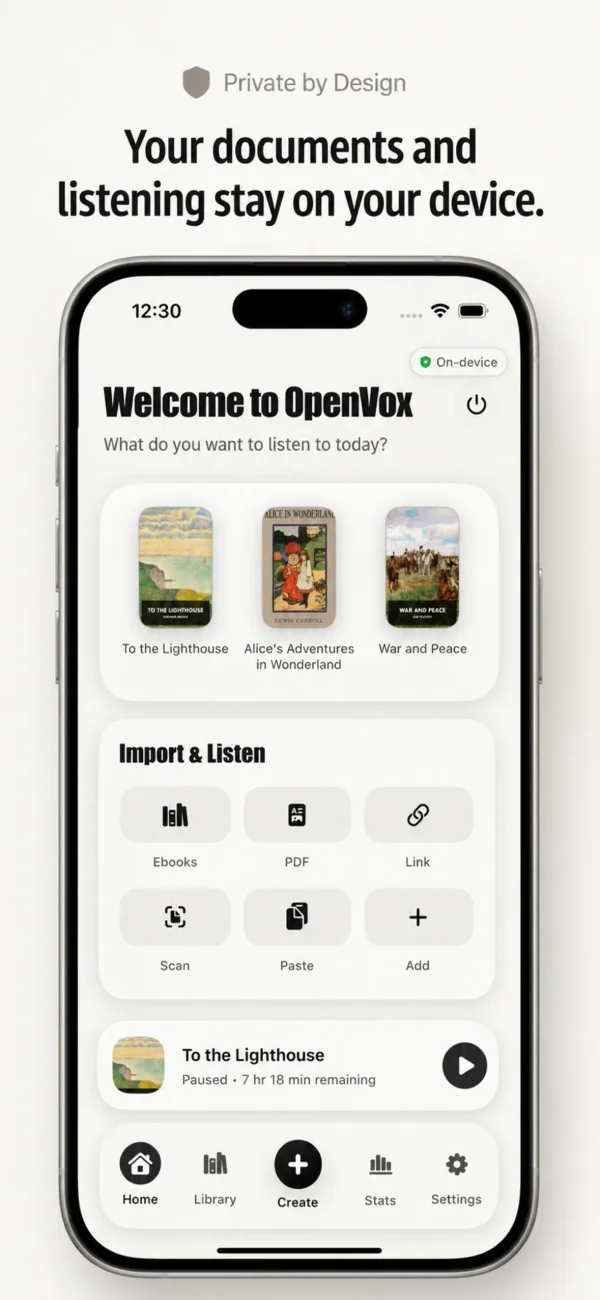
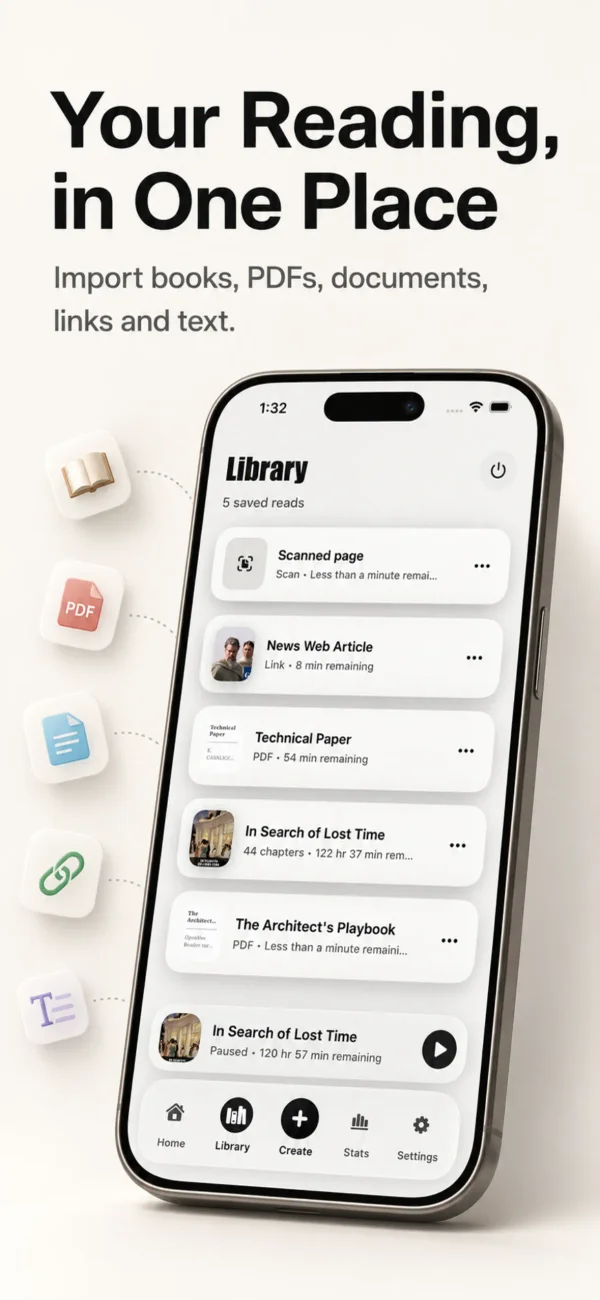
Bring all your reading into one simple library:
• Import ebooks and PDFs
• Add documents and text files
• Save web links for listening
• Scan printed pages
• Paste or type text directly
• Organize everything in one place
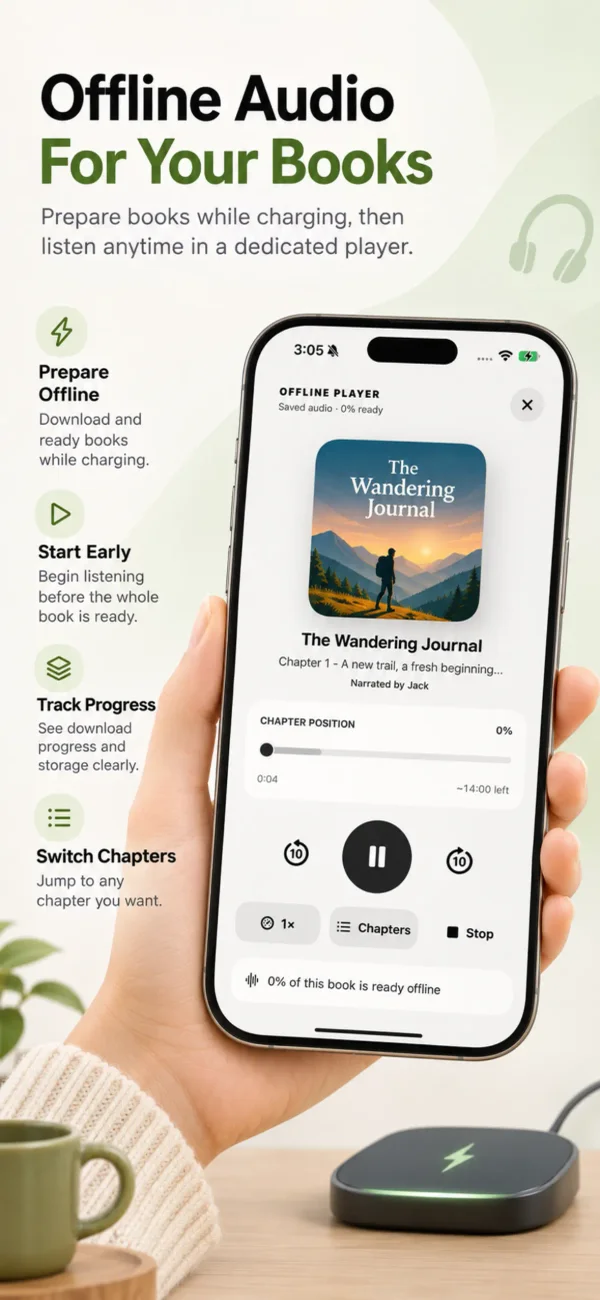
• Offline Mode Support: Prepare books while charging, then listen through a dedicated player
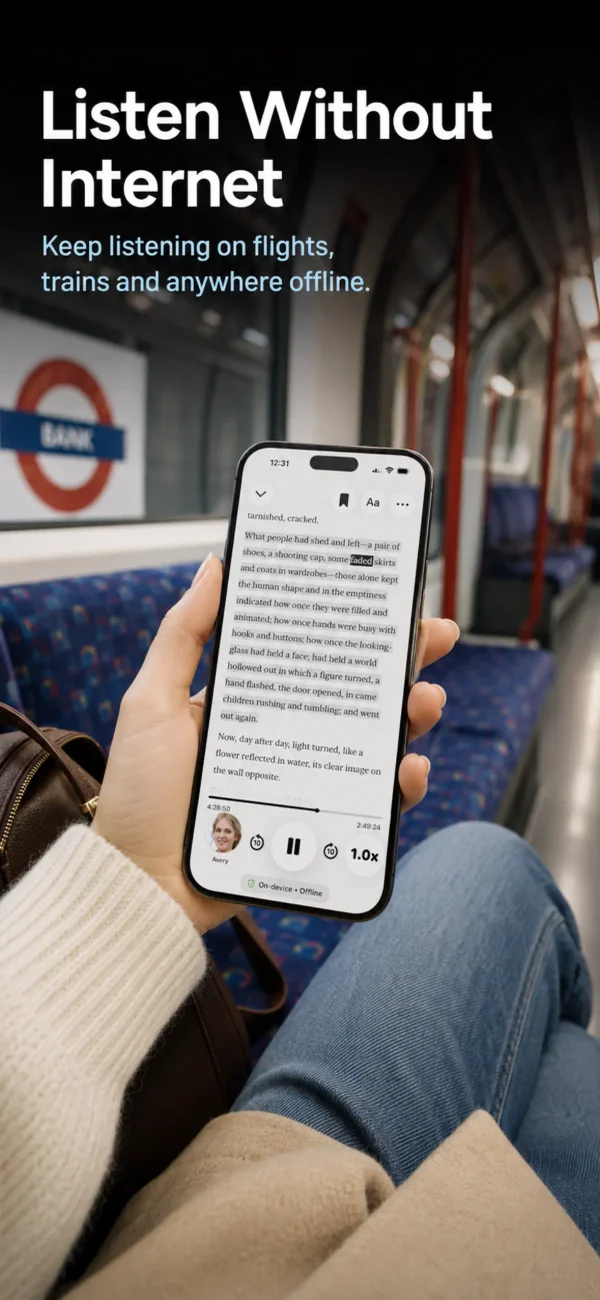
OpenVox Reader can generate and play speech locally on your device, so once the required voices are downloaded, you can listen without an internet connection.
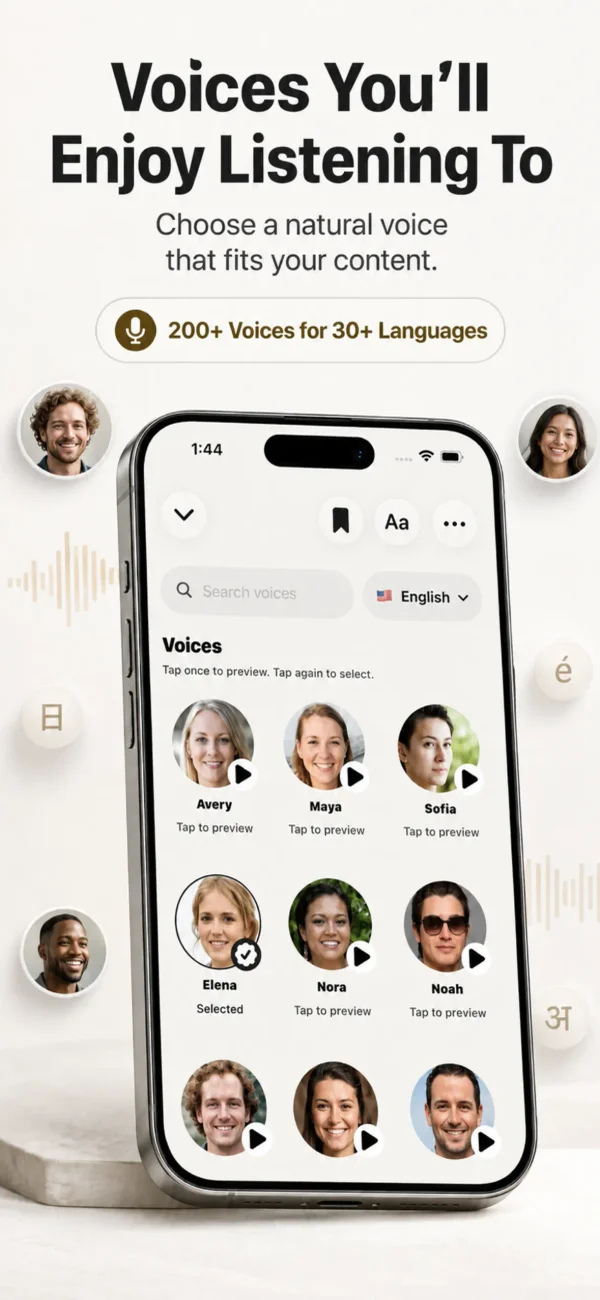
Natural Voices You’ll Enjoy
Choose from more than 200 voices across 30+ languages and find the voice that best suits your book, article or document.
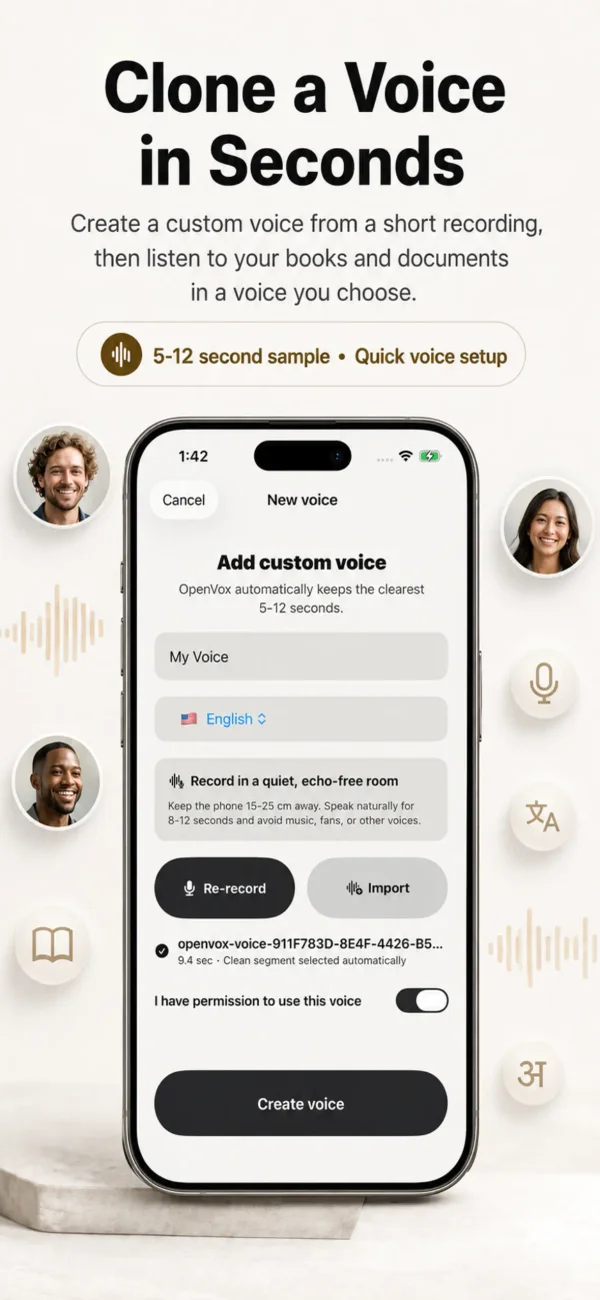
You can also create custom voices for English, German, Italian, Portuguese, and Spanish from a short voice sample using Pocket TTS and listen to your content in a voice you choose.
Listen at Your Own Pace
Adjust playback from 0.5x all the way to 2.5x with smooth, pitch-preserving audio.
Choose convenient presets including:
• 0.5x
• 1.0x
• 1.5x
• 2.0x
• 2.5x
Faster playback is supported with optimized buffering and accurate elapsed and remaining-time calculations.
Save Important Sentences
Found something worth coming back to?
Bookmark the sentence you are currently reading and access it anytime from Saved Sentences.
You can:
• Save or remove sentences instantly
• Browse all saved passages
• Filter your saved sentences
• Jump directly back to the original location
• Delete bookmarks you no longer need
Search Inside Your Documents
Quickly find words, phrases or sections without scrolling through an entire book or document.
Search in Document provides result previews and lets you jump directly to each matching location.
EPUB search is optimized chapter by chapter to keep memory usage efficient even with larger books.
Listen Without an Internet Connection
Keep listening on flights, trains, commutes or anywhere without reliable internet access.
Speech generation happens locally, allowing downloaded voices and imported content to remain available when you need them.
Private by Design
Your documents are processed locally for speech generation rather than being uploaded to a cloud TTS service.
OpenVox Reader is built for people who want convenient AI-powered reading while keeping control of their content.
Track Your Reading Journey
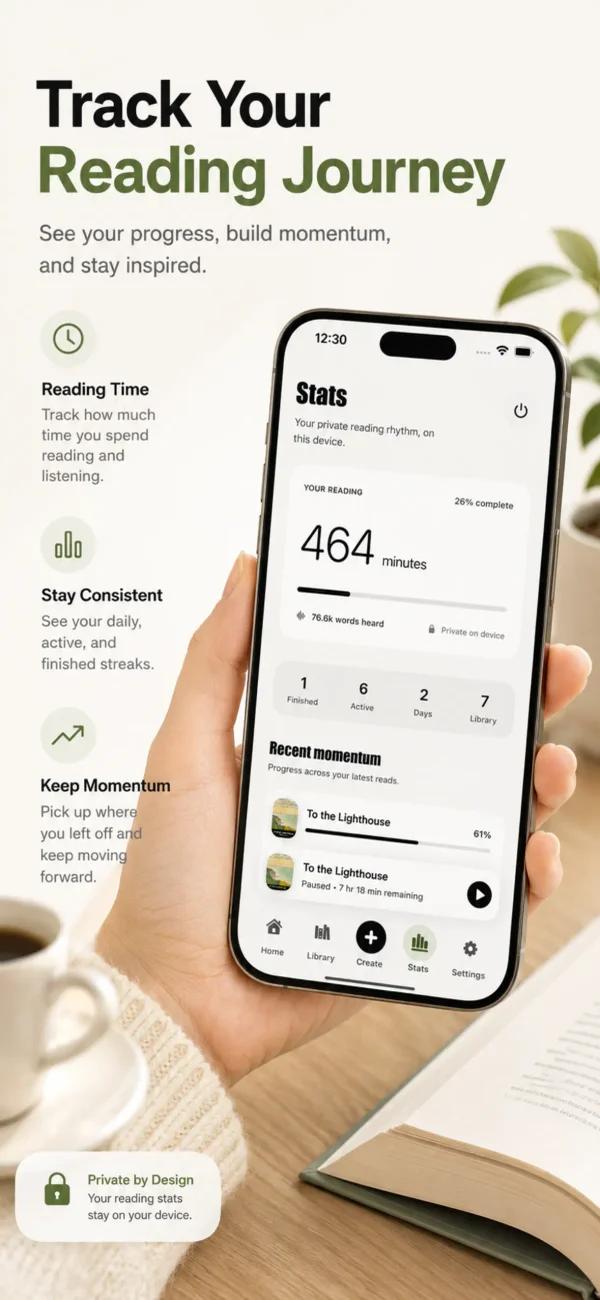
See how much you have actually listened and keep your reading momentum going with:
• Listening time
• Daily and weekly progress
• Reading streaks
• Recently opened content
• Personal listening statistics
Reading time is calculated from audio that was actually spoken, giving you a accurate picture of your listening activity.
Made for iPhone and iPad
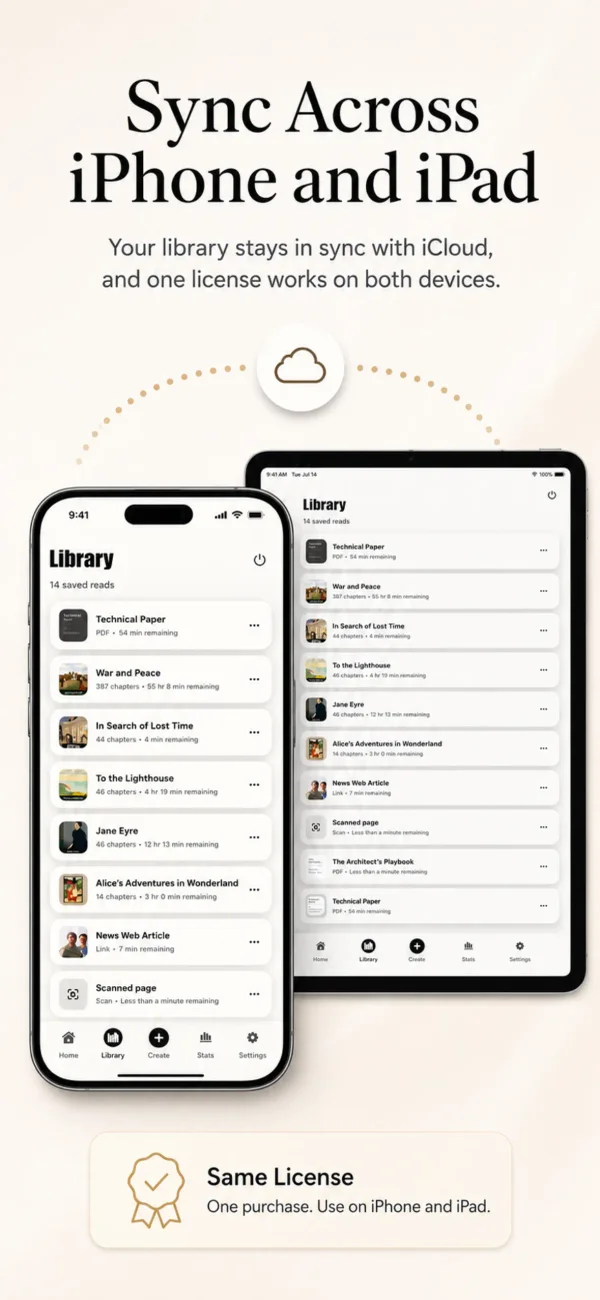
Use OpenVox Reader across iPhone and iPad with iCloud sync for your library.
Your content stays organized across your Apple devices, and one purchase unlocks the app on both iPhone and iPad.
Read More, Even When You’re Offline
Whether you’re travelling, exercising, relaxing, commuting or getting work done, OpenVox Reader helps turn spare moments into meaningful reading time.
Download OpenVox Reader and start listening to your reading today.
Neue Funktionen
Version 2.1.0 · 14.11.2026
- CarPlay support: Browse your library by book cover, continue listening, and control bookmarks, chapters, and playback speed from your car.
- Offline audio: Prepare books while charging, then listen through a dedicated player. Playback can begin before the whole book is ready, with progress and storage clearly shown.
- Improved iPad and iPhone Duo User Interface: Improved home screen layout and reading mode, new font choices and adjustable reading column width on iPad.
App-Datenschutz
Was Nitesh Kumar Sharma im App Store zum Umgang dieser App mit Daten angibt.
-
Keine Daten erfasst
Der Entwickler erfasst keine Daten von dieser App.
Die Datenschutzpraktiken können variieren, zum Beispiel je nach den von Ihnen verwendeten Funktionen oder Ihrem Alter.
Informationen
- Anbieter
- Nitesh Kumar Sharma
- Kategorie
- Produktivität
- Version
- 2.1.0
- Aktualisiert
- 14.11.2026
- Veröffentlicht
- 22.07.2026
- Größe
- 177,3 MB
- Erfordert
- iOS 17.4 oder neuer
- Altersfreigabe
- 4+
- Preis
- Kostenlos
- In-App-Käufe
- Ja
- Sprachen
- Englisch
- Copyright
- © Nitesh Kumar Sharma
Das könnte Ihnen auch gefallen
-
 Ghost Reader LiveProduktivität
-
 Local TTS - PDF vorlesen AppText zu Sprache für EPUB, TXT
-
 PDF Scanner - ScanyProduktivität
-
 ReadAloud: Text vorlesenPDFs, Dokumente & Webseiten
-
 PrazoTerminplaner & Erinnerungen
-
 Narraloud: Read PDFs AloudProduktivität
-
 Interview: Sprache zu TextAufnehmen, ganz ohne Cloud
-
 Sandbook: Text to SpeechProduktivität
-
 Prism NotesProduktivität
-
 YepNotes: Notizen & ErinnerungEinkaufsliste & Checkliste