
Ophos: Pro Camera & RAW
Manual Focus, Shutter & Looks
Entwickelt für iPhone
Kostenlos · In-App-Käufe
- Altersfreigabe4+
- KategorieFoto und Video
- EntwicklerJulio Antonio Aguilar Pool
- SprachenEnglisch
- Größe2,6 MB
Verlinkt auf die offizielle App Store-Seite
Download.org hostet keine Datei von Ophos: Pro Camera & RAW. Die Schaltfläche öffnet die App-Seite bei App Store, wo Julio Antonio Aguilar Pool die App veröffentlicht. Eintrag zuletzt geprüft am 20.11.2026.
Screenshots
Info
Der Entwickler hat diesen Text nicht in Ihrer Sprache bereitgestellt.
Take the shot. Find your style. Take control when you're ready.
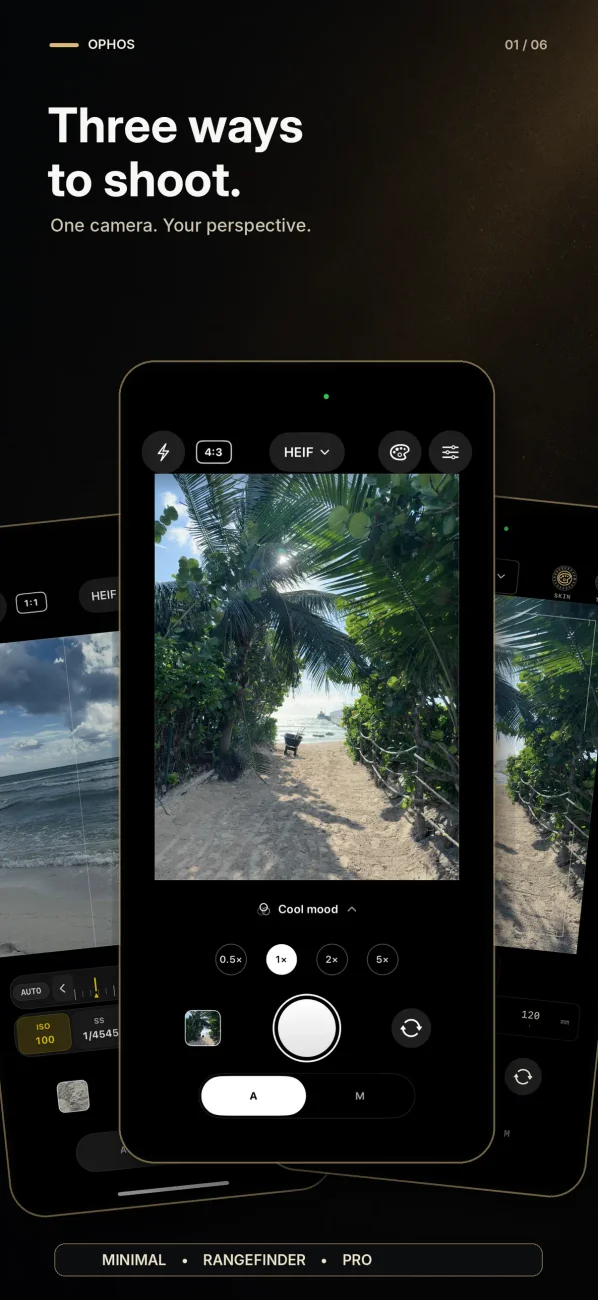
Ophos brings three camera experiences into one iPhone app, from simple point-and-shoot to full manual control. Every feature below is marked (Free) or (Ophos Pro).
THREE CAMERA INTERFACES (FREE)
• Minimal (Free): A clean black-and-white interface that keeps the focus on your photo.
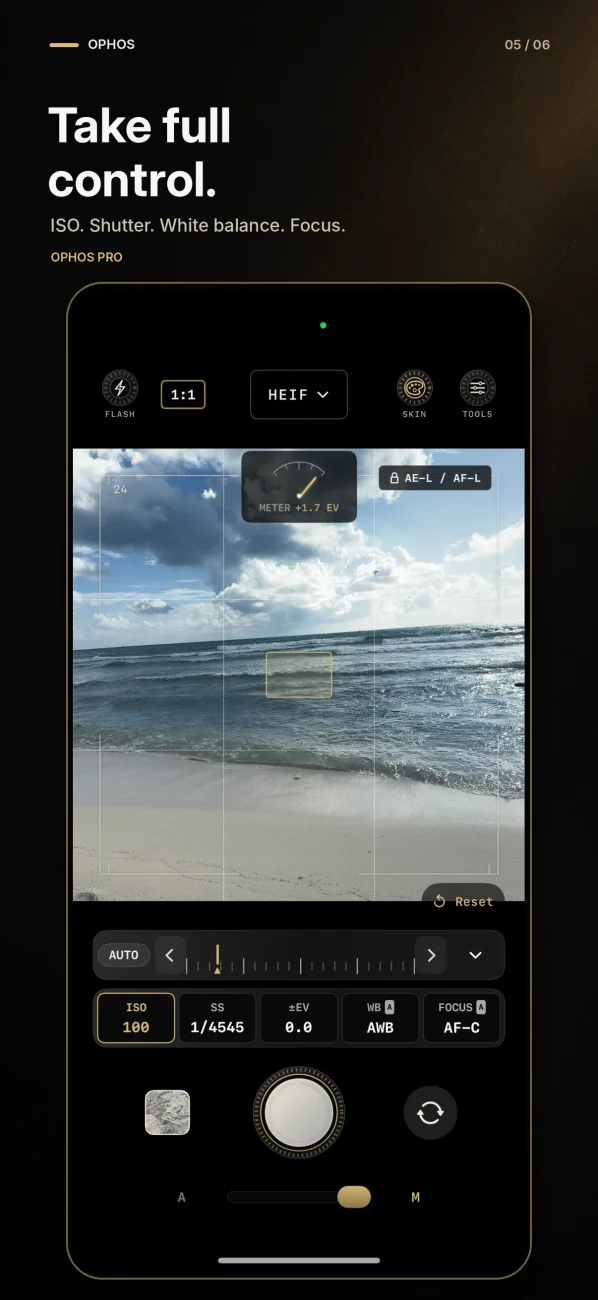
• Pro (Free): An edge-to-edge viewfinder with a heads-up display. Its manual and monitoring tools need Ophos Pro.
• Rangefinder (Free): Classic-inspired frame lines, a lens-ring dial and an exposure meter.
• Instant switching (Free): Change interfaces mid-session without restarting the camera.
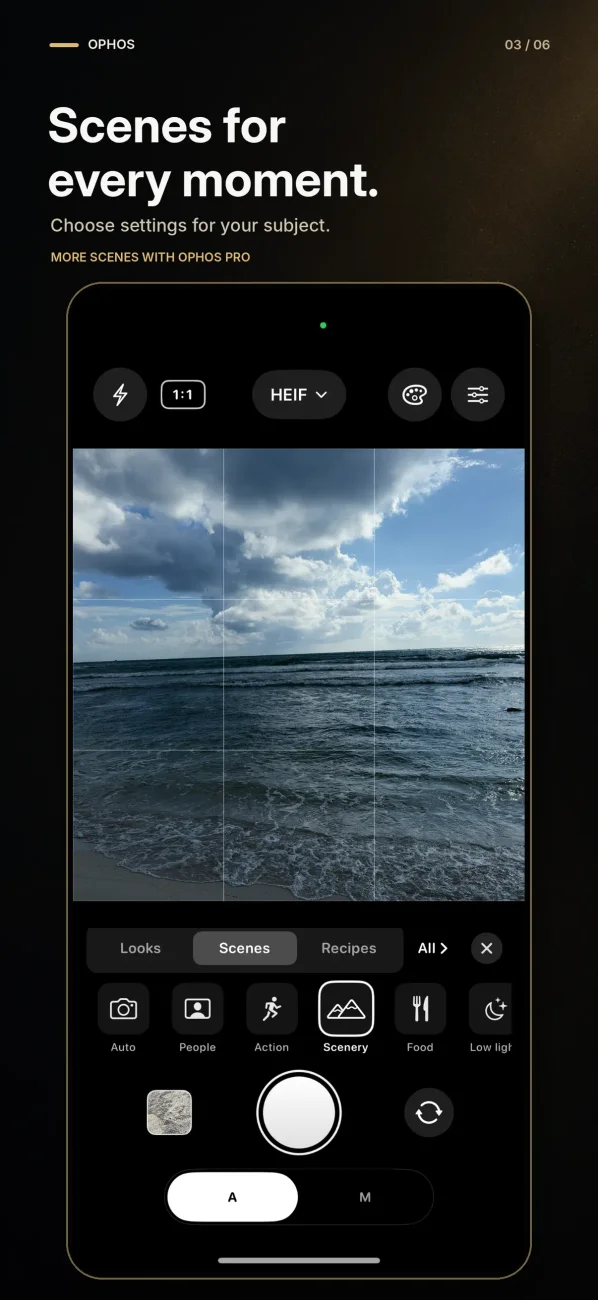
SCENES
Scenes adjust how the camera focuses and exposes for what you're shooting.
• Auto and People (Free).
• Action, Scenery, Food and Low light (Ophos Pro).
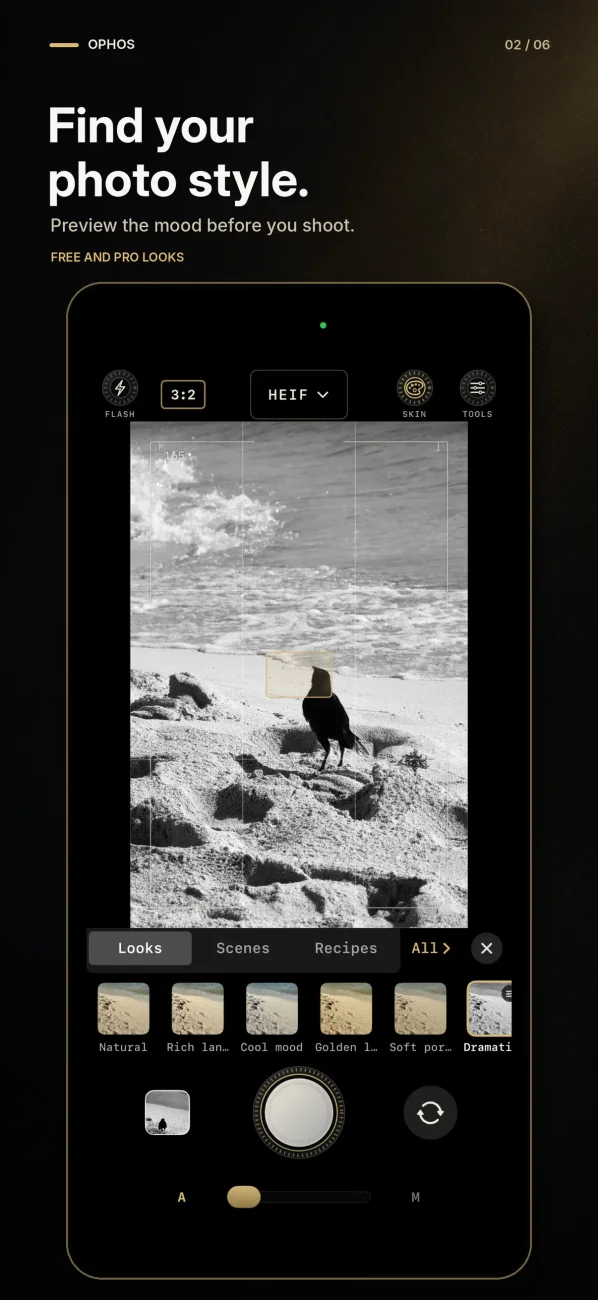
LOOKS
Color and tone styles you see live before the shot, with a strength slider. RAW files are never altered.
• Natural and Golden light (Free).
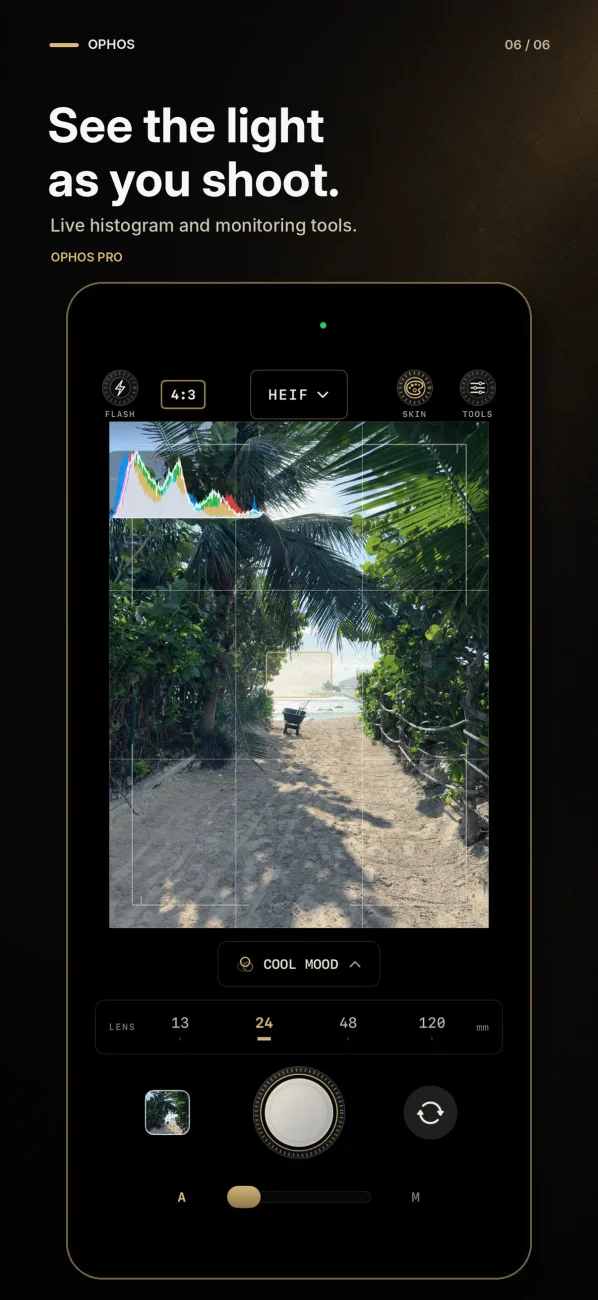
• Rich landscape, Cool mood, Soft portrait and Dramatic B&W (Ophos Pro).
RECIPES
Save a Scene, Look, framing, camera and zoom, and pin favorites to the shelf.
• Up to 3 Recipes using free Scenes and Looks (Free).
• Unlimited Recipes with any Scene or Look (Ophos Pro).
EVERYDAY CAMERA TOOLS (FREE)
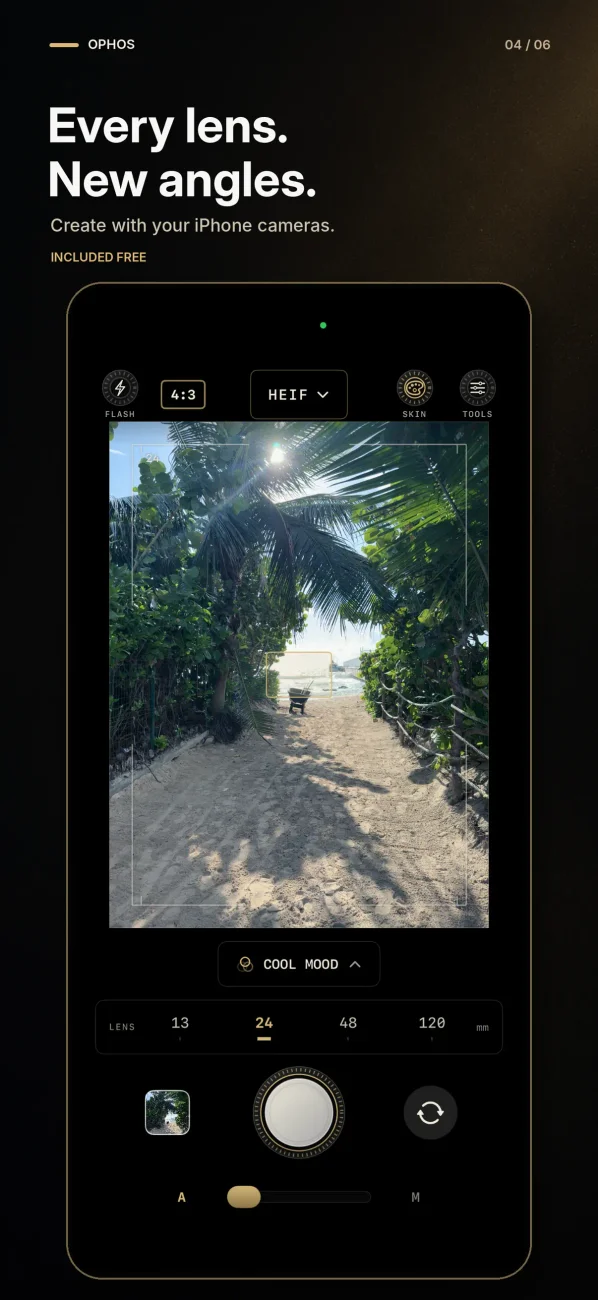
• Every lens (Free): Ultra wide, wide, telephoto and front cameras, where your iPhone has them.
• Composition and focus (Free): Grid, level, framing guides, tap to focus and focus lock.
• Brightness and flash (Free): Exposure compensation, and flash where supported.
• HEIF/JPEG capture (Free).
PRO TOOLS (OPHOS PRO)
• Manual controls (Ophos Pro): ISO, shutter speed, white balance and focus.
• Live monitoring (Ophos Pro): Histogram, focus peaking and zebra overlays.
• RAW capture (Ophos Pro): ProRAW saved together with a processed image, on iPhones that support ProRAW.
REVIEW AND SHARE (FREE)
• Photo review (Free): Browse your session's photos, compare shots, mark favorites and share from the camera.
• Fail-safe saving (Free): If a save fails, Ophos keeps the photo on your iPhone and retries when you reopen the app.
HOW TO GET OPHOS PRO
Open the Ophos Pro screen by tapping the palette icon (Skin) in the top bar and choosing "Ophos Pro", or by tapping any feature with a lock icon.
• Free trial: Tap "Try Everything Free for 14 Days" to use every Ophos Pro feature for 14 days. No payment or account is needed, nothing renews, and the trial can be used once. When it ends, Ophos returns to the free features unless you choose a plan.
• Plans: A Monthly or Yearly auto-renewable subscription, or a one-time Lifetime purchase. Each plan's price and billing period is shown on the Ophos Pro screen before you buy.
• Restore Purchases is on the same screen.
Subscriptions renew automatically at the price shown unless cancelled at least 24 hours before the end of the current period. Payment is charged to your Apple Account. Manage or cancel anytime in your Apple Account settings. Lifetime is a one-time purchase.
Terms of Use (EULA): https://www.apple.com/legal/internet-services/itunes/dev/stdeula/
Privacy Policy: https://www.usechaac.com/privacy
Neue Funktionen
Version 2.2 · 19.11.2026
Ophos now supports iPhone Duo. The camera adapts to however you use it: open, closed, folded like a book or standing on a table, and in Split View, keeping the picture clear of the fold.
On every iPhone you can now shoot in landscape, with the controls moving to the side of the screen.
App-Datenschutz
Was Julio Antonio Aguilar Pool im App Store zum Umgang dieser App mit Daten angibt.
-
Keine Daten erfasst
Der Entwickler erfasst keine Daten von dieser App.
Die Datenschutzpraktiken können variieren, zum Beispiel je nach den von Ihnen verwendeten Funktionen oder Ihrem Alter.
Informationen
- Anbieter
- Julio Antonio Aguilar Pool
- Kategorie
- Foto und Video
- Version
- 2.2
- Aktualisiert
- 19.11.2026
- Veröffentlicht
- 05.11.2026
- Größe
- 2,6 MB
- Erfordert
- iOS 18.0 oder neuer
- Altersfreigabe
- 4+
- Preis
- Kostenlos
- In-App-Käufe
- Ja
- Sprachen
- Englisch
- Copyright
- © 2026 Julio Aguilar
Das könnte Ihnen auch gefallen
-
 Iris Pro CameraFoto und Video
-
 ManualCam – Pro CameraFoto und Video
-
 FolderCam - Kamera für den JobIn Ordnern. Auf einmal löschen
-
 Fexer - Pro CameraFoto und Video
-
 ShutterLabProfi-Kamera für iPhone
-
 Point4 - The Real DSLR CameraFoto und Video
-
 Long Exposure: Slow ShutterFoto und Video
-
 Pro Camera : IrisZero AI, Filmsimulation & RAW
-
 Pro Camera: Smart Shot StudioFoto und Video
-
 Aperto: Manuelle RAW-KameraNachtmodus, RAW & Film-Looks