- Altersfreigabe4+
- KategorieDienstprogramme
- EntwicklerJaime Diaz
- SprachenEnglisch
- Größe7,3 MB
Verlinkt auf die offizielle App Store-Seite
Download.org hostet keine Datei von OpticVue. Die Schaltfläche öffnet die App-Seite bei App Store, wo Jaime Diaz die App veröffentlicht. Eintrag zuletzt geprüft am 22.11.2026.
Screenshots


Info
Der Entwickler hat diesen Text nicht in Ihrer Sprache bereitgestellt.
OpticVue: Magnify, Read & Listen
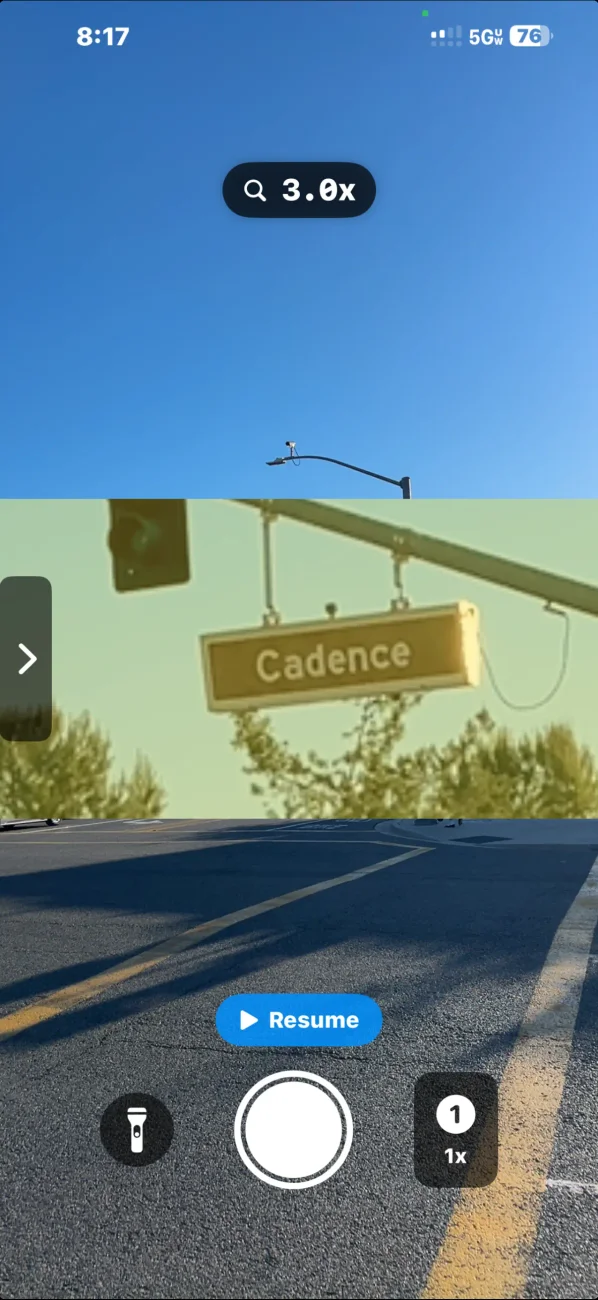
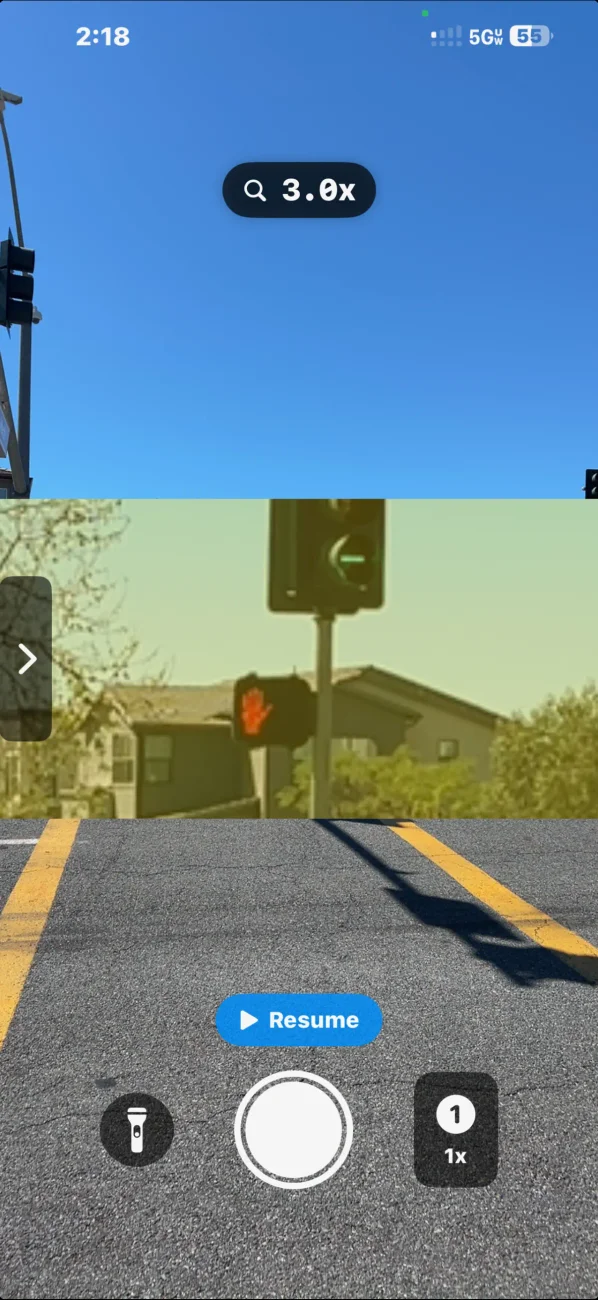
Read small text with greater clarity and confidence. OpticVue transforms your iPhone into a powerful everyday reading assistant, combining live magnification, on-device text recognition, and natural text-to-speech. Read labels, menus, documents, and other printed materials with greater ease.
KEY FEATURES
• Live Magnification
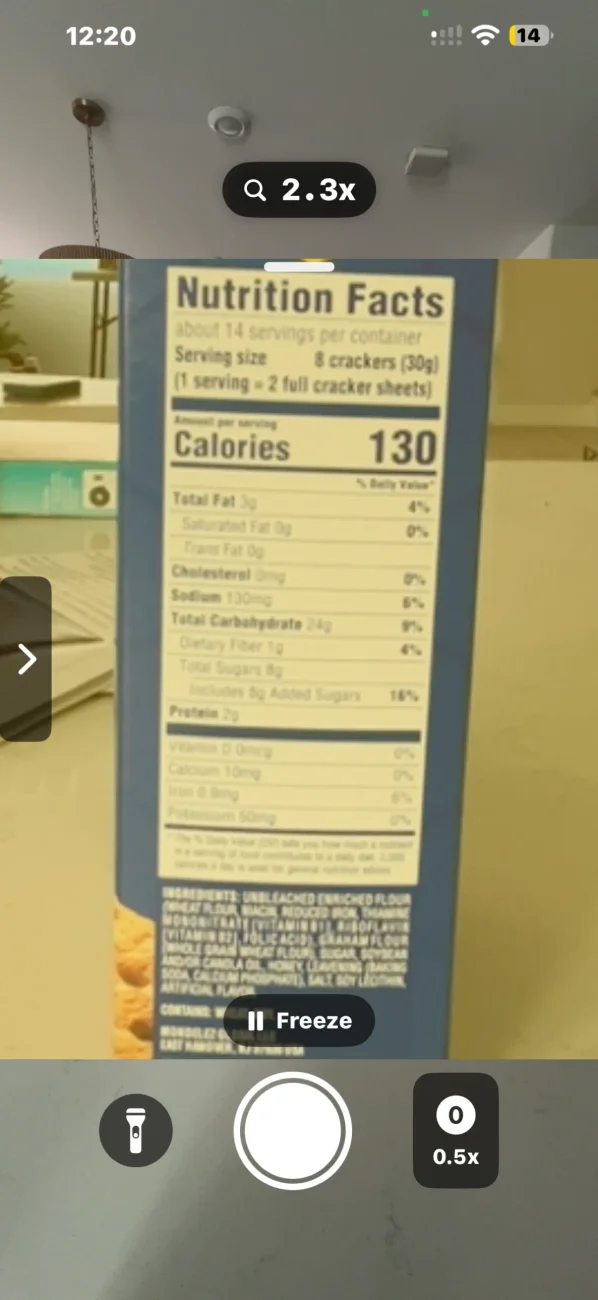
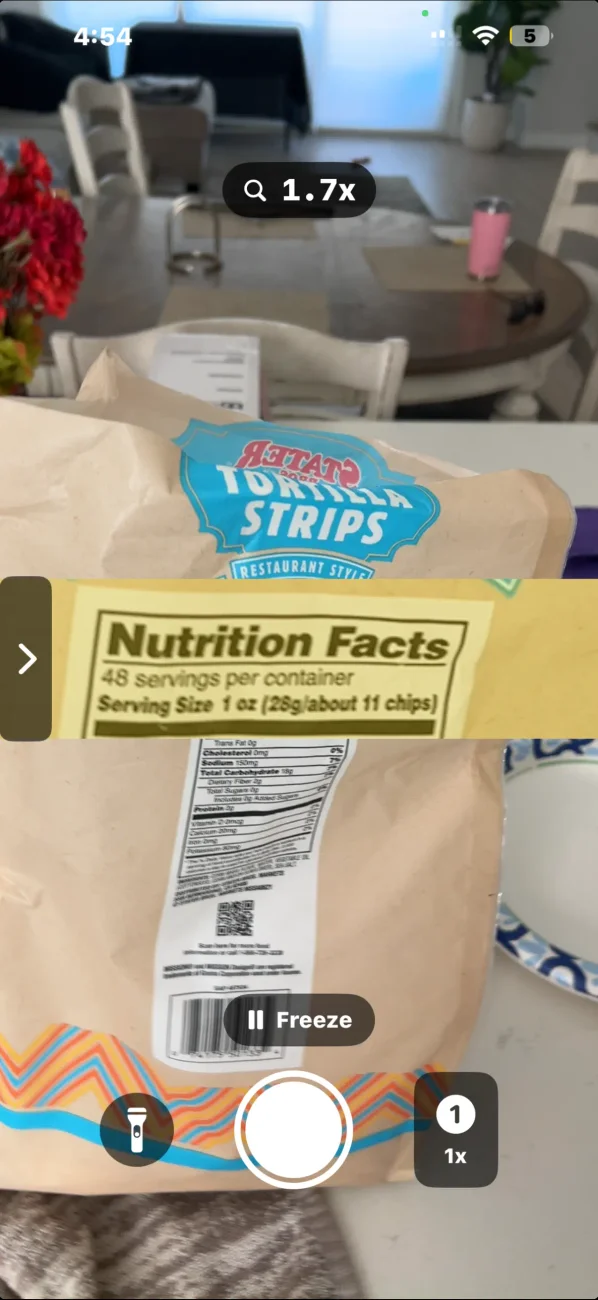
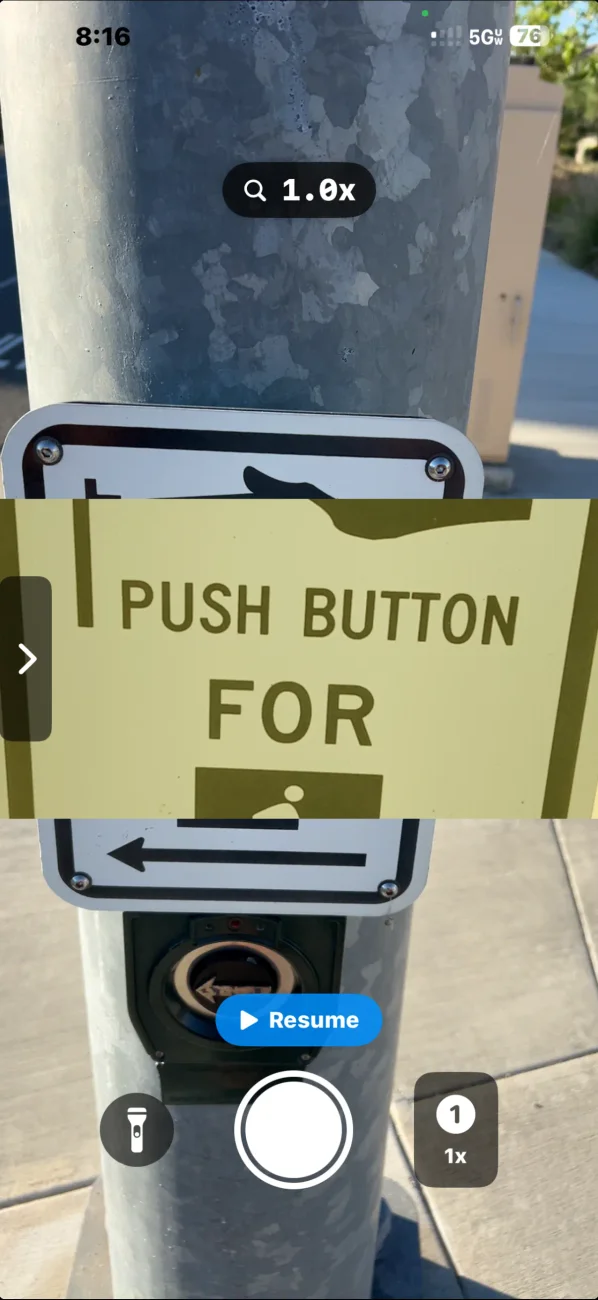
Zoom in up to 3× to view small text more comfortably. Use the adjustable highlight strip to focus on the line you want to read.
• On-Device Text Recognition (OCR)
Capture printed text and convert it into readable, selectable text directly on your iPhone.
• Text-to-Speech
Listen as OpticVue reads recognized text aloud, providing a useful alternative to reading on-screen.
• Built-In Flashlight
Illuminate labels, packaging, and documents when lighting conditions are less than ideal.
• Customizable Reading Experience
Adjust magnification and the highlight strip's size and color to match your reading preferences.
• Copy Recognized Text
Copy detected text to your clipboard for use in other apps.
USE OPTICVUE FOR
• Medication packaging and printed labels
• Nutrition facts and ingredient lists
• Restaurant menus and receipts
• Instructions, manuals, and documents
• Fine print at home, school, or work
PRIVACY FIRST
OpticVue is designed for offline use. Text recognition takes place on your device, without uploading images for processing. The app does not collect personal data, track your activity, or save camera images. No account, ads, subscriptions, or in-app purchases are required.
SIMPLE TO USE
1. Point your iPhone camera at printed text.
2. Adjust magnification and the reading highlight strip.
3. Capture and recognize the text.
4. Listen to it aloud or copy it to your clipboard.
BUILT WITH PURPOSE
Originally developed as a computer science capstone project, OpticVue brings practical accessibility-focused technology to everyday reading tasks.
FREE TO USE
All features are available at no cost, with no hidden fees.
REQUIREMENTS
• iOS 17.0 or later
• iPhone with a camera
• Camera access permission
Make everyday text easier to see, read, and hear with OpticVue.
Neue Funktionen
Version 1.5 · 17.11.2026
Happy 1st Anniversary, OpticVue!
We're celebrating with new features and improvements to make everyday reading easier.
WHAT'S NEW
• Scan History: Revisit and re-read your 50 most recent scans without rescanning.
• QR Code Scanning: Point the camera at a QR code to scan it automatically.
• Pan While Frozen: Drag around a frozen, zoomed-in frame to read different parts of it.
• Speech Rate Control: Adjust how fast text is read aloud.
• Highlight Color Picker: Choose your own color for the highlight overlay, or turn it off entirely.
• Direct Height Adjustment: Drag the handle on the highlight strip to resize it on-screen.
IMPROVEMENTS & FIXES
• Fixed camera orientation in landscape mode.
• Zoom level and flashlight brightness are now remembered between app launches.
• Added a Reset to Defaults button in Settings.
Thank you for using OpticVue!
App-Datenschutz
Was Jaime Diaz im App Store zum Umgang dieser App mit Daten angibt.
-
Keine Daten erfasst
Der Entwickler erfasst keine Daten von dieser App.
Die Datenschutzpraktiken können variieren, zum Beispiel je nach den von Ihnen verwendeten Funktionen oder Ihrem Alter.
Informationen
- Anbieter
- Jaime Diaz
- Kategorie
- Dienstprogramme
- Version
- 1.5
- Aktualisiert
- 17.11.2026
- Veröffentlicht
- 16.11.2025
- Größe
- 7,3 MB
- Erfordert
- iOS 17.6 oder neuer
- Altersfreigabe
- 4+
- Preis
- Kostenlos
- Sprachen
- Englisch
- Copyright
- © 2026 GAMEiDIAZ
Das könnte Ihnen auch gefallen
-
 Cafe MeasurerDienstprogramme
-
 Hidden Camera Detector - MTrakDienstprogramme
-
 Snow PadDienstprogramme
-
 Lupe: Zoom, Licht & VorlesenTaschenlampe, Spiegel, Sehen
-
 maptoilet Barrier-FreeDienstprogramme
-
 HelloNavDienstprogramme
-
 Senior Launcher: Große TastenEinfaches Handy für Senioren
-
 Markers AIDienstprogramme
-
 Simplify TextDienstprogramme
-
 Crawford ConnectDienstprogramme