
OwnFi
Private on-device finance
Entwickelt für iPhone, iPad, iPod touch
Kostenlos
- Altersfreigabe4+
- KategorieFinanzen
- EntwicklerManeesh Baid
- SprachenEnglisch
- Größe43,4 MB
Verlinkt auf die offizielle App Store-Seite
Download.org hostet keine Datei von OwnFi. Die Schaltfläche öffnet die App-Seite bei App Store, wo Maneesh Baid die App veröffentlicht. Eintrag zuletzt geprüft am 24.11.2026.
Screenshots


Info
Der Entwickler hat diesen Text nicht in Ihrer Sprache bereitgestellt.
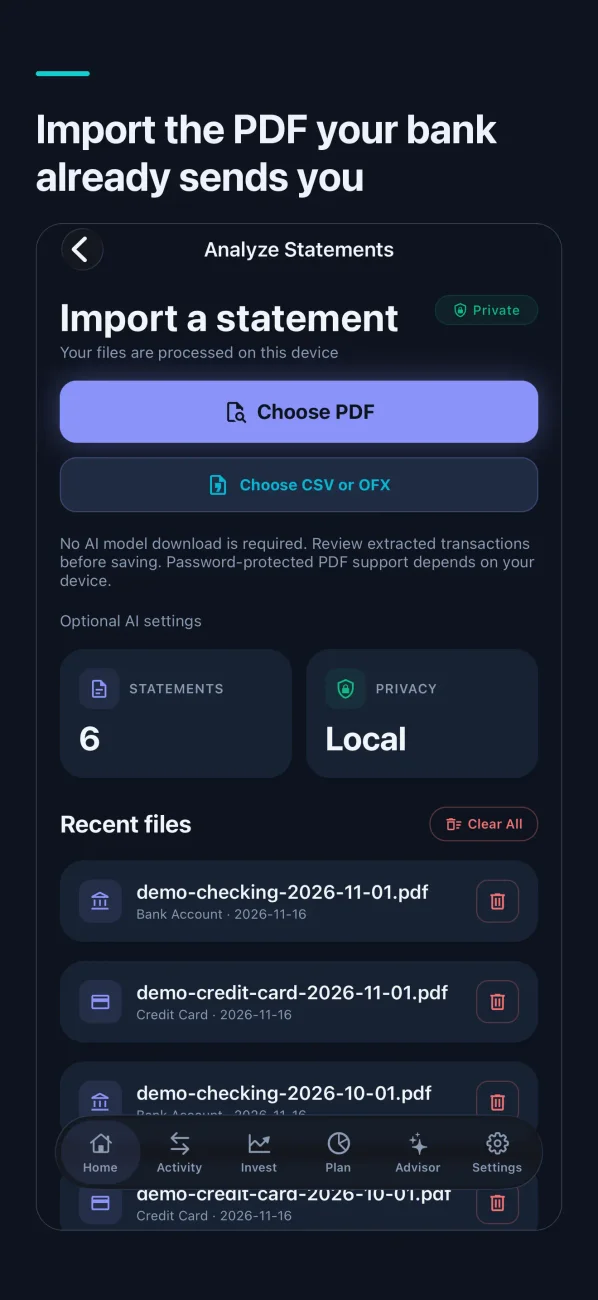
OwnFi is a free budgeting app that imports your bank statements instead of logging into your bank. Drop in the PDF or CSV your bank already sends you and see what you can spend today, which bills are coming, and where the money went. Nothing leaves your phone: no server, no cloud processing, no analytics on your spending, no third-party data sharing. No subscription, no trial, no account to create.
IMPORT FROM ANYWHERE • PDF Statement Analyzer — parse bank and credit card statements locally, with automatic detection of major bank formats • CSV Import — auto-detects formats, and the universal parser learns any unknown CSV layout after you confirm it once • Receipt Scanner — capture receipts with on-device OCR and line-item parsing • Screenshot Import — extract transactions from banking app screenshots, including Indian passbook/UPI and Canadian layouts, with an optional review-free auto-add setting • Share to OwnFi — send PDFs, screenshots, and CSVs from any app straight into OwnFi via the share sheet • Quick Add gesture — double-tap the back of your phone to log an expense in two fields, via Back Tap and Shortcuts
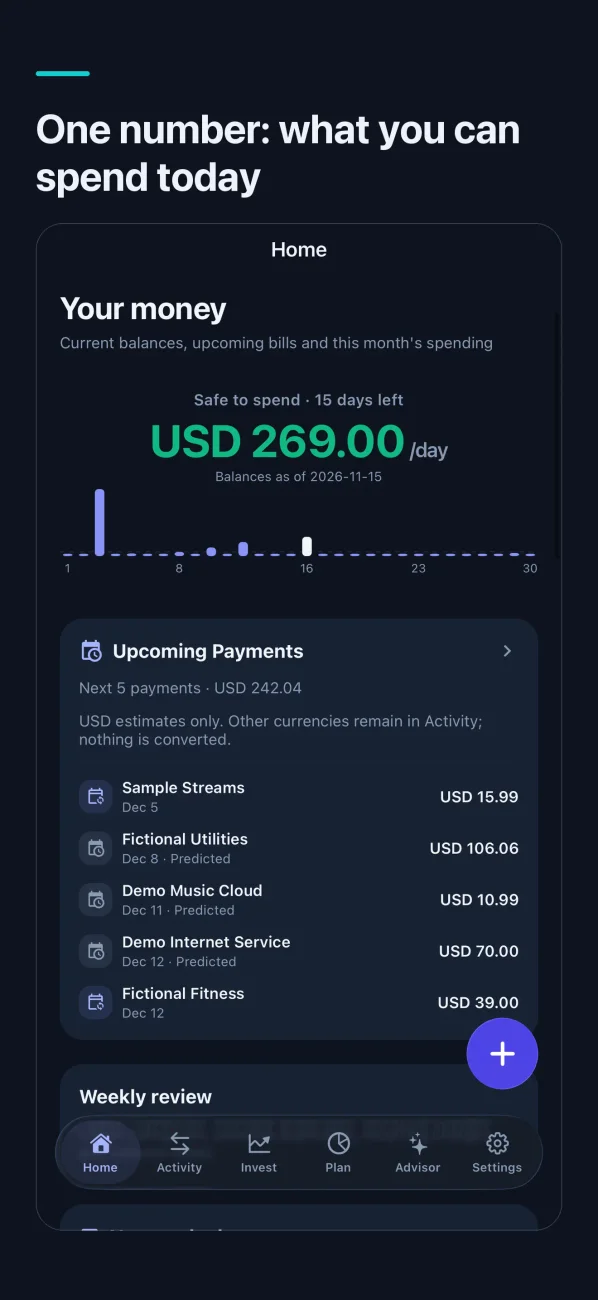
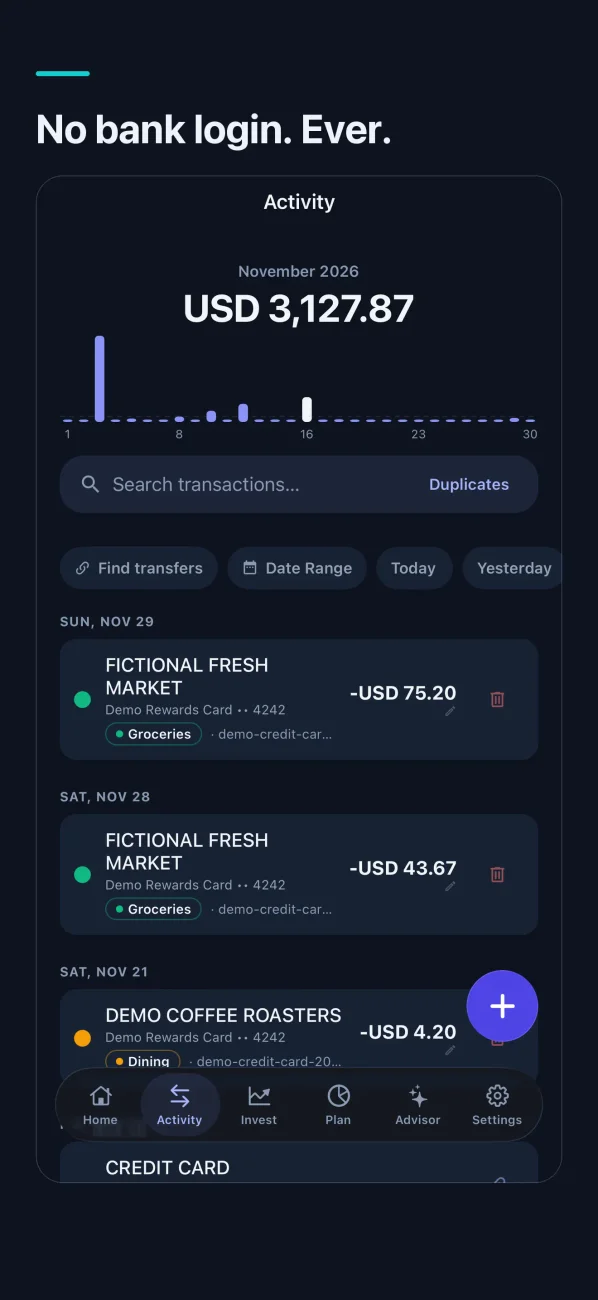
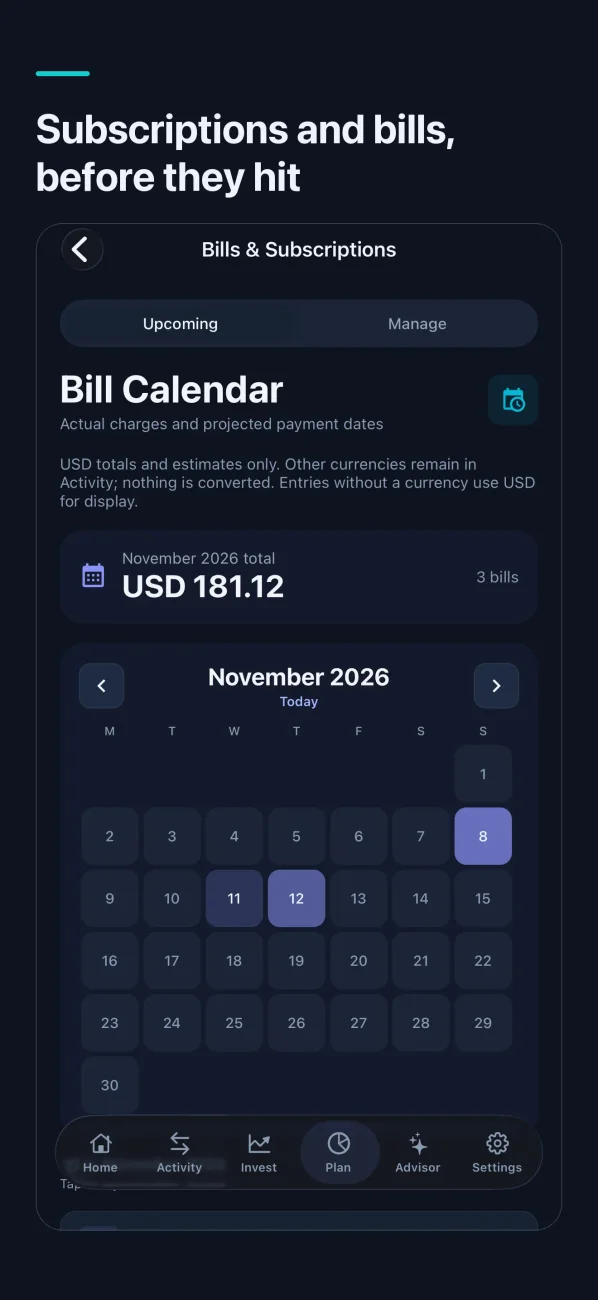
UNDERSTAND YOUR MONEY • Safe to Spend — open the app to how much you can spend per day for the rest of the month, with upcoming bills already reserved • Daily Money Pulse — today's and this month's spending against your budgets at a glance • Home dashboard — net worth, portfolio, upcoming bills, and savings goals on one screen • Apple Watch — Safe-to-Spend, your next bill, and voice quick-add on your wrist • Activity — every transaction from every source in one searchable timeline with automatic categorization • Insights — monthly trends, top merchants, category patterns, and anomaly detection • What-If Simulator — preview how spending changes affect your savings
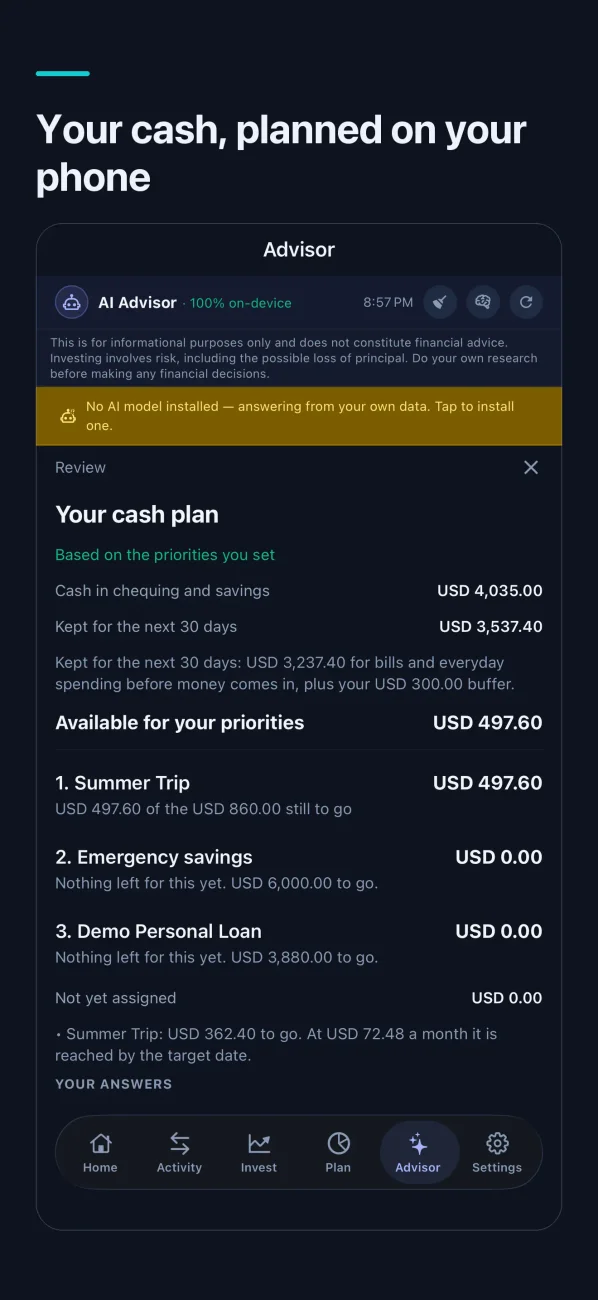
PLAN AHEAD • Your cash plan — the next 30 days of bills and spending kept aside, the rest shared across the priorities you set. Plus goal pacing, a subscription review, what-ifs and pre-investing facts in the Advisor • Time Machine — project your balance 3 months to 2 years ahead from your income, bills, and spending, then stack "what if" changes on top and compare • Budget Planner — monthly category limits with rollover, AI-suggested amounts, and one-tap shortcuts to Time Machine, What-If, Goals, and Debts • Savings Goals, Bills & Subscriptions on one screen, and Debt Tracker with amortization schedules • Tax-year export — a CSV of one tax year's transactions, using your jurisdiction's dates (UK, India, and calendar-year countries) or a plain calendar year, with each row's currency
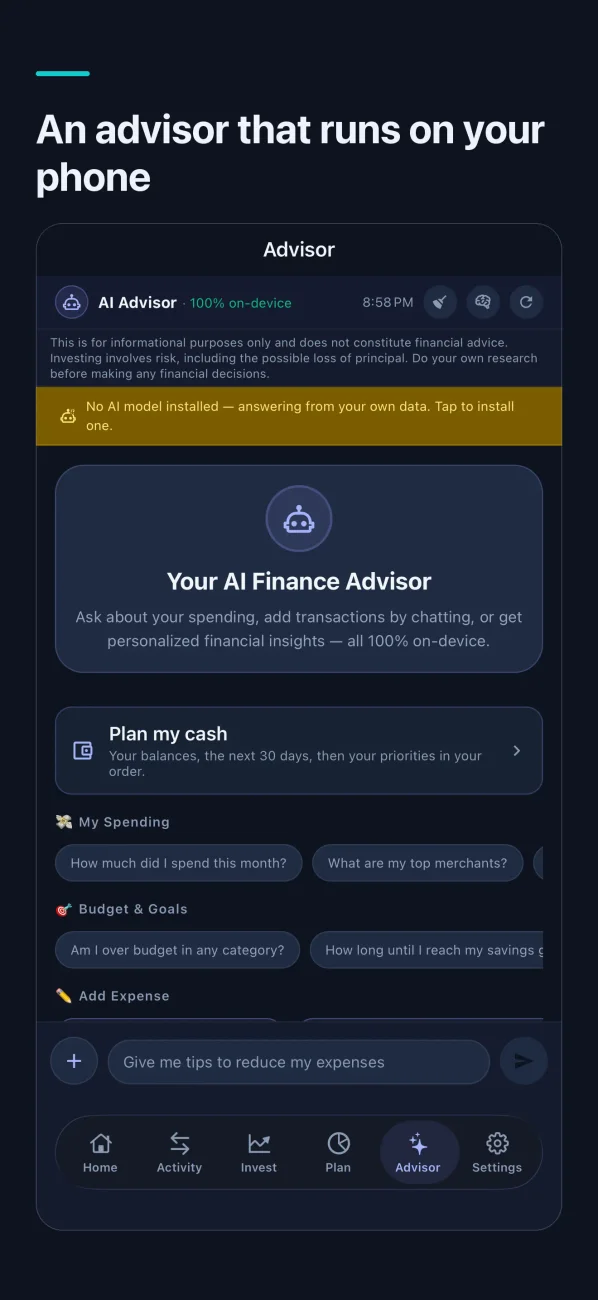
PRIVATE AI ADVISOR • Chat with an AI that understands your finances — Apple Intelligence on iPhones that have it, with nothing to download, or a language model you install; every figure is computed by OwnFi's own code first • Conversational entry: say "I spent $15 at Starbucks today" and it's saved instantly • Built-in Canadian tax and savings calculators (CPP, EI, RRSP, FHSA, mortgage) • Financial Memories — the advisor remembers your priorities across conversations
YOUR DATA, PROTECTED • 100% on-device storage, encrypted at rest with a key held only in your iPhone's keychain — there is no OwnFi server • Face ID / Touch ID app lock • AES-256 encrypted backups you control • Family Sync — send encrypted finance packages to a partner over your local Wi-Fi or by file, no server required • No ad networks, no tracking, no analytics SDKs
OwnFi is free, with no in-app purchases and no subscription tier. An optional Partner offers screen in Settings may list approved, labelled partner links. OwnFi does not attach financial data or personal identifiers; ordinary browser requests and partner privacy policies apply.
Optional network features: currency exchange rates for conversion, and AI model files you choose to download. Your financial data is never sent anywhere.
AI insights are educational only and are not financial, investment, tax, legal, or accounting advice.
Neue Funktionen
Version 2.1.0 · 24.11.2026
• Track shared expenses and reimbursements.
• Scanned (image-only) PDF statements now import, including Swedish and Japanese ones.
• RBC-, TD- and Chase-style PDF statement layouts now read correctly.
• Family Sync keeps the newer edit of a transaction, and backups use stronger encryption.
• OwnFi refuses a CSV or PDF that mixes accounts or currencies, and you can move an imported file or investment entry to the right account.
• Bills and income keep their real due day at month end.
App-Datenschutz
Was Maneesh Baid im App Store zum Umgang dieser App mit Daten angibt.
-
Keine Daten erfasst
Der Entwickler erfasst keine Daten von dieser App.
Die Datenschutzpraktiken können variieren, zum Beispiel je nach den von Ihnen verwendeten Funktionen oder Ihrem Alter.
Informationen
- Anbieter
- Maneesh Baid
- Kategorie
- Finanzen
- Version
- 2.1.0
- Aktualisiert
- 24.11.2026
- Veröffentlicht
- 08.07.2026
- Größe
- 43,4 MB
- Erfordert
- iOS 15.1 oder neuer
- Altersfreigabe
- 4+
- Preis
- Kostenlos
- Sprachen
- Englisch
- Copyright
- © 2026 Maneesh Baid
Das könnte Ihnen auch gefallen
-
 SampattiTrackIhr Geld, privat und klar
-
 OpenTeller: Budget plannerFinanzen
-
 Gageboo: HaushaltsbuchGemeinsames Budget & Foto-Scan
-
 SnapSpendFinanzen
-
 AI Spend Tracker: RetroBudgetFinanzen
-
 Pair with MeFinanzen
-
 Wealth Compass TrackerPrivater Vermögens-Tracker
-
 Paylendar: ZahlungskalenderRechnungen, Miete & Abos
-
 Fiscify: Smart HaushaltsbuchBudget Planner & Belege