Panoptic
Your School, in one app
Entwickelt für iPhone, iPad, Mac, iPod touch
Kostenlos
- Altersfreigabe4+
- KategorieBildung
- EntwicklerTonbridge School
- SprachenEnglisch
- Größe90,2 MB
Verlinkt auf die offizielle App Store-Seite
Download.org hostet keine Datei von Panoptic. Die Schaltfläche öffnet die App-Seite bei App Store, wo Tonbridge School die App veröffentlicht. Eintrag zuletzt geprüft am 22.11.2026.
Screenshots


Info
Der Entwickler hat diesen Text nicht in Ihrer Sprache bereitgestellt.
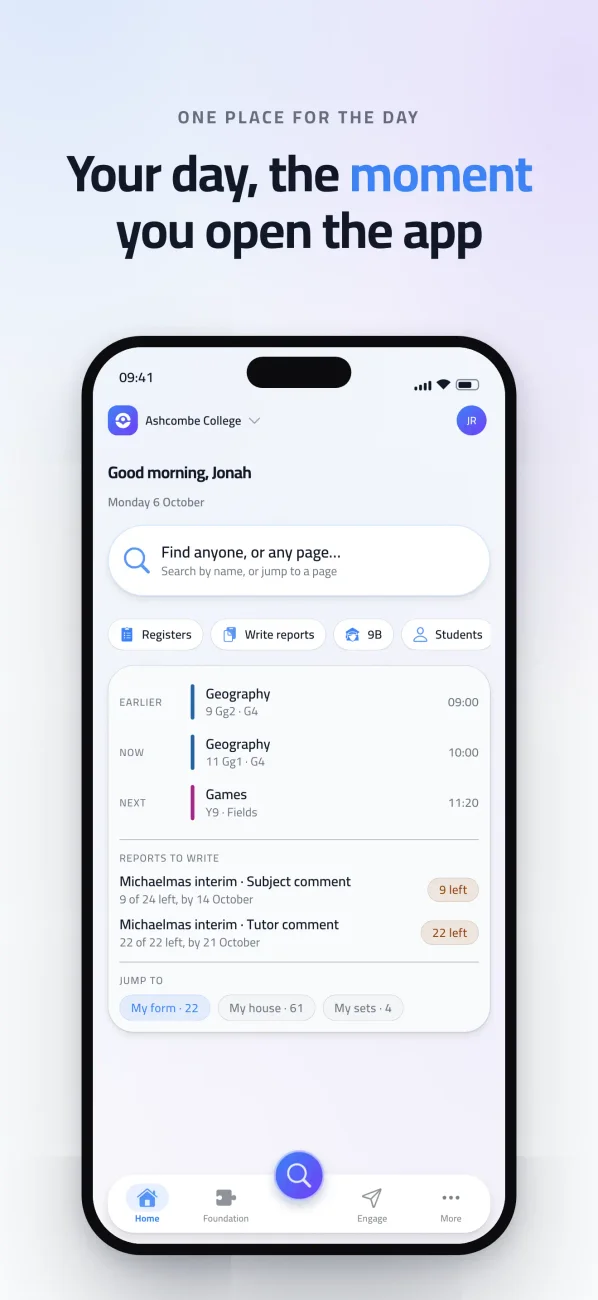
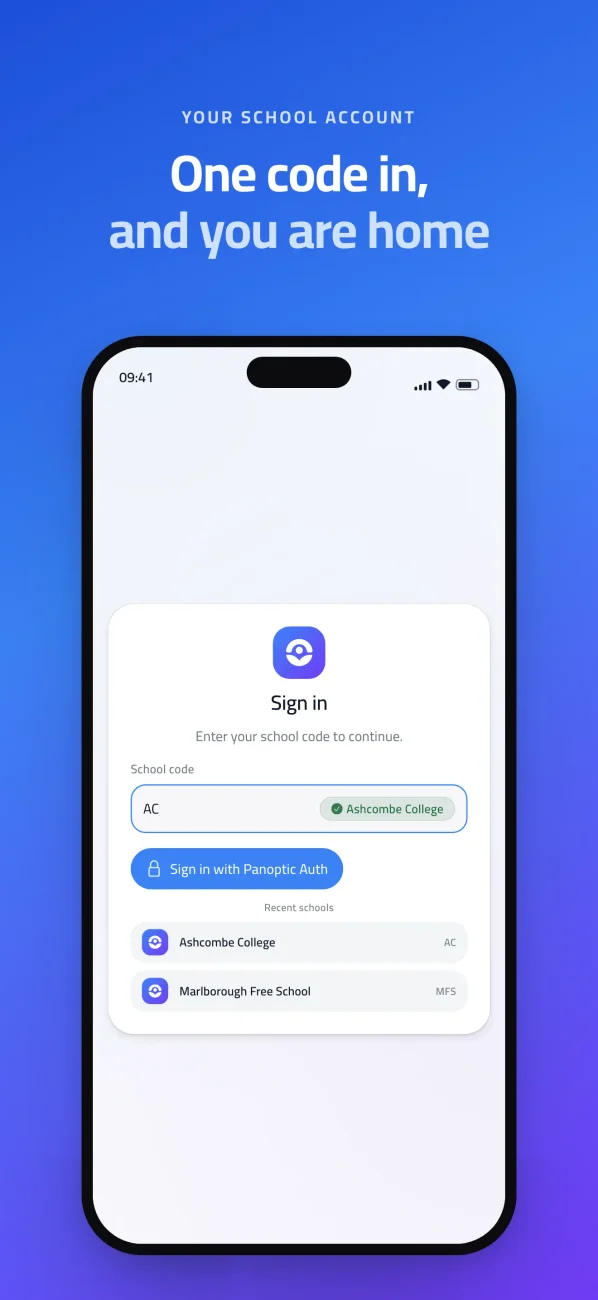
Panoptic is the app your School runs on. It needs a School account: enter your School code, sign in, and the School day is in one place. If your School does not use Panoptic, there is nothing in here you can open.
WHAT YOU SEE DEPENDS ON WHO YOU ARE
One app, three experiences. Pupils, parents and staff sign in to the same app and each land on what matters to them. Your School decides what your account can reach, so there is nothing to set up and no wrong version to download.
FOR PUPILS AND PARENTS
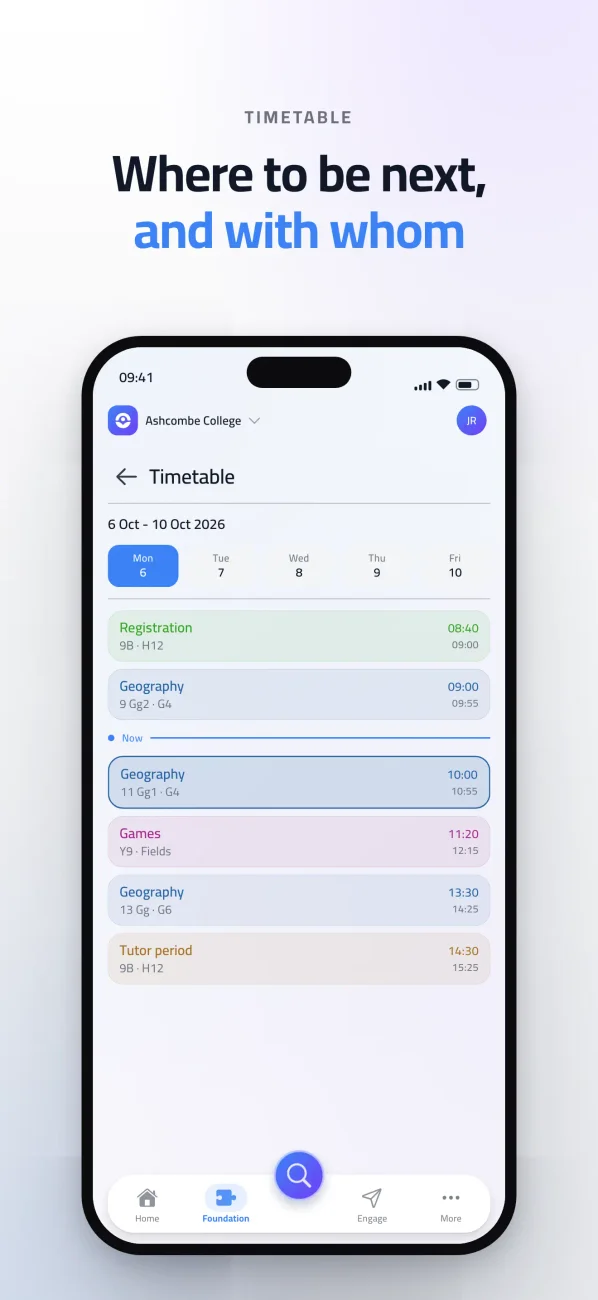
- The week's timetable: every lesson, room, set and teacher, with the day you are in marked.
- School reports and assessments as the School published them.
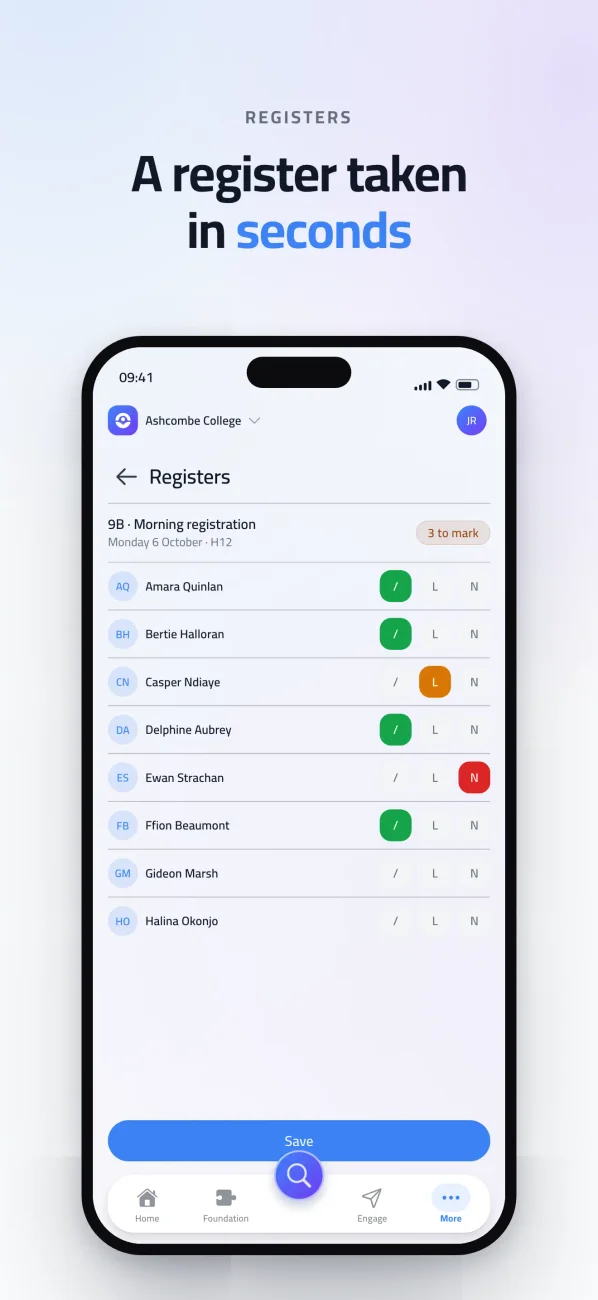
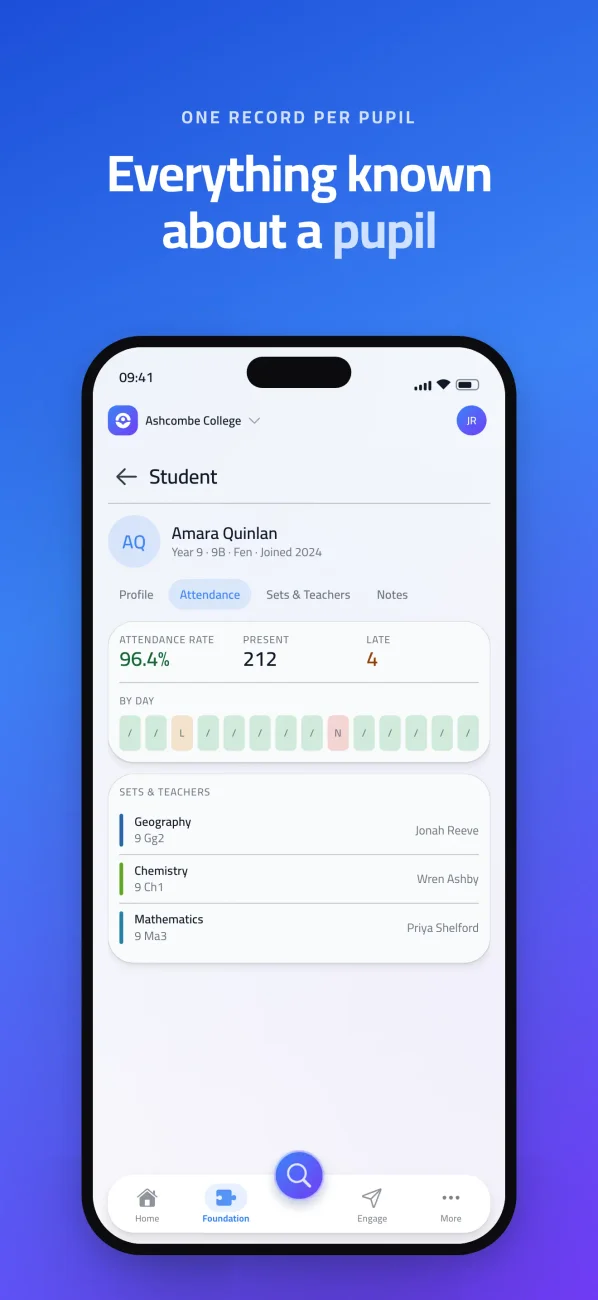
- Attendance, day by day and session by session, with the rate alongside it.
- Exam candidate numbers when the School has issued them.
- Messages from the School, by email and as a notification on your phone.
- For parents, the same view of each of your children.
FOR STAFF
- Registers taken in a few taps, for your own lessons or for a colleague you are covering.
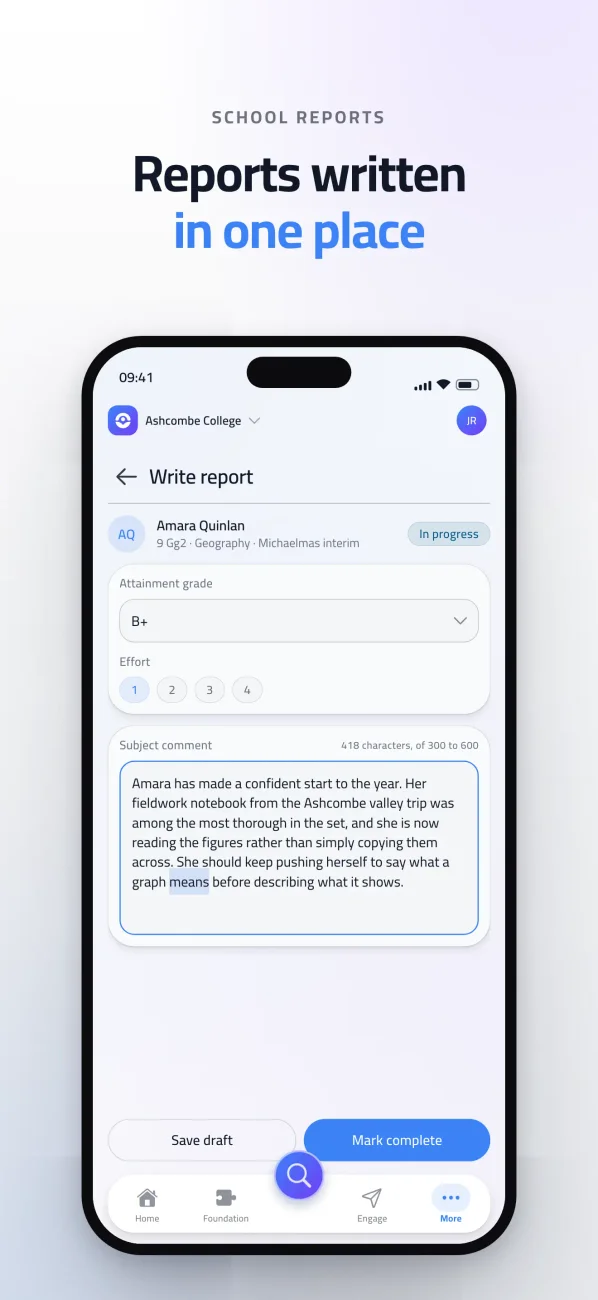
- School reports written in the shape your School designed, with the grade scales, the field lengths and the deadlines it set.
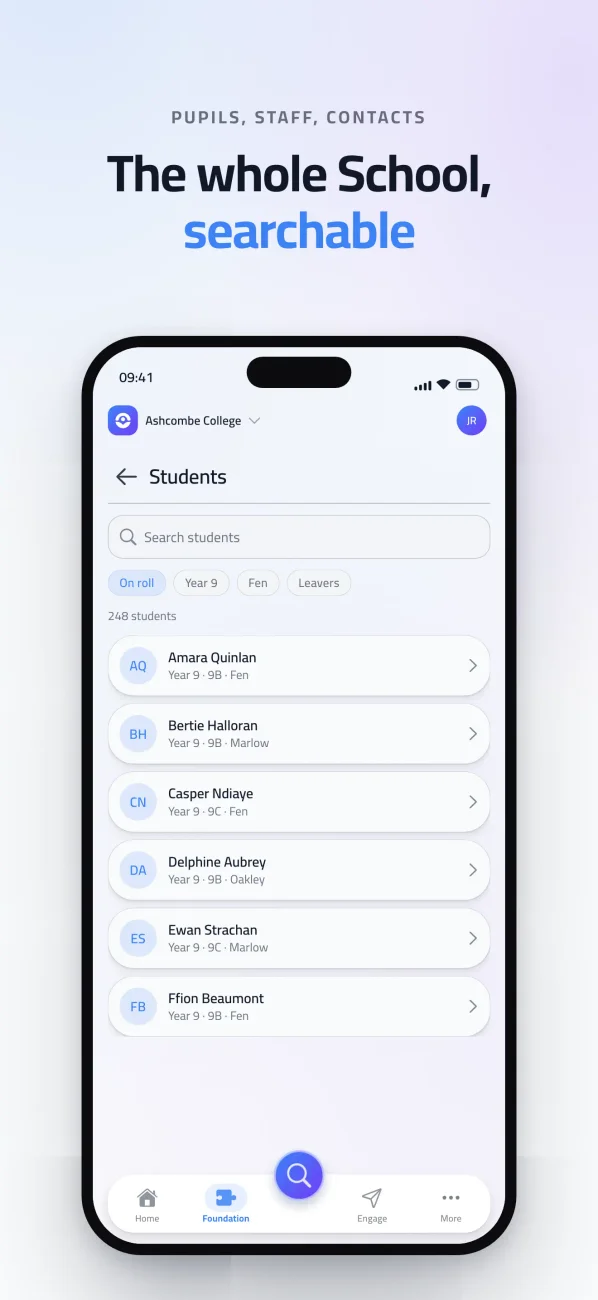
- The full pupil, staff and contact lists, with each person's record behind them: form, house, sets, teachers, attendance, relations and notes.
- Lesson cover, free periods and absence summaries.
- Messages to a year group, a house, a set or one family, from your School's own sending address.
SEARCH IS THE FRONT DOOR
One field finds any pupil, member of staff, contact or page in the app. It is on the home screen, it is a keystroke away everywhere else, and it is how most people use Panoptic.
IT IS YOUR SCHOOL'S APP
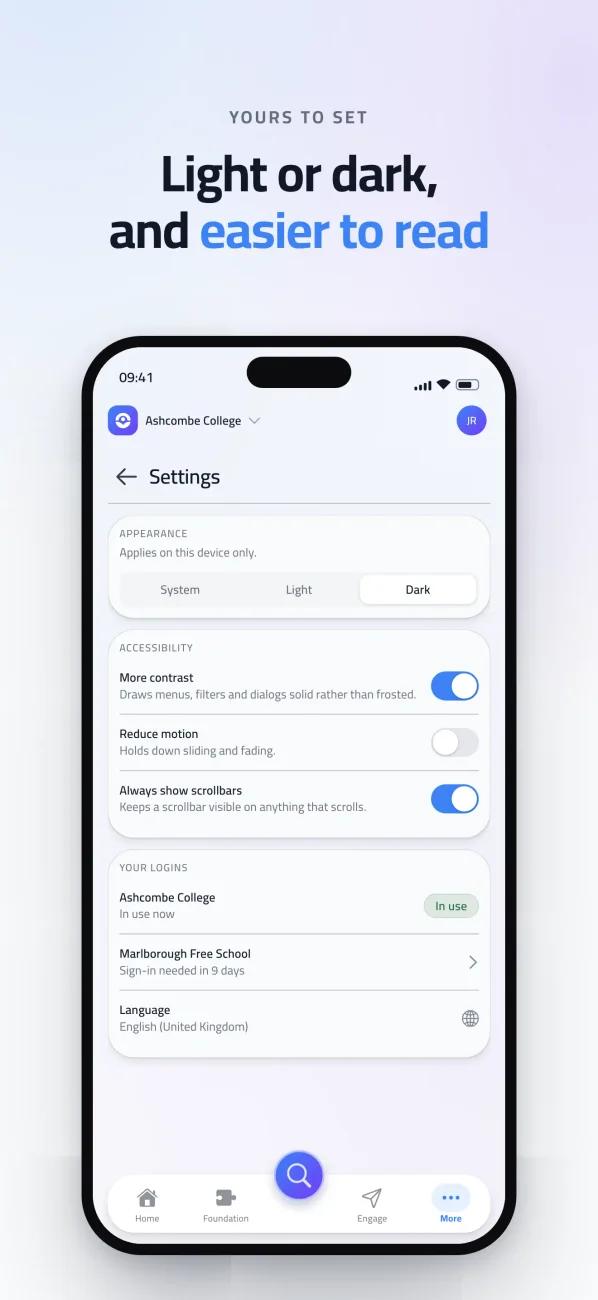
Panoptic wears your School's name, crest and colour, and your School's data lives in your School's own database. Sign in to more than one School on the same device, which staff who work at two and parents with children at two can both do, and switch between them without signing out.
MADE TO LIVE IN
- Light and dark, following your device or set here.
- More contrast, for when frosted panels are hard to read.
- Reduced motion, which also follows your device's own setting.
- English, French, Spanish and German.
- Built for VoiceOver and for a large text size.
Panoptic does not take payments and shows no advertising.
SUPPORT
Ask your School first: your account, your permissions and your data are theirs to manage. For anything else, the support link on this page reaches us.
Neue Funktionen
Version 2026.11.5 · 18.11.2026
Panoptic is now better at staying signed in, and the feed behaves itself on iPhone. Posts with photos and videos no longer cause crashes on iOS 26 and 27, portrait videos fill their tiles properly, and video controls fit neatly on a phone. The player's menus now stay solid rather than smearing the video behind them.
Schools using Reports can add named co-curricular groups to a step, save groups to reuse across the school, and add pupils in bulk from a list.
Schools using Cover get a simpler room closure form, clearer warnings when cover candidates are already on duty, and cover emails that say who is covering what.
Staff who can see the whole school's lessons get Staff, Pupil and Room timetables. The rich text editor has had a thorough tidy-up, so typing, pasting and lists behave as expected.
Moderators can now edit any post, with the post recording who made the change. Only the author can delete a post, and moderators keep the ability to remove content. Under the surface, sign-in has been reworked so repeated sign-ins no longer loop, and the app should feel calmer and more predictable day to day.
App-Datenschutz
Was Tonbridge School im App Store zum Umgang dieser App mit Daten angibt.
-
Mit Ihnen verknüpfte Daten
Können erfasst und mit Ihrer Identität verknüpft werden.
- Kontaktinformationen
- Kennungen
-
Nicht mit Ihnen verknüpfte Daten
Können erfasst werden, sind aber nicht mit Ihrer Identität verknüpft.
- Nutzungsdaten
- Diagnose
Die Datenschutzpraktiken können variieren, zum Beispiel je nach den von Ihnen verwendeten Funktionen oder Ihrem Alter.
Informationen
- Anbieter
- Tonbridge School
- Kategorie
- Bildung
- Version
- 2026.11.5
- Aktualisiert
- 18.11.2026
- Veröffentlicht
- 08.10.2026
- Größe
- 90,2 MB
- Erfordert
- iOS 15.0 oder neuer
- Altersfreigabe
- 4+
- Preis
- Kostenlos
- Sprachen
- Englisch
- Copyright
- © Tonbridge School