- Altersfreigabe4+
- KategorieProduktivität
- EntwicklerTim Moreton
- SprachenEnglisch
- Größe883,0 KB
Verlinkt auf die offizielle App Store-Seite
Download.org hostet keine Datei von PaperDrawer. Die Schaltfläche öffnet die App-Seite bei App Store, wo Tim Moreton die App veröffentlicht. Eintrag zuletzt geprüft am 13.11.2026.
Screenshots

Info
Der Entwickler hat diesen Text nicht in Ihrer Sprache bereitgestellt.
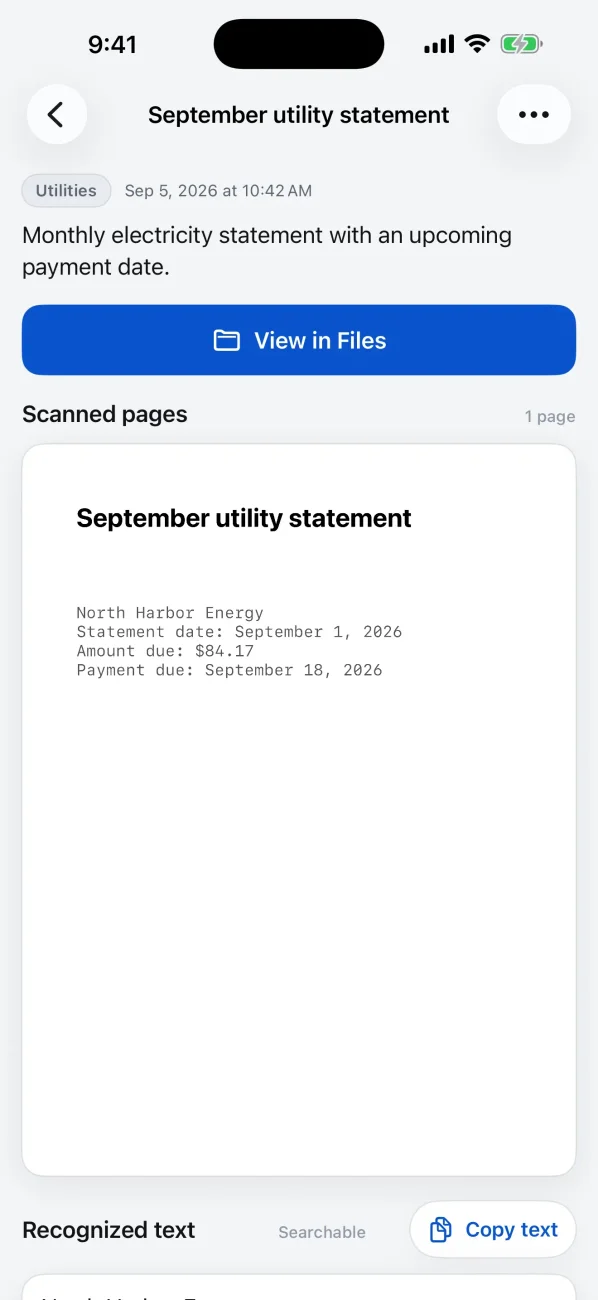
PaperDrawer turns paper into a private, searchable archive on iPhone and iPad. One purchase. No subscription. No PaperDrawer account.
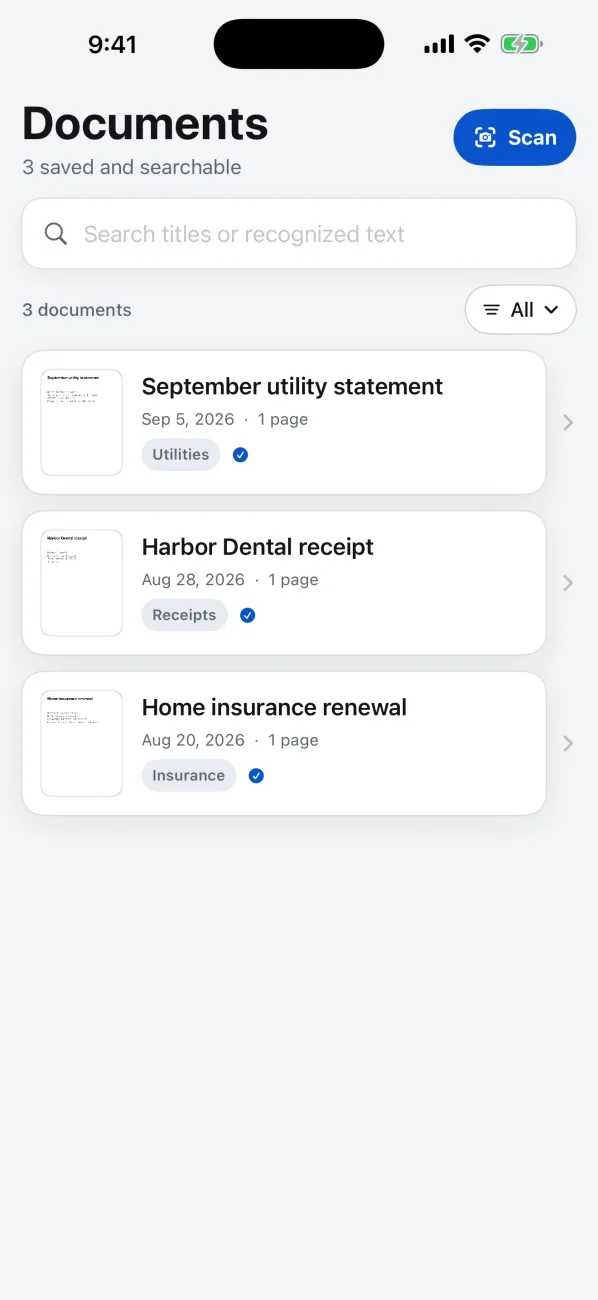
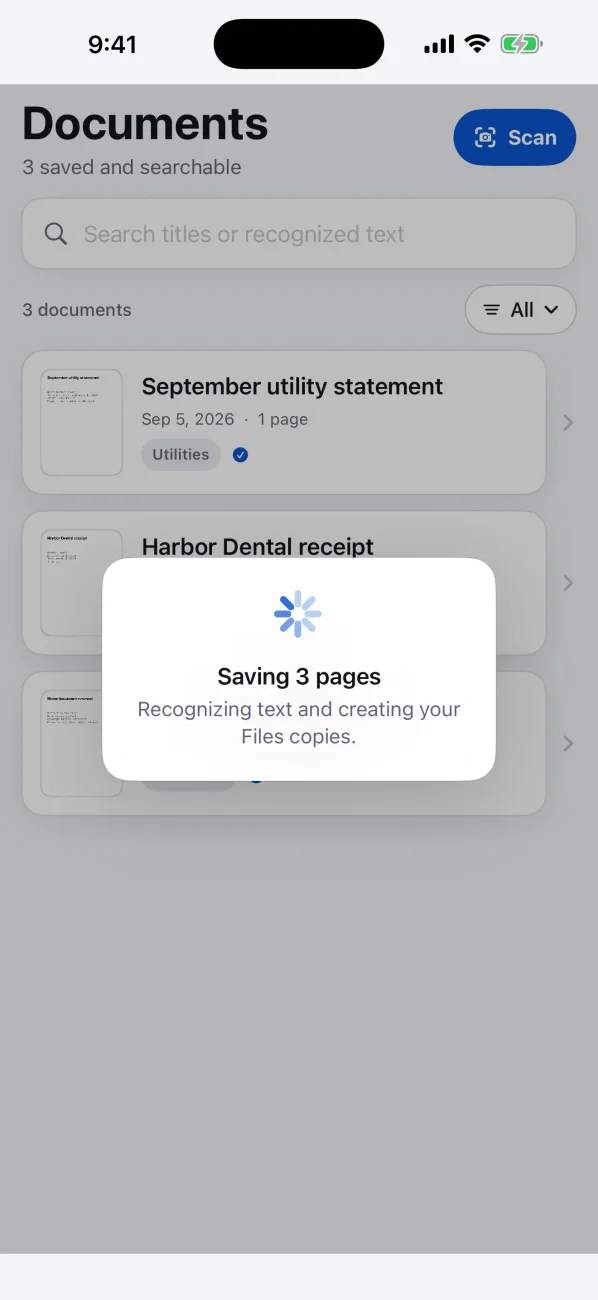
Scan receipts, statements, forms, letters, and notes with Apple's native document camera. PaperDrawer recognizes the text on your device, creates useful document details, and makes every saved page easy to find again.
PRIVATE BY DESIGN
Document scanning, OCR, organization, and search happen on your device. PaperDrawer has no account, advertising, analytics, tracking, or developer-operated document server. Search stays inside PaperDrawer; the app does not submit library records to system search. Copies you keep in Files or iCloud Drive may be indexed by Apple according to your settings.
SEARCH THE PAGE, NOT JUST THE TITLE
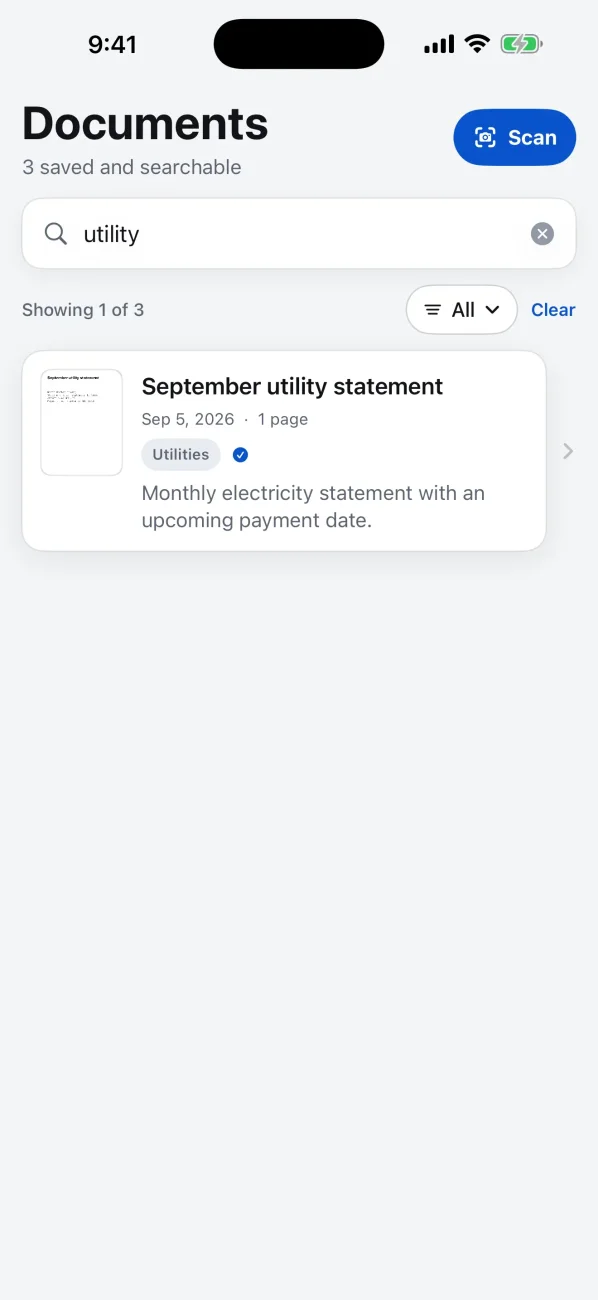
Find documents using words that appear anywhere in the recognized text, as well as titles, categories, summaries, and keywords.
KNOW WHERE EVERY COPY LIVES
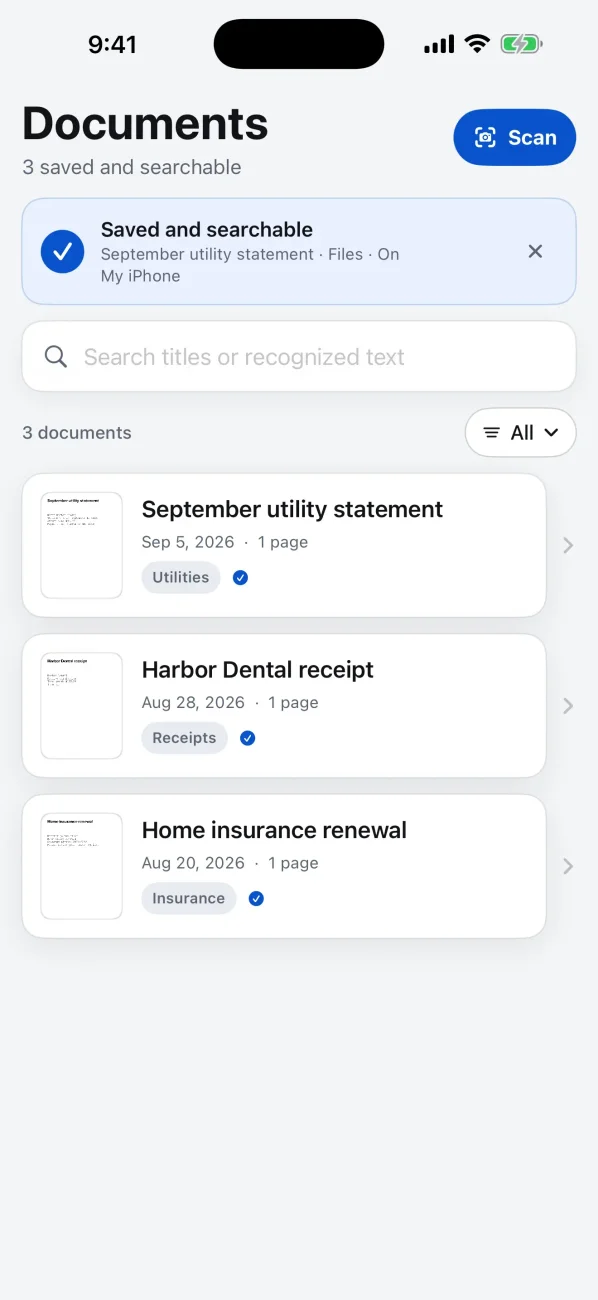
PaperDrawer clearly shows when a document is searchable and when its Files copy has been created. Each export includes the scanned page images, recognized text, and useful document information.
BUILT FOR APPLE DEVICES
PaperDrawer uses native Apple frameworks for document capture, on-device text recognition, storage, and optional private iCloud sync. No third-party runtime SDKs are included.
Optional iCloud features are controlled by your Apple Account settings and handled by Apple. OCR results can contain mistakes, so compare important information with the original document.
App-Datenschutz
Was Tim Moreton im App Store zum Umgang dieser App mit Daten angibt.
-
Keine Daten erfasst
Der Entwickler erfasst keine Daten von dieser App.
Die Datenschutzpraktiken können variieren, zum Beispiel je nach den von Ihnen verwendeten Funktionen oder Ihrem Alter.
Informationen
- Anbieter
- Tim Moreton
- Kategorie
- Produktivität
- Version
- 1.2
- Aktualisiert
- 19.09.2026
- Veröffentlicht
- 19.09.2026
- Größe
- 883,0 KB
- Erfordert
- iOS 26.5 oder neuer
- Altersfreigabe
- 4+
- Preis
- Kostenlos
- Sprachen
- Englisch
- Copyright
- © 2026 Tim Moreton Jr.
Das könnte Ihnen auch gefallen
-
 Udfyld: PDF-Editor & SignaturPDFs ausfüllen, unterschreiben
-
 DairatiProduktivität
-
 TimeGlass – Temporäre NotizenNotizen löschen sich selbst
-
 PDF Converter: Scan & OCRVerbinden, teilen, verkleinern
-
 Cadre ContactsBereinigen & zusammenführen
-
 Roast My Resume (AI Roaster)Produktivität
-
 TidyNotes: Notes, Docs & PDFProduktivität
-
 Subnet CIDR ProProduktivität
-
 REDREC - Offline-TranskriptionKI-Rauschfilter & je Sprecher