PaperRay - Secure Scanner
Fast & Private DocumentScanner
Entwickelt für iPhone
Kostenlos · In-App-Käufe
- Altersfreigabe4+
- KategorieProduktivität
- Entwickler志业 方
- SprachenEnglisch
- Größe1,9 MB
Verlinkt auf die offizielle App Store-Seite
Download.org hostet keine Datei von PaperRay - Secure Scanner. Die Schaltfläche öffnet die App-Seite bei App Store, wo 志业 方 die App veröffentlicht. Eintrag zuletzt geprüft am 20.11.2026.
Screenshots

Info
Der Entwickler hat diesen Text nicht in Ihrer Sprache bereitgestellt.
PaperRay: The Smart Scanner. Lifetime Privacy, Lifetime Value.
PaperRay transforms your phone into a powerful, intelligent document manager. We combine professional scanning quality with absolute privacy and advanced organizational features. Pay once and own your scanner for life.
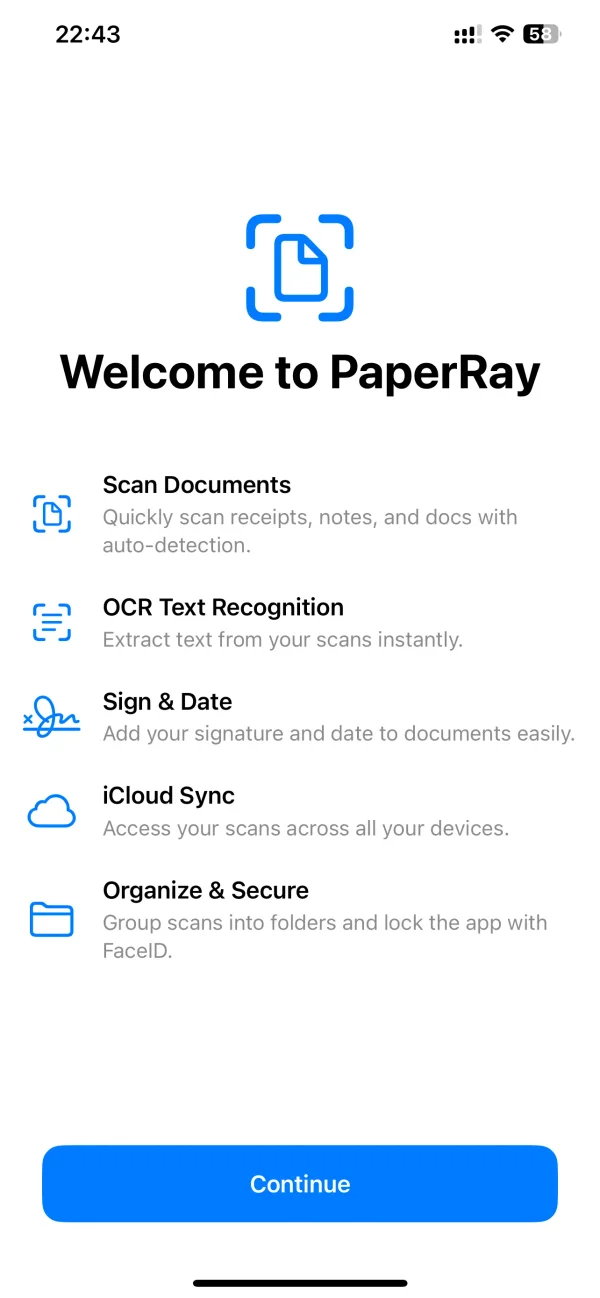
INTELLIGENT & SEARCHABLE
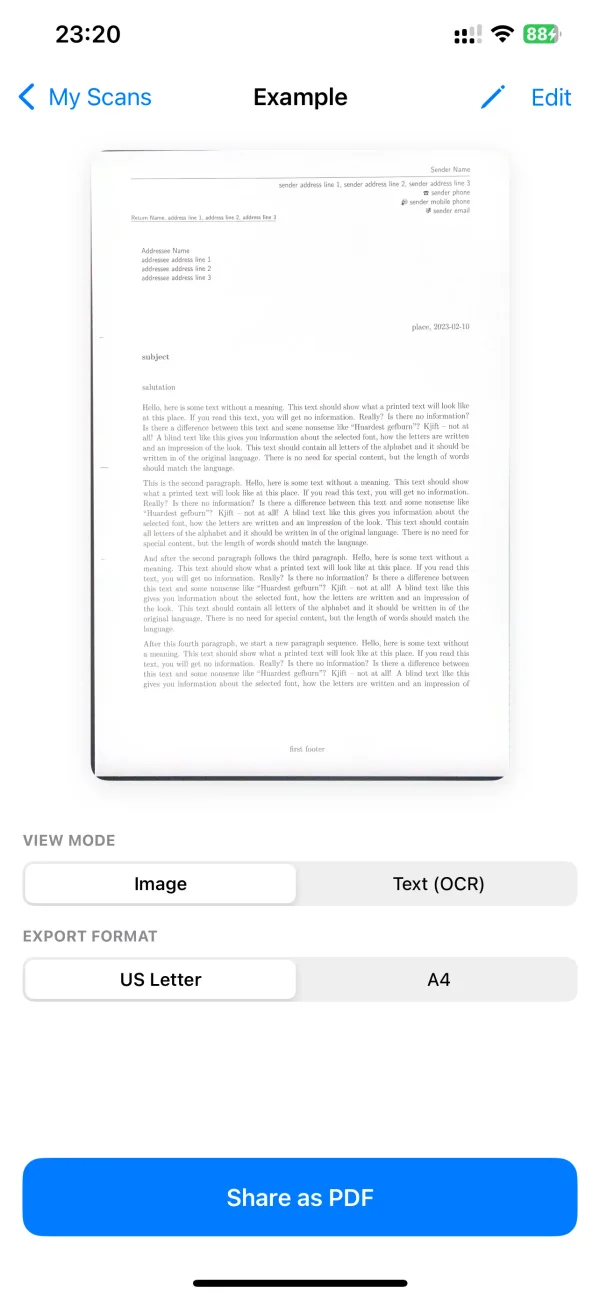
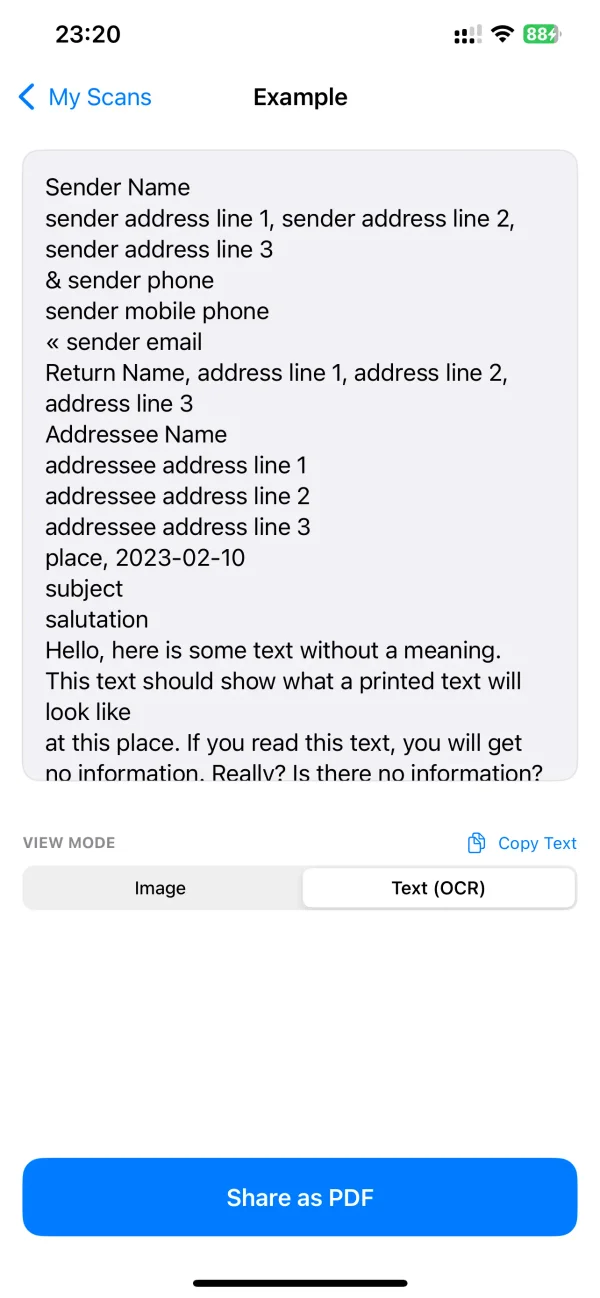
Offline OCR Search: Extract text from any scanned document right on your device. Search for keywords, names, or amounts across your entire library instantly. Text recognition is 100% private and happens offline.
Copy Text: Tap to copy recognized text directly from your images.
Smart Search: Find documents instantly by date, title, or the content within the scan.
SECURITY & CLOUD SYNC (Pro Feature)
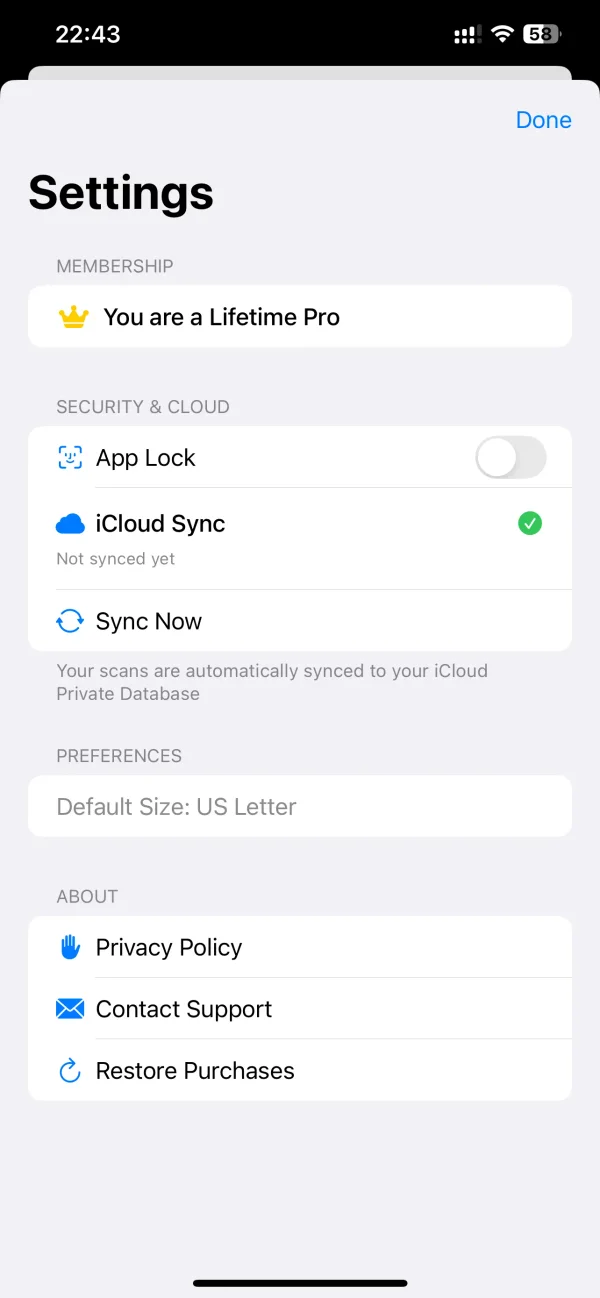
iCloud Private Sync: Securely synchronize all your files, folders, and settings across your iPhone and iPad. Your data is protected by Apple's secure infrastructure and never touches our servers.
App Lock: Protect sensitive documents using FaceID or TouchID protection upon app launch.
PROFESSIONAL SCANNING & EDITING
Enhanced Filters: Apply Magic Color (auto-enhance), Grayscale, or Black & White modes to create crisp, clear documents.
Post-Scan Editing: Re-crop and rotate images even after the initial scanning session is complete.
ORGANIZATION & MANAGEMENT
Folders & Renaming: Keep your library organized by creating custom folders (e.g., Receipts, Taxes) and renaming files for clarity.
Batch Actions: Select multiple scans to delete or export as a single merged PDF document.
PRICING MODEL: SIMPLE & FAIR
Say goodbye to monthly subscriptions. PaperRay offers a Lifetime Pro model. Pay once and receive permanent access to all advanced features—including OCR Search, iCloud Sync, App Lock, and organizational tools—with no recurring fees, ever.
Download PaperRay and experience document management done right.
Neue Funktionen
Version 1.1 · 02.01.2026
What's New in this Version (PaperRay V1.1)
Smart OCR Text Recognition: Scanned content is now searchable and copiable. All recognition is done locally and offline to protect your privacy.
iCloud Private Sync: Pro users can securely synchronize files and settings across all devices (iPhone/iPad). Data is never handled by our servers.
App Access Lock: Added FaceID/TouchID protection to safeguard your sensitive documents.
Folders and Renaming: Easily create folders to organize files and support custom file naming.
Professional Image Filters: Added Magic Color (auto-enhance), Grayscale, and Black & White modes to make scans clearer and more professional.
Post-Scan Editing: Ability to re-crop and rotate images anytime after the scan is complete.
Batch Actions: Supports selecting multiple files for bulk deletion or merging and exporting as a single PDF.
App-Datenschutz
Was 志业 方 im App Store zum Umgang dieser App mit Daten angibt.
-
Mit Ihnen verknüpfte Daten
Können erfasst und mit Ihrer Identität verknüpft werden.
- Käufe
- Kennungen
- Diagnose
Die Datenschutzpraktiken können variieren, zum Beispiel je nach den von Ihnen verwendeten Funktionen oder Ihrem Alter.
Informationen
- Anbieter
- 志业 方
- Kategorie
- Produktivität
- Version
- 1.1
- Aktualisiert
- 02.01.2026
- Veröffentlicht
- 24.11.2025
- Größe
- 1,9 MB
- Erfordert
- iOS 18.5 oder neuer
- Altersfreigabe
- 4+
- Preis
- Kostenlos
- In-App-Käufe
- Ja
- Sprachen
- Englisch
- Copyright
- Copyright © 2025 Eric Fang. All rights reserved.
Das könnte Ihnen auch gefallen
-
 AnexConnectProduktivität
-
 Knut Book ScannerProduktivität
-
 ScanBoy - Document ScannerProduktivität
-
 Copy BetterProduktivität
-
 Lens - Photo to PDF ConverterProduktivität
-
 PDF Search: AI Chat & ReaderProduktivität
-
 PDF SqueezerPDFs Offline Komprimieren
-
 Markdown Editor & ReaderNotizen schreiben mit Vorschau
-
 Translate Live: AI InterpreterProduktivität
-
 One MarkdownProduktivität