
- Altersfreigabe12+
- KategorieEssen und Trinken
- EntwicklerDaniel Fletcher
- SprachenEnglisch+ 1 weitere
- Größe41,0 MB
Party Buddy Host ist bei App Store derzeit möglicherweise nicht verfügbar
Bei unserer letzten Prüfung war der Store-Eintrag nicht erreichbar. Der Link führt weiterhin zur offiziellen App Store-Seite.
Screenshots

Info
Der Entwickler hat diesen Text nicht in Ihrer Sprache bereitgestellt.
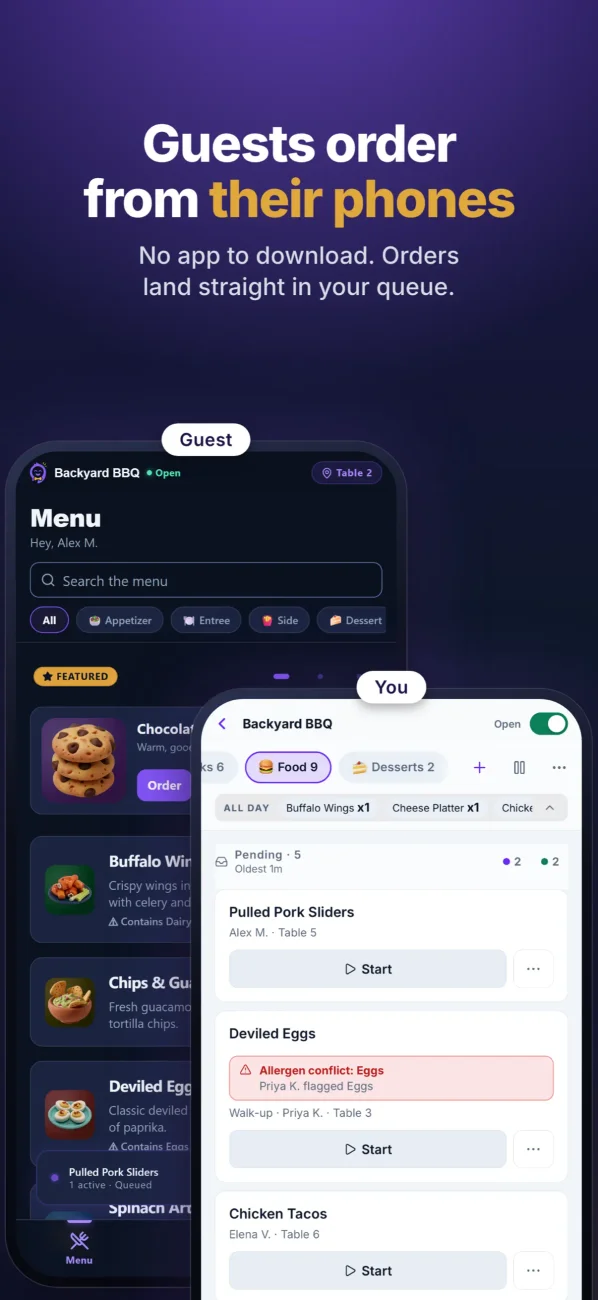
Party Buddy Host is the companion app for hosts who run their party with Party Buddy. Guests order drinks and food from your menu on their own phones and share their photos, and every order lands in one live queue on yours.
Guests never download an app. Share your join code or QR code and they open your menu and the party's photos in their phone's browser.
RUN THE QUEUE
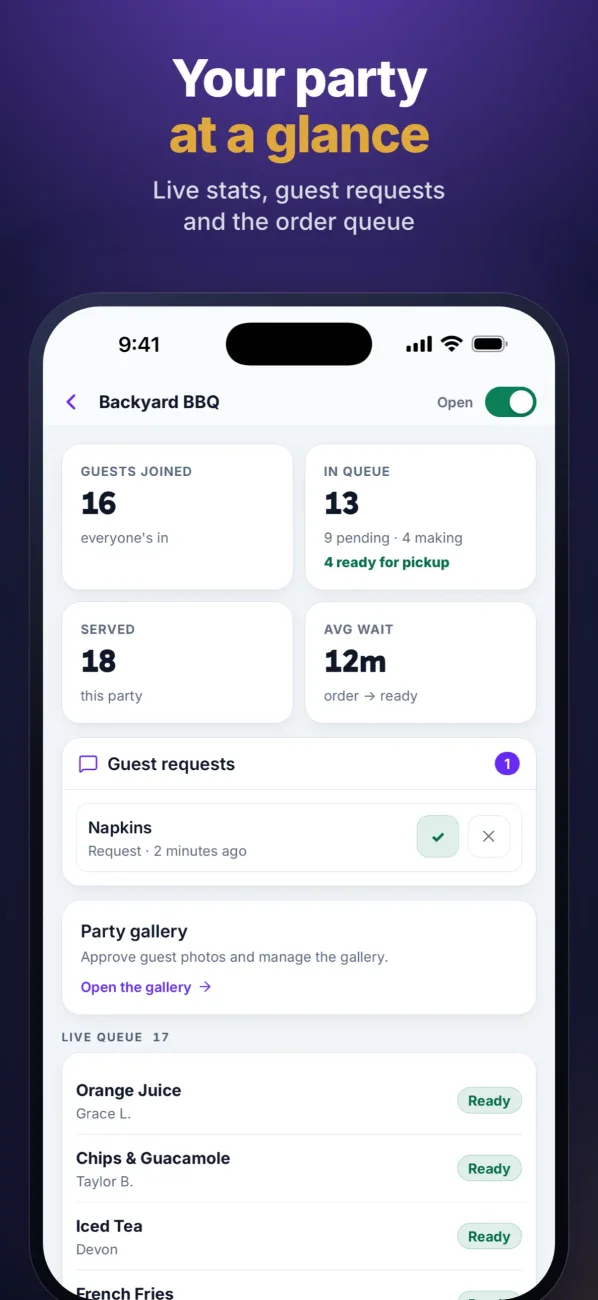
- See each order the moment it's placed and move it from started to ready to served
- Rush, hold, recall or re-fire an order, or cancel one with a reason the guest sees
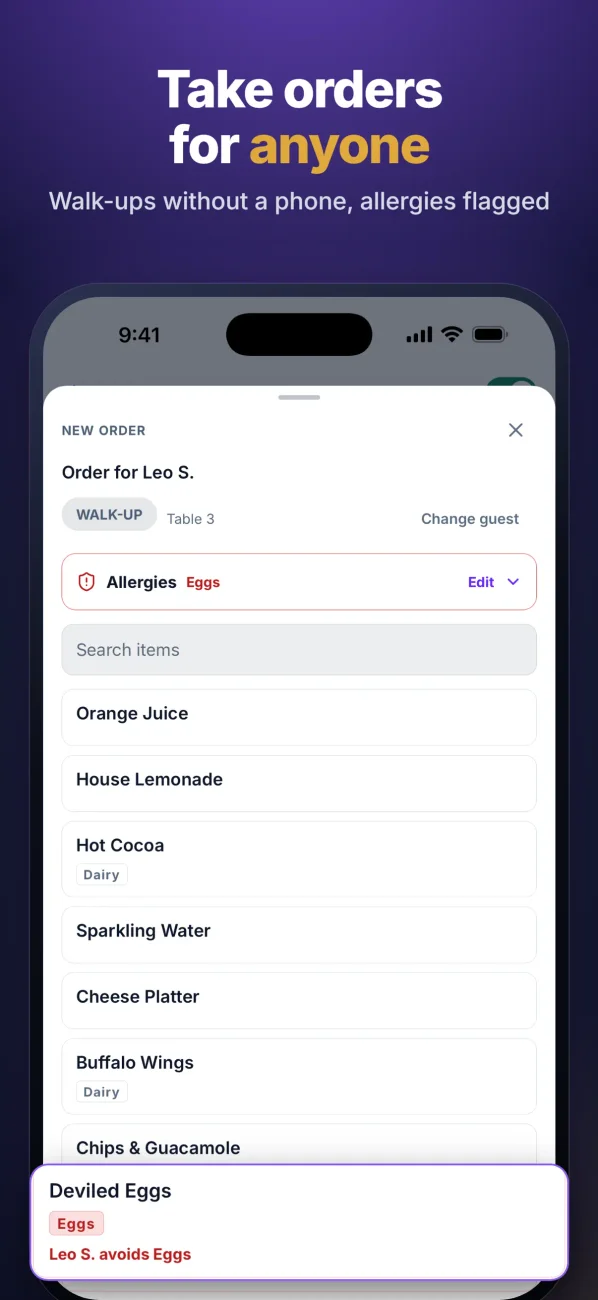
- Spot allergen conflicts right on the ticket
- Out of something? Take it off the menu from its ticket
- Pause ordering, and get a chime or a buzz for every new order
- Take orders for guests without a phone, allergies included
- Edit an order before it's made, and the guest sees what changed
PARTY CAMERA: YOUR GUESTS' PHOTOS
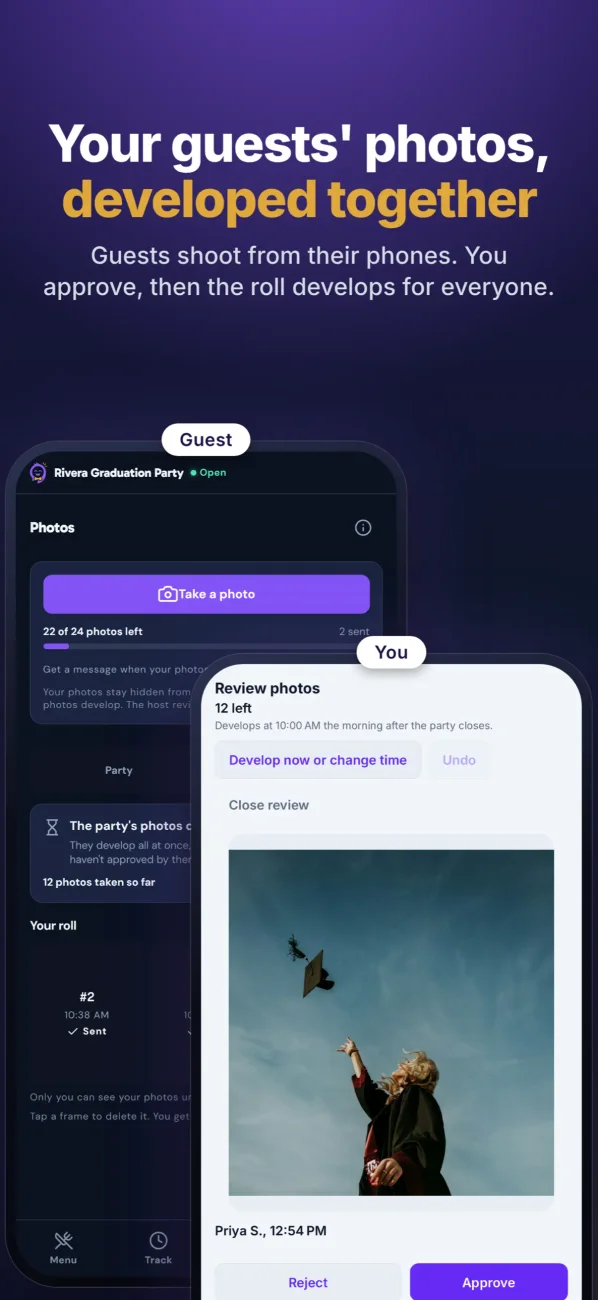
- Each guest gets a roll, and everyone's photos stay hidden until they develop together: when the party closes, the morning after, at a time you pick or right away
- Give the whole roll one film look
- Or choose Live gallery, where each photo shows to guests as soon as you approve it
- Review photos one by one: swipe right to approve, left to reject
- Play a full-screen slideshow with a QR code so guests can add theirs
- Put the slideshow on a TV with a private link that ends when the party closes
- Print a photo card with a QR code for the tables
- Save photos to your phone, share them or save them all, and add your own from the camera or your library
TURN A TABLET INTO AN ORDER STATION
- Kiosk mode shows a full-screen order board for one station or all of them, and keeps the screen awake
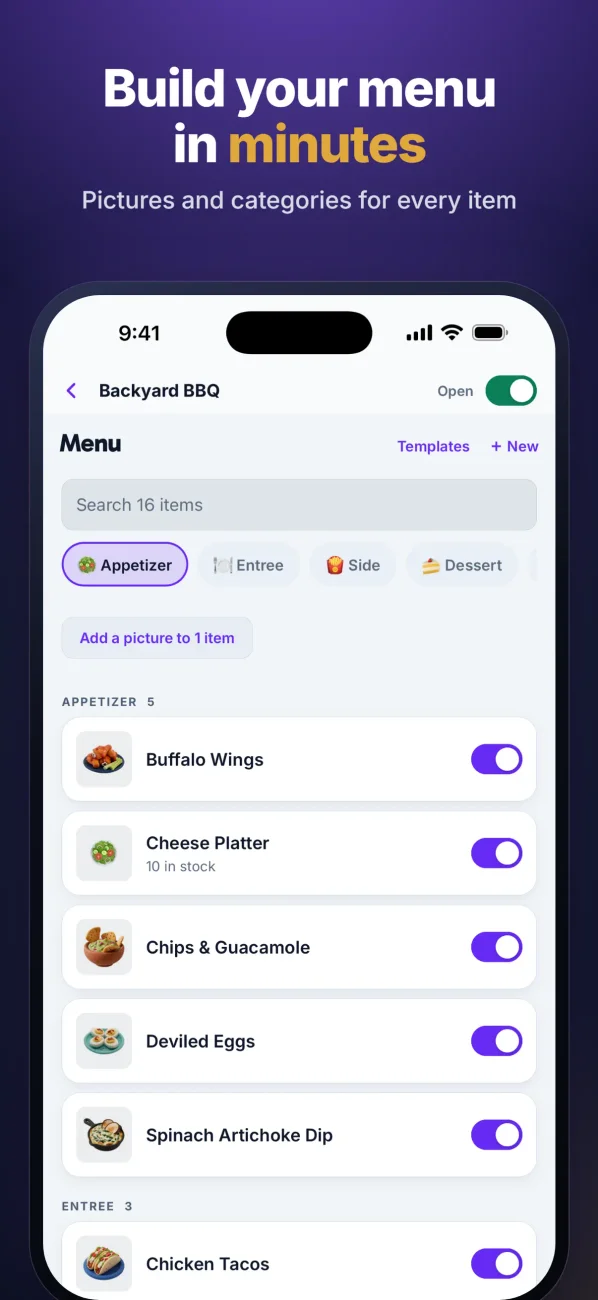
BUILD YOUR MENU
- Add items with a photo or an emoji, plus categories, allergens, stock and prep times
- Start from a sample menu or ready-made templates
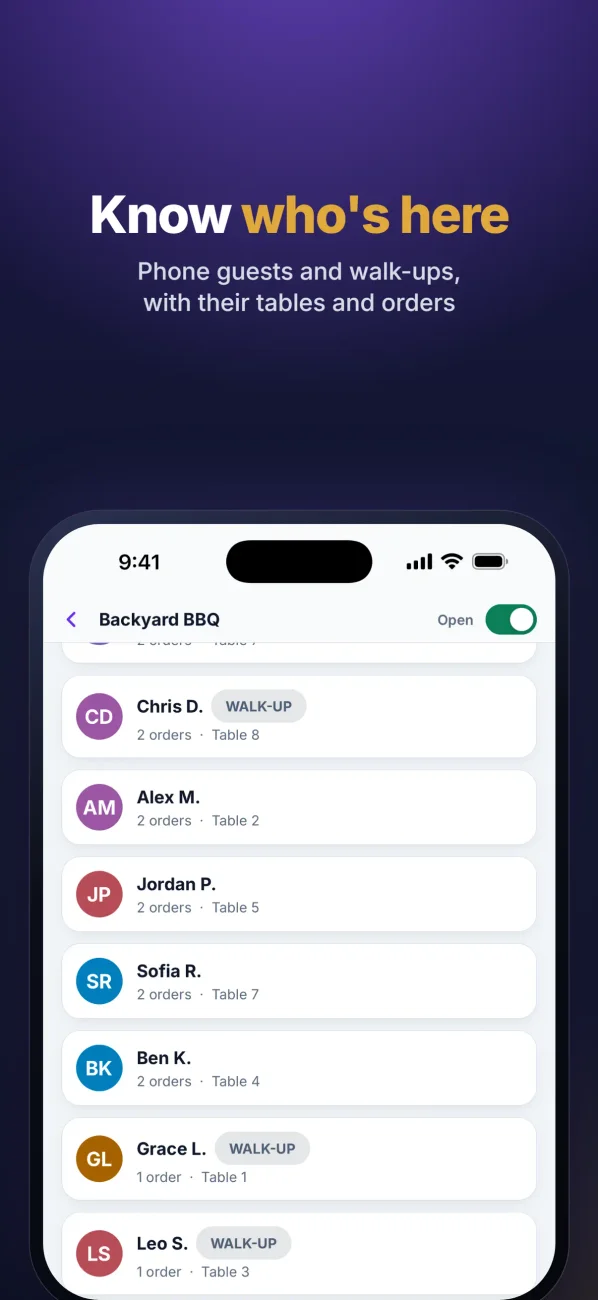
KNOW WHO'S HERE
- Let guests in or decline them when approval is on
- See each guest's orders, table and drink count, and restrict a guest if you need to
- Set drink limits and open-order limits per guest
- Handle guest requests and shout-outs as they come in
STAY ON TOP OF IT
- Notifications for new orders, guests waiting to be let in, guest requests and photos to review before they develop
- Live stats: guests joined, orders in the queue, orders served and average wait
- See what's running low, schedule ordering to open and close on its own, and read anonymous guest ratings after the party
RUN IT AS A TEAM
- Invite a co-host by email, and hand a party off to a co-host when you need to
ALSO
- Counter pickup, table service or both
- Light and dark themes, in English or Spanish
- Sign in with Apple, Google or email
Your parties, menus and guests are the same here and in the Party Buddy web app.
Neue Funktionen
Version 1.5.1 · 24.11.2026
Edit a guest's order: a guest's card on Guests lists their pending orders. Tap Edit order, or Edit on one order, to change the quantity, options, delivery or note, or to remove it. An order already being made is locked, a guest with a phone sees what changed, and the queue marks the order as edited.
Party Camera comes to the app. In the Party gallery settings, choose Live or Camera, when the photos develop (when the party closes, the morning after, or at a set time), how many photos each guest can take, and a film look, then tap Save look. Develop now works any time.
Start slideshow plays the approved photos full screen with a QR code guests can scan to add theirs. Show on a TV makes a private link that plays the slideshow on a TV's browser, with no sign-in, until the party closes. The Party gallery card says when the party's photos are deleted, and Download all opens the gallery in your browser.
App-Datenschutz
Was Daniel Fletcher im App Store zum Umgang dieser App mit Daten angibt.
-
Mit Ihnen verknüpfte Daten
Können erfasst und mit Ihrer Identität verknüpft werden.
- Standort
- Kontaktinformationen
- Benutzerinhalte
- Kennungen
- Nutzungsdaten
- Diagnose
- Sonstige Daten
Die Datenschutzpraktiken können variieren, zum Beispiel je nach den von Ihnen verwendeten Funktionen oder Ihrem Alter.
Informationen
- Anbieter
- Daniel Fletcher
- Kategorie
- Essen und Trinken
- Version
- 1.5.1
- Aktualisiert
- 24.11.2026
- Veröffentlicht
- 03.11.2026
- Größe
- 41,0 MB
- Erfordert
- iOS 17.0 oder neuer
- Altersfreigabe
- 12+
- Sprachen
- Englisch, Spanisch
- Copyright
- © 2026 WanderingDev