
- Altersfreigabe4+
- KategorieDienstprogramme
- EntwicklerAlexa Pan
- SprachenEnglisch
- Größe3,6 MB
Perch Remote & Widgets ist bei App Store derzeit möglicherweise nicht verfügbar
Bei unserer letzten Prüfung war der Store-Eintrag nicht erreichbar. Der Link führt weiterhin zur offiziellen App Store-Seite.
Screenshots

Info
Der Entwickler hat diesen Text nicht in Ihrer Sprache bereitgestellt.
A remote for a streaming television, built so the keys you press most never require opening the app. It works across the home Wi-Fi rather than by infrared, so the iPhone and the television need to sit on one network, and the television has to be a model named below.
Most remote apps are a single screen you have to find, open and navigate before anything happens. Perch is built the other way round. Power, mute and volume sit on the Home Screen, on the Lock Screen and in a spoken phrase; power and mute also sit in Control Center and on the Action button. Every widget and every Control Center button remembers which television it talks to.
Which Televisions, and What It Needs
Roku® streaming players and Roku TV™ models. No other brand is supported. Put the iPhone and the television on one Wi-Fi network, open the app, approve the one-time system prompt for access to the local network, and pick the device from the list. If the network hides it, type the address by hand — manual entry sits on the first screen. If you are not sure what you have, the setup screen tells you whether it can see your device.
Not Part of This App
No sign-up, no account, no advertising. Nothing about you is collected, and the app's own connections reach nothing but your television on your own network. It cannot reach a television over the internet, by infrared, or from another network. It does not stream video and it does not mirror your screen.
Where the Keys Live
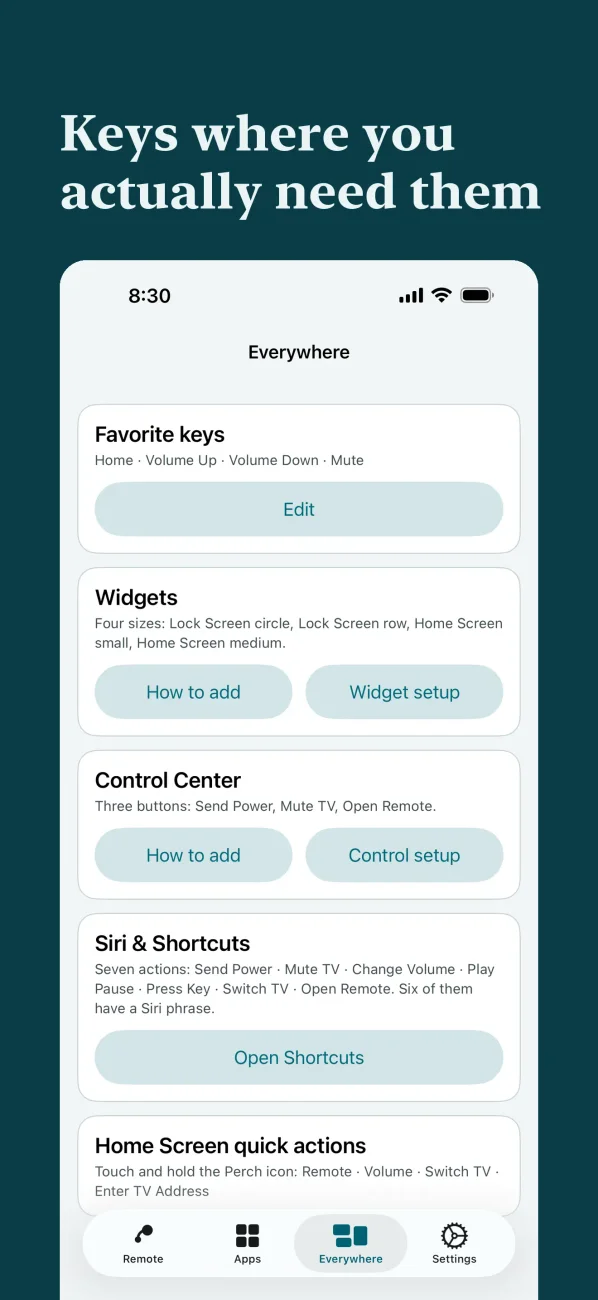
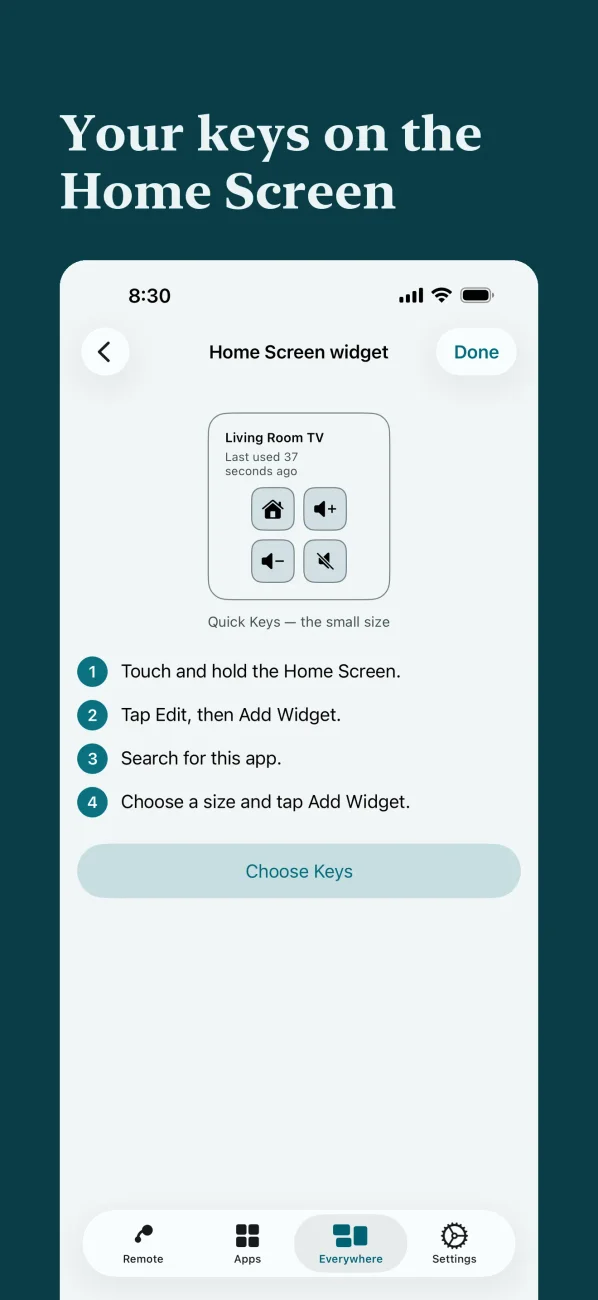
- Four widgets. Two for the Lock Screen: a single key of your choosing, and volume up and down under the name of your television. Two for the Home Screen: four keys, and six keys with the name of the television
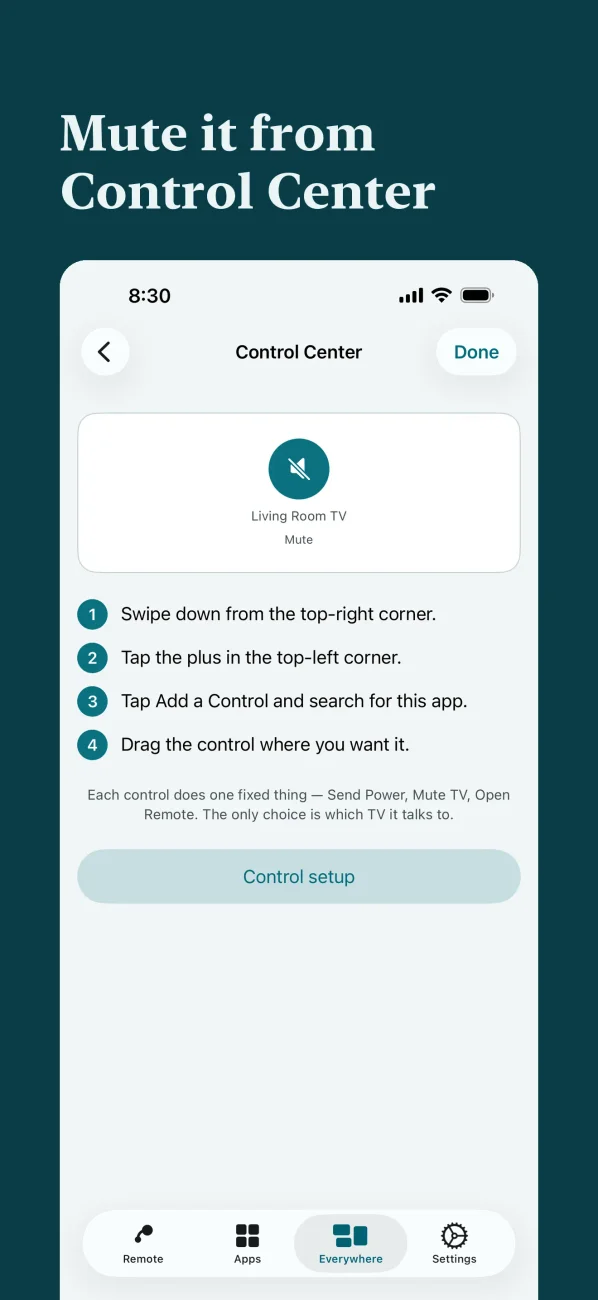
- Three Control Center buttons: power, mute, and one that opens the remote. The same buttons can go on the Lock Screen, and on the Action button of iPhone models that have one
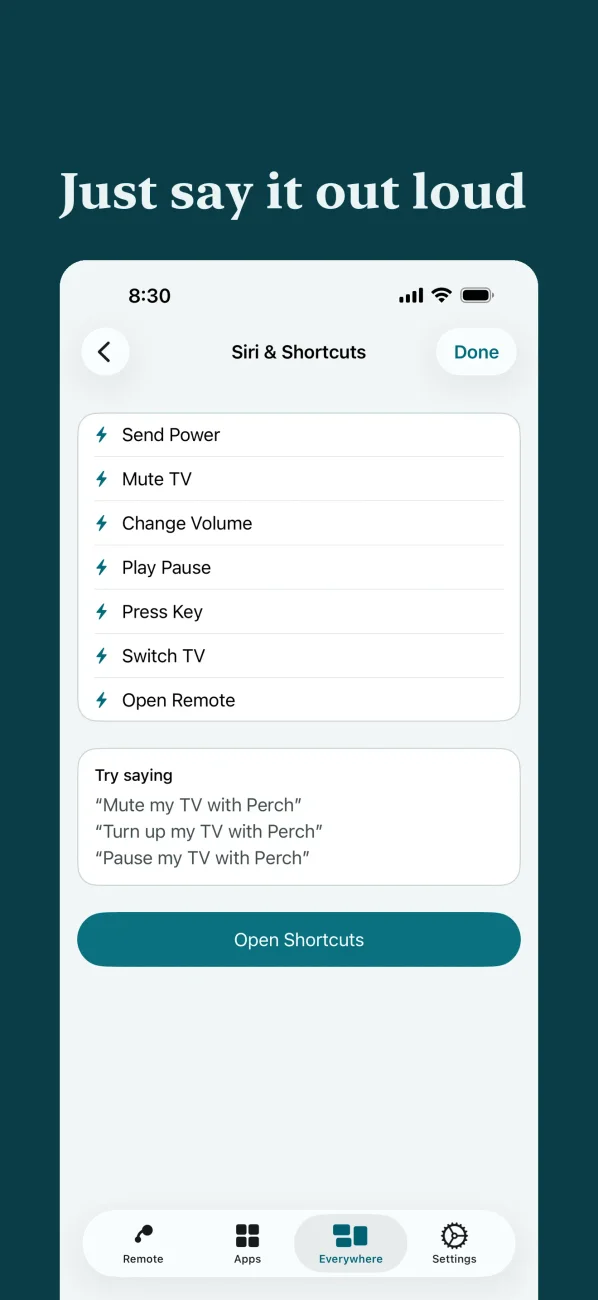
- Seven actions in the Shortcuts app: Send Power, Mute TV, Change Volume, Play Pause, Press Key, Switch TV and Open Remote. Six of them come with Siri phrases; all seven can be dropped into an automation
- Four quick actions on the app icon: Remote, Volume, Switch TV, Enter TV Address
- Every widget and every Control Center button is configurable. You pick the television it talks to, and for the single-key widget you pick the key
- All of it ships in one extension, bundled with the app
What the App Adds On Top
- An Everywhere tab that walks through adding the widgets, the Control Center buttons and the Siri phrases, and shows what each one will look like
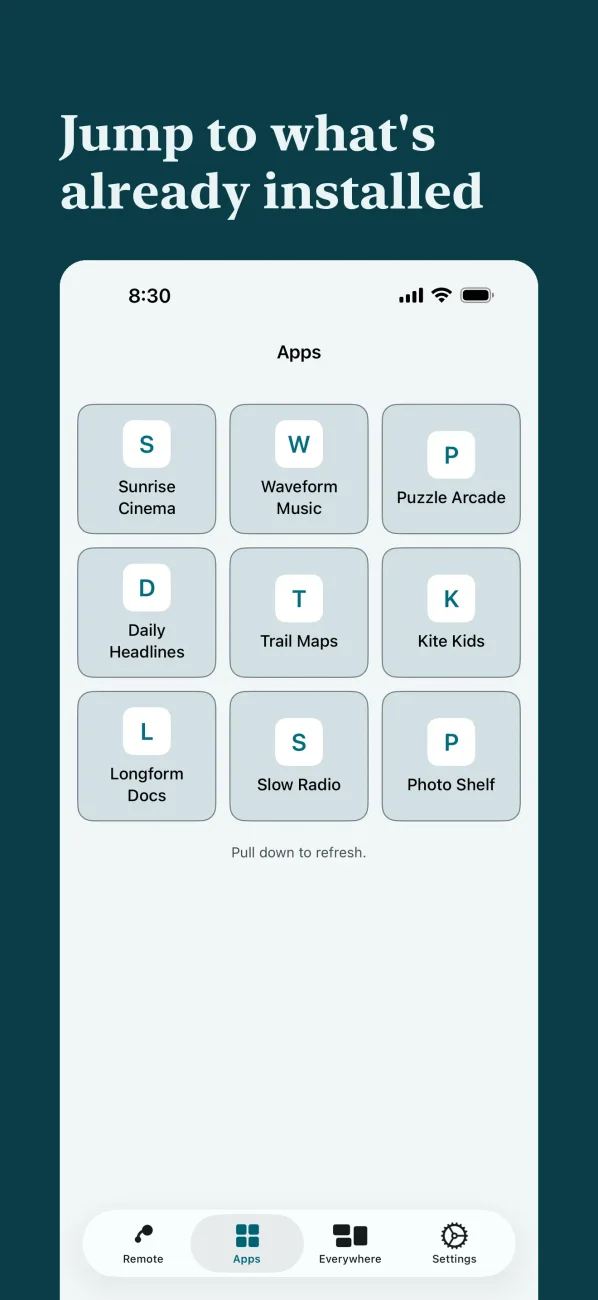
- An Apps tab that renders what the television reports it has installed, name and icon, refreshed each time you look, with a tap to open any of them
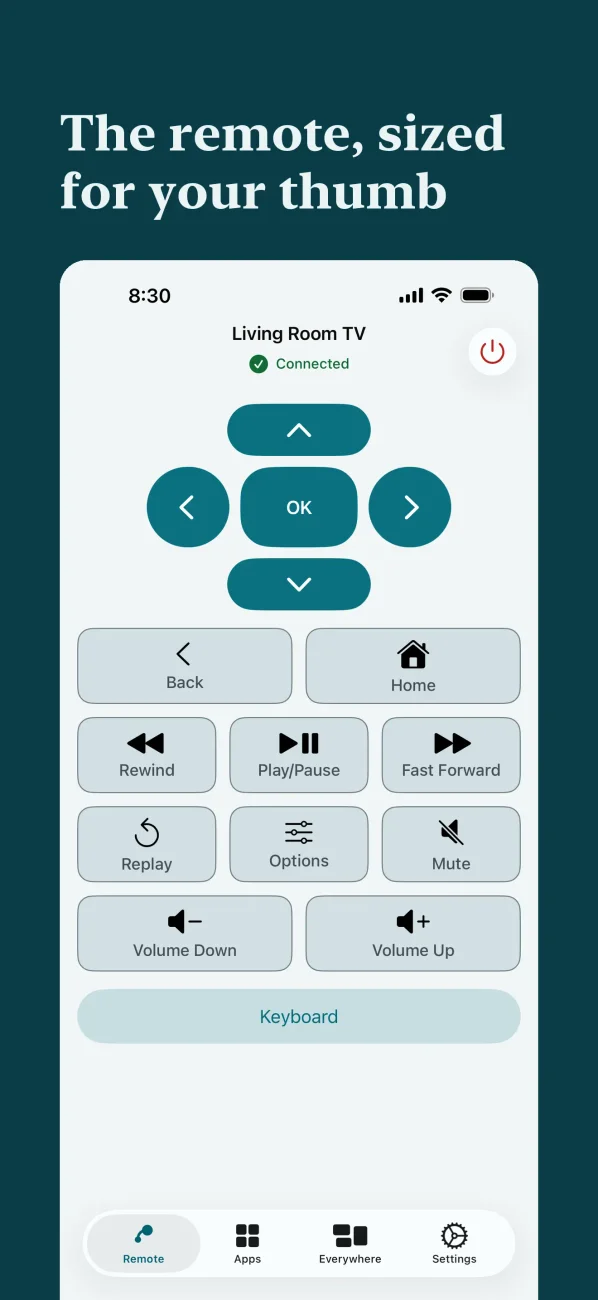
- Text entry through the iPhone keyboard: type a whole search query and send it over at once
- Volume up and down, plus mute
- Play and pause, replay, rewind, fast forward and the options key
- A power key that toggles the television
- A d-pad, an OK key, back and home, built from real buttons that VoiceOver reads out loud
- Discovery that finds the device by itself on your network, or takes its address by hand
Try It Without a Television
A demo mode, marked by a demo banner, walks through the whole app before you own one.
Roku® and Roku TV™ are trademarks and/or registered trademarks of Roku, Inc. in the United States and other countries. Perch comes from an independent developer with no ties to Roku, Inc., which has not reviewed, approved or sponsored it. Apple, iPhone, Siri and Control Center are trademarks of Apple Inc., registered in the U.S. and other countries.
App-Datenschutz
Was Alexa Pan im App Store zum Umgang dieser App mit Daten angibt.
-
Keine Daten erfasst
Der Entwickler erfasst keine Daten von dieser App.
Die Datenschutzpraktiken können variieren, zum Beispiel je nach den von Ihnen verwendeten Funktionen oder Ihrem Alter.
Informationen
- Anbieter
- Alexa Pan
- Kategorie
- Dienstprogramme
- Version
- 1.0
- Aktualisiert
- 07.09.2026
- Veröffentlicht
- 07.09.2026
- Größe
- 3,6 MB
- Erfordert
- iOS 18.0 oder neuer
- Altersfreigabe
- 4+
- Sprachen
- Englisch
- Copyright
- © 2026 Alexa Pan
Das könnte Ihnen auch gefallen
-
 TV Remote: Smart TVFernbedienung für deinen TV
-
 Haftnotizen auf dem BildschirmNotiz auf dem Home-Bildschirm
-
 Split Screen - MultitaskingDienstprogramme
-
 TinyCam ProDienstprogramme
-
 Home Widget für HomeKitWidgets der Home-App
-
 ArphaDienstprogramme
-
 MOCREO SmartDienstprogramme
-
 MobapadDienstprogramme
-
 EcozyHomeDienstprogramme
-
 Razer PS ControllerDienstprogramme