Phone Break: App Limits
Screen Time & Focus Breaks
Entwickelt für iPhone
Kostenlos
- Altersfreigabe4+
- KategorieProduktivität
- EntwicklerAtsushi Hashimoto
- SprachenKoreanisch+ 4 weitere
- Größe3,0 MB
Verlinkt auf die offizielle App Store-Seite
Download.org hostet keine Datei von Phone Break: App Limits. Die Schaltfläche öffnet die App-Seite bei App Store, wo Atsushi Hashimoto die App veröffentlicht. Eintrag zuletzt geprüft am 12.11.2026.
Screenshots
Info
Der Entwickler hat diesen Text nicht in Ihrer Sprache bereitgestellt.
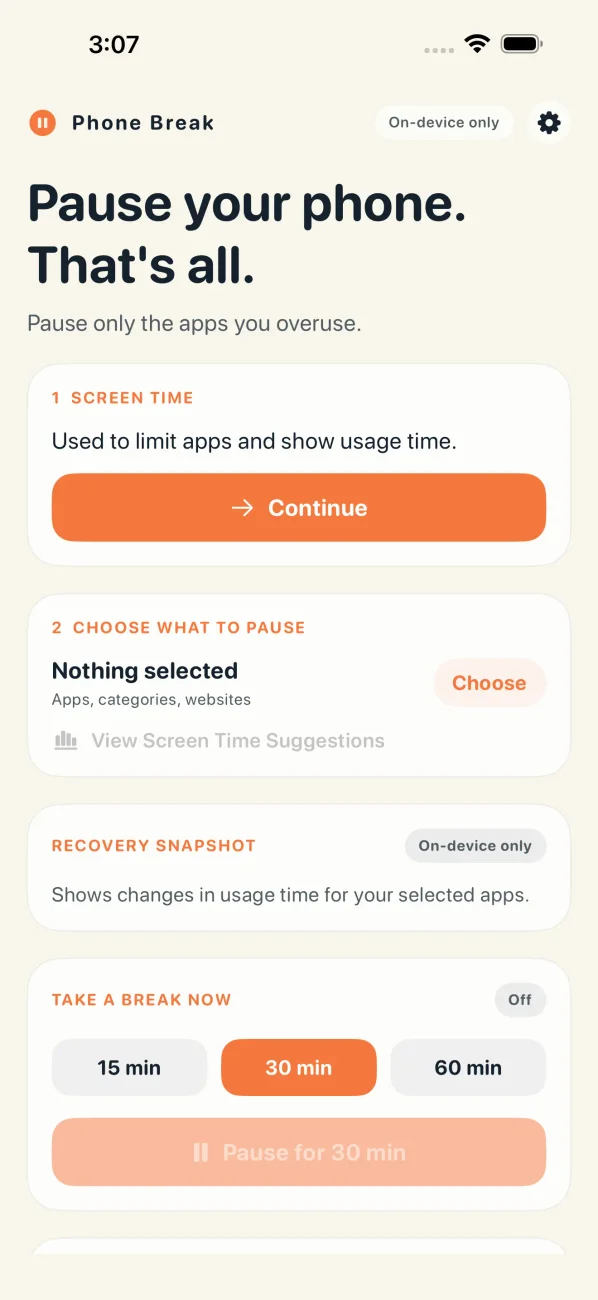
Phone Break helps you create space from the apps you use more than you intend. Choose the apps, categories, or websites you want to pause.
YOUR LIMITS, YOUR WAY
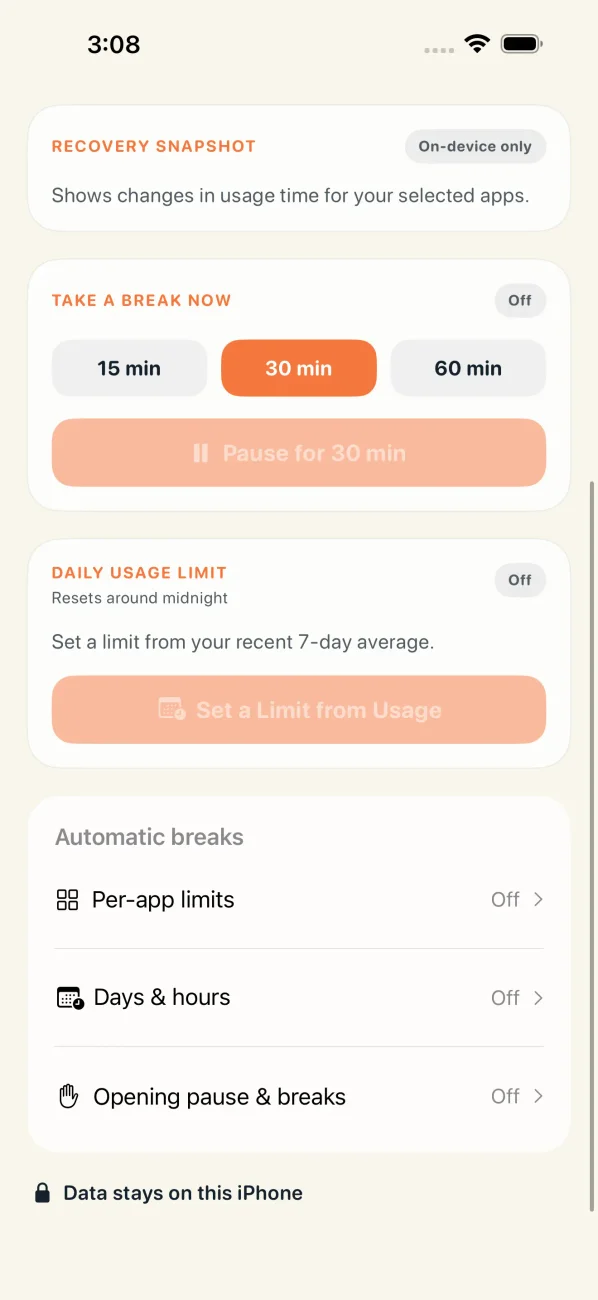
• Take a timed break for 15, 30, or 60 minutes.
• Set a combined daily limit from 15 to 480 minutes.
• Set daily limits for individual apps from 5 to 480 minutes.
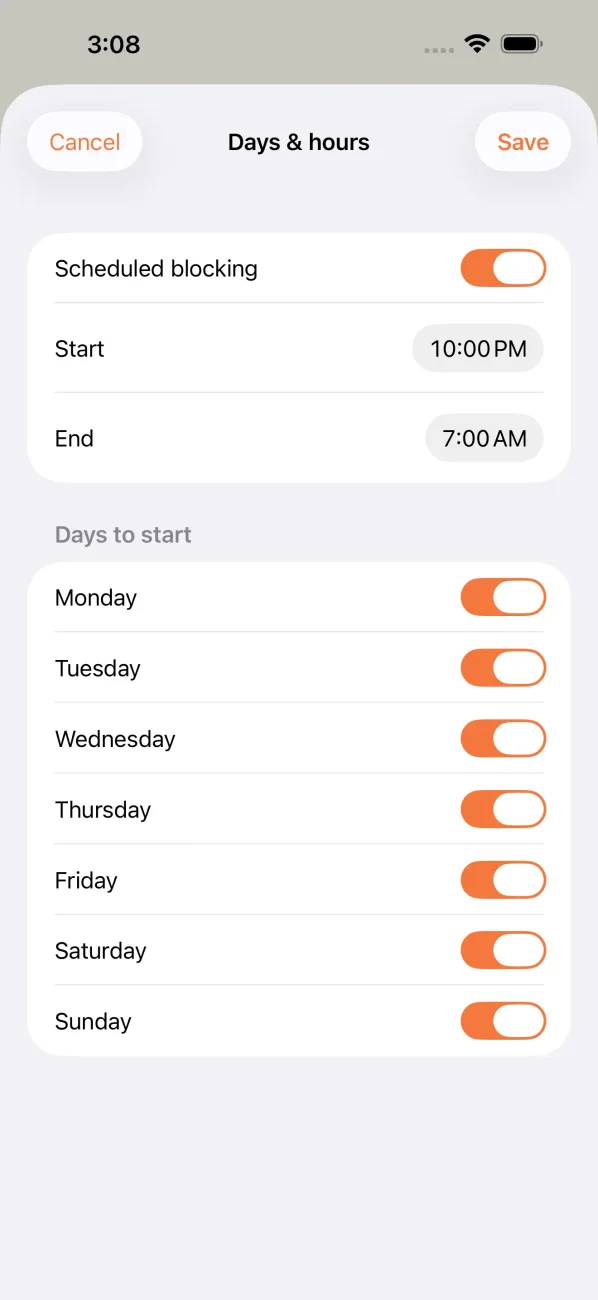
• Block selected items on specific days and hours, including overnight schedules.
• Pause for 5, 8, or 10 seconds on each app open (requires an app-opening automation in Shortcuts).
• Choose whether to continue or close after each additional 30 minutes of use counted after enabling usage breaks.
• In Strict Mode, active timed breaks, scheduled blocking, and reached daily limits cannot be changed or disabled inside the app until they end.
• Standard Mode offers one five-minute grace period per day for the combined daily cap, with automatic relock.
• See Screen Time suggestions and compare the last seven completed days with the seven before them.
Rules work together. Continuing from a pause never removes daily caps or scheduled blocking. For Pause on each open, create a Shortcuts App automation, select Is Opened and Run Immediately, then add Phone Break’s Pause When App Opens action. A step-by-step guide is included in the app. Elapsed clock time alone no longer brings back the opening pause.
PRIVATE BY DESIGN
Individual app names and usage details are displayed inside Apple's protected Device Activity Report. Selection tokens, restriction settings, and break state stay on your device. There are no accounts, ads, analytics SDKs, external servers, or cloud sync.
Screen Time authorization is required. You can revoke access in iPhone Settings or delete the app. Phone Break is a digital wellbeing tool, not a medical product, diagnosis, or treatment.
Neue Funktionen
Version 1.1.1 · 14.09.2026
• Improved the Screen Time setup wording.
• Separated opening pauses from breaks after 30 minutes of actual use.
• Removed automatic opening re-locks based only on elapsed clock time.
• Added a simple step-by-step Shortcuts setup guide.
• One decision handles opening and usage pauses when both are due.
• Improved instructions in all five supported languages.
The old Pause Before Next Open action has been removed. If you use it, replace it with Pause When App Opens in your automation.
App-Datenschutz
Was Atsushi Hashimoto im App Store zum Umgang dieser App mit Daten angibt.
-
Keine Daten erfasst
Der Entwickler erfasst keine Daten von dieser App.
Die Datenschutzpraktiken können variieren, zum Beispiel je nach den von Ihnen verwendeten Funktionen oder Ihrem Alter.
Informationen
- Anbieter
- Atsushi Hashimoto
- Kategorie
- Produktivität
- Version
- 1.1.1
- Aktualisiert
- 14.09.2026
- Veröffentlicht
- 05.09.2026
- Größe
- 3,0 MB
- Erfordert
- iOS 17.0 oder neuer
- Altersfreigabe
- 4+
- Preis
- Kostenlos
- Sprachen
- Koreanisch, Spanisch, Englisch, Japanisch, Vereinf. Chinesisch
- Copyright
- © 2026 Atsushi Hashimoto
Das könnte Ihnen auch gefallen
-
 TimeOn: Manage Child's phoneProduktivität
-
 MeBeforeApps: Screen TimeProduktivität
-
 Focus Dive - Study Work TimerProduktivität
-
 Intent: Reels & Shorts sperrenBildschirmzeit bewusst nutzen
-
 Pomodak: Cute Pomodoro TimerProduktivität
-
 GoldTime Shield: App BlockerProduktivität
-
 Jeolmi: Cute Study TimerProduktivität
-
 NightMeow - Cat Study TimerProduktivität
-
 미션락: 숏폼 중독 앱 차단Produktivität