
PinDrop: Save, Plan & Share
Save, plan and share locations
Entwickelt für iPhone, iPad
Kostenlos · In-App-Käufe
- Altersfreigabe4+
- KategorieReisen
- EntwicklerPeter Olofsson
- SprachenEnglisch+ 4 weitere
- Größe11,9 MB
Verlinkt auf die offizielle App Store-Seite
Download.org hostet keine Datei von PinDrop: Save, Plan & Share. Die Schaltfläche öffnet die App-Seite bei App Store, wo Peter Olofsson die App veröffentlicht. Eintrag zuletzt geprüft am 23.11.2026.
Screenshots
Info
Der Entwickler hat diesen Text nicht in Ihrer Sprache bereitgestellt.
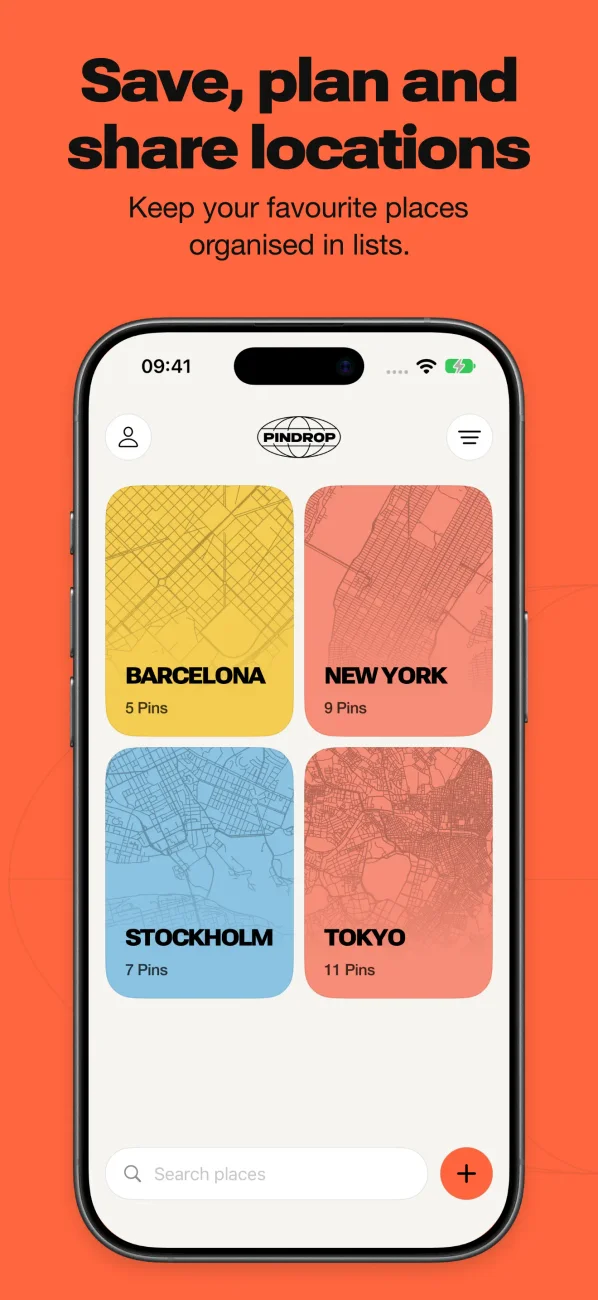
Save, plan and share locations.
Turn places you want to visit into guides you can actually use. Keep a weekend plan, a collection of cafés or your next city trip together in PinDrop.
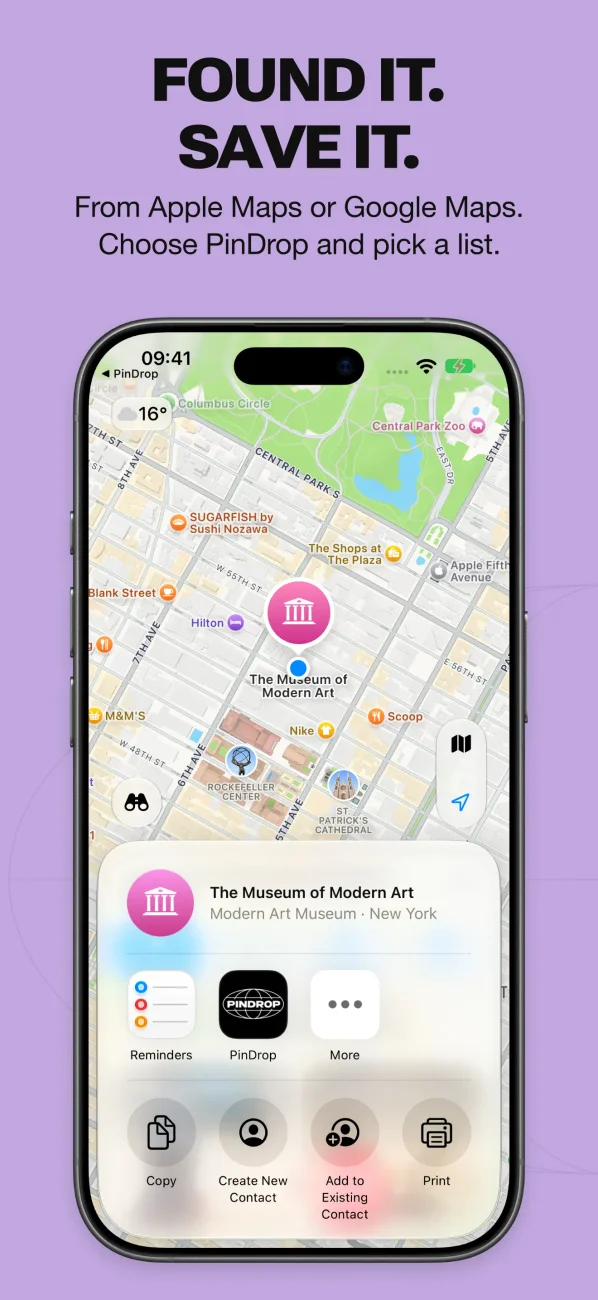
SAVE A PLACE WHEN YOU FIND IT
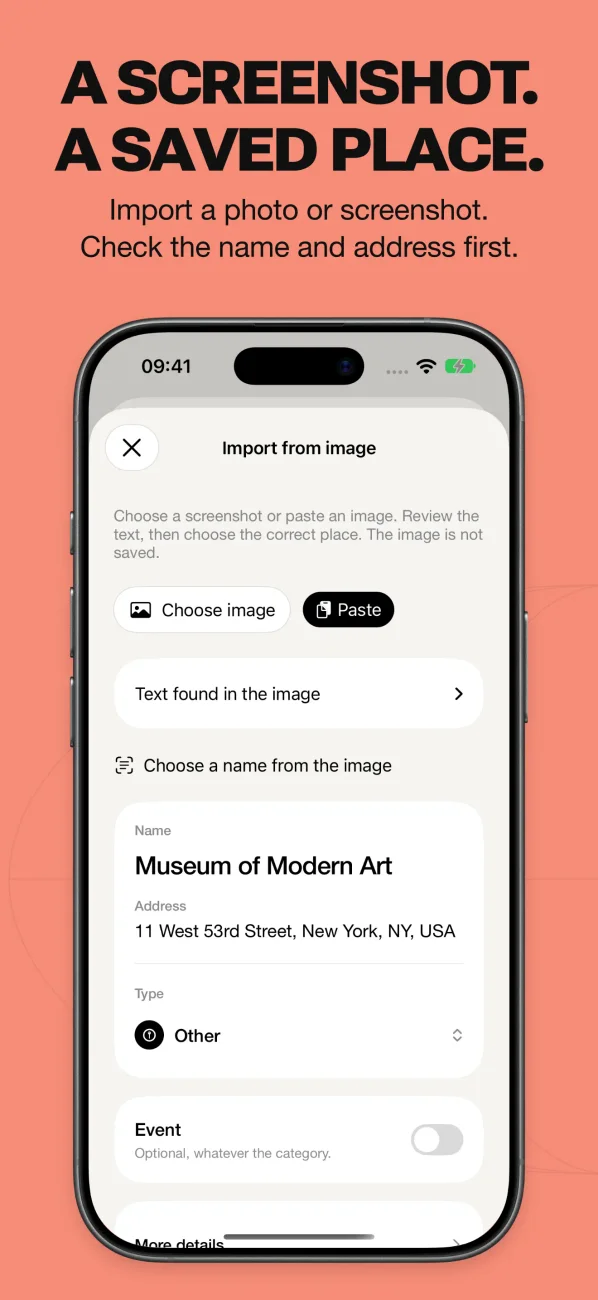
Search inside PinDrop, select a place on the built-in Apple Maps map, or share a location from Apple Maps or Google Maps. Import a photo or screenshot, check the name and address, and save the place to a list. Add your own map point when the place you need is missing.
SEE THE WHOLE PLAN
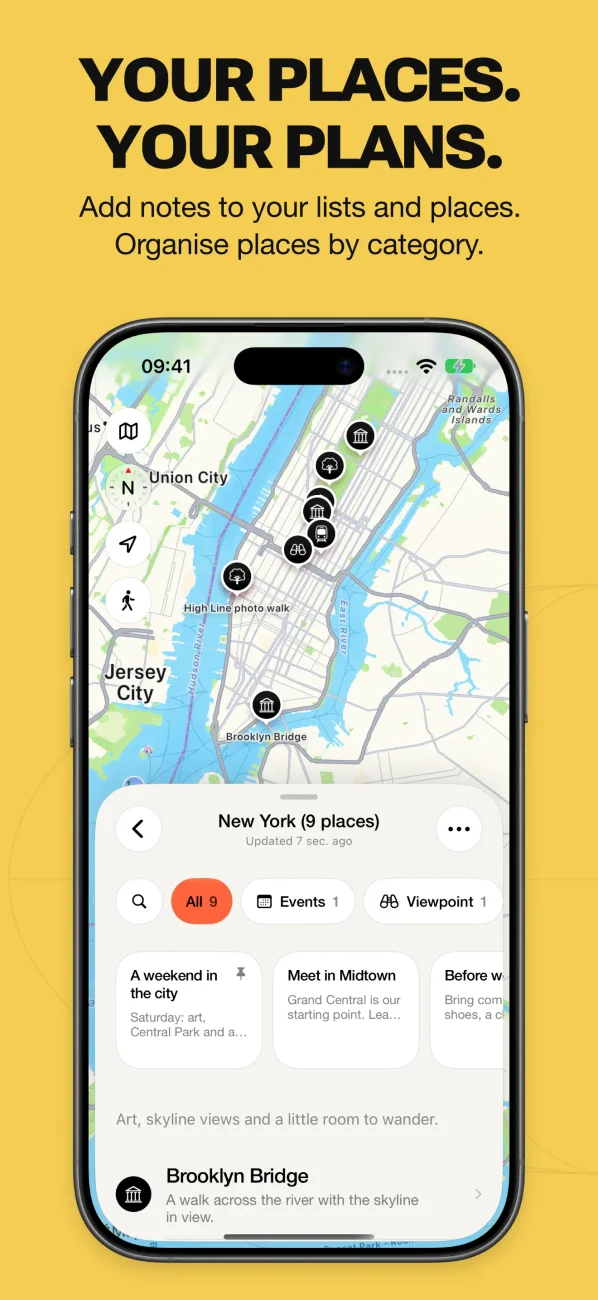
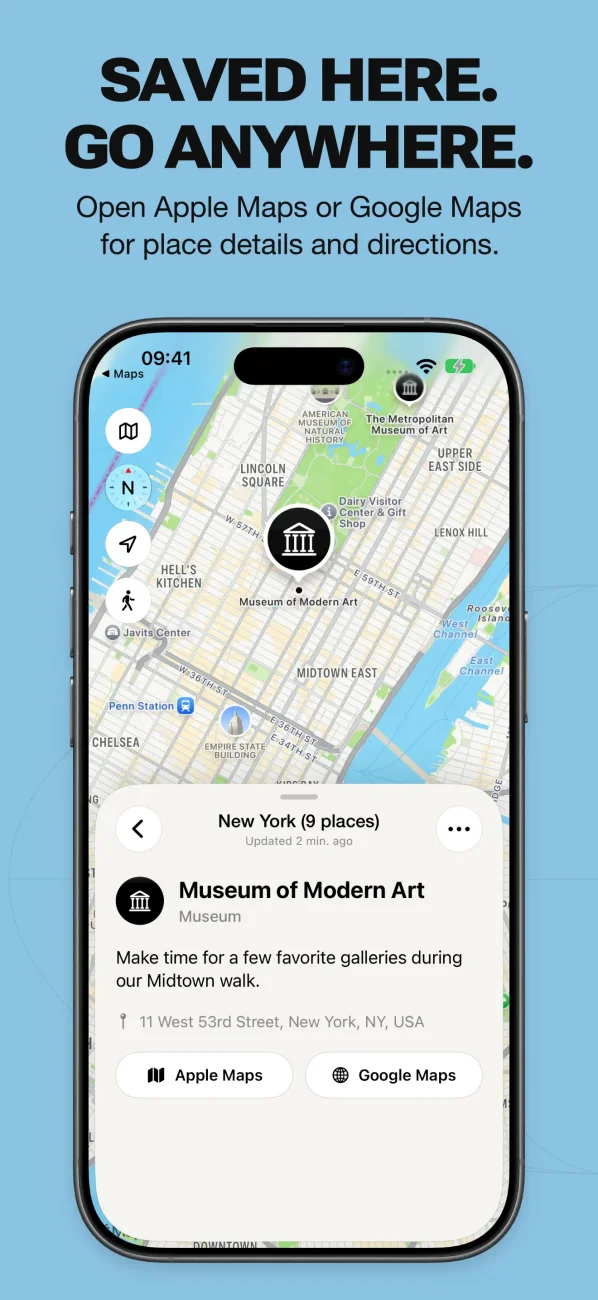
Open a guide to see its places together on the map. Filter by category, search within a list, sort your stops and mark the places you have visited. Move or copy places between guides as your plans change.
KEEP THE LITTLE DETAILS
Save shared list notes for meeting points, packing lists and ideas. Pin a note, add useful links or keep a short description with each place.
MAKE ROOM FOR EVENTS
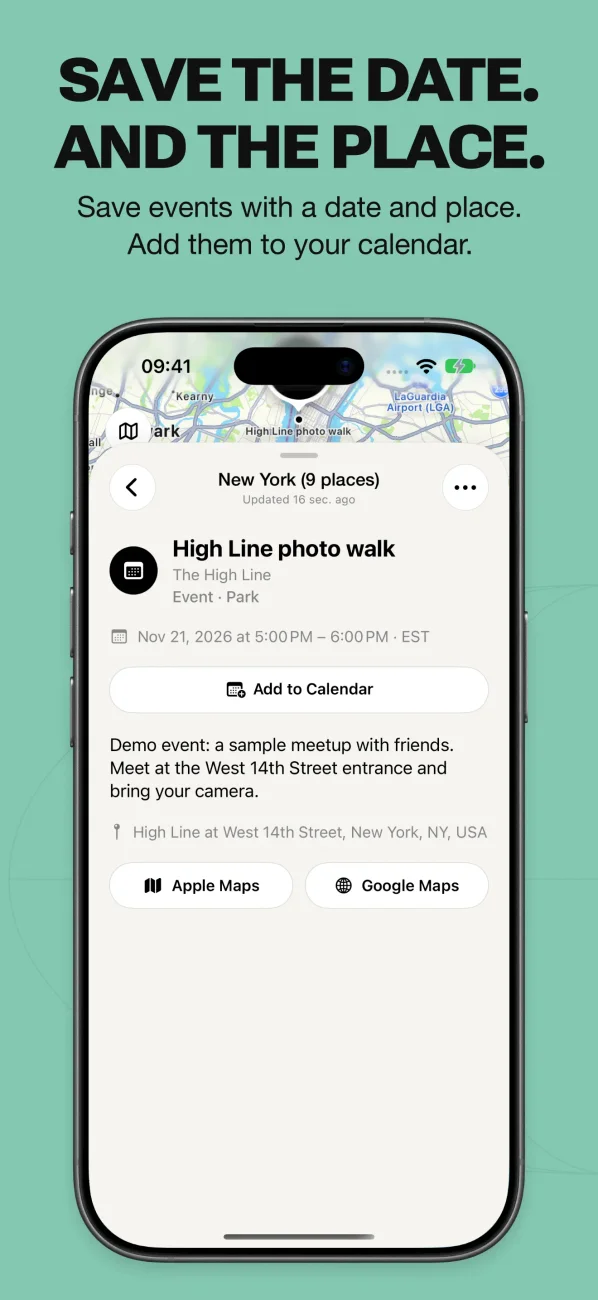
Mark any saved place as a personal event with its own name, date and time. Import a calendar event or an ICS file and keep the venue with the plan. Events have their own filter, so they are easy to find.
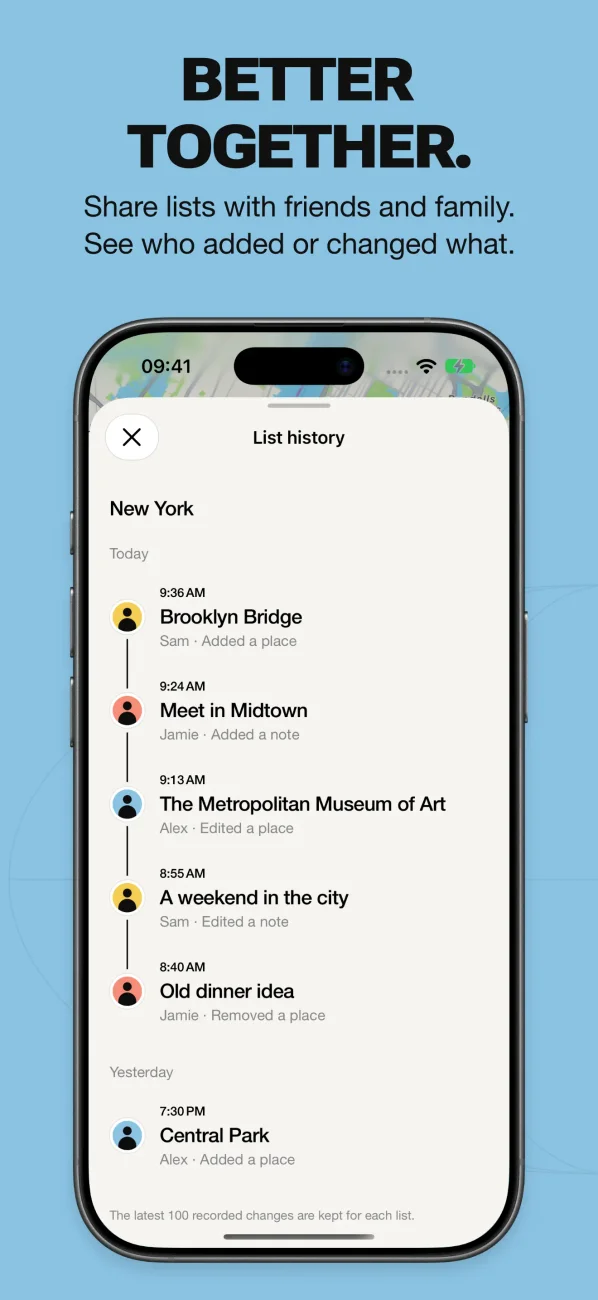
PLAN TOGETHER
Share a list through iCloud and edit it with the people you invite. List history shows who added or changed what, with names, avatars and timestamps. Optional notifications keep you up to date. Changes are saved locally before syncing.
TAKE YOUR PLACES WITH YOU
Use PinDrop on iPhone and iPad. On iPad, a floating list panel leaves room to explore the map.
iCloud features require an available iCloud account and network connection. Map search and directions use Apple Maps or Google Maps.
START FREE, GO FURTHER WITH PLUS
Two personal lists are free, with all features. Get PinDrop Plus when you need more room: unlimited personal lists with Family Sharing for up to six people. Lists shared with you by someone else do not count toward your two-list limit.
Choose Plus Monthly, Plus Yearly or Plus Lifetime. All three unlock unlimited personal lists and support Family Sharing. Lifetime is a one-time purchase with no automatic renewal. Monthly and Yearly are auto-renewable subscriptions; Yearly is charged in full once a year. Localized prices are shown before purchase. Payment is charged to your Apple Account on confirmation. Subscriptions renew automatically unless cancelled at least 24 hours before the period ends. Manage or cancel them in your Apple subscription settings.
Restore Purchases is available if you reinstall PinDrop or use another device. Buying Lifetime does not cancel an existing subscription; manage its renewal separately with Apple.
If Plus expires, choose two personal lists to keep editing. Other lists remain readable, exportable and deletable. Nothing is automatically deleted.
Terms of Use: https://www.apple.com/legal/internet-services/itunes/dev/stdeula/
Privacy Policy: https://subliminalmemories.com/pindrop/
STREET ILLUSTRATIONS
Street illustration data © OpenStreetMap contributors, available under the Open Database Licence (ODbL). https://www.openstreetmap.org/copyright
Neue Funktionen
Version 1.1.4 · 19.11.2026
Optimized the iCloud sync and image handling for future features.
App-Datenschutz
Was Peter Olofsson im App Store zum Umgang dieser App mit Daten angibt.
-
Mit Ihnen verknüpfte Daten
Können erfasst und mit Ihrer Identität verknüpft werden.
- Kontaktinformationen
- Benutzerinhalte
- Nutzungsdaten
- Diagnose
Die Datenschutzpraktiken können variieren, zum Beispiel je nach den von Ihnen verwendeten Funktionen oder Ihrem Alter.
Informationen
- Anbieter
- Peter Olofsson
- Kategorie
- Reisen
- Version
- 1.1.4
- Aktualisiert
- 19.11.2026
- Veröffentlicht
- 06.11.2026
- Größe
- 11,9 MB
- Erfordert
- iOS 26.0 oder neuer
- Altersfreigabe
- 4+
- Preis
- Kostenlos
- In-App-Käufe
- Ja
- Sprachen
- Englisch, Französisch, Deutsch, Spanisch, Schwedisch
- Copyright
- © 2026 Peter Olofsson