
- Altersfreigabe4+
- KategorieDienstprogramme
- EntwicklerAlvaro Cozar
- SprachenEnglisch+ 1 weitere
- Größe4,7 MB
Verlinkt auf die offizielle App Store-Seite
Download.org hostet keine Datei von PingPocket. Die Schaltfläche öffnet die App-Seite bei App Store, wo Alvaro Cozar die App veröffentlicht. Eintrag zuletzt geprüft am 22.11.2026.
Screenshots
Info
Der Entwickler hat diesen Text nicht in Ihrer Sprache bereitgestellt.
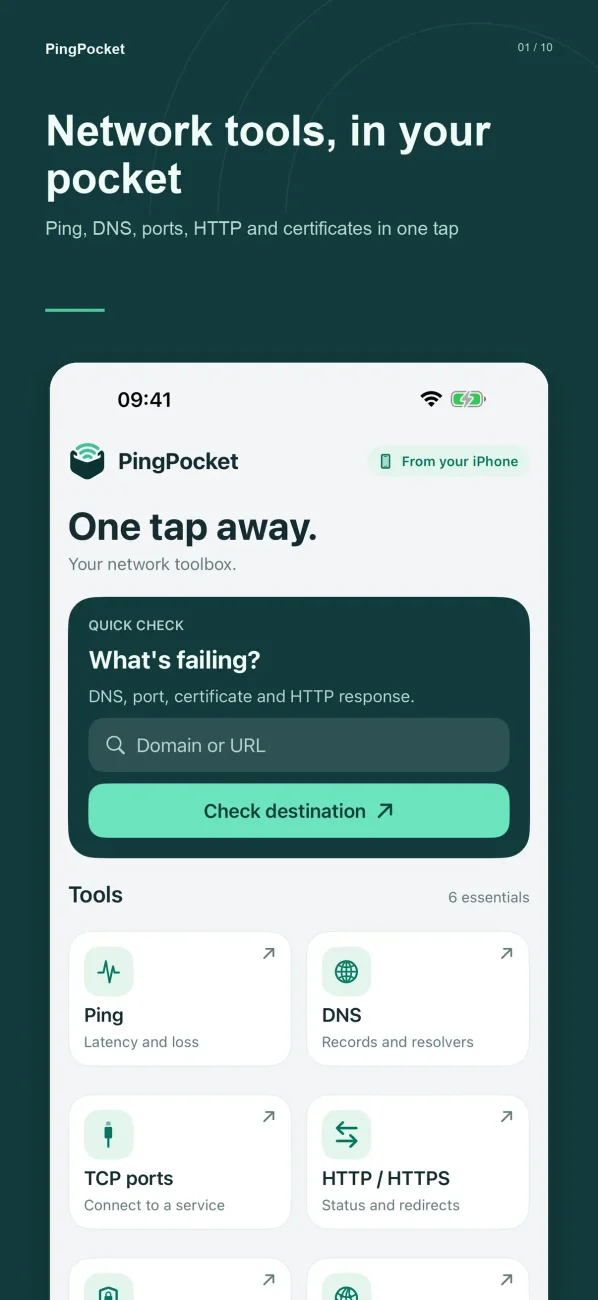
PingPocket is a network toolbox for your iPhone. Type a target, pick a test and understand the result right away — built for technicians, sysadmins and anyone who needs to know what is failing.
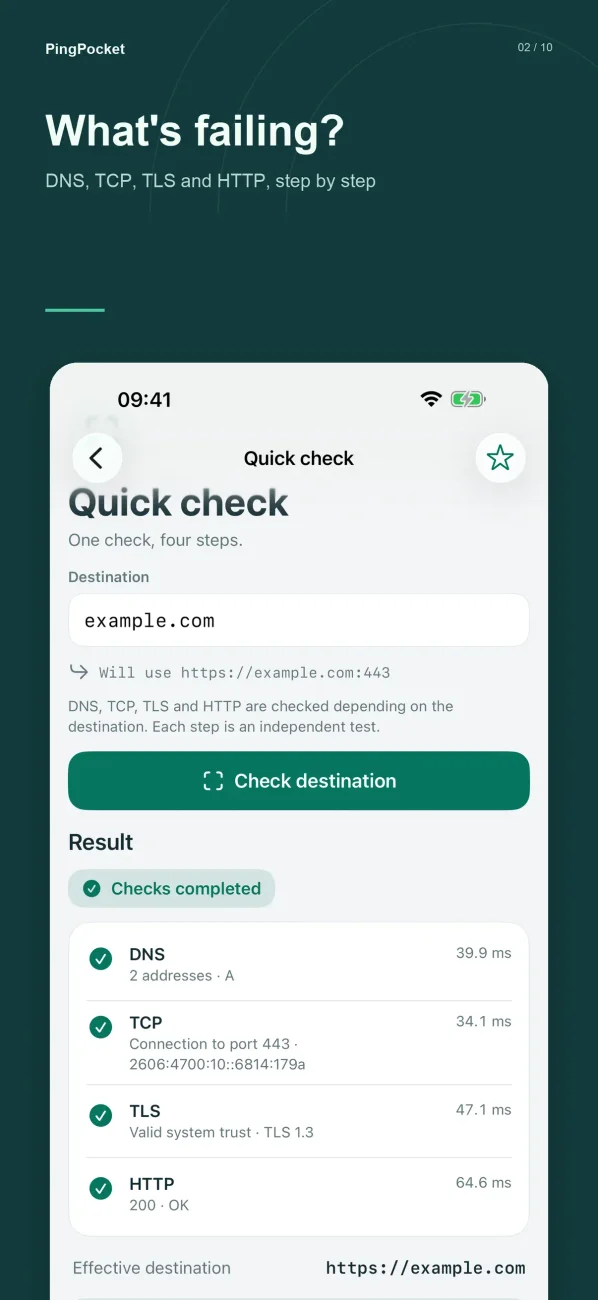
QUICK CHECK
Enter a domain or URL and PingPocket checks DNS, TCP connection, TLS certificate and HTTP response, step by step. If something fails, you see exactly which step and why — no made-up conclusions.
INCLUDED TOOLS
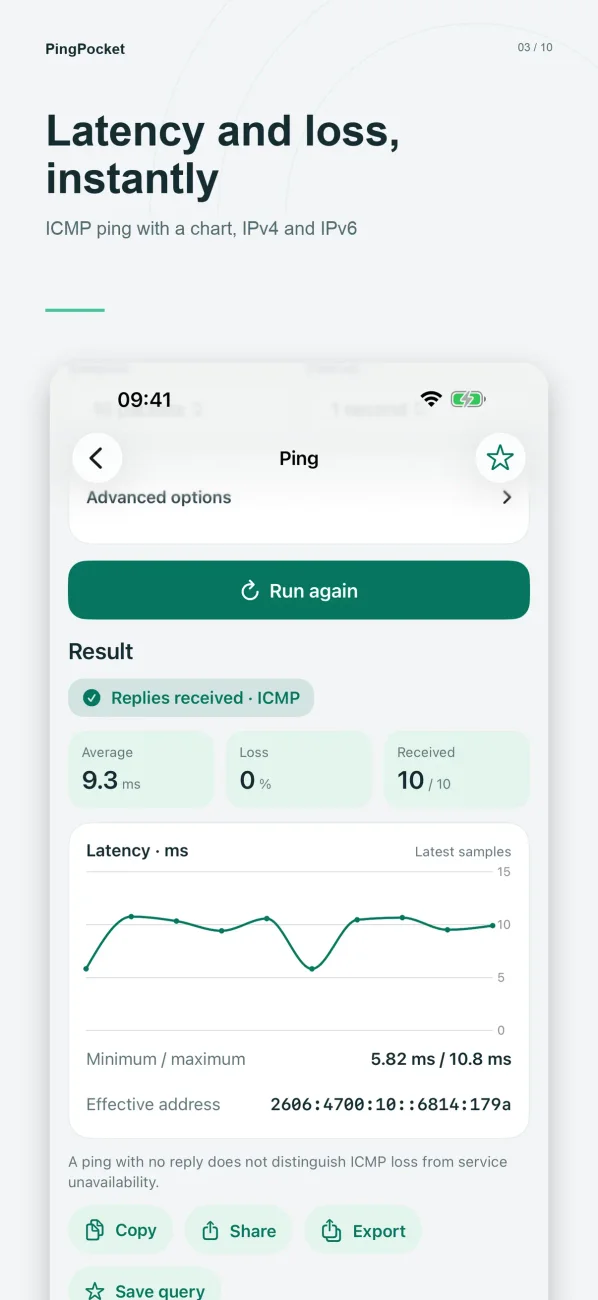
• Ping (ICMP): latency, loss and a sample chart, over IPv4 and IPv6.
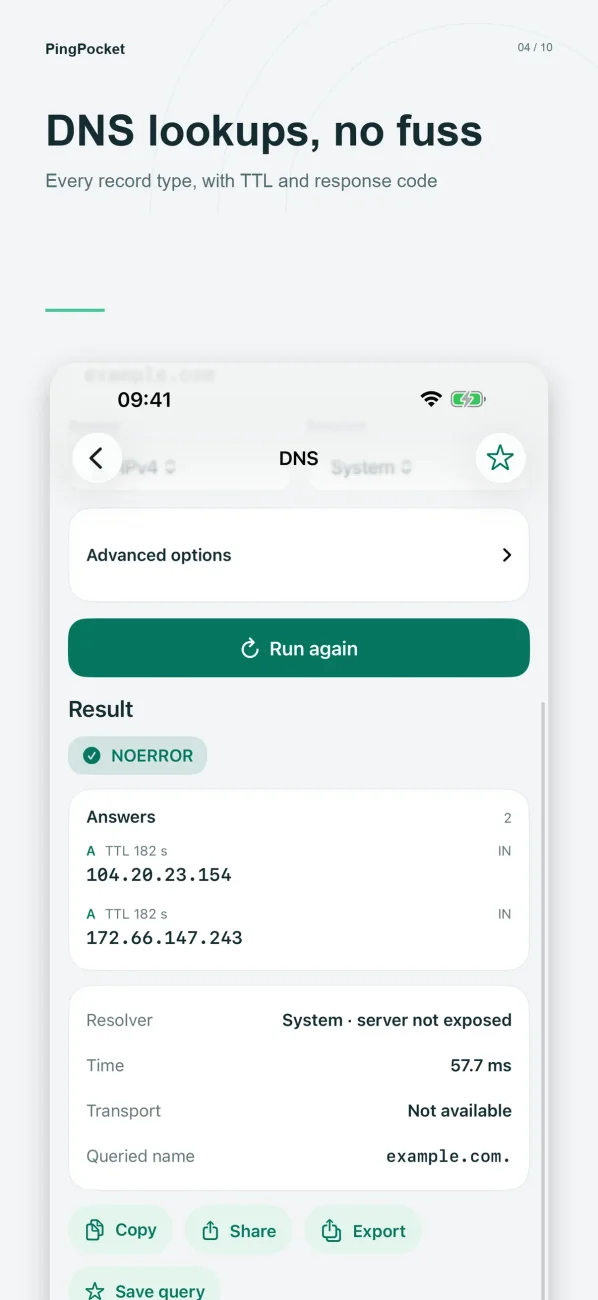
• DNS: A, AAAA, CNAME, MX, TXT, NS, PTR and SOA records with TTL and response code. Use the system resolver or a server you choose, over UDP or TCP.
• TCP ports: check whether a specific port accepts connections and which IP was tested.
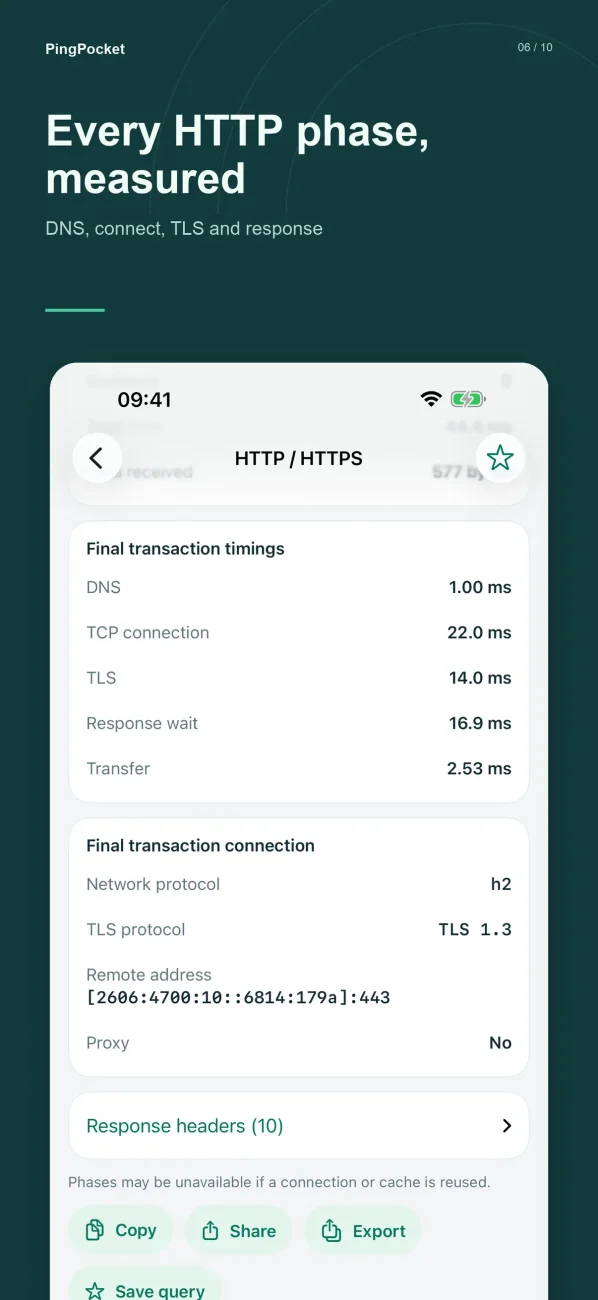
• HTTP / HTTPS: status, redirects, headers and per-phase timings (DNS, connect, TLS, wait and transfer).
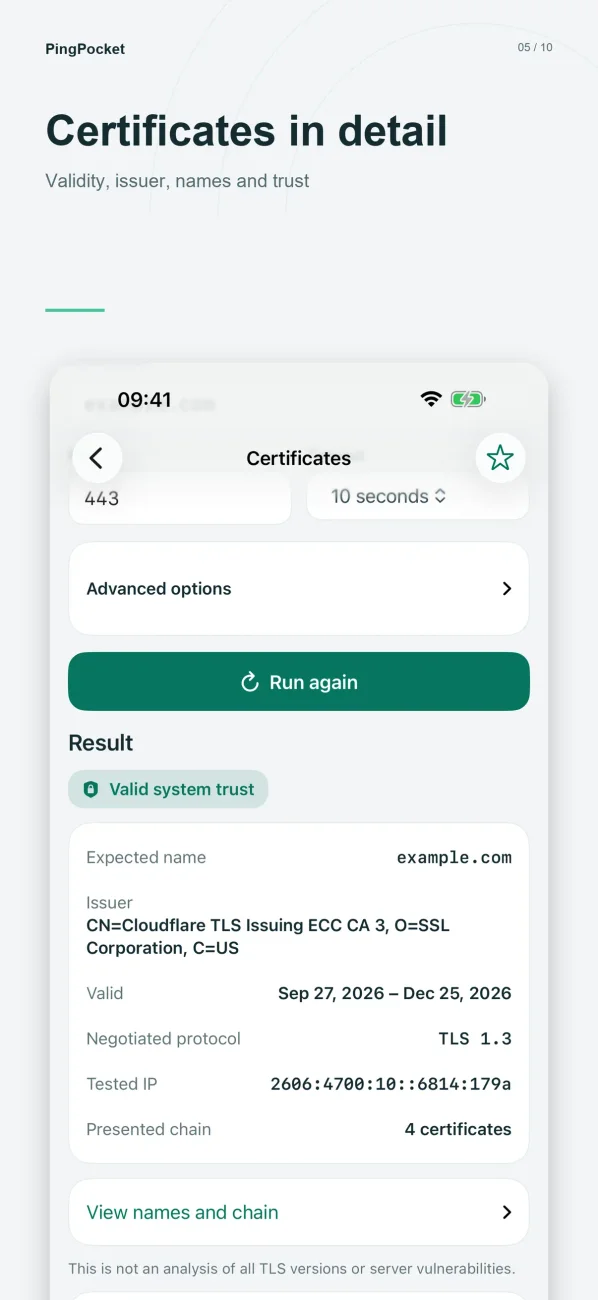
• Certificates: issuer, validity, names (SAN), presented chain, negotiated protocol and system trust. Tells expired, wrong name and untrusted CA apart.
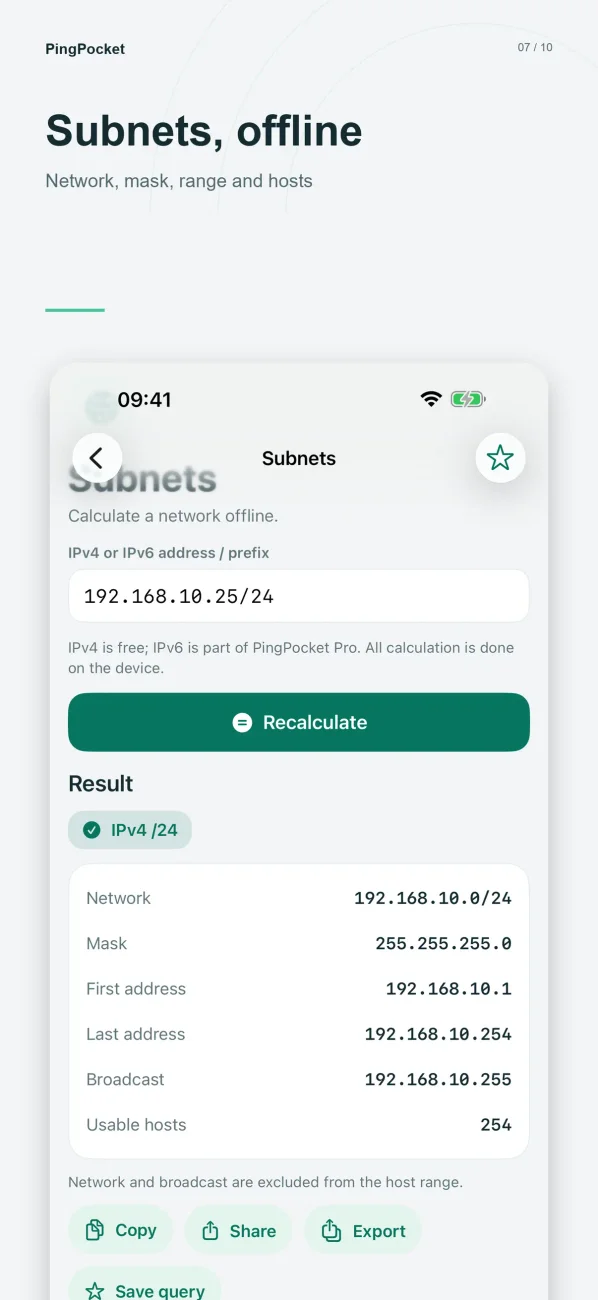
• IPv4 subnets: network, mask, broadcast, range and host count, offline.
HONEST RESULTS
PingPocket shows what it observes. A timeout is never presented as "firewall blocking", and when a value isn't available it says so instead of guessing.
FAVORITES AND HISTORY
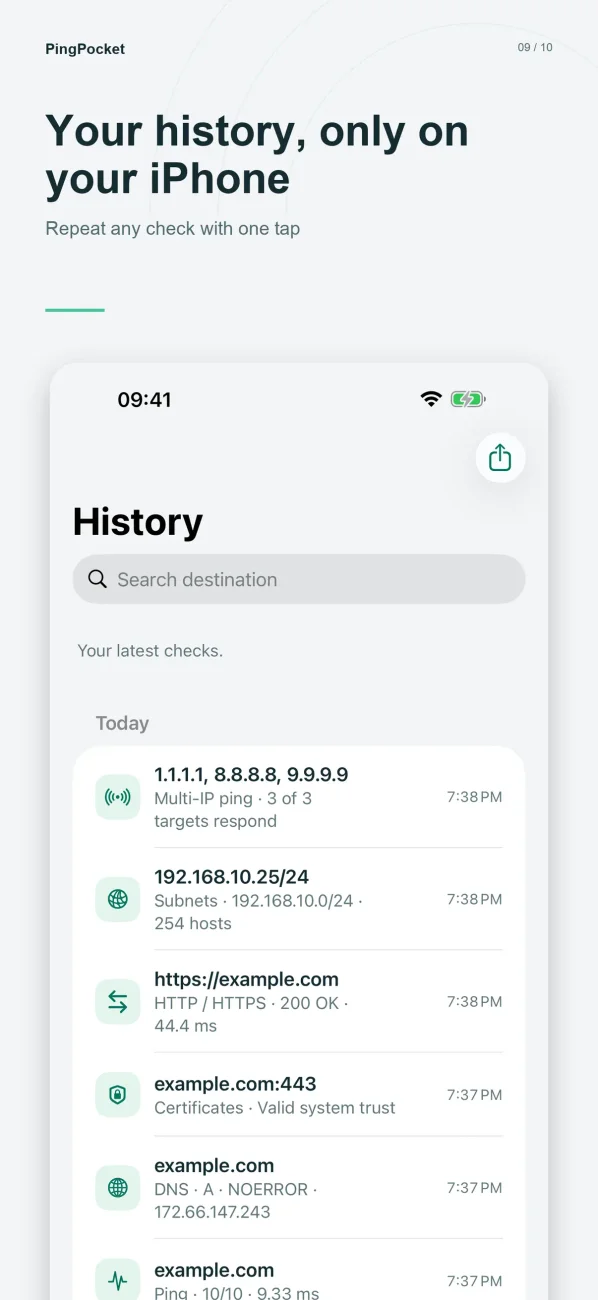
Save the checks you run often and repeat them with one tap. History keeps each result exactly as it was, with date and parameters; search it, open it without re-running, or run it again.
PRIVATE BY DEFAULT
No account, no ads, no analytics. Tests go straight from your iPhone to the target you type. Favorites and history stay on the device, are excluded from backups, and you can turn them off or delete them. When you copy or share a result, credentials and sensitive data are hidden automatically.
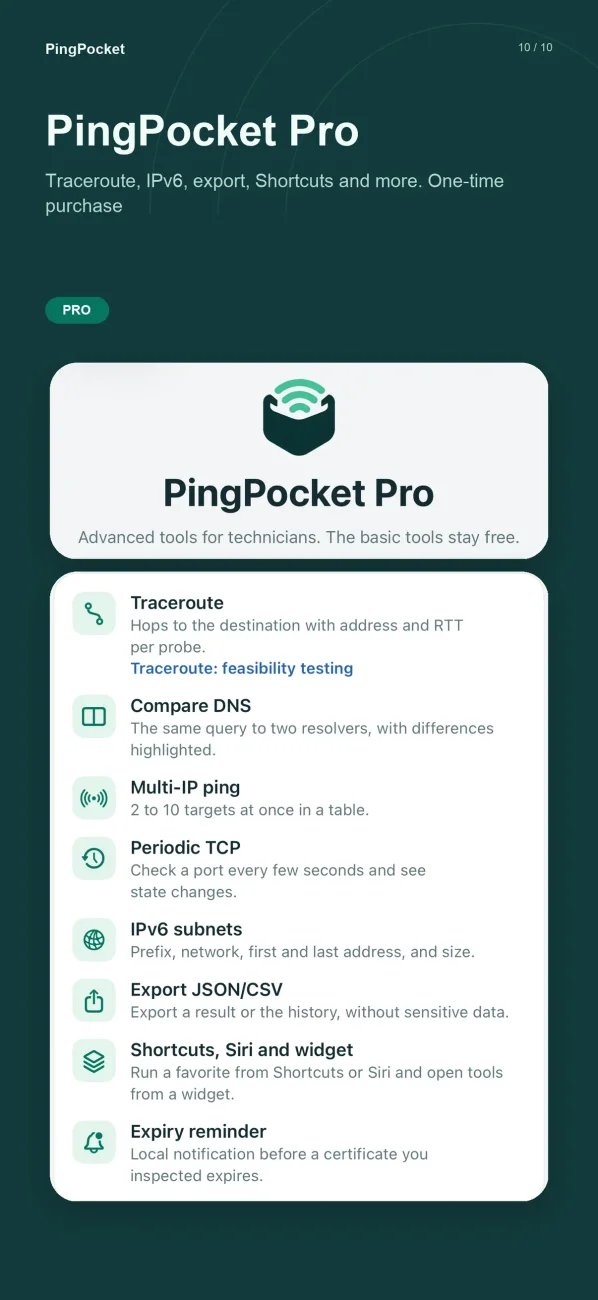
PINGPOCKET PRO (optional one-time purchase)
The basic tools are free and complete. Pro adds:
• Traceroute: hops to the destination with per-probe RTT.
• DNS compare: the same query on two resolvers, with differences highlighted.
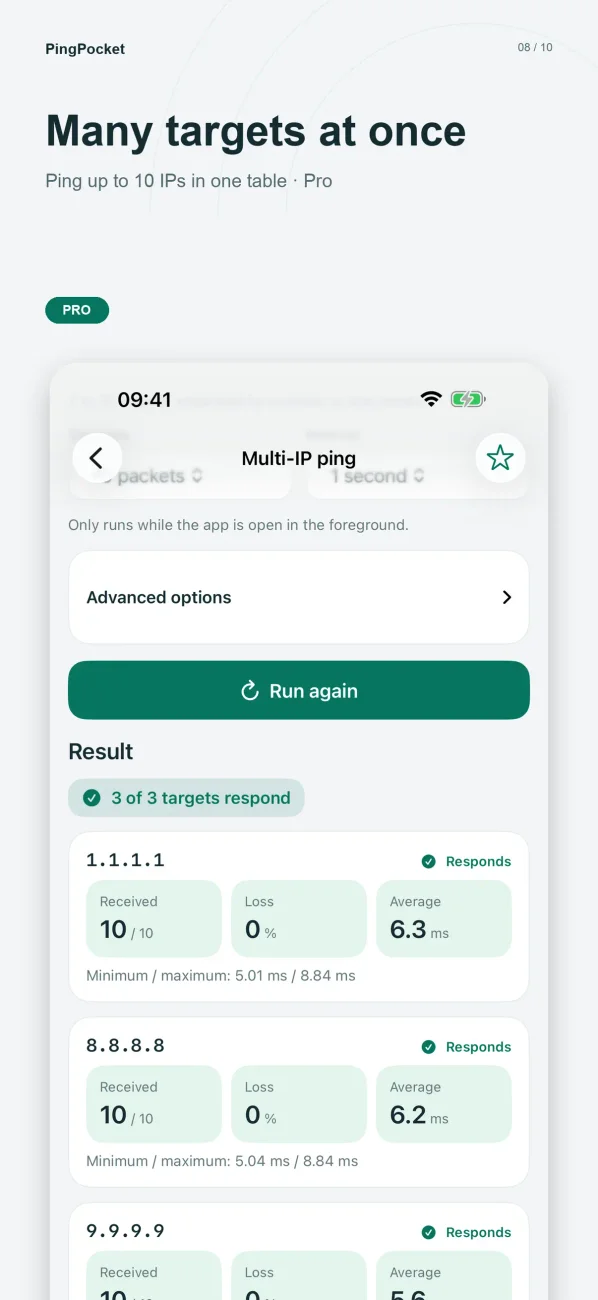
• Multi-ping: up to 10 targets at once.
• Periodic TCP: watch a port every few seconds while the app is open.
• IPv6 subnets.
• Export results and history as JSON or CSV.
• Shortcuts, Siri and a widget to launch your checks.
• A reminder before a certificate expires.
SUPPORT THE PROJECT
If PingPocket is useful to you, you can leave a tip in Settings. Tips don't unlock anything; they just help keep the app going.
Note: some networks and servers block or rate-limit ICMP, so an unanswered ping doesn't necessarily mean the service is down. To check devices on your local network, iOS will ask for local network permission the first time.
App-Datenschutz
Was Alvaro Cozar im App Store zum Umgang dieser App mit Daten angibt.
-
Keine Daten erfasst
Der Entwickler erfasst keine Daten von dieser App.
Die Datenschutzpraktiken können variieren, zum Beispiel je nach den von Ihnen verwendeten Funktionen oder Ihrem Alter.
Informationen
- Anbieter
- Alvaro Cozar
- Kategorie
- Dienstprogramme
- Version
- 1.0
- Aktualisiert
- 23.10.2026
- Veröffentlicht
- 23.10.2026
- Größe
- 4,7 MB
- Erfordert
- iOS 26.0 oder neuer
- Altersfreigabe
- 4+
- Preis
- Kostenlos
- In-App-Käufe
- Ja
- Sprachen
- Englisch, Spanisch
- Copyright
- © 2026 Alvaro Cozar · CZR Labs
Das könnte Ihnen auch gefallen
-
 QR Code Lens - ScannerQR code & Barcode Scanner
-
 Tempo - Color of the dayDienstprogramme
-
 DEAuserDienstprogramme
-
 DEAinstaller by DEADienstprogramme
-
 WO mlm : Network MarketingDienstprogramme
-
 Total Control - Ln-ExDienstprogramme
-
 T-BridgeDienstprogramme
-
 At Home SecurityDienstprogramme
-
 GeoMoov 2Dienstprogramme
-
 Shiny Tracker: Track Hunts.Zählen, sammeln, teilen