- Altersfreigabe4+
- KategorieGrafik und Design
- EntwicklerInfinite Token
- SprachenEnglisch
- Größe2,4 MB
Verlinkt auf die offizielle App Store-Seite
Download.org hostet keine Datei von Pixel Designer Pro. Die Schaltfläche öffnet die App-Seite bei App Store, wo Infinite Token die App veröffentlicht. Eintrag zuletzt geprüft am 16.11.2026.
Screenshots



Info
Der Entwickler hat diesen Text nicht in Ihrer Sprache bereitgestellt.
PixelDesigner - Professional Pixel Art Editor
Create stunning pixel art, animations, and game assets with PixelDesigner, the powerful native editor built for artists, game developers, and designers.
KEY FEATURES
===========
Multiple Drawing Modes
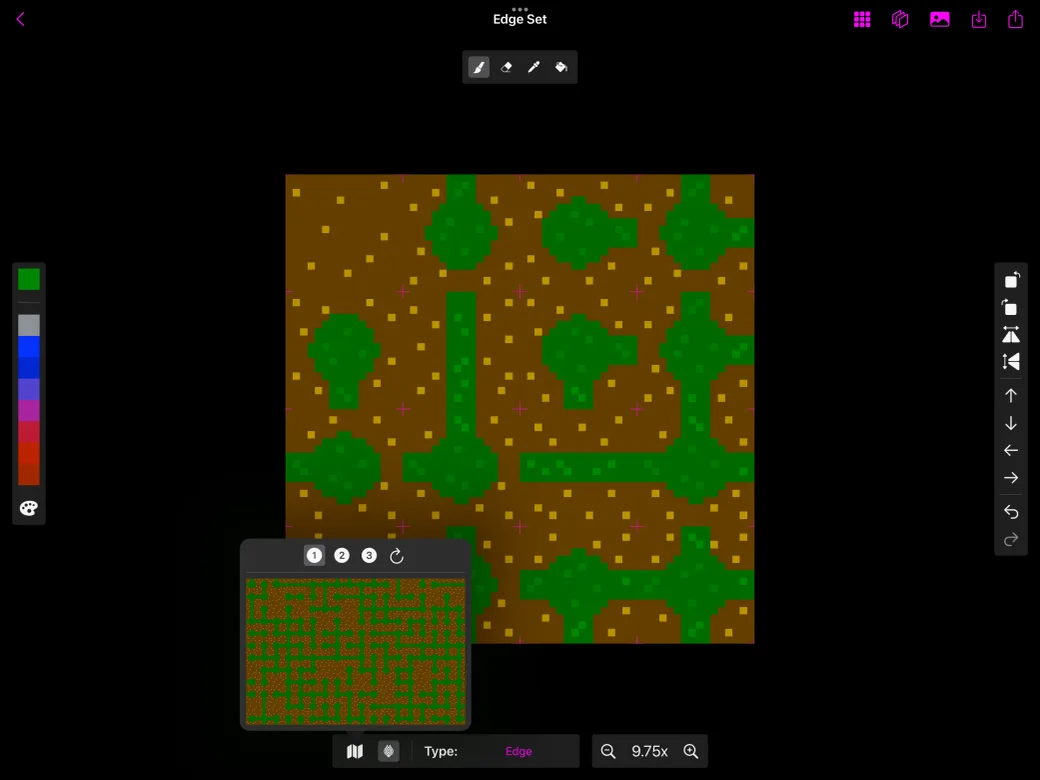
Switch seamlessly between Frame Mode for animations, Tile Mode for individual game tiles, Tileset Mode with Wang tile support, and Sheet Mode for organizing sprite sheets. Each mode is optimized for specific pixel art workflows.
Advanced Layer System
Work with multiple layers to build complex compositions. Organize your artwork, separate elements, and maintain full creative control over every pixel.
Custom Color Palettes
Create and manage your own color palettes for consistent artwork. Import existing palettes or build new ones from scratch to match your project's aesthetic.
Animation Tools
Preview your animations in real time as you work. Export animations as GIF or PNG sequences with customizable frame rates and timing controls.
Precision Drawing Tools
Choose from Brush, Eraser, Fill, and Eyedropper tools. Each tool is designed specifically for pixel-perfect artwork with full control over every detail.
Mirror Drawing
Create perfectly symmetrical designs with horizontal and vertical mirroring. Ideal for character sprites, icons, and architectural elements.
Flexible Grid Options
Work with multiple grid styles including solid, dashed, dot, checkerboard, and more. Customize your workspace to match your preferred drawing style.
Professional Export Options
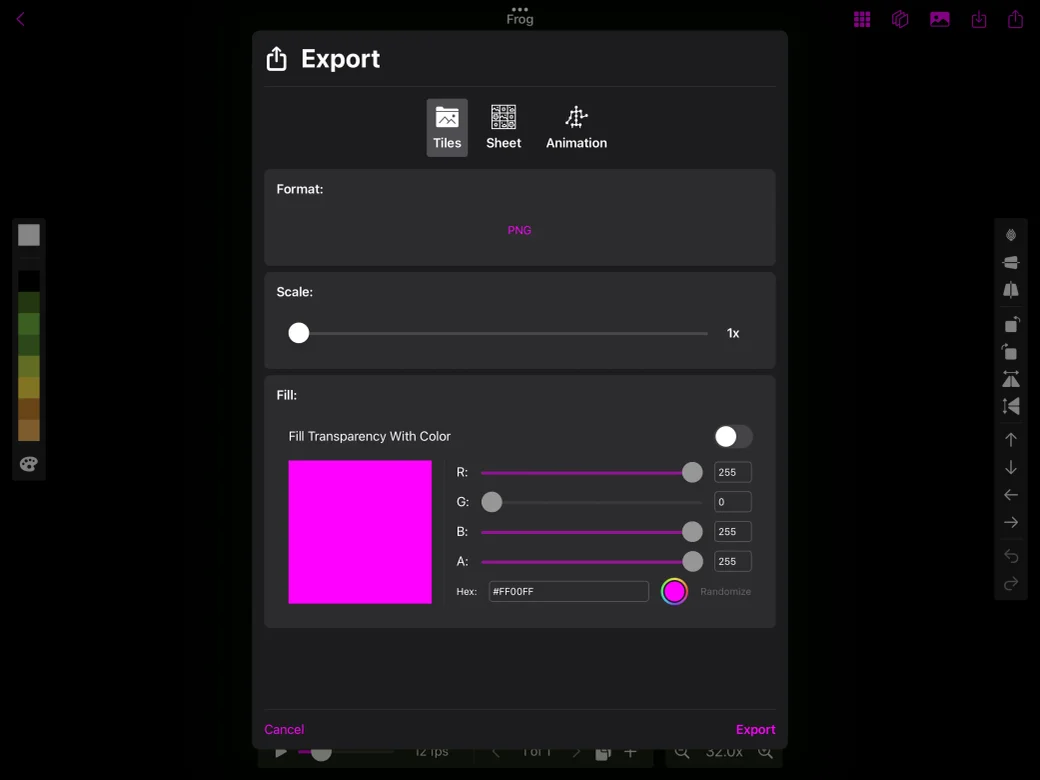
Export your work in multiple formats including PNG, JPEG, GIF, and TIFF. Generate sprite sheets with customizable layouts, export individual tiles, or create animated GIFs with precise control over timing and quality.
Wang Tile Support
Automatically generate seamless tilesets using Wang tile algorithms. Perfect for creating game environments and repeating patterns that tile perfectly.
Document-Based Workflow
Save and organize your projects with a native document-based architecture. Open multiple documents simultaneously and switch between projects effortlessly.
Native Performance
Built from the ground up with SwiftUI for optimal performance on both iOS and macOS. Enjoy a responsive, fluid experience that takes full advantage of your device's capabilities.
Cross-Platform Sync
Start a project on your Mac and continue on your iPad. PixelDesigner uses a universal file format that works seamlessly across all your devices.
Whether you are creating game sprites, animated icons, retro artwork, or detailed pixel illustrations, PixelDesigner provides all the tools you need in a clean, intuitive interface.
Neue Funktionen
Version 1.2.0 · 20.03.2026
General bug fixes and updates
App-Datenschutz
Was Infinite Token im App Store zum Umgang dieser App mit Daten angibt.
-
Keine Daten erfasst
Der Entwickler erfasst keine Daten von dieser App.
Die Datenschutzpraktiken können variieren, zum Beispiel je nach den von Ihnen verwendeten Funktionen oder Ihrem Alter.
Informationen
- Anbieter
- Infinite Token LLC
- Kategorie
- Grafik und Design
- Version
- 1.2.0
- Aktualisiert
- 20.03.2026
- Veröffentlicht
- 20.11.2019
- Größe
- 2,4 MB
- Erfordert
- iOS 15.6 oder neuer
- Altersfreigabe
- 4+
- Preis
- Kostenlos
- Sprachen
- Englisch
- Copyright
- © 2019 Infinite Token LLC
Das könnte Ihnen auch gefallen
-
 ISD BuddyGrafik und Design
-
 Pixbit Studio – Pixel AnimatorGrafik und Design
-
 Konjur3DGrafik und Design
-
 Pixelart Studio: Sprite MakerGrafik und Design
-
 Vision CheerGrafik und Design
-
 PixelMode AI Pixel Art StudioGrafik und Design
-
 PixelPaw - Pixel Art EditorPixel Art & Animation Editor
-
 Pixel ArtistryPixel-Art zeichnen & animieren
-
 ZPixitGrafik und Design
-
 Itinerant RigGrafik und Design