Pomodoro! Focus & Study Timer
Track work time & build habits
Entwickelt für iPhone, iPad
- Altersfreigabe4+
- KategorieProduktivität
- EntwicklerJun Tsuda
- SprachenEnglisch+ 1 weitere
- Größe10,0 MB
Pomodoro! Focus & Study Timer ist bei App Store derzeit möglicherweise nicht verfügbar
Bei unserer letzten Prüfung war der Store-Eintrag nicht erreichbar. Der Link führt weiterhin zur offiziellen App Store-Seite.
Screenshots
Info
Der Entwickler hat diesen Text nicht in Ihrer Sprache bereitgestellt.
Focus first. Everything else is automatic.
A Pomodoro timer that switches between 25 minutes of focus and 5 minutes of rest on its own.
Every session is logged, and you can see not just how long you focused, but when you focus best.
"How long did I actually work today?"
"I meant to focus, but I picked up my phone again."
One simple timer is enough to start changing that.
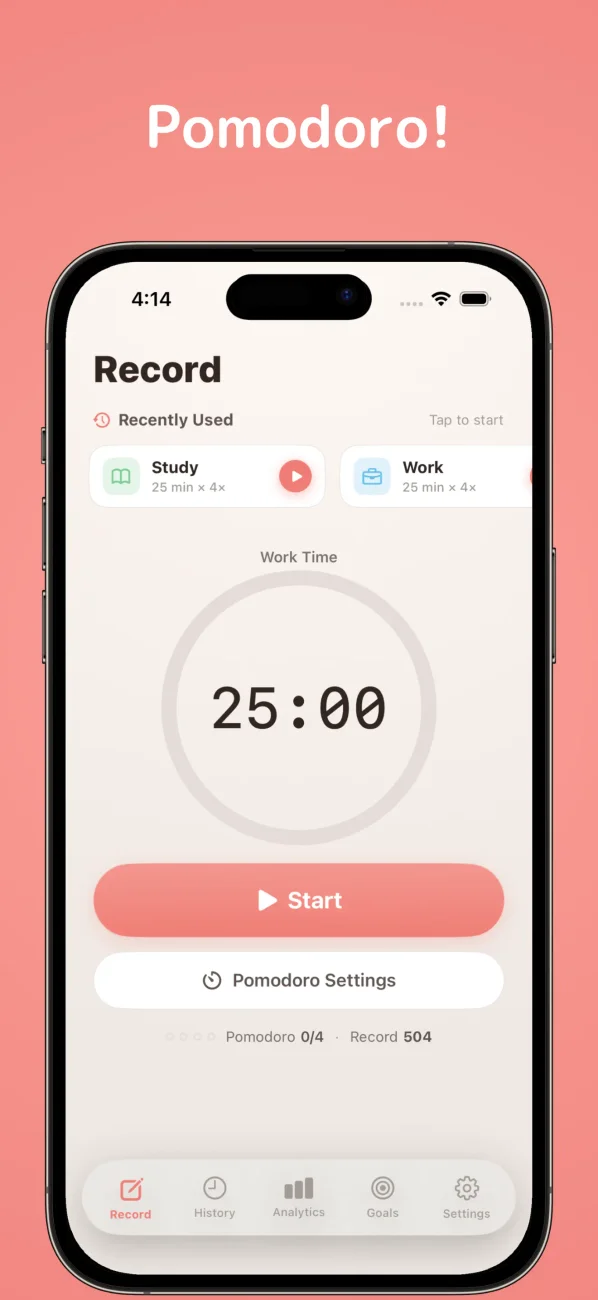
■ One tap to start
No setup required. Tap once and your 25 minutes begin.
Focus and break periods switch automatically, so you can stay with the task instead of the clock.
Session length, break length, and the number of sessions are all adjustable, and your recent setups are one tap away.
■ Distracted? Jot it down
When something pops into your head mid-session, like replying to an email, note it with one tap and get right back to work.
Your notes appear together when your break starts, so you can mark them Done or save them for Later.
■ Discover when you focus best
After each session, rate your focus in one tap: Struggled, Okay, or Deep focus.
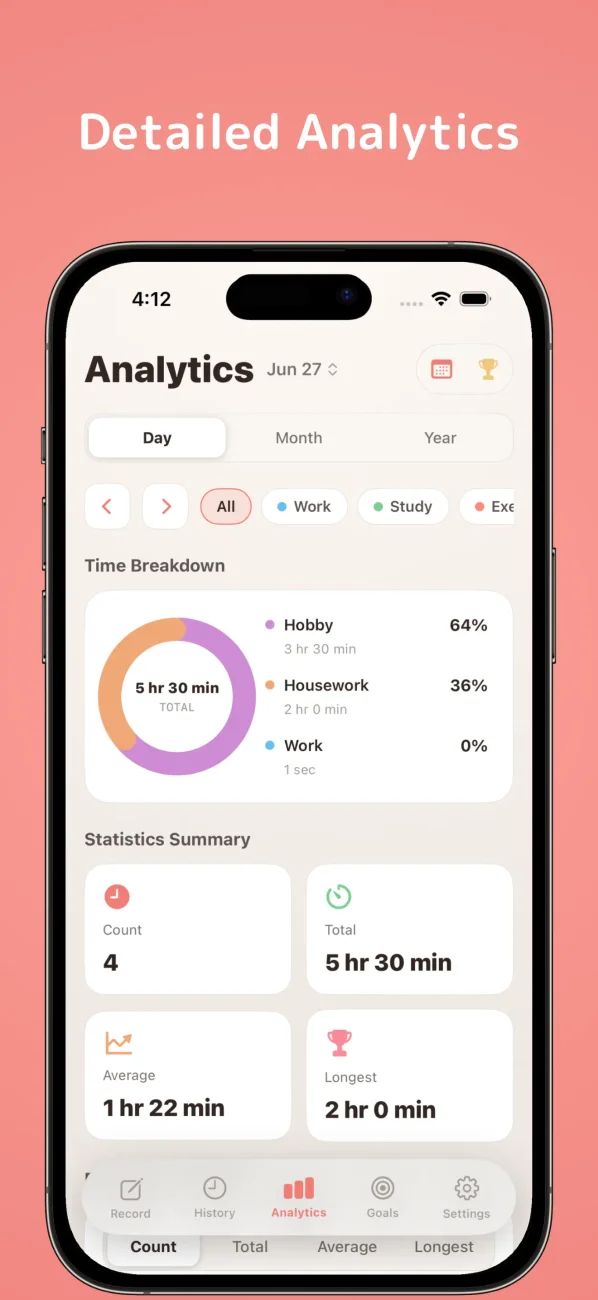
Focus Insights on the Analytics screen then tells you things like "You focus best on weekdays around 10:00" or "You get distracted more on Monday."
■ Organize by color-coded categories
Sort your sessions into categories such as Study, Work, Reading, or Exercise.
Each one gets its own icon and color, so where your time goes is obvious at a glance.
■ See your effort add up
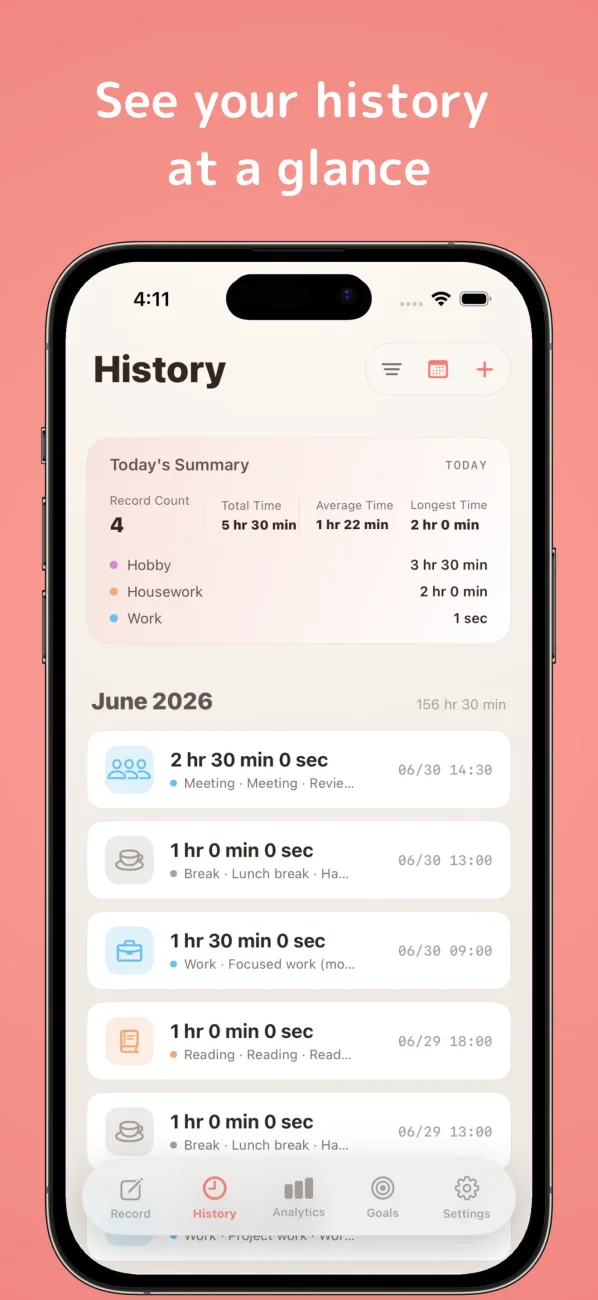
Completed sessions are saved automatically and charted by day, month, and year.
A calendar view and a streak heatmap turn the days you showed up into something you can actually see.
Records can be edited or added later, so a day you forgot to start the timer isn't lost.
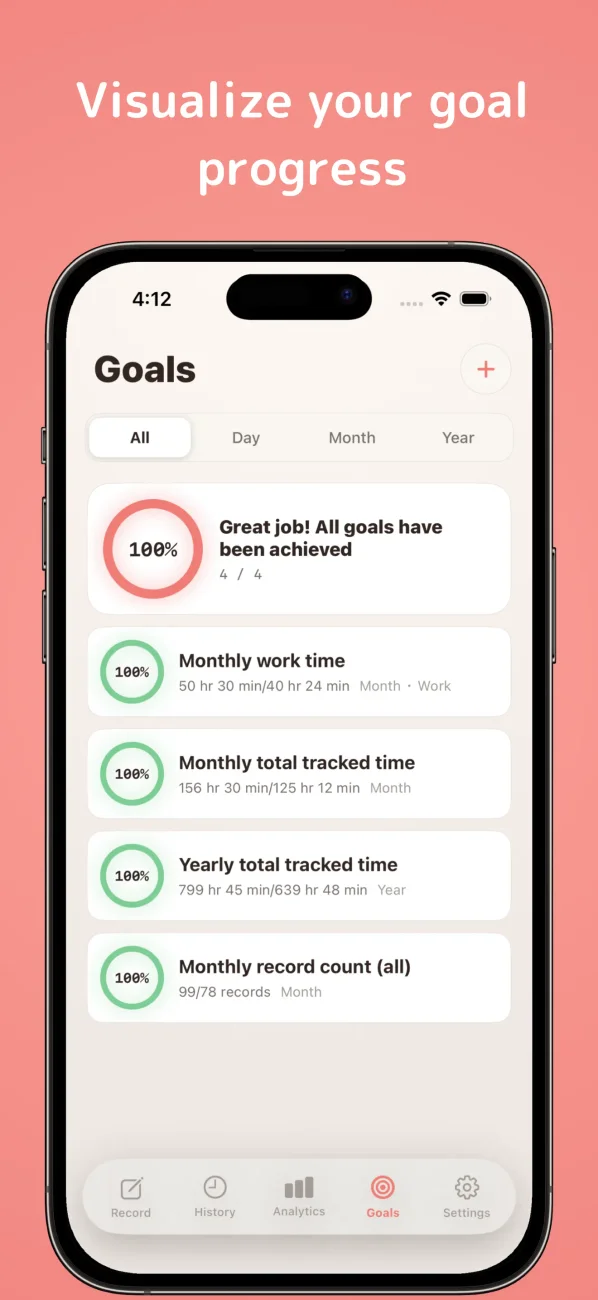
■ Set goals, feel the progress
Set goals by session count or total time, such as 20 hours of study this month or 3 sessions a day.
Per-category goals are supported too, and ring progress shows how close you are.
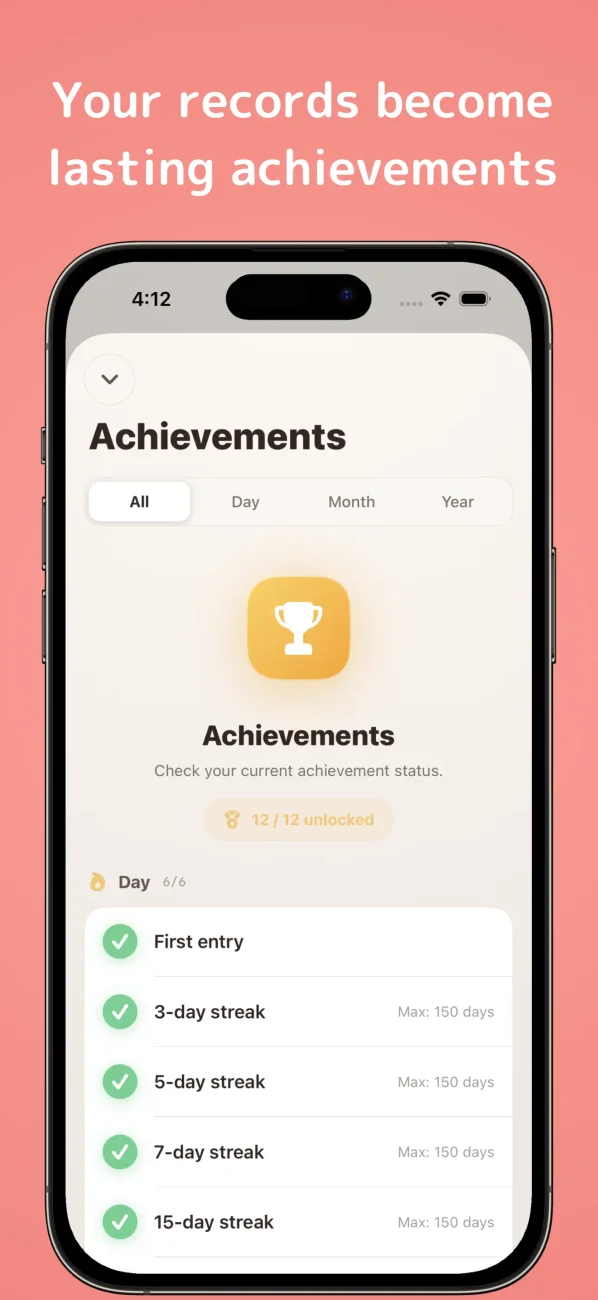
■ Earn trophies for showing up
3 days, 7 days, 30 days in a row. 10 hours a month, 100 hours a year.
Each milestone unlocks a trophy, so your consistency leaves a mark.
■ Accurate even when the app is closed
Timing stays accurate in the background, and you get a notification when a focus or break period ends.
■ The same records on every device
Works on iPhone, iPad, Mac, and Apple Vision Pro.
iCloud sync keeps your records, categories, and goals identical everywhere.
【Great for】
・Tracking study hours for exams and certifications
・Staying focused while working from home
・Finding the time of day when you focus best
・Building a habit of reading, morning routines, or exercise
・Understanding where your hours actually go
・Anyone looking for a timer that stays simple
【Good to know】
・Every feature is free to use (supported by ads)
・No account or sign-up required
・Your records stay on your device and in your own iCloud
Make focus a habit with Pomodoro!
Questions, requests, or something broken? Reach us anytime from Settings → Contact & Feedback.
Neue Funktionen
Version 5.0 · 21.11.2026
We've added the following features.
■ Widgets, Control Center & Siri
• New Home Screen and Lock Screen widgets show your remaining time and today's focus, and let you start, pause or stop without opening the app
• A Control Center toggle to start and stop a Pomodoro (iOS 18 or later)
• Use Siri and Shortcuts to start a Pomodoro, stop it, or hear today's focus time
• Preview the widgets and learn how to add them under Settings > Widgets & Siri
■ Look back on your focus
• Weekly Review: your week's focus time, comparison with last week, top 3 categories and focus quality on one shareable card, with an optional Sunday 8 PM reminder
• Day Timeline: see when you focused during the day on a timeline
• History is now grouped by day, with each day's total and a timeline button
• New "Focus by Category" card in Analytics
■ Stay motivated
• 7-Day Focus Challenge: record at least once a day for 7 days
• A celebration screen when you unlock a trophy, ready to share
■ Focus check & distraction notes
• "How focused were you?" now also appears when you stop a session early. You can change your answer later on the record screen, or turn the question off in Settings
• Distraction notes are saved with each session, and you can review or delete them while the timer is running
■ Other
• Export your records as CSV, filtered by period and category
• Minor bug fixes
App-Datenschutz
Was Jun Tsuda im App Store zum Umgang dieser App mit Daten angibt.
-
Daten, die zum Tracking Ihrer Person verwendet werden
Können verwendet werden, um Sie über Apps und Websites anderer Unternehmen hinweg zu verfolgen.
- Kennungen
-
Mit Ihnen verknüpfte Daten
Können erfasst und mit Ihrer Identität verknüpft werden.
- Kennungen
Die Datenschutzpraktiken können variieren, zum Beispiel je nach den von Ihnen verwendeten Funktionen oder Ihrem Alter.
Informationen
- Anbieter
- Jun Tsuda
- Kategorie
- Produktivität
- Version
- 5.0
- Aktualisiert
- 21.11.2026
- Veröffentlicht
- 30.12.2025
- Größe
- 10,0 MB
- Erfordert
- iOS 17.0 oder neuer
- Altersfreigabe
- 4+
- Sprachen
- Englisch, Japanisch
- Copyright
- © 2026 Jun Tsuda. All rights reserved.
Das könnte Ihnen auch gefallen
-
 Pomodoro — Focus TimerProduktivität
-
 Flow: Fokus & Pomodoro TimerKonzentration & Zeitmanagement
-
 Be Focused – Fokus TimerKonzentriert Arbeiten & Lernen
-
 Pomocat – Süßer Pomodoro-TimerBleib fokussiert mit Kätzchen
-
 ChickFocus: Pomodoro TimerProduktivität
-
 FocusPomo · Fokus-TimerProduktivität|Motivation
-
 Focus To-DoPomodoro-Timer & Aufgaben
-
 Focus Keeper: Study Time TimerFokus ADHD: Studium To Do List
-
 Focus Timer: Pomodoro UhrCountdown, Stoppuhr & Rauschen
-
 Freedom: Fokus & ZeitApp-Blocker für Bildschirmzeit