
PortX - SSH (Deprecated)
Terminal, SSH, and SFTP
Entwickelt für iPhone, iPad, Mac, iPod touch
Kostenlos
- Altersfreigabe4+
- KategorieEntwickler-Tools
- EntwicklerNetSarang Computer, Inc.
- SprachenEnglisch+ 5 weitere
- Größe58,0 MB
Verlinkt auf die offizielle App Store-Seite
Download.org hostet keine Datei von PortX - SSH (Deprecated). Die Schaltfläche öffnet die App-Seite bei App Store, wo NetSarang Computer, Inc. die App veröffentlicht. Eintrag zuletzt geprüft am 17.11.2026.
Screenshots

Info
Der Entwickler hat diesen Text nicht in Ihrer Sprache bereitgestellt.
****** Please switch to our new app, Xcasca. This app will be deprecated soon. ******
Xcasca, the new version of PortX, is now available! This current app will soon be deprecated, so please install Xcasca to continue.
You can install Xcasca from the link below.
https://apps.apple.com/app/xcasca-ssh-sftp-client/id6749602189
---------------------------------------------------------------
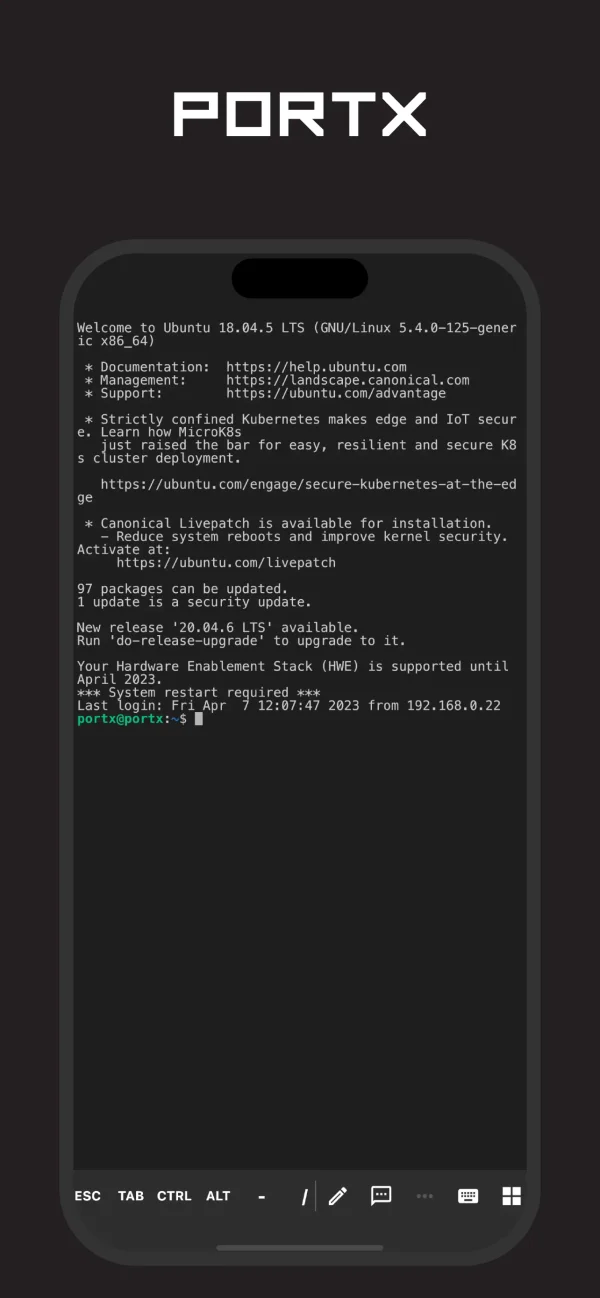
PortX Mobile brings the power of our desktop SSH Client to your mobile device (SFTP is currently available on the Desktop version only, but will be supported on Mobile soon). With a wide variety of features in a lightweight package, PortX Mobile allows you to access and manage remotes systems on-the-go through an intuitive user interface.
PortX Mobile Features:
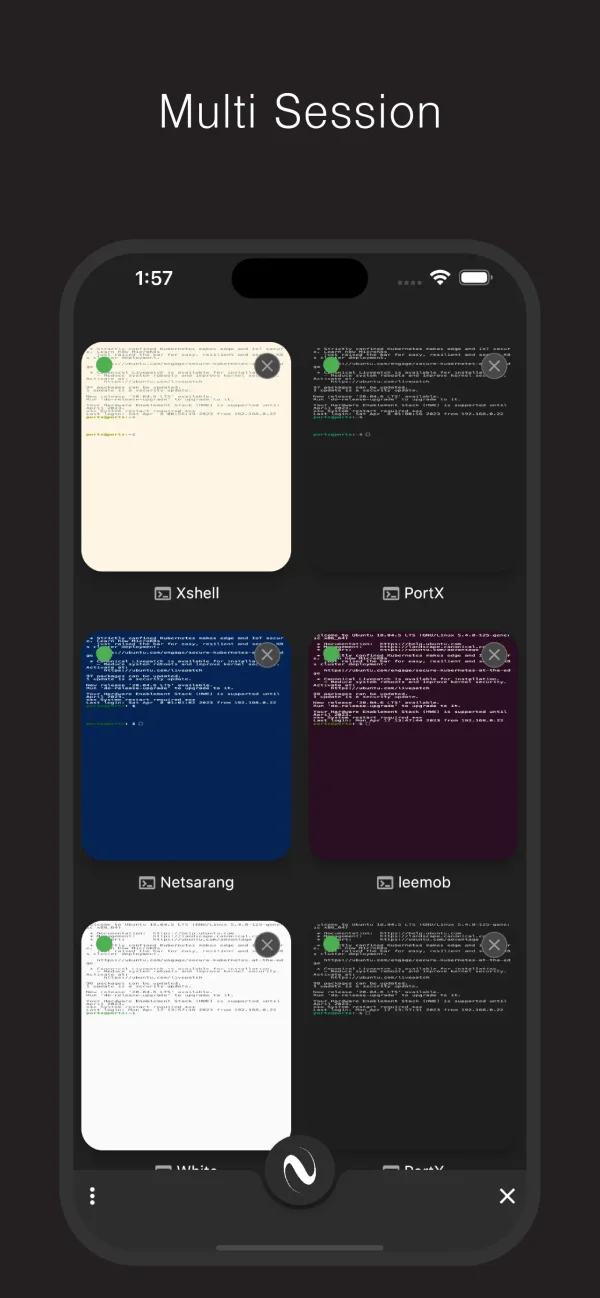
◦ Multi-Session Support. Have multiple connections open at once. Access to any of your sessions a just a finger-swipe or click away.
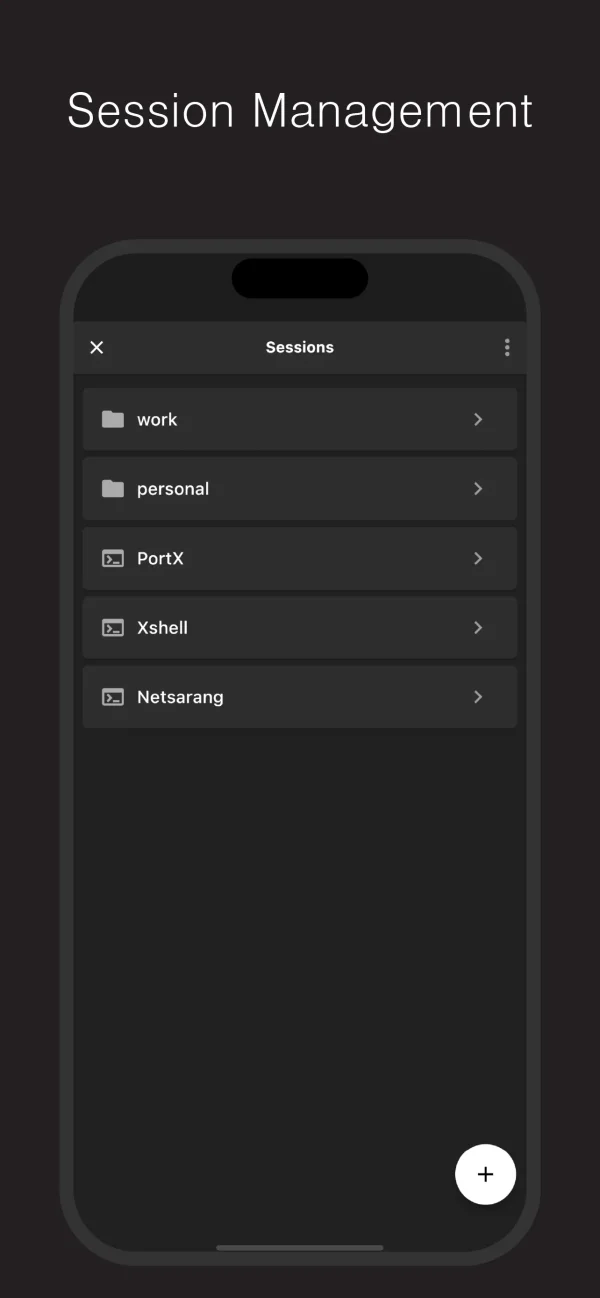
◦ Intuitive Session Management. Organize and edit your sessions with PortX’s session management.
◦ Compose Bar. The multi-line Compose Bar allows you to type out, edit, and review your string before sending.
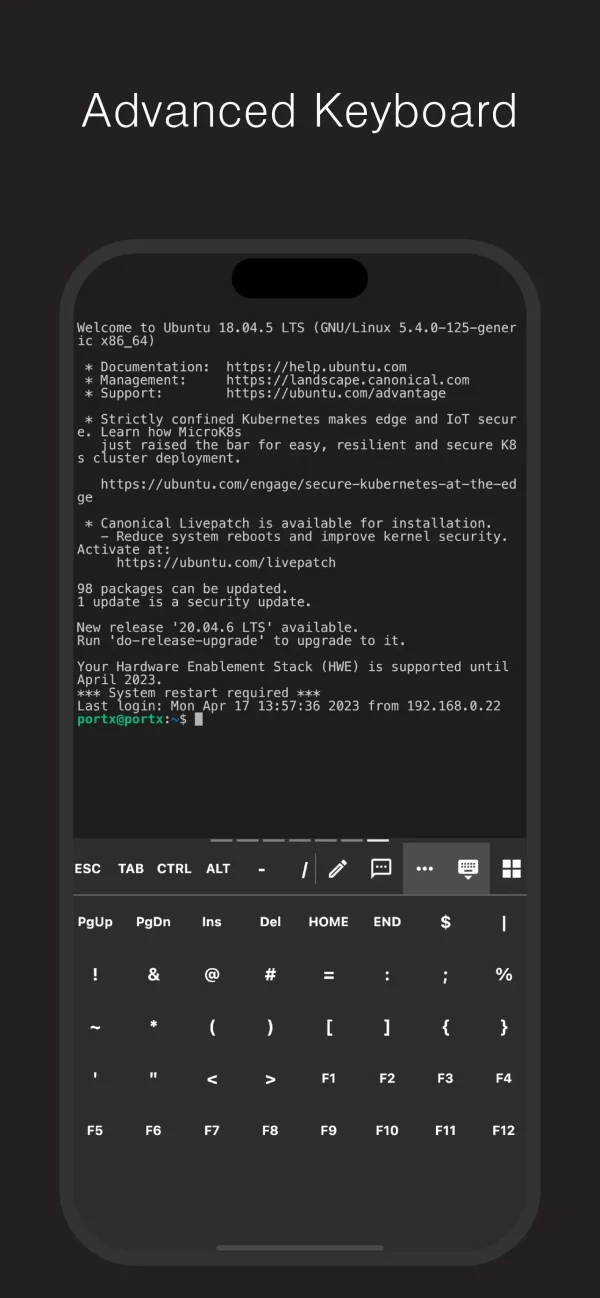
◦ Advance Keyboard. Quick access to all special characters for whatever the situation calls for.
◦ Multiple Authentication Types. Password, Public Key, and Keyboard Interactive authentication support.
◦ Customizations. Modify appearance, font, and colors.
◦ Ad-Free
◦ More features coming soon.
◦ Desktop version also available for Mac, Windows, and Linux.
PortX redefines how you interact with a mobile SSH Client. On-the-go session management has never been easier.
Neue Funktionen
Version 2.3.0 · 05.06.2026
[FIX] Bug fixes
App-Datenschutz
Was NetSarang Computer, Inc. im App Store zum Umgang dieser App mit Daten angibt.
-
Nicht mit Ihnen verknüpfte Daten
Können erfasst werden, sind aber nicht mit Ihrer Identität verknüpft.
- Standort
- Nutzungsdaten
- Diagnose
Die Datenschutzpraktiken können variieren, zum Beispiel je nach den von Ihnen verwendeten Funktionen oder Ihrem Alter.
Informationen
- Anbieter
- NetSarang Computer, Inc.
- Kategorie
- Entwickler-Tools
- Version
- 2.3.0
- Aktualisiert
- 05.06.2026
- Veröffentlicht
- 31.05.2021
- Größe
- 58,0 MB
- Erfordert
- iOS 12.0 oder neuer
- Altersfreigabe
- 4+
- Preis
- Kostenlos
- Sprachen
- Englisch, Deutsch, Koreanisch, Russisch, Vereinf. Chinesisch, Tradit. Chinesisch
- Copyright
- Copyright © 2022 NetSarang Computer, Inc. All rights reserved.
Das könnte Ihnen auch gefallen
-
 Xcasca - SSH, SFTP ClientTerminal, SSH, and SFTP Client
-
 Terminal & SSHEntwickler-Tools
-
 ServerCat - SSH TerminalServer-Monitor, Shell & mehr
-
 Shelly - SSH ClientEntwickler-Tools
-
 SSH Client - Terminal & TermuxEntwickler-Tools
-
 Docker Server AdminEntwickler-Tools
-
 Locker SSHPures SSH-Terminal-Erlebnis
-
 NeoServer SSH Client TerminalMosh SFTP Docker Server PuTTY
-
 Secure TerminalEntwickler-Tools
-
 SSH Client - Secure ShellFishEntwickler-Tools