Practice Note
Practice journal & music tools
Entwickelt für iPhone, iPad
Kostenlos · In-App-Käufe
- Altersfreigabe4+
- KategorieMusik
- EntwicklerSeongHyeok Baek
- SprachenKoreanisch+ 1 weitere
- Größe5,9 MB
Verlinkt auf die offizielle App Store-Seite
Download.org hostet keine Datei von Practice Note. Die Schaltfläche öffnet die App-Seite bei App Store, wo SeongHyeok Baek die App veröffentlicht. Eintrag zuletzt geprüft am 12.11.2026.
Screenshots


Info
Der Entwickler hat diesen Text nicht in Ihrer Sprache bereitgestellt.
Designed for the focused practice of professional musicians, Practice Note also welcomes amateur players and music students—anyone building their practice at their own pace.
From detailed passage work for an upcoming performance to freely exploring a favorite piece, keep your repertoire, practice time, notes and recordings together.
ORGANIZE YOUR REPERTOIRE
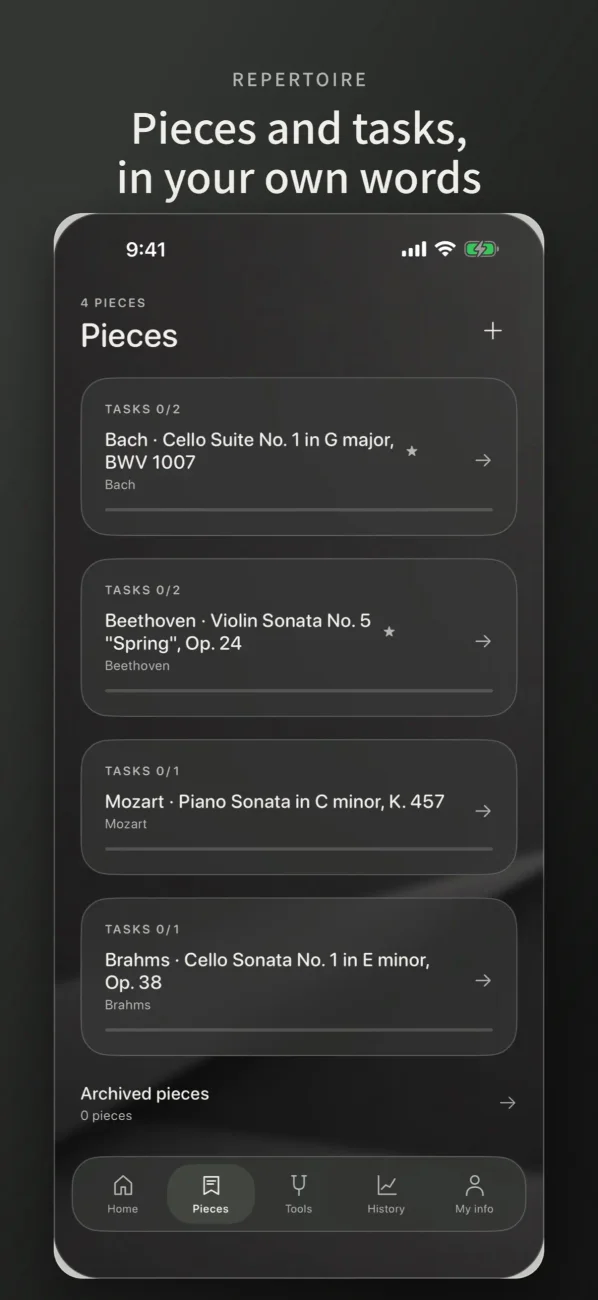
Add pieces and movements, write small practice tasks in your own words, and keep performance dates with each piece. Browse the built-in classical catalog or look up work details online.
PRACTICE YOUR WAY
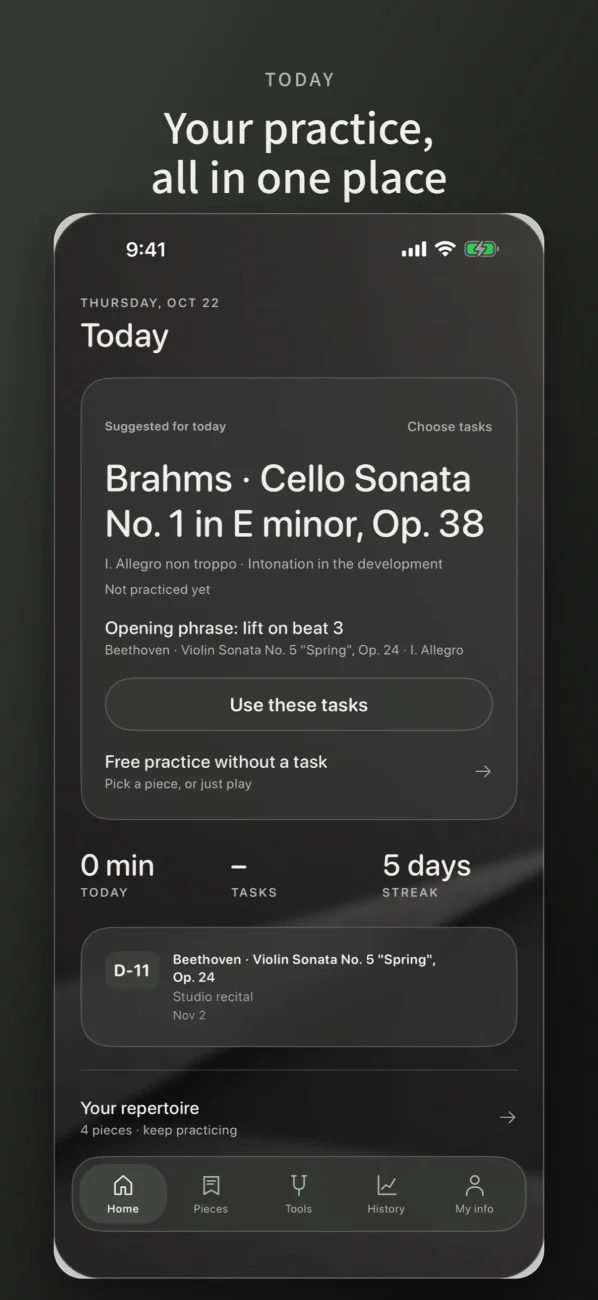
Start from a task, or choose Free practice on Home. Select one of your pieces or practice without a piece or task. The timer starts with your session; pauses are excluded. It continues when you minimize the session or lock your phone, so pause before taking a break.
RECORD, LISTEN, REFLECT
Save practice notes and microphone recordings. Choose two saved takes for quick A/B listening and return to what you noticed next time. Save a session to keep a task open, or complete the task when you are ready.
TOOLS WITHIN REACH
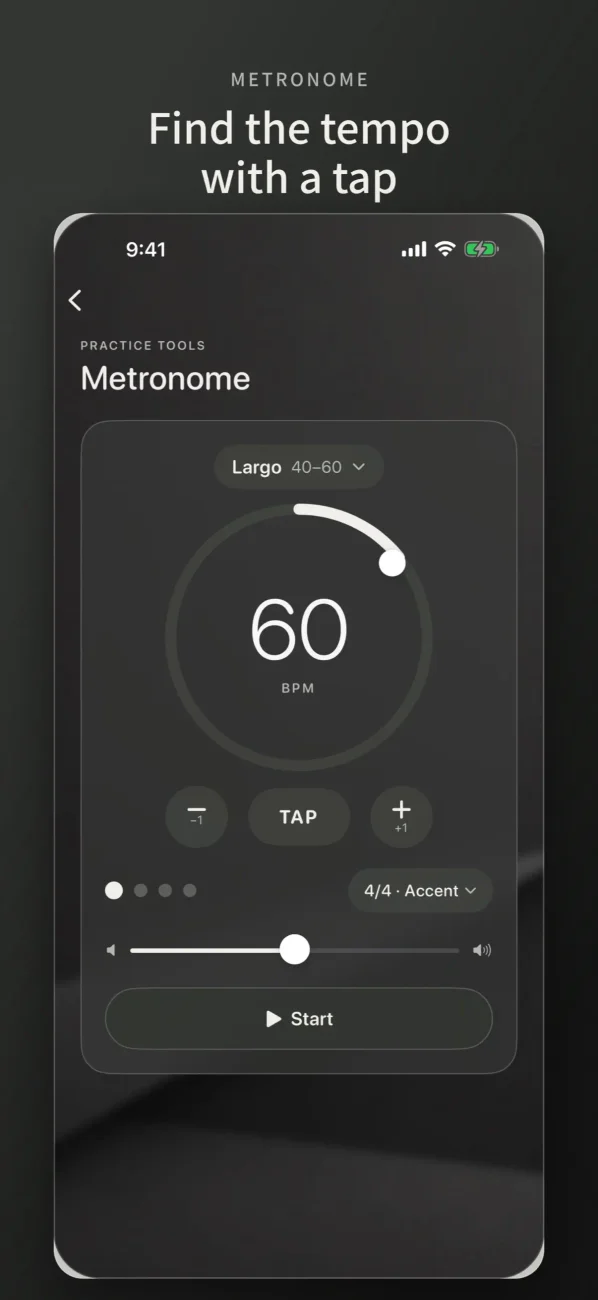
Use a single-note or chord drone on a ring of notes, a metronome with tap tempo, rhythm patterns drawn as notation and the meters of music theory, and a tuner with a reference sound. Adjust your reference pitch to suit your practice.
A QUICK START
A short, skippable first-use guide explains adding pieces, creating tasks and measuring practice time. Session tips introduce recording, tools, notes and saving. Replay the guides whenever you need them. The app follows your iPhone language automatically: Korean or English, with English for other languages. A manual override is tucked away under Settings > App language.
SEE YOUR PRACTICE
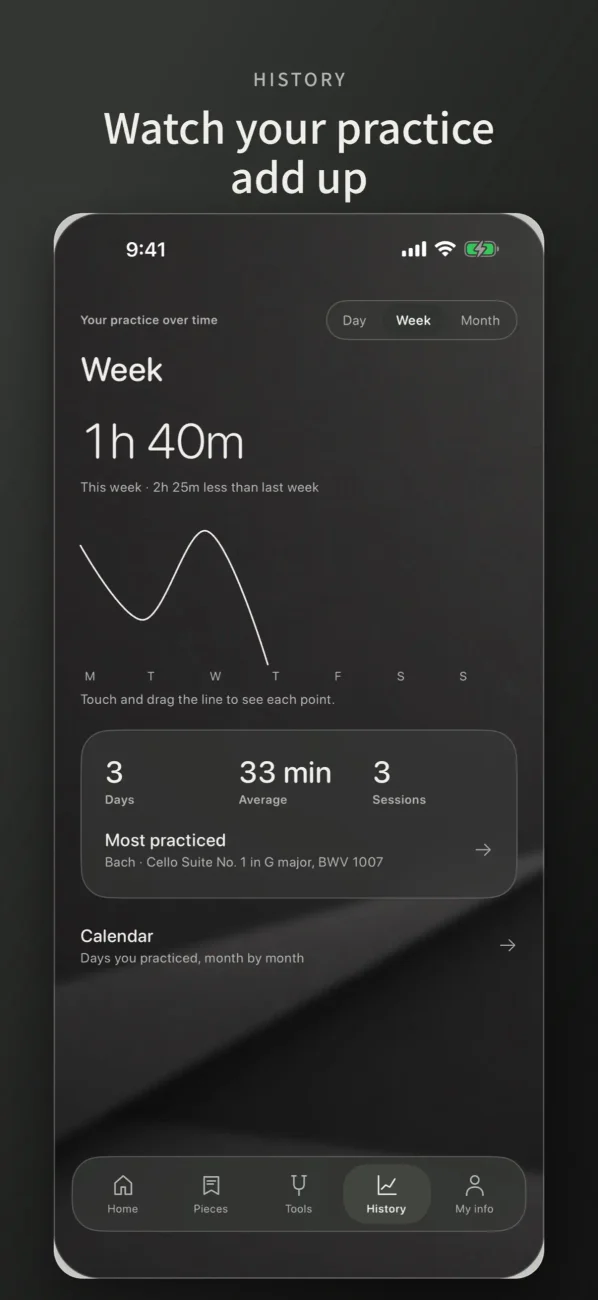
Review sessions, notes, recordings and practice time by day and piece. Keep finished repertoire in the archive.
A CALM SPACE
A quiet graphite design with rounded type and glass cards, so the music stays in front.
PRACTICE NOTE PLUS (ONE-TIME PURCHASE)
The free app keeps up to five pieces. Plus lifts the limit for good with a single purchase, no account needed. Pro includes Plus.
PRACTICE NOTE PRO (OPTIONAL SUBSCRIPTION)
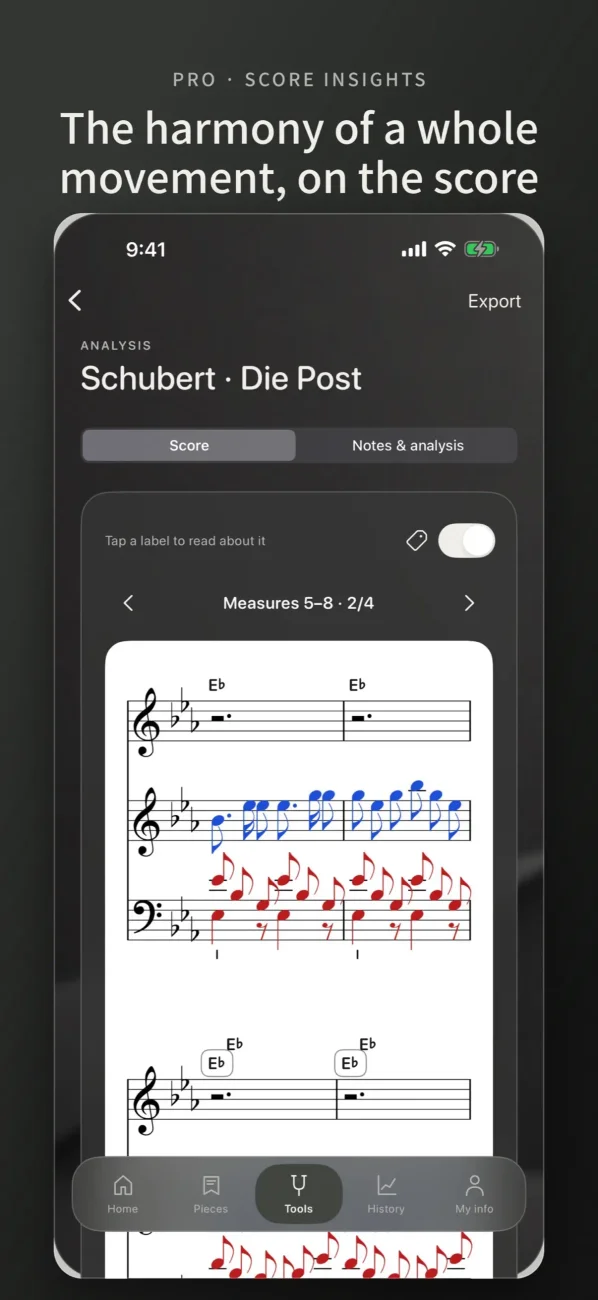
Import a PDF from Files, open one from the Files app, or scan printed pages with the camera, and keep every score with its piece. Pro reads the whole score on the Practice Note service, page by page, and shows a chord label on the original page wherever the harmony changes. Misread notes can be corrected on the page. The reading is computed by our own service; no AI service is used.
SCORE READER (PRO)
The score fills the screen; a tap shows the bars. Read with page taps, swipes and pinch zoom; iPad shows two pages in landscape. Write with Apple Pencil or a finger: pen, highlighter and eraser in any colour, music symbols and text stamps. Turn pages with a Bluetooth pedal or, if you choose, by a glance at the front camera (processed on the device, off by default). The drone, metronome, tuner and recording sit beside the score, and a running practice session can open its score with the clock, recording and save at hand.
Pro needs a free account (email, Google or Apple) and a monthly or yearly subscription. Payment is charged to your Apple Account. Subscriptions renew automatically unless cancelled at least 24 hours before the end of the period; manage or cancel them in your App Store account settings.
Your practice notebook and recordings stay on your device and need no account. Terms of use: https://www.apple.com/legal/internet-services/itunes/dev/stdeula/ · Privacy: https://seandeveloper0123-maker.github.io/practice-note-support/privacy/
Neue Funktionen
Version 2.2 · 26.10.2026
Scores, read whole. Import a PDF, open one from the Files app or scan pages, and Pro reads the entire score page by page, showing a chord label on the original page wherever the harmony changes. Misread notes can be corrected on the page.
Full-screen reader: the page fills the screen and a tap shows the bars. Open the score from a running practice with the clock, recording and save at hand. On iPad the practice screen now uses the whole display.
Practice Note Plus: the free app keeps five pieces; one purchase lifts the limit for good. Pro includes Plus.
Metronome rhythm patterns drawn as notation, the meters of music theory, and the drone on a ring of notes. Pieces are named from the score and titles can be edited. Home starts the suggested piece in one tap and unfolds your repertoire.
App-Datenschutz
Was SeongHyeok Baek im App Store zum Umgang dieser App mit Daten angibt.
-
Mit Ihnen verknüpfte Daten
Können erfasst und mit Ihrer Identität verknüpft werden.
- Käufe
- Kontaktinformationen
- Benutzerinhalte
- Suchverlauf
- Kennungen
- Nutzungsdaten
- Sonstige Daten
Die Datenschutzpraktiken können variieren, zum Beispiel je nach den von Ihnen verwendeten Funktionen oder Ihrem Alter.
Informationen
- Anbieter
- SeongHyeok Baek
- Kategorie
- Musik
- Version
- 2.2
- Aktualisiert
- 26.10.2026
- Veröffentlicht
- 05.10.2026
- Größe
- 5,9 MB
- Erfordert
- iOS 17.0 oder neuer
- Altersfreigabe
- 4+
- Preis
- Kostenlos
- In-App-Käufe
- Ja
- Sprachen
- Koreanisch, Englisch
- Copyright
- © 2026 SeongHyeok Baek