- Altersfreigabe4+
- KategorieProduktivität
- EntwicklerYan Kin LEUNG
- SprachenEnglisch
- Größe7,9 MB
Verlinkt auf die offizielle App Store-Seite
Download.org hostet keine Datei von Project Notebook +. Die Schaltfläche öffnet die App-Seite bei App Store, wo Yan Kin LEUNG die App veröffentlicht. Eintrag zuletzt geprüft am 18.11.2026.
Screenshots


Info
Der Entwickler hat diesen Text nicht in Ihrer Sprache bereitgestellt.
Every project deserves to be remembered.
Whether you're a designer, engineer, educator, maker, photographer, or event organiser — you always have projects in motion. But too often, ideas end up scattered across sticky notes, chat threads, voice memos, and emails. By the time you look back, the context is lost and the process is impossible to recreate.
Project Notebook was built to change that. It's a structured digital notebook designed for people who make things — giving every step, every material, and every decision a clear and permanent home, from the first spark of an idea to the final deliverable.
Who Is It For?
Project Notebook is the perfect companion for anyone working on any type of project, including:
• Creative projects — branding, illustration, photography, video production
• Engineering & technical work — hardware development, circuit design, software features
• Education & curriculum design — STEAM lessons, workshops, teaching materials
• Event planning & execution — exhibitions, performances, community events
• Hobbies & handcraft — 3D printing, woodworking, sewing, cooking experiments
• Work tasks & business projects — proposals, reports, client deliverables
Core Features
• Step-by-Step Documentation
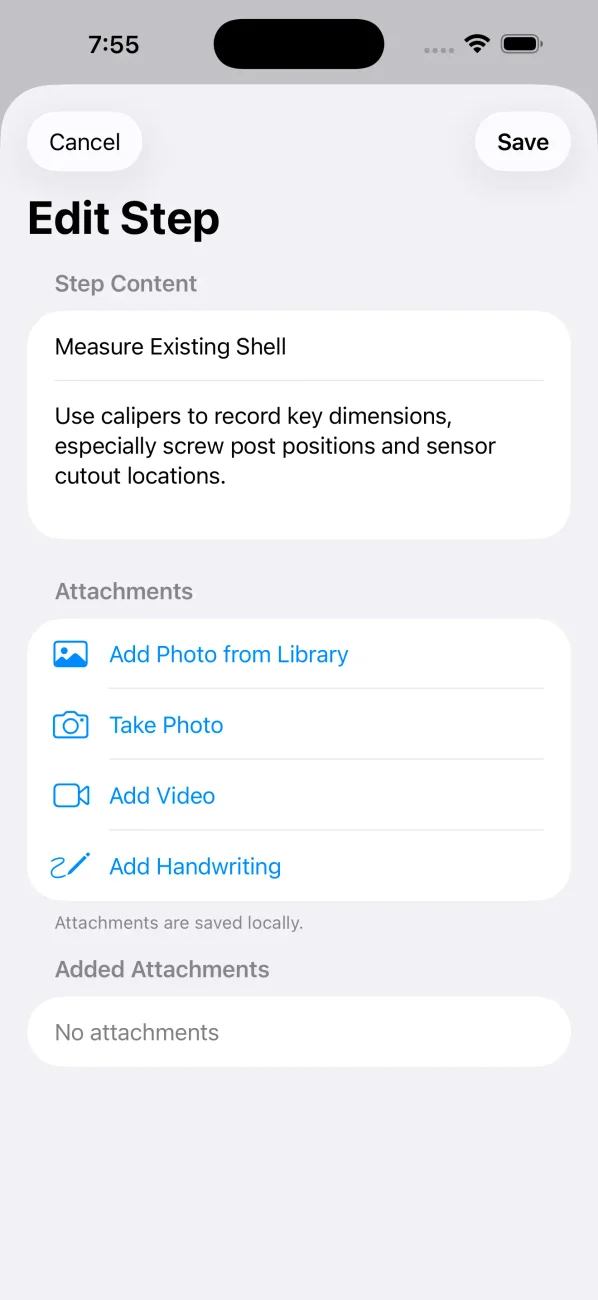
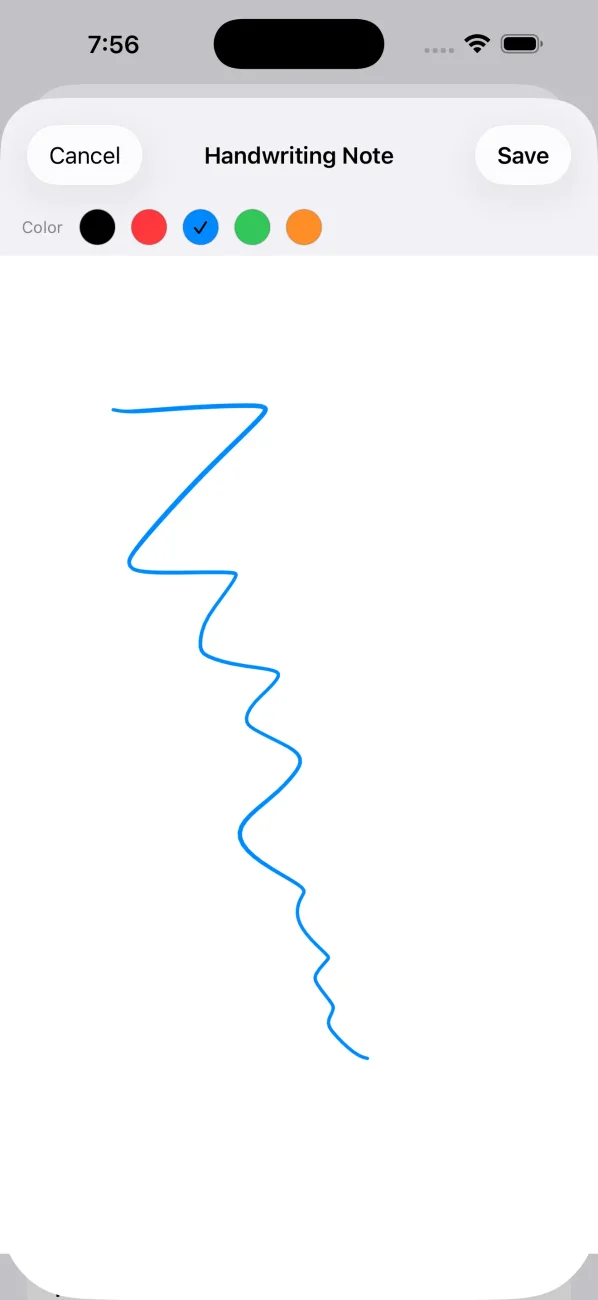
Break your project into clear, ordered steps. Attach photos, videos, and handwritten notes (with Apple Pencil support) to each step, so the entire process is captured in full detail.
• Bill of Materials (BOM)
Record every material, component, or resource you need — with name, quantity, specification, and notes — so procurement and preparation are always organised.
• Project Status Tracking
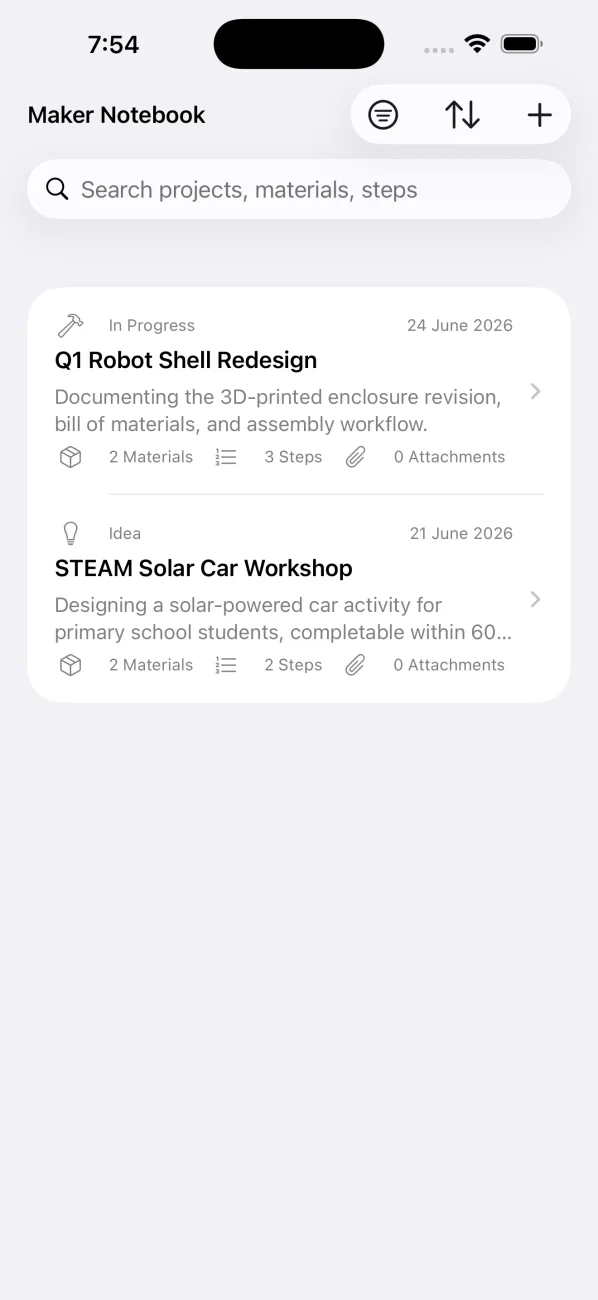
Tag each project as Idea, In Progress, Paused, or Completed. Filter and sort your project list to stay on top of what matters most.
• Reflection & Review
After completing a project, capture what worked, what was challenging, and what you'd do differently next time. Turn every experience into a lesson for the future.
• Export as a Web Page
Export any project as a fully self-contained HTML page, bundled with all attachments into a single ZIP file — ready to share with teammates, clients, or archive for future reference.
How to Use
1. Create a project — Enter a title, description, choose a category (Project / Idea / Note) and set a status.
2. Add your materials — List every material or resource with quantity and specifications.
3. Document each step — Add steps with text descriptions, photos, videos, or Apple Pencil handwriting.
4. Write your reflection — Record what you learned, what was hard, and how to improve next time.
5. Export and share — Export the full project as a ZIP web archive to share or back up.
Neue Funktionen
Version 27.0.5 · 01.10.2026
Continuous improvement of the program and interface design
App-Datenschutz
Was Yan Kin LEUNG im App Store zum Umgang dieser App mit Daten angibt.
-
Keine Daten erfasst
Der Entwickler erfasst keine Daten von dieser App.
Die Datenschutzpraktiken können variieren, zum Beispiel je nach den von Ihnen verwendeten Funktionen oder Ihrem Alter.
Informationen
- Anbieter
- Yan Kin LEUNG
- Kategorie
- Produktivität
- Version
- 27.0.5
- Aktualisiert
- 01.10.2026
- Veröffentlicht
- 30.06.2026
- Größe
- 7,9 MB
- Erfordert
- iOS 18 oder neuer
- Altersfreigabe
- 4+
- Preis
- Kostenlos
- Sprachen
- Englisch
- Copyright
- © 2016 Jason Workshop
Das könnte Ihnen auch gefallen
-
 Wellnote: Agent Work JournalProduktivität
-
 pocketbriefProduktivität
-
 PeardroidProduktivität
-
 What The House: Home OrganizerProduktivität
-
 Idea CardsProduktivität
-
 Notedown: Markdown NotesProduktivität
-
 Desk - Carve your habitProduktivität
-
 SideTrck: Projects & IdeasProduktivität
-
 Note-Due: Tasks & NotesProduktivität
-
 Flyout: Notizen, MarkdownErinnerungen, Checkliste, Tags