Prompt Planter
Save, version & reuse prompts
Entwickelt für iPhone, iPad
Kostenlos
- Altersfreigabe4+
- KategorieProduktivität
- EntwicklerYusuke Nakashima
- SprachenEnglisch+ 1 weitere
- Größe3,2 MB
Verlinkt auf die offizielle App Store-Seite
Download.org hostet keine Datei von Prompt Planter. Die Schaltfläche öffnet die App-Seite bei App Store, wo Yusuke Nakashima die App veröffentlicht. Eintrag zuletzt geprüft am 23.11.2026.
Screenshots
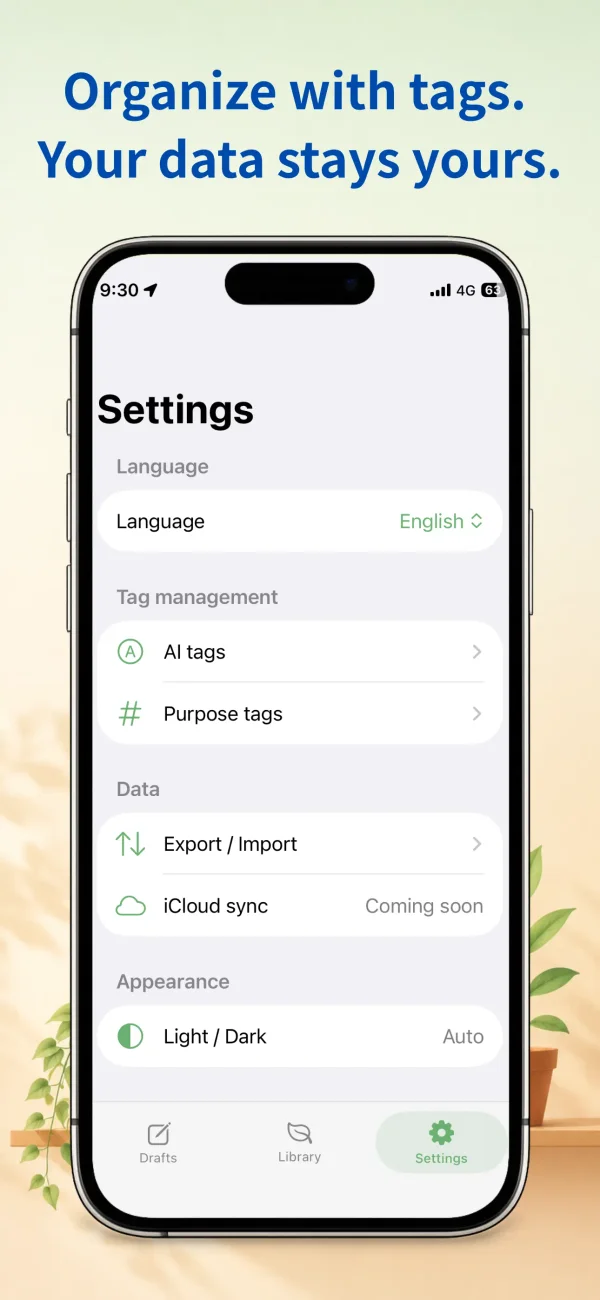
Info
Der Entwickler hat diesen Text nicht in Ihrer Sprache bereitgestellt.
Write, test, and grow your prompts. Track versions of your AI prompts with diff view, version restore, and {{template}} variables - now synced across iPhone, iPad, and Mac.
Prompt Planter is a calm, private home for the AI prompts you actually want to keep. If you reuse the same prompts across different AI assistants, you know the pain: the good version is buried somewhere in a chat history, and you end up rewriting it from scratch. Prompt Planter lets you save your best prompts, improve them over time, and grab the right one in seconds.
THE SAME LIBRARY ON EVERY DEVICE
- Syncs automatically over iCloud. Start a draft on your iPhone and finish it on your iPad or Mac.
- Nothing to set up. If you are signed in to iCloud, everything is already there when you open the app.
- You can check the sync status any time in Settings.
GROW YOUR PROMPTS
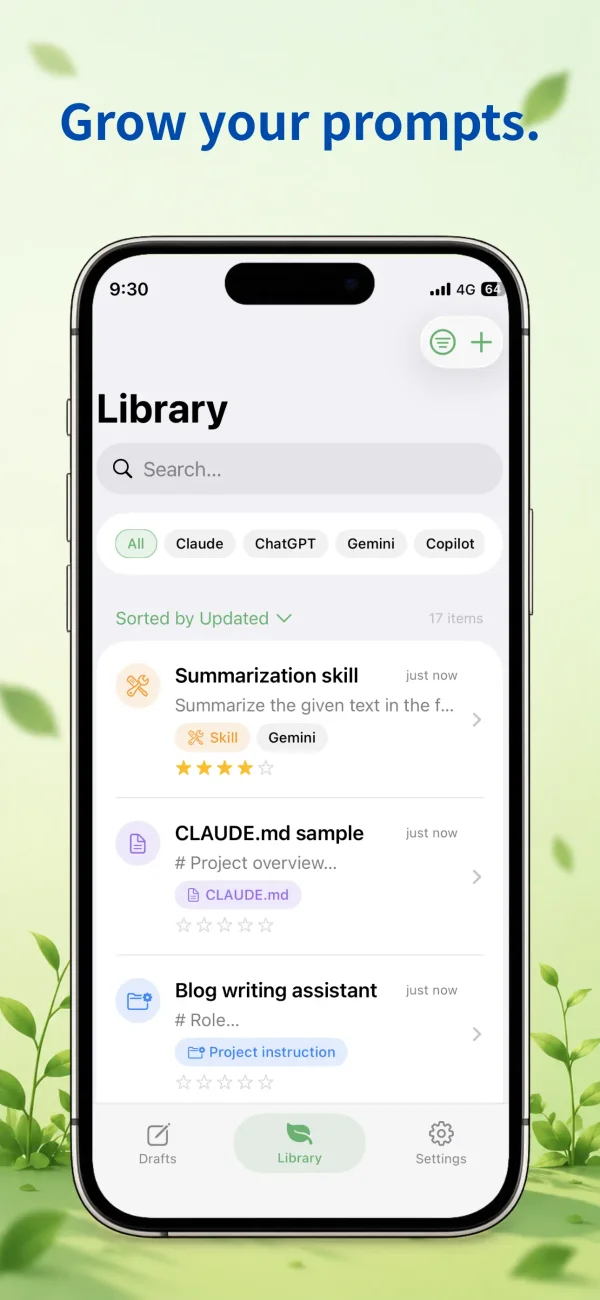
- Keep prompts, project instructions, skills, CLAUDE.md files, and system prompts in one library.
- Every prompt has a full version history. Save a new version whenever you tweak it, with a short note on what changed.
- See exactly what changed between versions, highlighted with + and - marks.
- Restore any past version at any time. Restoring adds a new revision, so your history is never lost.
- Rate each version and record how it actually performed, so you always know which one works best.
ONE PROMPT, TUNED FOR EVERY AI
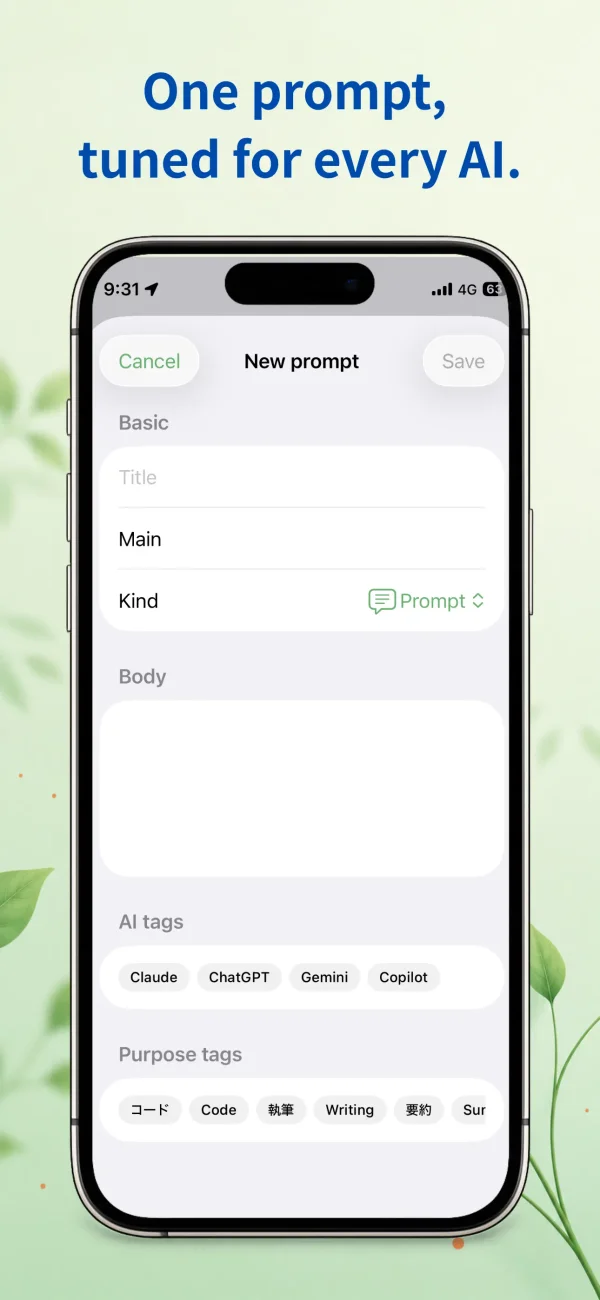
- Create variants of the same prompt for different models.
- Tag prompts by AI and by purpose so you can find exactly what you need. Give AI tags a color to tell them apart at a glance.
- Duplicate a whole prompt, version history included, when you want to take it in a different direction.
CAPTURE IDEAS FAST
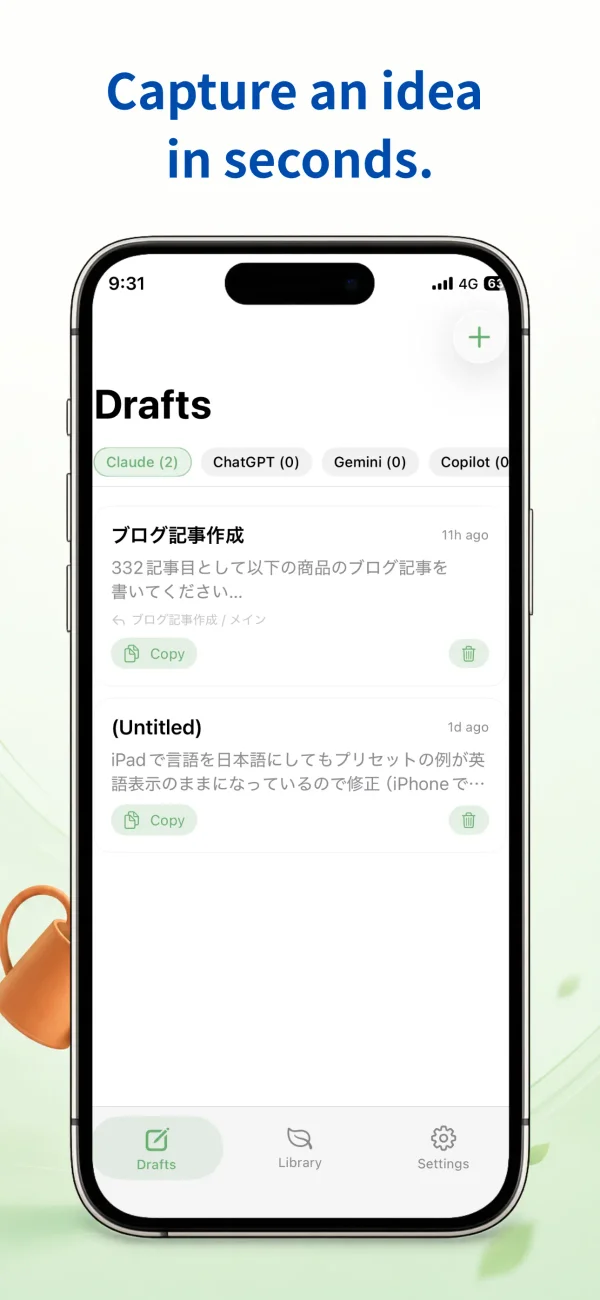
- Jot a quick draft, then save it to your library as a new prompt, a new version, or a new variant.
- One-tap copy to the clipboard, ready to paste into any chat.
- Write {{name}} in a prompt body and a fill-in form appears when you copy it or send it to Drafts.
FIND WHAT YOU ARE LOOKING FOR
- Pin your go-to prompts to the top.
- Mark favorites and filter by kind, AI, or purpose.
- Search covers change notes and result notes too, not just the prompt body, so you can find that one insight you wrote down.
- Your sort order and filters are remembered between launches.
YOUR DATA STAYS YOURS
- No account, no sign-in, no ads, no tracking.
- Sync uses your own iCloud private database. The developer cannot see its contents.
- Not using iCloud? Everything stays on your device and every feature still works.
- Export and import your whole library as a JSON file for backup or moving between devices.
FULLY BILINGUAL
- Use the app in English or Japanese, switchable anytime.
Prompt Planter is designed to be quiet, fast, and out of your way, so your prompts can grow alongside your work.
Neue Funktionen
Version 1.0.4 · 20.11.2026
■ Grow your existing prompts from drafts
You can now save a draft as the next version of a prompt already in your library, or as a new variant of it. Until now, drafts could only be saved as new prompts, unless they had been sent over from the library.
- Search your library to pick where to save
- When saving as the next version, you can see what changed from the previous one
- A saved draft remembers where it went, so it is already selected next time
■ Better on Mac and iPad
- On Mac, use the keyboard: Command-N for a new draft, Shift-Command-N for a new prompt, Command-S to save, Command-1 to 3 to switch tabs, and Command-Up Arrow or Command-Down Arrow to move between prompts in your library
- The library shows the list and the selected prompt side by side
- Draft cards are laid out in columns, and the editor opens larger
- The draft editor now has a Close button
■ Bug fix
If you added a version or variant to a sample prompt from a draft and then switched the app language, that prompt could disappear along with what you had added.
Feedback and feature requests are always welcome in your reviews.
App-Datenschutz
Was Yusuke Nakashima im App Store zum Umgang dieser App mit Daten angibt.
-
Keine Daten erfasst
Der Entwickler erfasst keine Daten von dieser App.
Die Datenschutzpraktiken können variieren, zum Beispiel je nach den von Ihnen verwendeten Funktionen oder Ihrem Alter.
Informationen
- Anbieter
- Yusuke Nakashima
- Kategorie
- Produktivität
- Version
- 1.0.4
- Aktualisiert
- 20.11.2026
- Veröffentlicht
- 28.05.2026
- Größe
- 3,2 MB
- Erfordert
- iOS 26.0 oder neuer
- Altersfreigabe
- 4+
- Preis
- Kostenlos
- Sprachen
- Englisch, Japanisch
- Copyright
- © 2026 YusukeNakashima
Das könnte Ihnen auch gefallen
-
 Promptuary: AI Prompt ManagerProduktivität
-
 ScholiumProduktivität
-
 ぺたっとメモProduktivität
-
 HighlighterAI.comProduktivität
-
 俺のクリップボード〜コピペをさらにやりやすく!〜Produktivität
-
 Snippet: Clipboard & TemplatesProduktivität
-
 Prompt Note: KI-Prompt-BoxChatGPT-Vorlagen speichern
-
 OrbNote: Chat-Style NotesProduktivität
-
 スニペットくんProduktivität