
Prune Screen Time
Block apps on a schedule
Entwickelt für iPhone, iPad
Kostenlos · In-App-Käufe
- Altersfreigabe4+
- KategorieProduktivität
- EntwicklerPrune, LLC
- SprachenEnglisch
- Größe35,7 MB
Verlinkt auf die offizielle App Store-Seite
Download.org hostet keine Datei von Prune Screen Time. Die Schaltfläche öffnet die App-Seite bei App Store, wo Prune, LLC die App veröffentlicht. Eintrag zuletzt geprüft am 21.11.2026.
Screenshots
Info
Der Entwickler hat diesen Text nicht in Ihrer Sprache bereitgestellt.
Plan your screen time like you plan your week.
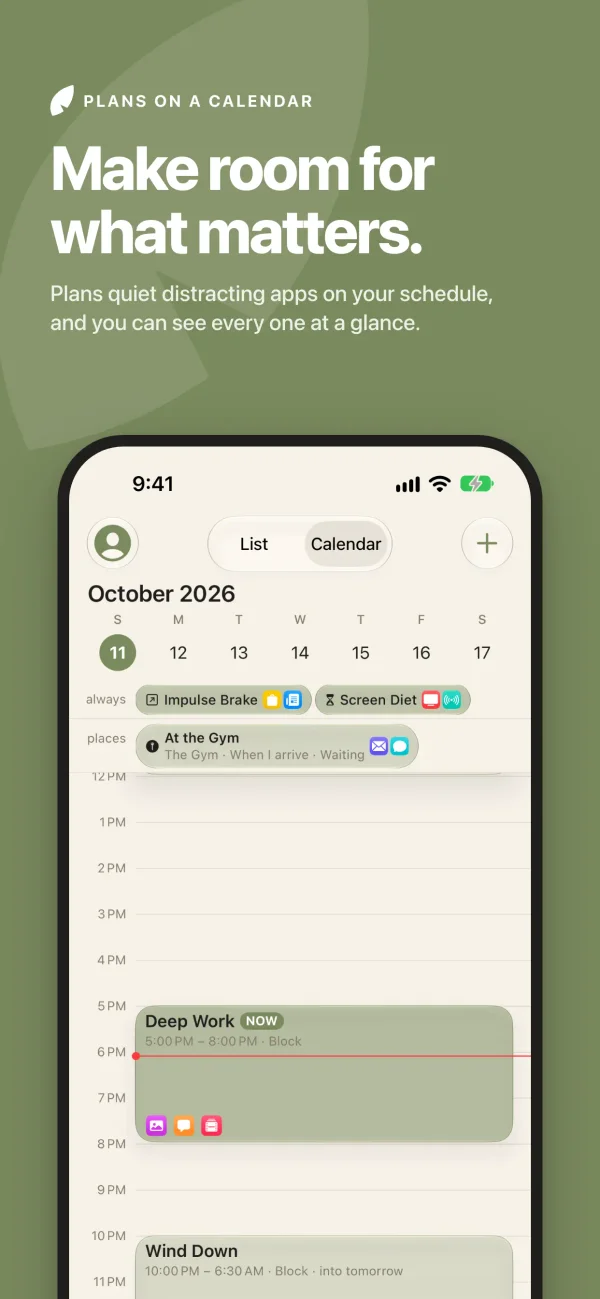
Prune brings the familiar feel of a calendar to managing your phone. Choose the apps and websites you want to manage, decide when your plans apply, and see your schedule laid out visually.
Plan a focused afternoon, a quieter evening, or a routine that repeats throughout your week. With your plans in one clear view, it’s easy to see what happens when—and make changes as your life changes.
Your days aren’t all the same. Your screen time plans can reflect that.
START WITH FREE
• Unlimited one-time plans. Create a plan for a study session, an afternoon of work, or time with family.
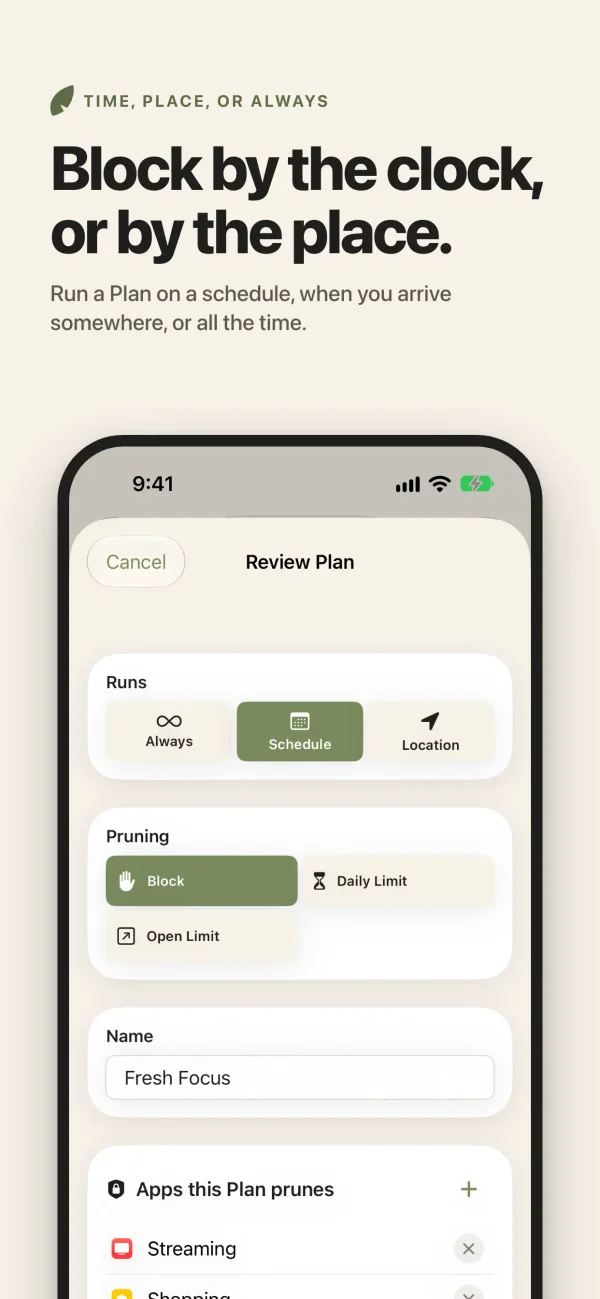
• One recurring schedule. Set up a plan that repeats on the days and times you choose.
• App and website blocking. Choose what to block while your plan is active.
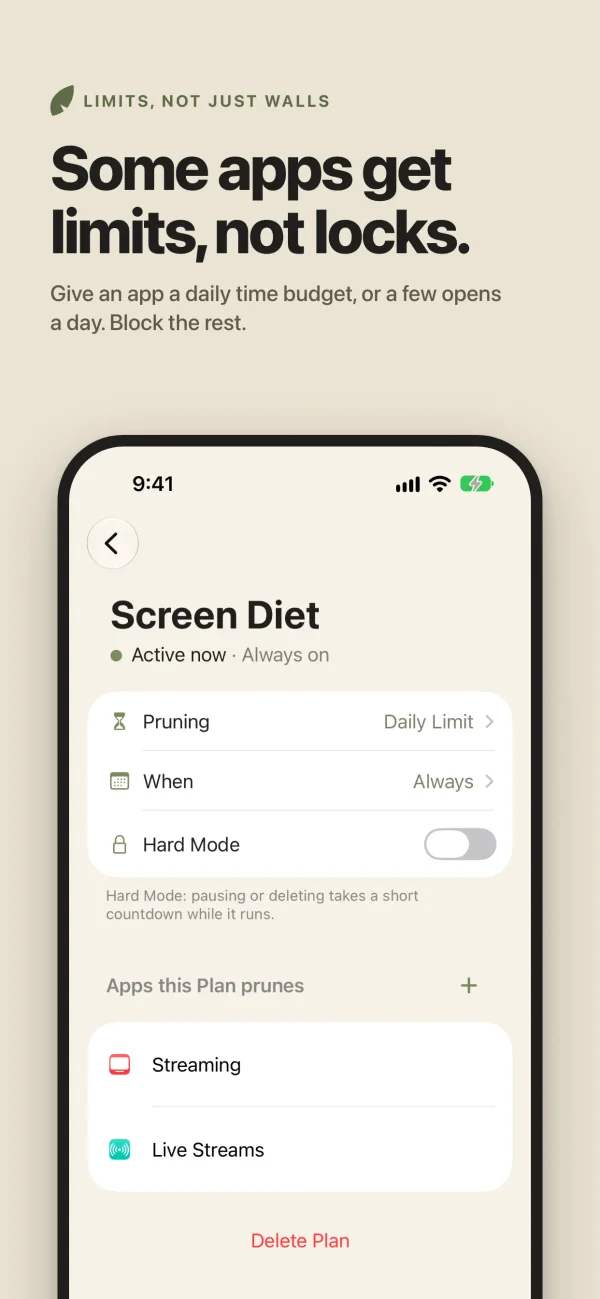
• Daily Limits. Set how much time you want to allow each day.
• Open Limits. Set a daily allowance for opening selected apps.
• A visual calendar. See your plans laid out across your week so you can understand your schedule at a glance.
MORE FLEXIBILITY WITH PREMIUM
• Multiple recurring schedules. Create separate routines for different parts of your week.
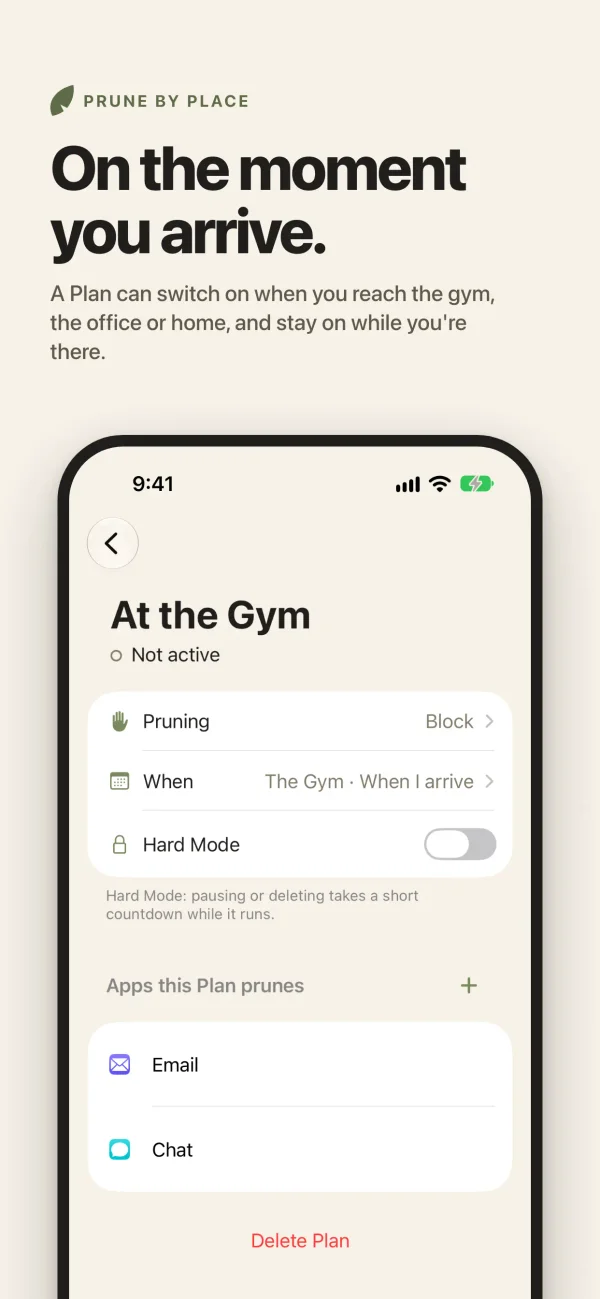
• Location-based blocking. Choose locations where a plan turns on automatically.
• Always-on plans. Keep a plan running indefinitely, with no schedule at all.
• Never Allowed. Build a list of apps that stays blocked without needing a plan.
COMING SOON: VINE
Build a private circle with people you choose. Support for more than one Vine will be a Premium feature. Vine is not included in this release.
Set the plan. Prune follows it. Make room for what matters.
Prune is free to download and use with the features listed above. Premium features require a paid subscription.
Privacy policy: https://app.termly.io/policy-viewer/policy.html?policyUUID=bff3810f-4353-4670-aafd-fafef2c3c113
Terms & Conditions: https://app.termly.io/policy-viewer/policy.html?policyUUID=aeeaabff-3abe-4cc3-8654-f63daca04fcb
Questions? steven@prune.life
Neue Funktionen
Version 1.2.0 · 13.10.2026
HARD MODE (Prune Pro)
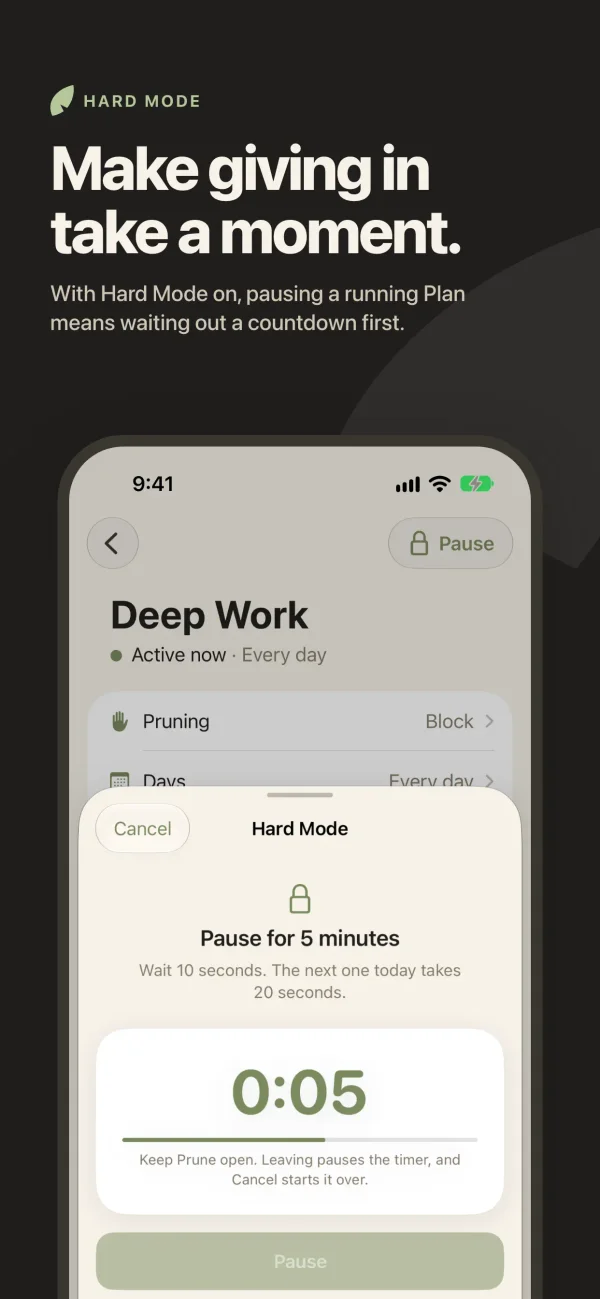
Make a Plan harder to back out of. With Hard Mode on, anything that would weaken a running Plan waits behind a short countdown first. That includes pausing it, removing an app, ending it early or deleting it. Adding protection is always instant. Choose the countdown length in Tools, from 10 seconds to 5 minutes, and decide whether it doubles with each unlock that day. Turn it on when you create a Plan, or from the Plan's page.
NOW & NEXT WIDGETS
See what's pruning right now and what starts next, right on your Home Screen or Lock Screen. Available in small, medium and large, plus every Lock Screen size.
LIVE ACTIVITIES FOR PAUSES
When you pause a Plan, its countdown appears on your Lock Screen and in the Dynamic Island, along with when blocking starts again. Tap Resume now to end the break early.
A NEW TOOLS TAB
Saved Locations and Hard Mode now have their own tab, and Settings is just your account.
A CLEANER PLAN PAGE
• Tap a Plan's name to rename it
• See its status at a glance: Active now, Paused with time left, Starts in 3 hours, or Ended for today
• Pause and Resume sit at the top right
• Days, Time and Repeat each get their own row
ONE LIST FOR EVERYTHING A PLAN PRUNES
Every app, website and category in a Plan now appears in a single list. Tap + to add from your groups. Swipe to remove something from just this Plan, and your groups stay as they are.
Plus fixes and polish throughout.
App-Datenschutz
Was Prune, LLC im App Store zum Umgang dieser App mit Daten angibt.
-
Mit Ihnen verknüpfte Daten
Können erfasst und mit Ihrer Identität verknüpft werden.
- Kontaktinformationen
- Kennungen
-
Nicht mit Ihnen verknüpfte Daten
Können erfasst werden, sind aber nicht mit Ihrer Identität verknüpft.
- Gesundheit und Fitness
- Standort
- Kontaktinformationen
- Nutzungsdaten
Die Datenschutzpraktiken können variieren, zum Beispiel je nach den von Ihnen verwendeten Funktionen oder Ihrem Alter.
Informationen
- Anbieter
- Prune LLC
- Kategorie
- Produktivität
- Version
- 1.2.0
- Aktualisiert
- 13.10.2026
- Veröffentlicht
- 15.09.2026
- Größe
- 35,7 MB
- Erfordert
- iOS 26.5 oder neuer
- Altersfreigabe
- 4+
- Preis
- Kostenlos
- In-App-Käufe
- Ja
- Sprachen
- Englisch
- Copyright
- © 2026 Prune, LLC
Das könnte Ihnen auch gefallen
-
 HushWall: Screen Time BlockerProduktivität
-
 MarkText - Markdown EditorNotizen, Schreiben, Tagebuch
-
 ScrollMint: Earn Screen TimeProduktivität
-
 Untap: BildschirmzeitApp-Blocker & Lernquiz
-
 DocScanner: PDF ScanProduktivität
-
 The Woodlands 311Produktivität
-
 Binaural Beats: Schlaf, FokusMeditation, 40Hz, Gehirnwellen
-
 67: Strict Screen Time BlockerProduktivität
-
 Massive: Swipe & ApplyProduktivität
-
 SimplyPrint - 3D printingProduktivität