- Altersfreigabe4+
- KategorieGrafik und Design
- EntwicklerLeonardo Amora
- SprachenEnglisch
- Größe22,3 MB
Verlinkt auf die offizielle App Store-Seite
Download.org hostet keine Datei von PuppetPad. Die Schaltfläche öffnet die App-Seite bei App Store, wo Leonardo Amora die App veröffentlicht. Eintrag zuletzt geprüft am 22.11.2026.
Screenshots
Info
Der Entwickler hat diesen Text nicht in Ihrer Sprache bereitgestellt.
Behind a toy, a powerful animation tool.
You stare at one of your drawings and think "I wish this thing would actually move." PuppetPad makes that happen. Plus a few uses you haven't thought of yet.
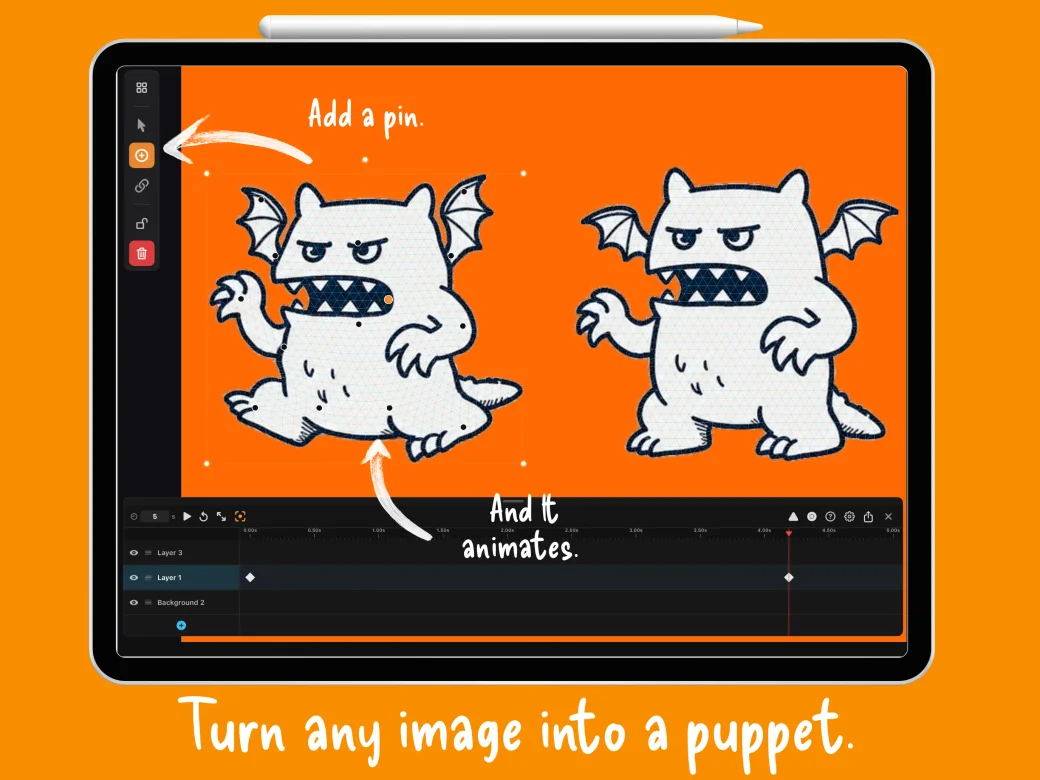
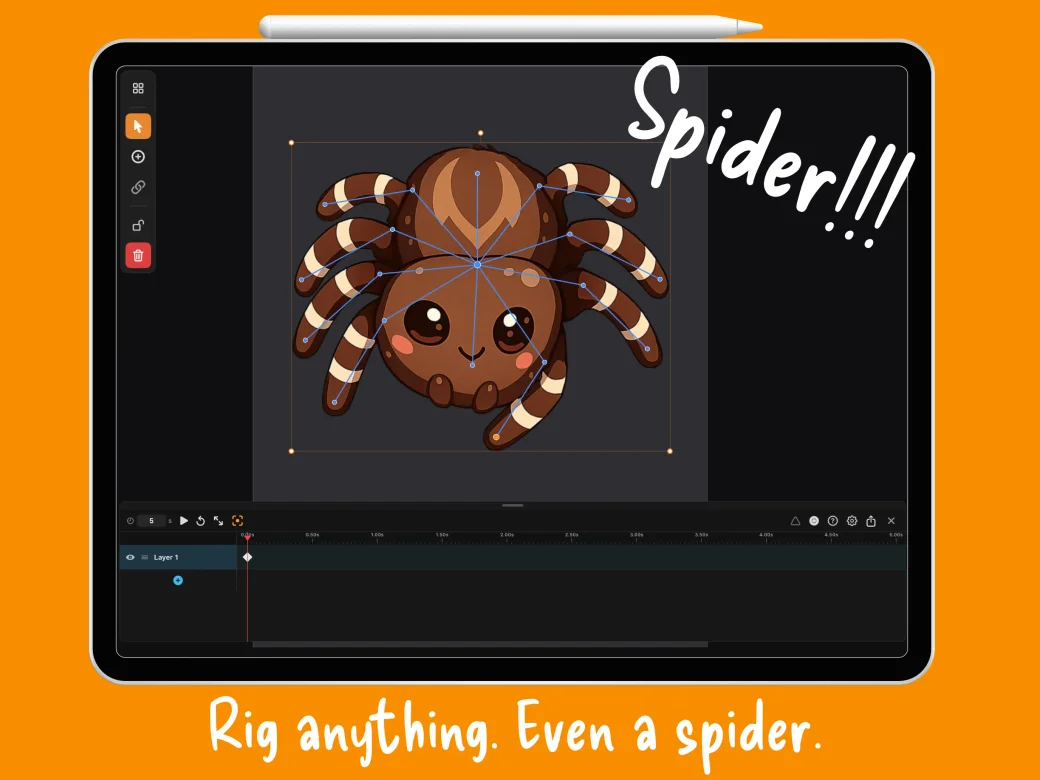
Grab an image. A doodle from Procreate, a photo of your dog, your boss mid yawn, a regrettable selfie. The app opens it, builds an invisible mesh around the figure, and hands you pins. Drag a pin and the figure moves with it. Drag again and it becomes animation. That is the entire workflow.
YOU DON'T HAVE TO BE AN ANIMATOR
PuppetPad was made for:
. People who want memes more elaborate than Photoshop copy and paste
. Parents who want their kid's drawing to actually walk
. Graphic designers blocked on what to do with their right hand
. Anyone who wants to animate someone's profile picture without their consent
. Anyone who wants to animate someone's profile picture WITH their consent
. Beginning animators who find Live2D and Spine intimidating (rightfully so)
. Pro animators who just want a quick iPad rough
. You, who opened the App Store out of boredom
HOW IT WORKS
1. Import a PNG. The contour mesh is generated automatically. You won't see it. It just works.
2. Tap anywhere to place a pin. Pins are joints.
3. Drag pins to animate. Every move becomes a keyframe by itself.
4. Hit play.
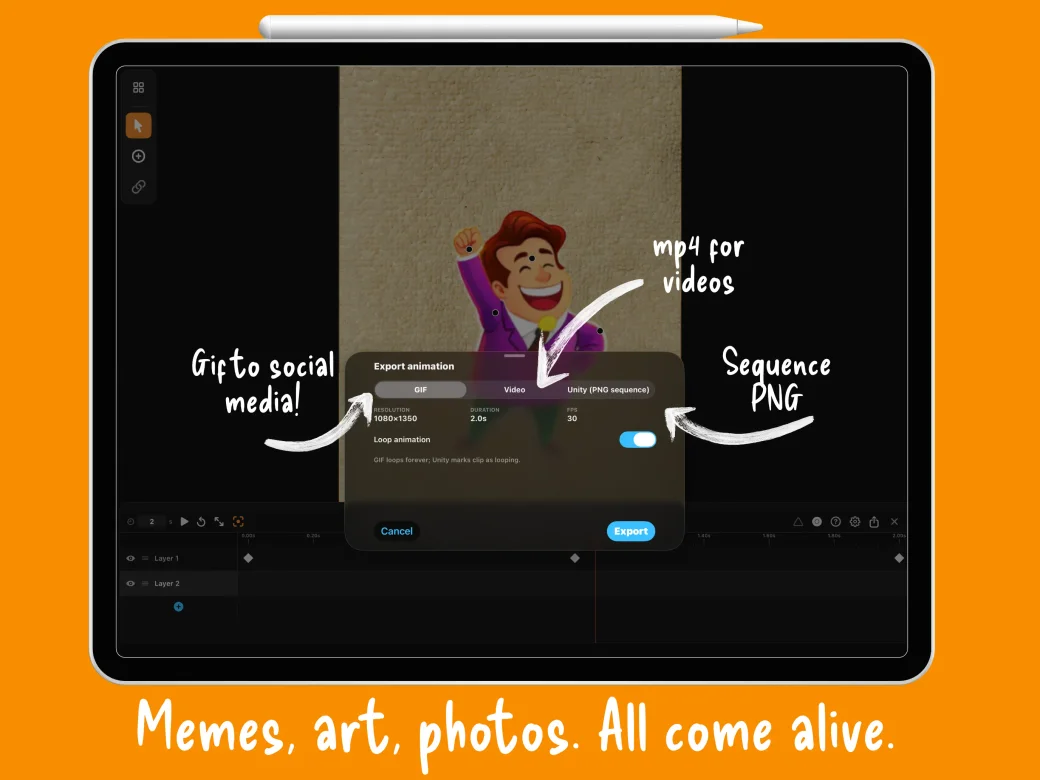
5. Export as GIF. Send to the family group chat.
THINGS PEOPLE END UP MAKING
. Characters waving arms like they actually exist
. Cat photos performing snake dances
. Company logos pulsing like an anxious heart
. Kid drawings waving goodbye to grandma over FaceTime
. Caricatures of questionable taste
. Story vignettes
. That one meme that needed that one detail to move
. Loading animations for your own app project
. Character rough drafts before doing the polished work elsewhere
WHAT'S INSIDE THE TOY
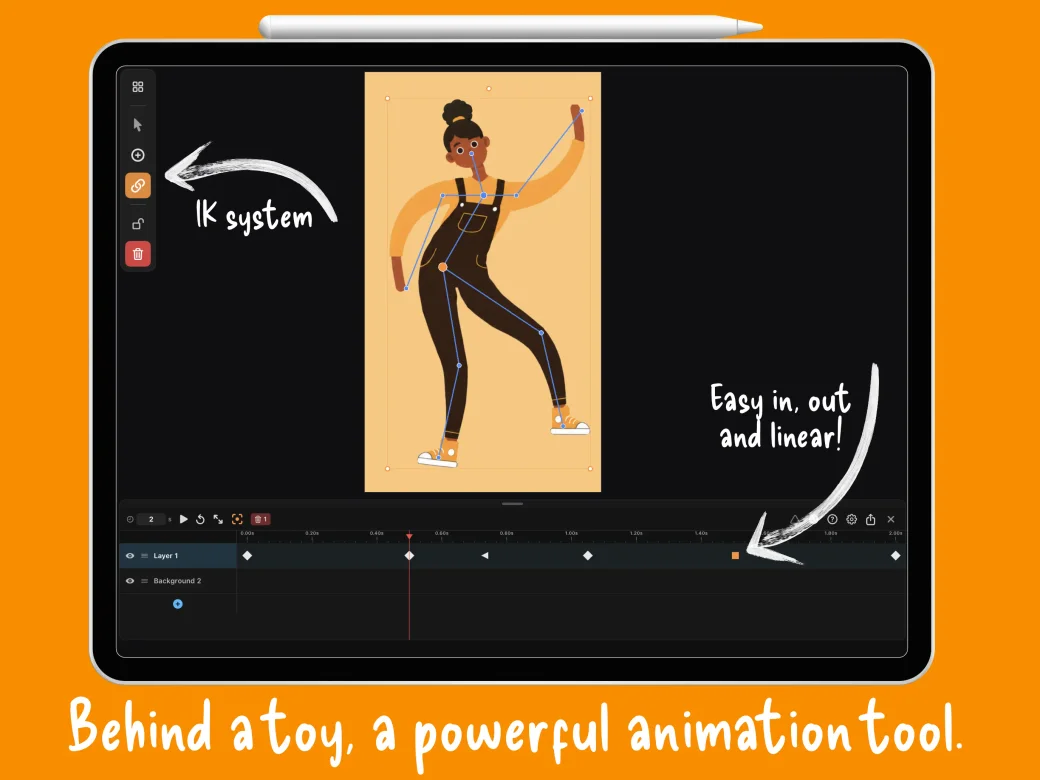
Underneath the playful surface, PuppetPad runs a real animation engine. Alpha aware mesh generation, an ARAP solver for natural deformation, keyframed timeline, multi pin selection, bone rigs with inverse kinematics, mesh density control, undo and redo via multi finger taps. You don't need to know what any of that means to use the app. But the engineer in you might appreciate that it's there.
FEATURES
. Apple Pencil supported (works with fingers too, if that's how you live)
. iPad landscape, full screen, zero clutter
. Works offline
. No login, no signup, no newsletter
. No ads. Ever.
. GIF export
. Undo and redo (you will need them)
PRICE
One time purchase. Pay once, it's yours. No monthly subscription, no "pro version" upsell, no paywall popping up when you try to do something useful. Forever yours, the way software used to be.
WORK IN PROGRESS
PuppetPad is built by one person in the hours that life leaves over. Every bug report and every suggestion turns into a real improvement in a future version. If you want to request a feature, complain about something, send fan art of the app, or just say you liked it:
leonardoamoraleite@gmail.com
Human reply, in whatever language you write to me in, from the same person who wrote this text. XD
Thanks for considering the app. Now go animate something absurd.
Neue Funktionen
Version 2.0 · 18.11.2026
THE BIG TURN
Your puppet can now be born right here: drawn, written and voiced inside the app.
NEW
- Draw your puppet: 8 brushes with Pencil pressure, vector pen and shapes, symmetry, lasso, drawing and sketch layers. Nothing to save, and the first pin turns the drawing into a puppet.
- A new lipsync: one window, three steps. Record or bring a voice, draw its mouths, add to the timeline. The app finds the language and the mouth follows the face.
- Every line is a block on the timeline: move it, trim the silence at both ends with the handles, and the mouths come along.
- Text puppets: fun lettering in any size, with outline, glow and shadow, or a font of your own.
- Project length: set the time of your animation to the frame.
- Guided tutorial: the cow walks you through the toolbar, one step at a time.
- Change the canvas size anytime, and a stage background just for the view.
CHANGES
- A sound longer than the project now asks before extending it.
- Lipsync has its own window, next to Puppetize.
- Every panel has a ? that opens Help right where it is explained.
FIXES
- Voice recordings that came out silent with some microphones.
- Soft brushes, glow and shadows looked darker than they should.
- Stickers that WhatsApp refused, and many smaller fixes.
Maximum effort!
App-Datenschutz
Was Leonardo Amora im App Store zum Umgang dieser App mit Daten angibt.
-
Mit Ihnen verknüpfte Daten
Können erfasst und mit Ihrer Identität verknüpft werden.
- Benutzerinhalte
- Kennungen
- Sonstige Daten
Die Datenschutzpraktiken können variieren, zum Beispiel je nach den von Ihnen verwendeten Funktionen oder Ihrem Alter.
Informationen
- Anbieter
- Leonardo Amora
- Kategorie
- Grafik und Design
- Version
- 2.0
- Aktualisiert
- 18.11.2026
- Veröffentlicht
- 21.05.2026
- Größe
- 22,3 MB
- Erfordert
- iOS 17.0 oder neuer
- Altersfreigabe
- 4+
- Preis
- Kostenlos
- In-App-Käufe
- Ja
- Sprachen
- Englisch
- Copyright
- © Leonardo Amora Leite
Das könnte Ihnen auch gefallen
-
 Rigster: 2D Skeletal AnimationGrafik und Design
-
 Vecta MotionGrafik und Design
-
 Kilona - Production StudioGrafik und Design
-
 DoodLoopGrafik und Design
-
 Animax AI: 2D Animation MakerGrafik und Design
-
 AniMate: 2D Sprite AnimationGrafik und Design
-
 Mosaiq - Animate Your WorldGrafik und Design
-
 Mixos: 3D Creative SuiteGrafik und Design
-
 FlipSprout: Flipbook AnimationGrafik und Design
-
 Spritelove - Pixel Art StudioGrafik und Design