
QuickBend: Conduit Bending
Conduit Bending Calculator
Entwickelt für iPhone, iPad
7,99 €
- Altersfreigabe4+
- KategorieProduktivität
- EntwicklerBret Hardman
- Größe21,4 MB
Verlinkt auf die offizielle App Store-Seite
Download.org hostet keine Datei von QuickBend: Conduit Bending. Die Schaltfläche öffnet die App-Seite bei App Store, wo Bret Hardman die App veröffentlicht. Eintrag zuletzt geprüft am 27.11.2026.
Screenshots



Info
Der Entwickler hat diesen Text nicht in Ihrer Sprache bereitgestellt.
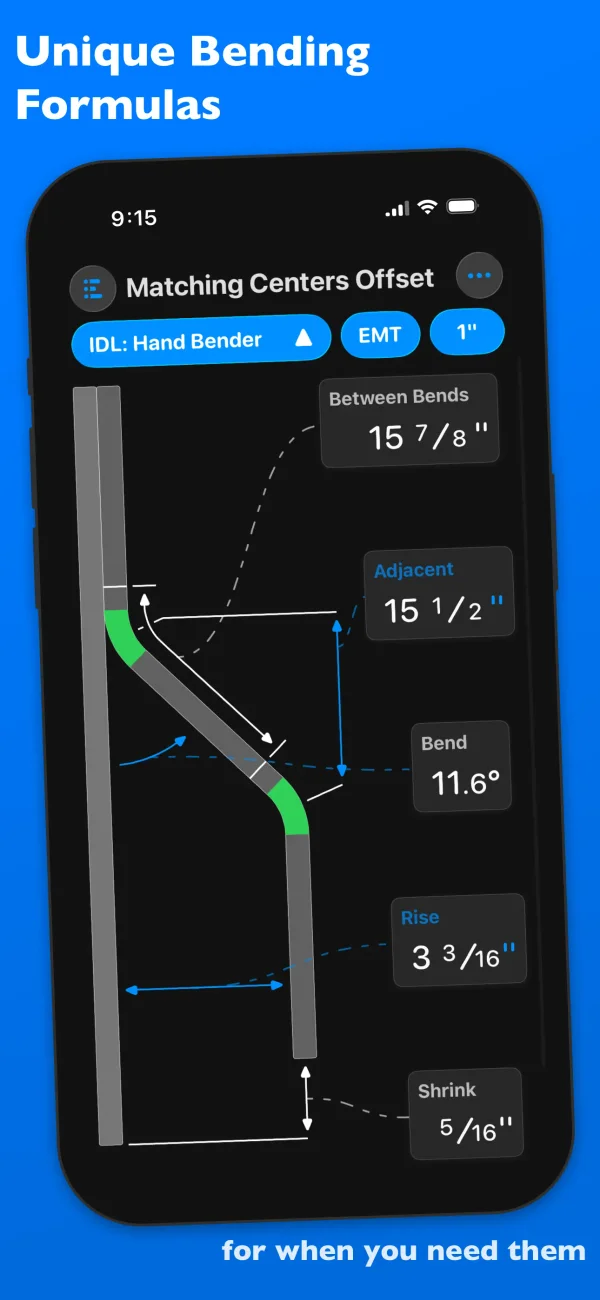
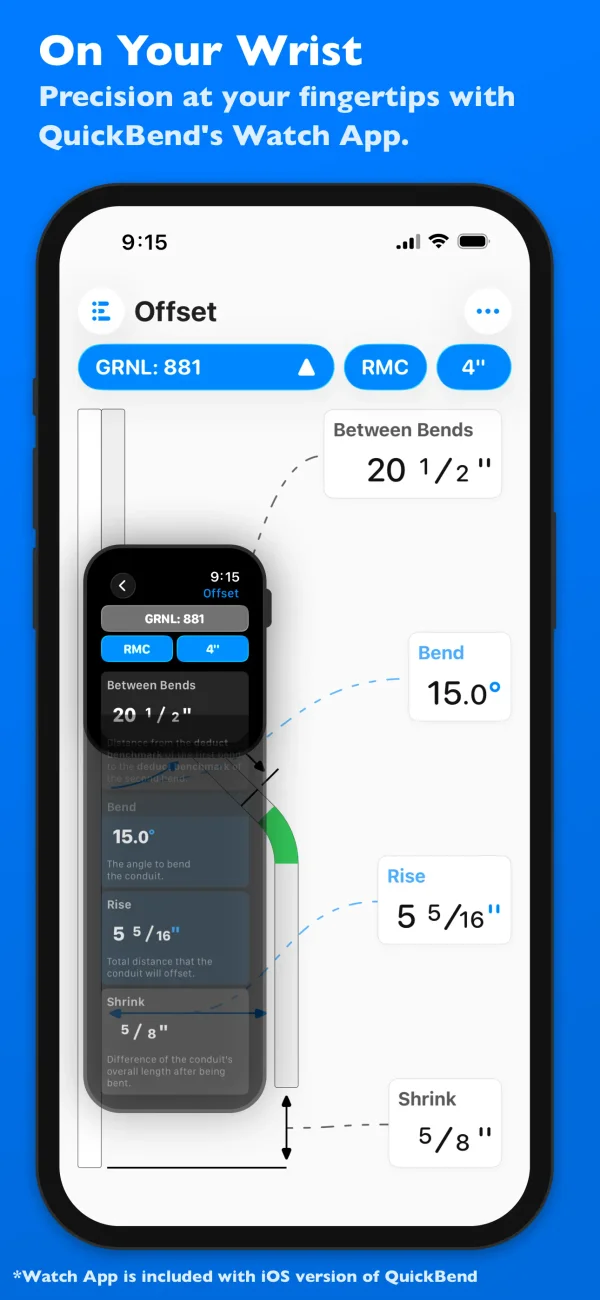
QuickBend is the fastest and most precise conduit bending calculator app. Designed to be innovative and intuitive while remaining visually appealing. This advanced conduit bending calculator offers the most accurate measurements by taking into account the radius of the shoe and bender, plus the conduit type and size diameter. All measurements are generated using the centerline radius algorithm, and have all been rigorously processed and field tested. Even the bends displayed within QuickBend are generated using the same engine.
Built for electricians by an electrician. QuickBend can be used by anyone working with conduit or tubing whether you are a seasoned professional, a novice cub, or even a DIY enthusiast. Made to avoid simple mistakes, and to save time and money. In addition to providing fast and precise calculations, there is plenty of information and documentation provided for individual bends. Explanations on how to use specific features, and step by step process to bending conduit.
Offering the most intuitive method to input data. Whether you want to get straight to the point, or comb through the possibilities of a bend. You can switch back and forth between different input styles such as a number pad, or a slider bar (Press & Slide). Both having their unique advantages. QuickBend allows you, the user to toggle between three different types of measurements; inches, foot + inches, and centimeters.
With QuickCheck built into QuickBend, there's a subtle change in text colors when a bend is impossible (red), or whether the bend may be unlikely to work (orange). This app for convenience, and we want it to benefit you. So much so that we added it into the input styles for bends, so you can see if a bend is possible before even tapping on the bend amount.
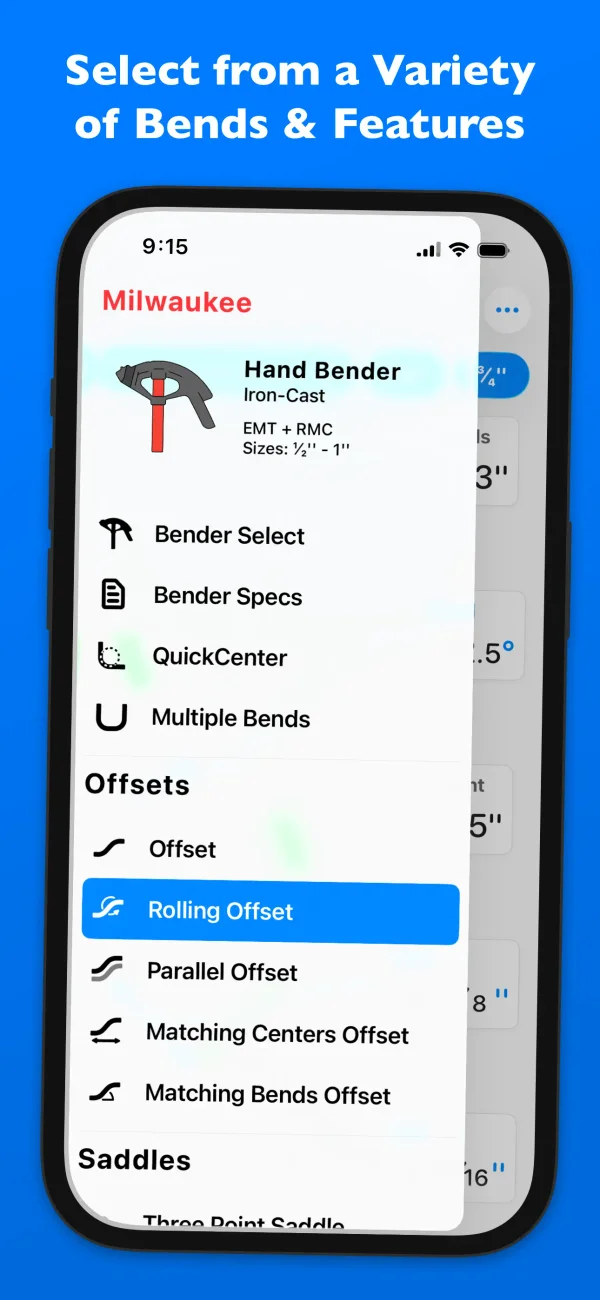
Supporting the following bends!
• Offset
• Rolling Offset
• Matching Bends Offset
• Matching Centers Offset
• Parallel Offset
• Three-Point Saddle
• Four-Point Saddle
• 90° Bend
• Kick with 90°
• Matching Bend Kick
• Matching Center Kick
• Parallel Kick
• Parallel Kick: Forward
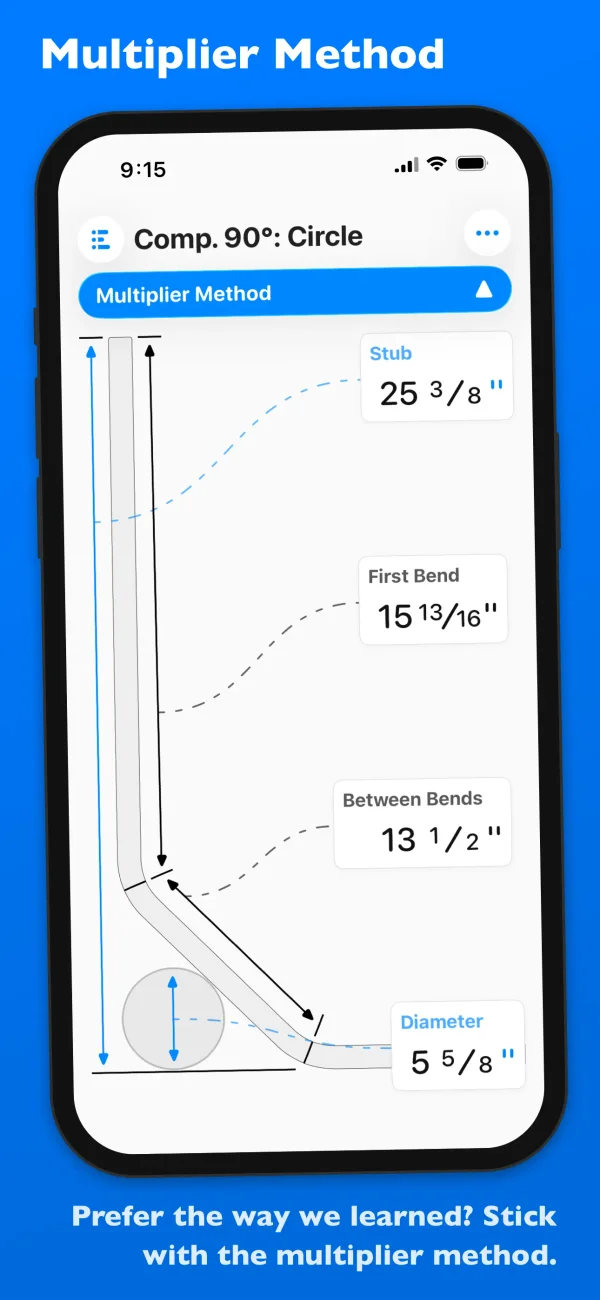
• Compound 90° - Circle Obstruction
• Compound 90° - Rectangle Obstruction
• Compound 90° - Square Obstruction
• Segmented 90°
Plus you have the ability to layout multiple bends on a single conduit, and get each measurement for a mark on the conduit. With the option to easily flip an individual or set of marks per bend.
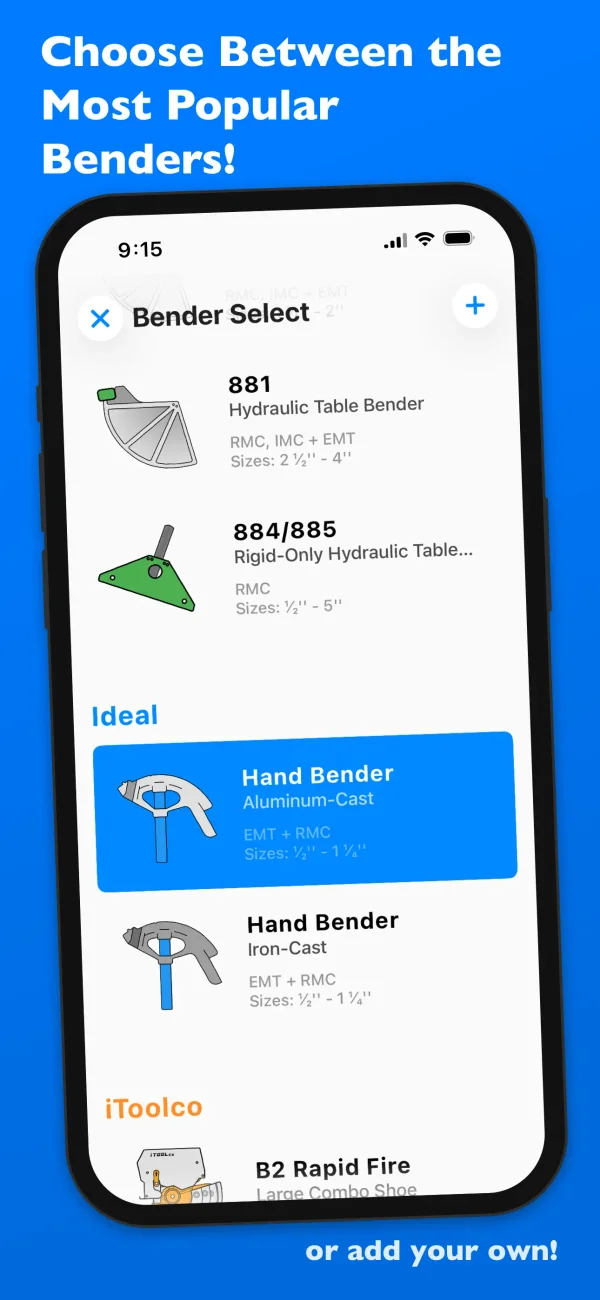
There's no limit to QuickBend. Easily, select between different types of benders and choose the size of the shoe and conduit type all within the same screen that you are working on. No need for complex navigations. In addition, you can pin benders you use the most, so you can select and switch between them quickly without consistently scrolling. All benders are spec'd out using the information provided by the manufacturers, and worst case scenario if one of the many benders available don't match the one you are using you can now add in your own bender. There's also an option to not select a bender and to use the multiplier method.
Edit and view all of your benders' specifications. Detailed information on the centerline radius, deduct, gain, setback. Plus the ability to view the travel, and radius adjustment for any degree bend between up-to 90°. All of this is visualized and edited within the 'Bender Specs'.
Neue Funktionen
Version 4.2.3 · 24.10.2026
• Updated screens to provide more room for displaying measurements.
• Fixed numerous performance issues.
• Added a button to InputViews for quickly switching between the number pad and the `Press & Slide` slider.
• Measurements now automatically adjust to the available visible area while editing.
• Screens can now scroll while editing, making it easier to view important measurements as you adjust them.
App-Datenschutz
Was Bret Hardman im App Store zum Umgang dieser App mit Daten angibt.
-
Keine Daten erfasst
Der Entwickler erfasst keine Daten von dieser App.
Die Datenschutzpraktiken können variieren, zum Beispiel je nach den von Ihnen verwendeten Funktionen oder Ihrem Alter.
Informationen
- Anbieter
- Bret Hardman
- Kategorie
- Produktivität
- Version
- 4.2.3
- Aktualisiert
- 24.10.2026
- Veröffentlicht
- 28.07.2015
- Größe
- 21,4 MB
- Erfordert
- iOS 18.0 oder neuer
- Altersfreigabe
- 4+
- Preis
- 7,99 €
- Copyright
- © 2017 Bret H. Hardman
Das könnte Ihnen auch gefallen
-
 Conduit BendingProduktivität
-
 Wire Color CodeProduktivität
-
 iBend PipeProduktivität
-
 Field BendProduktivität
-
 Electrician's SidekickProduktivität
-
 Ugly's Electrical ReferencesProduktivität
-
 Ask BONBON: Electrician NEC AIProduktivität
-
 Bruchrechner Plus #1Taschenrechner App mit Brüchen
-
 Brady Express-EtikettenProduktivität
-
 Fluke ConnectProduktivität