QuickMem: Flashcards, Learning
Study Companion – Create List
Entwickelt für iPhone, iPad, iPod touch
Kostenlos · In-App-Käufe
- Altersfreigabe4+
- KategorieBildung
- EntwicklerJosh Mieczkowski
- SprachenEnglisch+ 13 weitere
- Größe69,6 MB
Verlinkt auf die offizielle App Store-Seite
Download.org hostet keine Datei von QuickMem: Flashcards, Learning. Die Schaltfläche öffnet die App-Seite bei App Store, wo Josh Mieczkowski die App veröffentlicht. Eintrag zuletzt geprüft am 14.11.2026.
Screenshots

Info
Der Entwickler hat diesen Text nicht in Ihrer Sprache bereitgestellt.
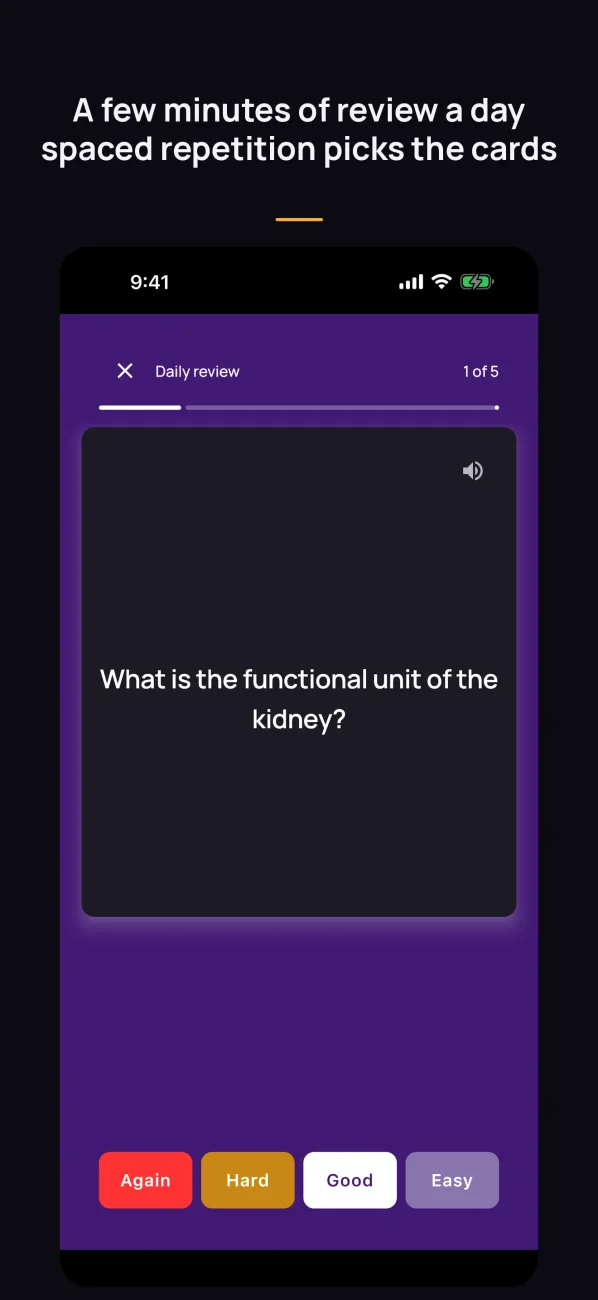
QuickMem is a flashcard app built around how memory actually works. Instead of showing every card equally, it weights each card by how likely you are to forget it and brings the shaky ones back first - so every minute of studying counts and more of it sticks.
Now it writes the cards for you too.
NEW IN 2.0: THE HELPER
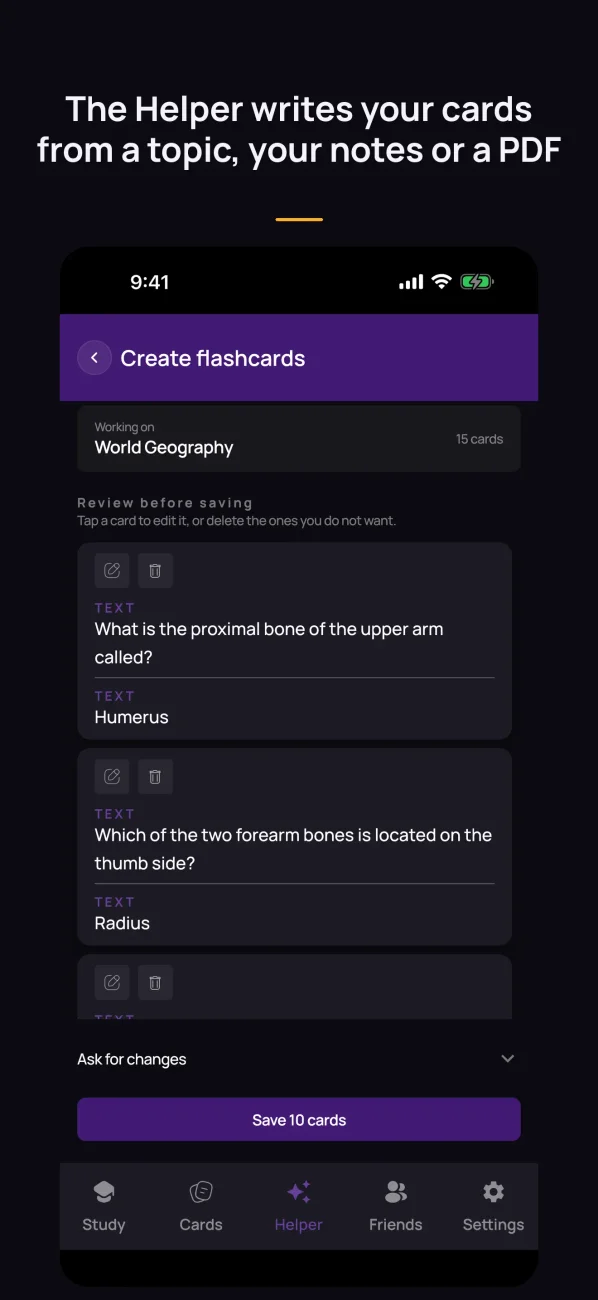
Describe the deck you want in your own words - "20 cards on Spanish animals" - and the Helper writes it. Paste your notes, a syllabus, or a PDF and it turns them into cards instead.
You review every card before a single one is saved. Delete the ones you do not want, ask for changes in plain language, and only then save.
It also works on one card you keep getting wrong:
- Explain it in plain language
- Split a card that is quietly testing three things at once
- Tidy the wording without changing the meaning
- Make a mnemonic and keep it as the card's hint
Two skills run entirely on your device, with nothing sent anywhere: finding duplicates, and building a study plan from what is due.
NEW IN 2.0: NESTED DECKS
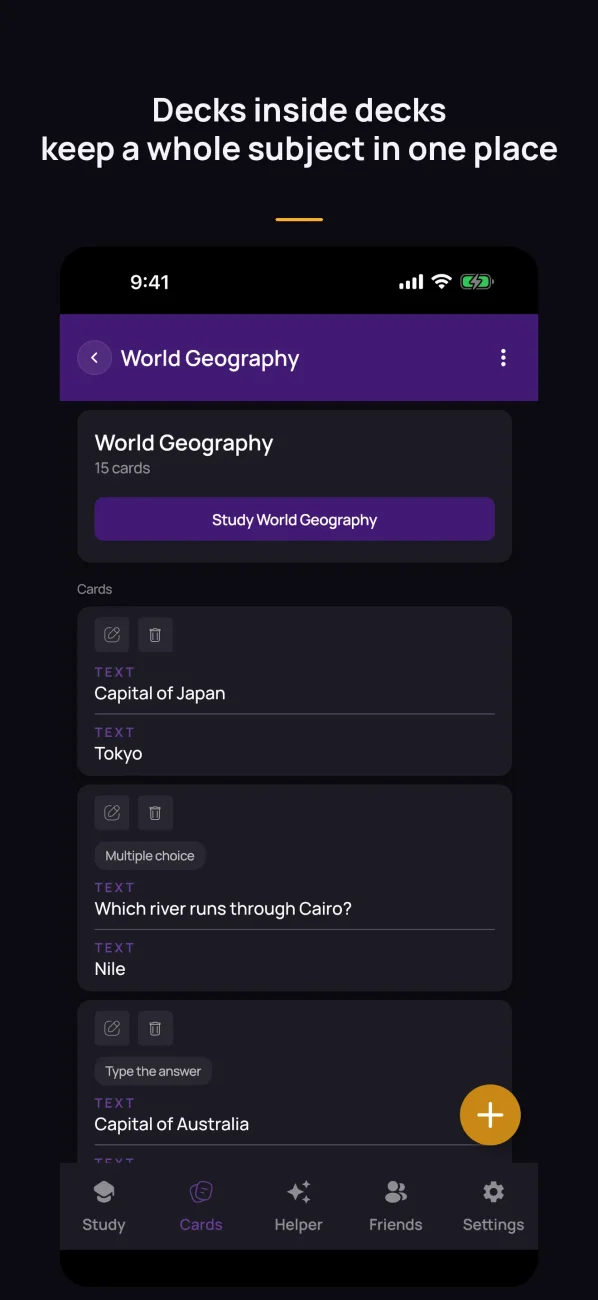
A deck can now live inside another deck. Put "Irregular Verbs" and "Food" under "Spanish", and the parent shows the total for everything beneath it.
Move a deck and everything inside comes with it - and your study progress is kept, not reset. Delete a deck and you choose whether its contents go too.
WHAT MAKES QUICKMEM DIFFERENT
- Weighted spaced repetition: review cards right before you'd forget them
- Image flashcards: add a photo from your camera or gallery for diagrams, formulas, and visual vocabulary
- Shared decks: share a deck with a friend and study together, each keeping your own progress
- Daily reviews: simple reminders and study stats help you build a habit
- Works offline: study anywhere; changes sync when you're back online
FEATURES
- Create, edit, and delete cards, with optional hints
- Nest decks inside decks for each subject, exam, or topic
- Anki import: open an .apkg file and keep your decks, notes, and images
- Import from a PDF, a .txt, or a .docx
- Read aloud, with the voice, speed, and pitch you choose
- Search your cards instantly
- Filter which cards you study and customize what's visible
- Show the front or back first, and show or hide hints
- Light and dark modes
- No account needed to start
GREAT FOR
- Students: languages, vocabulary, math facts, science, and exam prep
- Medical, nursing, and anatomy study with image cards
- Test prep: SAT, MCAT, bar exams, certifications, and more
- Teachers building study sets to share with a class
QUICKMEM PLUS
The Helper's AI skills require QuickMem Plus.
- QuickMem Plus, 1 month, $4.99
- Payment is charged to your Apple Account at confirmation of purchase
- The subscription renews automatically unless cancelled at least 24 hours before the end of the current period
- Your account is charged for renewal within 24 hours of the end of the current period
- Manage or cancel your subscription in your Apple Account settings after purchase
Everything else - making cards by hand, spaced repetition, nested decks, Anki import, read aloud, images, and sharing - works without a subscription.
Terms of Use: https://www.quickmem.com/terms
Privacy Policy: https://www.quickmem.com/privacy
Build your first deck in under a minute. Download QuickMem and remember more, in less time.
Neue Funktionen
Version 2.3.0 · 04.10.2026
Version 2.3.
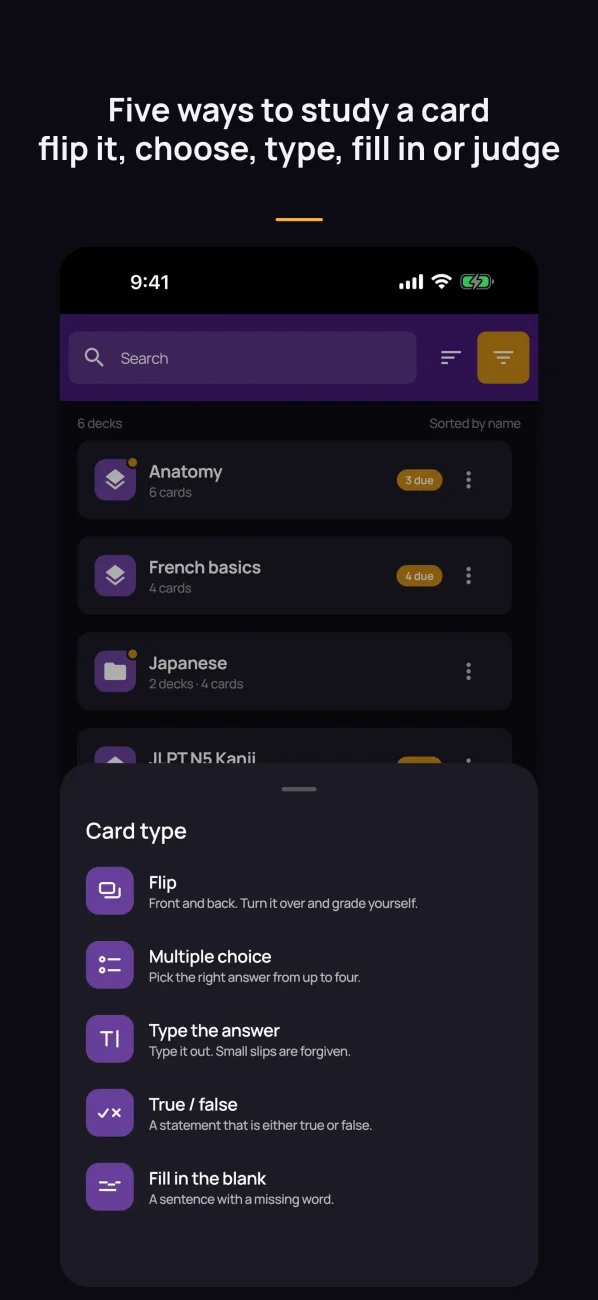
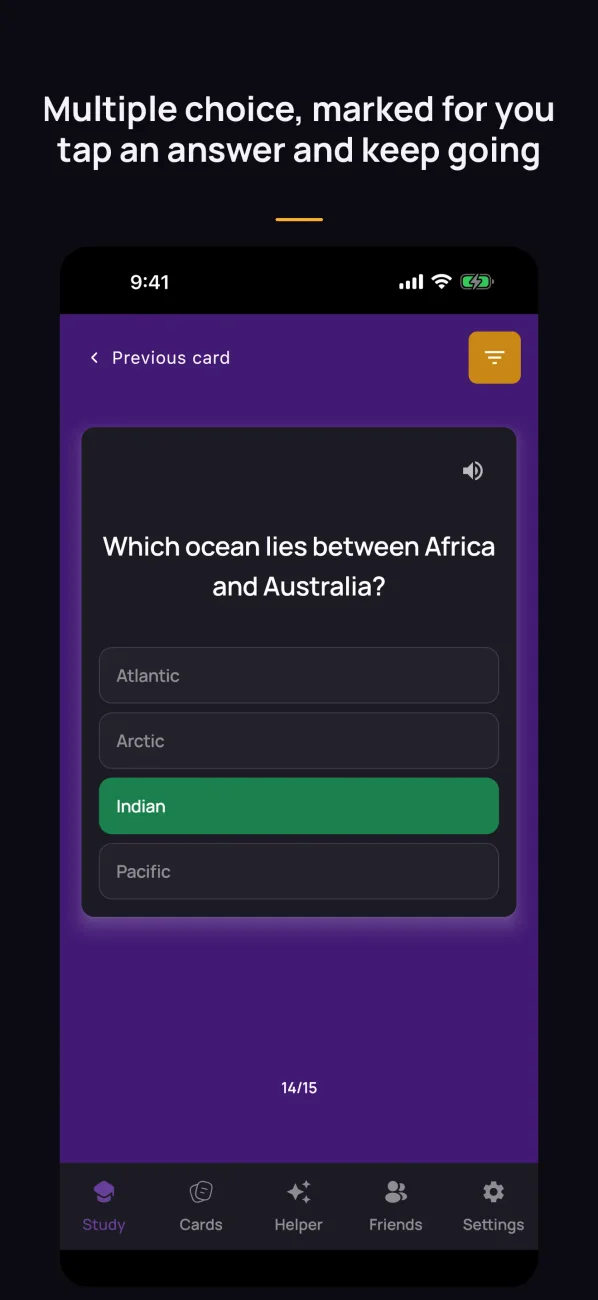
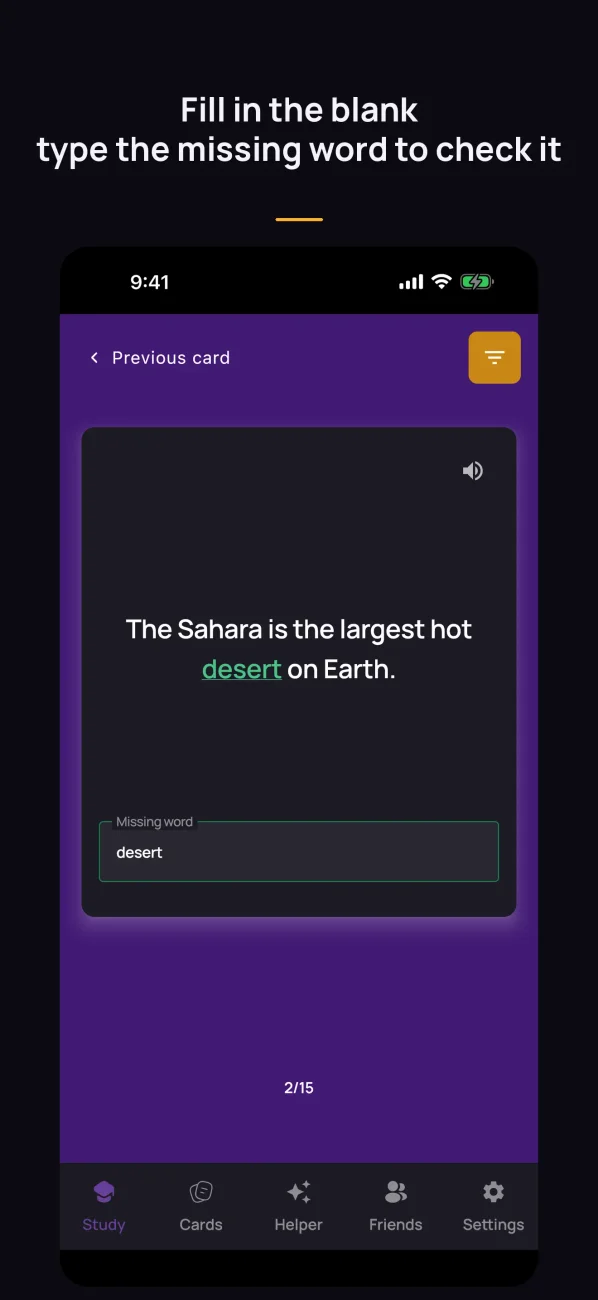
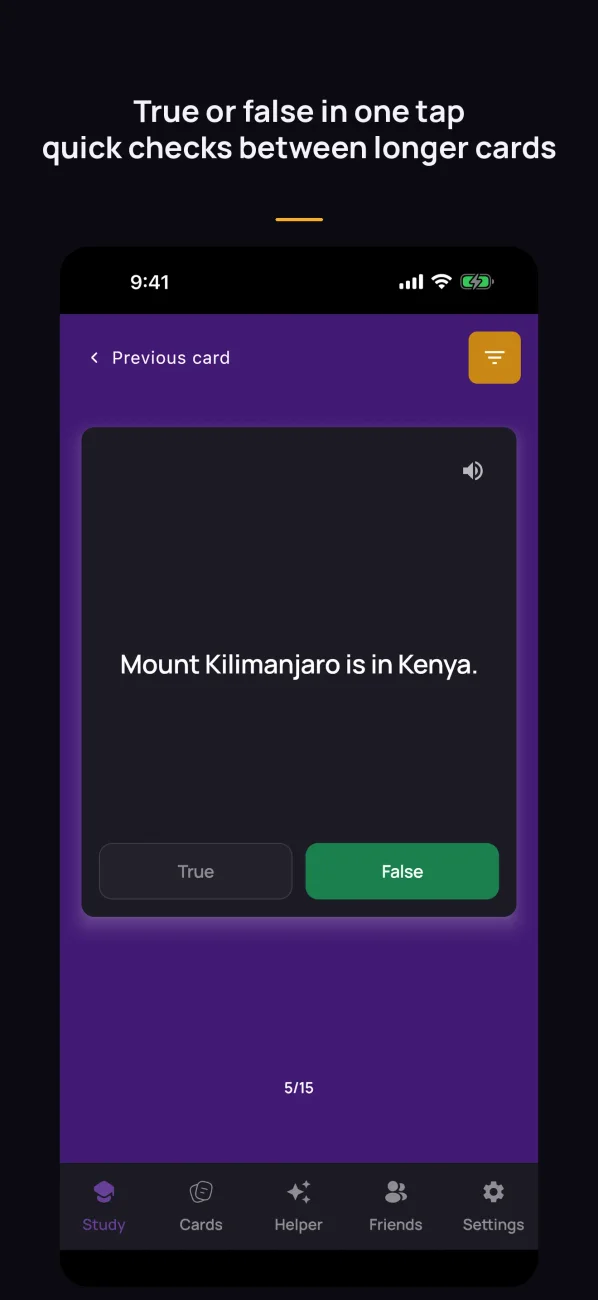
FIVE WAYS TO STUDY A CARD. Choose how each card is studied: flip, multiple choice, type the answer, true/false or fill in the blank. Every type but flip is marked for you, and an answered card swipes away.
A TIDIER CARD EDITOR. Type and deck are two pills at the top, the tabs sit at the bottom, a template is one tap away, and it asks before throwing away an edit.
Also: images on your cards now load on iPhone, and a tall sheet no longer keeps bouncing.
App-Datenschutz
Was Josh Mieczkowski im App Store zum Umgang dieser App mit Daten angibt.
-
Nicht mit Ihnen verknüpfte Daten
Können erfasst werden, sind aber nicht mit Ihrer Identität verknüpft.
- Nutzungsdaten
- Diagnose
Die Datenschutzpraktiken können variieren, zum Beispiel je nach den von Ihnen verwendeten Funktionen oder Ihrem Alter.
Informationen
- Anbieter
- Josh Mieczkowski
- Kategorie
- Bildung
- Version
- 2.3.0
- Aktualisiert
- 04.10.2026
- Veröffentlicht
- 30.04.2024
- Größe
- 69,6 MB
- Erfordert
- iOS 15.3 oder neuer
- Altersfreigabe
- 4+
- Preis
- Kostenlos
- In-App-Käufe
- Ja
- Sprachen
- Englisch, Arabisch, Französisch, Deutsch, Hindi, Indonesisch, Italienisch, Japanisch, Koreanisch, Portugiesisch, Vereinf. Chinesisch, Spanisch + 2 weitere
- Copyright
- © QuickMem
Das könnte Ihnen auch gefallen
-
 Stacked: AI Flashcard MakerBildung
-
 Memo: Lernen mit KI KartenWeniger Schreiben, mehr Lernen
-
 SandflashBildung
-
 Flashcards - Swipe & LearnBildung
-
 Cram: KI KarteikartenLernkarten, Abi & Vokabeln
-
 Flashcards Made SimpleBildung
-
 CardFlip: Karteikarten AppVokabeln Lernen & Prüfung
-
 FlashCardMNBildung
-
 Sanki: AI Flashcards & AnkiBildung
-
 PolyLingo: Learn LanguagesBildung