- Altersfreigabe17+
- KategorieBildung
- EntwicklerQuiklrn Private Limited
- SprachenEnglisch
- Größe76,8 MB
Verlinkt auf die offizielle App Store-Seite
Download.org hostet keine Datei von Quiklrn. Die Schaltfläche öffnet die App-Seite bei App Store, wo Quiklrn Private Limited die App veröffentlicht. Eintrag zuletzt geprüft am 14.11.2026.
Screenshots


Info
Der Entwickler hat diesen Text nicht in Ihrer Sprache bereitgestellt.
At Quiklrn we believe every learner is unique and learns in a unique way. Quiklrn APP adapts to how I Learn. Be it a student or employee or individual learners, Quiklrn APP has features for all. Each learner can aggregate, organise and personalise, keep record of achievements and certifications.
Quiklrn APP facilitates access to private content (university/corporate), free public content and paid content from leading publishers and course providers. Learner also can manage the contents from personal sources like email, messaging apps, videos, web links.
Quiklrn APP features include access to assessments (offline or online), personalised reporting and learning analytics.
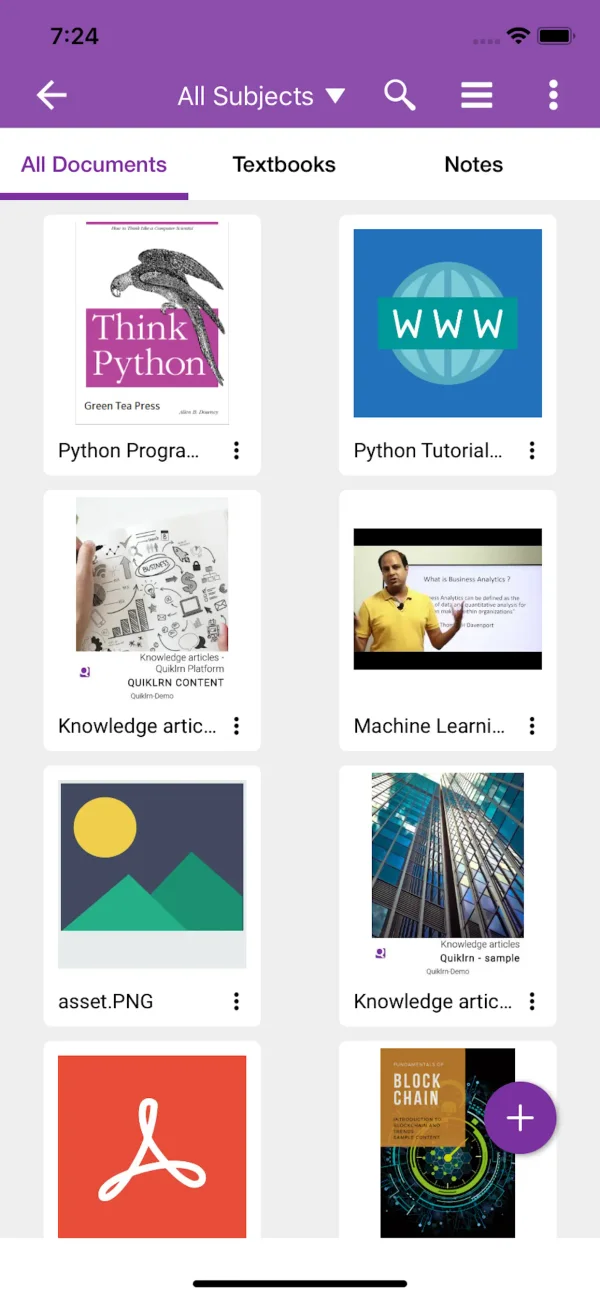
Quiklrn APP helps you with single interface access all content that a learner needs in one platform. It helps students to access the content organized according to the courses enrolled, as required for the job role, e-content licensed or purchased and free content from several learning channels , all from single source Quiklrn Store.
Quiklrn APP also helps in managing learning materials from multiple sources like email, internet, gallery, file manager etc. and in multiple formats.
Quiklrn APP helps learners to create contextual relationship among learning materials using digital pins for notes, highlights, documents, weblinks, videos etc. This helps individual users to create their own learning map, set goals and track progress.
Key features of Quiklrn
Following are few important features in Quiklrn APP for personalizing the learning
Study Area
Study Area is the work space where you can add learning resources from Quiklrn store, email, messaging apps, files and gallery. Organize your learning materials according to courses as subjects. Contents are also can be tagged using keywords or phrases for quick search.
Store
Store is used for distributing digital books and contains both free and paid books. Store has about large collection of free books and Video courses from popular learning channels. Courseware published by institutes or Corporates, e-books or e-courses published by leading publishers are available. Quiklrn store is auto-organized according to course selected and simplifies the access to the required content.
Reader
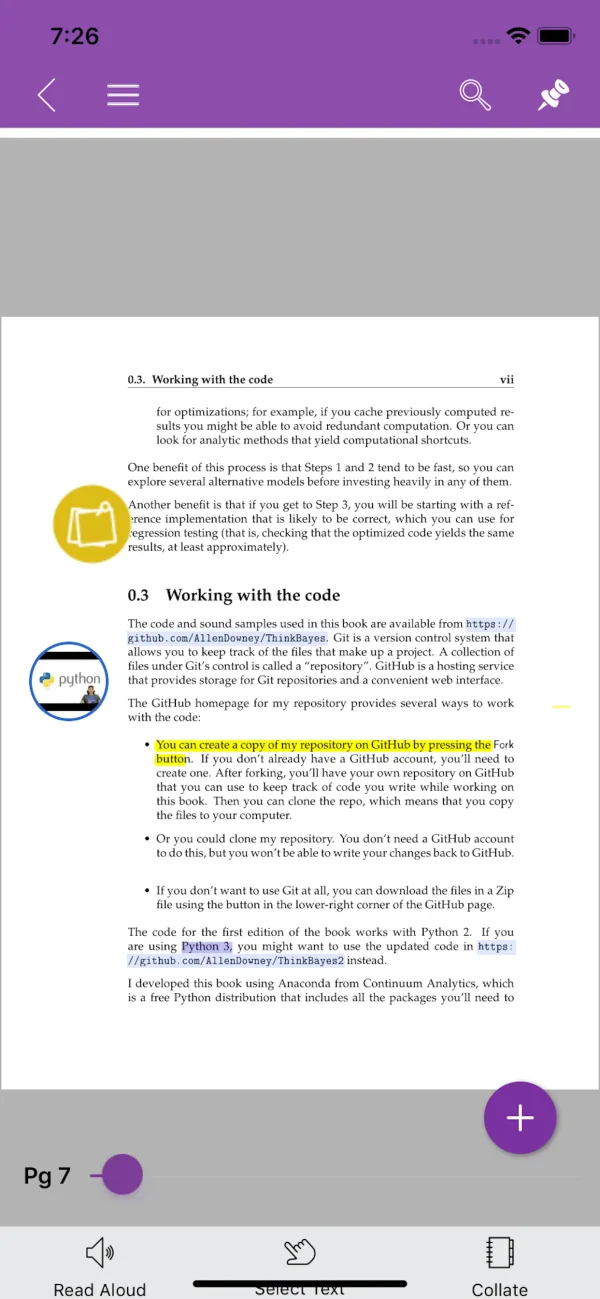
All learning materials are opened using custom built reader which supports many file formats. CReader has many features which learners can use to add digital pins for notes, highlights, weblinks, videos, images etc. Revise function of reader make it easy to re-call the digital pins in one click or swipe.
Adding digital pins for notes, highlights, images, videos and bookmark
Simply highlight important points on any page. Create a note on any document be it text, video/audio or images and named bookmarks. Use Quiklrn Reader to pin video, audio or image files from the file manager, images from the picture gallery or using camera, documents from the study area and relevant web links. These pins can be placed adjacent to the learning context.
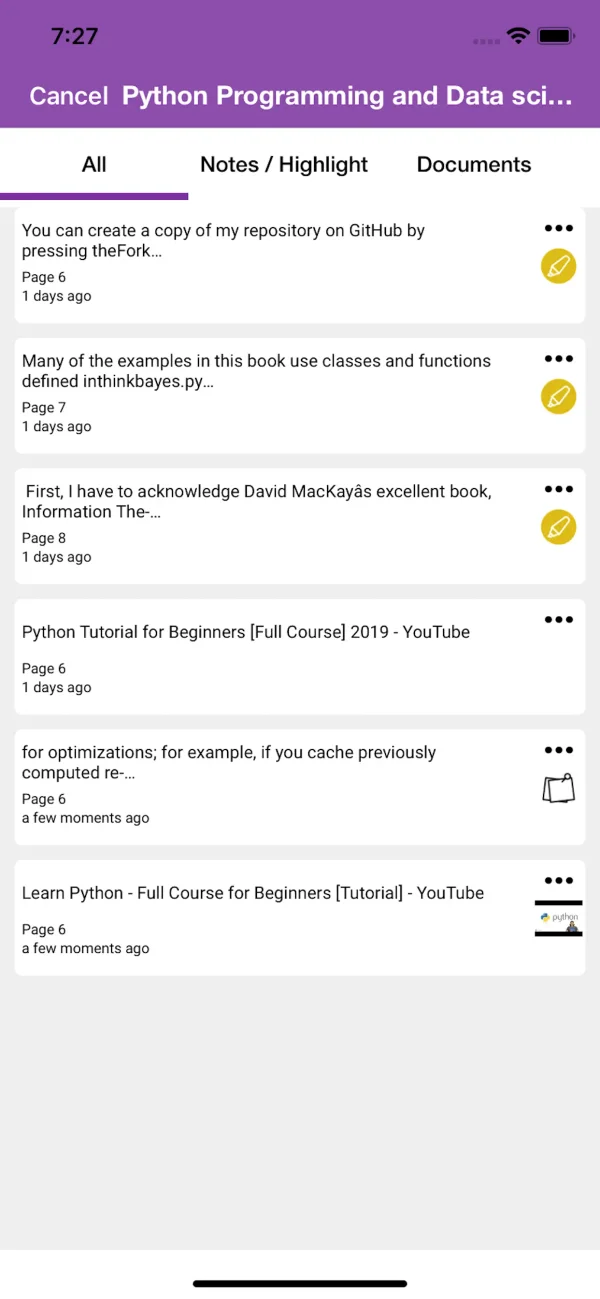
Quiklrn aggregates all the highlights, pins and notes at a single place for the entire course book which may contain more than one type of files. Access digital pins just one click or swipe.
Recommended content
Searching for relevant content is made very simple, highlight the words or type in the search bar to get additional references from the internet through Quiklrn built-in recommendation engine.
Collate or personal e-binder
You can digitally bind multiple documents together into a single document called Collate. Collate makes it easy for the learner to have all the relevant study material of multiple formats in to single document.
Assessment / Calender / personalized report
Signed up Institutes or Corporate users will have access course-wise assessments of (quiz, on-line tests, polls, assignments, forums. All events , session calendar , personalized reports are accessible from Quiklrn APP.
Neue Funktionen
Version 1.1.8 · 16.01.2025
Bug fixes, UI and feature enhancements
App-Datenschutz
Was Quiklrn Private Limited im App Store zum Umgang dieser App mit Daten angibt.
-
Mit Ihnen verknüpfte Daten
Können erfasst und mit Ihrer Identität verknüpft werden.
- Kontaktinformationen
-
Nicht mit Ihnen verknüpfte Daten
Können erfasst werden, sind aber nicht mit Ihrer Identität verknüpft.
- Kontaktinformationen
- Benutzerinhalte
- Kennungen
- Diagnose
Die Datenschutzpraktiken können variieren, zum Beispiel je nach den von Ihnen verwendeten Funktionen oder Ihrem Alter.
Informationen
- Anbieter
- Quiklrn Private Limited
- Kategorie
- Bildung
- Version
- 1.1.8
- Aktualisiert
- 16.01.2025
- Veröffentlicht
- 22.02.2018
- Größe
- 76,8 MB
- Erfordert
- iOS 15.6 oder neuer
- Altersfreigabe
- 17+
- Preis
- Kostenlos
- Sprachen
- Englisch
- Copyright
- © 2019 Quiklrn Private Limited