RA4 Light Lab - Film Emulation
Spectral film emulation
Entwickelt für iPhone, iPad
Kostenlos · In-App-Käufe
- Altersfreigabe4+
- KategorieFoto und Video
- Entwickler育辰 刘
- SprachenEnglisch+ 7 weitere
- Größe99,1 MB
Verlinkt auf die offizielle App Store-Seite
Download.org hostet keine Datei von RA4 Light Lab - Film Emulation. Die Schaltfläche öffnet die App-Seite bei App Store, wo 育辰 刘 die App veröffentlicht. Eintrag zuletzt geprüft am 23.11.2026.
Screenshots
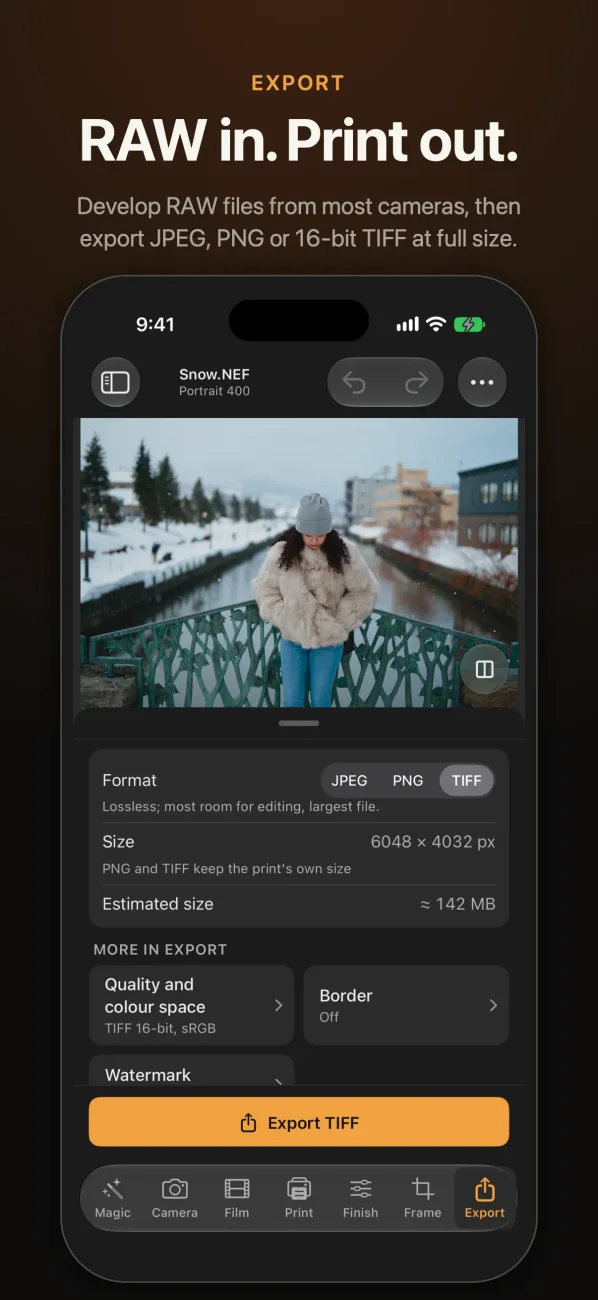
Info
Der Entwickler hat diesen Text nicht in Ihrer Sprache bereitgestellt.
RA4 Light Lab develops your photos the way a colour darkroom does. Each picture is exposed onto a simulated film, developed into a negative, and printed by an enlarger onto paper, with the light followed through the visible spectrum at every step. What comes back is a print, not a preset.
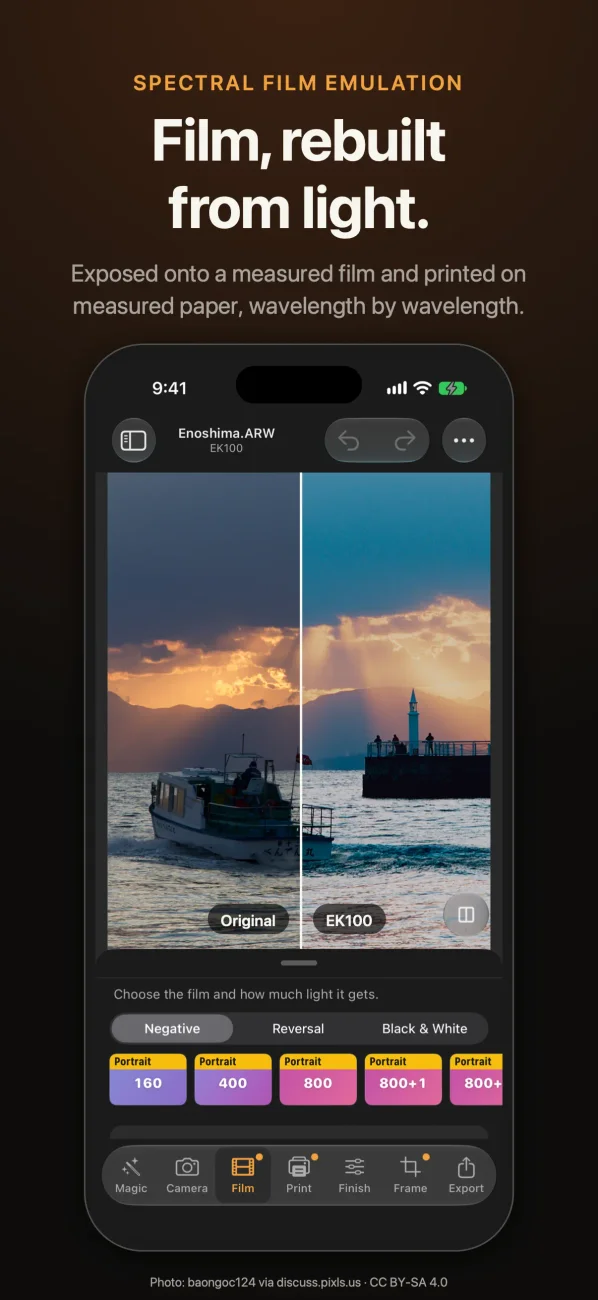
SPECTRAL FILM EMULATION
• Every film and paper is modelled from its measured data: how each layer responds to light, the dyes it forms, and its characteristic curves.
• Light is traced in 81 steps from 380 to 780 nanometres, so skin, foliage, neon and sunsets each shift the way they do on film.
• Exposure behaves like film, too: the toe, the shoulder and the latitude come from the stock, not from a curve.
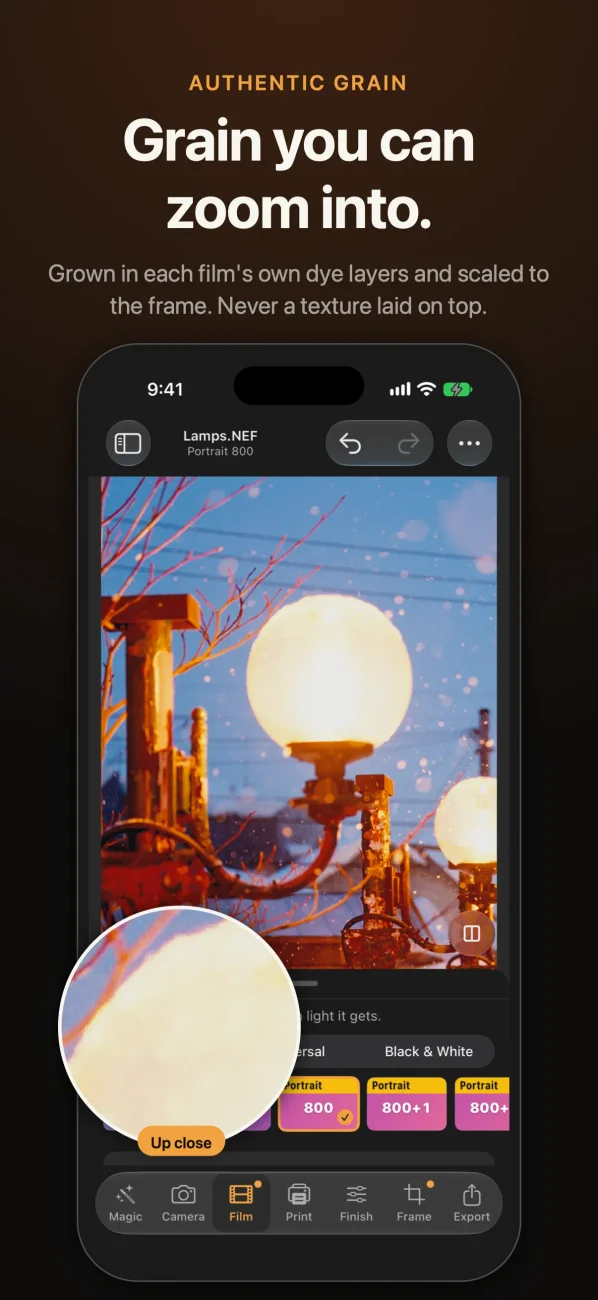
AUTHENTIC GRAIN
• Grain is simulated in each of the film's dye layers, from particles and dye clouds. It is never laid over the picture as a texture.
• It scales with the format you choose, so 35 mm looks like 35 mm and medium format looks finer.
• Halation and the print's glare come from the same model. Zoom to 100 % and look.
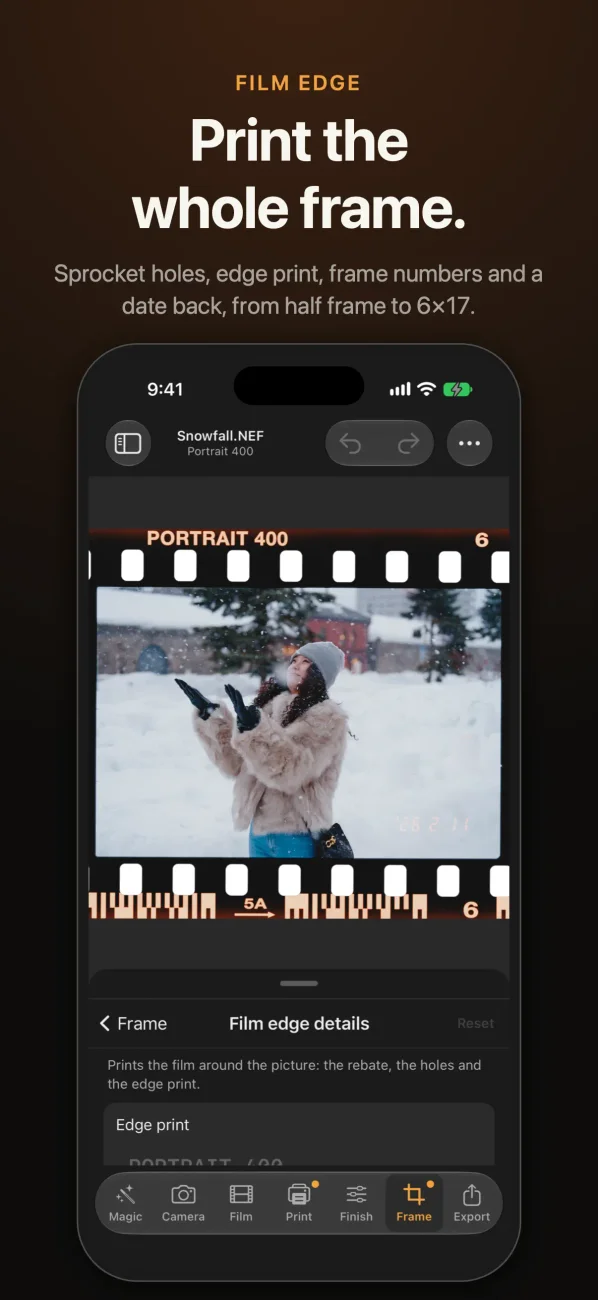
FILM EDGE
• Print the whole frame: sprocket holes, the film's name along the edge, frame numbers and edge markings.
• A date back stamps the date into the corner, the way film cameras did.
• Ten formats, from half frame and 35 mm to 6×4.5, 6×6, 6×7, 6×8, 6×9 and the panoramic 6×12 and 6×17.
• Half-frame pairs: two photos side by side on one frame of film.
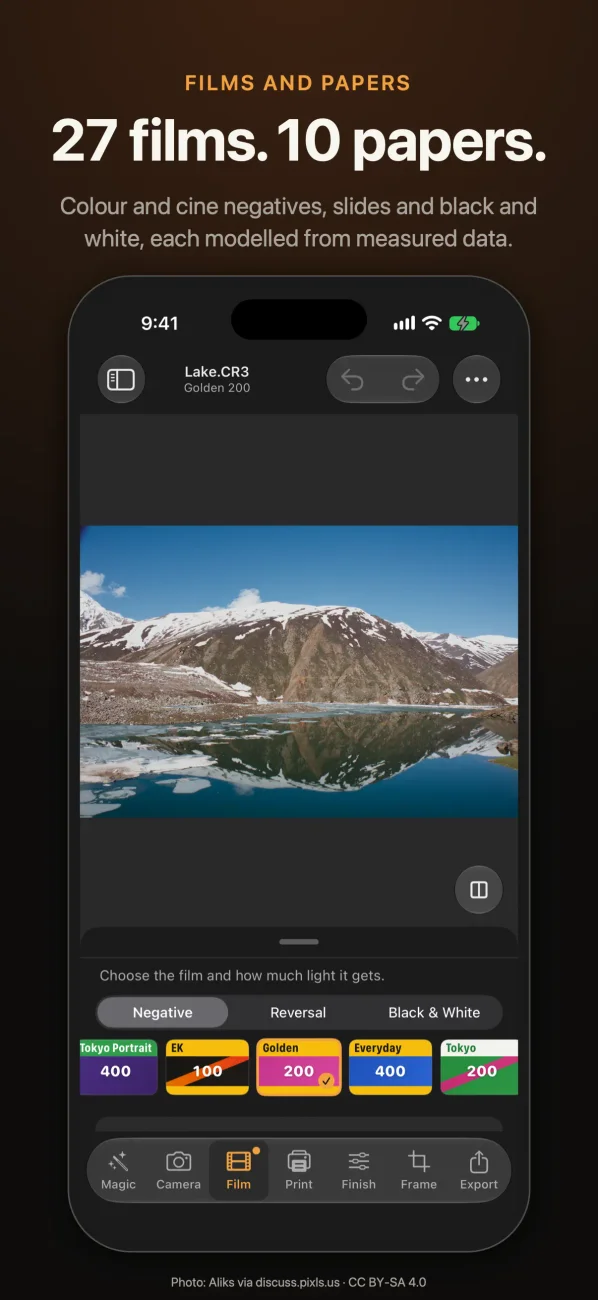
27 FILMS, 10 PAPERS
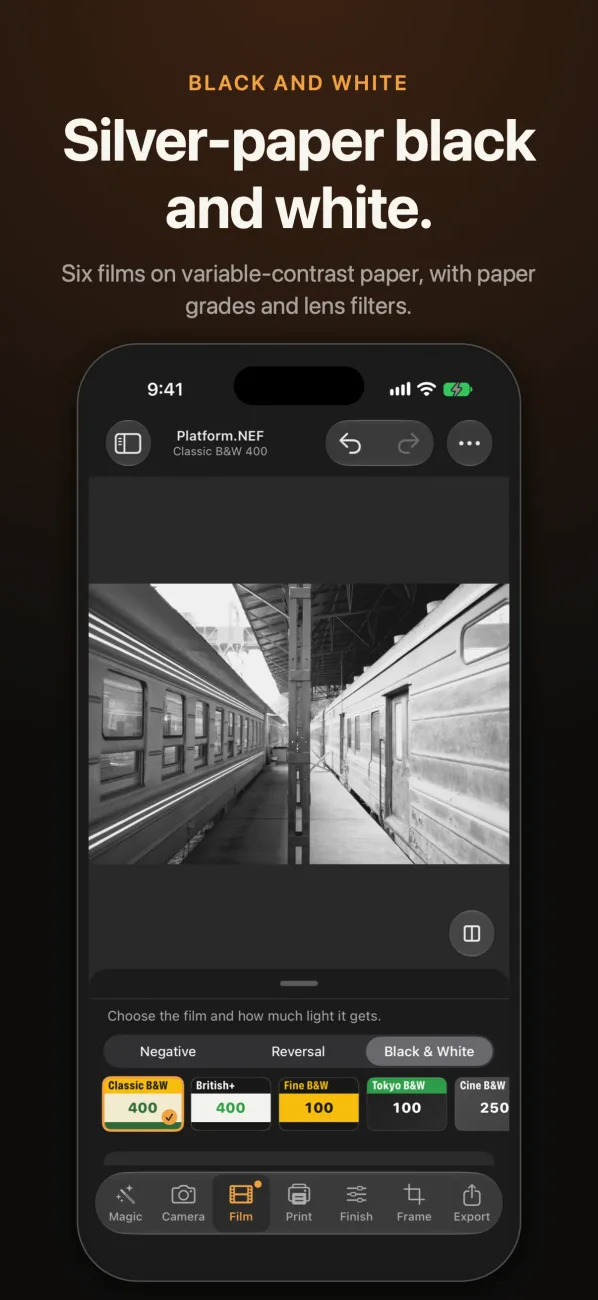
• Colour negatives, cine negatives, slide films and six black-and-white films.
• Colour papers from soft portrait to deep black, three cine print stocks (one black and white), and a variable-contrast black-and-white paper.
• Or skip the print and scan the negative or the slide.
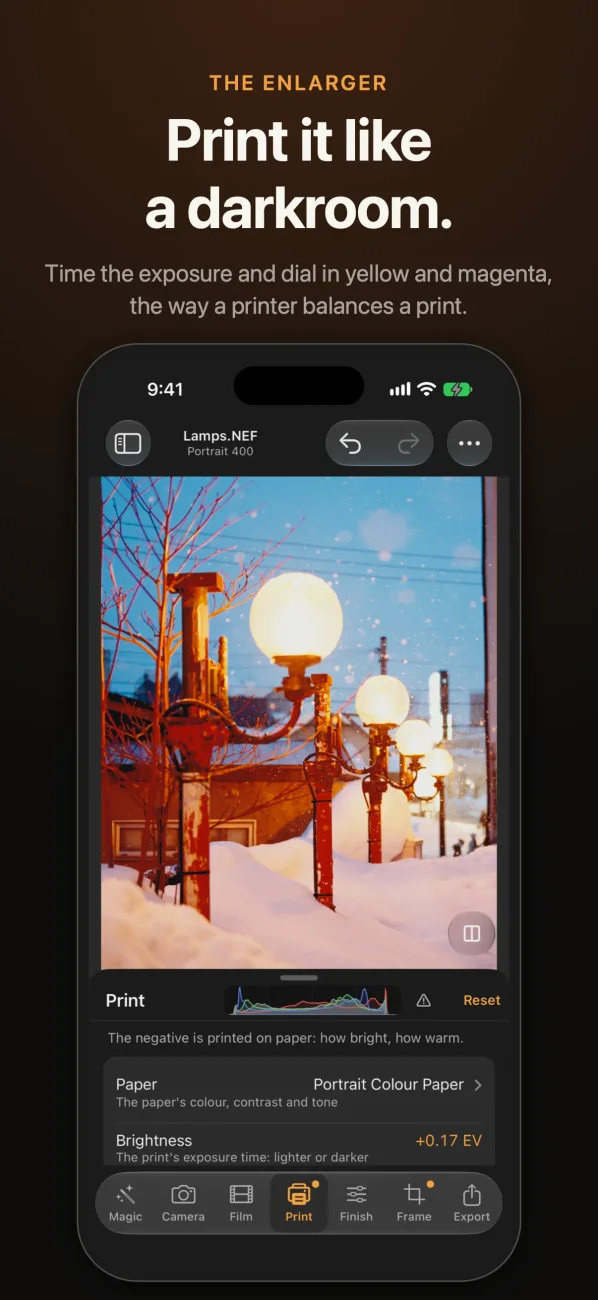
A DARKROOM ENLARGER
• Print brighter or darker, and dial yellow and magenta into the colour head the way a printer balances a print.
• Pre-flash the paper to soften the highlights.
• In black and white, choose a paper grade and a lens filter: yellow, green, orange, red or blue.
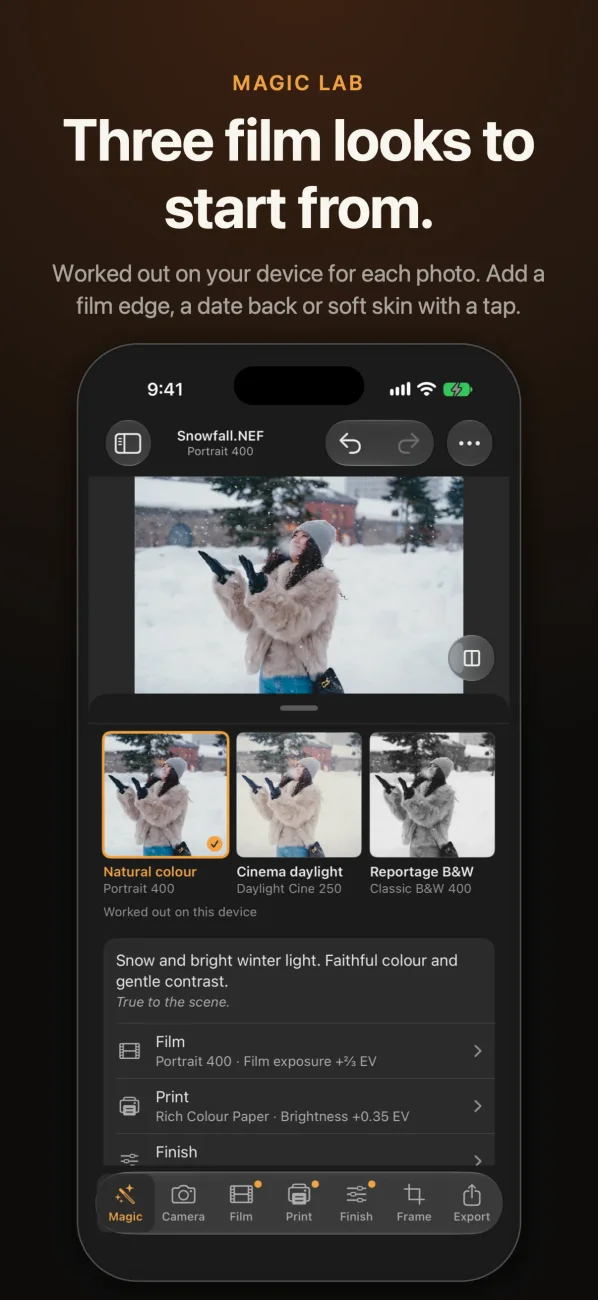
MAGIC LAB
• Not sure where to start? Magic Lab reads your photo on your device and suggests three looks, each a real film, paper and exposure, shown as previews.
• One tap adds a film edge in a format that suits the photo, a date back from the day it was taken, or gentle skin retouching, done before the film so the grain stays even.
• Every look stays a film you can keep adjusting.
• Optional Cloud AI analysis asks an AI model you choose, with your own provider and key. Nothing is sent until you tap Ask.
EVERY TOOL A PHOTO NEEDS
• Seven stations in the order a darkroom works: Magic Lab, Camera, Film, Print, Finish, Frame and Export.
• White balance and metering, crop and straighten, tone and colour, Dehaze and a histogram.
• Touch and hold the photo to see the original.
• Copy and paste settings, or apply them to many photos at once.
RAW, LIBRARY AND EXPORT
• Opens RAW files from most cameras, as well as JPEG, HEIC and other image files.
• Edits photos in your Photos library or in linked folders where they are, or imports them from a camera or card.
• Exports JPEG, PNG or 8- and 16-bit TIFF, in sRGB, Adobe RGB or ProPhoto RGB, at up to the full resolution of your camera.
• Your originals are never changed.
PRIVATE BY DESIGN
• Everything is developed on your device. No account, no sign-in. Optional Cloud AI analysis uses your own AI provider and key, and sends a photo only when you ask.
FREE AND PRO
• Free: every film and paper, every tool including Magic Lab, the film edge and the date back, and nine exports in any seven days, as JPEG up to 12 MP.
• RA4 Light Lab Pro, a one-time purchase: unlimited exports, JPEG at 24 MP, 48 MP or full size, PNG and TIFF, and screenshots without the app's mark. No subscription, and Family Sharing is supported.
LANGUAGES
English, 简体中文, 繁體中文, 日本語, Français, Deutsch, Italiano and Español.
Requires iOS 17 or later. Exporting very large RAW files at full size needs a recent iPhone or iPad; RA4 Light Lab tells you what your device can do.
Neue Funktionen
Version 2.0 · 18.11.2026
New in 2.0:
• Magic Lab: three film looks worked out for each photo, on your device. Add a film edge, a date back or gentle skin retouching with a tap.
• The editor in seven stations, in the order a darkroom works: Magic Lab, Camera, Film, Print, Finish, Frame and Export.
• Better metering at night, and less storage written while you edit.
• Optional Cloud AI analysis, with your own AI provider and key.
App-Datenschutz
Was 育辰 刘 im App Store zum Umgang dieser App mit Daten angibt.
-
Keine Daten erfasst
Der Entwickler erfasst keine Daten von dieser App.
Die Datenschutzpraktiken können variieren, zum Beispiel je nach den von Ihnen verwendeten Funktionen oder Ihrem Alter.
Informationen
- Anbieter
- 育辰 刘
- Kategorie
- Foto und Video
- Version
- 2.0
- Aktualisiert
- 18.11.2026
- Veröffentlicht
- 11.11.2026
- Größe
- 99,1 MB
- Erfordert
- iOS 17.0 oder neuer
- Altersfreigabe
- 4+
- Preis
- Kostenlos
- In-App-Käufe
- Ja
- Sprachen
- Englisch, Französisch, Deutsch, Italienisch, Japanisch, Vereinf. Chinesisch, Spanisch, Tradit. Chinesisch
- Copyright
- © 2026 RA4 Light Lab by Alex
Das könnte Ihnen auch gefallen
-
 LumoraMagicFoto und Video
-
 OCTAGON GRADE: Video ColorFoto und Video
-
 Keystone Photo LabFoto und Video
-
 CalotypeFoto und Video
-
 Luter - Color GradingFoto und Video
-
 Filmera: Photo & Film EditorFoto und Video
-
 Kamo CamFoto und Video
-
 Kelvin Kamera: Manuell & RAWFilm, voll manuell, keine KI
-
 Oak ViewerFoto und Video
-
 Zoom Compare: Pick Best PhotosFoto und Video