Race Telemetry Studio
Entwickelt für iPhone, iPad, Mac, iPod touch
Kostenlos · In-App-Käufe
- Altersfreigabe9+
- KategorieSport
- Entwickler伟雄 林
- SprachenEnglisch+ 5 weitere
- Größe26,3 MB
Verlinkt auf die offizielle App Store-Seite
Download.org hostet keine Datei von Race Telemetry Studio. Die Schaltfläche öffnet die App-Seite bei App Store, wo 伟雄 林 die App veröffentlicht. Eintrag zuletzt geprüft am 23.11.2026.
Screenshots

Info
Der Entwickler hat diesen Text nicht in Ihrer Sprache bereitgestellt.
Race Telemetry Studio is a high-performance telemetry analysis and video overlay engine designed for race drivers, track day enthusiasts, and motorsport fans.
Whether you use professional VBOX or AiM loggers, or portable Dragy and RaceChrono apps, Race Telemetry Studio seamlessly imports your data, visualizes throttle/brake inputs, plots driving lines on interactive track maps, and exports stunning 4K videos with dynamic gauge overlays.
Key Features:
Universal Format Support: Native import for .vbo (VBOX), .dlap (Dragy), .xrk / .bmo (AiM Solo / SmartyCam), and .rcz (RaceChrono).
60FPS Hardware Accelerated Engine: Powered by Apple Native Canvas hardware decoding for butter-smooth multi-stream 4K playback and instant seeking.
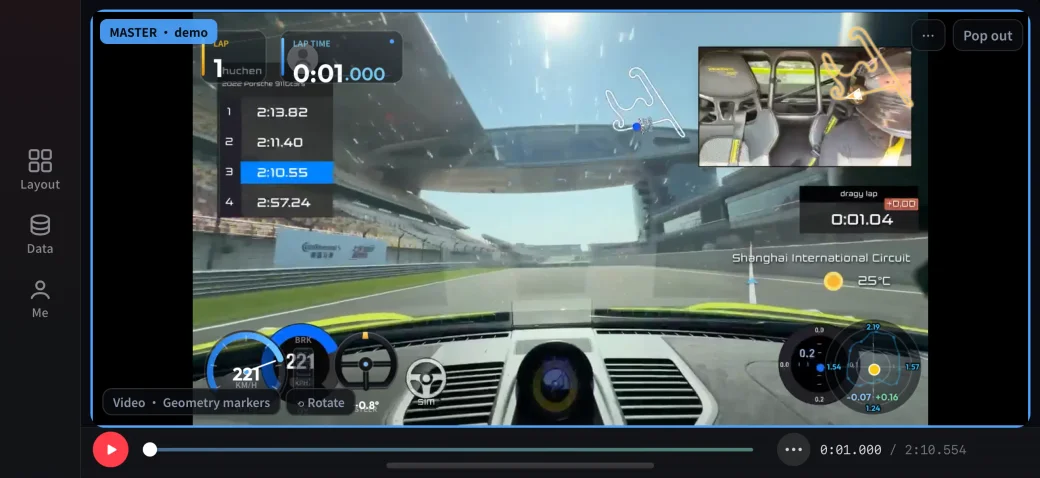
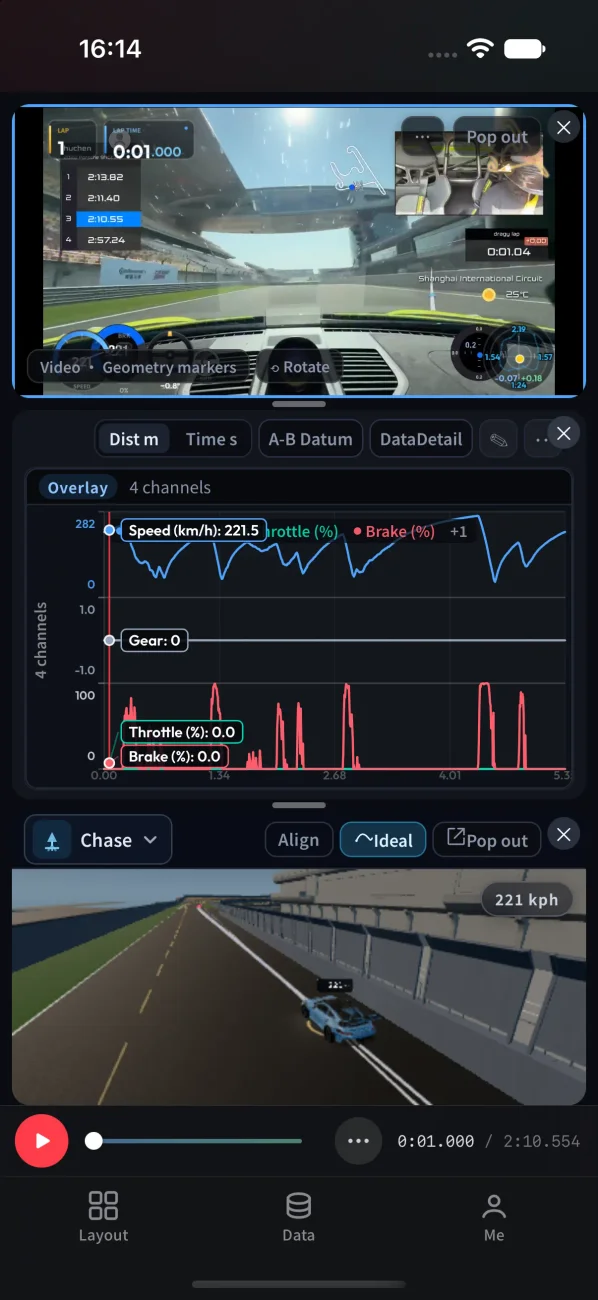
Dynamic Gauge HUD Overlays: Real-time rendering of Tachometer (RPM), Speed, Throttle/Brake bar, Gear indicator, Steering wheel angle, and G-Force meters. Smart auto-hiding for missing channels.
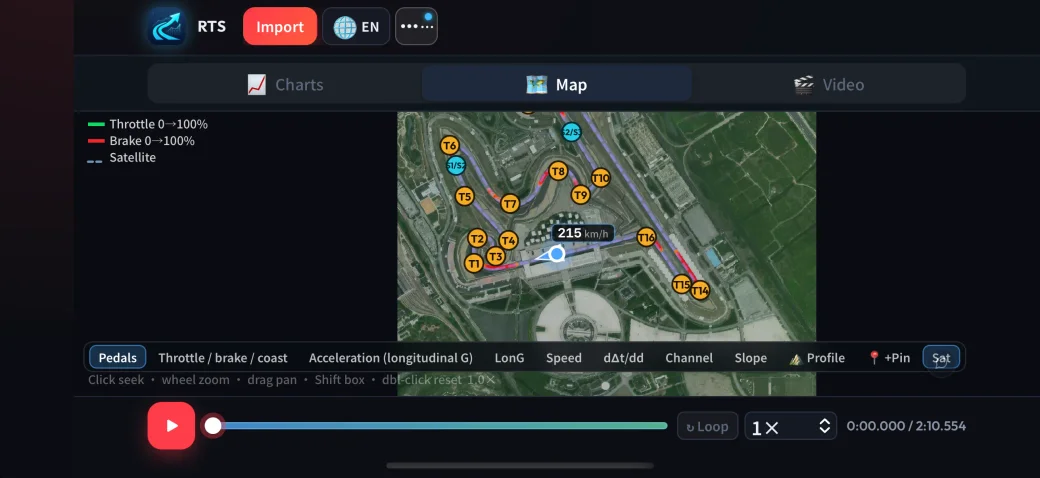
Track Map Trajectory Heatmap: Dynamic racing line coloring by Throttle/Brake pedals, Longitudinal G, or Speed spectrum to locate exact braking zones and apexes.
Ideal Lap Video Stitching: Automatically combines your best sectors to build a seamless Ideal Lap playback and video export.
Picture-in-Picture (PiP) Dual Video Comparison: Smart GPS auto-alignment for side-by-side telemetry and video comparisons.
4K Hardware Video Export: Fast export with WebCodecs hardware acceleration, customizable HUD layout, audio remuxing, and file format cross-conversion.
Neue Funktionen
Version 1.7.0 · 19.11.2026
Added
- Live analysis: laps and delta update as samples arrive. A session can be recorded and resumed after a drop. Pro can share the live view with another computer on the same network.
- Race timing: import a timing CSV into its own tab for the timing table and rival comparison. Pro adds race control, strategy, drive time, pit-stop comparison, and a race report. A scoring feed can update the same table live.
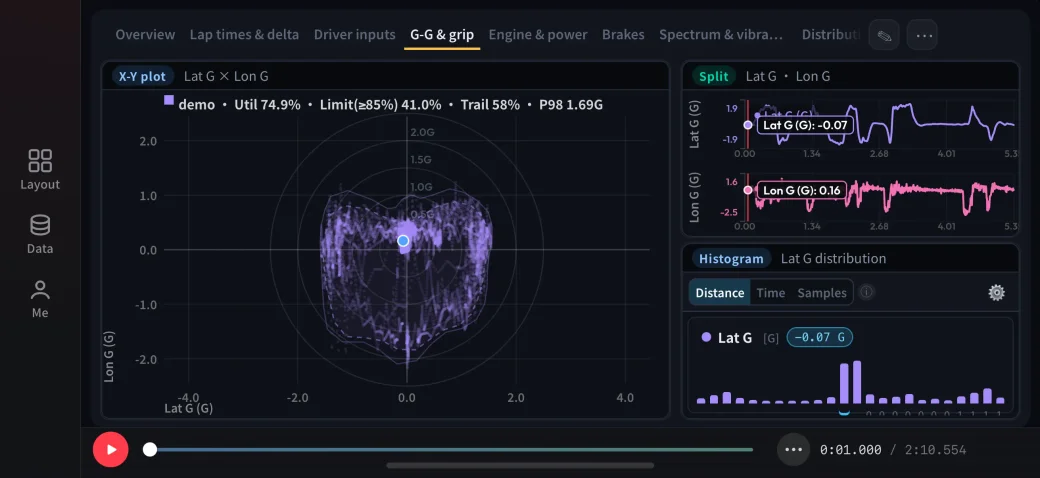
- The G-G plot draws both the current-lap envelope and the envelope of the last few seconds, including on the gauge.
- The map, video, and charts can pop out into their own windows and stay above other windows.
- Chart layout presets for a track day, an engineer, endurance, and live running, plus lift-and-coast, pit-stop comparison, tyre warm-up, and bit indicators.
- The track map can be colored by full throttle, partial throttle, coast, and brake, or by accelerating, coasting, and braking.
- Team tools: four-corner setup sheets and diffs, a run sheet and stint timeline, setup experiments, and Clubsport workbook import. Logbook backups include these records.
- KPI metrics, driver notes, and MATLAB .mat import.
- Fuel and pits: estimate laps left and the pit window from fuel use. The panel can be collapsed.
- Full-course yellow, Code 60, and slow-zone speed limits are checked in the analysis.
- A lap simulation you can compare with where the real lap gained or lost time.
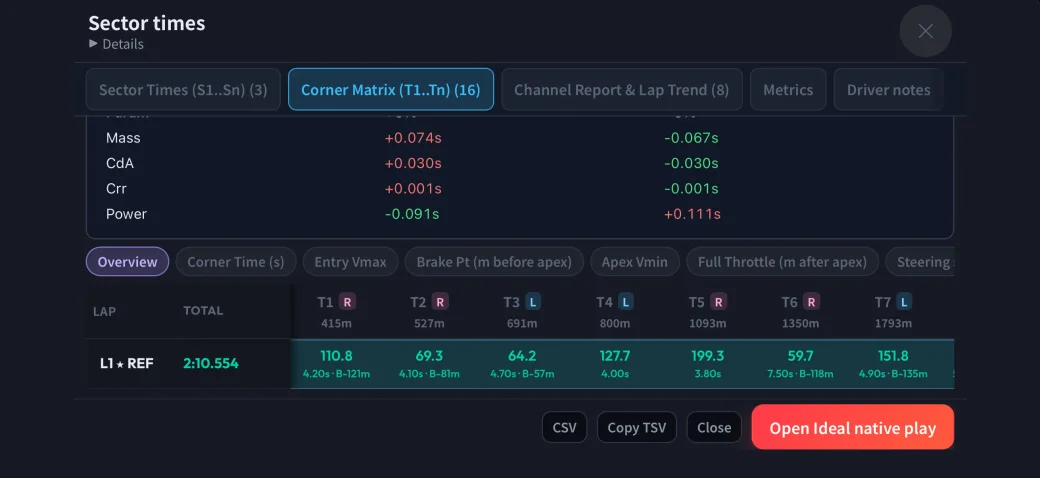
- Finer timing: start/finish and sector gates are interpolated between samples, and pits and stints are recognized. FIA sector and corner gates can be edited, and the corner matrix lists entry, apex, and exit.
- Engineering analysis: GT3, GT4, and TCR vehicle presets and a power model, plus fuel, channel alarms, math-channel templates, a consistency envelope, and speed traps.
- Logbook: find earlier sessions, keep golden laps, record tyre sets and part life, cold pressures, and how each corner felt.
- New files: iRacing .ibt, custom CSV, CAN logs, and DBC. Several files from the same weekend can be merged.
- Charts gain log axes, XY density with contours, a spectrogram, a dashboard, and a view of every channel's values. Metric and imperial units can be switched.
- 3D tracks and satellite imagery can be saved on the device for offline use. Video inside a Dragy file is read as you play it, without loading the whole clip first.
- In-app support: ask a question and jump to the feature named in the answer.
- A Racelogic .rlc can ride along with a VBOX file and supply names and units for the CAN channels.
- Session colors can be picked from a palette.
- The main video and picture-in-picture rotate by 90 degrees at a time, so a portrait onboard clip can be turned upright.
Improved
- iPhone Duo Support
- Export lives on the right-hand Export tab. Units can be chosen separately for speed, temperature, and other categories.
- Logbook search, cloud backup, and vehicle details sit in the header menu, so the session view does not repeat them.
- Uploads show progress and can be cancelled.
- Reference lap, delta, and the predictive lap sit in the chart menu. The prediction stays hidden when there is no usable reference.
- Lite can use Ideal Lap and lap comparison.
- A command palette searches features from the keyboard.
- Controls on the 3D track sit in a popover so they cover less of the view.
- Satellite imagery you have already viewed stays on the device, so the same circuit opens faster the next time.
- The iPhone header keeps only the logo, leaving the screen for video and the map. The account menu can be scrolled fully on iOS.
- Import asks whether to open a file or start a live source.
- The live connection status is shown on screen, and gaps in the data stay empty instead of being filled in.
Fixed
- Export leaves samples that were never recorded blank instead of writing them as zero.
App-Datenschutz
Was 伟雄 林 im App Store zum Umgang dieser App mit Daten angibt.
-
Keine Daten erfasst
Der Entwickler erfasst keine Daten von dieser App.
Die Datenschutzpraktiken können variieren, zum Beispiel je nach den von Ihnen verwendeten Funktionen oder Ihrem Alter.
Informationen
- Anbieter
- 伟雄 林
- Kategorie
- Sport
- Version
- 1.7.0
- Aktualisiert
- 19.11.2026
- Veröffentlicht
- 11.08.2026
- Größe
- 26,3 MB
- Erfordert
- iOS 15.1 oder neuer
- Altersfreigabe
- 9+
- Preis
- Kostenlos
- In-App-Käufe
- Ja
- Sprachen
- Englisch, Französisch, Deutsch, Japanisch, Vereinf. Chinesisch, Spanisch
- Copyright
- © MagicBear