
RecceBoard
Shotlists that play as film
Entwickelt für iPhone, iPad, Mac
Kostenlos · In-App-Käufe
- Altersfreigabe4+
- KategorieFoto und Video
- EntwicklerCarlo Oppermann
- SprachenEnglisch
- Größe7,8 MB
Verlinkt auf die offizielle App Store-Seite
Download.org hostet keine Datei von RecceBoard. Die Schaltfläche öffnet die App-Seite bei App Store, wo Carlo Oppermann die App veröffentlicht. Eintrag zuletzt geprüft am 12.11.2026.
Screenshots



Info
Der Entwickler hat diesen Text nicht in Ihrer Sprache bereitgestellt.
A recce board for directors, cinematographers. Previz made simple.
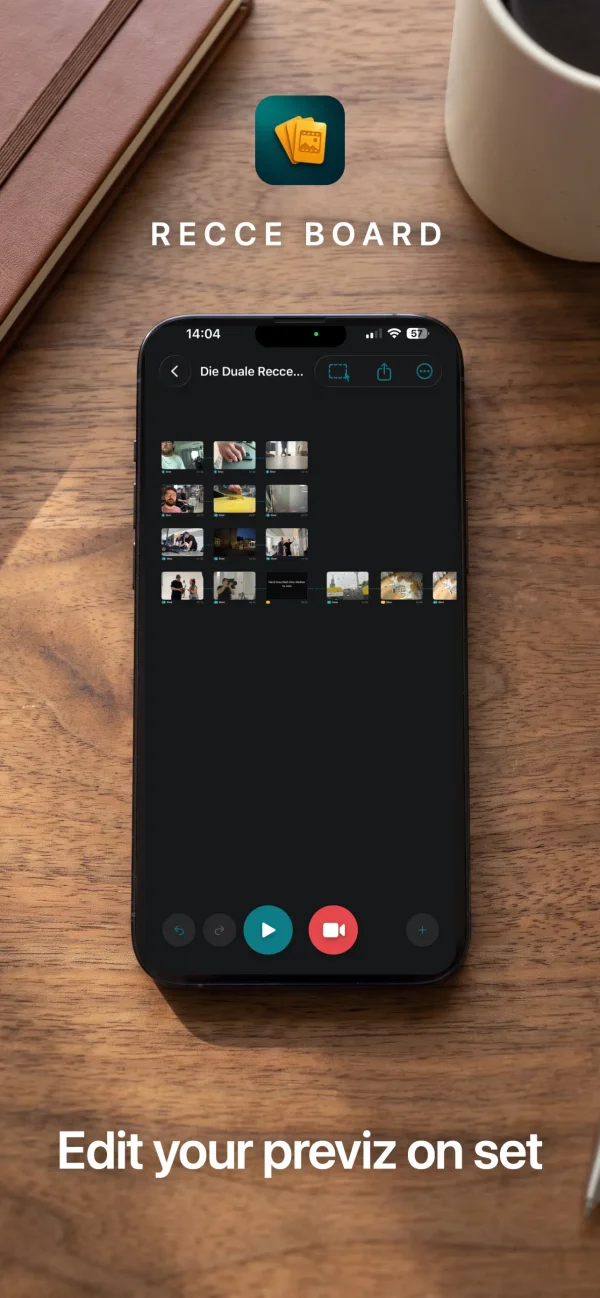
Walk a location, film the shots you're thinking of, and push them around until
the order feels right. Then press play and watch the whole thing as a film.
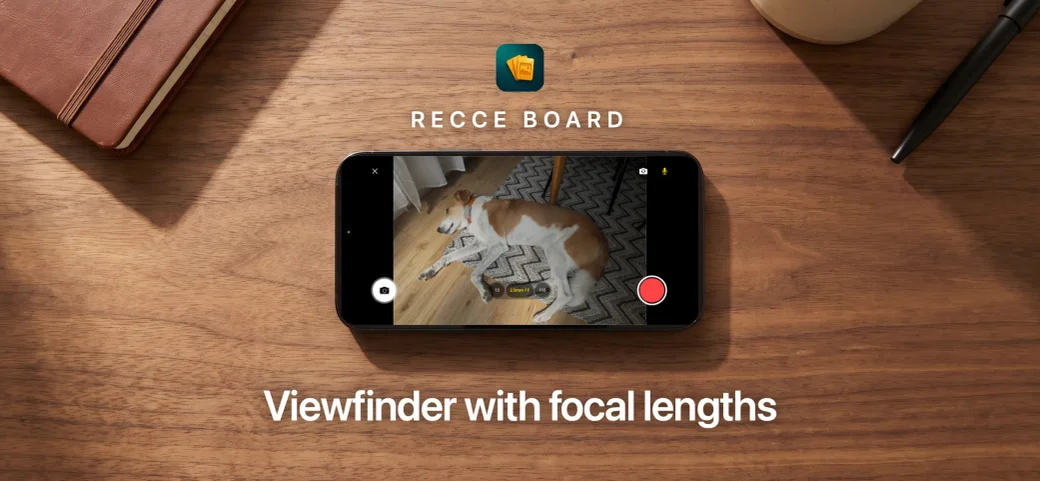
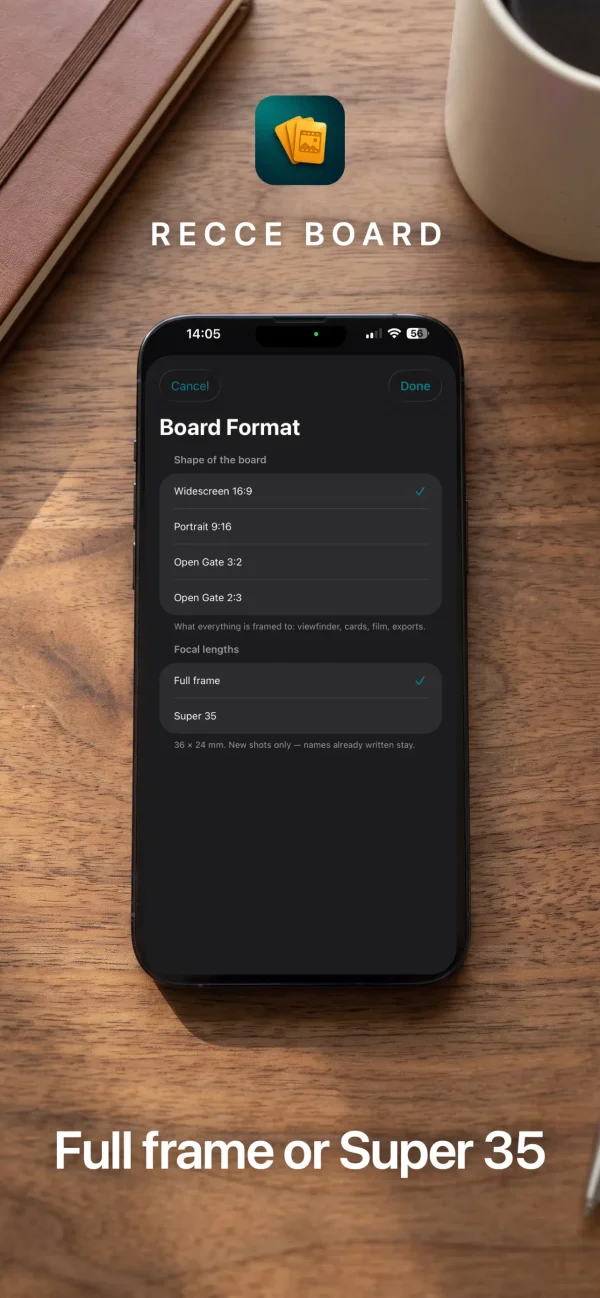
The camera opens already framed to the board's format, and the lens buttons are
labelled in millimetres — the real focal length, so it means the same on any
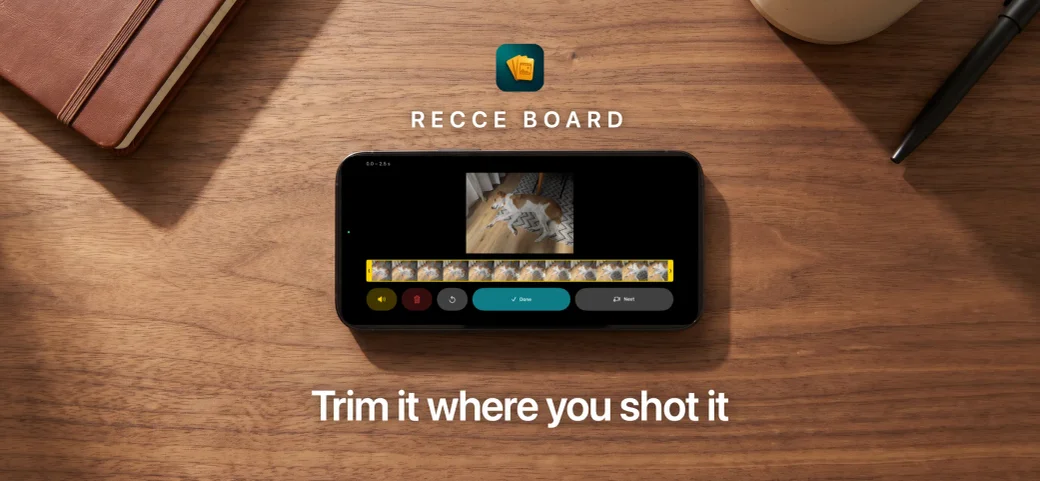
iPhone. Stop recording and you're in the trim. Next takes you back to the camera
for the following shot.
Shots sit where you put them, and the order of the film is the arrangement: left
to right, top to bottom, the way a page reads. Move a shot and you've changed the
cut.
Record a voice-over over the whole thing or over a single shot, and lay music
underneath. Export the film as a video or the board as a contact-sheet PDF, with
your frame lines burned in.
Boards sync through your own iCloud account, so you can start on the phone at the
location and finish on the Mac. One purchase covers iPhone, iPad and Mac. Share a
board with a six-character code.
Nothing is collected — no analytics, no tracking, no third-party SDKs.
One purchase, no subscription.
Want it to do something it doesn't yet? mail@carlooppermann.com
Neue Funktionen
Version 1.3.0 · 09.11.2026
What's New
Apple Pencil, rebuilt (iPad)
• Ink stays locked to your cards while you zoom and scroll — no lag, no jumping, no lines snapping into place.
• Draw anywhere on the board, at any zoom.
• Tap a card with your finger to stop drawing.
• Tapping the top of the screen no longer throws the board back to the top.
Smoother board
• Pinch-zoom and scrolling no longer flicker or jump.
• Zoom out further, so even big boards fit on screen; boards open fitted and centred, with open space around them.
• New "Show whole board" button next to undo/redo (on iPhone, just above them).
• A new shot only moves the view when it lands off screen.
Trim
• A playhead you can scrub, and the shot's length in seconds.
• The In and Out handles are much easier to grab.
Copy, paste and share
• Paste pictures and videos copied in any app straight onto a board (⌘V or "Paste from Clipboard" in the add menu).
• Copy a shot as a JPEG, GIF or 720p MP4 from its Export menu, ready for Messages, Mail or Finder.
Boards and folders
• Board cards show one full picture with the title over it; long-press a board to choose its thumbnail.
• Drag boards into and out of folders in the sidebar.
• Settings now follow your iCloud account to all your devices.
Camera and lenses
• iPhone: drag along the lens buttons for a zoom dial, like the Camera app.
• iPhone in landscape: the lens buttons and zoom dial sit on the right, above the record button, right under your thumb.
• Focal lengths now give the lens that frames the same picture on your camera, so Super 16 and Super 35 numbers are more accurate. Shots taken before keep their old number.
Film
• The player's controls stay on screen; tapping the picture just plays or pauses.
• The film-order line is smoother and can be hidden.
Mac
• A proper toolbar and menu bar, right-click menus, middle-drag to pan, Delete and the Edit menu work, and Option-drag duplicates (also on iPad with a keyboard).
• iPad with a mouse or trackpad: right-click and zoom buttons.
Fixes
• iCloud sync could stop when one clip was on a shared board and another board; it repairs itself on launch.
• Fixed a freeze on launch, a crash when dropping a card, and problems with missing footage files and large imports.
• Imports from Photos and from Dropbox or iCloud Drive are more reliable.
• "Something Looks Wrong" can now download everything again from iCloud.
App-Datenschutz
Was Carlo Oppermann im App Store zum Umgang dieser App mit Daten angibt.
-
Keine Daten erfasst
Der Entwickler erfasst keine Daten von dieser App.
Die Datenschutzpraktiken können variieren, zum Beispiel je nach den von Ihnen verwendeten Funktionen oder Ihrem Alter.
Informationen
- Anbieter
- Carlo Oppermann
- Kategorie
- Foto und Video
- Version
- 1.3.0
- Aktualisiert
- 09.11.2026
- Veröffentlicht
- 25.08.2026
- Größe
- 7,8 MB
- Erfordert
- iOS 26.0 oder neuer
- Altersfreigabe
- 4+
- Preis
- Kostenlos
- In-App-Käufe
- Ja
- Sprachen
- Englisch
- Copyright
- © 2026 Carlo Oppermann
Das könnte Ihnen auch gefallen
-
 Director ModeFoto und Video
-
 CineTempFoto und Video
-
 Prop ScreenFoto und Video
-
 CameraKit: Camera ToolsFoto und Video
-
 Marker for Creators: TimecodeFoto und Video
-
 Aaron8mmFoto und Video
-
 Artemis Director's ViewfinderFoto und Video
-
 Color Grade Video - PeekLutFarbkorrektur, LUTs & Filmlook
-
 Sony | Monitor & ControlFoto und Video
-
 Leica LUX - Manual Pro CameraDigitale RAW-Fotos aufnehmen