
ReceiptGPT
Intelligent Personal Finance
Entwickelt für iPhone, iPad
Kostenlos · In-App-Käufe
- Altersfreigabe4+
- KategorieFinanzen
- EntwicklerChun To CHEUNG
- SprachenEnglisch+ 9 weitere
- Größe10,3 MB
Verlinkt auf die offizielle App Store-Seite
Download.org hostet keine Datei von ReceiptGPT. Die Schaltfläche öffnet die App-Seite bei App Store, wo Chun To CHEUNG die App veröffentlicht. Eintrag zuletzt geprüft am 14.11.2026.
Screenshots

Info
Der Entwickler hat diesen Text nicht in Ihrer Sprache bereitgestellt.
Automate your expenses with Apple Intelligence and Shortcuts.
ReceiptGPT is the smartest way to track spending on iOS. Built exclusively for Apple, it automatically captures receipt data from notifications and screen content, eliminating manual entry entirely.
Key Features:
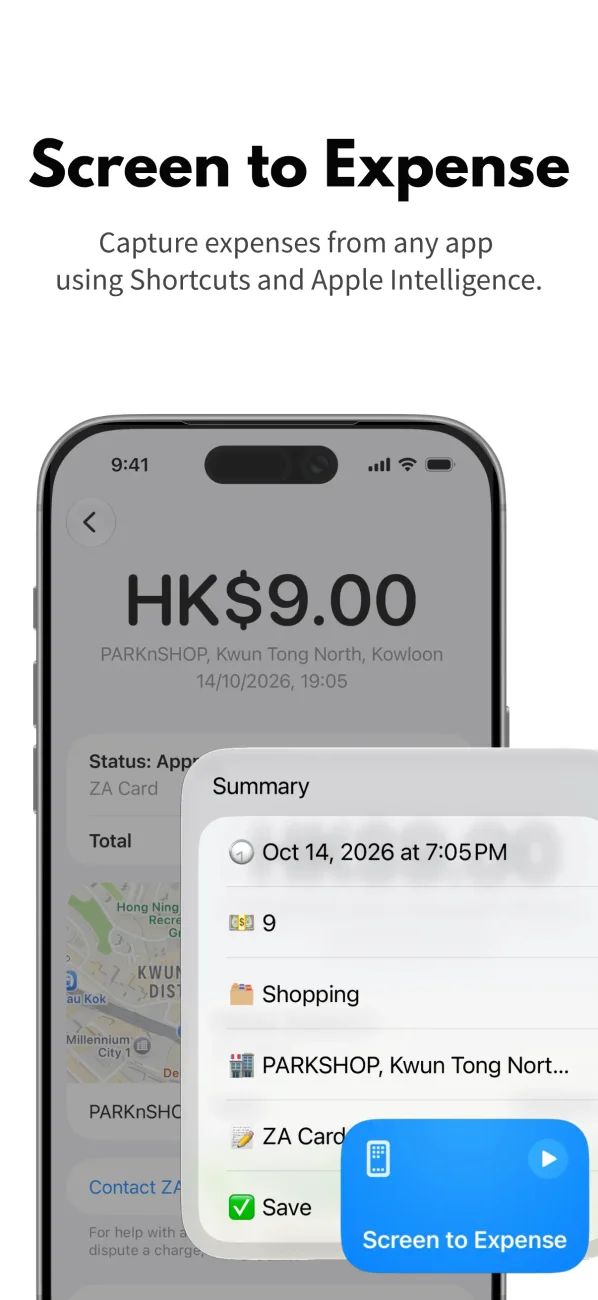
• Screen to Expense. After you trigger it, Apple Intelligence reads the captured screen and picks out the amount, the merchant, and the category. The text stays on your iPhone.
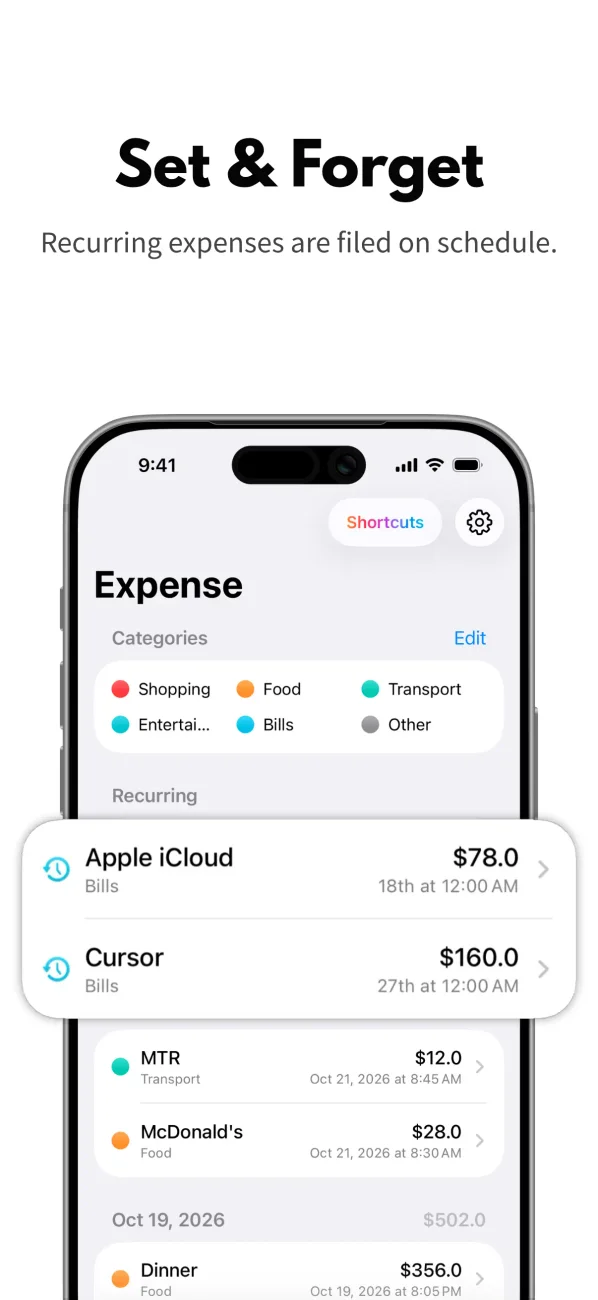
• Write down a purchase. Amount, merchant, category, note. Set & Forget repeats it every week or once a month, on the days you choose.
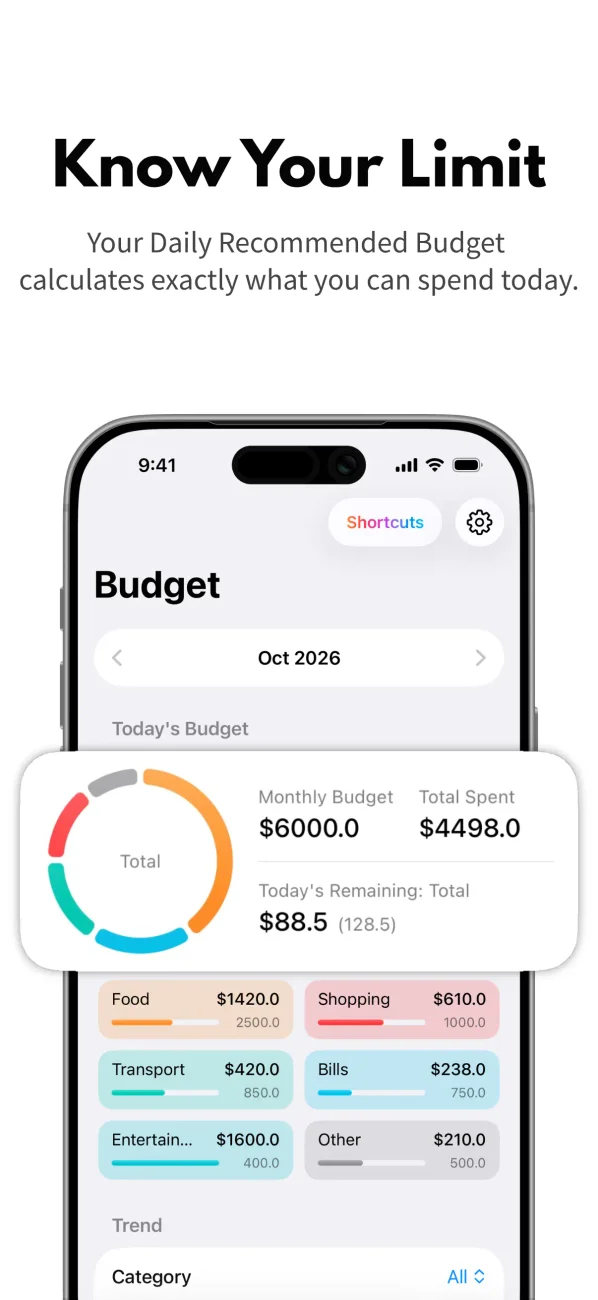
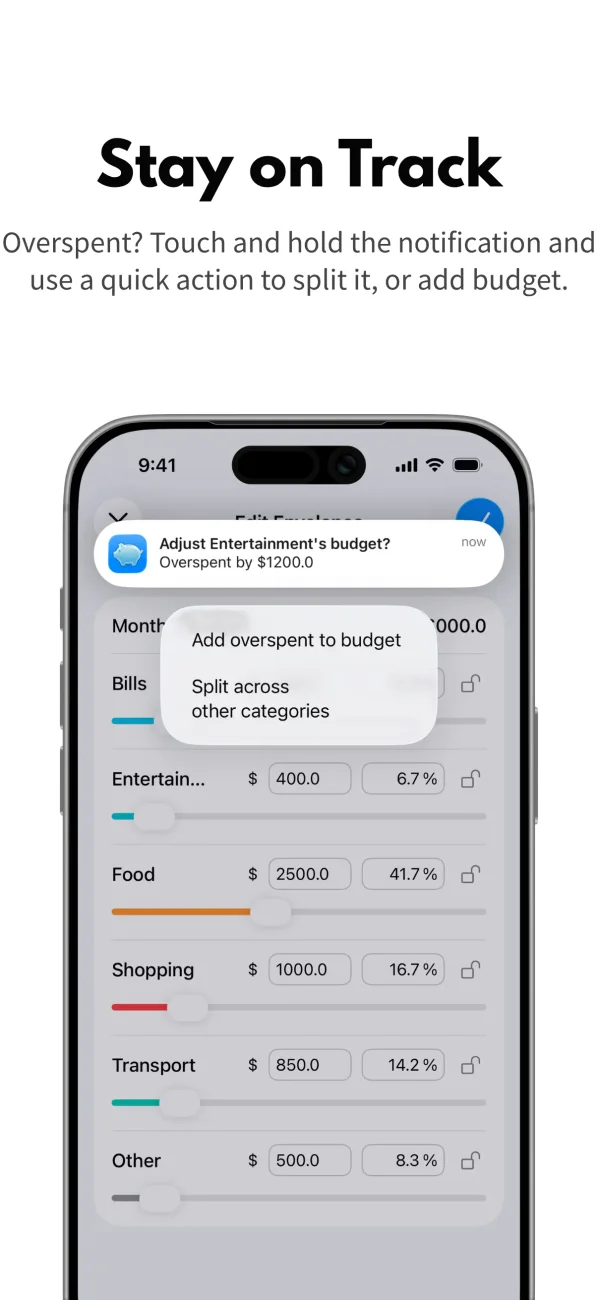
• Know Your Limit. Each category has an envelope. See what is left, what today still allows, and how the month is moving. Stay on Track when you go over: raise that envelope, or share the extra with categories that still have room.
• Finance at a Glance. Four widgets follow the app, on iPhone and iPad. Today, today's budget, this month, and the months behind you. You choose how each one looks.
Try the app and the Shortcuts for seven days.
Neue Funktionen
Version 2.0.3 · 02.11.2026
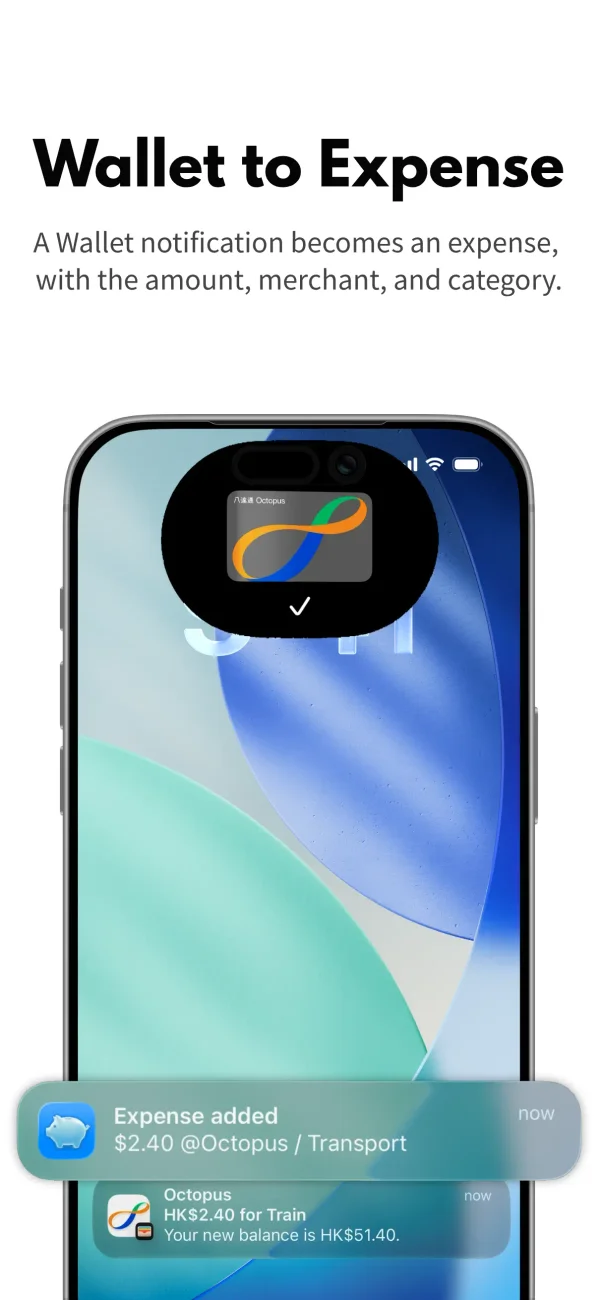
• Wallet to Expense. A notification can catch the expense and sort it. You decide what happens next. Add it, edit it, or let it pass, from a quick action. The record stays the one you meant.
• How much did you spend? Ask Siri. ReceiptGPT answers with the count, the total, and the three merchants that cost the most. Narrow it to a category, a shop, or a stretch of time.
• Screen to Expense reads the time next to the charge, and a past expense keeps that day.
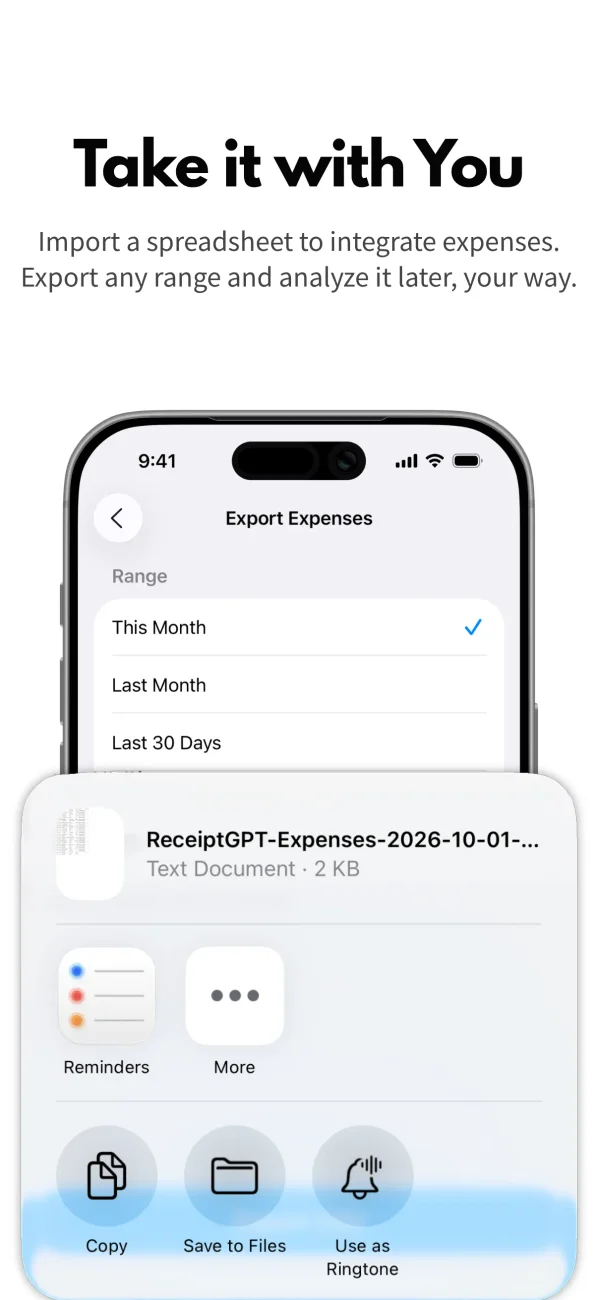
• Take it with You. Export a month, a year, or any range as a spreadsheet. Rows from a repeat are marked. Import a file in the stated format.
• The amount pad does the math. 12.50 + 4.20 stays a total.
• Set your currency once. The symbol shows in the app, on the widgets, and in alerts. Set the language too, or leave it on the phone's.
• The app and the widgets are cleaner, with more depth, and the layout stays focused.
• Screen to Expense & Wallet to Expense: top-ups, refunds, cash back, and MTR gate entries with no fare deduction are no longer saved as expenses.
• Overspend notifications can now be turned off.
• Bug fixes.
App-Datenschutz
Was Chun To CHEUNG im App Store zum Umgang dieser App mit Daten angibt.
-
Keine Daten erfasst
Der Entwickler erfasst keine Daten von dieser App.
Die Datenschutzpraktiken können variieren, zum Beispiel je nach den von Ihnen verwendeten Funktionen oder Ihrem Alter.
Informationen
- Anbieter
- Chun To CHEUNG
- Kategorie
- Finanzen
- Version
- 2.0.3
- Aktualisiert
- 02.11.2026
- Veröffentlicht
- 13.04.2026
- Größe
- 10,3 MB
- Erfordert
- iOS 26.0 oder neuer
- Altersfreigabe
- 4+
- Preis
- Kostenlos
- In-App-Käufe
- Ja
- Sprachen
- Englisch, Deutsch, Hindi, Japanisch, Koreanisch, Russisch, Vereinf. Chinesisch, Thai, Tradit. Chinesisch, Türkisch
- Copyright
- © Cheung Chun To
Das könnte Ihnen auch gefallen
-
 Ching — Auto Expense TrackerFinanzen
-
 WorthBook: AI Expense TrackerFinanzen
-
 碌邊張 SwipeWhichFinanzen
-
 Planto - HK #1 Money TrackerFinanzen
-
 DinoWalletBelege, Ersparnisse, Vermögen
-
 Tael - Expense TrackerFinanzen
-
 Budget.AIFinanzen
-
 IFEC Money TrackerFinanzen
-
 Undula: Insider TradingFinanzen
-
 RentSmart - Earn as you rentFinanzen